

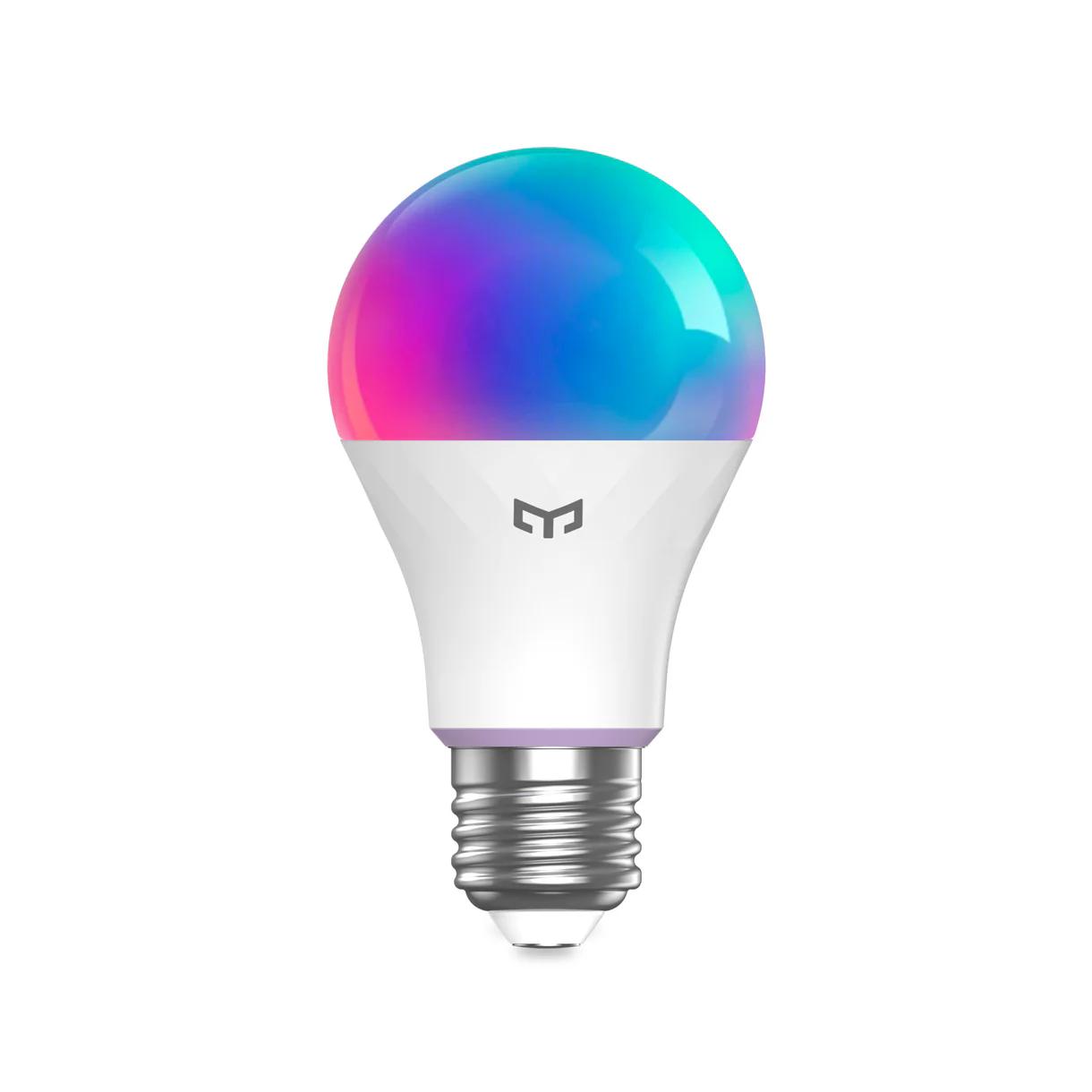
If you’re looking for an affordable yet fully featured smart bulb with support for multiple platforms, Yeelight Smart Bulb W4 might be exactly what you need. This new model from the trusted Yeelight brand comes with support for Apple HomeKit, Amazon Alexa, and Google Assistant, offers a full color spectrum, and works without needing any extra smart hub thanks to built-in WiFi and BLE connectivity.
Coupon price on AliExpress
You can find the smart bulb Yeelight Smart LED Bulb W4 Lite (Color) in the best deal directly in the official Yeelight store on the AliExpress platform. The advantage is fast delivery within 10-13 business days and no additional customs charges.
Yeelight Smart Bulb W4
 13-day delivery

TIP13-day delivery via Aliexpress Standard Shipping
For this product, AliExpress Standard Shipping is available with guaranteed delivery in 13 days. This is the most reliable shipping method, and in most cases it’s handled by a courier company.
When ordering from the Chinese warehouse, AliExpress will add the customs duty in your cart—approximately 3,70 € per order. When you receive the package, you won’t pay anything extra.
16 million colors and finely adjustable color temperature
The main advantage of this bulb is that you can change not only the light intensity, but also its color shade. Warm white for relaxing evenings, cool white for focused work, or colorful ambient lighting—everything is easy to set up via the Yeelight or Mi Home mobile app.

The bulb supports 16 million colors and a color temperature range of 2700 to 6500 K. There’s also convenient dimming that you can control manually, by voice, or through automation in the apps.
Compatible with the biggest systems and easy pairing
A big advantage is support for Apple HomeKit, Amazon Alexa, and Google Assistant. So if you use any of these platforms, you can add the Yeelight W4 bulb to your ecosystem without any problem. Voice control works perfectly, and you can also set up automations like turning the light on when you come home.

Another advantage is that the bulb doesn’t require any central hub. Just use your WiFi network and the app. The connection is handled by the WiFi + Bluetooth Low Energy combo, which makes the pairing process very fast.
Modern design and standard E27 mounting
The bulb has an elegant matte finish and a classic shape that fits any lamp or light fixture. It uses the standard E27 socket, meaning you can install it practically anywhere without needing an adapter.

The bulb dimensions are 60 x 60 x 110 mm and it weighs very little, so it won’t strain the lampshade or other parts of the fixture. Thanks to low power consumption of 9 W and a luminous flux of 806 lumens, it’s ideal as main or additional lighting in any room.
Sync with music and games
Yeelight W4 Lite also offers a fun music or game synchronization feature. This function works with the Razer Chroma™ RGB platform—perfect if you’re a gamer or you already have an RGB ecosystem.

Plus, you can set timers, groups of multiple bulbs, scene modes, or schedule automatic dimming and turning lights on/off. Everything works through a well-designed app available for Android and iOS.
Technical specifications of Yeelight Smart Bulb W4 Lite (Color)
You can find an overview of the most important bulb parameters in the table below:
| Yeelight Smart LED Bulb W4 Lite (Color) | |
|---|---|
| Model | YLQPD-0011 |
| Power input | 9 W |
| Thread | E27 |
| Luminous flux | 806 lm |
| Color temperature | 2700 – 6500 K |
| Connection | Bluetooth + WiFi |
| Support | HomeKit / Alexa / Google Assistant |
| Temperature range | -10°C to 40°C |
| Dimensions | 60 x 60 x 110 mm |
| Colors | 16 million colors |
| No hub | Yes |
To get more updates from the Xiaomi world, keep following our Xiaomi Planet website — join our Facebook group, where we build an active community and help each other out. Also subscribe to our Telegram, where we add the best offers and coupons from China every day.
Don’t miss the best coupons 📩
Subscribe and we’ll email you new coupons before they expire. We only send it once a month — no spam.