
Rating: Yeelight Guangcan YLXD50YL
Our editorial rating based on product testing.
- High-quality workmanship
- Light intensity and colorful ambient backlighting
- Smart features and lots of customization options
- The Yeelight app doesn’t have a Slovak localization
- Doesn’t work with every router
- Works only with the Chinese server in the Mi Home / Yeelight app
Intelligent LED lamps and bulbs are constantly increasing, and in our homes they gradually replace the regular ones.
One of the major suppliers of intelligent LED lighting is also the Yeelight brand, which has long been part of the Xiaomi ecosystem.
Since their lights are very popular with our readers too, we decided to order and test their latest model with a 470 mm diameter – the Yeelight Guangcan YLXD50YL.
Fast delivery, great first impression
Even before we start describing our experience, we can’t help but mention the smooth ordering and delivery. We ordered the light from the Chinese warehouse from the seller Banggood.
We bought it here. 👇
I want a coupon for Yeelight YLXD50YL
It was delivered by courier service with no additional fees, in 16 days from the order.
The Yeelight YLXD50YL ceiling LED smart light arrived in a standard industrial package. With this type of product, we didn’t expect anything else.

A large but fairly lightweight cardboard box contained the light body itself, consisting of two parts, a paper manual in Chinese, and 3 pcs of screws with wall plugs.
The individual parts of the light – the main part and the cover – were packed separately in plastic bags and firmly placed in the cutouts of the polystyrene profiles.
Light construction
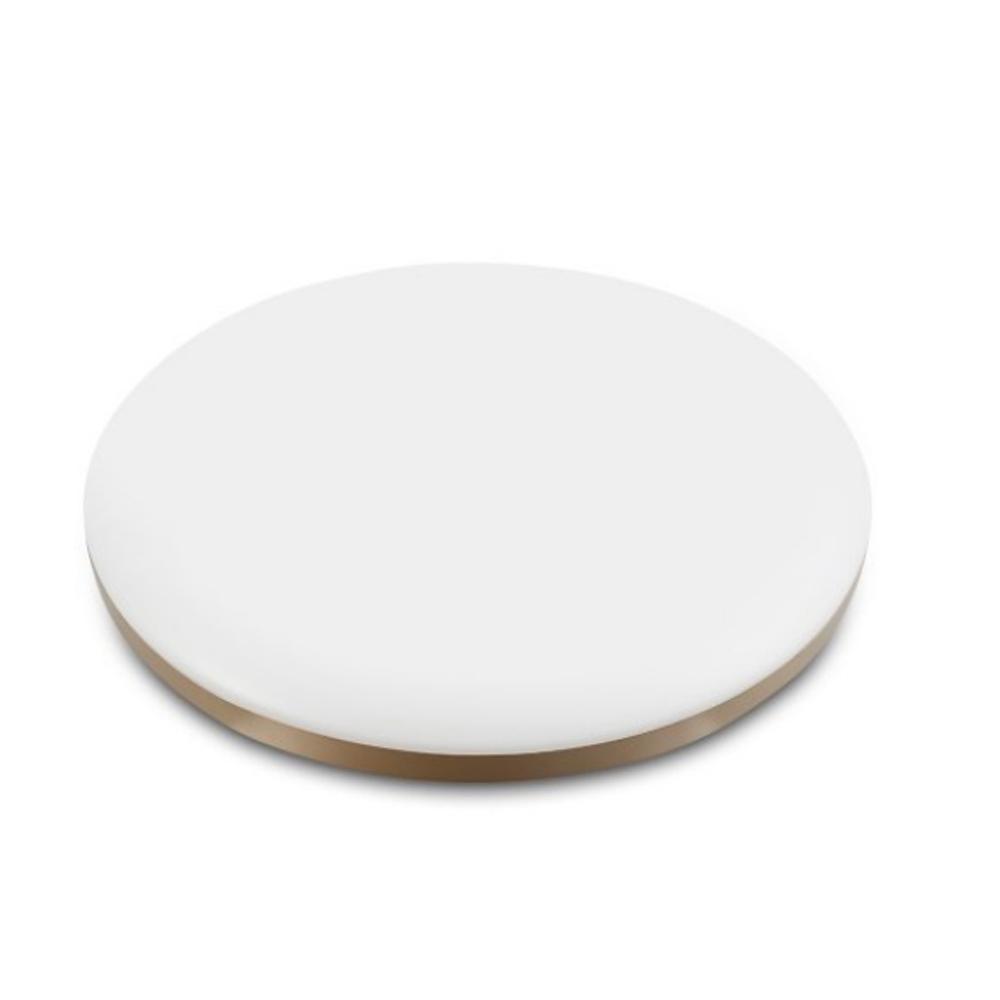
As we mentioned, the ceiling fixture in its disassembled state consists of two parts. First of all, it’s the outer part, i.e. the light cover. After complete installation, the user mostly perceives this part. It’s made of lightweight plastic in an opaque white color, complemented by a gold strip around its perimeter.

The second part, which is hidden, is made of metal and coated with white paint. It contains the complete electrical wiring, three screw holes, one for routing the power cable, and three plastic brackets that serve as cover holders.


The light’s electrical wiring consists of a control unit, which is in the same housing together with the power adapter and the LED diodes.
There are plenty of them, and the manufacturer claims up to 160 high-quality RGB LED diodes. The LEDs are arranged in three circuits. The outer circuit consists of 54 diodes. Next comes the LED strip circuit—there are 12 in total—and the inner circuit has another 27 LEDs.

After installation, the user mainly sees only the light cover from which the main illumination comes. Yeelight YLXD50YL also has a backlight function, created by additional LEDs, this time colorful ones. However, these are hidden under the cover and can’t be seen.
Installing and connecting the light is very easy
Installing the light is very easy and can be handled by an average handy person. Just mark and drill the holes in the ceiling correctly, and then simply screw the light in through the pre-set openings.
The power cable is connected via the terminal block, where the wire placement is indicated.

After successful installation, just attach the outer cover and twist it so it locks under the brackets. Some users also use the Yeelight smart switch together with the light.

However, for turning the light on and off, we used only the classic lighting switch in the home electrical wiring and a smartphone.
Basic specifications
- Dimensions 470 x 470 x 60 mm
- 160 RGB LED, ambient backlighting
- Color temperature range 2700 to 6500 Kelvin
- Maximum luminous flux 3000 lumens
- Color rendering index CRI RA95
- Compatible with Yeelight app, Mi Home, HomeKit, Alexa, compatible also with Google Assistant
Connection to a smartphone
We have to admit that the light gave us a bit of trouble after connecting it to the electrical wiring. We had repeated issues getting the light to connect to a smartphone, and the responses were very slow. The light often disconnected, and using its smart functions was almost impossible.
Later, we found that the problem was with our router. So far, we haven’t discovered what specifically caused the malfunctioning connection. After replacing the router, everything worked correctly again—quickly and without the slightest issues.

We encountered similar problems in various discussions with different users. Based on our experience, we can say that the light doesn’t work well with some router brands. For us, a Huawei router was basically a bad match, while everything worked flawlessly when using a D-link router.
The first impression after turning it on really blew us away—above all the intensity of the bright light. We were a bit worried about the light output at 3 000 lumens, because on the market you can find lights with much higher luminous flux, but reality pleasantly surprised us.
In a 4 x 4 m room, the light can even at deep night create a true feeling of the white day.

After the initial worries, and an enjoyable surprise from the strong illumination, we got to pairing it with the smartphone. We used the manufacturer’s app Yeelight, which you’ll find in Google Play Store.
Even though it doesn’t have a high user rating, it didn’t disappoint us. The environment is fast and clear, and the app offers many personalization options and all kinds of settings.
Connection process
We signed into the app with our Mi Account, and then the actual light connection took place according to the instructions in the app. Since the lamp is currently available only in the Chinese version, you must select Mainland China as the primary server region in the app.
The light connects to your home WiFi network and is also connected to the internet, which allows you to control it from anywhere in the world.


Use and smart functions
Controlling the light through the app is intuitive and very easy.
In the app, the main light has eight different scenes by default, and with each one you can use the slider to change the light intensity. You can simply choose a sunrise or sunset scene, a reading mode, a night mode, and a mode suitable for watching movies—plus more.


The user also has a day light mode and a night light mode. In day light mode, you can change not only the intensity but also the color temperature. In night mode, you can adjust only the intensity.
Another set of options appears after you click the arrow in the bottom-right corner of the app. There you can save the current settings to your favorite scenes, choose the desired lighting temperature, create a lighting schedule, and much more.

We were especially interested in pairing the Mi Band bracelet. After using it, the light will be instructed to turn off as soon as the bracelet detects the user’s sleep. When you wake up, the light turns on.


The ambient backlight also offers many customization options. Besides shades of white in different temperatures and intensities, you can also set different colors of the light—even in extremely vibrant color tones.


By combining the main light and backlight settings, you can achieve very interesting lighting effects. The combination of the main light in night mode—or in the moon mode—with the color backlight in blue (and other shades) works exceptionally well.
A quick settings menu is also available when controlling the backlight. There you can quickly set five basic colors, and in addition it offers the same options as when controlling the main light.

Among Yeelight’s intelligent light features, we highlight the ability to schedule lighting changes and even create an automatic on/off plan.
It’s also interesting that you can control the light remotely from anywhere in the world where the internet is available, as well as have it automatically turn off or on in response to an action from your Mi Band bracelet.
Final assessment
As we already mentioned during our review, the Yeelight app and the light offer almost unlimited customization and settings options.
During our testing, the light didn’t hesitate—except for the initial issues with syncing to a smartphone, it worked like a watch. Overall, we rate the Yeelight YLXD50YL light as excellent and well-made.

The light intensity is completely sufficient for a room with an area of 16 m². According to the manufacturer, the ideal use is for rooms with an area of 20 to 25 m², and based on our experience this figure doesn’t lie.
Yeelight Guangcan YLXD50YL
 CZ warehouse

TIPExpress delivery from the Czech warehouse without customs duty and VAT.
This product will be delivered to you express from the local Czech warehouse. Delivery from the Czech Republic usually takes 7-10 days and is handled by a courier. When it arrives, you don’t pay any extra fees—no customs duty and no VAT.
The only minor downsides are that the light may not work with every router, and that it only connects to a Chinese server.
Don’t miss the best coupons 📩
Subscribe and we’ll email you new coupons before they expire. We only send it once a month — no spam.