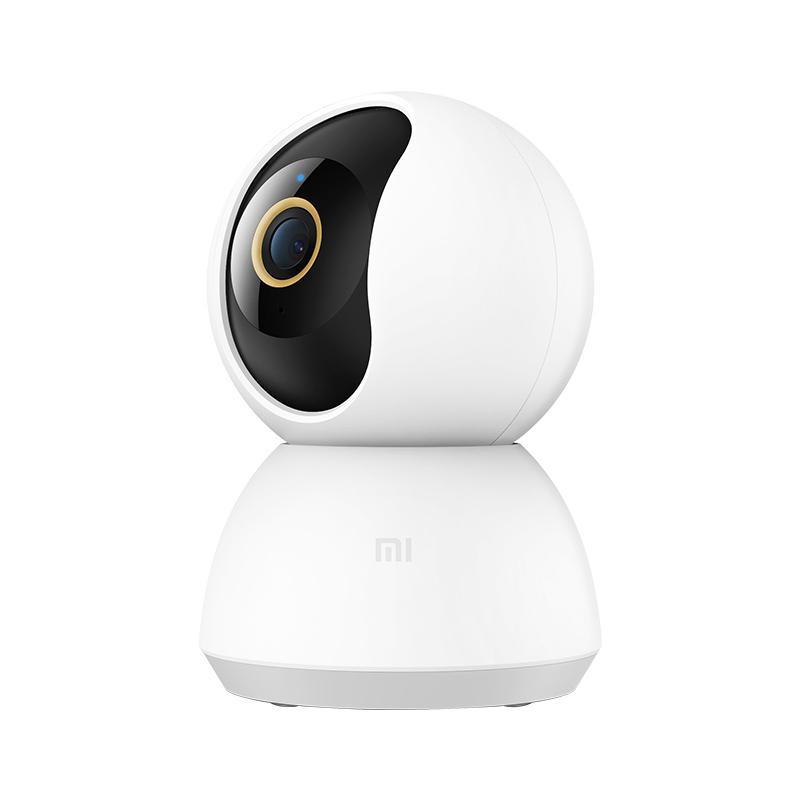
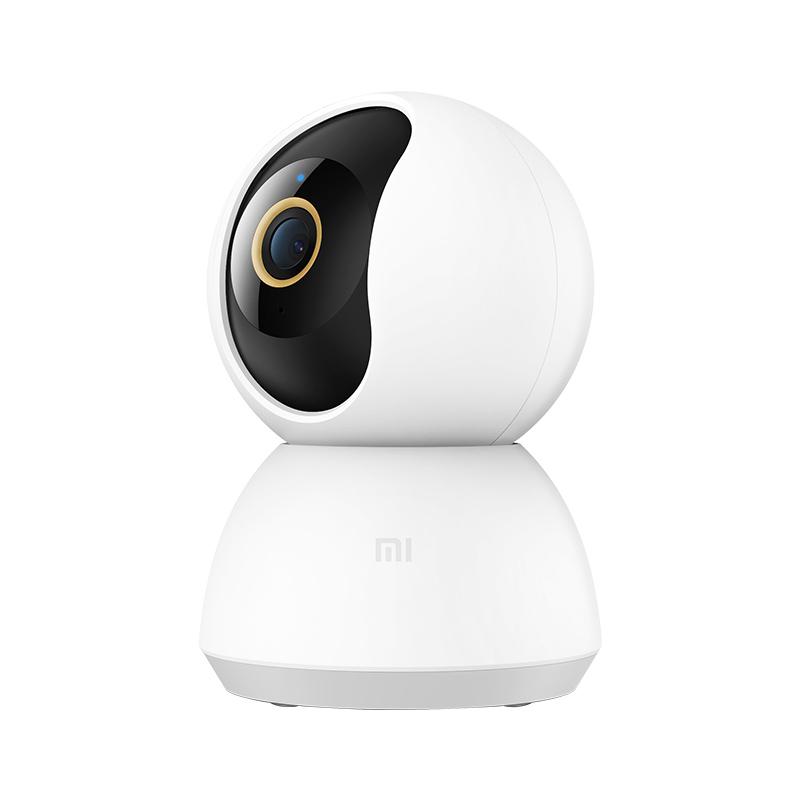
The celebration of 10. Xiaomi anniversary and its Mi Fan Festival 2020 brought a lot of new products, including the perfect Xiaomi Mi 360 Home Security Camera 2K.
As the name suggests, the smart home camera comes with even better 2K video, and we know where you can buy it for the best price.
Great price via Aliexpress sales
One of the best Xiaomi cameras is offered by the shopping portal Aliexpress. The seller will ensure delivery to you from a Chinese warehouse in a customs-free way, so you won’t have to pay any customs duties. Delivery will take place relatively quickly, within 15 days.
Info: The camera is currently available only in the Chinese version and will work via the Chinese server in the Mi Home app. In the app settings, you need to select the region as Mainland China. Another option is to use a modified Mi Home app by Vevs, which can combine European and Chinese devices in one place.
Xiaomi Planet shopping tip: GShopper has now launched direct bank transfer payments, so you can save another 4.5 % off the product price! Compared to card / Google Pay payment, you can get this product much cheaper. We described the full bank transfer payment process in our article.
TIP15-day delivery via Aliexpress Standard Shipping
For this product, Aliexpress Standard Shipping is available with guaranteed delivery within 15 days. This is the most reliable delivery method and, in most cases, the parcel is handled by a courier company. We tested the 15-day delivery in real life.
When ordering from the Chinese warehouse, AliExpress will add the customs duty in your cart—approximately 3,70 € per order. When you receive the package, you won’t pay anything extra.
Is it your first time shopping on GShopper?See the guide!
Updated 18. 9. 2023 on 14:39
TIPShipping absolutely free.
For this product, shipping is available completely free of charge. However, this is the slowest delivery method and the item may take 20 days up to 1 months to arrive.
When ordering from the Chinese warehouse, AliExpress will add the customs duty in your cart—approximately 3,70 € per order. When you receive the package, you won’t pay anything extra.
Our extra service with VIP support — we’ll handle the order on Gshopper for you and ship it straight to your address.
If you don’t have experience buying on Gshopper, payments don’t go through, or coupon use doesn’t work for you, we offer an order handling service directly to your address for our readers and customers. You transfer the money to our account and we place the order directly to your address. This way, you won’t have to worry about a failed payment or applying the coupon, and you can be sure the entire order will go through correctly 100 %. In addition, you automatically get our VIP support — if any issues arise with the shipment, we handle them for you and assist with filing a claim. The fee for this service is €15 extra of the product price. You can contact us by email at info(@)xiaomiplanet.sk or on Messenger, where we’re constantly active.
High 2K resolution and a huge aperture
Xiaomi Mi Smart Camera 2K is the new generation of smart home camera from Xiaomi, featuring the highest resolution so far, but also the largest aperture. The 3 MPx sensor has an f/1,4 aperture and records video up to 2 304 × 1 296 pixels, i.e. the mentioned 2K.
To improve visibility in poor lighting conditions, the manufacturer used 6 lens elements, which means more light reaches the sensor and night footage is much higher quality.
A big novelty in this camera is 940 nm infrared light, which helps capture video at night.
With security cameras, it’s common that night video is black-and-white, but the new camera can record color video at night, not only in daylight.
Mechanical pan/tilt and artificial intelligence
Xiaomi Mi Smart Camera 2K comes with a 360° rotating mechanism that works along the horizontal direction. However, you can also move the camera vertically, at an angle of 108 degrees.
The camera’s movement can be controlled via the Mi Home app on your smartphone. Thanks to that, it offers a truly panoramic view.
Ad
The camera, together with Mi Cloud, also offers the ability to recognize faces and, if a new face is detected, it will send a notification to your smartphone. A super feature in case someone tries to break into your place.
Among the camera’s features is also the option for two-way communication. It includes a microphone and a speaker, so you can talk directly from your smartphone to people on the other side of the camera. It doesn’t matter where in the world you are.
A newer H.265 encoding technology was used for video storage, which provides not only clearer video, but also 50% lower storage usage.
The camera offers three video storage options – on a microSD card (up to 32 GB), via NAS storage, or directly to the cloud.
If needed, you can place the camera upside down, on the ceiling, using screws. In the app, there’s then the option to rotate the image by 180°. The connection to the camera is via 2.4 GHz WiFi.


 Info: The camera is currently available only in the Chinese version and will work via the Chinese server in the Mi Home app. In the app settings, you need to select the region as Mainland China. Another option is to use a modified Mi Home app by Vevs, which can combine European and Chinese devices in one place.