


Google Assistant is part of every current Xiaomi, Redmi, or POCO smartphone. However, you can disable its functionality. How? We’ll show you in today’s guide.
How to disable Google Assistant?
You definitely know this situation. At that moment, you need to quickly turn off your Android smartphone. And so logically, like with all your previous models, you press and hold the power button meant for turning the device on and off. However, a full shutdown—or even a device restart—doesn’t happen. Instead, you’ll see a menu for Google Assistant voice commands.

If this option bothers you, there’s a solution in the form of a keyboard shortcut. When you press the power button and simultaneously press the volume up button, a software menu will appear. It includes a slider to power off as well as restarting the device, and it’s up to you which option you choose.

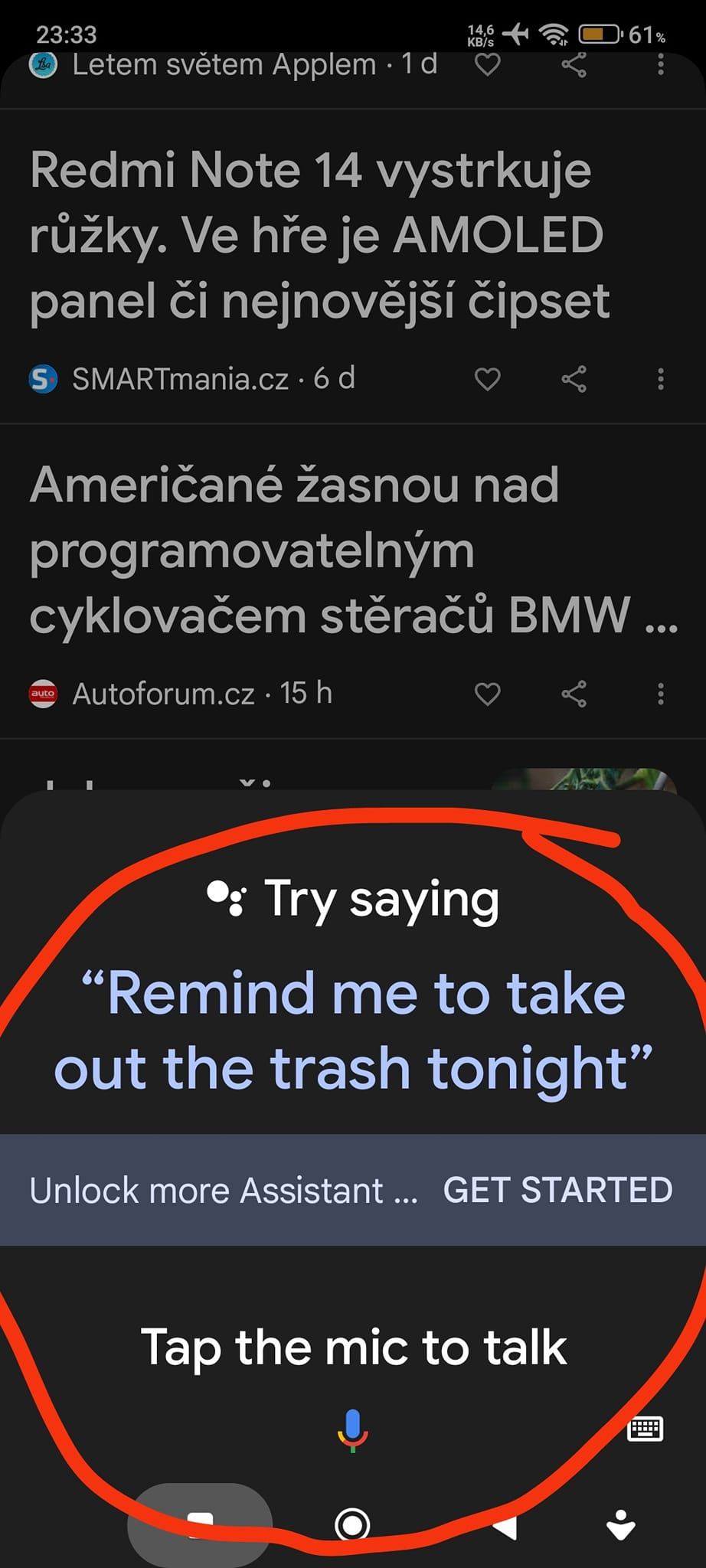
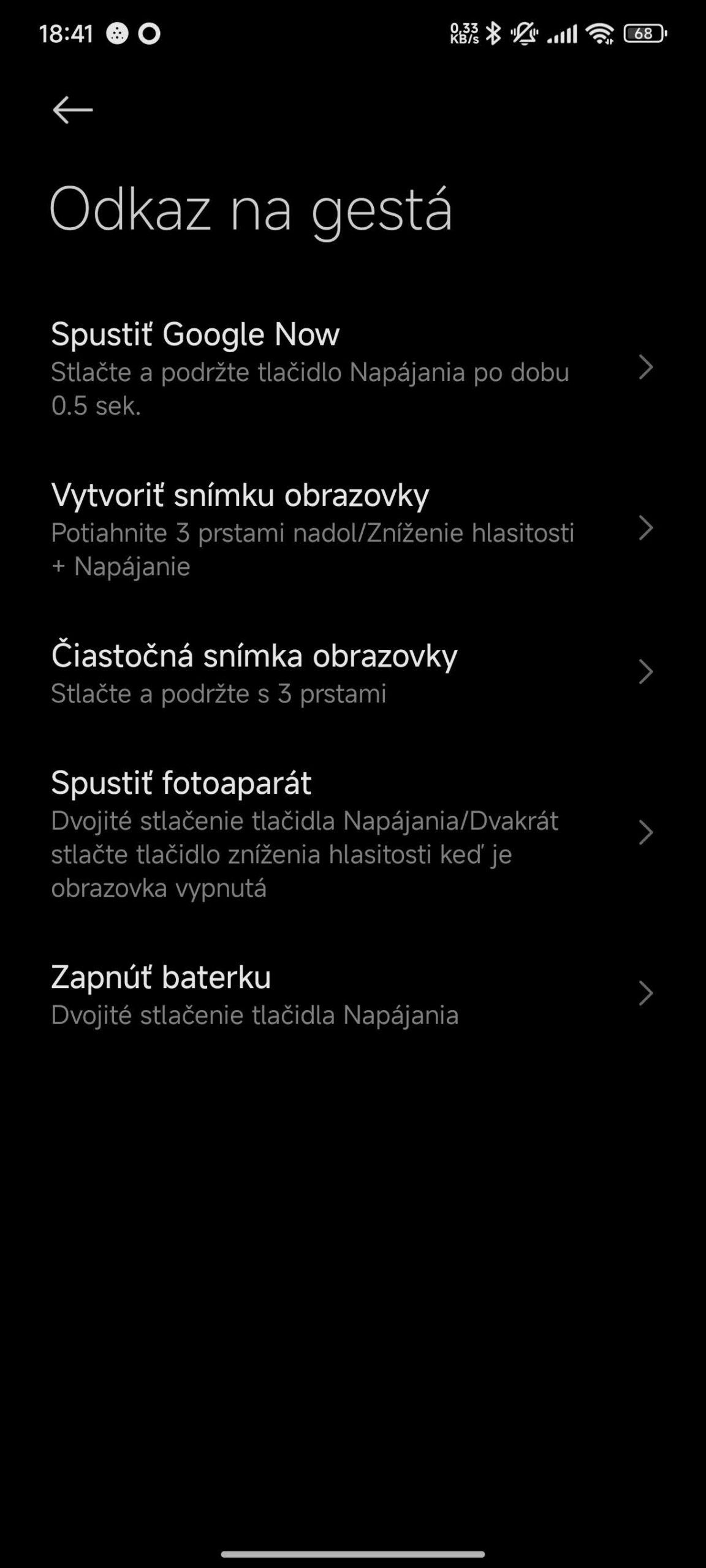
But there’s another solution as well: fully disabling the display of the Google Assistant menu when you press and hold the power button. Just follow a few simple steps.
Try these steps:
- First, go to your smartphone’s settings
- The settings menu is really extensive—you need to go to “More settings”
- This menu also includes the option “Gestures shortcut”. Click on it
- Next, click the field named “Run Google Now”
- You can choose to disable this option
You can also view a detailed tutorial in the YouTube video below:
To get more updates from the world of Xiaomi, keep following our Xiaomi Planet website. Join our Facebook group, where we build an active community and help each other out. Subscribe to our Telegram as well, where we add the best deals and coupons from China every day.
Don’t miss the best coupons 📩
Subscribe and we’ll email you new coupons before they expire. We only send it once a month — no spam.