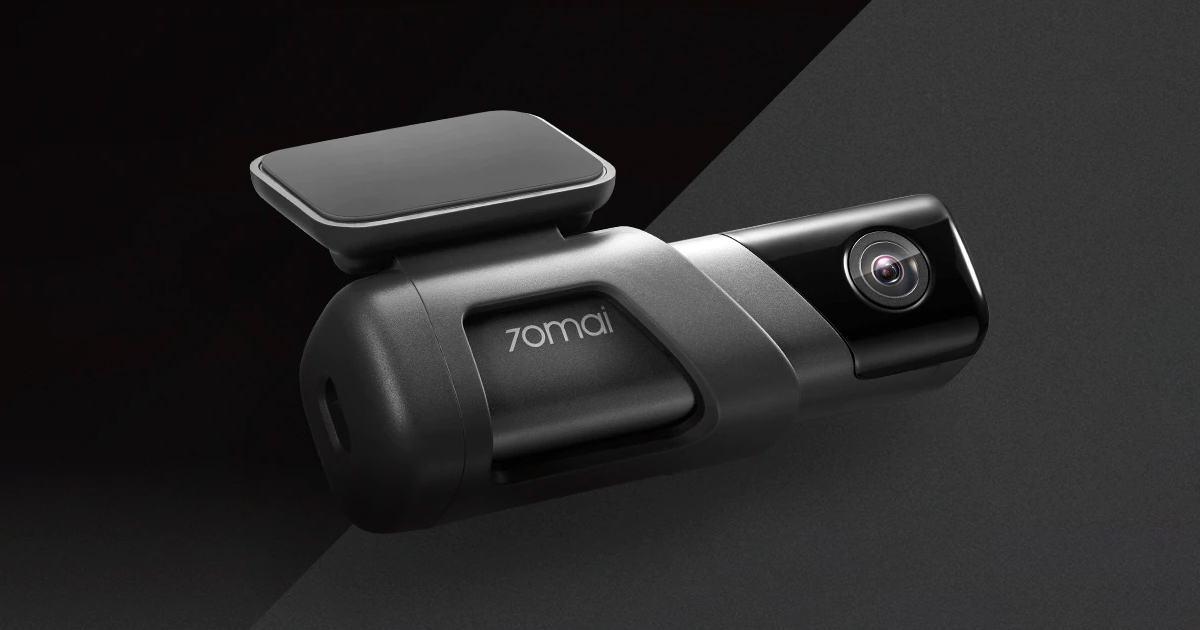
A popular Chinese manufacturer of car cameras and other accessories, 70mai, brings you the affordable model 70mai Dash Cam M500. It’s a great camera that offers 2K resolution, a really nice image, and even built-in storage.
Use coupons on AliExpress
You can also find the cameras on the popular AliExpress, with delivery from the PL or CN warehouse. Delivery from the PL warehouse takes up to 7 business days, but it’s not free. Shipping from China takes about 13 business days depending on the variant and is completely free.
Duty-free shipping, 32 GB version 106,68 € 13-day delivery Duty-free shipping, 64 GB version 98,05 € 13-day delivery Duty-free shipping, 128 GB version 129,31 € Standard Shipping GShopper Polish warehouse, 128 GB 137,33 € PL warehouse Polish warehouse, 32 GB 98,73 € PL warehouse Polish warehouse, 64 GB 108,93 € PL warehouse
Price history 11,18 € more expensive than the average price Cheapest 64,61 € Most expensive 92,41 €
3 mo. 6 mo. 1 year Max
Updated 30. 9. 2026 on 16:41 TIP 13-day delivery via Aliexpress Standard ShippingFor this product, AliExpress Standard Shipping is available with guaranteed delivery in 13 days. This is the most reliable shipping method, and in most cases it’s handled by a courier company.
When ordering from the Chinese warehouse, AliExpress will add the customs duty in your cart—approximately 3,70 € per order. When you receive the package, you won’t pay anything extra.
Track this product’s price As soon as we post a new coupon, we’ll send you an email. You can unsubscribe from tracking anytime.
Buying on AliExpress for the first time?
This process is done through the AliExpress mobile app, where most people shop. Two things matter: don’t use Buy now and enter the coupon only in the order summary in the Promo code field. After you click Pay now , you can’t add it anymore.
Copy the code and click GET THE DISCOUNT In our article, copy the coupon and click the button GET THE DISCOUNT . The link will take you directly to the product in the AliExpress app. Use Add to cart, not Buy now On the product card, scroll down and click Add to cart . Don’t use the Buy now button—this skips the cart, so later you won’t have a place to enter the coupon. Before that, make sure the variant is correct: color, version, and whether it ships from an EU warehouse. Continue to Checkout via the cart A pop-up will appear: Added to cart! —tap Check it out . If it disappeared, open the cart using the icon in the bottom-right corner. In the cart, check the product and quantity, then tap the red Checkout button. Only the items marked with the red circle are included. Fill in your address and card, then look for Promo code In the order summary, first enter the delivery address and payment card at the top. Below that, there’s a line Promo code — expand it with the arrow on the right.
Look for this line under the address and payment method. Paste the code and confirm Apply In the field Promo code paste the copied code and click the black Apply . The code is case-sensitive and must not contain spaces.
Paste the code into the field and confirm by clicking the Apply button. Check your savings and pay In the section Summary expand the line Saved — you’ll see the applied coupon there as AliExpress coupons/codes . Only when Total is really lower, click Pay now .
The applied coupon will show up in the Saved line and reduce the Total.
Apply the discount again in the order summary. After you click Pay now, you can’t add a coupon anymore. If Apply shows an error, the code has either expired, doesn’t apply to your item, or your order doesn’t meet the minimum amount.
Store Coupon also belongs in the same field. — a coupon from the seller itself, which isn’t always available and changes day to day. It can’t be combined with an AliExpress coupon, so try both and go with the one that gives you more. Coins are added automatically.
100,98 € You save 2,93 €
98,05 €
Price history 11,56 € more expensive than the average price Cheapest 73,86 € Most expensive 98,05 €
3 mo. 6 mo. 1 year Max
Updated 30. 9. 2026 on 16:41 TIP 13-day delivery via Aliexpress Standard ShippingFor this product, AliExpress Standard Shipping is available with guaranteed delivery in 13 days. This is the most reliable shipping method, and in most cases it’s handled by a courier company.
When ordering from the Chinese warehouse, AliExpress will add the customs duty in your cart—approximately 3,70 € per order. When you receive the package, you won’t pay anything extra.
Track this product’s price As soon as we post a new coupon, we’ll send you an email. You can unsubscribe from tracking anytime.
Buying on AliExpress for the first time?
This process is done through the AliExpress mobile app, where most people shop. Two things matter: don’t use Buy now and enter the coupon only in the order summary in the Promo code field. After you click Pay now , you can’t add it anymore.
Copy the code and click GET THE DISCOUNT In our article, copy the coupon and click the button GET THE DISCOUNT . The link will take you directly to the product in the AliExpress app. Use Add to cart, not Buy now On the product card, scroll down and click Add to cart . Don’t use the Buy now button—this skips the cart, so later you won’t have a place to enter the coupon. Before that, make sure the variant is correct: color, version, and whether it ships from an EU warehouse. Continue to Checkout via the cart A pop-up will appear: Added to cart! —tap Check it out . If it disappeared, open the cart using the icon in the bottom-right corner. In the cart, check the product and quantity, then tap the red Checkout button. Only the items marked with the red circle are included. Fill in your address and card, then look for Promo code In the order summary, first enter the delivery address and payment card at the top. Below that, there’s a line Promo code — expand it with the arrow on the right.
Look for this line under the address and payment method. Paste the code and confirm Apply In the field Promo code paste the copied code and click the black Apply . The code is case-sensitive and must not contain spaces.
Paste the code into the field and confirm by clicking the Apply button. Check your savings and pay In the section Summary expand the line Saved — you’ll see the applied coupon there as AliExpress coupons/codes . Only when Total is really lower, click Pay now .
The applied coupon will show up in the Saved line and reduce the Total.
Apply the discount again in the order summary. After you click Pay now, you can’t add a coupon anymore. If Apply shows an error, the code has either expired, doesn’t apply to your item, or your order doesn’t meet the minimum amount.
Store Coupon also belongs in the same field. — a coupon from the seller itself, which isn’t always available and changes day to day. It can’t be combined with an AliExpress coupon, so try both and go with the one that gives you more. Coins are added automatically.
130,51 € You save 1,20 €
129,31 €
Price history 18,88 € more expensive than the average price Cheapest 95,78 € Most expensive 129,31 €
3 mo. 6 mo. 1 year Max
Updated 30. 9. 2026 on 16:41 TIP With Standard Shipping via GShopper, you pay no extra fees—everything is already included!With the GShopper seller, we recommend choosing Standard Shipping, where you won’t pay anything extra. Customs fees and any VAT are handled by the seller. You can select the shipping method in the cart only, after entering your delivery address. Delivery with this option usually takes about 15 business days from dispatch from the warehouse, but it may take longer.
Track this product’s price As soon as we post a new coupon, we’ll send you an email. You can unsubscribe from tracking anytime.
Buying on AliExpress for the first time?
This process is done through the AliExpress mobile app, where most people shop. Two things matter: don’t use Buy now and enter the coupon only in the order summary in the Promo code field. After you click Pay now , you can’t add it anymore.
Copy the code and click GET THE DISCOUNT In our article, copy the coupon and click the button GET THE DISCOUNT . The link will take you directly to the product in the AliExpress app. Use Add to cart, not Buy now On the product card, scroll down and click Add to cart . Don’t use the Buy now button—this skips the cart, so later you won’t have a place to enter the coupon. Before that, make sure the variant is correct: color, version, and whether it ships from an EU warehouse. Continue to Checkout via the cart A pop-up will appear: Added to cart! —tap Check it out . If it disappeared, open the cart using the icon in the bottom-right corner. In the cart, check the product and quantity, then tap the red Checkout button. Only the items marked with the red circle are included. Fill in your address and card, then look for Promo code In the order summary, first enter the delivery address and payment card at the top. Below that, there’s a line Promo code — expand it with the arrow on the right.
Look for this line under the address and payment method. Paste the code and confirm Apply In the field Promo code paste the copied code and click the black Apply . The code is case-sensitive and must not contain spaces.
Paste the code into the field and confirm by clicking the Apply button. Check your savings and pay In the section Summary expand the line Saved — you’ll see the applied coupon there as AliExpress coupons/codes . Only when Total is really lower, click Pay now .
The applied coupon will show up in the Saved line and reduce the Total.
Apply the discount again in the order summary. After you click Pay now, you can’t add a coupon anymore. If Apply shows an error, the code has either expired, doesn’t apply to your item, or your order doesn’t meet the minimum amount.
Store Coupon also belongs in the same field. — a coupon from the seller itself, which isn’t always available and changes day to day. It can’t be combined with an AliExpress coupon, so try both and go with the one that gives you more. Coins are added automatically.
Price history 17,42 € more expensive than the average price Cheapest 100,17 € Most expensive 140,58 €
3 mo. 6 mo. 1 year Max
Updated 30. 9. 2026 on 16:41 TIP Express delivery from a Polish warehouse without customs duty and VAT.This product will be delivered to you express from a local Polish warehouse. Shipping from Poland usually takes 7-10 days and is handled by a courier. On delivery, you won’t pay any extra fees—no customs duty and no VAT.
Track this product’s price As soon as we post a new coupon, we’ll send you an email. You can unsubscribe from tracking anytime.
Buying on AliExpress for the first time?
This process is done through the AliExpress mobile app, where most people shop. Two things matter: don’t use Buy now and enter the coupon only in the order summary in the Promo code field. After you click Pay now , you can’t add it anymore.
Copy the code and click GET THE DISCOUNT In our article, copy the coupon and click the button GET THE DISCOUNT . The link will take you directly to the product in the AliExpress app. Use Add to cart, not Buy now On the product card, scroll down and click Add to cart . Don’t use the Buy now button—this skips the cart, so later you won’t have a place to enter the coupon. Before that, make sure the variant is correct: color, version, and whether it ships from an EU warehouse. Continue to Checkout via the cart A pop-up will appear: Added to cart! —tap Check it out . If it disappeared, open the cart using the icon in the bottom-right corner. In the cart, check the product and quantity, then tap the red Checkout button. Only the items marked with the red circle are included. Fill in your address and card, then look for Promo code In the order summary, first enter the delivery address and payment card at the top. Below that, there’s a line Promo code — expand it with the arrow on the right.
Look for this line under the address and payment method. Paste the code and confirm Apply In the field Promo code paste the copied code and click the black Apply . The code is case-sensitive and must not contain spaces.
Paste the code into the field and confirm by clicking the Apply button. Check your savings and pay In the section Summary expand the line Saved — you’ll see the applied coupon there as AliExpress coupons/codes . Only when Total is really lower, click Pay now .
The applied coupon will show up in the Saved line and reduce the Total.
Apply the discount again in the order summary. After you click Pay now, you can’t add a coupon anymore. If Apply shows an error, the code has either expired, doesn’t apply to your item, or your order doesn’t meet the minimum amount.
Store Coupon also belongs in the same field. — a coupon from the seller itself, which isn’t always available and changes day to day. It can’t be combined with an AliExpress coupon, so try both and go with the one that gives you more. Coins are added automatically.
Price history 10,57 € more expensive than the average price Cheapest 73,65 € Most expensive 106,22 €
3 mo. 6 mo. 1 year Max
Updated 30. 9. 2026 on 16:41 TIP Express delivery from a Polish warehouse without customs duty and VAT.This product will be delivered to you express from a local Polish warehouse. Shipping from Poland usually takes 7-10 days and is handled by a courier. On delivery, you won’t pay any extra fees—no customs duty and no VAT.
Track this product’s price As soon as we post a new coupon, we’ll send you an email. You can unsubscribe from tracking anytime.
Buying on AliExpress for the first time?
This process is done through the AliExpress mobile app, where most people shop. Two things matter: don’t use Buy now and enter the coupon only in the order summary in the Promo code field. After you click Pay now , you can’t add it anymore.
Copy the code and click GET THE DISCOUNT In our article, copy the coupon and click the button GET THE DISCOUNT . The link will take you directly to the product in the AliExpress app. Use Add to cart, not Buy now On the product card, scroll down and click Add to cart . Don’t use the Buy now button—this skips the cart, so later you won’t have a place to enter the coupon. Before that, make sure the variant is correct: color, version, and whether it ships from an EU warehouse. Continue to Checkout via the cart A pop-up will appear: Added to cart! —tap Check it out . If it disappeared, open the cart using the icon in the bottom-right corner. In the cart, check the product and quantity, then tap the red Checkout button. Only the items marked with the red circle are included. Fill in your address and card, then look for Promo code In the order summary, first enter the delivery address and payment card at the top. Below that, there’s a line Promo code — expand it with the arrow on the right.
Look for this line under the address and payment method. Paste the code and confirm Apply In the field Promo code paste the copied code and click the black Apply . The code is case-sensitive and must not contain spaces.
Paste the code into the field and confirm by clicking the Apply button. Check your savings and pay In the section Summary expand the line Saved — you’ll see the applied coupon there as AliExpress coupons/codes . Only when Total is really lower, click Pay now .
The applied coupon will show up in the Saved line and reduce the Total.
Apply the discount again in the order summary. After you click Pay now, you can’t add a coupon anymore. If Apply shows an error, the code has either expired, doesn’t apply to your item, or your order doesn’t meet the minimum amount.
Store Coupon also belongs in the same field. — a coupon from the seller itself, which isn’t always available and changes day to day. It can’t be combined with an AliExpress coupon, so try both and go with the one that gives you more. Coins are added automatically.
Price history 10,76 € more expensive than the average price Cheapest 82,85 € Most expensive 117,67 €
3 mo. 6 mo. 1 year Max
Updated 30. 9. 2026 on 16:41 TIP Express delivery from a Polish warehouse without customs duty and VAT.This product will be delivered to you express from a local Polish warehouse. Shipping from Poland usually takes 7-10 days and is handled by a courier. On delivery, you won’t pay any extra fees—no customs duty and no VAT.
Track this product’s price As soon as we post a new coupon, we’ll send you an email. You can unsubscribe from tracking anytime.
Buying on AliExpress for the first time?
This process is done through the AliExpress mobile app, where most people shop. Two things matter: don’t use Buy now and enter the coupon only in the order summary in the Promo code field. After you click Pay now , you can’t add it anymore.
Copy the code and click GET THE DISCOUNT In our article, copy the coupon and click the button GET THE DISCOUNT . The link will take you directly to the product in the AliExpress app. Use Add to cart, not Buy now On the product card, scroll down and click Add to cart . Don’t use the Buy now button—this skips the cart, so later you won’t have a place to enter the coupon. Before that, make sure the variant is correct: color, version, and whether it ships from an EU warehouse. Continue to Checkout via the cart A pop-up will appear: Added to cart! —tap Check it out . If it disappeared, open the cart using the icon in the bottom-right corner. In the cart, check the product and quantity, then tap the red Checkout button. Only the items marked with the red circle are included. Fill in your address and card, then look for Promo code In the order summary, first enter the delivery address and payment card at the top. Below that, there’s a line Promo code — expand it with the arrow on the right.
Look for this line under the address and payment method. Paste the code and confirm Apply In the field Promo code paste the copied code and click the black Apply . The code is case-sensitive and must not contain spaces.
Paste the code into the field and confirm by clicking the Apply button. Check your savings and pay In the section Summary expand the line Saved — you’ll see the applied coupon there as AliExpress coupons/codes . Only when Total is really lower, click Pay now .
The applied coupon will show up in the Saved line and reduce the Total.
Apply the discount again in the order summary. After you click Pay now, you can’t add a coupon anymore. If Apply shows an error, the code has either expired, doesn’t apply to your item, or your order doesn’t meet the minimum amount.
Store Coupon also belongs in the same field. — a coupon from the seller itself, which isn’t always available and changes day to day. It can’t be combined with an AliExpress coupon, so try both and go with the one that gives you more. Coins are added automatically.
A car dash cam is something you definitely should have. In case of an accident, it can help you significantly with clarifying what happened. The brand 70mai is a partner brand of Xiaomi, and in its lineup it offers various car accessories, including several types of cameras.
High resolution and HDR support
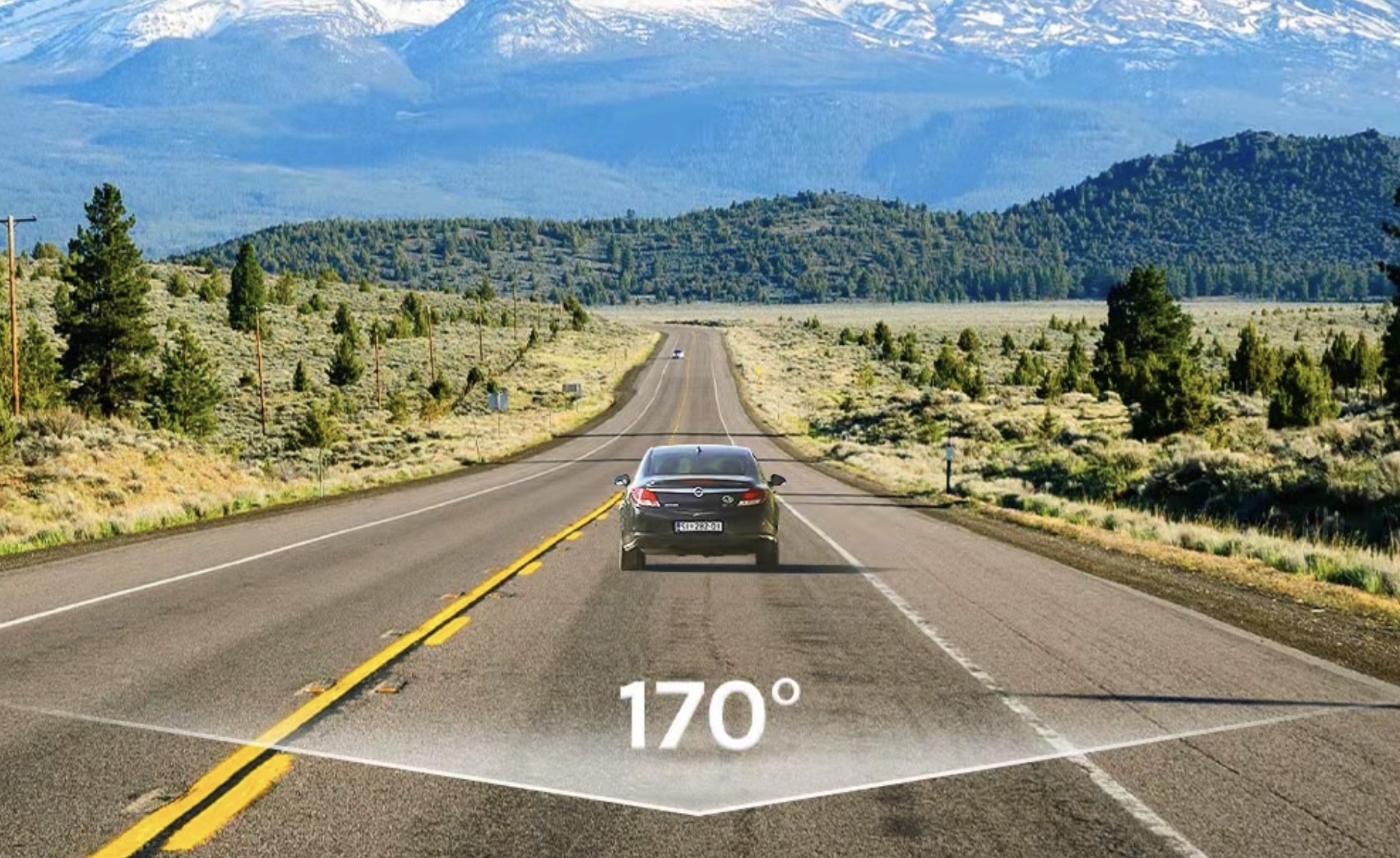
The latest one is the M500 model with 2K resolution and a field of view of up to 170 degrees. Thanks to that, nothing important will be missed. The camera is equipped with HRD technology, allowing it to capture the maximum amount of detail in any conditions. HDR helps the camera automatically adjust exposure so that the footage is lit correctly, wherever you are.
Because it also supports loop recording, it’s perfect as a security feature when parking. It also has a built-in gyroscope that can detect vibrations, which it will then alert you to.
Everything is designed so that important data isn’t overwritten. That means that if the memory is full, footage from the time when vibrations were detected will be saved safely.
Ad
70mai Dash Cam M500 has built-in storage
There’s also the option for time-lapse recording, which can turn 30 minutes of footage into just one minute—saving storage space significantly. The storage type is eMMC, and you can choose from three sizes – 32 GB, 64 GB, or 128 GB. Thanks to high write speeds (110 – 150 MB/s) and read speeds (220 – 230 MB/s), you can rely on stable performance without skipping frames or missing data during recording.
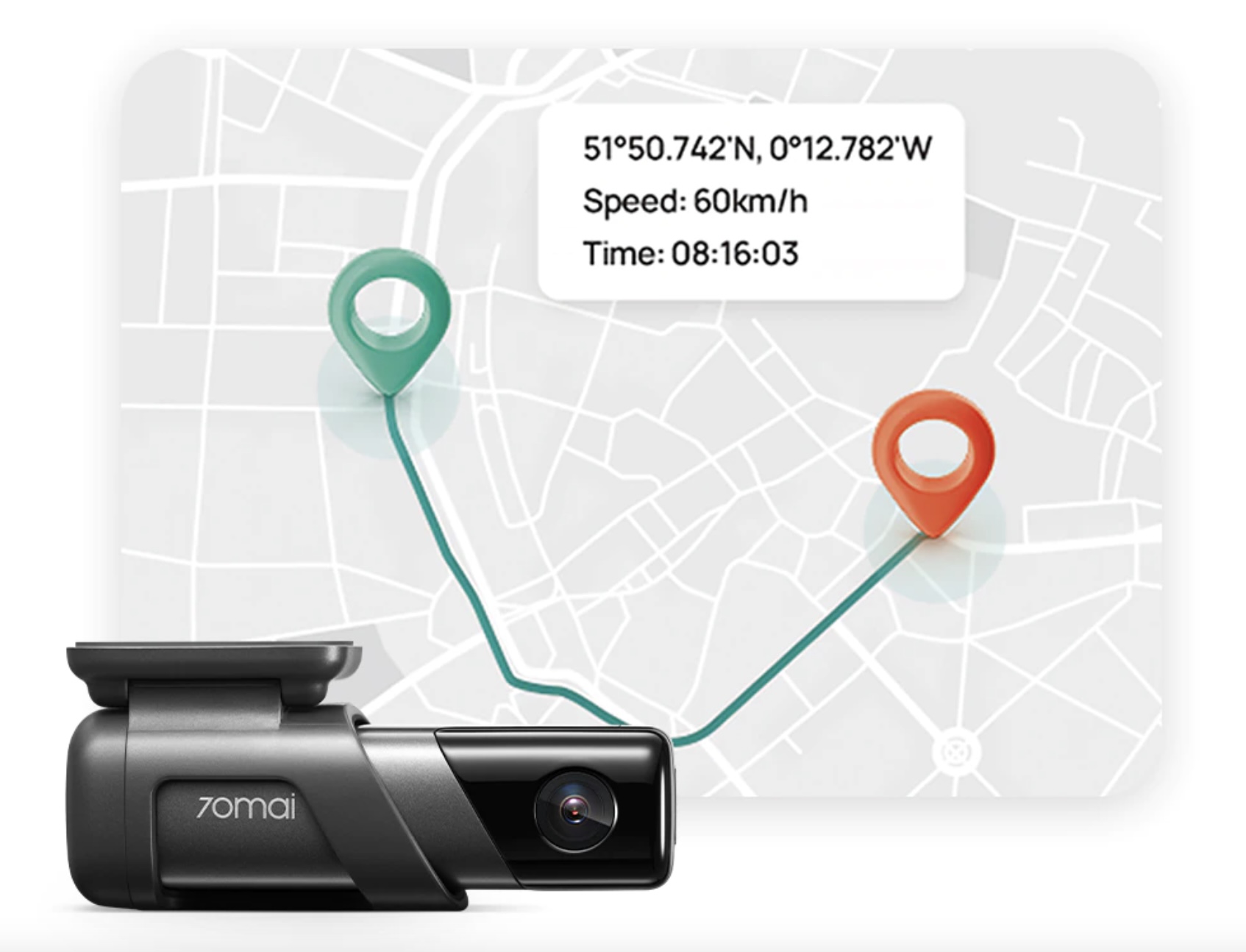
This camera also supports GPS and GLONASS, so among other things it can provide information like your current speed, the coordinates where the car is located, and more. These details can come in handy, for example, in an accident. The video itself is recorded in 2592 x 1944 pixels resolution at 30 frames per second.