

Do you use your Xiaomi, Redmi, or POCO smartphone every day and wonder which app tracks you and collects data about you? Here’s how you can find out which one uses the camera, the microphone, or your current location.
Which apps on your Xiaomi device are tracking you?
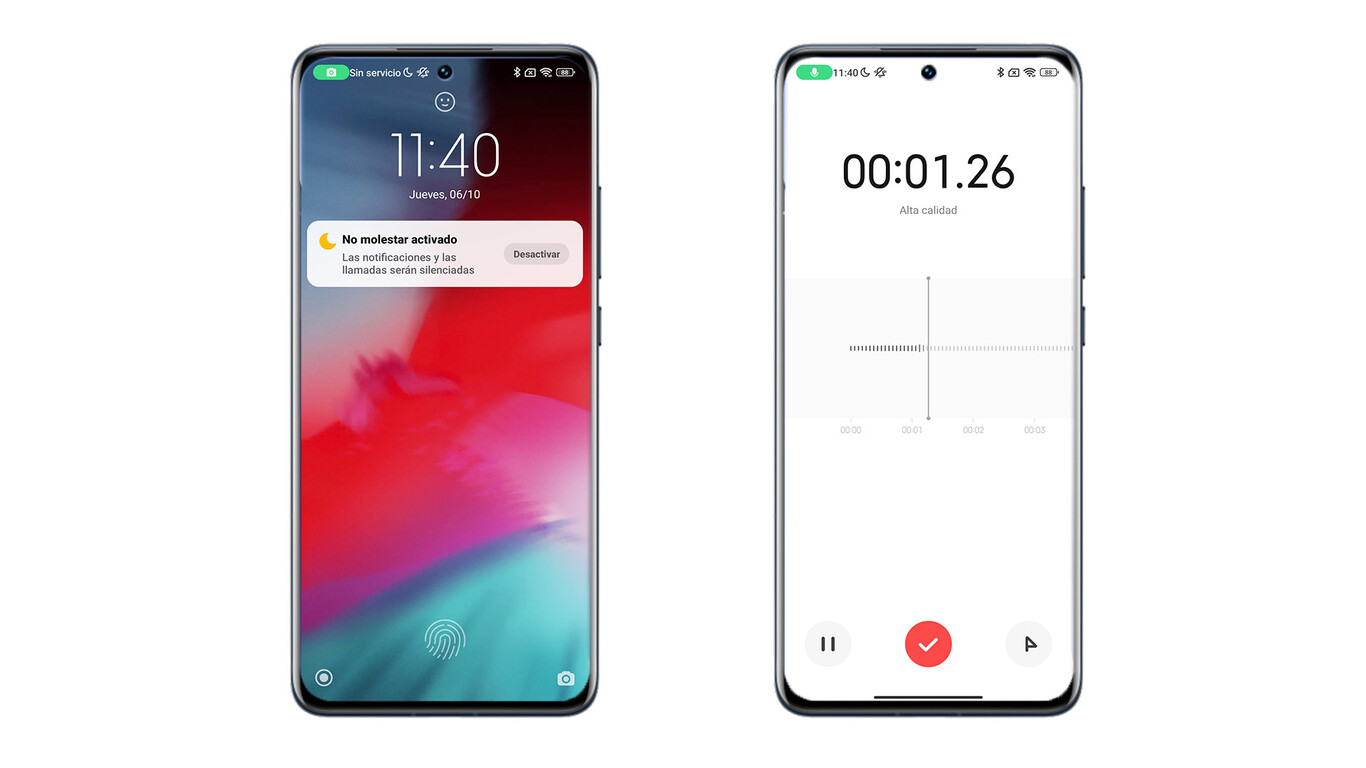
MIUI as the graphic interface from Xiaomi offers plenty of improvements. One of them is also this new feature that’s part of the native apps. It shows you certain elements that let you see in real time that your device has access to the camera, microphone, or even your location.
Xiaomi really puts a lot of focus on security, and proof of that is this new setting that appeared in one of the latest MIUI updates. Specifically, it’s MIUI 13 Security, meaning a security package designed to secure the device and protect the user’s data.
To access this feature and enable it on your smartphone, you need to go to the link below and download the latest version via MIUI Downloader, the app from Xiaomiui.net for various updates. Once you have this version active on your device, it’s important to know that for now these settings are available only in English. Other languages will likely be added later.
The green icon will show you the specific hardware component on the display
This setting lets you display the specific hardware your smartphone is using in real time. On the screen you’ll see an icon, for example of the camera or microphone—or your location. In other words, the key elements for protecting your privacy and user data.
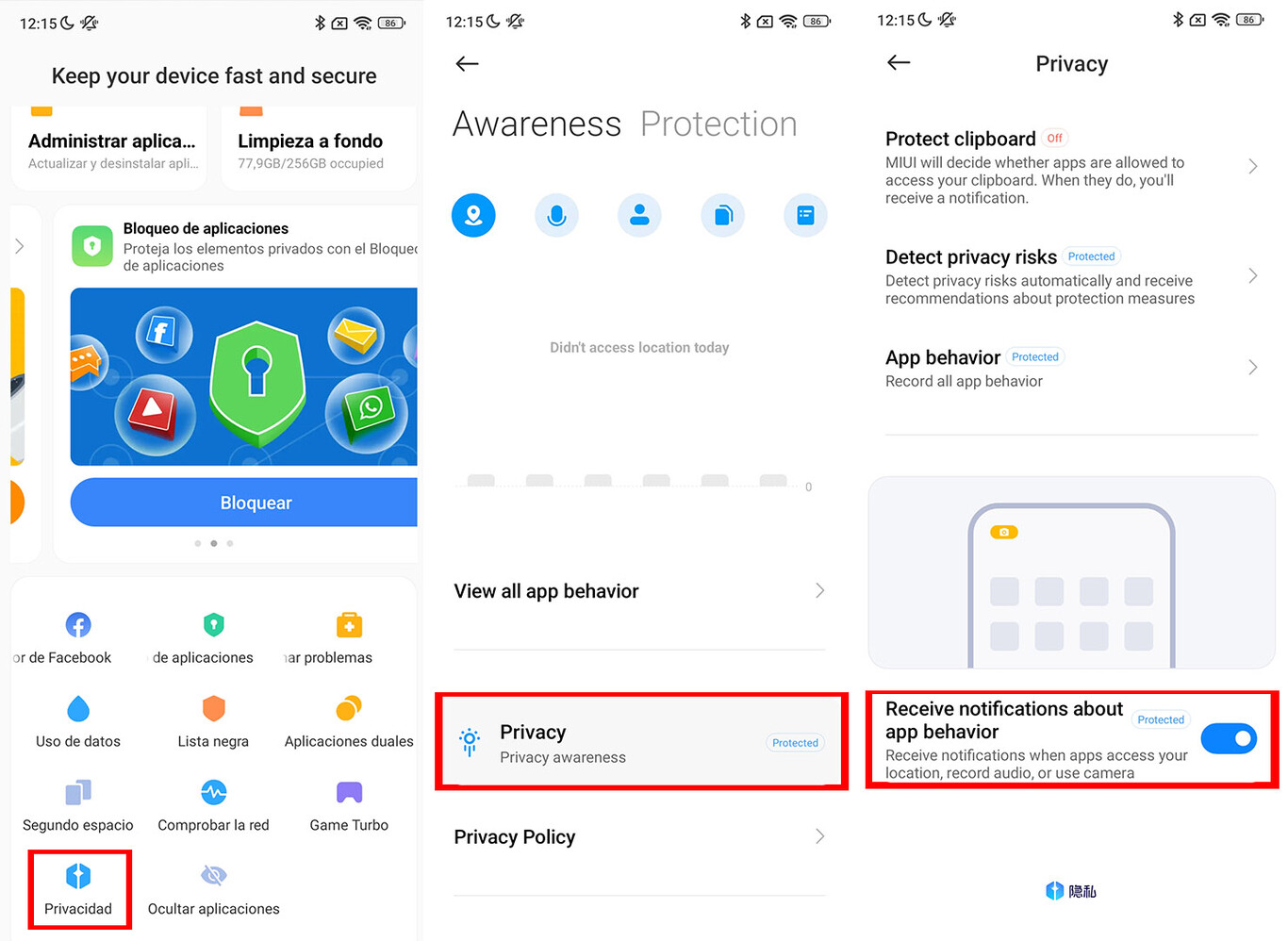
Plus, activating this feature is very easy. You just need to do the following steps:
- Go to the app “Security”
- Then go to “Privacy protection”
- And at the bottom, click “Privacy protection” again
- There, enable the option “Allow receiving behavior notifications from apps”
Once you enable this feature, a small green icon of the hardware component currently in use will appear at the top-left corner of your smartphone screen. This makes it very easy to find out whether an app is, for example, currently tracking your location or using the microphone. You can also tell whether that hardware is being used, for example, without your consent—especially in apps that don’t come from the Play Store.
How do you like our editorial guides? If you have any further questions about this topic, feel free to write them below, in the discussion under the article. Also follow our Facebook group: Xiaomi Planet – A Place for True Xiaomi Fans and also our Xiaomi Planet portal, and you’ll learn more information.
Don’t miss the best coupons 📩
Subscribe and we’ll email you new coupons before they expire. We only send it once a month — no spam.