

A planet full of Xiaomi news
Deal Planet

The non-contact Xiaomi iHealth thermometer now costs only 15 €

9. January 2021 2 min read 2 comments

Xiaomi also offers the contactless thermometer Xiaomi iHealth in its portfolio. You’ll appreciate it even now, during the ongoing coronavirus pandemic, especially from a preventive point of view. It also features a precise German sensor and comes at a low price.

Low price from an international seller

If you’re considering buying this non-contact thermometer branded Xiaomi iHealth, we recommend getting it through the popular international retailer Aliexpress.com.

The thermometer is sold at an extremely low price, and with a small extra charge you also get verified shipping via Aliexpress Standard Shipping.

XiaomiPlanet deal

Xiaomi iHealth non-contact thermometer
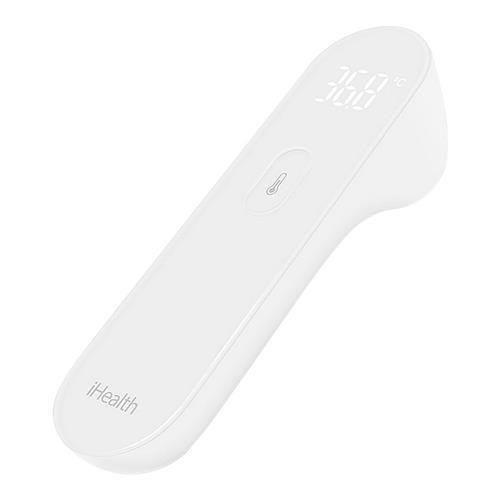
Xiaomi iHealth
Xiaomi iHealth bezkontaktný teplomer
Aliexpress Shipping
31,23 €You save 15,48 €
15,75 €
Without a coupon
Buying on AliExpress for the first time? See the guide!
Updated 9. 1. 2021 on 11:30
TIPShipping via Aliexpress Standard Shipping

For this product, Aliexpress Standard Shipping or AliExpress Saver Shipping is available. This is the most reliable way to ship from Chinese warehouses. Delivery may take 15 days to 1 months.

When ordering from the Chinese warehouse, AliExpress will add the customs duty in your cart—approximately 3,70 € per order. When you receive the package, you won’t pay anything extra.

Track this product’s price

As soon as we post a new coupon, we’ll send you an email. You can unsubscribe from tracking anytime.

Buying on AliExpress for the first time?

This process is done through the AliExpress mobile app, where most people shop. Two things matter: don’t use Buy now and enter the coupon only in the order summary in the Promo code field. After you click Pay now, you can’t add it anymore.

  1. Copy the code and click GET THE DISCOUNTIn our article, copy the coupon and click the button GET THE DISCOUNT. The link will take you directly to the product in the AliExpress app.
  2. Use Add to cart, not Buy nowOn the product card, scroll down and click Add to cart. Don’t use the Buy now button—this skips the cart, so later you won’t have a place to enter the coupon. Before that, make sure the variant is correct: color, version, and whether it ships from an EU warehouse.
  3. Continue to Checkout via the cartA pop-up will appear: Added to cart!—tap Check it out. If it disappeared, open the cart using the icon in the bottom-right corner. In the cart, check the product and quantity, then tap the red Checkout button. Only the items marked with the red circle are included.
  4. Fill in your address and card, then look for Promo codeIn the order summary, first enter the delivery address and payment card at the top. Below that, there’s a line Promo code — expand it with the arrow on the right.
    Promo code line in the AliExpress app order summary
    Look for this line under the address and payment method.
  5. Paste the code and confirm ApplyIn the field Promo code paste the copied code and click the black Apply. The code is case-sensitive and must not contain spaces.
    Promo code box with the code and the Apply button in the AliExpress app
    Paste the code into the field and confirm by clicking the Apply button.
  6. Check your savings and payIn the section Summary expand the line Saved — you’ll see the applied coupon there as AliExpress coupons/codes. Only when Total is really lower, click Pay now.
    Saved line with the applied coupon and reduced Total in the AliExpress app
    The applied coupon will show up in the Saved line and reduce the Total.
Apply the discount again in the order summary. After you click Pay now, you can’t add a coupon anymore. If Apply shows an error, the code has either expired, doesn’t apply to your item, or your order doesn’t meet the minimum amount.
Store Coupon also belongs in the same field. — a coupon from the seller itself, which isn’t always available and changes day to day. It can’t be combined with an AliExpress coupon, so try both and go with the one that gives you more. Coins are added automatically.

New non-contact thermometer: Xiaomi iHealth

The new non-contact thermometer branded Xiaomi iHealth (with model code Xiaomi FDIR-V14) will be delivered to your home in a compact package as well. However, given the dimensions of the product itself, that’s understandable. Those measure just 137 x 34 x 39 millimeters; the weight is then approximately 90 grams.


The thermometer is designed for non-contact temperature measurement—just point its sensor at a person’s forehead. The optimal measurement distance is within three centimeters.

Ad

LCD display, high accuracy, and AAA battery power

The non-contact thermometer is operated via a physical button on the front of the device. You can view the measurement result on a simple so-called wand-style LCD display, whose dimensions are 25,7 x 19,1 millimeters.

The display shows the temperature rounded to one decimal place. Another advantage is the thermometer’s high accuracy, with an extremely small deviation of just + / – 0.2 degrees Celsius. The temperature range the thermometer can measure is then 32 – 42 degrees Celsius.
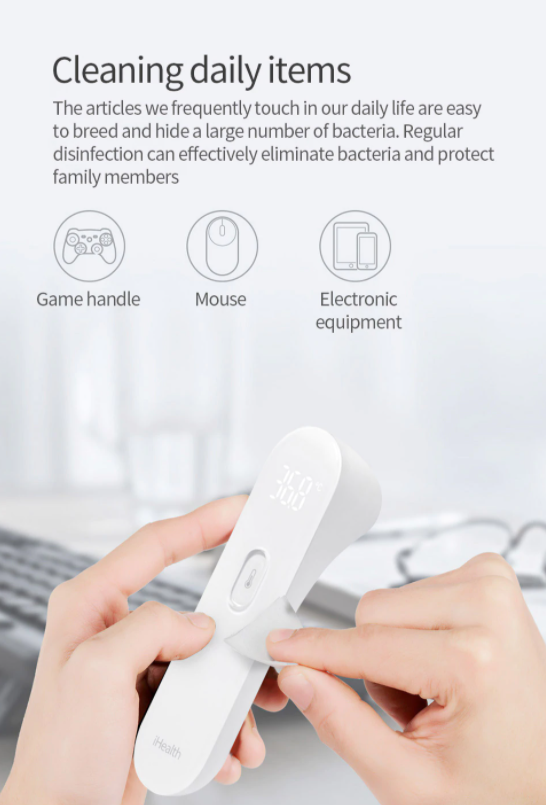
Power for this non-contact thermometer branded Xiaomi iHealth is provided by a pair of standard AAA batteries. However, due to international shipping, these batteries are not included in the package.

Do you like the new non-contact thermometer from Xiaomi? Would you consider buying this product? Feel free to share your thoughts and opinions with us below in the discussion under the article. Follow our Facebook page and the Xiaomi Planet portal to learn more.

Add us as your preferred source on Google

Don’t miss the best coupons 📩

Subscribe and we’ll email you new coupons before they expire. We only send it once a month — no spam.

Ad Engerio