

Do you also own one of the most popular fitness bands of all time? We’re talking about the piece Xiaomi Mi Band 4, which we tested in detail in our review on our website. If you want to upgrade the look of your band, you can do that by changing the watch face itself. Here are the best ones you should definitely try.
Guide to install a watch face
If you need instructions on how to install a new watch face for your band, we’ve prepared a few simple steps for you. You can find them listed step by step in a separate article at the following link.

Colorful Number Watchface
Popular watch face Colorful Number Watchface offers various colorful shades and lets you change the color intensity. It includes the time, date, heart-rate frequency, and the number of steps taken. There’s no shortage of a connection or battery icon, which is a must-have for most watch faces. The watch face supports multiple languages including English, Portuguese, and Russian.
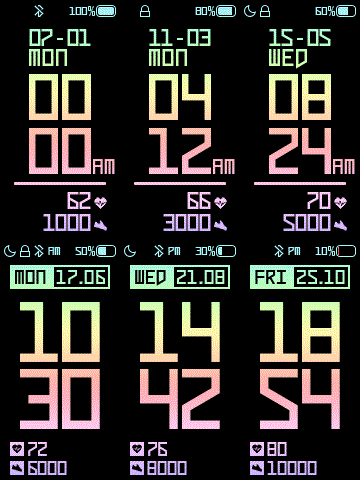
The download file is available at the following link.
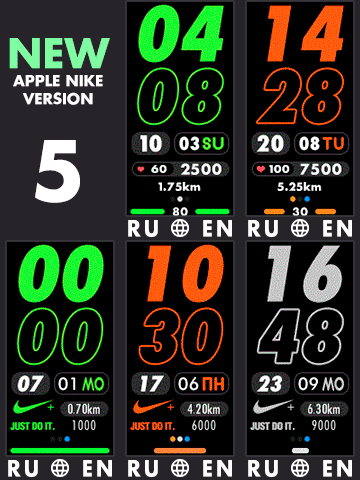
Apple Watch Nike+
One of the most popular watch faces is the one inspired by the well-known Apple Watch Nike+. It offers the time, date, and day of the week, the number of steps, heart-rate value, as well as connection and battery icons. There are up to 10 color variations—instructions recommend restarting the device after installation.
The download file is available at the following link.
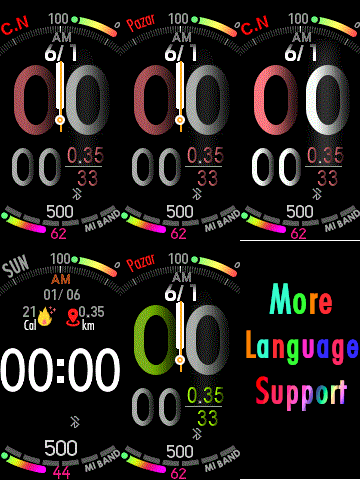
Digital Apple Watch
Another watch face with support for multiple, specifically more than 10 languages including Chinese, English, German, and French is Digital Apple Watch. The designer showcased a modern design aimed at younger users, and the time-display format automatically adapts to the current country.
The download file is available on the following link.
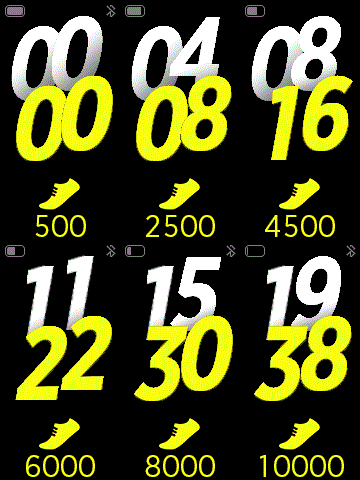
Galaxyfit
Do you like minimalism? In that case, you’ll love the design of Galaxyfit inspired by a competing bracelet from Samsung. It offers a colorful display of the time, battery, and steps taken. The watch face supports only the English language.
The download file is available at the following link.
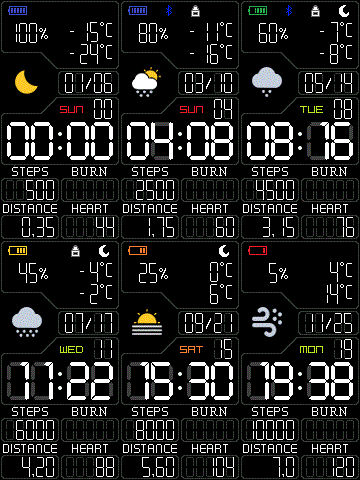
Digital – BLACK Version
Do you like the font of standard calculators, or do you simply love having the maximum amount of information in the smallest space? In that case, the Digital – BLACK Version watch face is made just for you. It’s packed with information like the time, date, month, the current day of the week, the current weather, the weather icon plus the maximum and minimum temperature, the battery status, connectivity status, steps taken, heart rate status, and even the distance covered and calories burned.
The download file is available at the following link.
U_Know_This_Brand
A stylish watch face focused on the readability of the displayed data, U_Know_This_Brand offers a simple design with icons to show the time, date, day of the week, battery, connectivity, number of steps, calories burned, distance covered, and also heart rate. It also supports multiple languages.
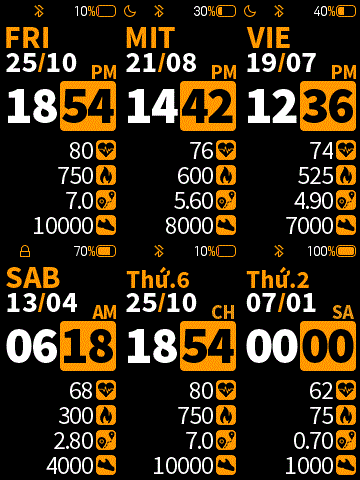
The download file is available at the following link.
ERLE_MOD
Colorful ERLE_MOD offers a large, dominant display of the time, complemented with date, month, connectivity details, as well as the number of steps, calories burned, distance covered, and heart-rate status.
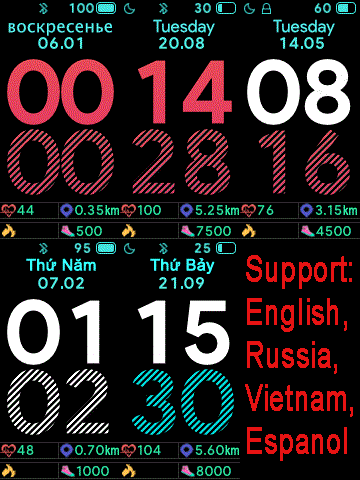
The download file is available on the following link.
Bigger White
For fans of the black-and-white color combo, here’s the dial Bigger White. It offers a display similar to the previous third-generation version, but in addition to the time (with a time format) and date, it also includes the step count, heart rate status, battery status, and connectivity info. Available in English and Portuguese.
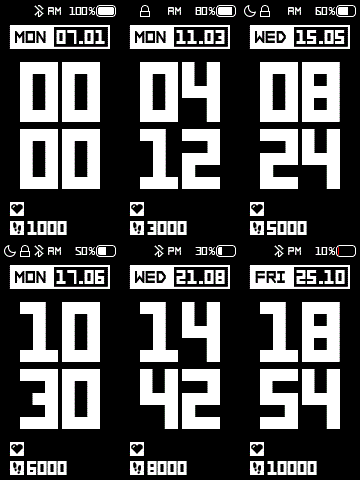
The download file is available at the following link.
Apple App Drawer
The last dial in the selection is the interesting Apple App Drawer, which is a faithful copy of the home screen design of Apple Watch, or the watchOS system. It brings you “bubbles” with key info like digital as well as analog time, battery, connectivity, or the date together with the day of the week.
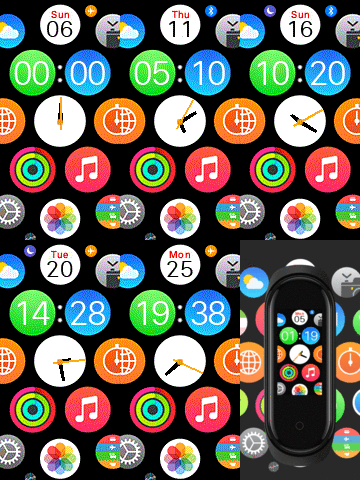
The download file is available at the following link.
If you want to get even more interesting nupdates, subscribe to our newsletter.
Don’t miss the best coupons 📩
Subscribe and we’ll email you new coupons before they expire. We only send it once a month — no spam.