Review after one year: Roborock S50
Our editorial rating based on product testing.
- Great suction power
- Mopping removes excess dust
- Sensors and very good navigation around the space
- Excellent battery life
- Well-thought-out app and remote control
- Given the price, it’s hard to find a competitor
- Mopping can’t replace proper floor washing
- Missing Slovak/Czech language
- Sometimes the carpet is recognized late
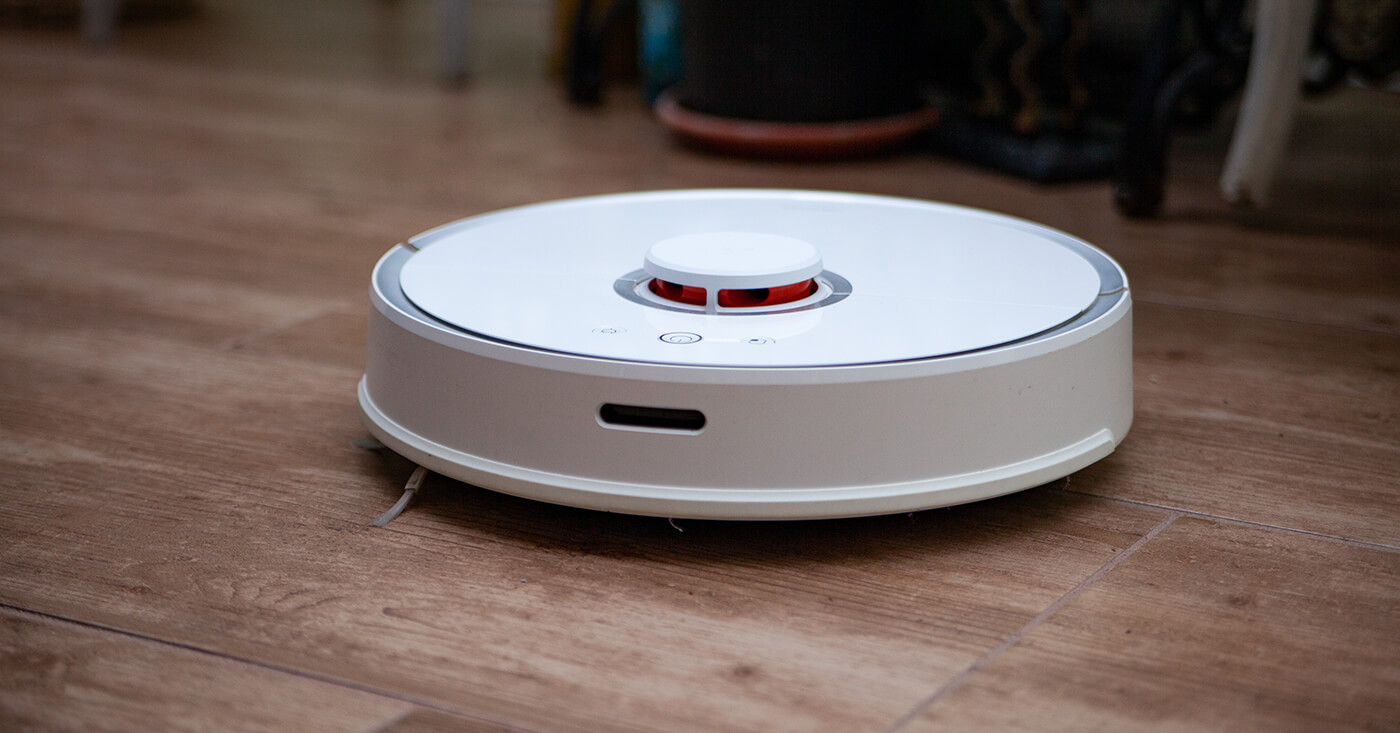
There are currently several models of robot vacuum cleaners from different manufacturers on the market. Cheaper and more expensive ones, smarter and more powerful, including those with basic equipment. We chose ours about a year ago. Before buying, we checked multiple reviews and various video tests.
In the end, the Xiaomi Roborock S50 won out for us — back then, it offered the best balance of features, performance, and price. We have to point out that we looked at offers from various manufacturers, but the Roborock S50 simply had no real competition.
First, let’s quickly recap the basic specs of this great helper.
Xiaomi Roborock S50 basic specs:
- Suction power: 2000 pa, noise level: up to 68 dB
- Functions: Vacuuming, mopping, zone cleaning
- App: Connects to the Mi Home app, complete control, WiFi, timer, automatic updates, voice control
- Sensors: LDS laser navigation sensor, anti-fall sensors for stairs
- Battery: 5200 mAh, up to 2 hours of vacuuming or 250 m2
- Vacuuming: 480 ml dust bin volume, dual filtration system, effective dust filter
- Mopping: 150 ml water tank, removable mop
- Other: fits under 10 cm openings, can handle a 2 cm obstacle, remote control for driving direction, automatic carpet recognition
What we found in the box
After delivery, we received the Roborock S50 vacuum in a neatly arranged box, along with a charging dock and a rubber mat. We also found a dust bin with two dust filters, a water tank with two mops, and a cleaning brush.
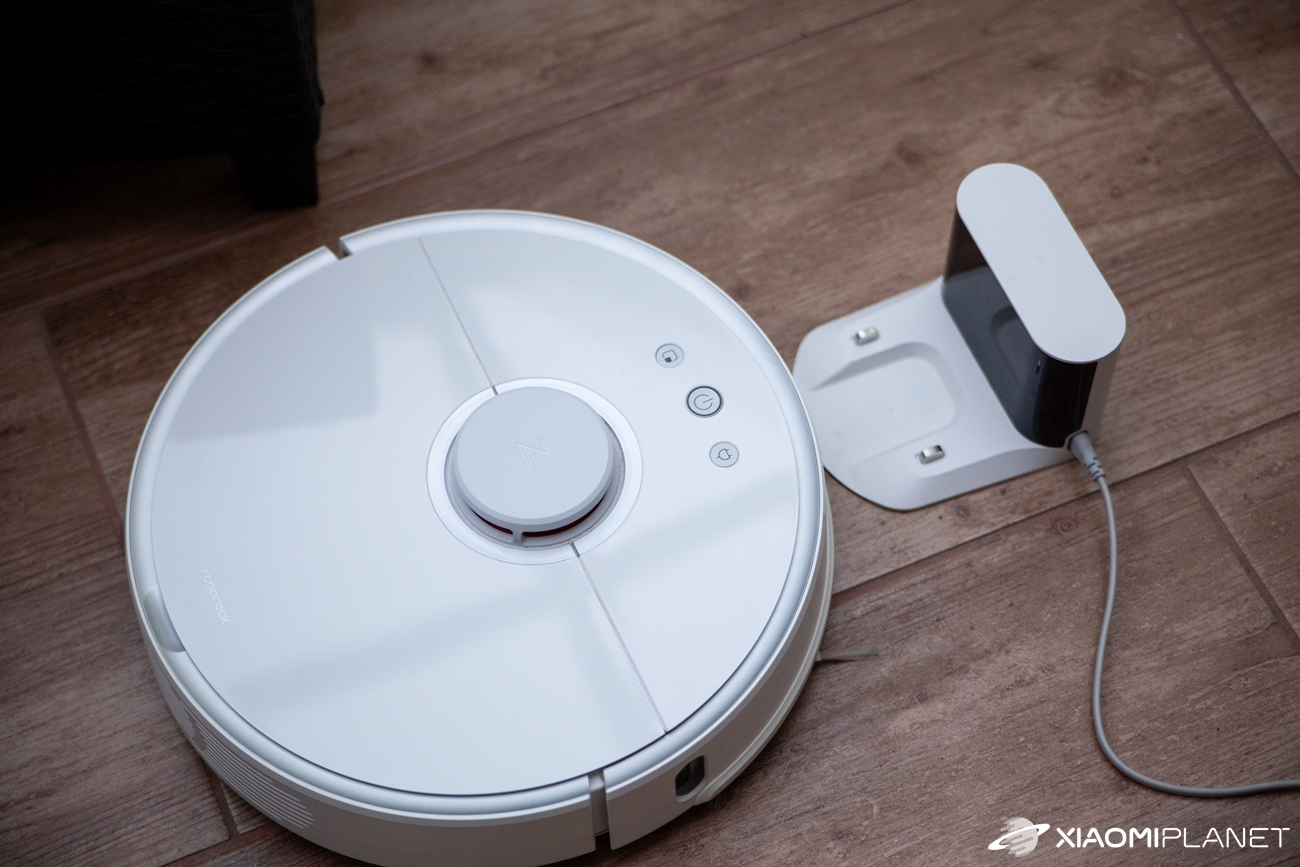
With all these accessories, we made it through the whole year. We didn’t have to change anything, buy anything extra, or repair anything. All it needed was normal, low-maintenance care – occasionally cleaning the filter and, of course, emptying the waste bin.
Getting it up and running
First, we found the most suitable spot in the home. We were looking for something close to a power outlet. It should be a place where the vacuum won’t get in the way when parked, and where it can leave without any issues. We managed that. Once the dock was connected, charging started and we could begin pairing the device with our smartphone.

First, we installed the Mi Home smart home app. In its menu, we searched for devices, and once the Roborock S50 appeared, it was a piece of cake. Pairing went through and the vacuum’s software updated immediately as well. It didn’t take long, and it was ready for the first use.
Vacuuming
First vacuuming:
Since we hadn’t seen anything like this “miracle” in real operation before, we sat and watched the entire process of the first cleaning. Even before starting, we decided to remove all movable objects that could get in the way from the rooms.
We lifted the chairs, lifted and shook out small rugs, removed shoes and slippers from the floor, and even raised the sofa covers that reached down to the floor. However, you can skip this step completely, because the Roborock S50 can handle all of it.
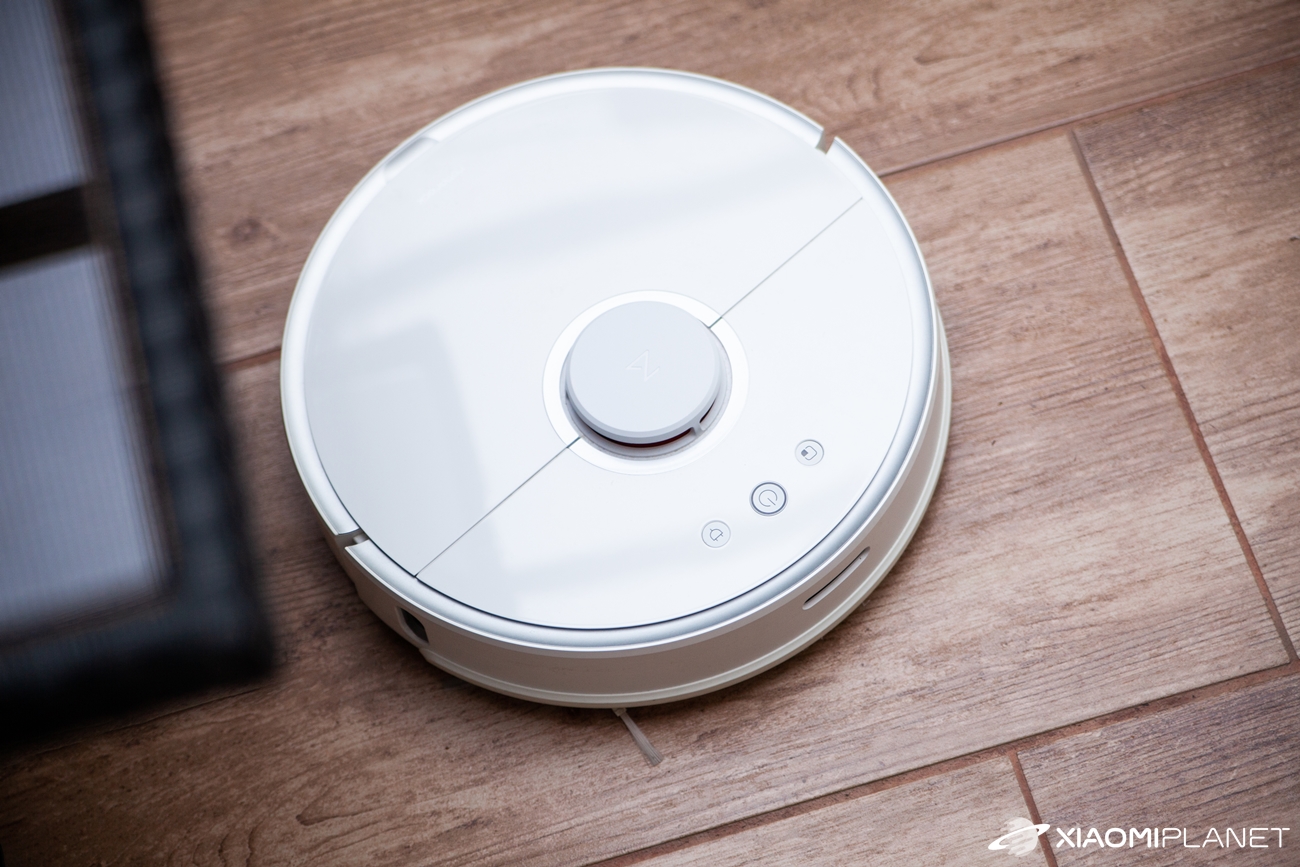
What worked best for us was that the fewer objects the vacuum has in its path, the shorter and more efficient the cleaning is. Since this didn’t take much time, we did it before every vacuum run throughout the year.
For clarity, we tested the vacuum in real home conditions in a family house without stairs, where a three-person family lives with a dog. The cleaning always took place in someone’s presence, and throughout the year we didn’t manage to try the scheduled cleaning or starting it remotely.
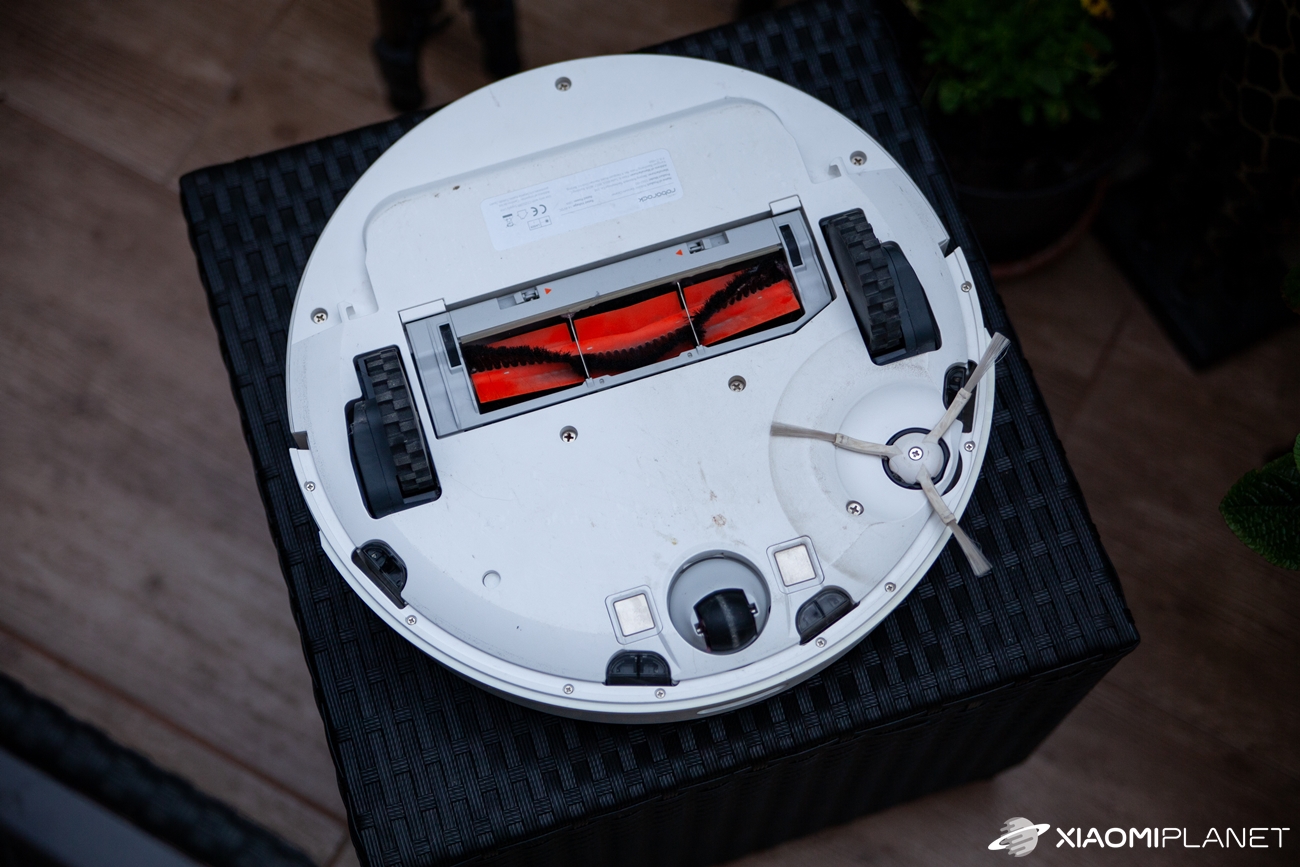
The dog in the household was also a reason—we didn’t want to stress or annoy it with a running electronic gadget. Sometimes, due to a sudden change in the daily schedule, the vacuum ended up operating without anyone at home. However, there was no problem checking its activity remotely through the app.
But let’s get back to the first vacuuming. In the app, you can choose from several cleaning modes. There’s mopping and other 4 modes that let you set the suction power intensity—silent, balanced, turbo, and max. We selected the balanced mode with map storage and a carpet mode. It’s used to identify the carpet and increase the suction power.
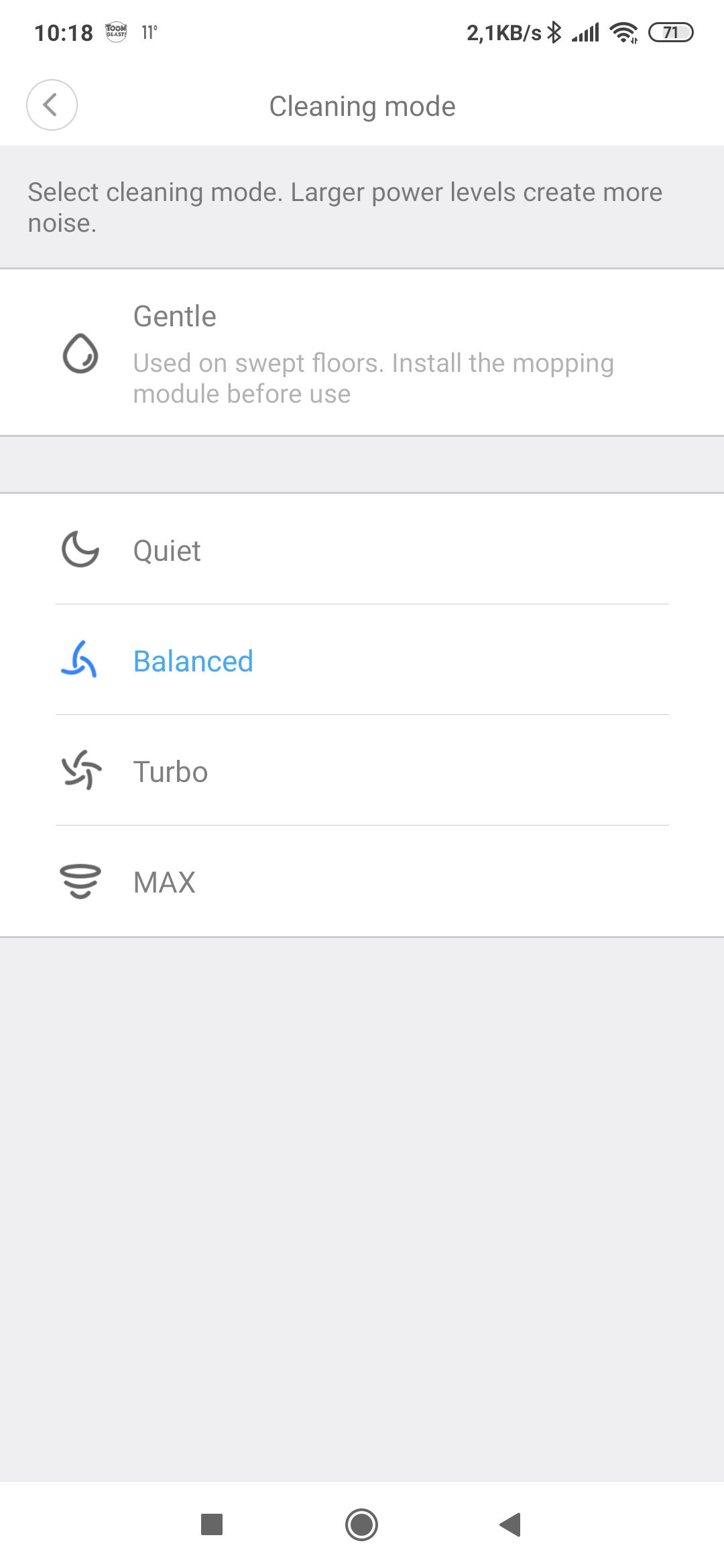
After starting the vacuuming, the Roborock kicked off, which the pleasant female voice informed us of in the set English language. In the Mi Home app, and in the vacuum’s own voice, you won’t find Slovak. Starting is possible with a voice command, via the Mi Home app, or using one of the three buttons directly on the vacuum.

Our very first impression after turning on the vacuum was the feeling of quiet operation—quieter than regular vacuums—and at the same time a fairly pleasant sound as it moved. No rattling, banging, grinding, or squealing—just a monotonous, non-intrusive sound from the suction electric motor and a more refined sound from the movement motors.
The device backed out of its charging dock and found its first support point on its right side, where it has a side rotary brush. In our case, it was the perimeter wall. It started moving forward parallel to the wall.
At the same time, while moving, it continually checked for the presence of the wall with its sensors and began drawing the first map of the room in the Mi Home app. After a few meters, it stopped about halfway along the wall, turned left, and then continued straight toward the middle of the room. From there, it went left again, and only then returned back to the spot where it started.
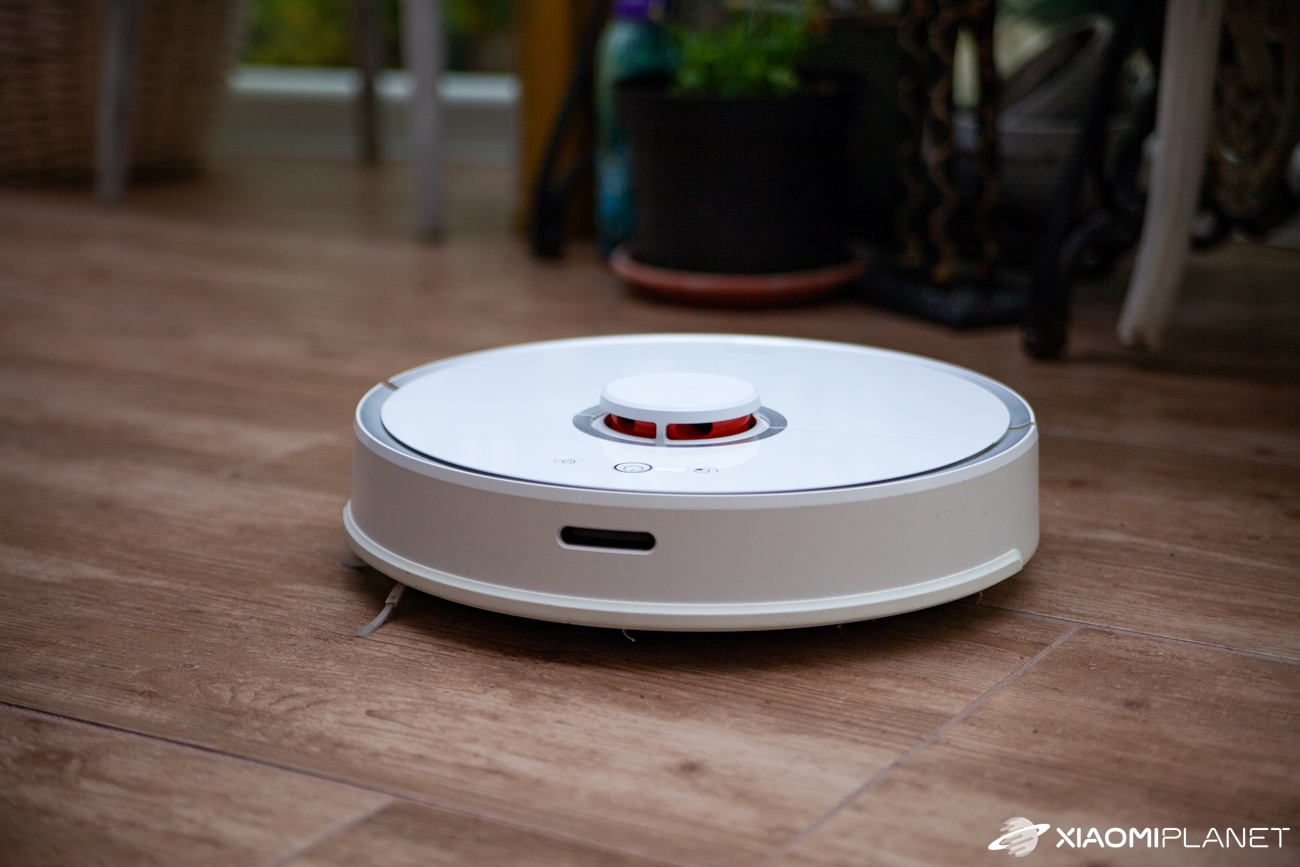
With this movement, it covered the perimeter of the zone in the room that it created on its own, and then moved on to vacuum that zone’s area. Once it finished, it went around the next part of the room, then the next, and the next. Step by step, it covered the available area of the house, which it divided into smaller sections. When it finished with the last room, it announced that the vacuuming was complete and returned to the dock using the shortest route, where charging started.
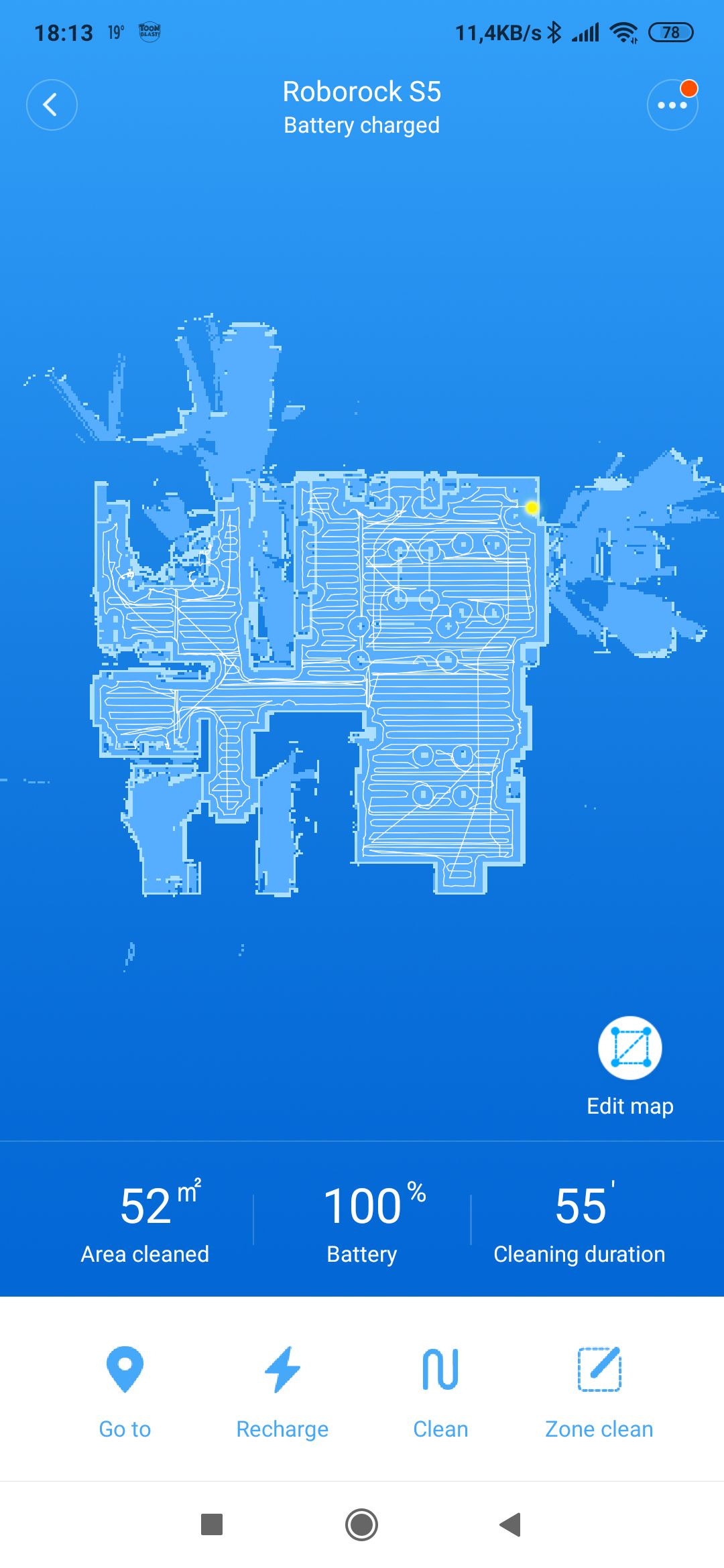
Its first vacuuming took 55 minutes, during which it managed 52 m2. Overall, it went through the hallway with the kitchen, one room, and an L-shaped corridor. The remaining battery energy was at 77%, which pleasantly surprised us. On a single charge, it can realistically handle 150 m2 without any problems.
In roughly the same way—except for a few small exceptions—our Roborock S50 kept working throughout the year. We used it to vacuum the busiest areas. The other parts of the house separated by doors were kept closed.
Overcoming obstacles:
Sometimes we left an extra room open, where it had a transition made by a wooden threshold that was 2cm high. According to the manufacturer’s data, this shouldn’t be a problem, but practice showed otherwise. Several times, the vacuum managed to cross this obstacle without issues. Other times, it couldn’t even climb it at all, and it got stuck there more than once.
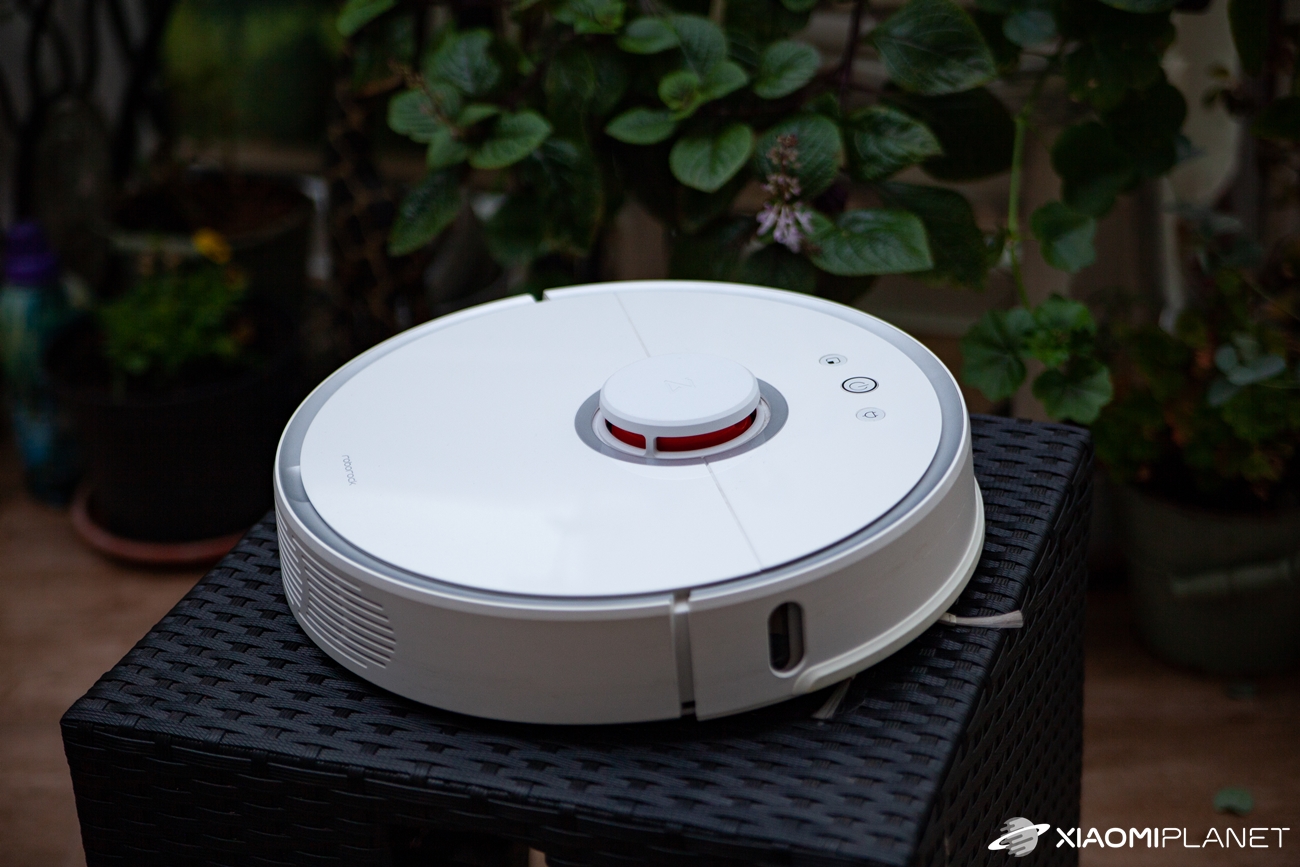
It was probably the borderline height of the obstacle, which just happened to have the most inconvenient width, beveled edges, and whether it crossed successfully likely depended also on the speed and the angle of approach. We didn’t have a problem lifting the Robrock and carrying it to the required room.
We left it there, closed off, until the vacuuming process was finished. After vacuuming out of its usual route, the primary map got redrawn. However, during the next vacuuming it returned to normal.
When going under furniture, we sometimes had a case with one of the beds where the vacuum got stuck. The Roborock S50 is 96 mm high. The higher it is, the more it can slip under; the lower it is, it won’t force its way in. In our space, though, there was one bed whose lower slat frame was right up against the clearance height for the vacuum.
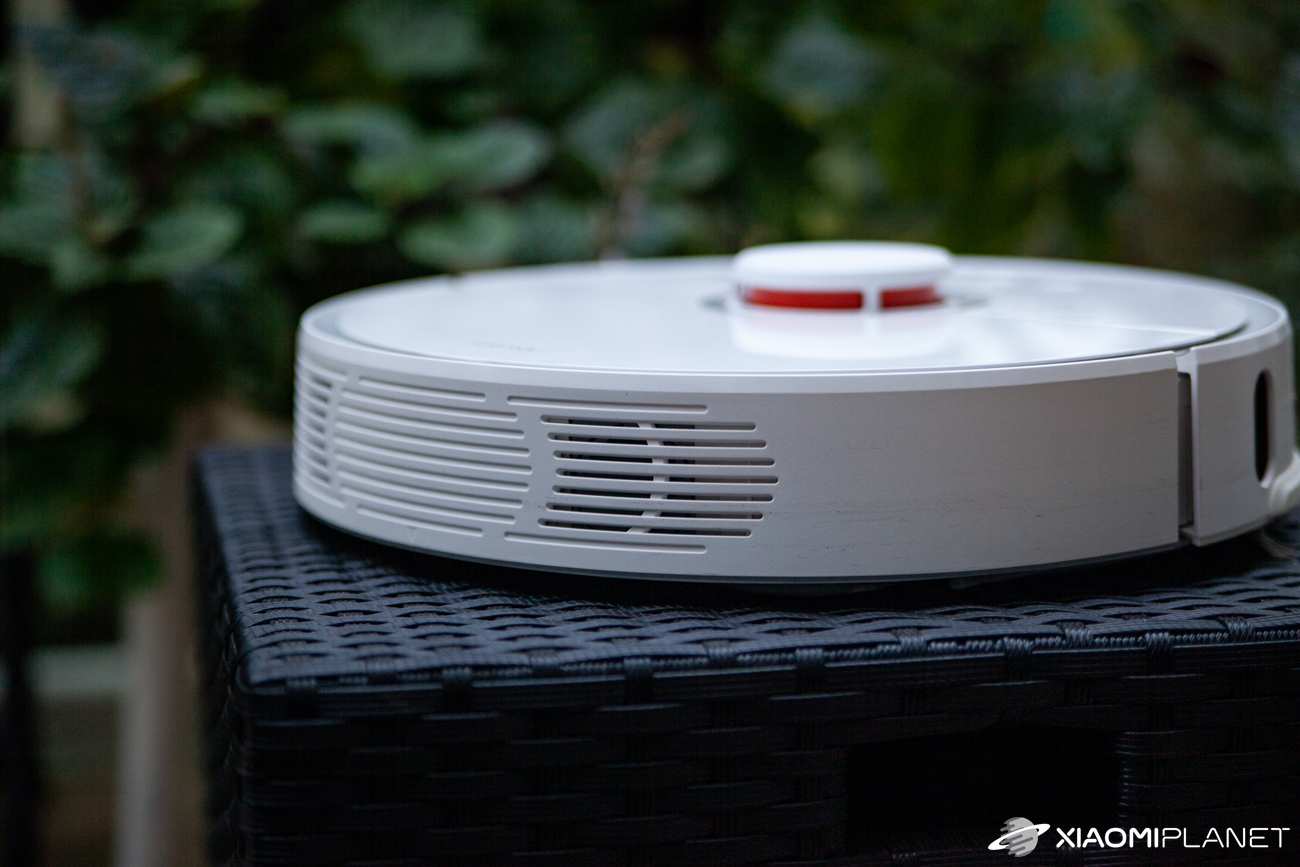
It sometimes happened that it got stuck under the bed and reported a malfunction. The issue came through with a voice alert and a notification on your smartphone. After freeing it and pressing the red blinking button on the vacuum, it kept running where it had stopped. But under the bed, it would no longer go.
Zone cleaning:
We also tried the so-called zone cleaning. In the Mi Home app on the rendered map, you simply draw the zone you want in the room and start vacuuming. The vacuum moves to the marked spot and cleans it. In a single vacuuming session, you can draw up to three different zones at the same time.
Mopping:
We also used the mopping function quite often. With that, we’ll pause for a moment. Even before getting the Roborock S50 vacuum, we knew that mopping doesn’t mean washing the floor. It won’t remove dried stains from the floor, because the device doesn’t have the necessary pressing force.
It’s more like dragging a wet cloth across the floor. Thanks to this feature, even tiny particles of dust get caught on the mop and aren’t stirred back up into the air.
We used mopping frequently—usually after the initial vacuuming. When you select the mopping mode, the vacuum follows the same cleaning route, but the turns and individual paths are tighter and more thorough than during vacuuming.
If we used vacuuming in the same day and then mopped right after, the space looked perfectly cleaned. At the same time, there was no more than 50 % additional battery capacity used.
Statistics:
Let’s look at a few numbers that are directly related to the year-long operation of the tested vacuum. During about one year of operation, the Roborock S50 vacuumed 218-times. Overall, it was active for 157 h, during which it cleaned 8013 m2 of area. That’s a pretty solid performance.
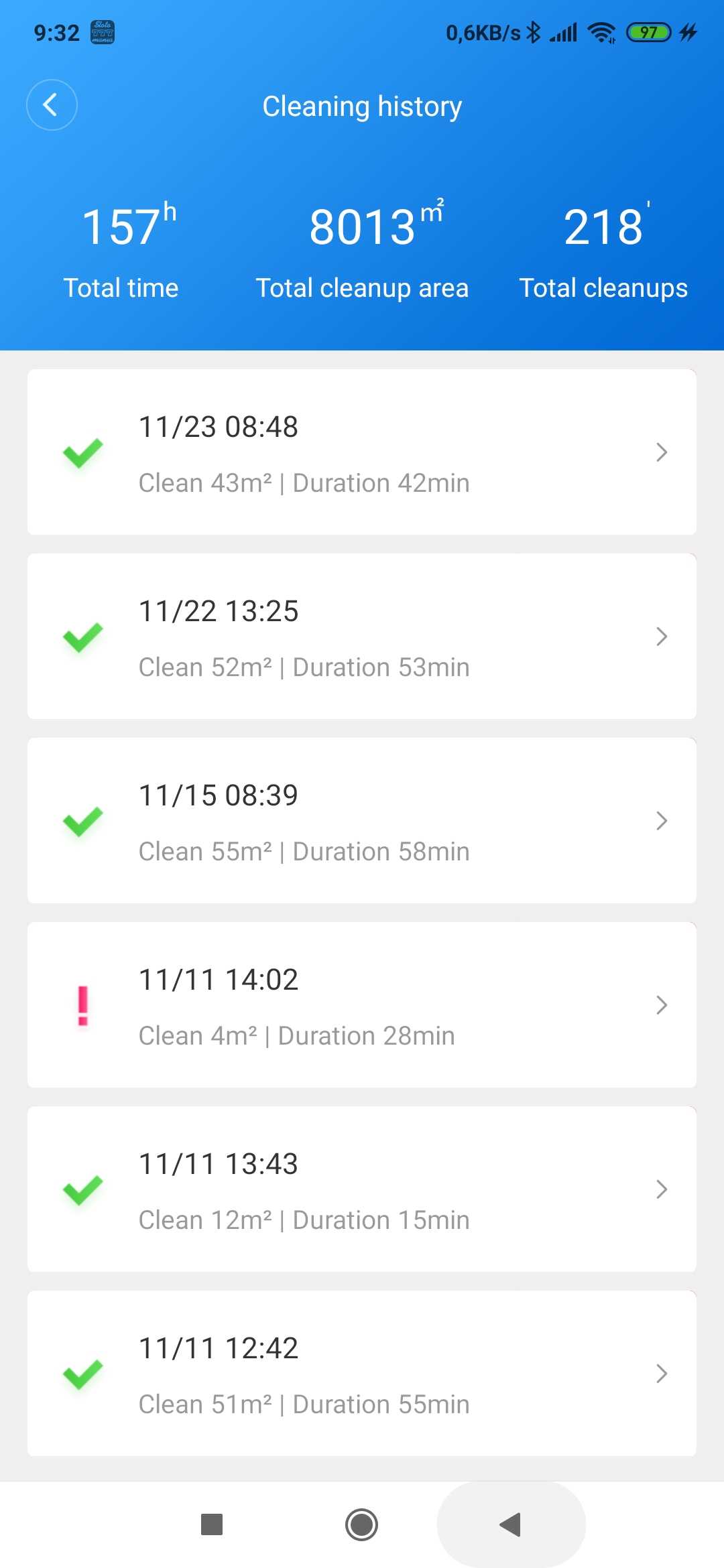
During that time, we didn’t notice any significant wear on any component. We also don’t feel like the battery capacity has dropped. When the vacuum wasn’t working, it would rest in the connected charging dock with the power still on and ready to go.
Care
We have to admit that we may have overdone the maintenance a bit. Mainly because we didn’t want neglecting maintenance to cause malfunctions or less-than-perfect cleaning. We never waited for the automatic alert that the dust bin was full, or that the filter was clogged.
After every vacuuming session, the dust bin on our vacuum was emptied—and not just that. After each vacuuming, we also rinsed the bin and the filter with a strong stream of water and left them to dry. If the vacuum mopped, we always rinsed both the mop and the water tank after the task, and let everything dry as well.

We cleaned the rotating brush at the suction opening only when hair and other debris got wrapped around it. Cleaning goes smoothly thanks to the cutter on the cleaning brush, which is part of the vacuum’s accessories.
Over the entire period, it happened about twice that limescale settled on the outlet nozzles of the water tank and blocked the flow of water. We removed it by mechanically cleaning the nozzles.
Sometimes the vacuum would let you know via a notification in the smartphone app that the filter was dirty. It seems that this feature is time-limited, because we cleaned the filter after every vacuuming. In the app, it was enough to mark the filter as cleaned, and it was fine for a while.
Other times, we’d get a notification about clogged optical sensors. They’re in the lower part, and over time their surface gets covered in dust. Just wipe them with a damp cloth, and reset the notification in the app.

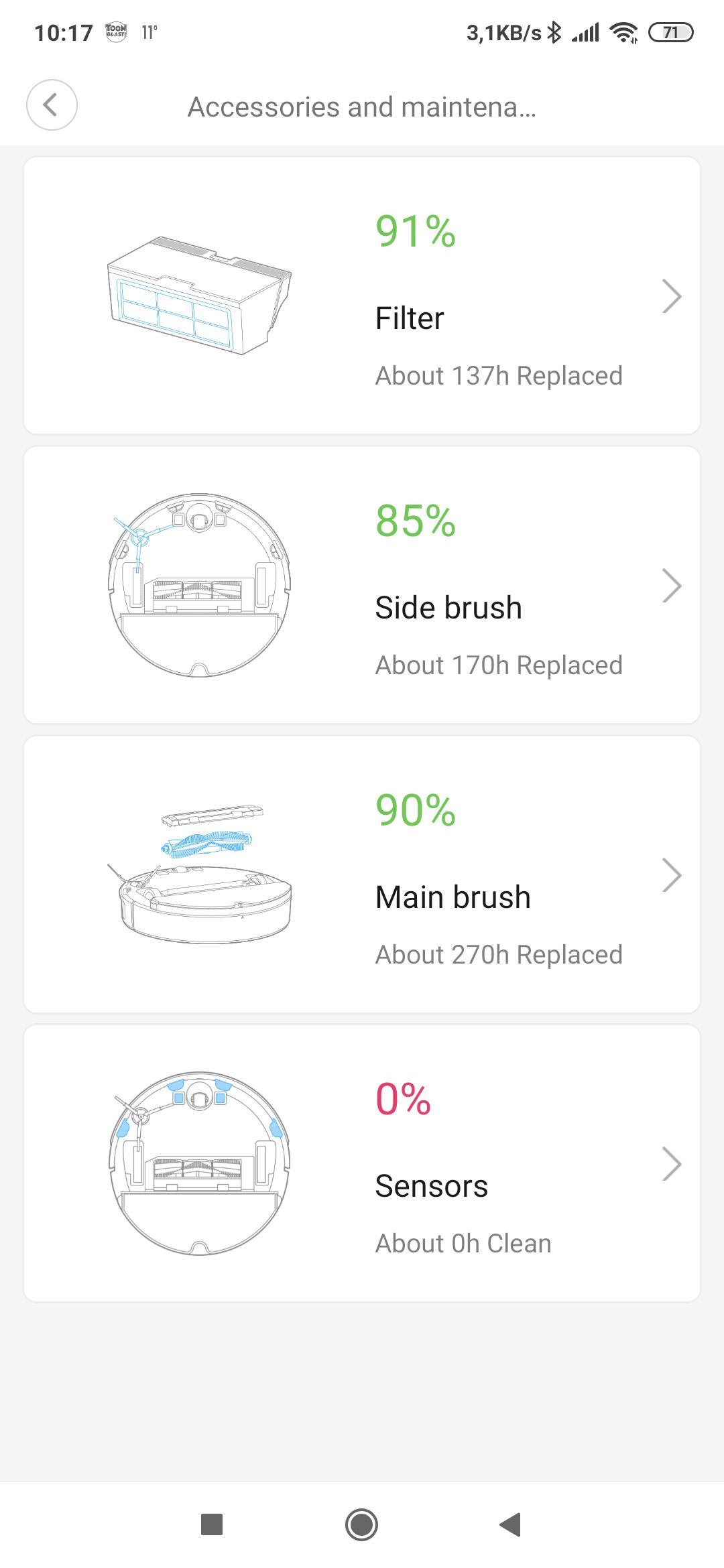
That was all for our maintenance throughout the whole year. The vacuum is still working without any problems, with no obvious wear.
What to wrap it up with?
We didn’t have experience with another robot vacuum, but the Roborock S50 didn’t disappoint us. If anything, it exceeded our expectations. It delivered as promised and even impressed us. With a clear conscience, we can say that buying this device was one of the best investments. The reason is a lot of saved time that we would have spent vacuuming over that year.

However, we have to admit that human activity with a regular vacuum cleaner can’t be fully replaced. We used to vacuum with a standard vacuum cleaner about two to three times a week. After buying a robotic helper, we were able to limit this task to 1 to 2 times per month.
The Roborock S50 pleasantly surprised us with its battery life and the fact that its capacity didn’t drop even after a year of operation, with no worries about charging. Another advantage is the only minimal maintenance and the high durability of the device and even its components against wear and tear. And last but not least, we also rate its consistency positively—how systematically it moves around the space and cleans.

To avoid writing only praise, we’ll also mention its downsides. Some people might miss the app menu and voice commands, or its performance localized into Slovak. We managed with English, but Slovak localization would be much nicer.
It would also be better if mopping were more intensive and, sometimes, if the route around the legs of furniture were tighter. We also remembered that automatic carpet detection sometimes happens a bit late.
Our overall assessment after a year of operation is very positive, and we can only recommend the Roborock S50. With confidence, we dare to say it definitely won’t disappoint you.
Don’t miss the best coupons 📩
Subscribe and we’ll email you new coupons before they expire. We only send it once a month — no spam.