
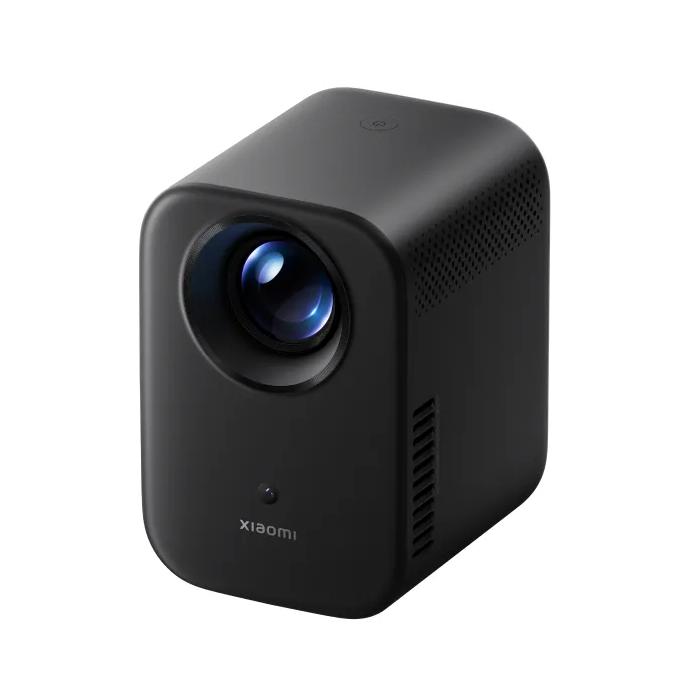
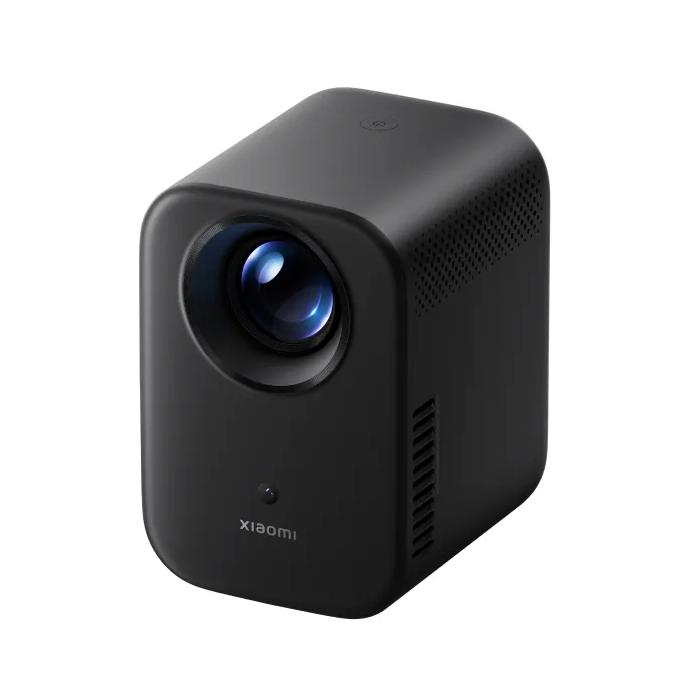
Looking for a quality projector that won’t break your budget? Xiaomi Smart Projector L1 brings a great picture, plenty of smart features, and a practical design that fits any home. With Google TV, you can enjoy hundreds of thousands of movies, series, and apps all in one place.
Best coupons for Slovakia
Xiaomi Smart Projector L1 is available on AliExpress also in EU stock. Delivery is fast and reliable, with no hidden fees—so in this case the projector can reach you within 3 to 10 days from dispatch.
The device is sold in the global version, fully adapted for all markets, including Europe.
Xiaomi Smart Projector L1

TIPFast delivery from the Spanish warehouse with no customs duty and VAT.
This product will be delivered to you quickly from a local Spanish warehouse. Shipping from Spain usually takes 7-10 days and is handled by a courier. When it arrives, you don’t pay any extra fees—no customs duty, no VAT.

TIPExpress delivery from a Slovak warehouse within 1 to 3 business days.
This product will be delivered to you express from a local Slovak warehouse. Delivery usually takes 1-3 business days and is handled by a courier. The price is final.
120-inch FullHD image
The Xiaomi Smart Projector L1 reaches a brightness of 200 ISO lumens, certified according to SGS international standards. This guarantees accurate color and detail rendering. With a resolution of 1920 × 1080p, it can play content in Full HD quality, while also supporting 4K videos.

The projected image can have a diagonal of from 40 to 120 inches, with the optimal sizes ranging between 60 and 100 inches (152 to 254 cm).
Design that fits any space
This projector weighs just 1.2 kg and its dimensions are compact – only 118 × 142 × 176 mm. Despite its small size, it delivers high performance thanks to the MT9630 processor, 2 GB DDR3 RAM, and 16 GB eMMC storage capacity, ensuring smooth operation of apps and content playback.

Great sound is handled by two 3 W speakers with Dolby Audio support, filling the room with dynamic audio.
Effortless projection in any conditions
Xiaomi equipped the projector with a range of practical functions that make it easier to use. With a throw ratio of 1.2:1 you can project a large image even at a short distance. Thanks to automatic focus the image will always be sharp—even after you move the projector.
An intelligent algorithm for keystone correction ensures a perfect rectangular picture without the need for manual adjustments.

Plus, the projector includes an automatic obstacle avoidance feature. If there’s something on the surface—like a light switch or a picture frame—the projector detects it and adjusts the image so it’s always complete. Smart screen alignment automatically recognizes the projection surface edges and aligns the image precisely.

Plenty of Google TV features
The Xiaomi Smart Projector L1 runs on Google TV, which means you have access to more than 400,000 movies, shows, and apps. You also get YouTube, Netflix, HBO Max, Disney+, and other well-known streaming services.

If you want to save time, just use Google Assistant, which will find content for you on request, play music, or take care of your smart home. With Google Cast, you can also easily mirror movies, photos, and videos directly from your phone or tablet.

In the box
The projector package includes everything you need: the projector itself, a Bluetooth remote control, a power adapter, a cable, a user manual, and a warranty card. Setup is very simple – just plug in the projector, connect to Wi‑Fi, and enjoy movies in style.

For more news from the world of Xiaomi, keep following our web on Xiaomi Planet. Join our Facebook group, where we build an active community and help each other out. Subscribe to our Telegram too, where we add the best deals and coupons from China every day.
Don’t miss the best coupons 📩
Subscribe and we’ll email you new coupons before they expire. We only send it once a month — no spam.