
Xiaomi Mi Robot Vacuum Mop-P
Our editorial rating based on product testing.
- Power 2100 Pa
- Vacuuming + mopping
- Laser sensor
- Mobile app
- Google Assistant
- Low price
- No separate emptying
- Amazon Alexa doesn’t work
- Glossy surface that scratches easily
Xiaomi Xiaomi has several robot vacuum cleaners in its lineup. After the partner brand Roborock became independent and focuses on flagship models, Xiaomi continues to manufacture robot vacuum cleaners under its own control as well. One of the top models under the Xiaomi brand, which are currently on sale, is also the Xiaomi Mi Robot Vacuum Mop-P.
In the editorial office, we decided to test this robot vacuum cleaner so we could evaluate on our own how effectively it uses the laser sensor, the mopping function, and what equipment it really offers.
Xiaomi Mi Robot Vacuum Mop-P: Where to Buy?
International sellers may offer both the Chinese and the global version of the vacuum cleaner. Since most of our smart devices are in the global version and on the European server, we chose the global version labeled Xiaomi Mi Robot Vacuum Mop-P.
We purchased the vacuum cleaner from DHGate.com via a seller directly from a European warehouse. However, it is currently also available from Banggood in the Czech warehouse.
Xiaomi Mi Robot Vacuum-Mop P (STYJ02YM)

TIPExpress delivery from a Polish warehouse without customs duty and VAT.
This product will be delivered to you express from a local Polish warehouse. Shipping from Poland usually takes 7-10 days and is handled by a courier. On delivery, you won’t pay any extra fees—no customs duty and no VAT.

TIPWith EU Priority Line shipping, you don’t pay any extra fees.
We recommend choosing Priority Line shipping, where you won’t pay anything extra. Customs duties and any VAT will be handled for you directly by the seller. Shipping can be selected in the cart after you enter your delivery address. Delivery with EU Priority Line usually takes about 15 - 25 days, but it may also be longer.
Package: No missing accessories for mopping and spare parts
The Xiaomi Mi Robot Vacuum Mop-P will also arrive at your home in a standard cardboard box with larger dimensions. Inside this box, right at the top, there’s a paper compartment with accessories.
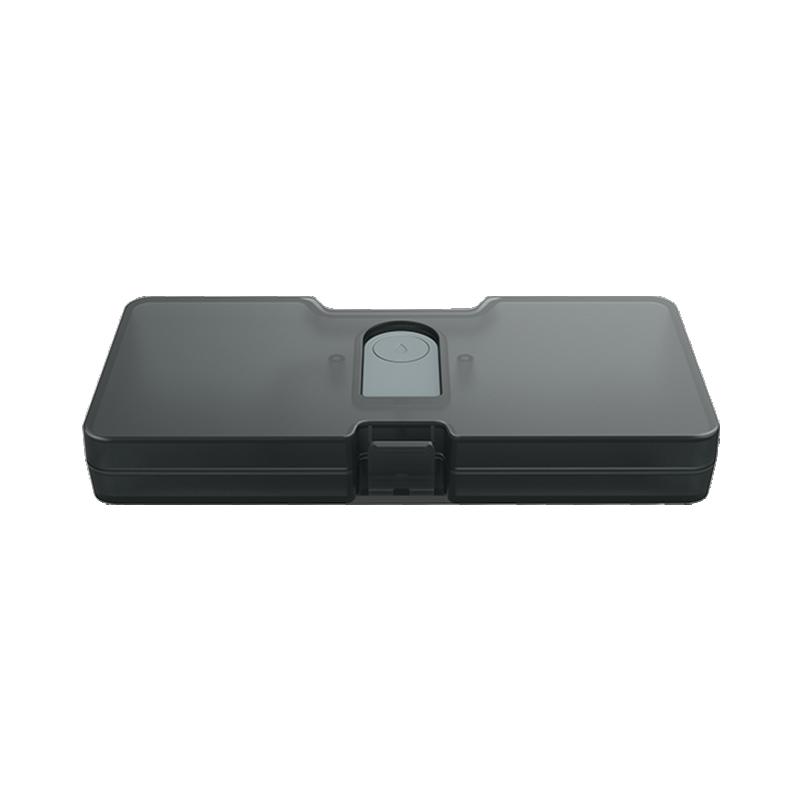
The accessories included in the box include a replacement and removable water tank 2 in 1 (vacuuming and mopping), a standard and a spare three-pronged brush, a pair of cloths for moderately damp and damp mopping, and an attachment necessary to start the mopping function itself.
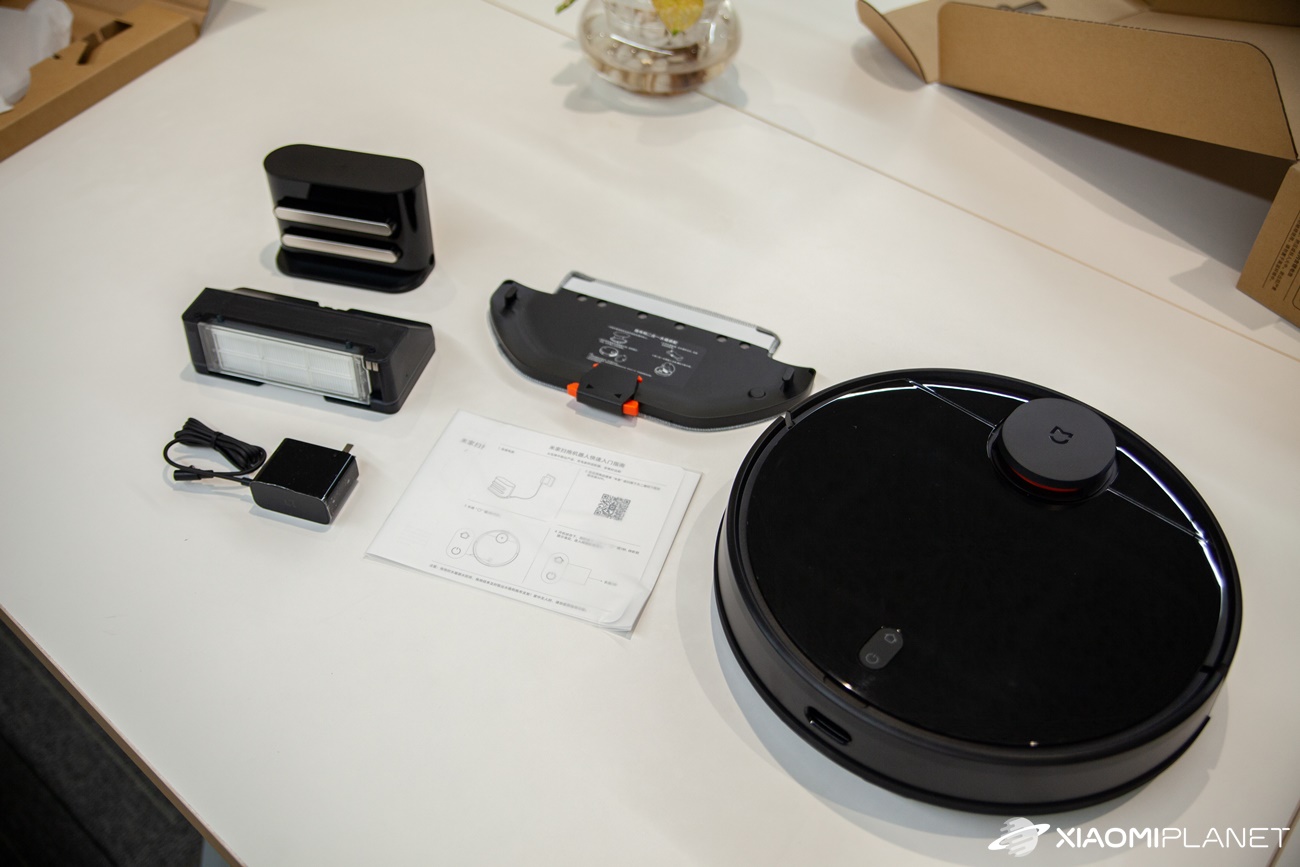
Next, you’ll find the vacuum cleaner itself wrapped in protective film. Inside the vacuum cleaner, there is a tank exclusively for dust, as well as a wide bottom brush. A cleaning brush is also included to remove dust from the vacuum’s parts.
The package also includes the power cable— in our case with a local European plug—plus a charging station that has magnetic connectors for attaching the vacuum. As you can see, the package is truly packed, but what about the build quality and the design?
Design and construction
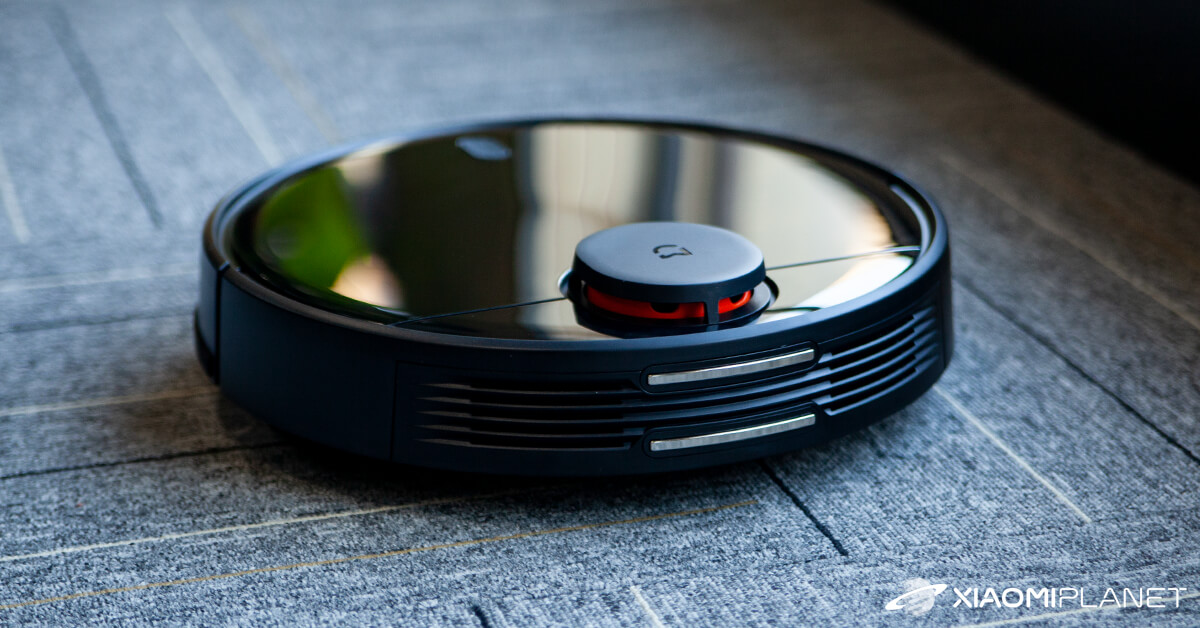
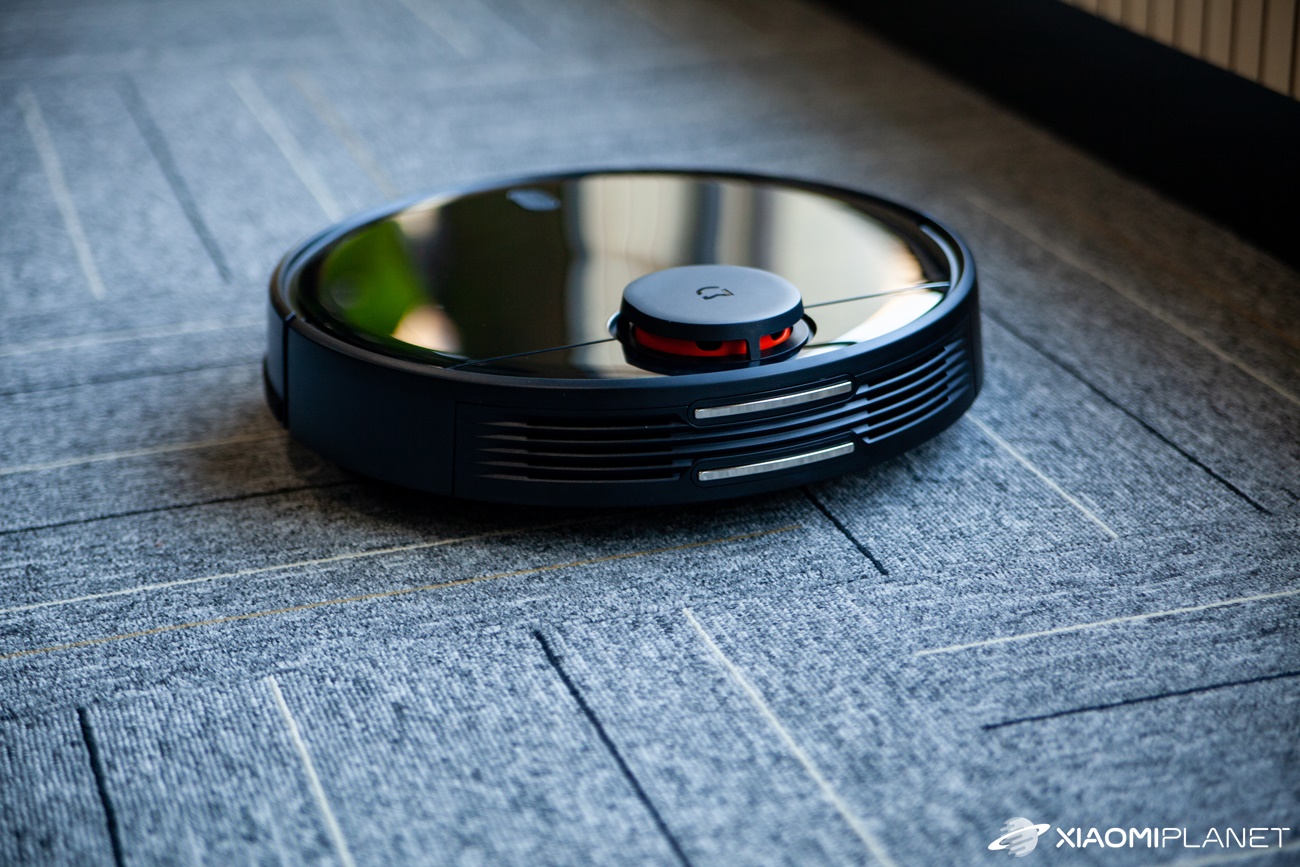
Once again, Xiaomi went for a minimalist design that builds on previous generations of robot vacuum cleaners. The dimensions of this model stop at 35 x 35 x 9,45 centimeters, with the highest part being the laser sensor that sticks out from the device body at the top. The product weighs 3,6 kilograms, which is a reasonable value.
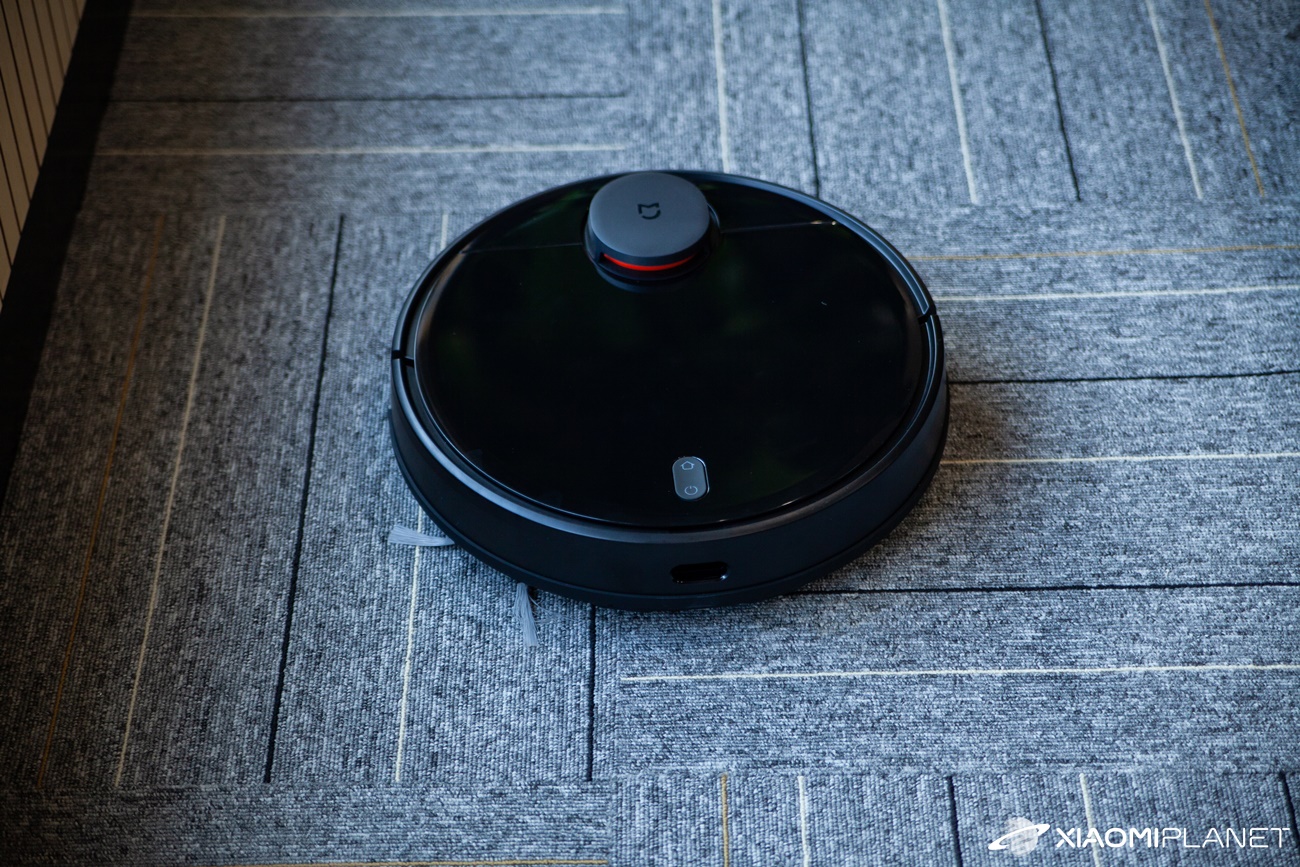
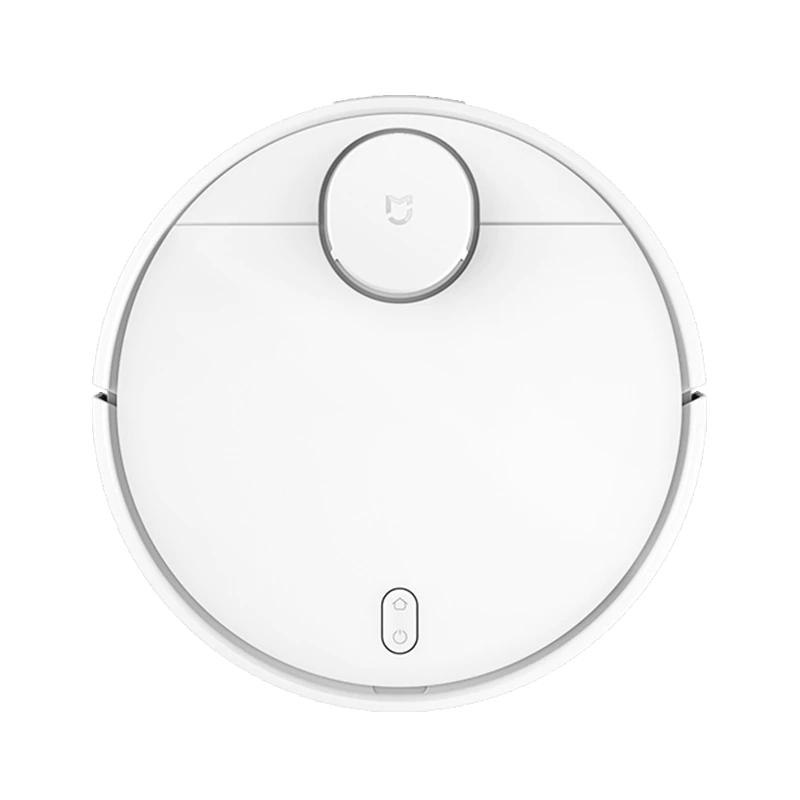
The vacuum cleaner is sold in two color versions. We tested the black one, which has a top side made of glossy ABS plastic material. The material looks truly minimalist, but it also very easily captures dust and grease—as well as any scratches from the corners of furniture.
Layout of the device components
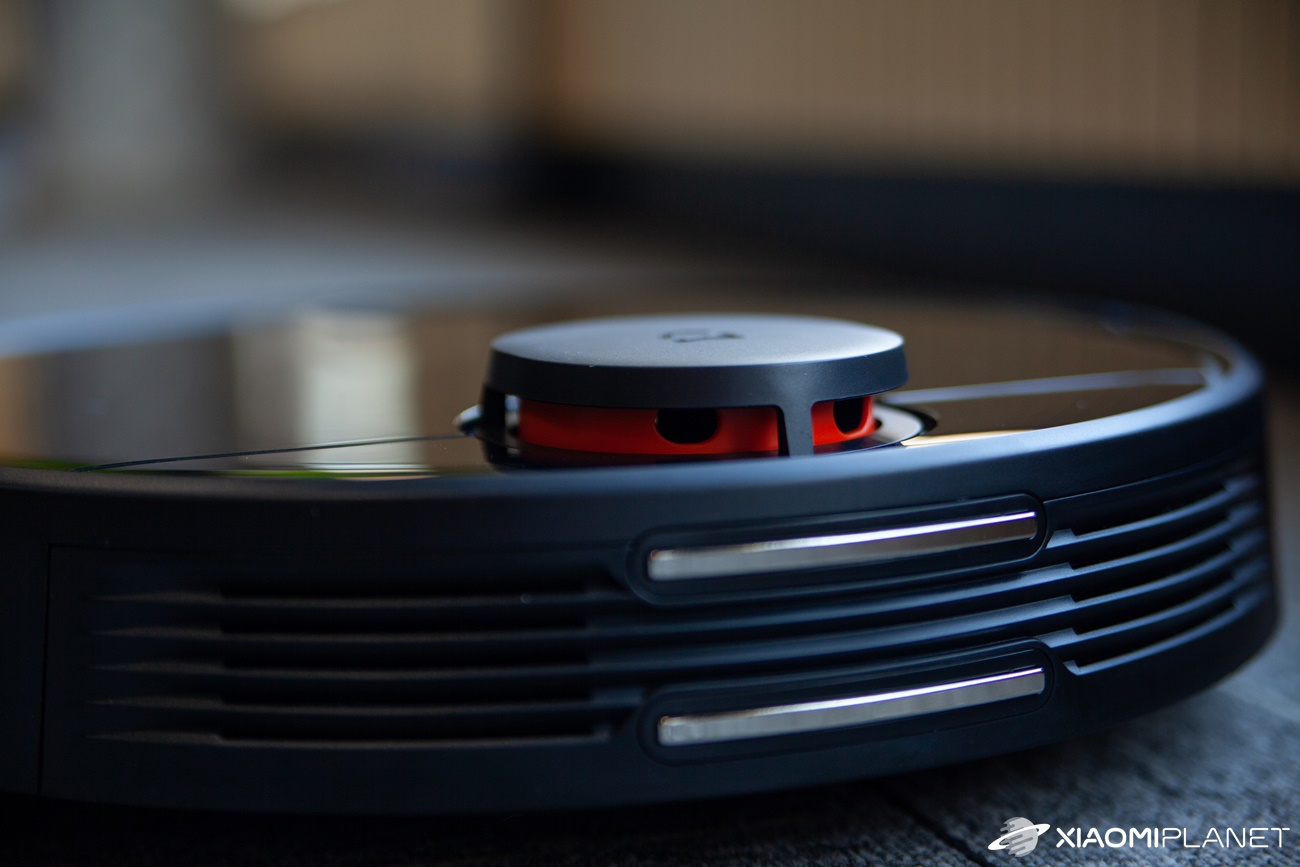
On the top side of the vacuum there’s a cover made of glossy material, plus a protrusion with an orange LDS (laser) sensor and the manufacturer’s logo. There’s also a space under the cover to place the water tank (for dust or 2 in 1), and it also serves as a holder for the brush, with which you can clean the vacuum’s inner parts.
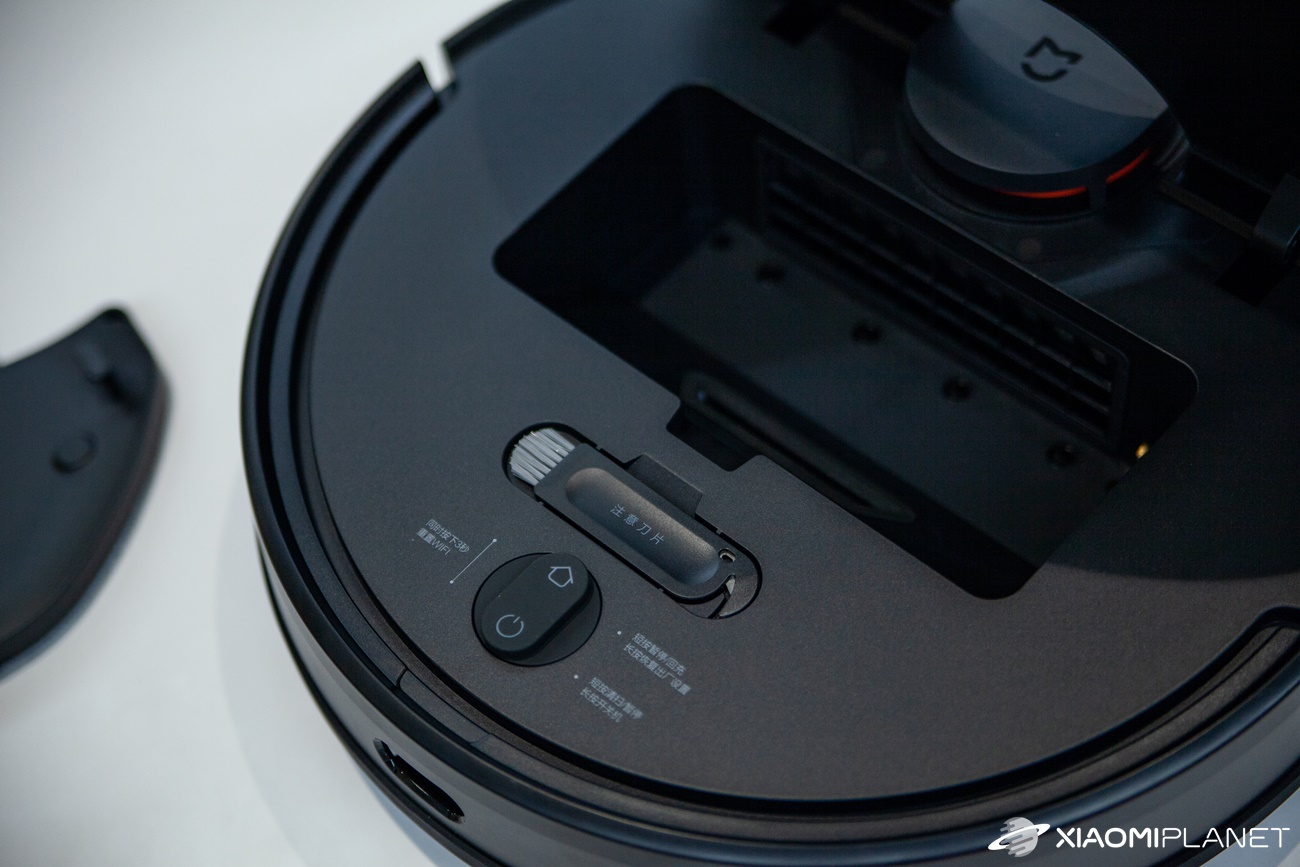
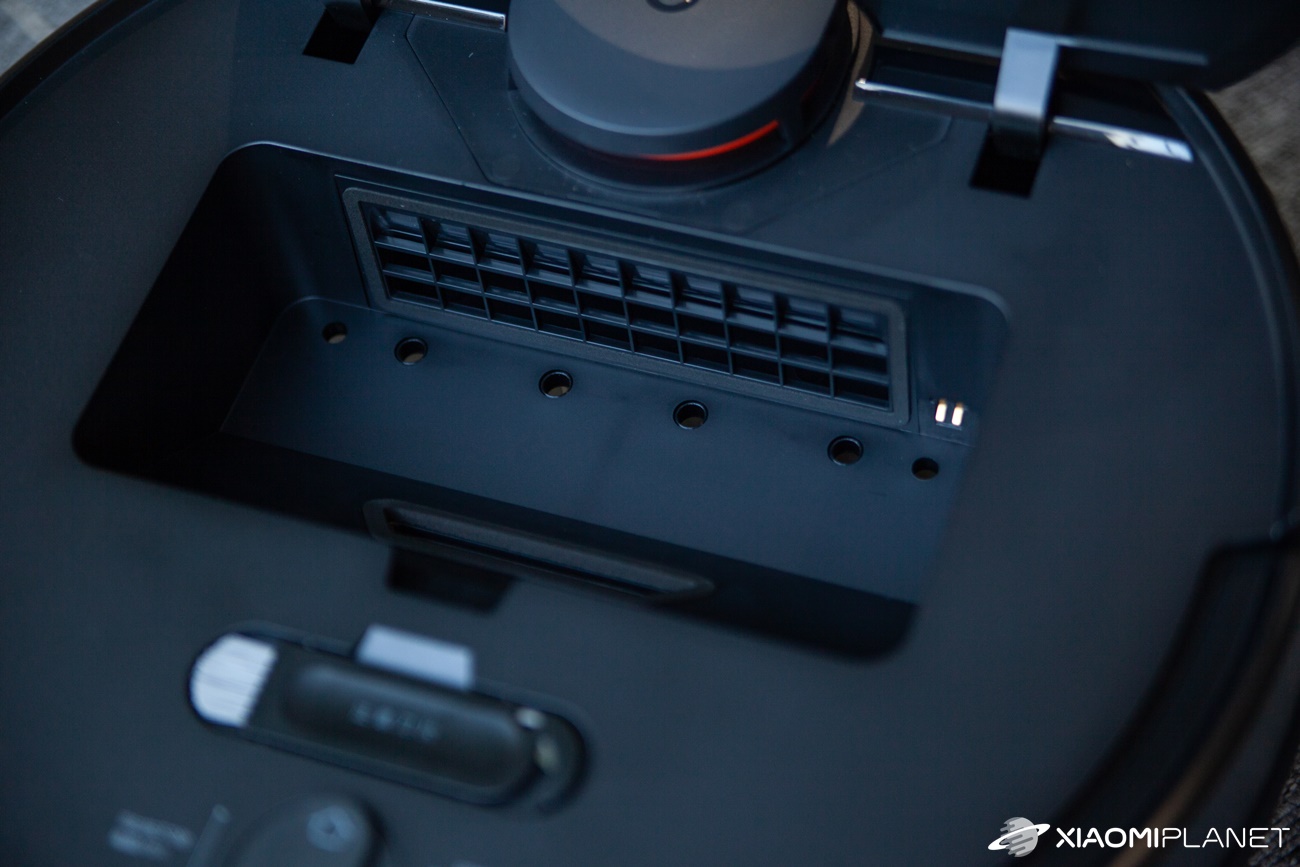
The side panels are made of matte black material. In the middle section of the vacuum’s perimeter you’ll find the well-known “bumper”, which has an integrated anti-collision sensor. This is the part through which the vacuum detects different corners of furniture and other obstacles.
On the back part of the side wall there’s a magnetic charging connector that attaches to the charging station. The charging station also includes an infrared sensor. However, let’s move on to what’s practically most important: the underside of the device.
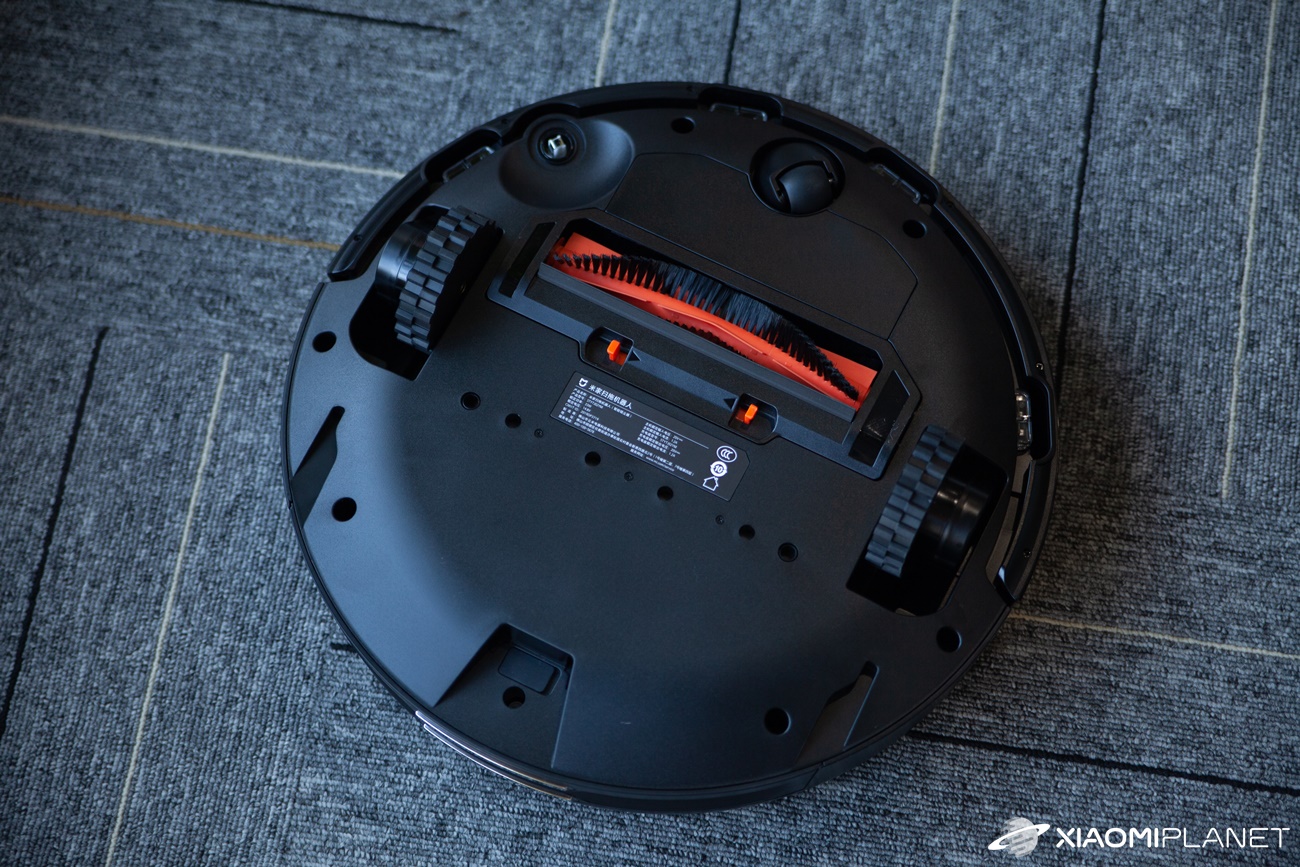
The vacuum cleaner has a pair of spring-suspended wheels that can overcome obstacles up to 2 centimeters high. There’s also a third swivel wheel that allows the robot to turn. You’ll also find the main brush, which sucks up dirt and can be replaced.

Other components include a side or corner three-pronged brush that helps efficiently collect dust under the vacuum. There’s also a set of sensors to prevent falls down stairs. In terms of sensors, the vacuum is very well equipped—it includes as many as 12.
It also has a speaker through which it announces various information about starting cleaning, charging, and when cleaning ends. It also lets you know when it gets stuck or bumps into an obstacle, or when it’s trying to locate the vacuum.
Cleaning: 2100 pa and three modes
The main task of the robot vacuum is, of course, vacuuming. This model offers suction power of 2100 pa, which is definitely not bad. Currently, the peak power of top robot vacuums is right in the range of 2000 – 3000 pa.
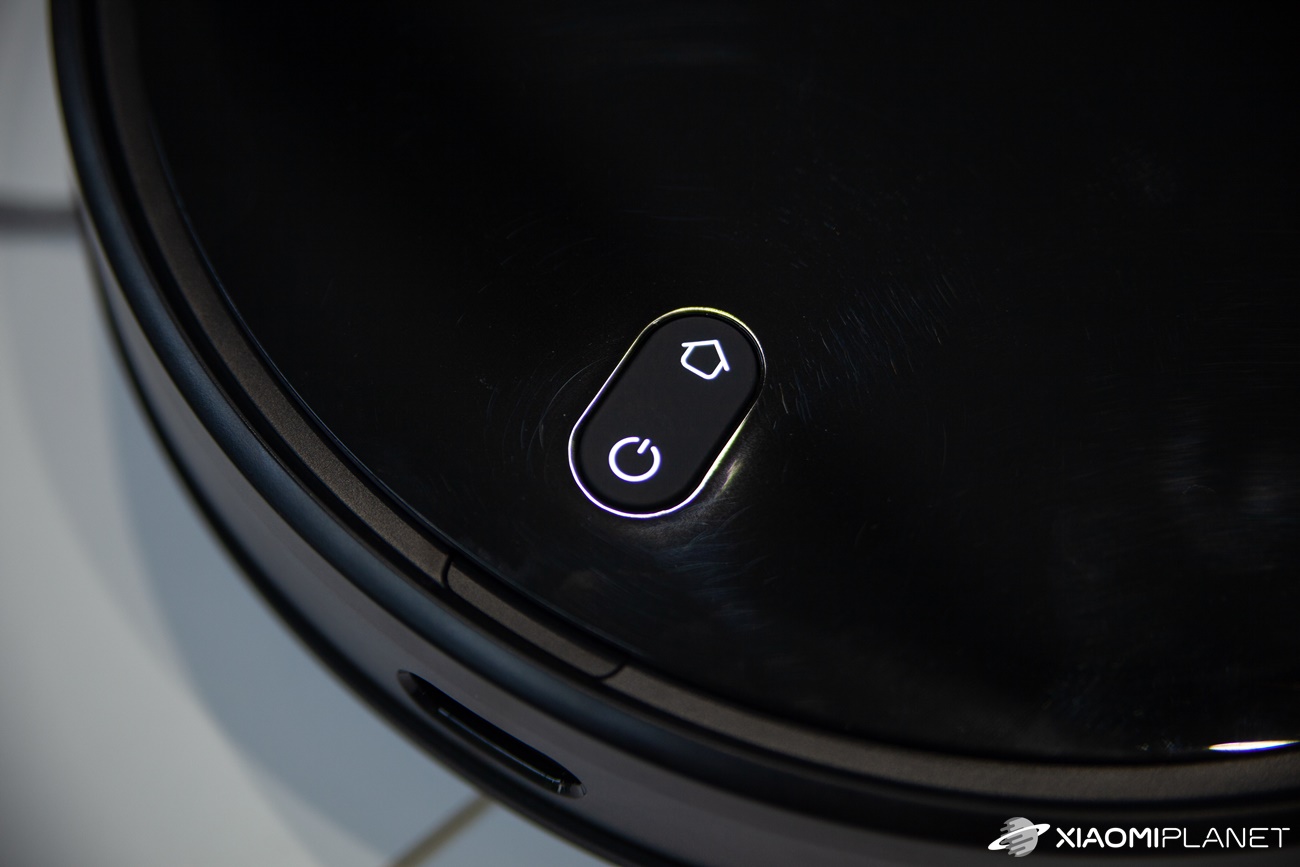
You can start vacuuming using the physical button or through the mobile app. The same applies to returning to the charging station. Vacuuming is available in four modes: an ultra-quiet mode, standard, medium, and the “turbo” mode.
While vacuuming, the vacuum scans the perimeter of the room or apartment first using its twelve sensors, and then fills the area with simple side-to-side movements. During the first cleaning, the vacuum scans the entire apartment space using the laser sensor and creates a cleaning map—just like in our case.
As for the quality of the vacuuming itself, it’s a huge improvement over manual vacuuming. The vacuum can fairly successfully eliminate dust, food crumbs, and pet hair and fur. There’s no problem with spaces where the vacuum’s body can reach, and thanks to strong suction it covers a sufficiently large area.
The vacuum had no issues with a higher threshold of 17 millimeters. You’ll also be pleased with active vacuuming even in poorer lighting conditions, along with intelligent movement based on the cleaning map. Most of the time, we used the medium mode, and in the evening the ultra-quiet mode.
We tested cleaning a three-room apartment with an area of approximately 74 square meters, which took up about half of the battery capacity. Today it’s already down to at least 90% as a replacement for manual vacuuming. The remaining problem is small gaps in corners of the room or behind furniture—simply the kind of space where the vacuum’s physical dimensions can’t reach.
Mopping: Combined or separate
Besides vacuuming, this vacuum model also supports mopping. A great new feature that many customers have loved now comes in several modes. You can choose separate mopping, or combined mopping together with vacuuming.
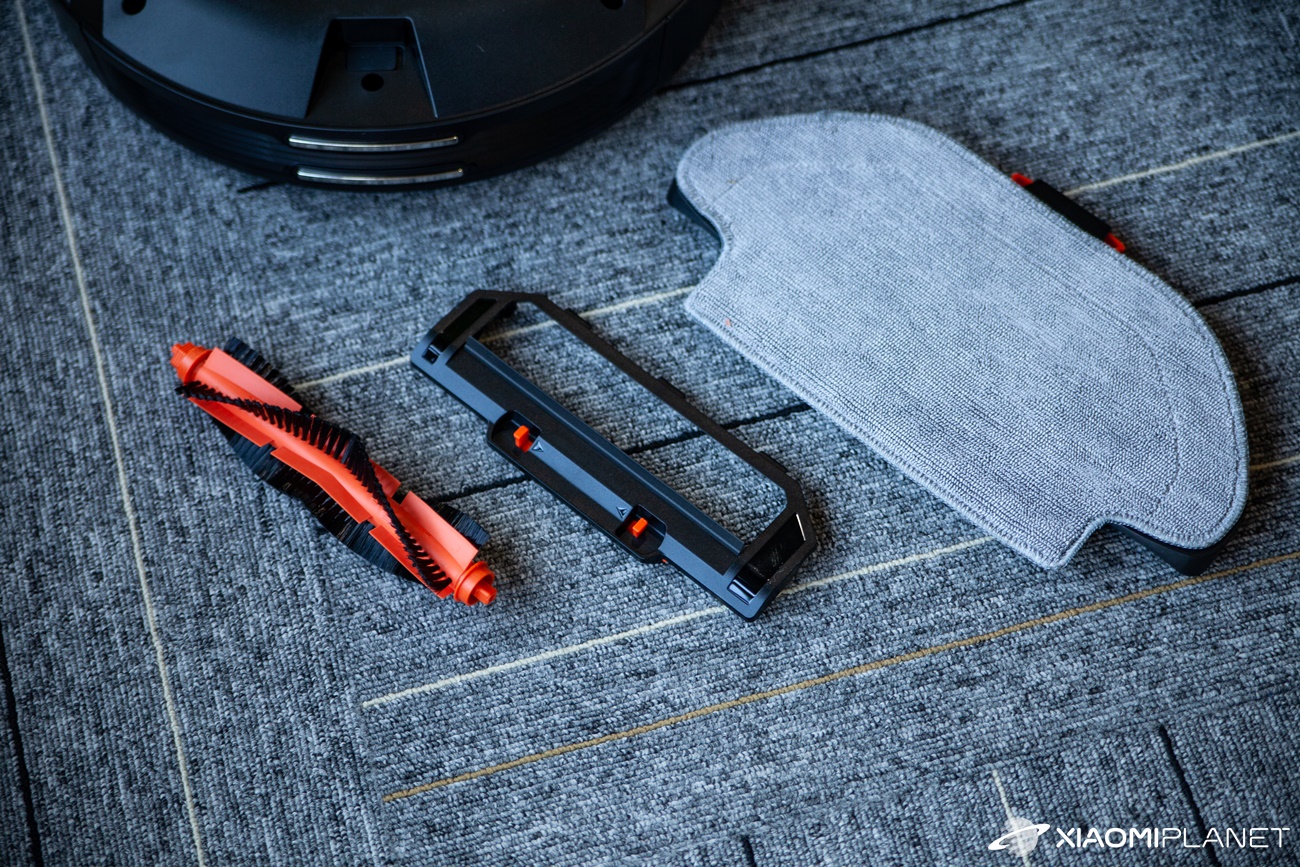
To activate the mopping modes, you need to replace the tank with the one 2 in 1 and pour 200 ml of water into the designated space. After inserting the tank, the vacuum will play a voice prompt announcing the inserted tank. You also need to place the mop cloth with the mopping attachment on the underside.
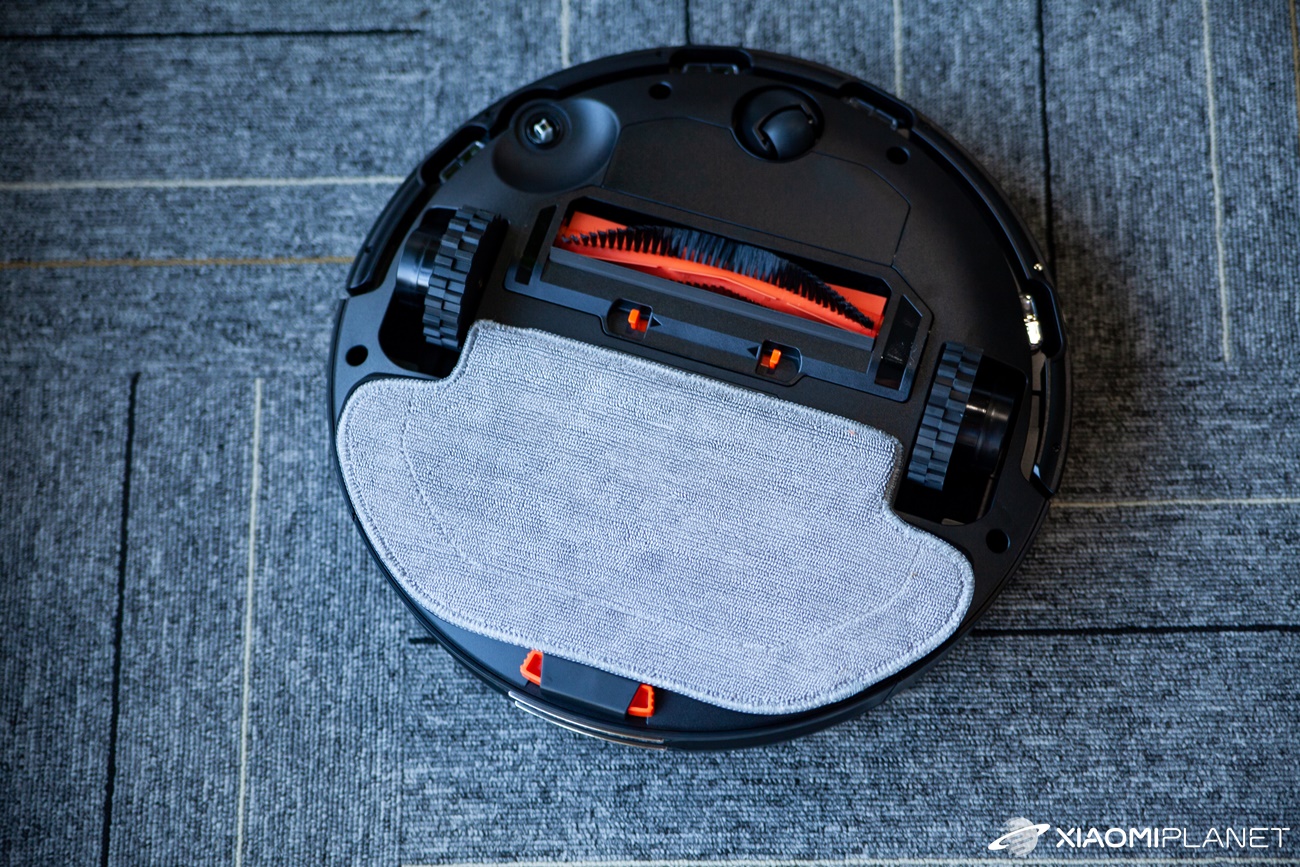
Next, you can directly select the appropriate mode in the app that you want to use. To improve efficiency, you can also apply a cleaning or polishing spray to the textile—e.g., on laminate floors and the like. The mop function works slightly differently from vacuuming.
The combined vacuuming and mopping function is very effective. The vacuum scans the room’s perimeter again, and then fills the area with movements shaped like the letter Y. This motion is meant to simulate manual mopping.
In our testing, we tried mopping a room with an area of about 21 square meters. It cost us about half the capacity of the water tank and about 25 – 30% of the battery capacity. This feature is truly more battery-intensive.
There are also multiple water levels, and even the highest setting is gentle on floating floors and tiles. The mop function is truly interesting—it wets and actually polishes the surface—but it still can’t match manual mopping. Limitations come from the vacuum’s dimensions, the tank capacity, and the technology itself, which is still being developed and improved.
The vacuum doesn’t offer a docking station with automatic emptying, like you’d get with premium siblings. As an optional accessory, the manufacturer also sells a separate water tank—designed exclusively for mopping—so you get higher water capacity.
Mobile app: Mi Home by Xiaomi
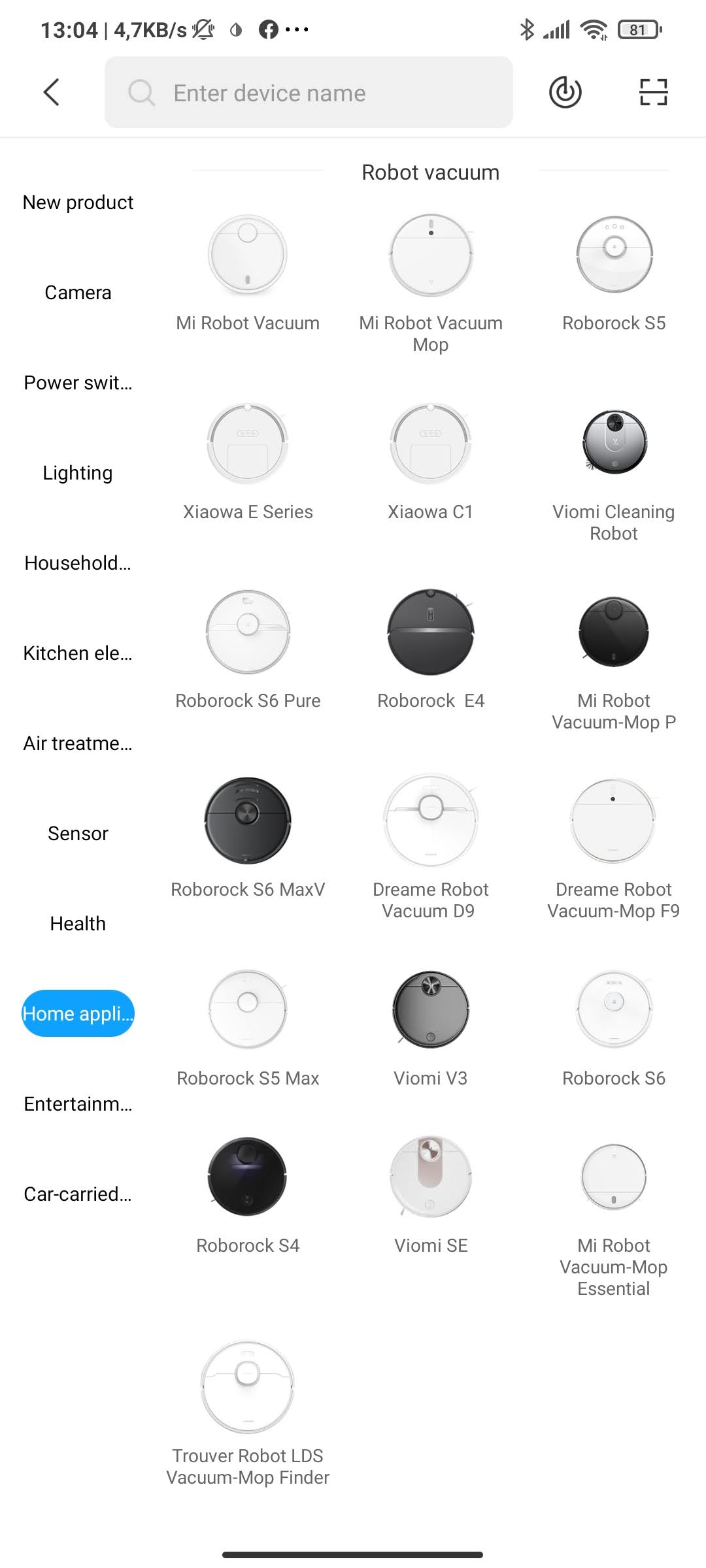
Following the example of other Xiaomi gadgets, connecting to the Mi Home mobile app is also a given. We connected the global version of the product to our home Wi‑Fi and selected the European app server. We added the vacuum to our home and to the corresponding room.
As for the offer itself, right after you tap to open it, a space for the cleaning map appears on the screen. This is where the vacuum scans the area it will clean. Below, you can set the mentioned vacuuming modes (quiet, standard, medium, turbo) and mopping modes (slightly wet and wet mopping), or choose a combined mode.
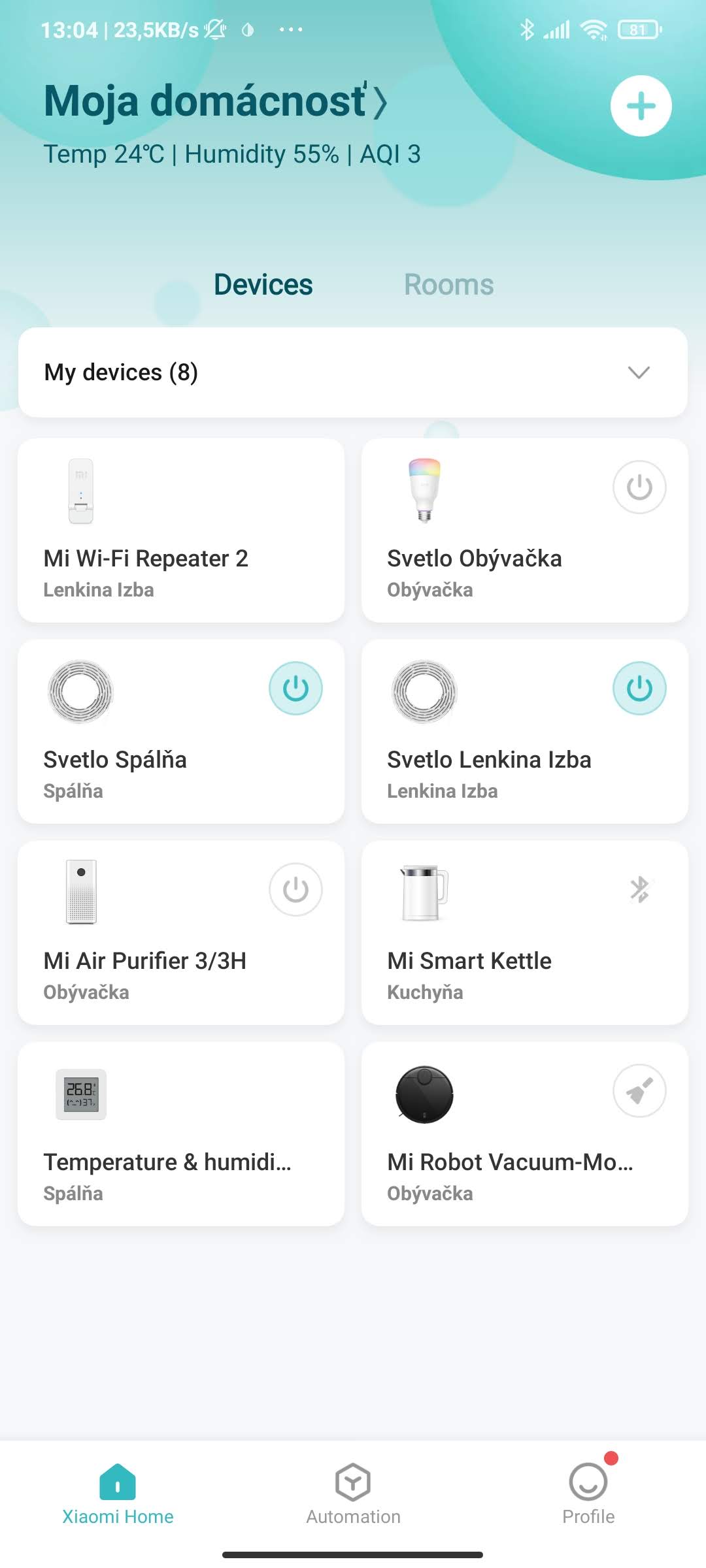
There’s also a shortcut to clean a specific area or section on the map—where you may have, for example, tragically spilled your breakfast cereal. You also get the opposite feature: drawing a virtual wall or a restricted zone that the vacuum shouldn’t enter. It works quickly and easily, and the vacuum respects those boundaries.
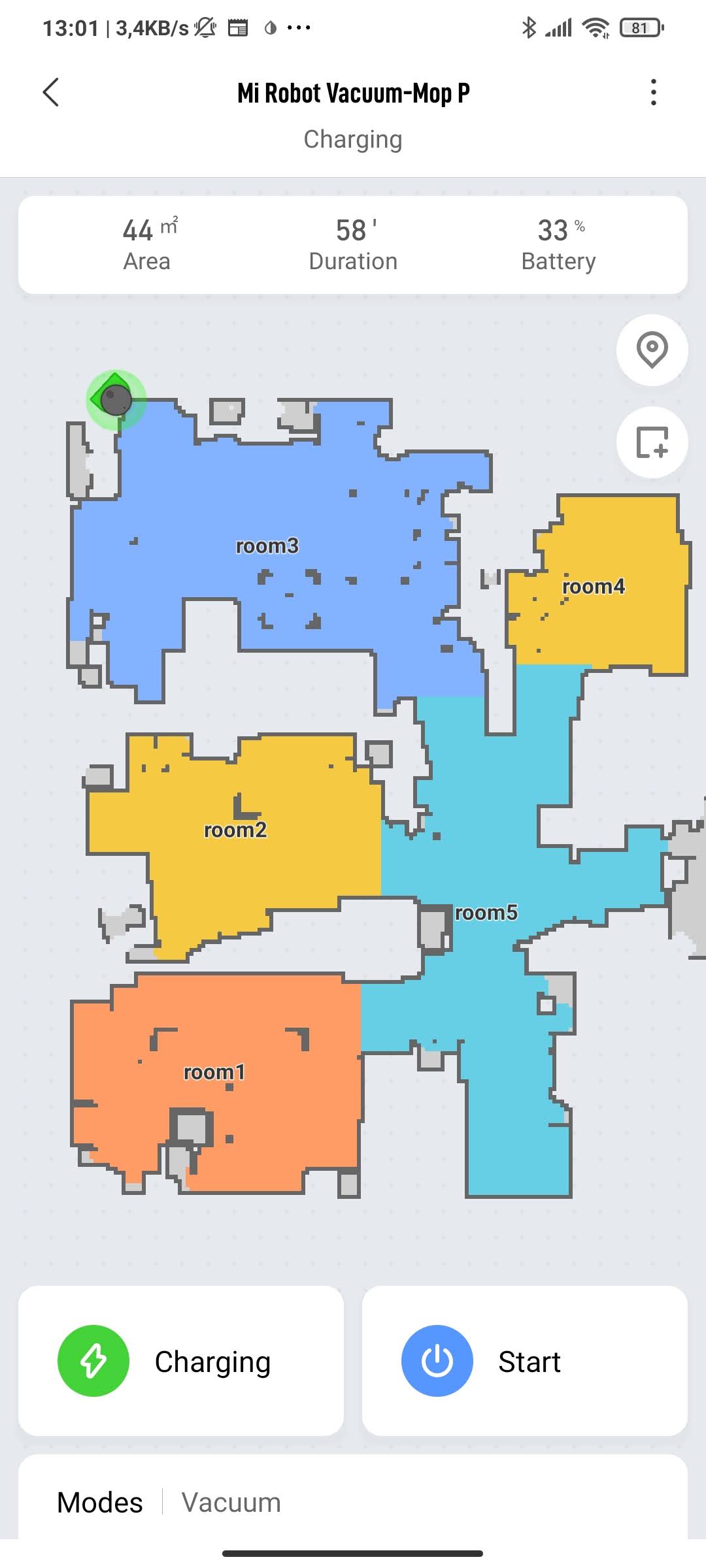

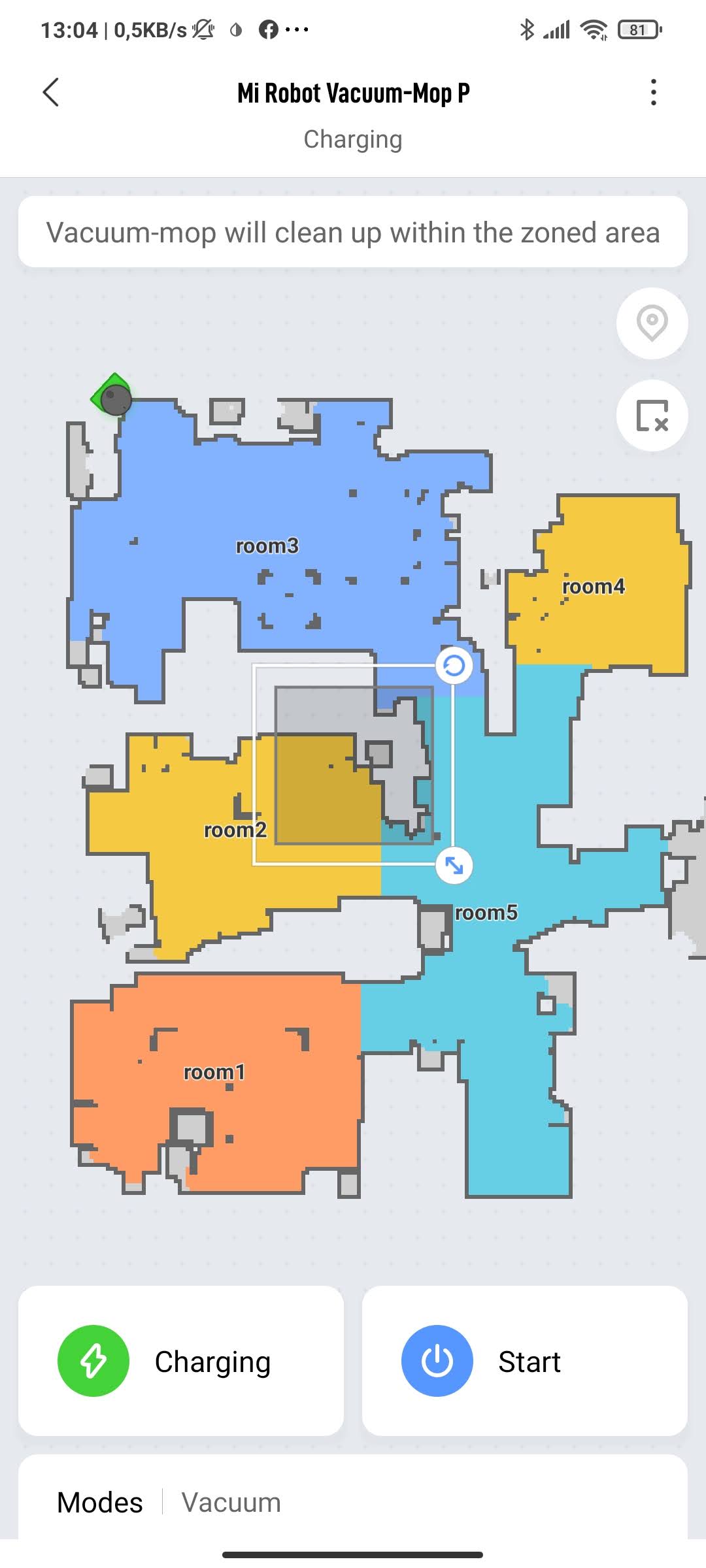
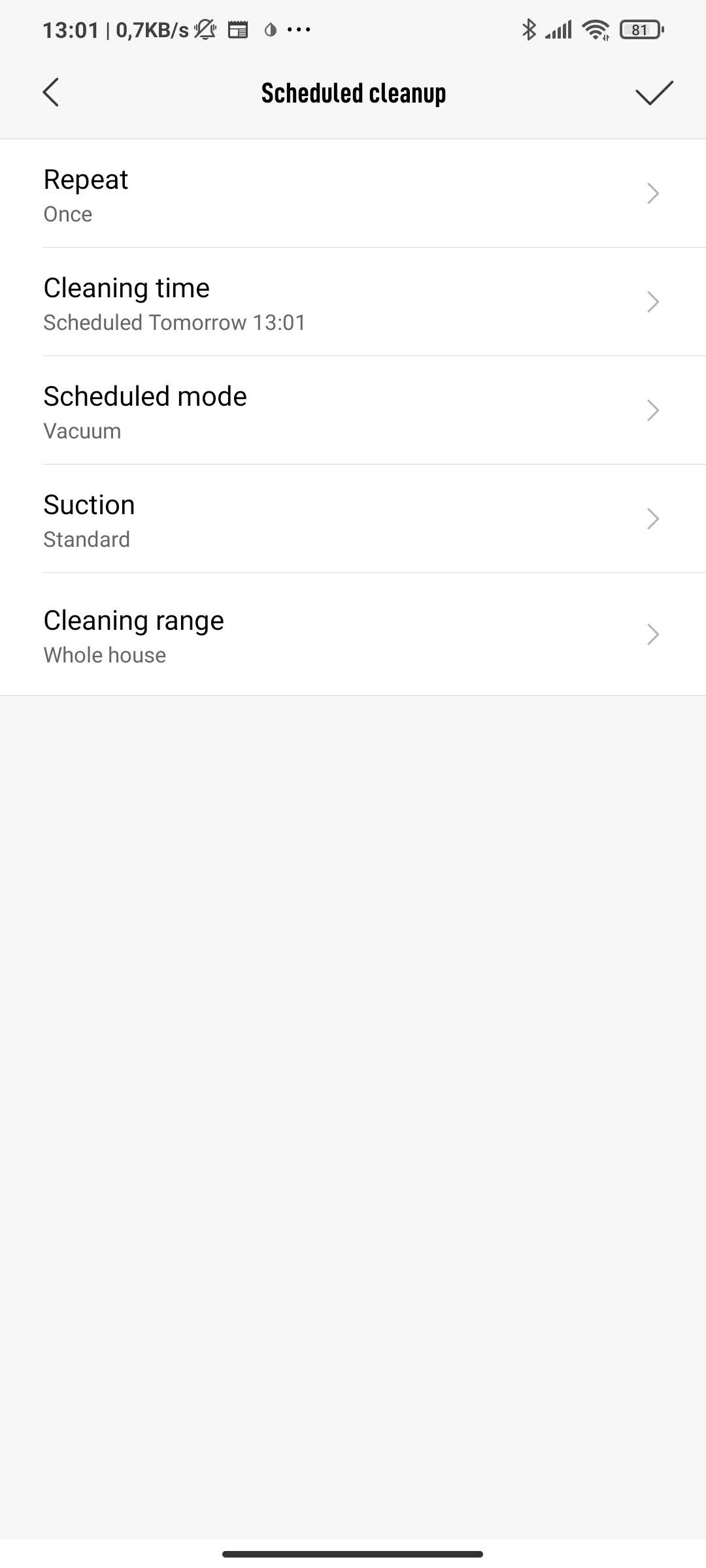
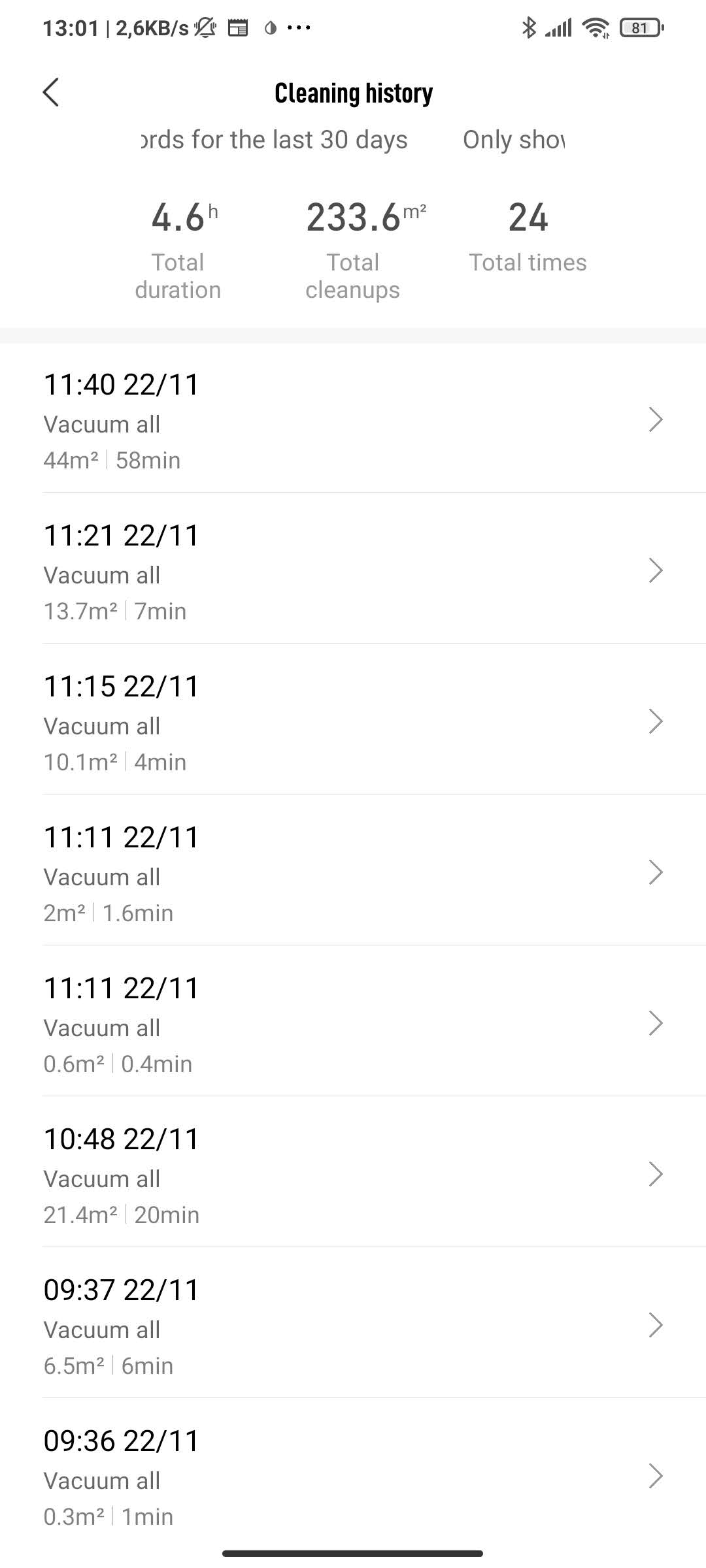
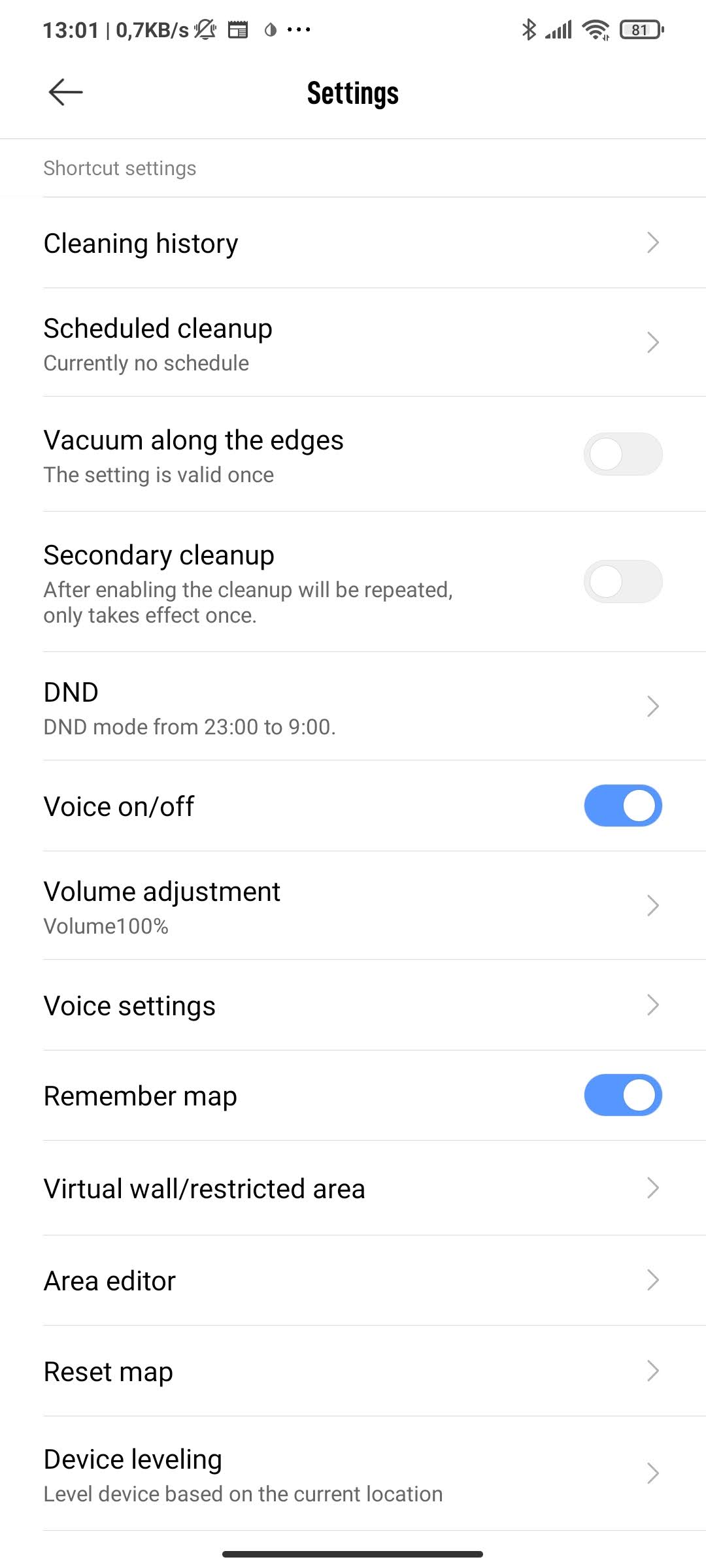
The app settings also include a cleaning history, and you can schedule cleaning—for example, every day. Daily vacuuming significantly improved the cleanliness and overall quality of living. Additional features include vacuuming around room corners, but also repeat vacuuming (after the vacuuming cycle ends, the cycle automatically repeats).
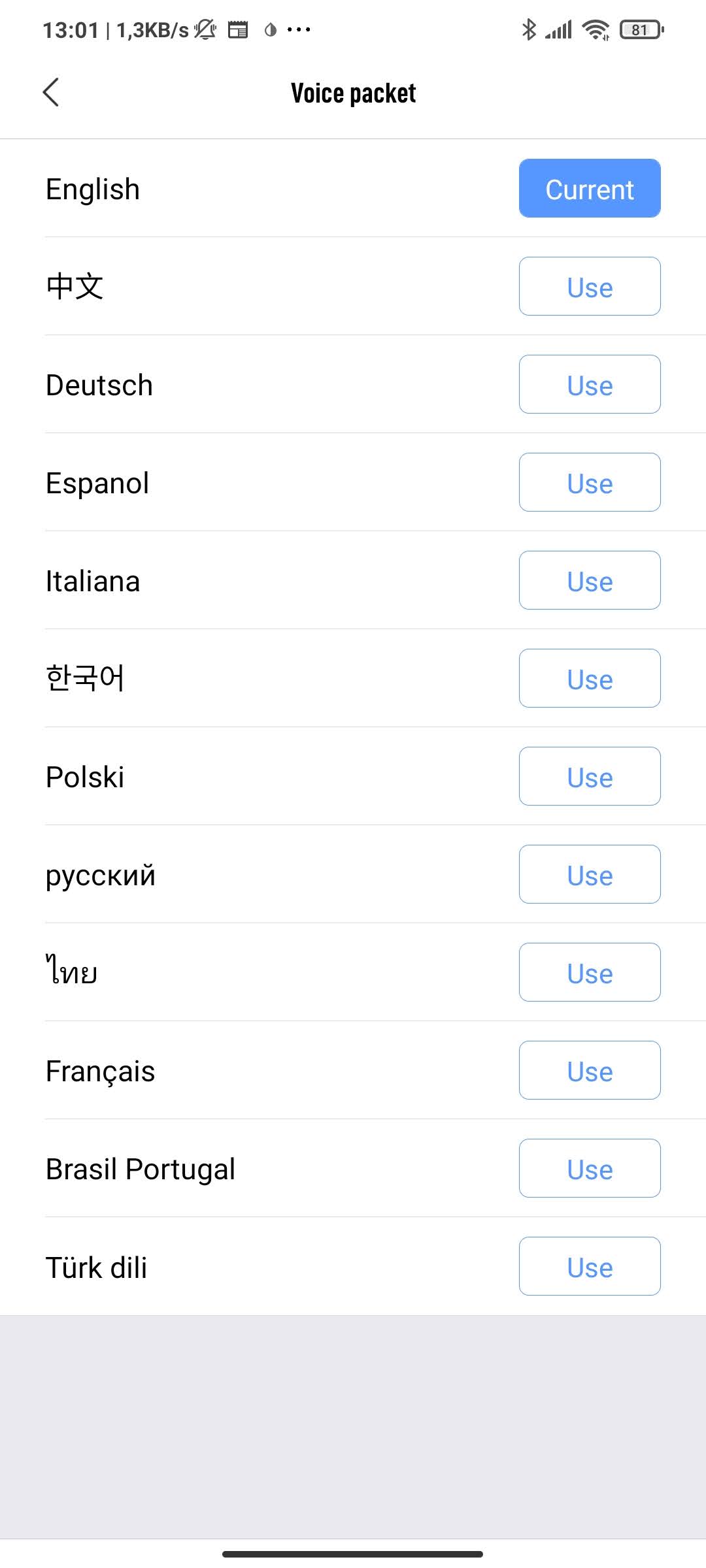
Another interesting feature is Do Not Disturb mode, along with the language selection setting. We used the vacuum in English, especially for sensible, simple instructions. Slovak or Czech language isn’t supported yet.
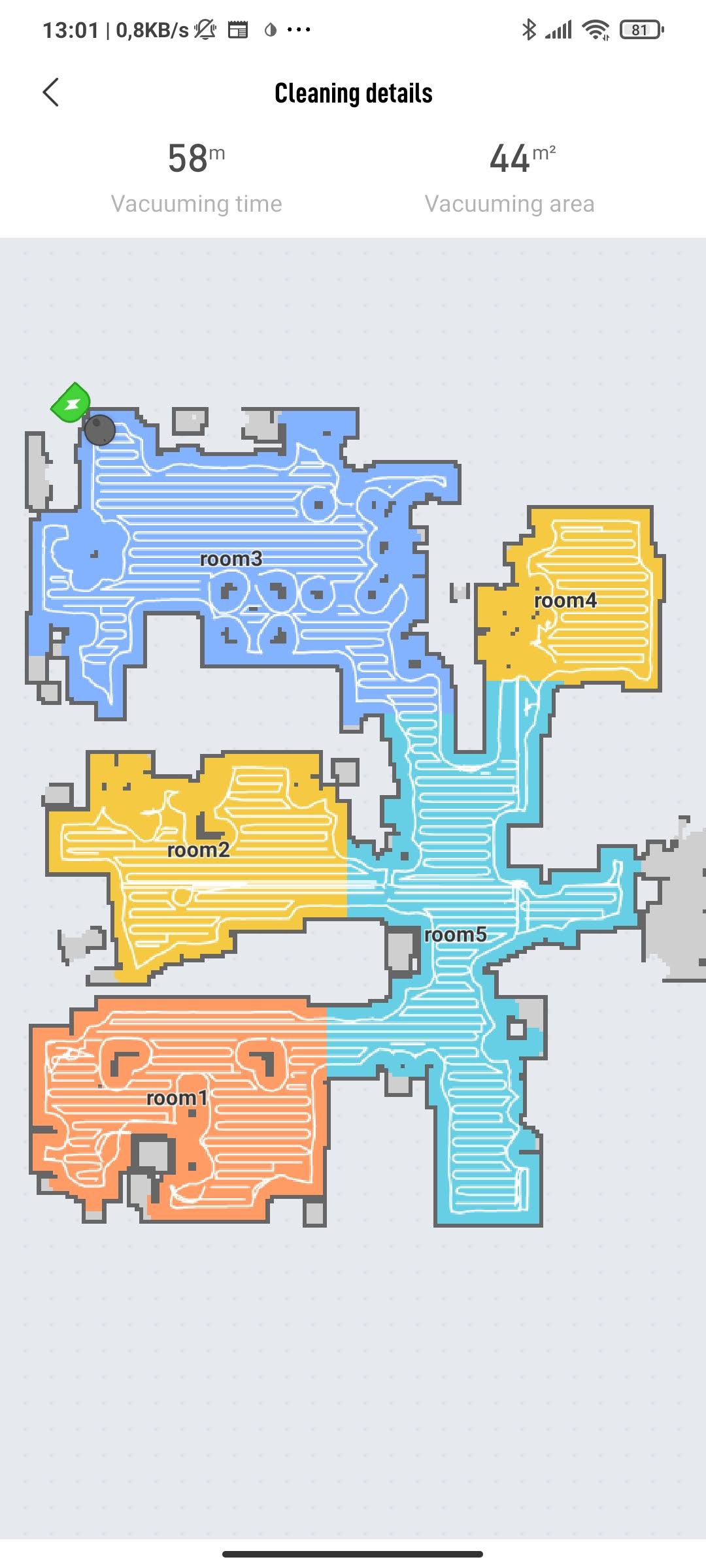
As for the cleaning map, you can store the map, edit it, delete it, and restore it. You can also name individual rooms. With the cleaning map, we also ran into an issue: when we selected zone-based cleaning of a particular room, the vacuum deleted the original map and started creating a new, local one just for that room. The solution was resetting and rescanning the area. On the other hand, the map is updated regularly based on the surrounding space (e.g., moved furniture).
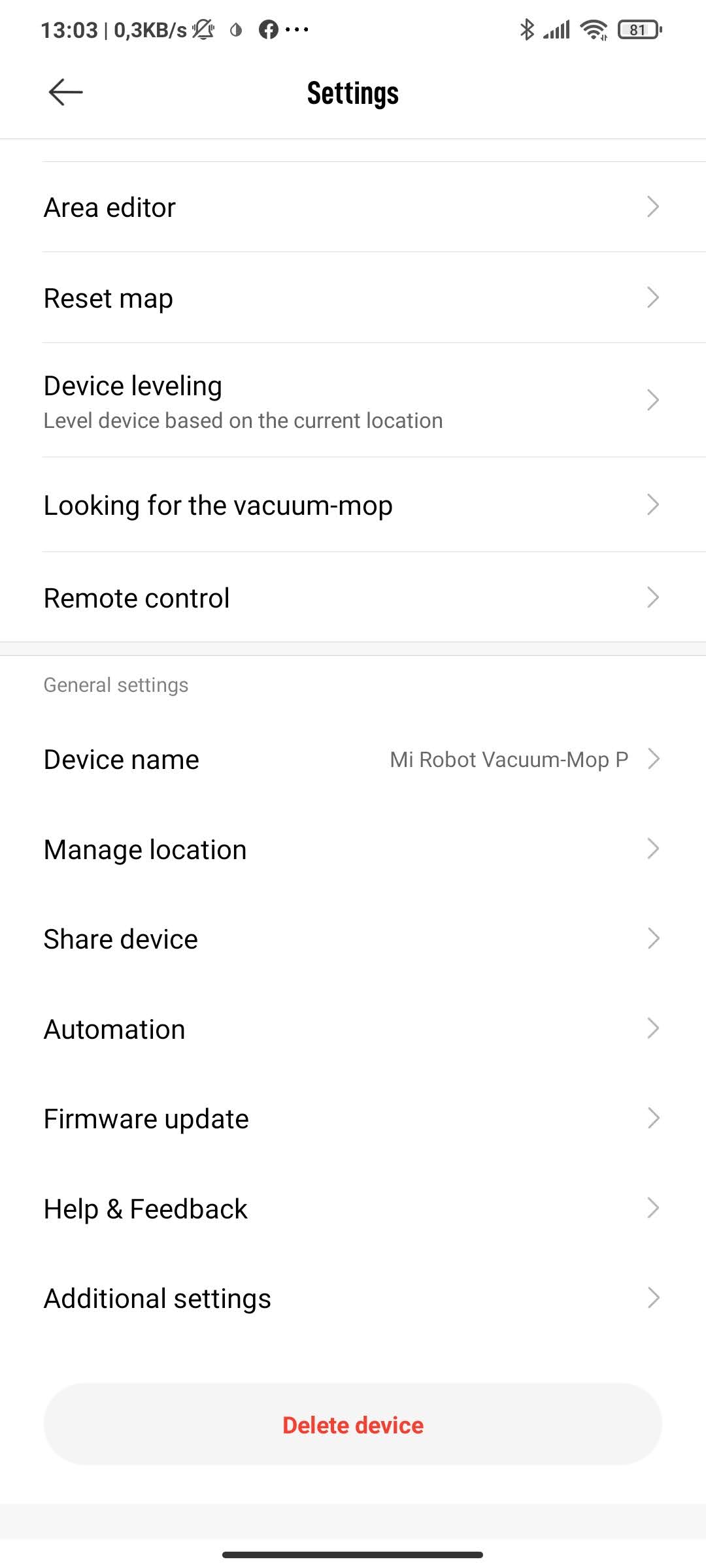
It’s also important to mention that the vacuum receives updates through the app, and if it happens to run out of battery during cleaning, it will return to the charger on its own. After charging, it will continue from where it left off. You can watch the entire cleaning movement in real time in the app.
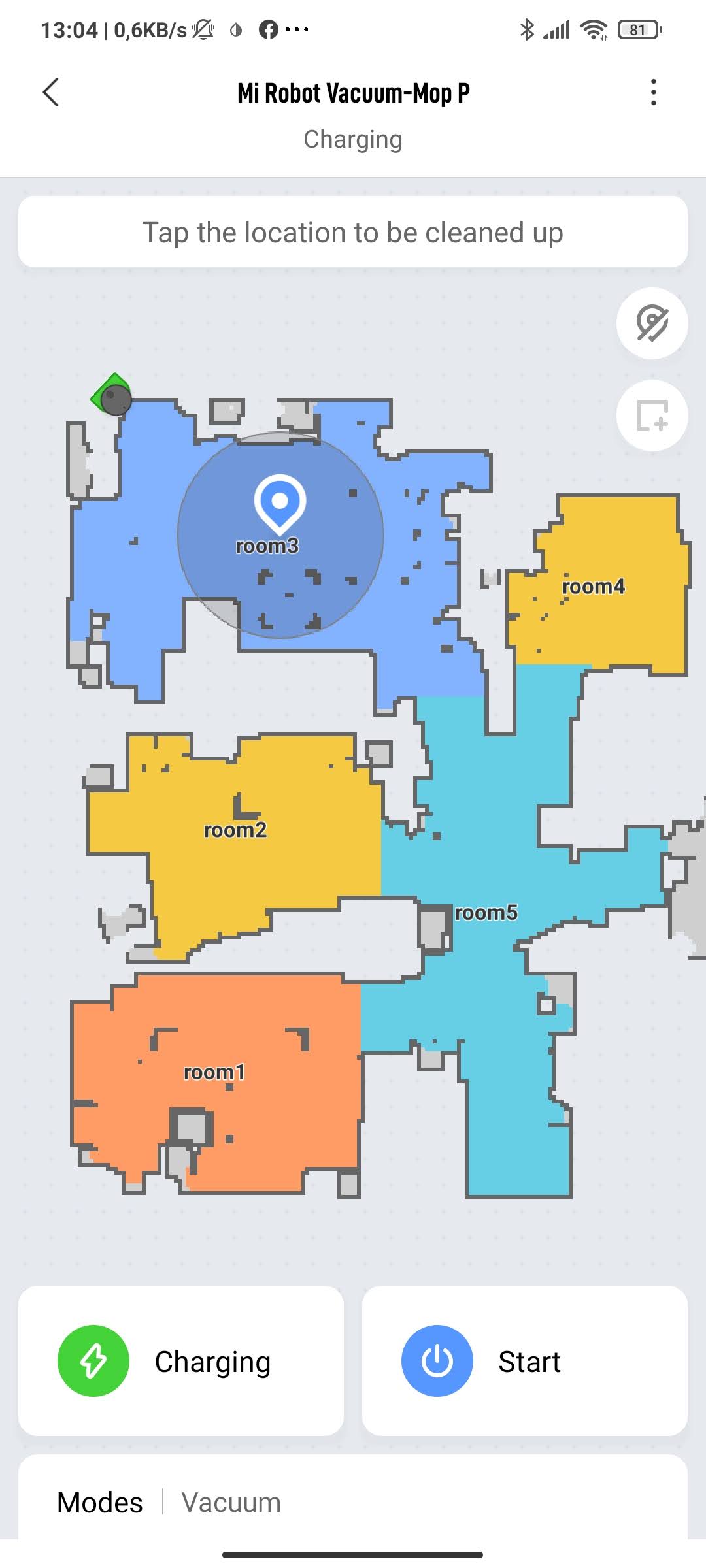
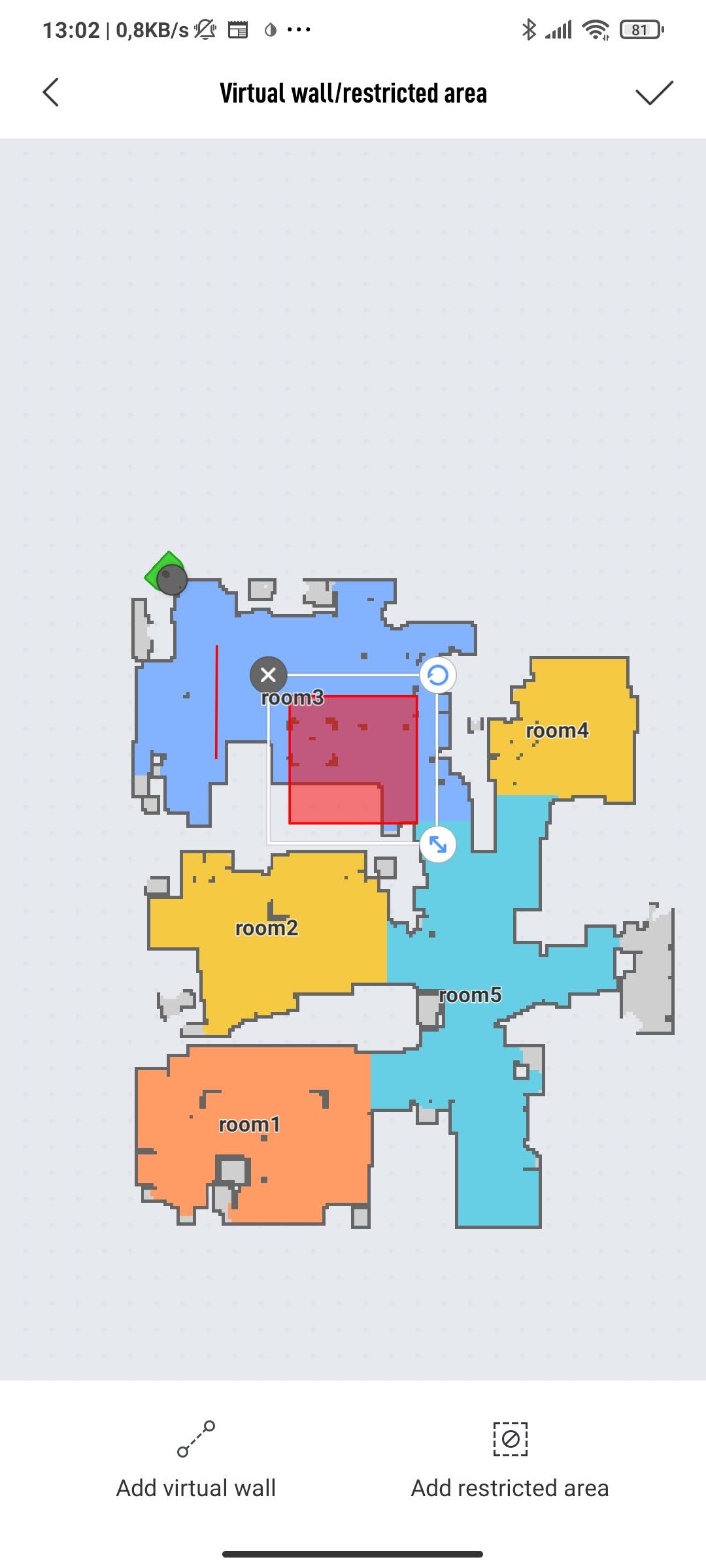
A nice extra is the remote control function—using four buttons, you can control the vacuum’s movements. This fun feature really feels like controlling a child’s toy car.
Connectivity: Voice control via Google Assistant
The vacuum cleaner is connected to your smartphone via the aforementioned Mi Home app. Through the app, you can set up the Wi‑Fi connection. However, only the 2,4 GHz connection frequency is supported.
Besides the Mi Home app and the customization via its settings, support for smart assistants is also available. The Chinese manufacturer states support for Amazon Alexa and Google Assistant. We tested the connection with both assistants.
In our case, linking with Amazon Alexa was not successful. The global version of the vacuum registered on a European server was not recognized even after a fully refreshed device search from the Mi Home app. Setting it up via the Chinese Mi Home server and searching again also didn’t help.
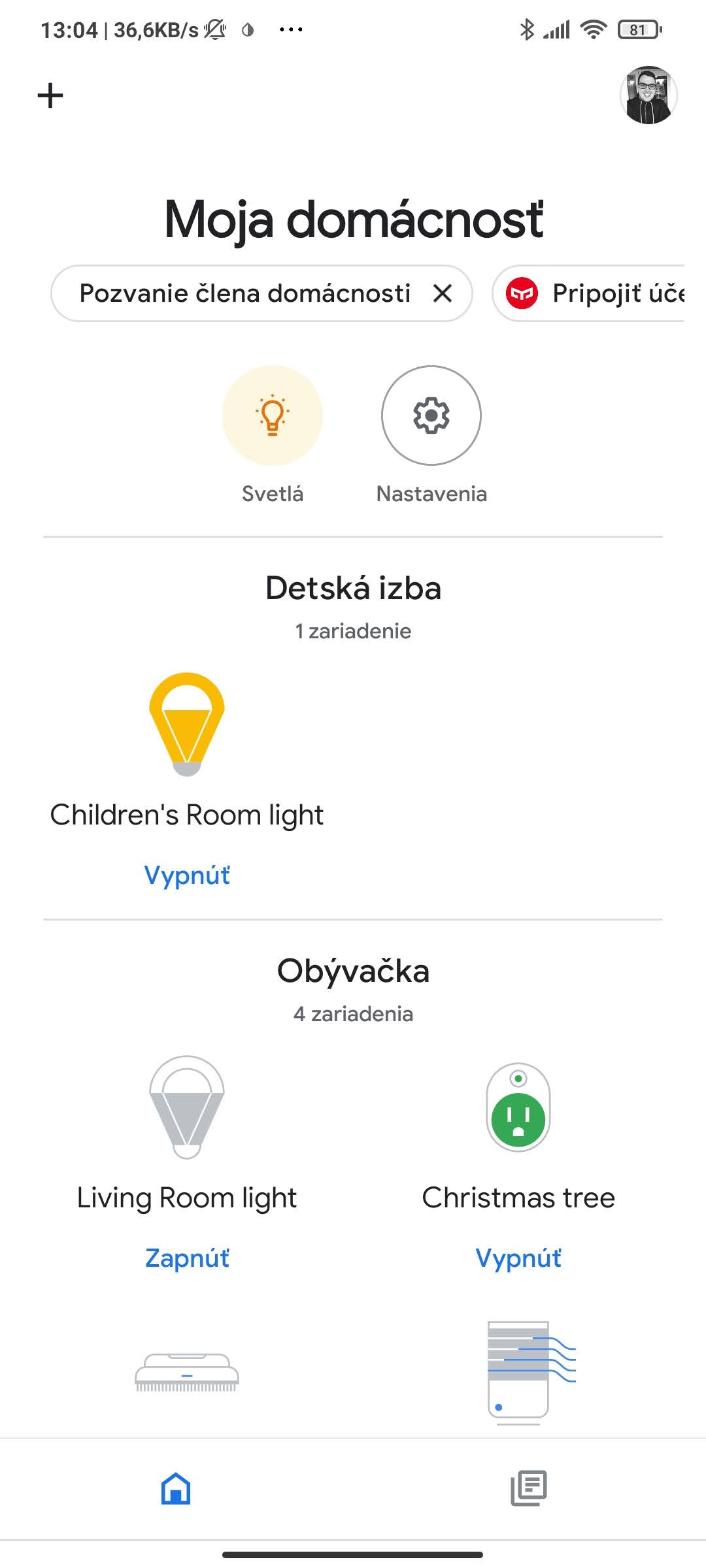
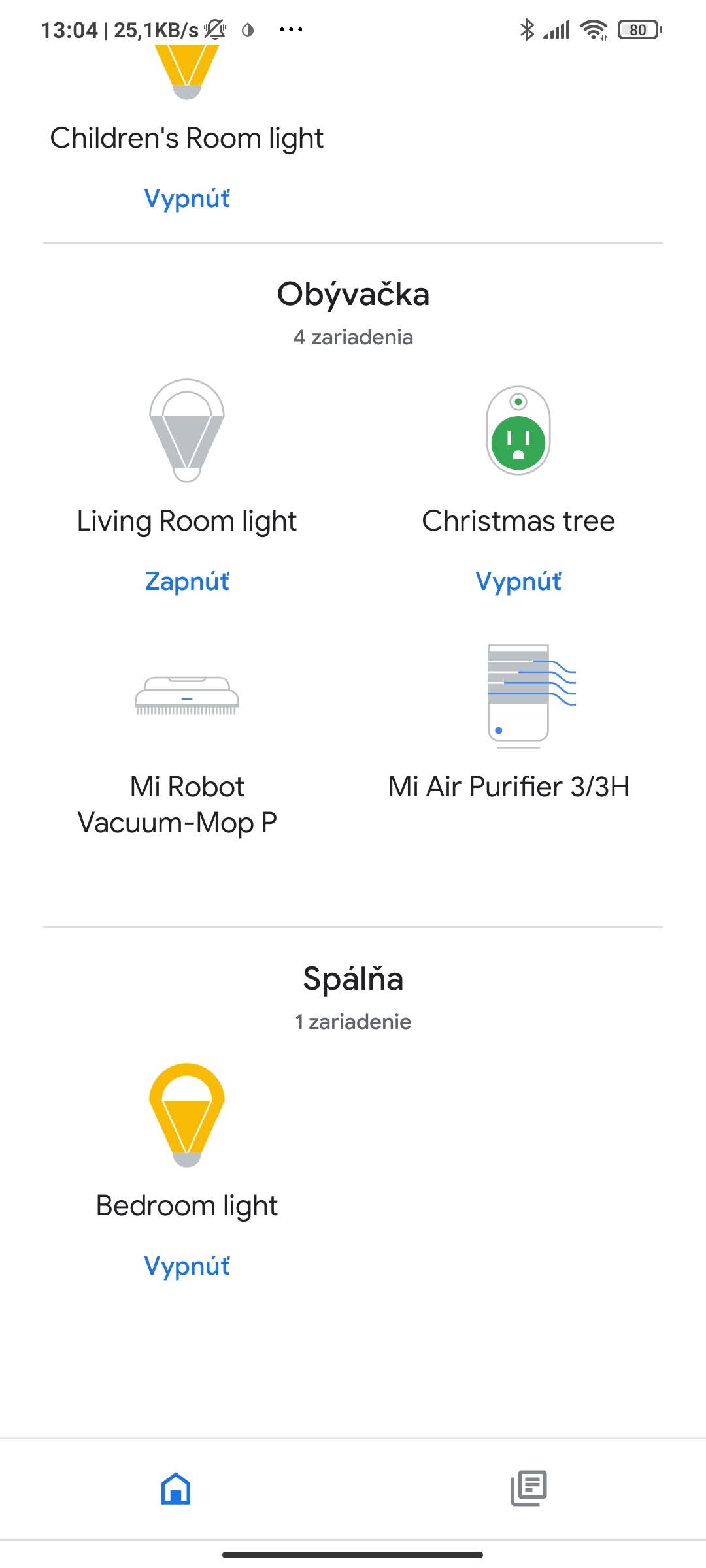
On the other hand, the connection worked successfully with the Google Assistant smart assistant. If you already have the Google Home and Mi Home apps connected, the supported devices sync automatically. The same is also true for a new connection.
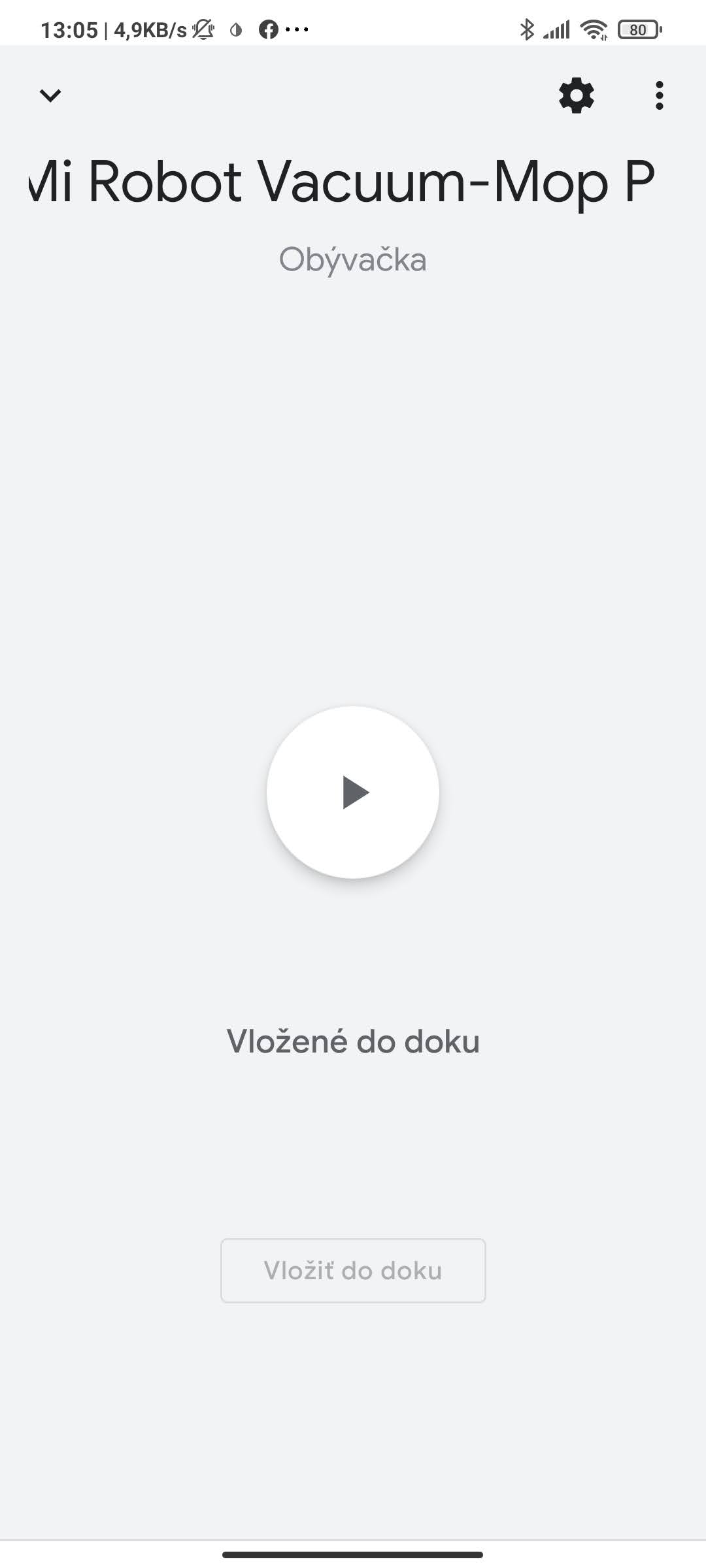
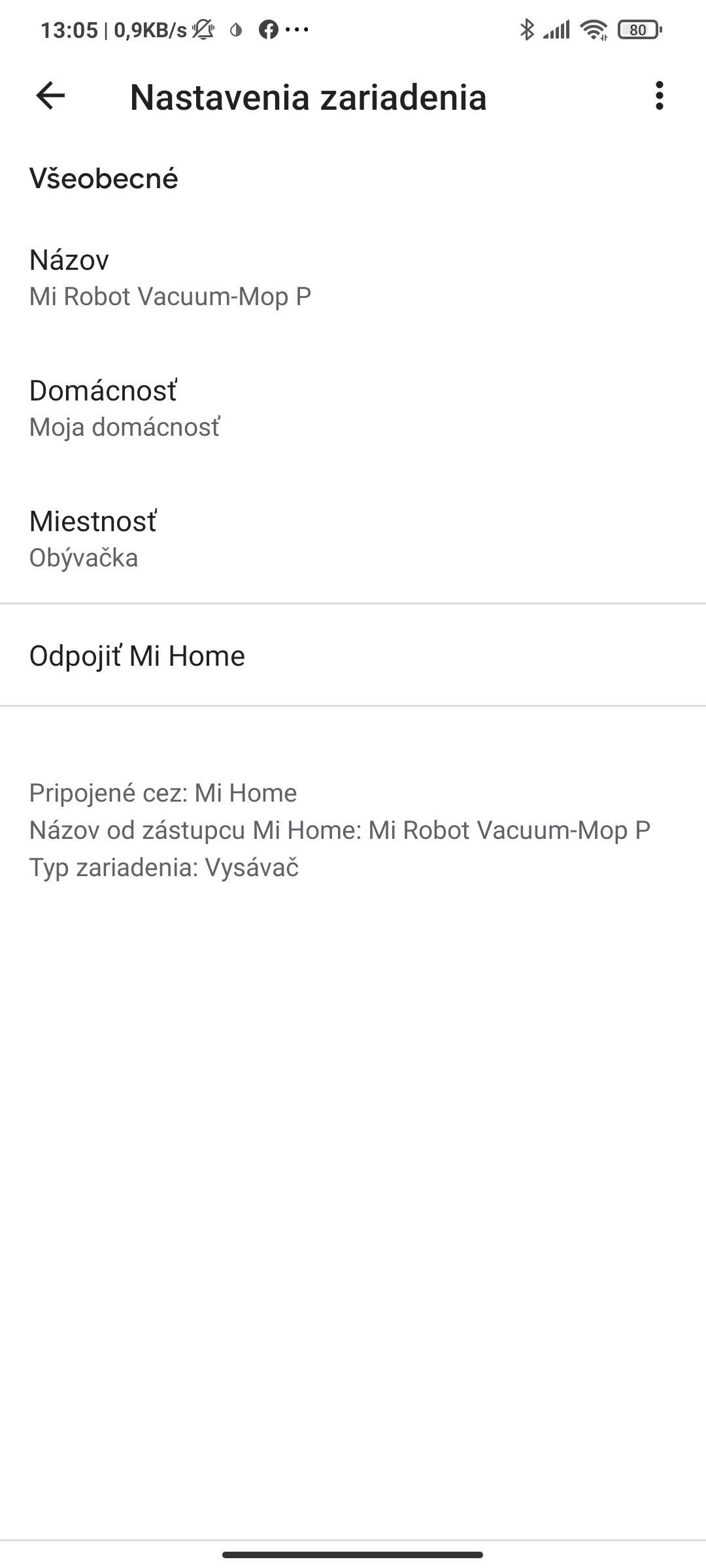
The connection is quick—you just need to name the device and add it to a room. After that, you can control it via the Mi Home app, but also by voice, for example with the command “OK Google, start cleaning.” You can not only start and pause the vacuum, but also send it back to the charging station.
Battery life: 110 minutes of vacuuming
An integrated battery with a capacity of 3200 mAh should deliver a total runtime of 110 minutes. However, this is a “paper” figure from the technical specifications, and our testing thoroughly confirmed (or rather checked) this runtime.
The device’s real runtime may vary depending on the mode you use, but also on the amount of obstacles the vacuum has to overcome (for example, high thresholds). In our case, we cleaned a three-bedroom apartment, which the vacuum managed in roughly 50 – 55 minutes.
So its runtime dropped in standard vacuuming mode to roughly half (49 – 52%), which matches the “paper” data. The vacuum performed worse when mopping. In the mid combined mode over an area of 20 square meters, it used up about 25% of the battery.
Price and availability of the vacuum cleaner
The vacuum cleaner with mopping support Xiaomi Mi Robot Vacuum Mop-P is currently already sold officially on the Slovak and Czech markets. The price of this model in local e-shops is around roughly 275 € / 330 USD.
Xiaomi Mi Robot Vacuum-Mop P (STYJ02YM)
TIPExpress delivery from a Polish warehouse without customs duty and VAT.
This product will be delivered to you express from a local Polish warehouse. Shipping from Poland usually takes 7-10 days and is handled by a courier. On delivery, you won’t pay any extra fees—no customs duty and no VAT.
TIPWith EU Priority Line shipping, you don’t pay any extra fees.
We recommend choosing Priority Line shipping, where you won’t pay anything extra. Customs duties and any VAT will be handled for you directly by the seller. Shipping can be selected in the cart after you enter your delivery address. Delivery with EU Priority Line usually takes about 15 - 25 days, but it may also be longer.
But if you want to save a few more euros, feel free to try one of the offers from well-known international sellers. When you use our discount coupon, the price of this model starts from just 230 € / 275 USD.
Final verdict: Xiaomi Mi Robot Vacuum Mop-P
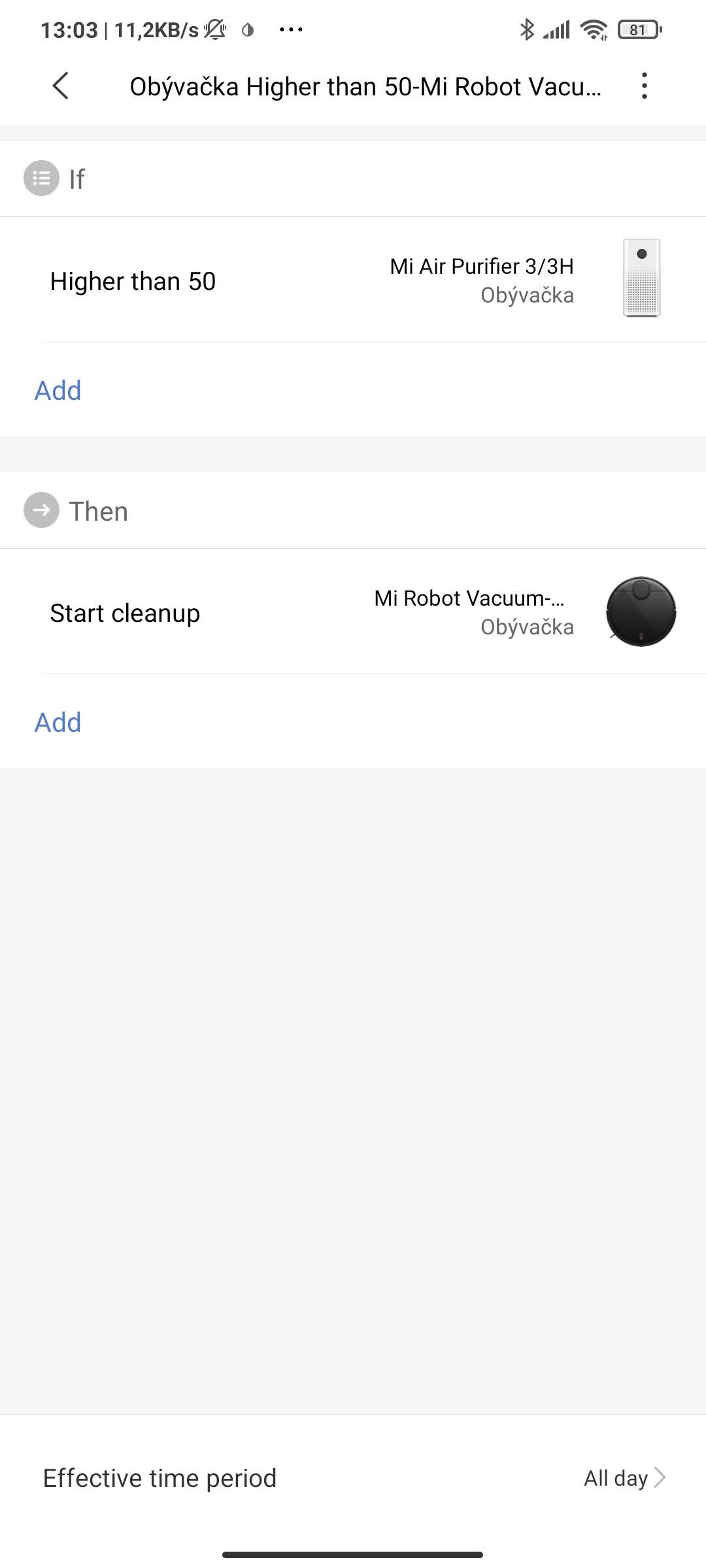
A vacuum cleaner with mopping support, Xiaomi Mi Robot Vacuum Mop-P, is a very practical helper for your home. It can recognize its surroundings with a laser sensor and can even combine vacuuming and mopping functions. Also interesting are automation rules—for example, in combination with an air purifier. For instance, if the air quality value rises above 50, the vacuum will start cleaning.
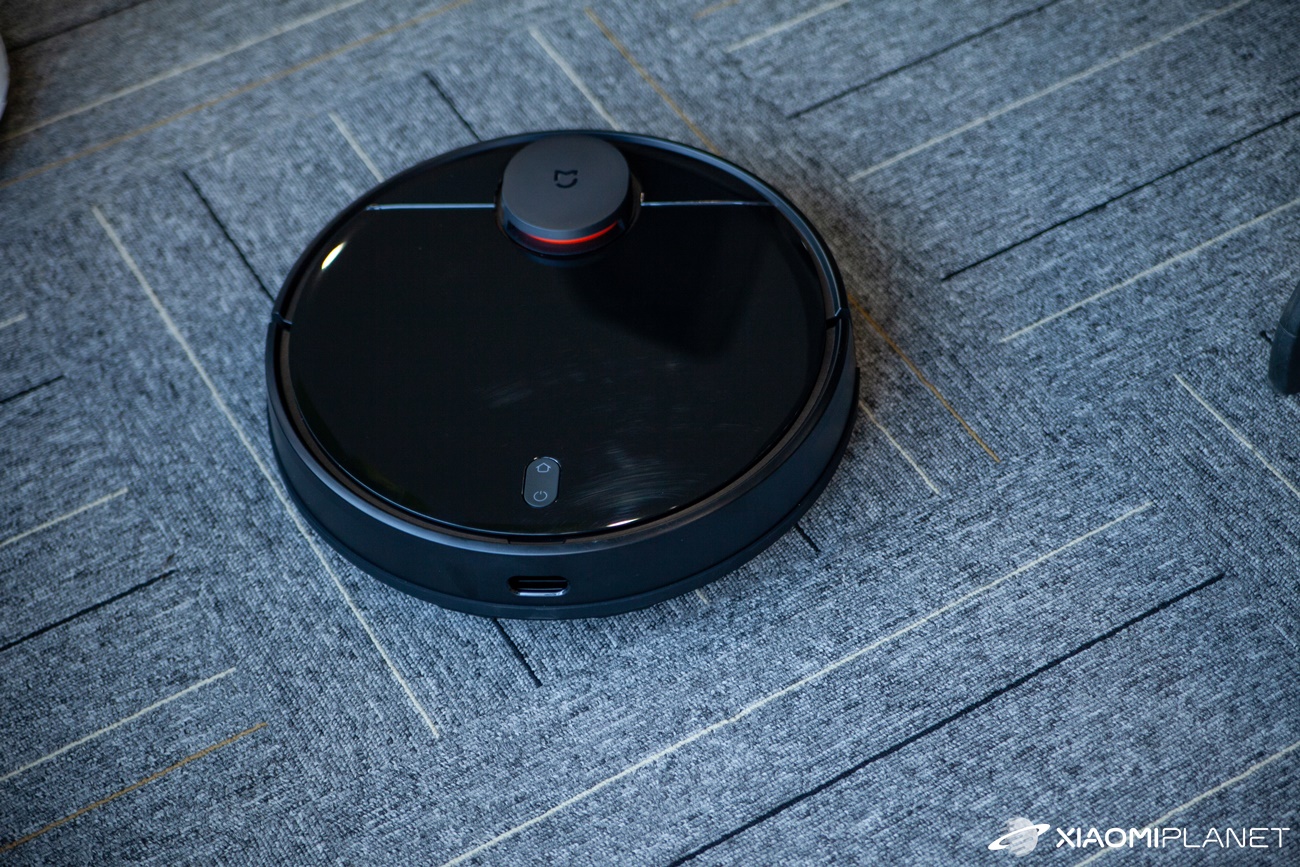
We were very pleased with the support for the Google Assistant smart assistant and voice control. The vacuum is also suitable for larger apartments, and it has now dropped to a very reasonable price. In this price range, it offers a truly excellent value for money—plus it’s available in multiple color versions – white and black.
However, if you need all the premium features, including maps for multiple floors of a family house or automatic emptying into bags, you’ll have to look at a more expensive flagship model.
Don’t miss the best coupons 📩
Subscribe and we’ll email you new coupons before they expire. We only send it once a month — no spam.