A planet full of Xiaomi news
Shopping from China

This is the TOP 10 Xiaomi products you bought the most via Xiaomi Planet during the March birthday AliExpress sales

3. April 2024 8 min read 0 comments

AliExpress, the world’s largest online marketplace, celebrates its birthday every year in March. Although the biggest discounts usually happen in November, this year’s March sale was exceptionally strong—and we dare say it even competed with it!

As part of the AliExpress birthday sale, you could buy almost all products at record-low prices, which is proven by our unique price history feature in Slovakia and the Czech Republic. These sales, held outside the traditional November timeframe, pleasantly surprised us.

In March, through Xiaomi Planet on AliExpress, we recorded up to 5,235 orders.

The most popular products came from the smartphones and telecom equipment category, and in just this one category, purchases via Xiaomi Planet reached $38,830. Overall, in March you spent over $105,000 on AliExpress through Xiaomi Planet.

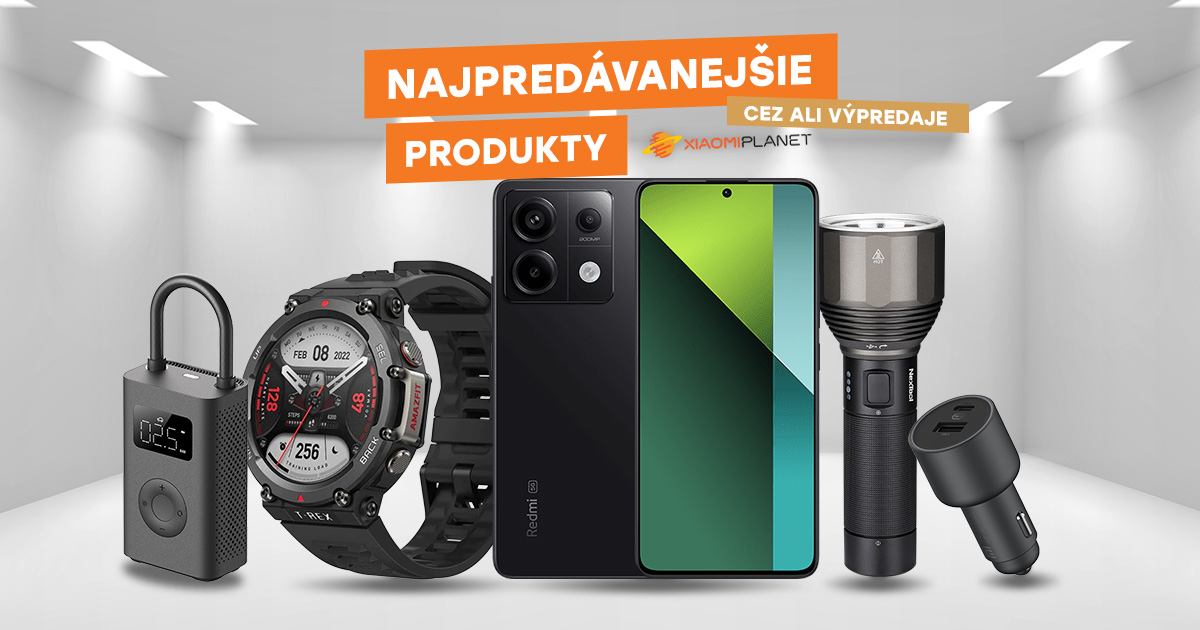
We prepared a list of top 10 products that were selling like crazy during the birthday sale!

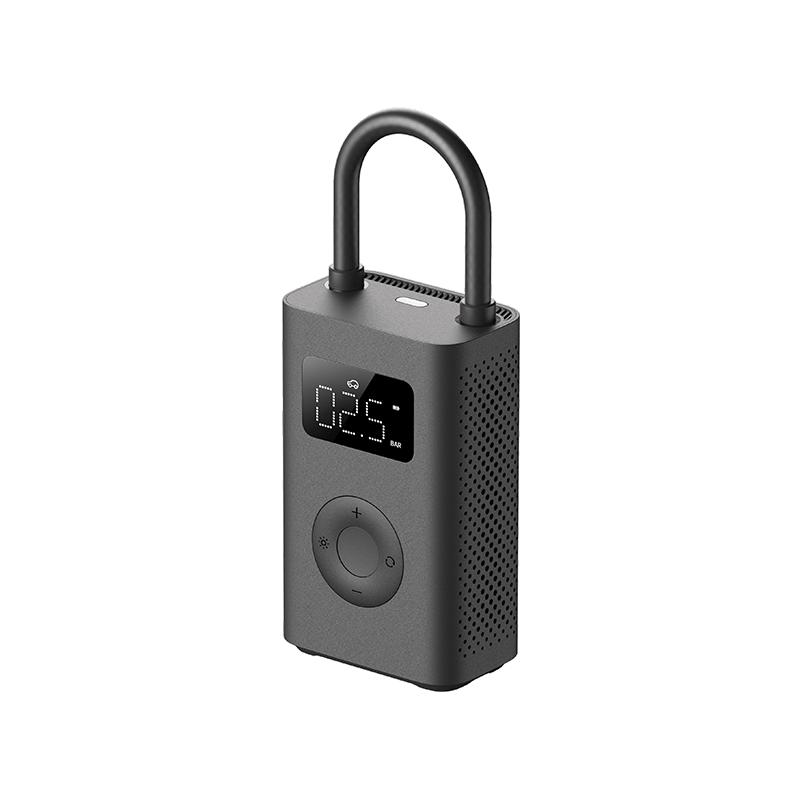
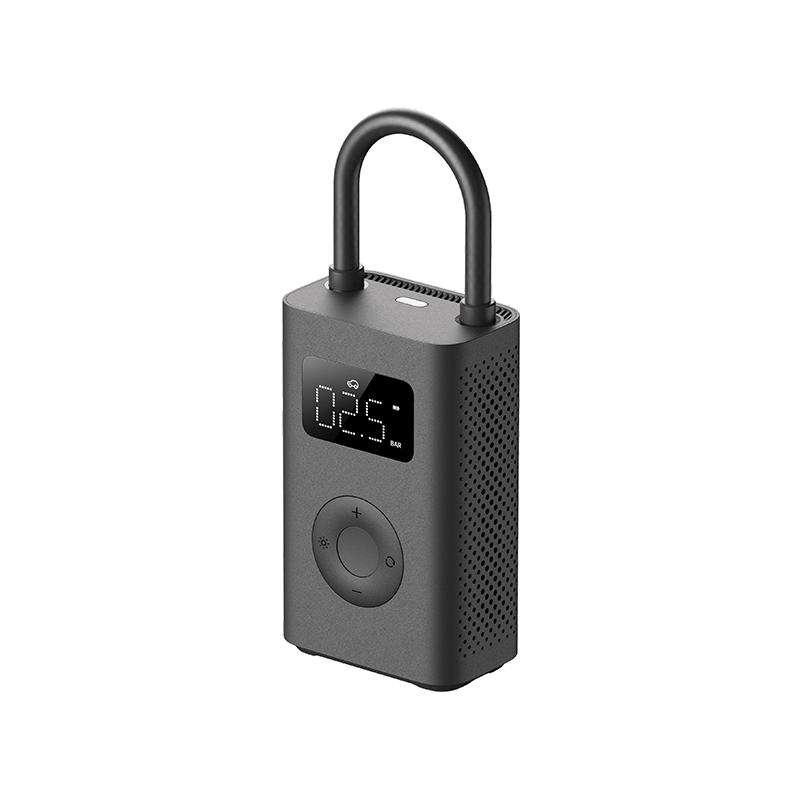
TOP 1: Xiaomi Air Compressor 2 – 139 orders

Xiaomi launched an updated mini air compressor Xiaomi Portable Electric Air Compressor 2 that inflates by 25% faster. It immediately became a hit, and during the Ali sales it was our absolute best-selling product!

What’s more, the compressor features a compact design weighing just 490 grams and has an upgraded display for easier reading. Thanks to the increased air flow volume of 18 L/min, it can inflate up to 10 tires on a single charge.

XiaomiPlanet deal

Xiaomi Portable Electric Air Compressor 2

Xiaomi Portable Electric Air Compressor 2
44,14 €You save 10,51 €
33,63 €

Price history

4,59 €cheaper than the average price
Cheapest 28,35 €Most expensive 44,14 €
Buying on AliExpress for the first time? See the guide!
Updated 13. 10. 2026 on 14:42
TIPFast delivery from the Spanish warehouse with no customs duty and VAT.

This product will be delivered to you quickly from a local Spanish warehouse. Shipping from Spain usually takes 7-10 days and is handled by a courier. When it arrives, you don’t pay any extra fees—no customs duty, no VAT.

Track this product’s price

As soon as we post a new coupon, we’ll send you an email. You can unsubscribe from tracking anytime.

Buying on AliExpress for the first time?

This process is done through the AliExpress mobile app, where most people shop. Two things matter: don’t use Buy now and enter the coupon only in the order summary in the Promo code field. After you click Pay now, you can’t add it anymore.

  1. Copy the code and click GET THE DISCOUNTIn our article, copy the coupon and click the button GET THE DISCOUNT. The link will take you directly to the product in the AliExpress app.
  2. Use Add to cart, not Buy nowOn the product card, scroll down and click Add to cart. Don’t use the Buy now button—this skips the cart, so later you won’t have a place to enter the coupon. Before that, make sure the variant is correct: color, version, and whether it ships from an EU warehouse.
  3. Continue to Checkout via the cartA pop-up will appear: Added to cart!—tap Check it out. If it disappeared, open the cart using the icon in the bottom-right corner. In the cart, check the product and quantity, then tap the red Checkout button. Only the items marked with the red circle are included.
  4. Fill in your address and card, then look for Promo codeIn the order summary, first enter the delivery address and payment card at the top. Below that, there’s a line Promo code — expand it with the arrow on the right.
    Promo code line in the AliExpress app order summary
    Look for this line under the address and payment method.
  5. Paste the code and confirm ApplyIn the field Promo code paste the copied code and click the black Apply. The code is case-sensitive and must not contain spaces.
    Promo code box with the code and the Apply button in the AliExpress app
    Paste the code into the field and confirm by clicking the Apply button.
  6. Check your savings and payIn the section Summary expand the line Saved — you’ll see the applied coupon there as AliExpress coupons/codes. Only when Total is really lower, click Pay now.
    Saved line with the applied coupon and reduced Total in the AliExpress app
    The applied coupon will show up in the Saved line and reduce the Total.
Apply the discount again in the order summary. After you click Pay now, you can’t add a coupon anymore. If Apply shows an error, the code has either expired, doesn’t apply to your item, or your order doesn’t meet the minimum amount.
Store Coupon also belongs in the same field. — a coupon from the seller itself, which isn’t always available and changes day to day. It can’t be combined with an AliExpress coupon, so try both and go with the one that gives you more. Coins are added automatically.

TOP 2: Amazfit T-Rex Pro – 83 orders!

The silver champion of our smart watch ranking, Amazfit T-Rex Pro, is rugged, has military certification, and supports diving while withstanding demanding conditions. In addition, it offers improved health and sports monitoring features while keeping the well-proven design. It stands out with low weight, SpO2 monitoring, a HD AMOLED display, and a long-lasting battery.

Rugged smart watch Amazfit T-Rex Pro unfortunately sold out in the coupon offer at the official Amazfit store on AliExpress, but for a great price we also have a feature-packed alternative Amazfit T-Rex 2. It offers a longer battery life in everyday use – up to 24 days versus 18 days on the Pro1 model. It also has a higher screen resolution – 454 x 454 pixels, while the Pro has 360 x 360 px. On the other hand, the T-Rex Pro is lighter by 7.1 grams.

XiaomiPlanet deal

Amazfit T-Rex 2 Global Version

Amazfit T-Rex 2 Globálna Verzia
224,90 €
Without a coupon
Are you buying on Alza for the first time? See the guide!
Updated 18. 1. 2025 on 12:12
TIPExpress delivery from a Slovak warehouse within 1 to 3 business days.

This product will be delivered to you express from a local Slovak warehouse. Delivery usually takes 1-3 business days and is handled by a courier. The price is final.

Track this product’s price

As soon as we post a new coupon, we’ll send you an email. You can unsubscribe from tracking anytime.

Are you buying on Alza for the first time?

Soon we’ll add a guide to the full purchase process.

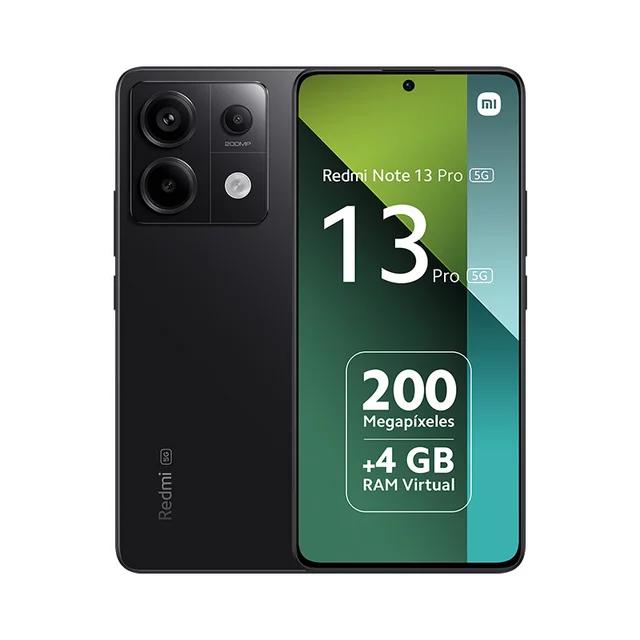
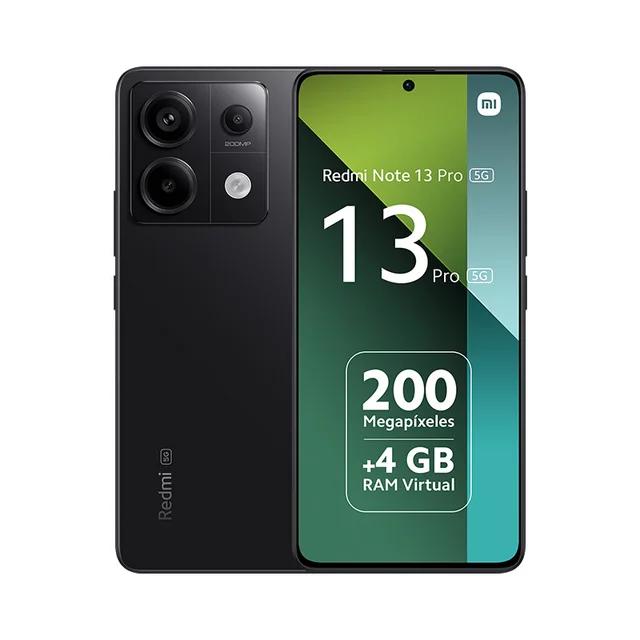
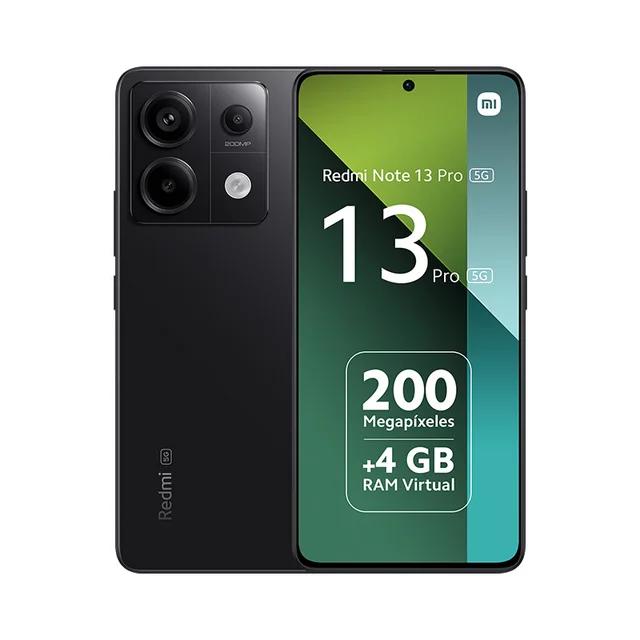
TOP 3: Redmi Note 13 Pro 5G – 59 orders!

The global version of the smartphone Redmi Note 13 Pro 5G, available during the birthday sale with delivery in 7 days from the European warehouse, will delight you with high performance and a quality camera. This smartphone supports all European networks and is available in all languages, including Slovak and Czech.

Key specs include a 120 Hz AMOLED display, the Snapdragon 7s Gen 2 processor, and a 200 MPx camera with optical image stabilization. What’s more, the smartphone offers fast charging 67 W TurboCharge and has IP54 certification, ensuring resistance to water and dust.

XiaomiPlanet deal

Redmi Note 13 Pro 5G Global Version

Redmi Note 13 Pro 5G Globálna Verzia
378,14 €You save 173,89 €
204,25 €

Price history

43,43 €cheaper than the average price
Cheapest 200,36 €Most expensive 404,70 €
Buying on AliExpress for the first time? See the guide!
Updated 1. 11. 2025 on 09:18
TIPFast delivery from the French warehouse with no customs duty or VAT.

This product will be delivered to you quickly from a local Spanish warehouse. Shipping from Spain usually takes 7-10 days and is handled by a courier. When it arrives, you don’t pay any extra fees—no customs duty, no VAT.

Track this product’s price

As soon as we post a new coupon, we’ll send you an email. You can unsubscribe from tracking anytime.

Buying on AliExpress for the first time?

This process is done through the AliExpress mobile app, where most people shop. Two things matter: don’t use Buy now and enter the coupon only in the order summary in the Promo code field. After you click Pay now, you can’t add it anymore.

  1. Copy the code and click GET THE DISCOUNTIn our article, copy the coupon and click the button GET THE DISCOUNT. The link will take you directly to the product in the AliExpress app.
  2. Use Add to cart, not Buy nowOn the product card, scroll down and click Add to cart. Don’t use the Buy now button—this skips the cart, so later you won’t have a place to enter the coupon. Before that, make sure the variant is correct: color, version, and whether it ships from an EU warehouse.
  3. Continue to Checkout via the cartA pop-up will appear: Added to cart!—tap Check it out. If it disappeared, open the cart using the icon in the bottom-right corner. In the cart, check the product and quantity, then tap the red Checkout button. Only the items marked with the red circle are included.
  4. Fill in your address and card, then look for Promo codeIn the order summary, first enter the delivery address and payment card at the top. Below that, there’s a line Promo code — expand it with the arrow on the right.
    Promo code line in the AliExpress app order summary
    Look for this line under the address and payment method.
  5. Paste the code and confirm ApplyIn the field Promo code paste the copied code and click the black Apply. The code is case-sensitive and must not contain spaces.
    Promo code box with the code and the Apply button in the AliExpress app
    Paste the code into the field and confirm by clicking the Apply button.
  6. Check your savings and payIn the section Summary expand the line Saved — you’ll see the applied coupon there as AliExpress coupons/codes. Only when Total is really lower, click Pay now.
    Saved line with the applied coupon and reduced Total in the AliExpress app
    The applied coupon will show up in the Saved line and reduce the Total.
Apply the discount again in the order summary. After you click Pay now, you can’t add a coupon anymore. If Apply shows an error, the code has either expired, doesn’t apply to your item, or your order doesn’t meet the minimum amount.
Store Coupon also belongs in the same field. — a coupon from the seller itself, which isn’t always available and changes day to day. It can’t be combined with an AliExpress coupon, so try both and go with the one that gives you more. Coins are added automatically.

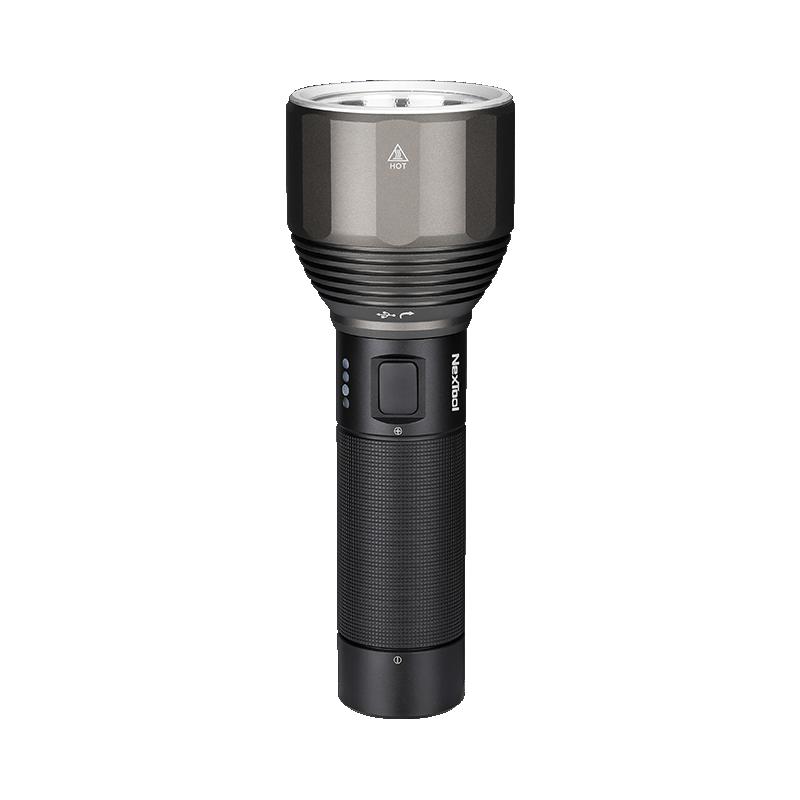
TOP 4: Xiaomi Nextool NE0126 XPH50.2 battery – more than 50 orders

Xiaomi Nextool flashlight gives you a beam distance of up to 380 meters, which is why you ordered it as many as 50 times! For an approximate price of €27, you can still buy it with duty-free shipping and enjoy 5 lighting modes including SOS. With a 5,000 mAh battery, it delivers up to 140 hours of runtime at 25 lm brightness, and you can monitor its status via 4 blue LEDs.

Plus, its rugged construction with IPX7 rating protects it from splashing water and rain.

XiaomiPlanet deal

Xiaomi Nextool NE0126 XPH50.2 flashlight

Duty-free delivery, with battery, Aliexpress
Xiaomi Nextool NE0126 XPH50.2 baterka
15-day delivery
48,31 €You save 0,19 €
48,12 €
Without a coupon

Price history

17,07 €more expensive than the average price
Cheapest 22,76 €Most expensive 48,31 €
Buying on AliExpress for the first time? See the guide!
Updated 30. 10. 2026 on 10:11
TIP15-day delivery via Aliexpress Standard Shipping

For this product, Aliexpress Standard Shipping is available with guaranteed delivery within 15 days. This is the most reliable delivery method and, in most cases, the parcel is handled by a courier company. We tested the 15-day delivery in real life.

When ordering from the Chinese warehouse, AliExpress will add the customs duty in your cart—approximately 3,70 € per order. When you receive the package, you won’t pay anything extra.

Track this product’s price

As soon as we post a new coupon, we’ll send you an email. You can unsubscribe from tracking anytime.

Buying on AliExpress for the first time?

This process is done through the AliExpress mobile app, where most people shop. Two things matter: don’t use Buy now and enter the coupon only in the order summary in the Promo code field. After you click Pay now, you can’t add it anymore.

  1. Copy the code and click GET THE DISCOUNTIn our article, copy the coupon and click the button GET THE DISCOUNT. The link will take you directly to the product in the AliExpress app.
  2. Use Add to cart, not Buy nowOn the product card, scroll down and click Add to cart. Don’t use the Buy now button—this skips the cart, so later you won’t have a place to enter the coupon. Before that, make sure the variant is correct: color, version, and whether it ships from an EU warehouse.
  3. Continue to Checkout via the cartA pop-up will appear: Added to cart!—tap Check it out. If it disappeared, open the cart using the icon in the bottom-right corner. In the cart, check the product and quantity, then tap the red Checkout button. Only the items marked with the red circle are included.
  4. Fill in your address and card, then look for Promo codeIn the order summary, first enter the delivery address and payment card at the top. Below that, there’s a line Promo code — expand it with the arrow on the right.
    Promo code line in the AliExpress app order summary
    Look for this line under the address and payment method.
  5. Paste the code and confirm ApplyIn the field Promo code paste the copied code and click the black Apply. The code is case-sensitive and must not contain spaces.
    Promo code box with the code and the Apply button in the AliExpress app
    Paste the code into the field and confirm by clicking the Apply button.
  6. Check your savings and payIn the section Summary expand the line Saved — you’ll see the applied coupon there as AliExpress coupons/codes. Only when Total is really lower, click Pay now.
    Saved line with the applied coupon and reduced Total in the AliExpress app
    The applied coupon will show up in the Saved line and reduce the Total.
Apply the discount again in the order summary. After you click Pay now, you can’t add a coupon anymore. If Apply shows an error, the code has either expired, doesn’t apply to your item, or your order doesn’t meet the minimum amount.
Store Coupon also belongs in the same field. — a coupon from the seller itself, which isn’t always available and changes day to day. It can’t be combined with an AliExpress coupon, so try both and go with the one that gives you more. Coins are added automatically.

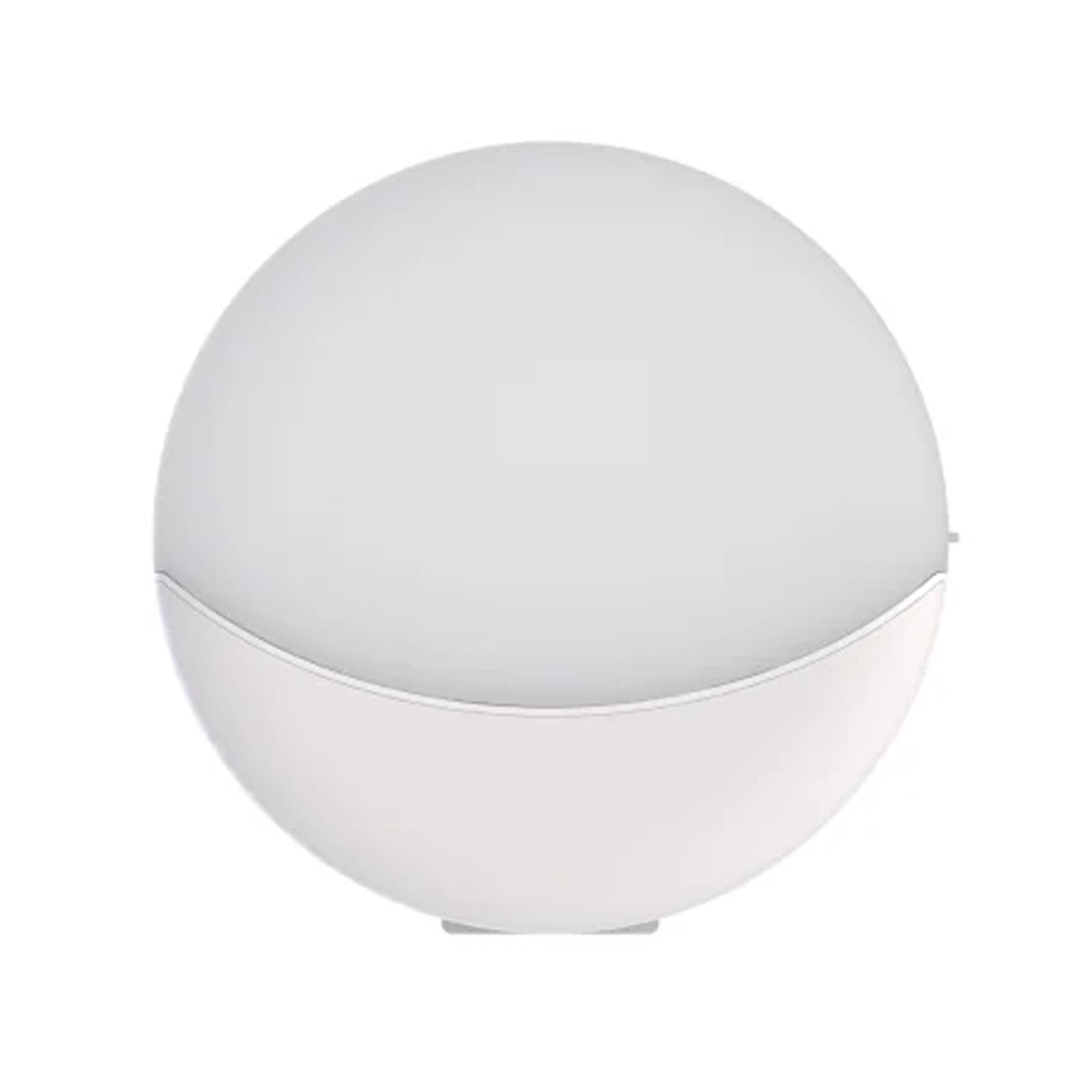
TOP 5: Yeelight night light 2024 – 43 orders

The new practical Yeelight night light with a great price under €12 offers brightness of 10 lm for subtle night lighting and a light color temperature of 3000 K (warm white). With a built-in 800 mAh battery, it provides up to 120 days of lighting on a single charge via USB Type-C.

It also has dual motion sensors with a range of 3 meters for automatic switching on. It’s a stylish and versatile product you can place in different spots in various ways. We guarantee it will fit any home.

XiaomiPlanet deal

Yeelight night light 2024

Chinese warehouse, duty-free delivery
Yeelight nočné svetlo 2024
15-day delivery
12,53 €
9,33 €
SOLD OUT

Price history

2,21 €cheaper than the average price
Cheapest 9,09 €Most expensive 14,41 €
Buying on AliExpress for the first time? See the guide!
Updated 3. 9. 2025 on 04:54
TIP15-day delivery via Aliexpress Standard Shipping

For this product, Aliexpress Standard Shipping is available with guaranteed delivery within 15 days. This is the most reliable delivery method and, in most cases, the parcel is handled by a courier company. We tested the 15-day delivery in real life.

When ordering from the Chinese warehouse, AliExpress will add the customs duty in your cart—approximately 3,70 € per order. When you receive the package, you won’t pay anything extra.

Track this product’s price

As soon as we post a new coupon, we’ll send you an email. You can unsubscribe from tracking anytime.

Buying on AliExpress for the first time?

This process is done through the AliExpress mobile app, where most people shop. Two things matter: don’t use Buy now and enter the coupon only in the order summary in the Promo code field. After you click Pay now, you can’t add it anymore.

  1. Copy the code and click GET THE DISCOUNTIn our article, copy the coupon and click the button GET THE DISCOUNT. The link will take you directly to the product in the AliExpress app.
  2. Use Add to cart, not Buy nowOn the product card, scroll down and click Add to cart. Don’t use the Buy now button—this skips the cart, so later you won’t have a place to enter the coupon. Before that, make sure the variant is correct: color, version, and whether it ships from an EU warehouse.
  3. Continue to Checkout via the cartA pop-up will appear: Added to cart!—tap Check it out. If it disappeared, open the cart using the icon in the bottom-right corner. In the cart, check the product and quantity, then tap the red Checkout button. Only the items marked with the red circle are included.
  4. Fill in your address and card, then look for Promo codeIn the order summary, first enter the delivery address and payment card at the top. Below that, there’s a line Promo code — expand it with the arrow on the right.
    Promo code line in the AliExpress app order summary
    Look for this line under the address and payment method.
  5. Paste the code and confirm ApplyIn the field Promo code paste the copied code and click the black Apply. The code is case-sensitive and must not contain spaces.
    Promo code box with the code and the Apply button in the AliExpress app
    Paste the code into the field and confirm by clicking the Apply button.
  6. Check your savings and payIn the section Summary expand the line Saved — you’ll see the applied coupon there as AliExpress coupons/codes. Only when Total is really lower, click Pay now.
    Saved line with the applied coupon and reduced Total in the AliExpress app
    The applied coupon will show up in the Saved line and reduce the Total.
Apply the discount again in the order summary. After you click Pay now, you can’t add a coupon anymore. If Apply shows an error, the code has either expired, doesn’t apply to your item, or your order doesn’t meet the minimum amount.
Store Coupon also belongs in the same field. — a coupon from the seller itself, which isn’t always available and changes day to day. It can’t be combined with an AliExpress coupon, so try both and go with the one that gives you more. Coins are added automatically.

TOP 6: POCO X6 Pro 5G – 34 orders

The mid-range king of smart phones, POCO X6 Pro 5G, is available from our 2 partners, who offer express delivery from European warehouses within 7 days and a 2-year warranty. You can choose between memory versions – 8 GB RAM and 256 GB storage, or 12 GB RAM and 512 GB storage.

The popular POCO stands out with its yellow color design, IP54 durability, and a 6.67″ CrystalRes AMOLED display with protective glass Gorilla Glass 5. Plus, it’s powered by a MediaTek Dimensity 8300 Ultra processor, offers a 64 MPx camera with OIS, and supports ultra-fast charging of 67 W. Even thanks to its vegan leather design and the Damascus-style camera finish, you’ve ordered it as many as 34 times!

If these specs and the great price don’t speak for themselves, read our detailed review.

XiaomiPlanet deal

POCO X6 Pro 5G Global Version

POCO X6 Pro 5G Globálna Verzia
406,90 €You save 37,00 €
369,90 €
Without a coupon

Price history

43,85 €more expensive than the average price
Cheapest 266,31 €Most expensive 399,00 €
Are you buying on Smarty.sk for the first time? See the guide!
Updated 27. 6. 2025 on 05:32
TIPExpress delivery from a Slovak warehouse within 1 to 3 business days.

This product will be delivered to you express from a local Slovak warehouse. Delivery usually takes 1-3 business days and is handled by a courier. The price is final.

Track this product’s price

As soon as we post a new coupon, we’ll send you an email. You can unsubscribe from tracking anytime.

Are you buying on Smarty.sk for the first time?

Manual coming soon.

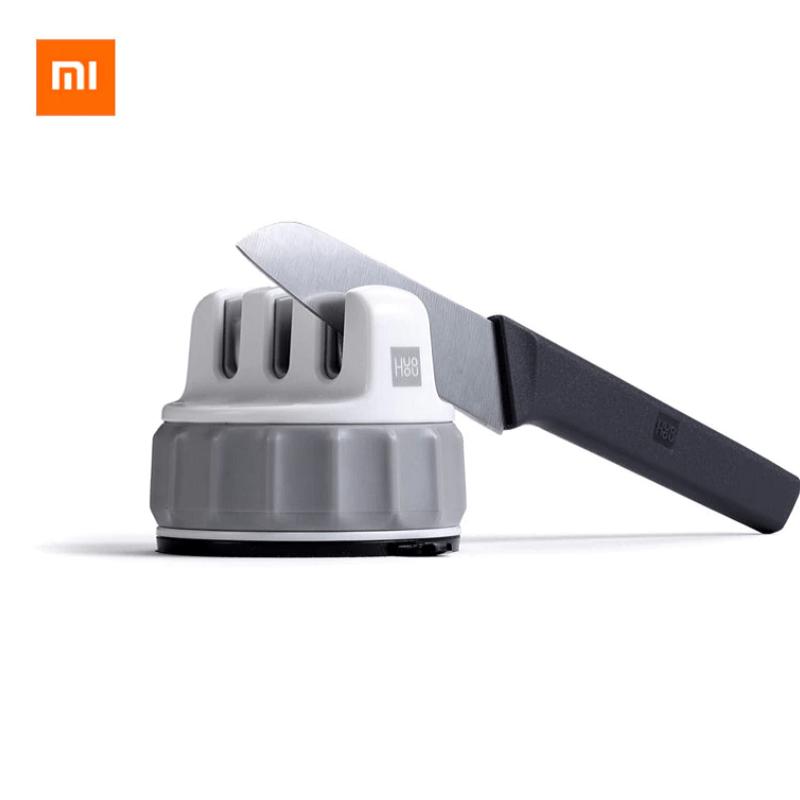
TOP 7: Xiaomi HuoHou knife sharpener, 2nd generation – 32 orders

Xiaomi brings the second version of its knife sharpener with three sharpening wheels, a must-have in every household—and it’s still available at sale price €9! This compact new model keeps a small size and low weight, and it’s made from quality ABS plastic with a non-slip grip.

It offers three types of sharpening wheels for different sharpening levels, allowing you to sharpen your knife effectively in as little as 30 seconds. What’s more, the manufacturer ensures safe use thanks to a PVC non-slip layer and a strong suction cup, preventing the sharpener or the knife from slipping out.

XiaomiPlanet deal

Xiaomi HuoHou knife sharpener, second generation

Free customs delivery
Xiaomi HuoHou brúska na nože, druhá generácia
Aliexpress Shipping
10,13 €You save 0,50 €
9,63 €
Without a coupon

Price history

0,32 €more expensive than the average price
Cheapest 6,88 €Most expensive 11,04 €
Buying on AliExpress for the first time? See the guide!
Updated 6. 4. 2026 on 09:31
TIPShipping via Aliexpress Standard Shipping

For this product, Aliexpress Standard Shipping or AliExpress Saver Shipping is available. This is the most reliable way to ship from Chinese warehouses. Delivery may take 15 days to 1 months.

When ordering from the Chinese warehouse, AliExpress will add the customs duty in your cart—approximately 3,70 € per order. When you receive the package, you won’t pay anything extra.

Track this product’s price

As soon as we post a new coupon, we’ll send you an email. You can unsubscribe from tracking anytime.

Buying on AliExpress for the first time?

This process is done through the AliExpress mobile app, where most people shop. Two things matter: don’t use Buy now and enter the coupon only in the order summary in the Promo code field. After you click Pay now, you can’t add it anymore.

  1. Copy the code and click GET THE DISCOUNTIn our article, copy the coupon and click the button GET THE DISCOUNT. The link will take you directly to the product in the AliExpress app.
  2. Use Add to cart, not Buy nowOn the product card, scroll down and click Add to cart. Don’t use the Buy now button—this skips the cart, so later you won’t have a place to enter the coupon. Before that, make sure the variant is correct: color, version, and whether it ships from an EU warehouse.
  3. Continue to Checkout via the cartA pop-up will appear: Added to cart!—tap Check it out. If it disappeared, open the cart using the icon in the bottom-right corner. In the cart, check the product and quantity, then tap the red Checkout button. Only the items marked with the red circle are included.
  4. Fill in your address and card, then look for Promo codeIn the order summary, first enter the delivery address and payment card at the top. Below that, there’s a line Promo code — expand it with the arrow on the right.
    Promo code line in the AliExpress app order summary
    Look for this line under the address and payment method.
  5. Paste the code and confirm ApplyIn the field Promo code paste the copied code and click the black Apply. The code is case-sensitive and must not contain spaces.
    Promo code box with the code and the Apply button in the AliExpress app
    Paste the code into the field and confirm by clicking the Apply button.
  6. Check your savings and payIn the section Summary expand the line Saved — you’ll see the applied coupon there as AliExpress coupons/codes. Only when Total is really lower, click Pay now.
    Saved line with the applied coupon and reduced Total in the AliExpress app
    The applied coupon will show up in the Saved line and reduce the Total.
Apply the discount again in the order summary. After you click Pay now, you can’t add a coupon anymore. If Apply shows an error, the code has either expired, doesn’t apply to your item, or your order doesn’t meet the minimum amount.
Store Coupon also belongs in the same field. — a coupon from the seller itself, which isn’t always available and changes day to day. It can’t be combined with an AliExpress coupon, so try both and go with the one that gives you more. Coins are added automatically.

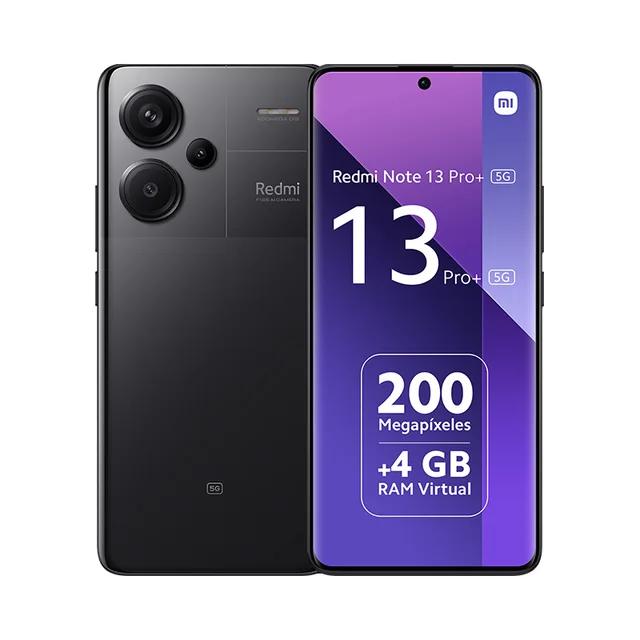
TOP 8: Redmi Note 13 Pro+ 5G – 27 orders

Redmi Note 13 Pro+ 5G brings a new generation of mid-to-upper class smartphones, and you can find it with us for a great €286! It offers an exclusive Fusion Design, a 120 Hz AMOLED display, and for the first time in the series it includes a built-in fingerprint sensor, while also delivering IP68 protection and 120 W HyperCharge fast charging.

You’ll recognize it by the rounded corners, raised camera lenses, and the 6.67″ AMOLED display with Gorilla Glass Victus protective glass. It’s powered by a MediaTek Dimensity 7200 Ultra processor and features a 200 MPx camera with optical stabilization and ultra-fast 120 W charging. Since we’ve also been using it in the editorial team every day for more than 2 weeks, we prepared its critical review for you.

XiaomiPlanet deal

Redmi Note 13 Pro+ 5G Global Version

EU stock, 8 + 256 GB
Redmi Note 13 Pro+ 5G Globálna Verzia
FR warehouse
304,99 €You save 81,00 €
223,99 €
CouponXMPLANE40OFF

Price history

46,28 €cheaper than the average price
Cheapest 189,35 €Most expensive 304,99 €
Are you shopping on DHGate for the first time? See the guide!
Updated 24. 2. 2026 on 09:43
TIPFast delivery from the French warehouse with no customs duty or VAT.

This product will be delivered to you quickly from a local Spanish warehouse. Shipping from Spain usually takes 7-10 days and is handled by a courier. When it arrives, you don’t pay any extra fees—no customs duty, no VAT.

Track this product’s price

As soon as we post a new coupon, we’ll send you an email. You can unsubscribe from tracking anytime.

Are you shopping on DHGate for the first time?

The process is in the DHgate mobile app. The Buy Now button takes you straight from the product page to checkout, and the coupon box is all the way at the very end of the page—which is why most people miss it and pay the full price.

  1. Sign in and click Get the DiscountOn DHgate, create an account or log in—it also works via Google or Facebook. Then copy the coupon from our article and click the GET THE DISCOUNT button—it will open the exact product the code applies to.
  2. On the product page, click Buy NowDHgate redirects you from the product straight to checkout Place Order, and the cart is skipped. So before you click, check the variant—color, memory, and version.
  3. Fill in the address without diacritics and choose paymentAt the top of checkout, enter the delivery address—write your name, street, and city without accents and diacritics, otherwise the shipment may get stuck with the carrier. Then tap Select Payment Method. Also note the Ship from info—items shipped from the EU warehouse usually take days, and they don’t go through customs clearance.
  4. Scroll all the way down to the Coupon code lineThe coupon box is at the very end of the page, below the offer Buy It Together. Look for the line Coupon code with the text Enter code here and tap it.
    Coupon code line with text Enter code here in the DHgate app checkout
    You’ll find the Coupon code line only below the summary, above Order Total.
  5. Paste the code and confirm ApplyA window will open Use Promo Code. Paste the copied code into it and tap the yellow Apply. Enter the code exactly, including uppercase letters and without spaces.
    Use Promo Code window with the entered coupon and the Apply button in the DHgate app
    Paste the code into the Use Promo Code window and confirm with the Apply button.
  6. Check the discount and payYou’ll see the applied coupon in the Saved line — when you open it, it will show as DH Coupon. Only when Order Total really lower, tap Confirm to pay.
    Expanded Saved line with DH Coupon item in the DHgate checkout
    After opening the Saved line, you can see the applied coupon as DH Coupon.
You only have about half an hour to pay. There’s a countdown on the Confirm to pay button — when it runs out, the order is canceled and you have to create it again. So enter the coupon before you start paying.
DHgate sometimes adds a discount automatically. The Saved line may already be filled in before you enter any code. After pressing Apply, compare the Order Total — if it didn’t go down, the code either wasn’t applied or it’s weaker than the discount DHgate gave you automatically.

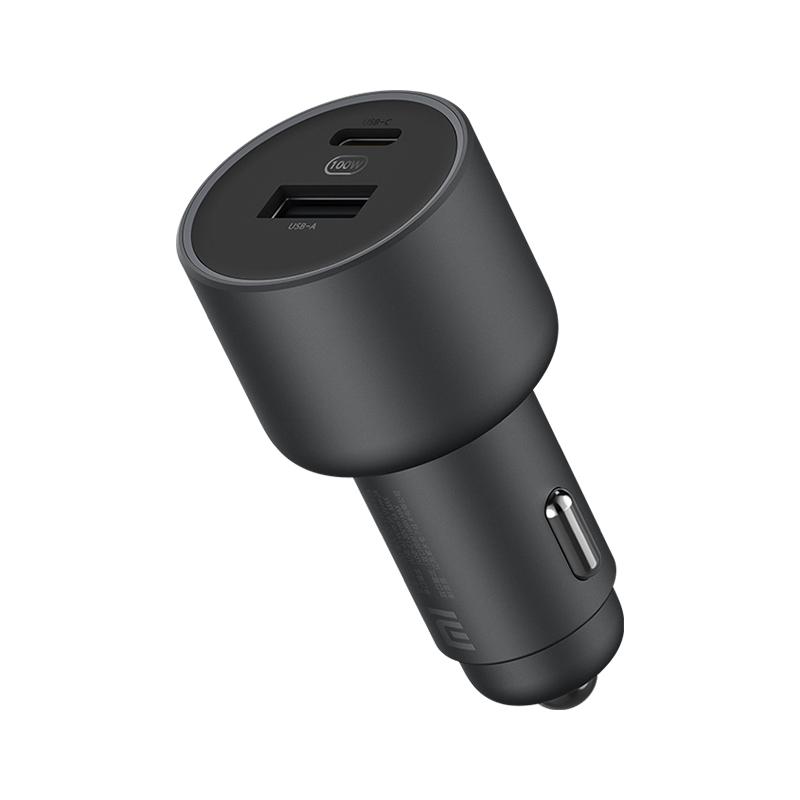
TOP 9: Xiaomi 100 W car charger – 26 orders

Xiaomi 100 W car charger is currently available at a discounted price and can even charge laptops, making it perfect for frequent trips. It offers USB-C and USB-A ports with up to 100 W maximum power for one device, while also allowing you to charge 2 devices with a total output of 68 W.

It comes with a colorful LED ring that indicates the charging speed and includes a quality cable that supports fast charging. Based on our experience, its charging speed is comparable to powerful wall adapters, which makes this charger an excellent car gadget.

XiaomiPlanet deal

Xiaomi 100 W car charger

1 ks, dodanie do 15 dní
Xiaomi 100 W nabíjačka do auta
15-day delivery
27,01 €
Without a coupon

Price history

9,01 €more expensive than the average price
Cheapest 12,95 €Most expensive 27,01 €
Buying on AliExpress for the first time? See the guide!
Updated 30. 10. 2026 on 10:10
TIP15-day delivery via Aliexpress Standard Shipping

For this product, Aliexpress Standard Shipping is available with guaranteed delivery within 15 days. This is the most reliable delivery method and, in most cases, the parcel is handled by a courier company. We tested the 15-day delivery in real life.

When ordering from the Chinese warehouse, AliExpress will add the customs duty in your cart—approximately 3,70 € per order. When you receive the package, you won’t pay anything extra.
Track this product’s price

As soon as we post a new coupon, we’ll send you an email. You can unsubscribe from tracking anytime.

Buying on AliExpress for the first time?

This process is done through the AliExpress mobile app, where most people shop. Two things matter: don’t use Buy now and enter the coupon only in the order summary in the Promo code field. After you click Pay now, you can’t add it anymore.

  1. Copy the code and click GET THE DISCOUNTIn our article, copy the coupon and click the button GET THE DISCOUNT. The link will take you directly to the product in the AliExpress app.
  2. Use Add to cart, not Buy nowOn the product card, scroll down and click Add to cart. Don’t use the Buy now button—this skips the cart, so later you won’t have a place to enter the coupon. Before that, make sure the variant is correct: color, version, and whether it ships from an EU warehouse.
  3. Continue to Checkout via the cartA pop-up will appear: Added to cart!—tap Check it out. If it disappeared, open the cart using the icon in the bottom-right corner. In the cart, check the product and quantity, then tap the red Checkout button. Only the items marked with the red circle are included.
  4. Fill in your address and card, then look for Promo codeIn the order summary, first enter the delivery address and payment card at the top. Below that, there’s a line Promo code — expand it with the arrow on the right.
    Promo code line in the AliExpress app order summary
    Look for this line under the address and payment method.
  5. Paste the code and confirm ApplyIn the field Promo code paste the copied code and click the black Apply. The code is case-sensitive and must not contain spaces.
    Promo code box with the code and the Apply button in the AliExpress app
    Paste the code into the field and confirm by clicking the Apply button.
  6. Check your savings and payIn the section Summary expand the line Saved — you’ll see the applied coupon there as AliExpress coupons/codes. Only when Total is really lower, click Pay now.
    Saved line with the applied coupon and reduced Total in the AliExpress app
    The applied coupon will show up in the Saved line and reduce the Total.
Apply the discount again in the order summary. After you click Pay now, you can’t add a coupon anymore. If Apply shows an error, the code has either expired, doesn’t apply to your item, or your order doesn’t meet the minimum amount.
Store Coupon also belongs in the same field. — a coupon from the seller itself, which isn’t always available and changes day to day. It can’t be combined with an AliExpress coupon, so try both and go with the one that gives you more. Coins are added automatically.

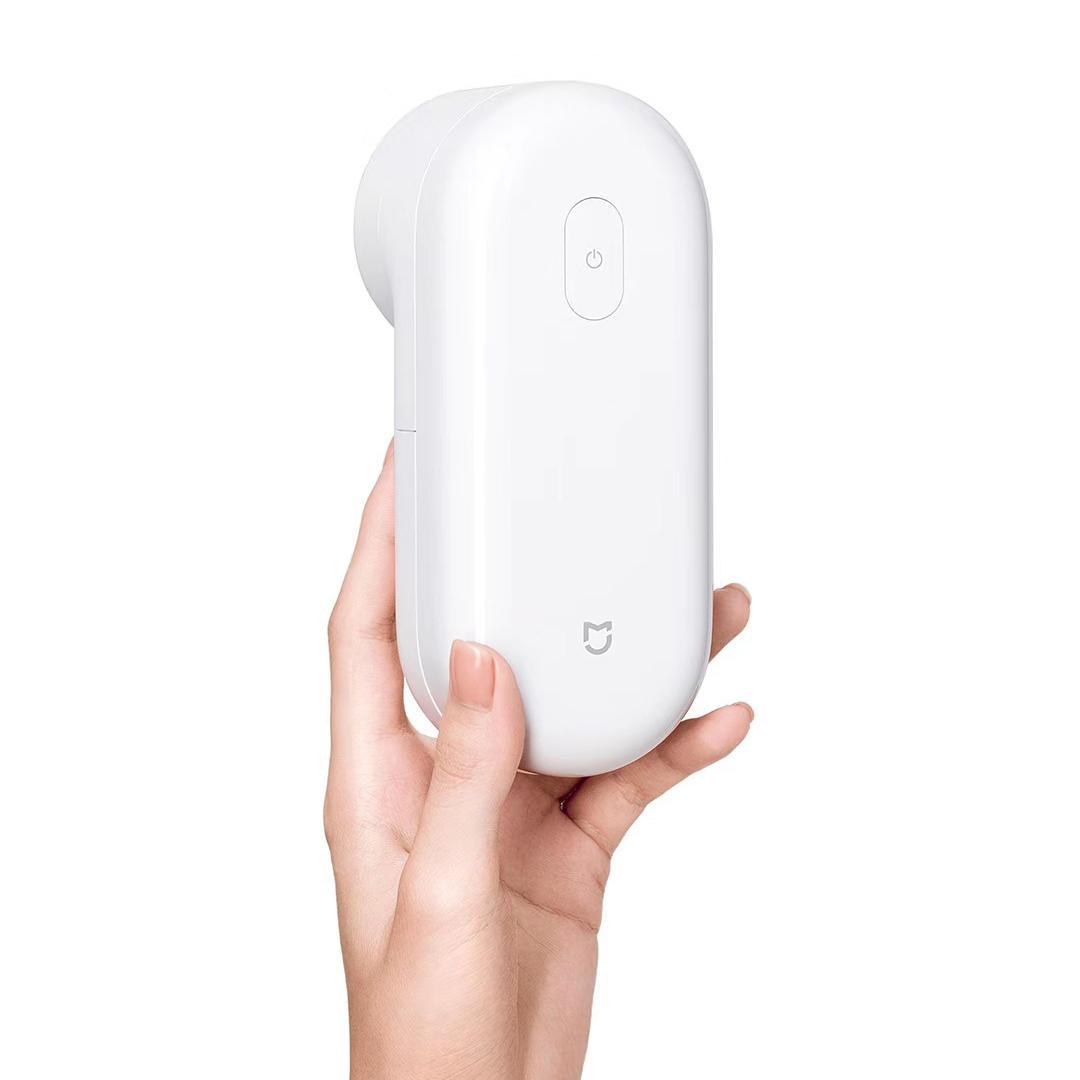
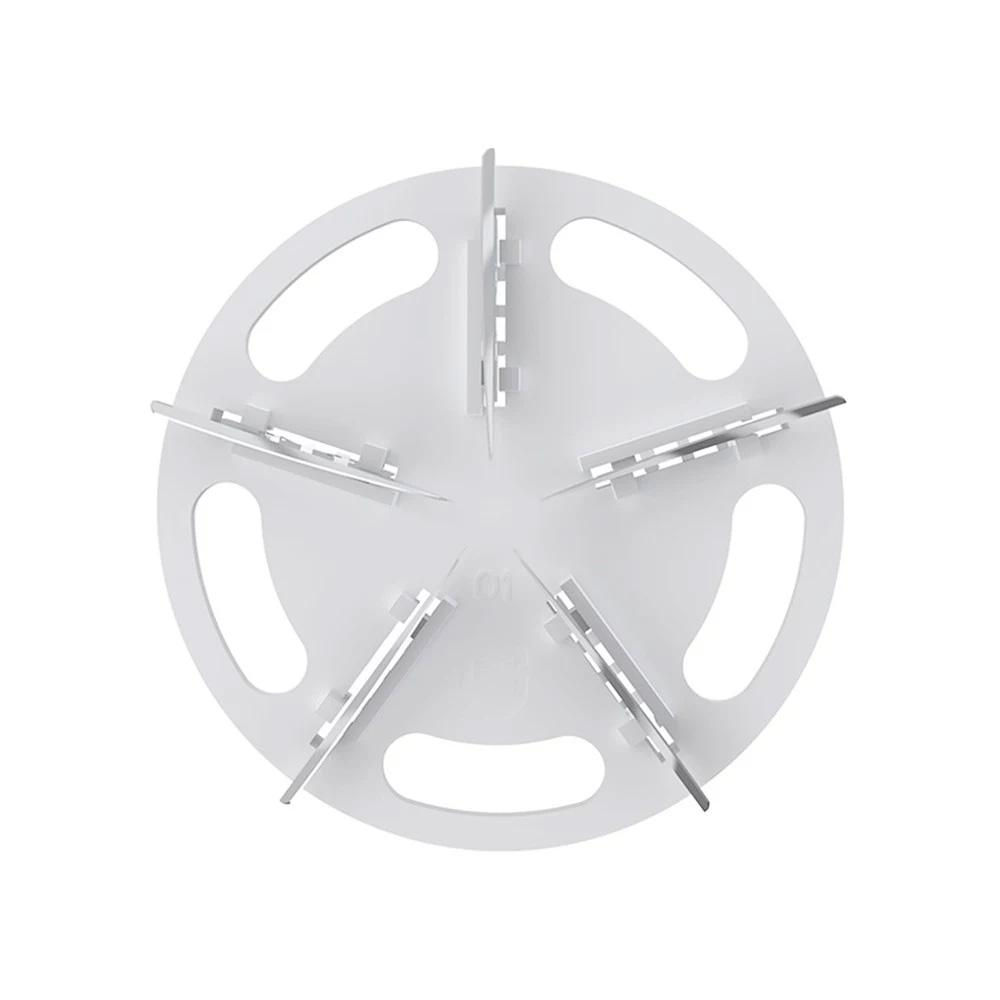
TOP 10: Xiaomi Mijia hair remover – 20 orders

Our top-seller ten wraps up with the Mijia lint remover for just €10, which removes ugly lint from any fabric. This practical gadget from Xiaomi is also designed to remove hair, fuzz, and other dirt from your clothes—and it’s still available with a discount coupon.

With power of 2 W and USB power (so you don’t need batteries), it has a compact size and a 1,300 mAh battery that gives you up to 90 minutes of continuous cleaning. The steel mesh and brushed blades ensure effective cleaning without damaging the fabric, while the safety features and a battery status light add extra peace of mind and comfort. As a bonus, lint removal is a fun evening activity 😉

XiaomiPlanet deal

Xiaomi Mijia hair remover

Xiaomi Mijia odstraňovač chĺpkov
12,53 €You save 1,06 €
11,47 €
Without a coupon

Price history

0,41 €more expensive than the average price
Cheapest 8,36 €Most expensive 14,37 €
Buying on AliExpress for the first time? See the guide!
Updated 22. 4. 2026 on 07:59
TIP15-day delivery via Aliexpress Standard Shipping

For this product, Aliexpress Standard Shipping is available with guaranteed delivery within 15 days. This is the most reliable delivery method and, in most cases, the parcel is handled by a courier company. We tested the 15-day delivery in real life.

When ordering from the Chinese warehouse, AliExpress will add the customs duty in your cart—approximately 3,70 € per order. When you receive the package, you won’t pay anything extra.
Track this product’s price

As soon as we post a new coupon, we’ll send you an email. You can unsubscribe from tracking anytime.

Buying on AliExpress for the first time?

This process is done through the AliExpress mobile app, where most people shop. Two things matter: don’t use Buy now and enter the coupon only in the order summary in the Promo code field. After you click Pay now, you can’t add it anymore.

  1. Copy the code and click GET THE DISCOUNTIn our article, copy the coupon and click the button GET THE DISCOUNT. The link will take you directly to the product in the AliExpress app.
  2. Use Add to cart, not Buy nowOn the product card, scroll down and click Add to cart. Don’t use the Buy now button—this skips the cart, so later you won’t have a place to enter the coupon. Before that, make sure the variant is correct: color, version, and whether it ships from an EU warehouse.
  3. Continue to Checkout via the cartA pop-up will appear: Added to cart!—tap Check it out. If it disappeared, open the cart using the icon in the bottom-right corner. In the cart, check the product and quantity, then tap the red Checkout button. Only the items marked with the red circle are included.
  4. Fill in your address and card, then look for Promo codeIn the order summary, first enter the delivery address and payment card at the top. Below that, there’s a line Promo code — expand it with the arrow on the right.
    Promo code line in the AliExpress app order summary
    Look for this line under the address and payment method.
  5. Paste the code and confirm ApplyIn the field Promo code paste the copied code and click the black Apply. The code is case-sensitive and must not contain spaces.
    Promo code box with the code and the Apply button in the AliExpress app
    Paste the code into the field and confirm by clicking the Apply button.
  6. Check your savings and payIn the section Summary expand the line Saved — you’ll see the applied coupon there as AliExpress coupons/codes. Only when Total is really lower, click Pay now.
    Saved line with the applied coupon and reduced Total in the AliExpress app
    The applied coupon will show up in the Saved line and reduce the Total.
Apply the discount again in the order summary. After you click Pay now, you can’t add a coupon anymore. If Apply shows an error, the code has either expired, doesn’t apply to your item, or your order doesn’t meet the minimum amount.
Store Coupon also belongs in the same field. — a coupon from the seller itself, which isn’t always available and changes day to day. It can’t be combined with an AliExpress coupon, so try both and go with the one that gives you more. Coins are added automatically.
Add us as your preferred source on Google

Don’t miss the best coupons 📩

Subscribe and we’ll email you new coupons before they expire. We only send it once a month — no spam.

Ad Engerio