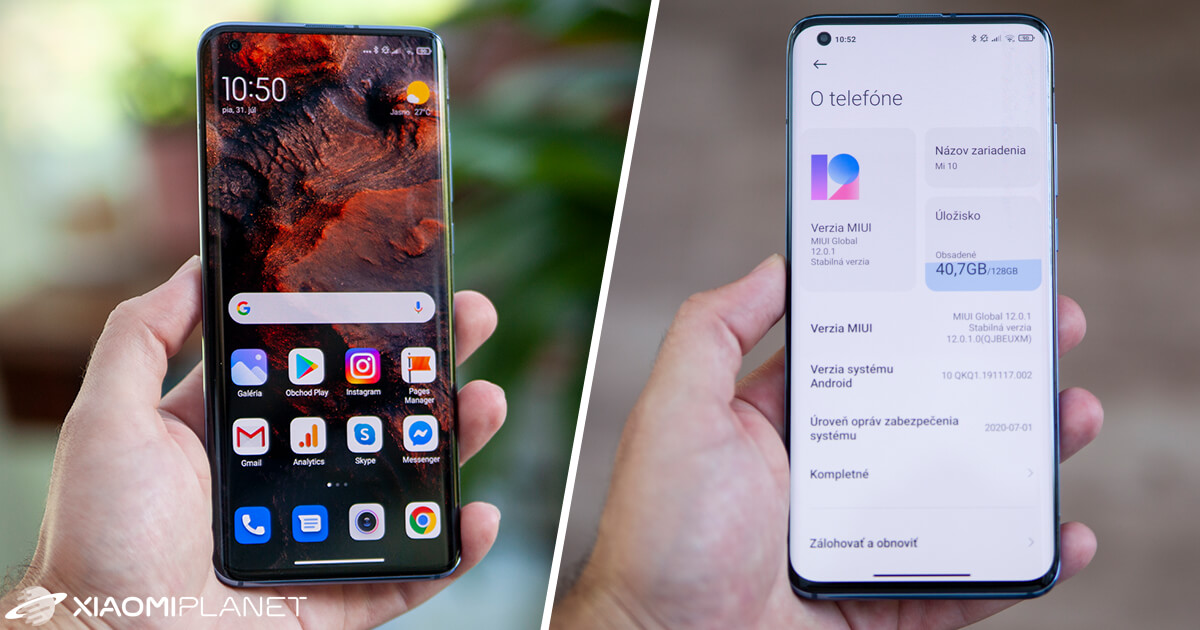
MIUI—an essential, feature-packed custom skin—is inseparable from smartphones from the Chinese giant. Today, the newest MIUI generation is 12, and if you’ve ever browsed Settings and checked the version of the skin, you may have come across a cluster of characters that you probably didn’t understand.
You might be wondering, but every single letter has a reason—and even if you suspected something like that, you probably couldn’t find any connection between them. In this article, we’ll explain everything in detail.
Different MIUI versions
To start with, just to summarize: like other custom skins or operating systems, MIUI also has its beta ROM and stable ROM. Although there used to be a global beta ROM in the past, today this closed testing belongs only to the domestic Chinese market.
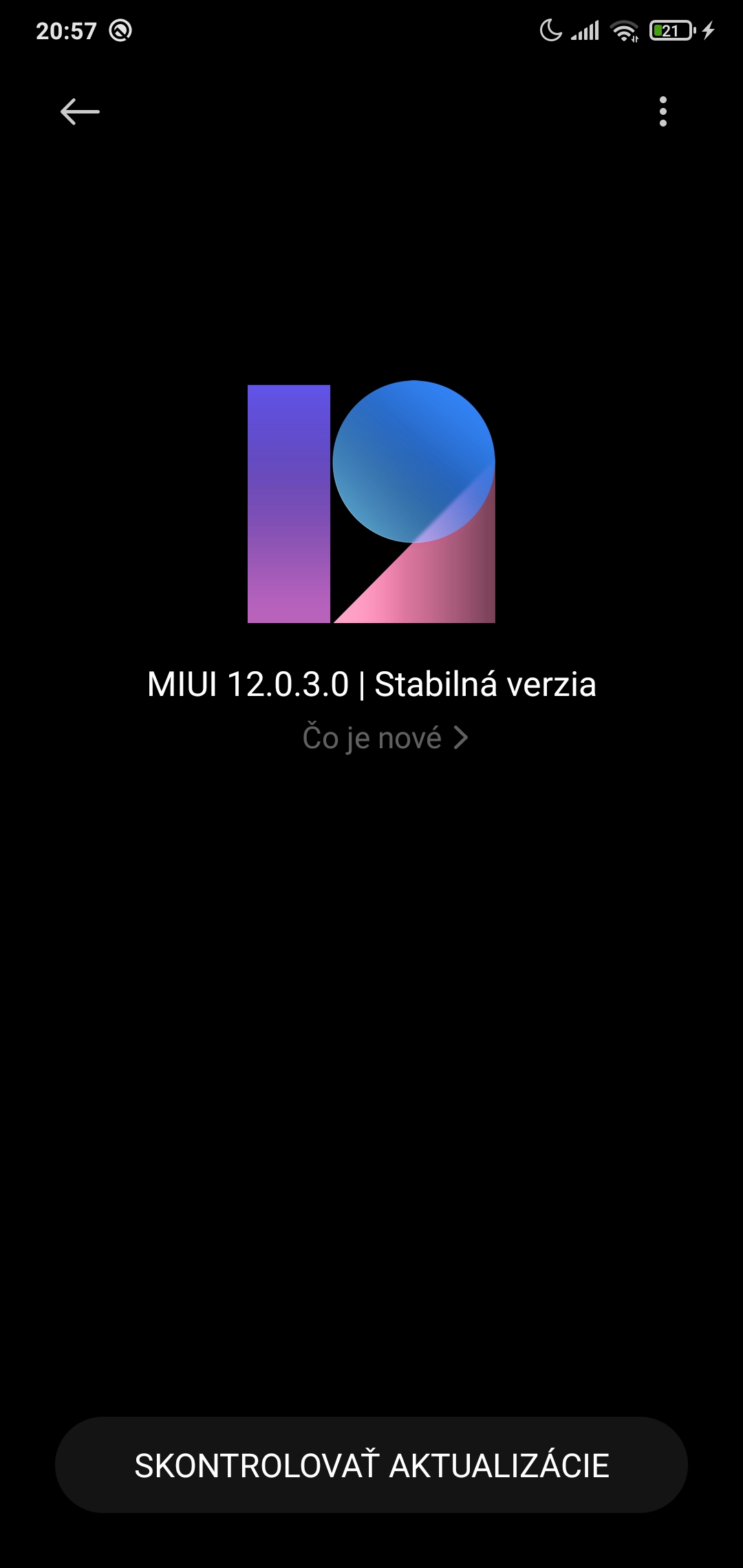
Whether your skin version is marked as Stable or as a beta is handled by the ROM version. Of course, if you have MIUI 11, the version will be 11; if it’s 12, then it will be 12. The numbers after the generation label only indicate the update version.
Now let’s get to the actual label in the brackets. As an example, we’ll use our editorial Xiaomi Mi 8 Lite and Mi 10, which run on the latest available software.

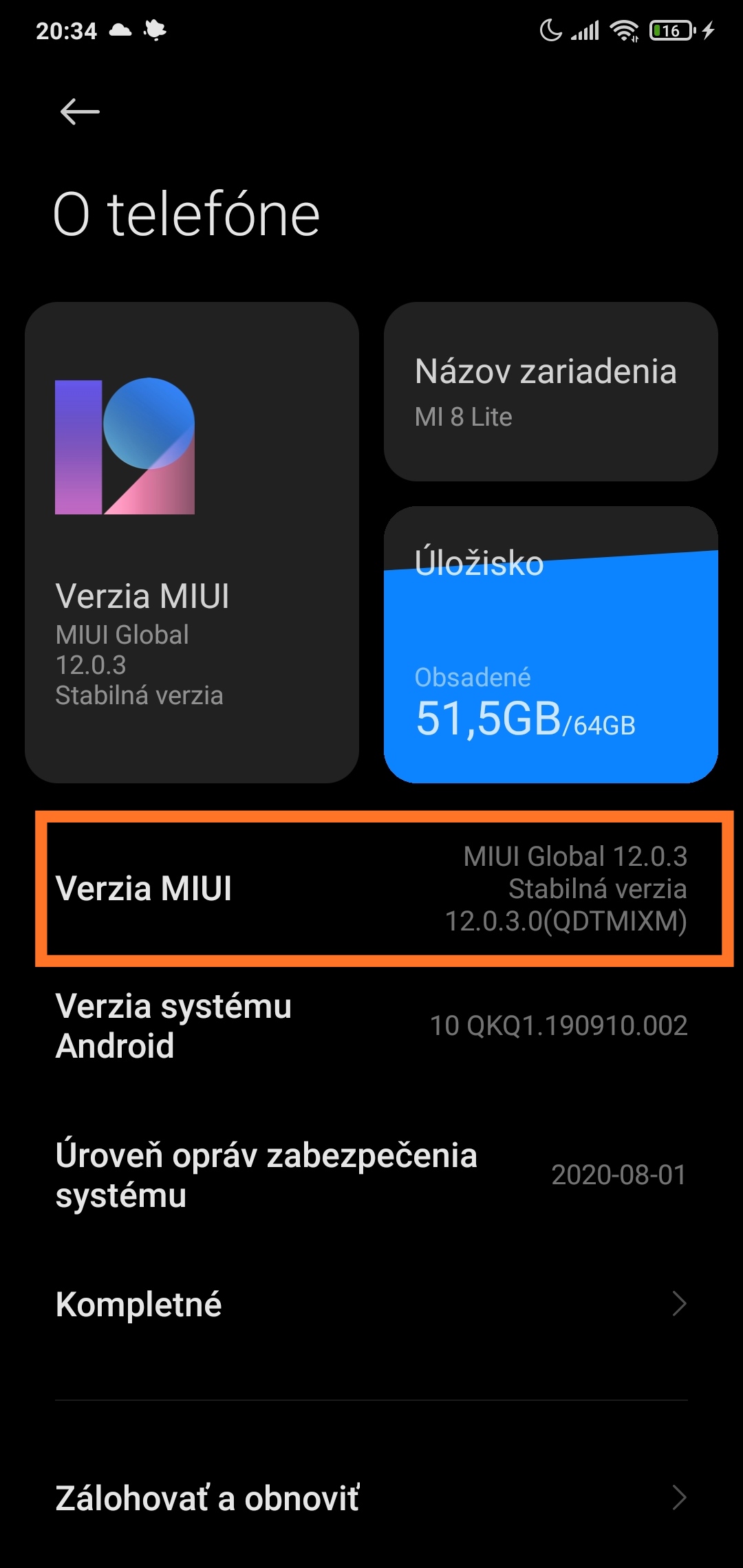
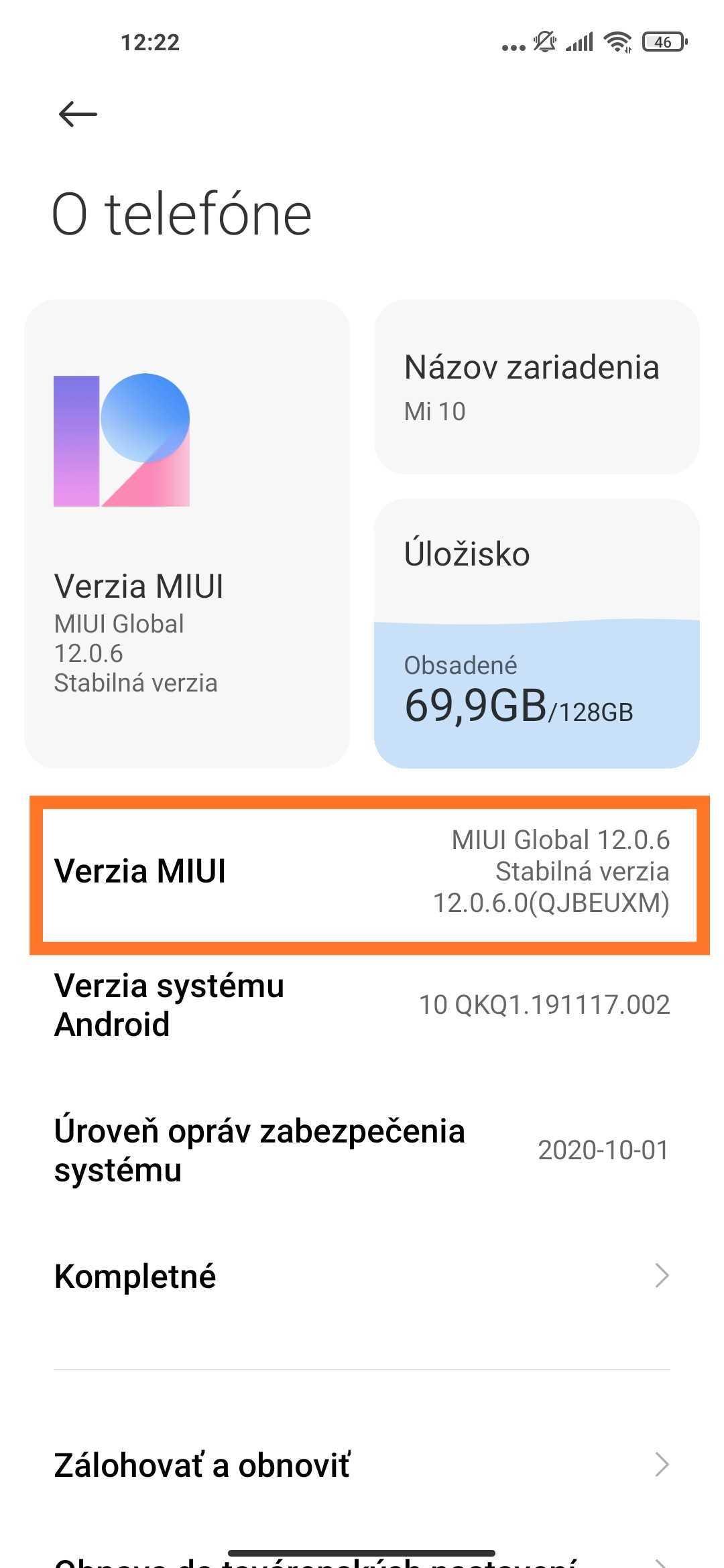
The characters in the brackets for the Mi 8 Lite model are QTDMIXM. We’ll start right from the beginning. The first character — Q — indicates the Android operating system version. Since the smartphone has Android 10, we see the Q label. Next, we can see two letters TD. These represent the Mi 8 Lite smartphone model.
Now we get to the smartphone distribution and the region of your ROM. Our phone comes from the global distribution, so we have MI. For the Mi 10 model, you can see EU, which stands for the official European version of the smartphone.
In addition, there are other versions of Xiaomi smartphones too: Chinese CN, Indonesia ID, India IN, and for Russia it’s RU. The last two letters, XM, indicate the SIM card lock status—in our case, unlocked.
For more interesting guides, tips, and tricks not only from the world of smartphones, regularly read our articles. If you don’t want to miss any news, join our new Facebook group and subscribe to our newsletter below the article.
Don’t miss the best coupons 📩
Subscribe and we’ll email you new coupons before they expire. We only send it once a month — no spam.