


The problem with the proper functioning of the proximity sensor on a smartphone is truly annoying. However, these are possible solutions you can also apply to your Xiaomi, Redmi, or POCO smartphone.
This is how you fix the proximity sensor
During last summer, Xiaomi started dealing with fairly extensive problems with the proximity sensor, known as the proximity sensor. The issue affected tens of thousands of users on selected models of the brand.
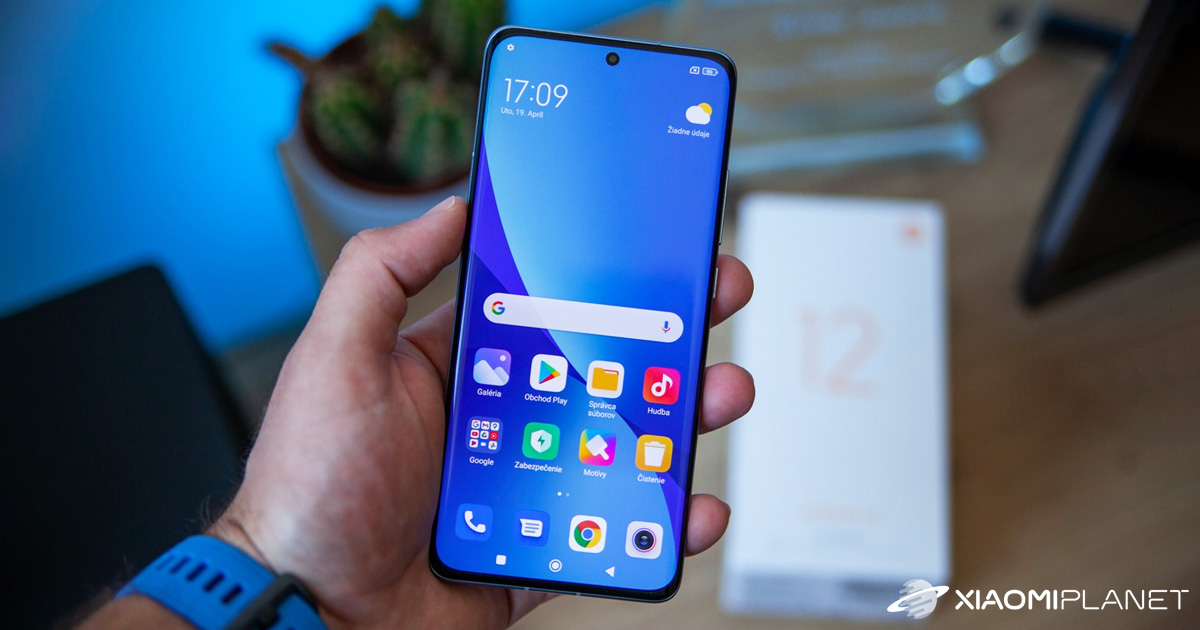
This sensor is responsible for turning off the screen when a call is received, as well as when listening to a voice message or other sound attachments from most supported apps, such as WhatsApp or Telegram. The manufacturer’s investigation focused on the type of failure—how often the sensor failure repeats and which app was used for those attachments.
The survey conclusion stated that sensor failures were most common in the following models:
- Xiaomi Mi 10T
- Xiaomi Mi 10T Pro
- Xiaomi Mi 10T Liteň
- Xiaomi Mi Note 10 Lite
- Redmi Note 10
- Redmi Note 10 Pro
These devices include a virtual sensor, and that’s what causes more problems compared to the optical one. If you think the proximity sensor issue also affects your device, we know several solution options you can try right away.
Calibrate the sensor manually
On your Xiaomi, Redmi, or POCO device, you can calibrate the sensor manually—specifically through the C IT (Control and Identification Toolbox) menu. You can access this menu via the “Phone” app. Just enter the code ##6484#*## and tap Call.

In the hidden menu where you’ll find all sensors and components of your smartphone, look for number 22 labeled “Proximity Sensor”. After clicking this item, you need to cover the proximity sensor until the number that appears on the screen changes from five to zero. The proximity sensor is usually located at the top of the device, at the level of the earpiece for calls.
A software alternative using MIUI
Even though the software alternative disappeared with the release of MIUI 12.5, calibration through the graphical interface is still available on devices that have MIUI 12.04 or older. For this calibration, you just need a few simple steps:
- Open “Settings”
- Select “Apps”
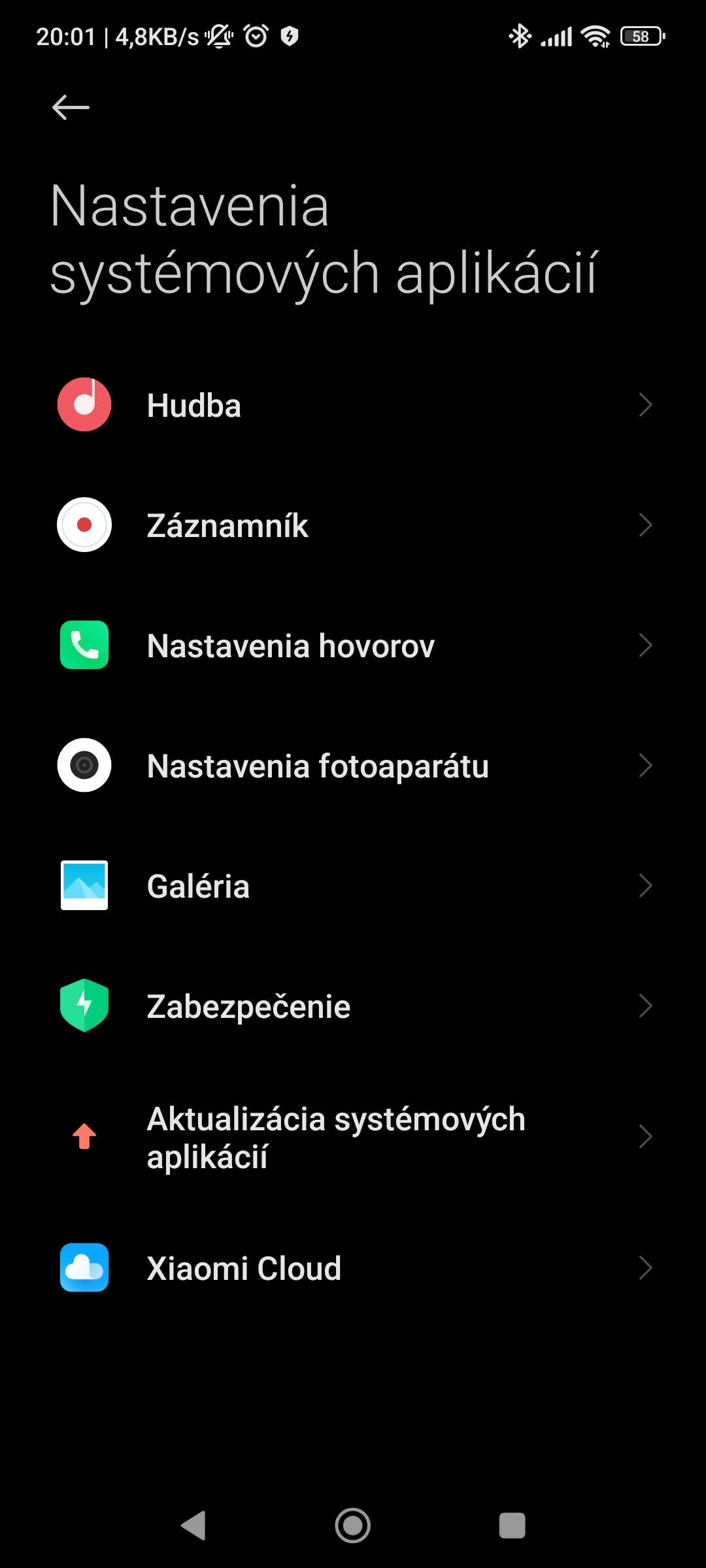
- Next, go to “System app settings”
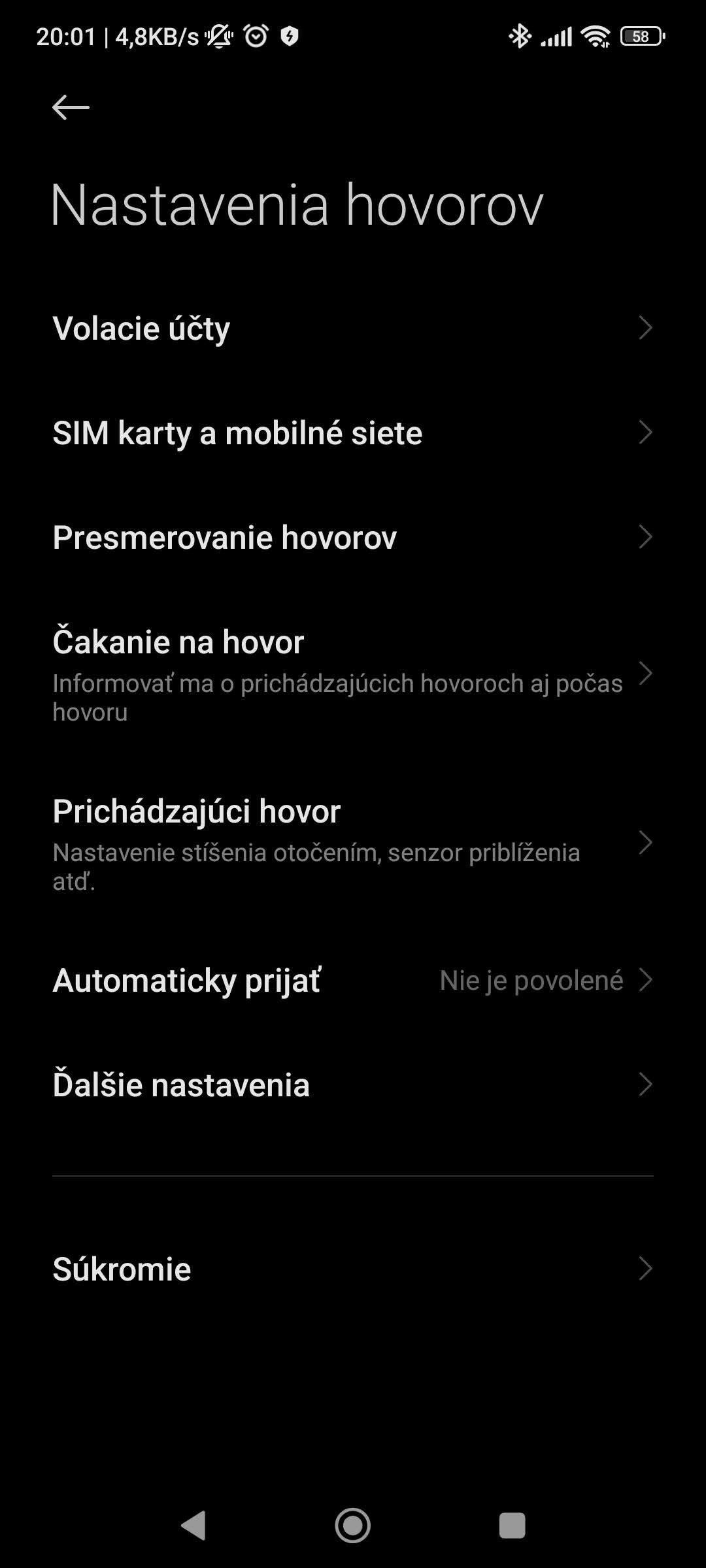
- Tap “Call settings”
- And go to the folder “Incoming calls”
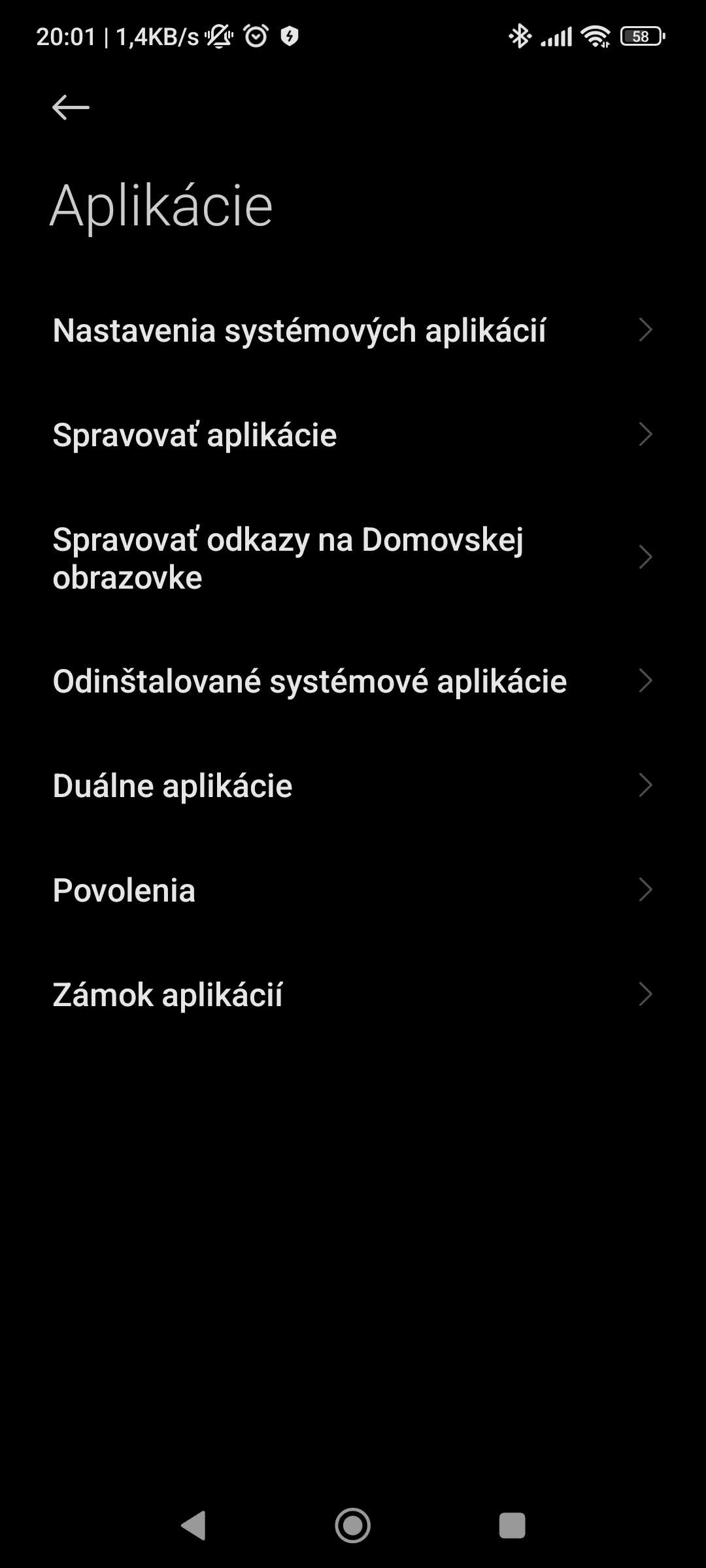
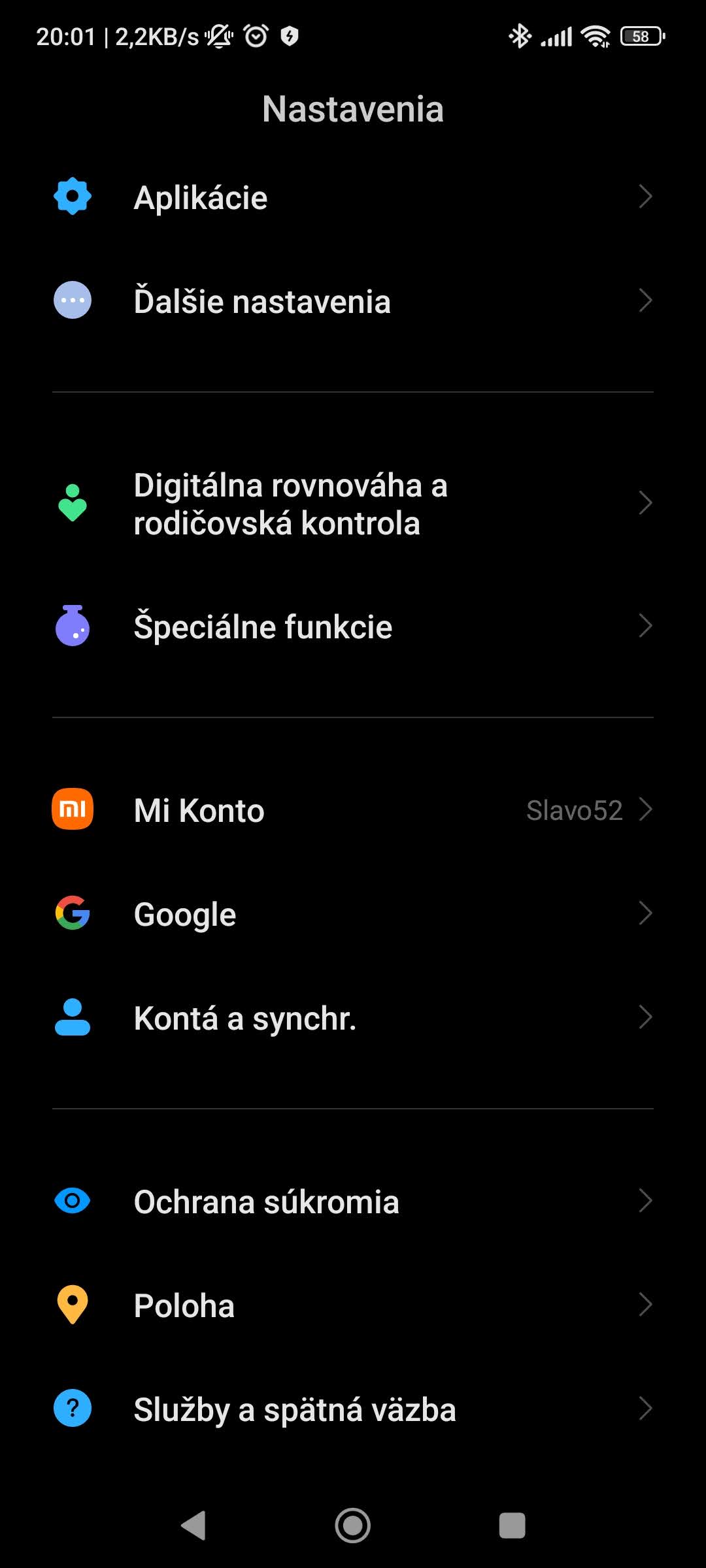
In this menu, you can enable or disable the proximity sensor, also known as the proximity sensor. In general, it’s recommended to disable this feature for a while and then enable it again.
Do you like our guides? If you have any other questions about this topic, feel free to write to us below, in the discussion under the article. Also follow our Facebook group: Xiaomi Planet – A place for true Xiaomi fans and also our Xiaomi Planet portal to learn more information.
Don’t miss the best coupons 📩
Subscribe and we’ll email you new coupons before they expire. We only send it once a month — no spam.