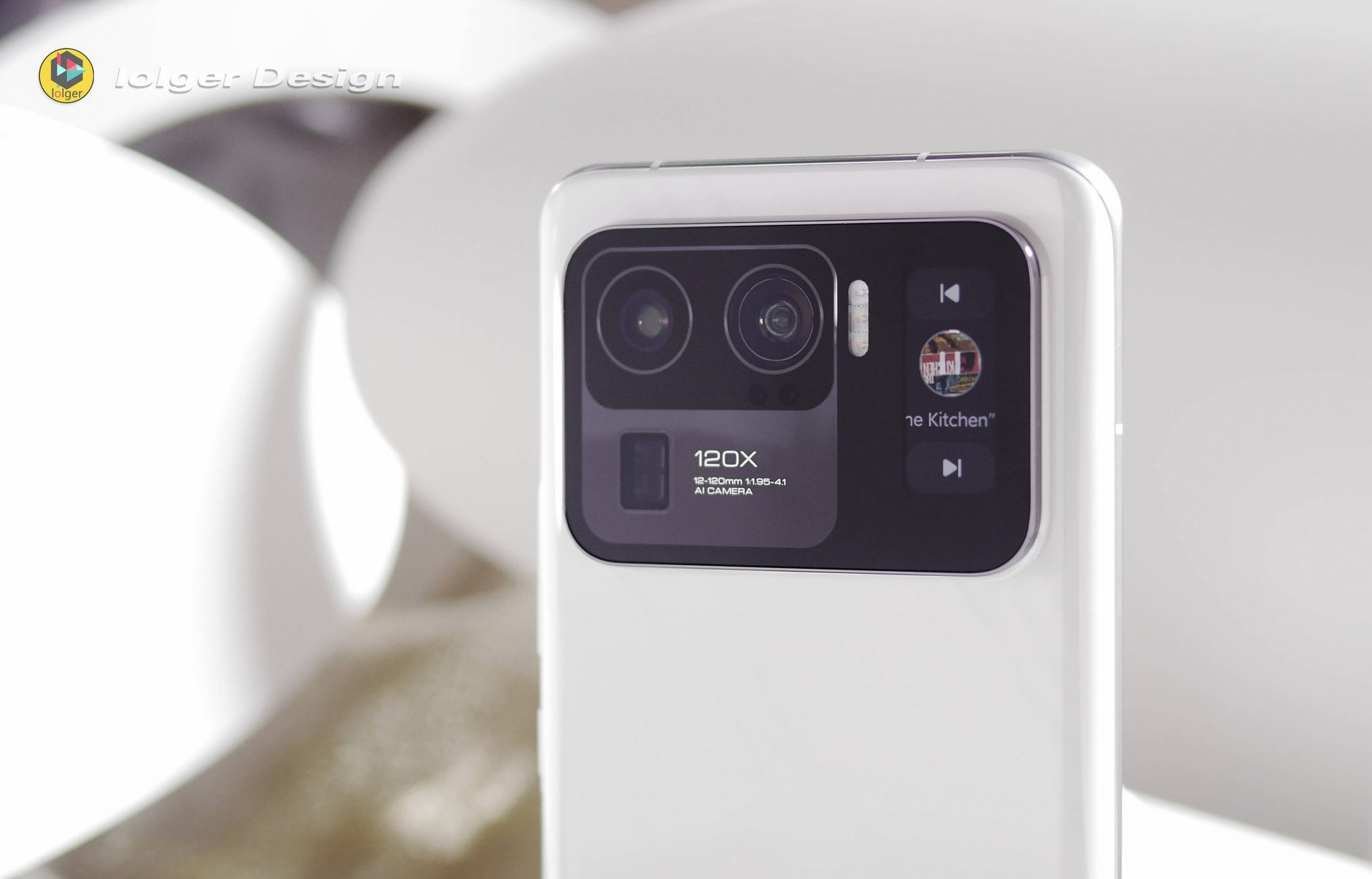
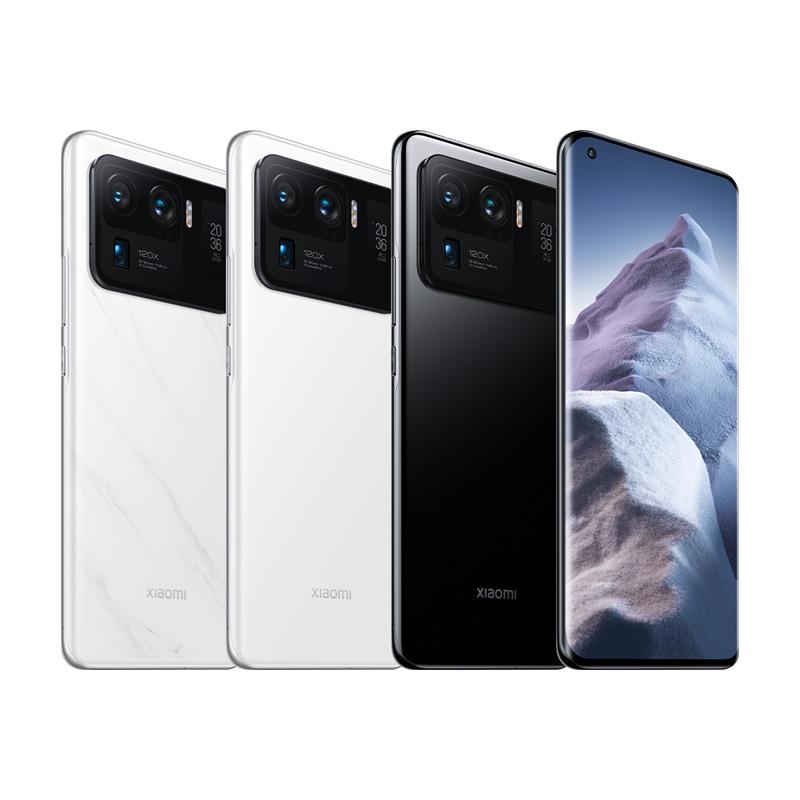
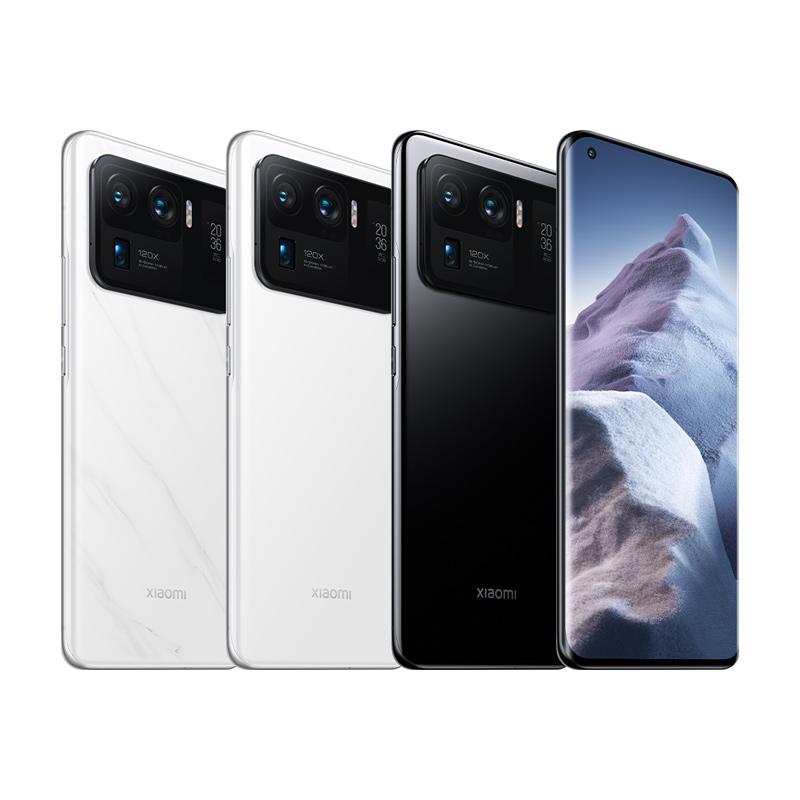
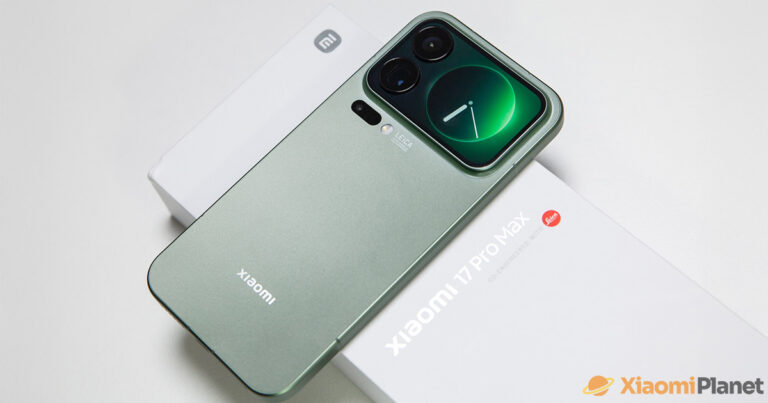
In 29. month, Xiaomi introduced its long-awaited flagship phones. The most fully equipped smartphone from this brand is the Xiaomi Mi 11 Ultra, which offers top specs and a few extra surprises. One of them is a small display on the back next to the camera. What can this display do?
So what is this display actually for here?
Many potential customers are asking the same question. Why is the display there? What will I use it for, and what can it do? Isn’t it a bit pointless? We’ll try to answer that in this article. Isn’t the price even high precisely because of this display that seems unnecessary at first glance?
The first thing that comes to mind is the ability to create great selfie photos—using the main camera, while this small display serves as a viewfinder. That means you won’t need a selfie camera on the front. However, this smartphone still includes one despite that.
Ad
Everything you can think of
The functionality of the secondary display doesn’t end there, not even close. One of the other useful features is the ability to keep showing the most important information on it all the time—like the time, notifications, and more. It’s a classic always-on display, just in a smaller form. In this mode, for example, it also lets you control the music player, which can come in handy.
The mini display also lets you accept or reject calls when the smartphone is placed screen-down. It can show the battery level in percentages, along with a striking animation during charging.
Platba cez DHgate: The platform has finally launched safe and reliable Google Pay payments! So now you don’t need to use Revolut / Wise cards for payment, and you can pay directly in EUR. We’d also like to remind you that orders from DHgate come with our VIP support, which you get after downloading our extension for the Chrome browser on desktop only (when shopping on a smartphone, you can use the DHgate app).
Are you shopping on DHGate for the first time?See the guide!
Updated 6. 10. 2025 on 05:52
TIPShipping absolutely free.
For this product, shipping is available completely free of charge. However, this is the slowest delivery method and the item may take 20 days up to 1 months to arrive.
When ordering from the Chinese warehouse, AliExpress will add the customs duty in your cart—approximately 3,70 € per order. When you receive the package, you won’t pay anything extra.
Are you shopping on DHGate for the first time?See the guide!
Updated 6. 10. 2025 on 05:52
TIPShipping absolutely free.
For this product, shipping is available completely free of charge. However, this is the slowest delivery method and the item may take 20 days up to 1 months to arrive.
When ordering from the Chinese warehouse, AliExpress will add the customs duty in your cart—approximately 3,70 € per order. When you receive the package, you won’t pay anything extra.
Are you shopping on DHGate for the first time?See the guide!
Updated 6. 10. 2025 on 05:52
TIPShipping absolutely free.
For this product, shipping is available completely free of charge. However, this is the slowest delivery method and the item may take 20 days up to 1 months to arrive.
When ordering from the Chinese warehouse, AliExpress will add the customs duty in your cart—approximately 3,70 € per order. When you receive the package, you won’t pay anything extra.
Aliexpress Standard Shipping is available for this product. This is the most reliable shipping method and, in most cases, it’s delivered by a courier company. Delivery time is usually 10-20 days.
When ordering from the Chinese warehouse, AliExpress will add the customs duty in your cart—approximately 3,70 € per order. When you receive the package, you won’t pay anything extra.
Our extra service with VIP support — we’ll handle the order on DHgate for you and ship it straight to your address.
If you don’t have experience buying on DHgate, your payment won’t go through, or the coupon doesn’t work, we offer our readers and customers an order-handling service delivered directly to your address. You send us the money by bank transfer and we order the product straight to you. That way, you don’t have to worry about a failed payment or applying the coupon, and you can be sure the whole order goes through 100 % correctly. On top of that, you automatically get our VIP support — we handle any shipping issues for you and assist with warranty claims. The fee for this service is 15 € for the product price. You can contact us by email at info(@)xiaomiplanet.sk or on Messenger, where we’re active all the time.
Another option is triggering the voice assistant, and this display can also show GIF animations. In the future, more interesting features and options should be added. We’ll mention the ability to visualize selected text, and last but not least, customizing colors and the overall design.
The Xiaomi Mi 11 Ultra mini display will surprise you
Other features include showing weather alerts and SOS mode. These features are quite noticeably similar to the functions of Mi Band wristbands.
To sum it up, the mini display on the back of the new Xiaomi Mi 11 Ultra can do more than you might think at first glance. Whether you’ll use these options is up to you. At the very least, using the display to create selfie photos is definitely useful.