



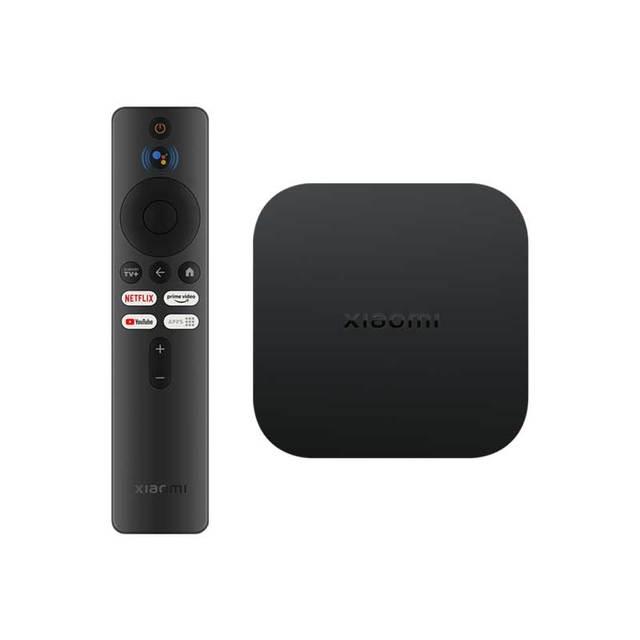
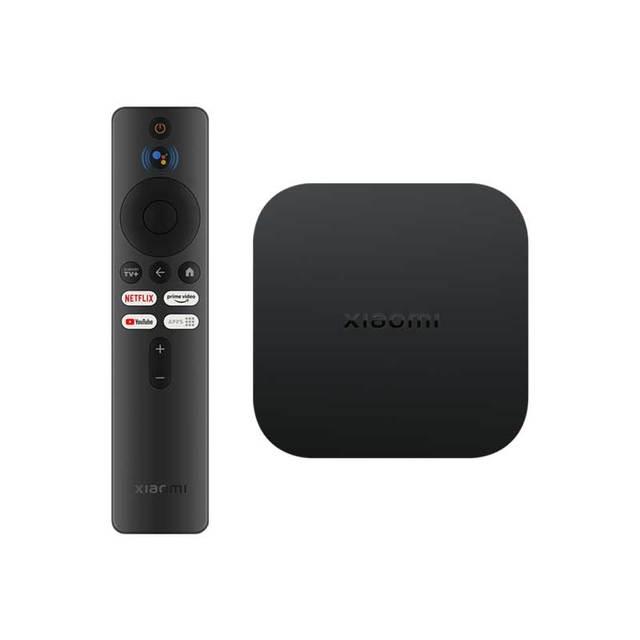
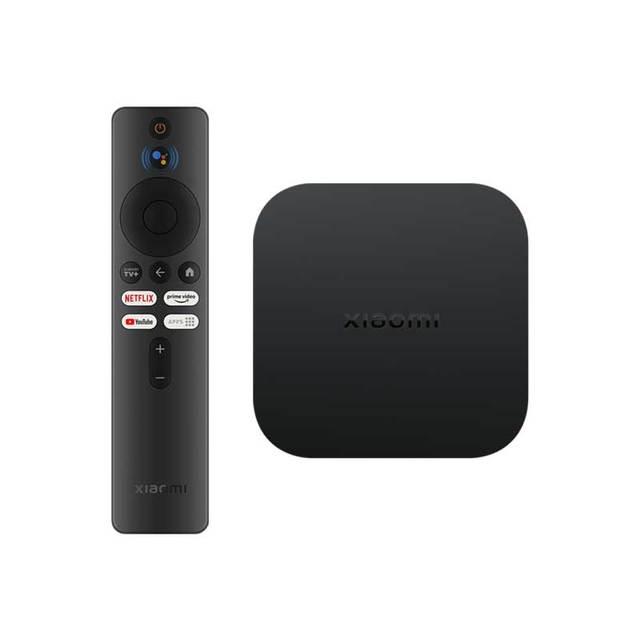
The popular Chinese tech giant Xiaomi brings you the second generation of its smart TV box, the Xiaomi TV Box S 2nd Gen , with 4K resolution support.
BEST XIAOMI COUPONS IN OUR TELEGRAM
Faster shipping from the EU warehouse
Xiaomi Mi TV Box S 2nd generation is available at our Chinese partner DHgate with coupons directly in the EU warehouse. A great bonus is fast delivery with no fees, already within 7 days.
The second generation of Xiaomi’s TV box is also available from local sellers. Of course, you get a 2-year warranty, plus very fast delivery with the option to return the item within 14 days.
The Xiaomi TV Box S 2nd Gen offers only Wi‑Fi connectivity to the internet. If you’d prefer a more stable wired connection, there’s still an option too—thanks to a USB A to standard Ethernet adapter. The box supports this adapter and the LAN connection works without any issues.
Xiaomi Mi TV Box S 2.th Gen

TIPExpress delivery from the German warehouse with no customs duty and no VAT.
This product will be delivered to you express from a local German warehouse. Delivery from Germany usually takes 7-10 days, and it’s brought by courier. When it arrives, you don’t pay any extra fees—no customs duty or VAT.

TIPExpress delivery from a Slovak warehouse within 1 to 3 business days.
This product will be delivered to you express from a local Slovak warehouse. Delivery usually takes 1-3 business days and is handled by a courier. The price is final.

TIPWith Standard Shipping via GShopper, you pay no extra fees—everything is already included!
With the GShopper seller, we recommend choosing Standard Shipping, where you won’t pay anything extra. Customs fees and any VAT are handled by the seller. You can select the shipping method in the cart only, after entering your delivery address. Delivery with this option usually takes about 15 business days from dispatch from the warehouse, but it may take longer.
Our extra service with VIP support — we’ll handle the order on Gshopper for you and ship it straight to your address.
If you don’t have experience buying on Gshopper, payments don’t go through, or coupon use doesn’t work for you, we offer an order handling service directly to your address for our readers and customers. You transfer the money to our account and we place the order directly to your address. This way, you won’t have to worry about a failed payment or applying the coupon, and you can be sure the entire order will go through correctly 100 %. In addition, you automatically get our VIP support — if any issues arise with the shipment, we handle them for you and assist with filing a claim. The fee for this service is €15 extra of the product price. You can contact us by email at info(@)xiaomiplanet.sk or on Messenger, where we’re constantly active.
Our extra service with VIP support — we’ll handle the order on DHgate for you and ship it straight to your address.
If you don’t have experience buying on DHgate, your payment won’t go through, or the coupon doesn’t work, we offer our readers and customers an order-handling service delivered directly to your address. You send us the money by bank transfer and we order the product straight to you. That way, you don’t have to worry about a failed payment or applying the coupon, and you can be sure the whole order goes through 100 % correctly. On top of that, you automatically get our VIP support — we handle any shipping issues for you and assist with warranty claims. The fee for this service is 15 € for the product price. You can contact us by email at info(@)xiaomiplanet.sk or on Messenger, where we’re active all the time.
Our detailed review:

Xiaomi Mi TV Box S 2.th Gen: Here are the upgrades
At first glance, the design of this device hasn’t changed much. The Xiaomi Mi TV Box 2nd generation offers a compact matte black build, and the long remote control comes in the same color.

The device dimensions are 95,25 x 95,25 x 16,7 mm. The weight then is just 147 grams. What has changed compared to the first generation is the performance and software.


An integrated quad-core processor (Cortex-A55) handles the performance. It’s paired with a Mali-G31 MP2 graphics chip, as well as 2 GB RAM and 8 GB of internal storage. There’s also a newer standard: Bluetooth 5.2 for the remote control. Dual-band Wi‑Fi support is included too (2.4 GHz / 5 GHz).
Google TV operating system and Bluetooth remote with voice commands
Among the features, we have to mention support for 4K resolution (2160p). In this case, though, it’s also complemented by support for Dolby Vision, Dolby Atmos, dts-HD and HDR10+. This will be especially appreciated by fans of multimedia entertainment and movies.

In addition, there’s also the new operating system Google TV. Plus a built-in Chromecast (content sharing) and voice command support via Google Assistant (through the microphone on the remote). For connectivity, you get a USB-A port (2.0), an HDMI port (2.0), a 3.5 mm audio connector, and a DC connector for connecting to the power network.


In the retail package, you’ll find the smart TV box itself, labeled Xiaomi Mi TV Box 2nd generation, along with the original accessories from the manufacturer. This includes power for the mains (EU Plug, 220 – 240 V / 50 – 60 Hz), an HDMI cable to connect it to your TV, and a remote control with voice control. Plus a brief user manual—in English, as usual.
What do you think of this practical smart TV box from Xiaomi? If you have any other questions about the built-in components or the selling price, feel free to write them to us in the discussion below the article.
Check out our Xiaomi Planet website too, our Telegram group full of current articles—subscribe for news and join us in our Facebook group.
Don’t miss the best coupons 📩
Subscribe and we’ll email you new coupons before they expire. We only send it once a month — no spam.