
A planet full of Xiaomi news
Deal Planet

Available again in the EU warehouse after more than a year! The Xiaomi NexTool multifunction shovel will impress you with everything it offers

6. May 2025 3 min read 2 comments

We know that through its e-commerce platform YouPin, Xiaomi supports quality products from other brands. In collaboration with NexTool, they’ve already brought a few multifunction gadgets—e.g. these 16-in-1 pliers.

Another great product of theirs is a multifunction shovel with many, even surprisingly useful features.

Available again in the EU warehouse!

The Xiaomi NexTool multifunction shovel is now available from an international seller on the AliExpress online marketplace—finally also in stock in the EU warehouse. In addition to the great price, the advantage is fast delivery in just 5–10 business days.

XiaomiPlanet deal

Xiaomi NexTool multifunction shovel

Polish warehouse
Xiaomi NexTool multifunkčná lopatka
EU warehouse
47,50 €You save 3,54 €
43,96 €

Price history

1,88 €more expensive than the average price
Cheapest 38,89 €Most expensive 47,94 €
Buying on AliExpress for the first time? See the guide!
Updated 6. 5. 2025 on 13:00
TIPFast delivery from the Spanish warehouse with no customs duty and VAT.

This product will be delivered to you quickly from a local Spanish warehouse. Shipping from Spain usually takes 7-10 days and is handled by a courier. When it arrives, you don’t pay any extra fees—no customs duty, no VAT.

Track this product’s price

As soon as we post a new coupon, we’ll send you an email. You can unsubscribe from tracking anytime.

Buying on AliExpress for the first time?

This process is done through the AliExpress mobile app, where most people shop. Two things matter: don’t use Buy now and enter the coupon only in the order summary in the Promo code field. After you click Pay now, you can’t add it anymore.

  1. Copy the code and click GET THE DISCOUNTIn our article, copy the coupon and click the button GET THE DISCOUNT. The link will take you directly to the product in the AliExpress app.
  2. Use Add to cart, not Buy nowOn the product card, scroll down and click Add to cart. Don’t use the Buy now button—this skips the cart, so later you won’t have a place to enter the coupon. Before that, make sure the variant is correct: color, version, and whether it ships from an EU warehouse.
  3. Continue to Checkout via the cartA pop-up will appear: Added to cart!—tap Check it out. If it disappeared, open the cart using the icon in the bottom-right corner. In the cart, check the product and quantity, then tap the red Checkout button. Only the items marked with the red circle are included.
  4. Fill in your address and card, then look for Promo codeIn the order summary, first enter the delivery address and payment card at the top. Below that, there’s a line Promo code — expand it with the arrow on the right.
    Riadok Promo code v zhrnutí objednávky v aplikácii AliExpress
    Look for this line under the address and payment method.
  5. Paste the code and confirm ApplyIn the field Promo code paste the copied code and click the black Apply. The code is case-sensitive and must not contain spaces.
    Políčko Promo code s kódom a tlačidlom Apply v aplikácii AliExpress
    Paste the code into the field and confirm by clicking the Apply button.
  6. Check your savings and payIn the section Summary expand the line Saved — you’ll see the applied coupon there as AliExpress coupons/codes. Only when Total is really lower, click Pay now.
    Riadok Saved s uplatneným kupónom a znížený Total v aplikácii AliExpress
    The applied coupon will show up in the Saved line and reduce the Total.
Apply the discount again in the order summary. After you click Pay now, you can’t add a coupon anymore. If Apply shows an error, the code has either expired, doesn’t apply to your item, or your order doesn’t meet the minimum amount.
Store Coupon also belongs in the same field. — a coupon from the seller itself, which isn’t always available and changes day to day. It can’t be combined with an AliExpress coupon, so try both and go with the one that gives you more. Coins are added automatically.

It can turn into up to 14 tools

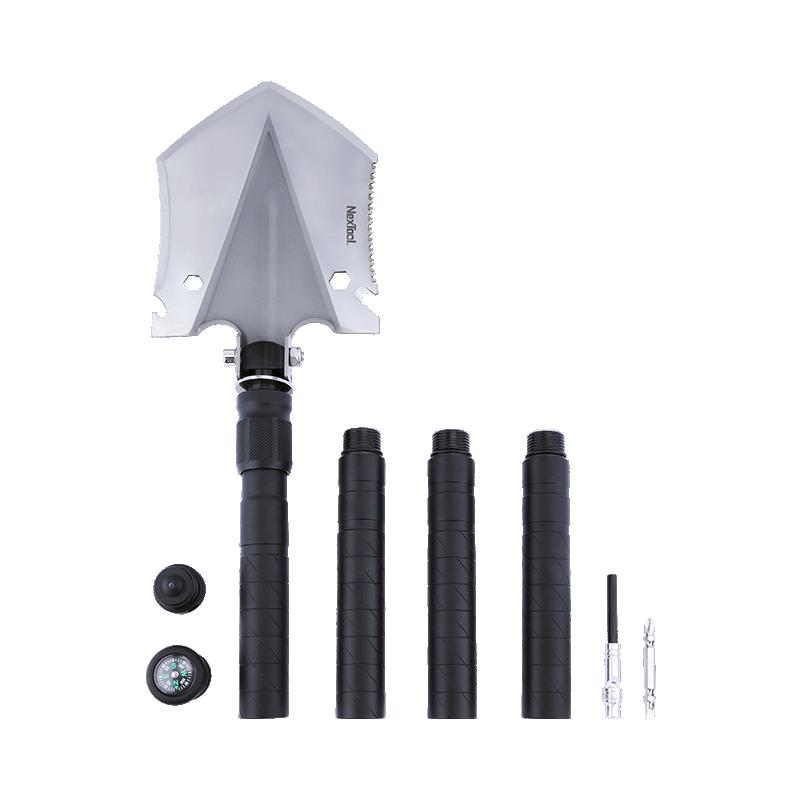
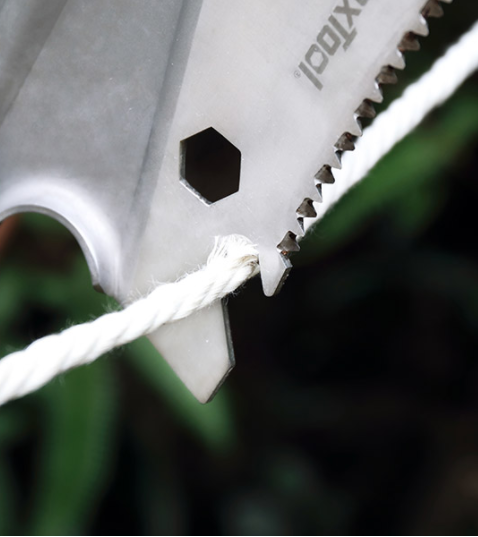
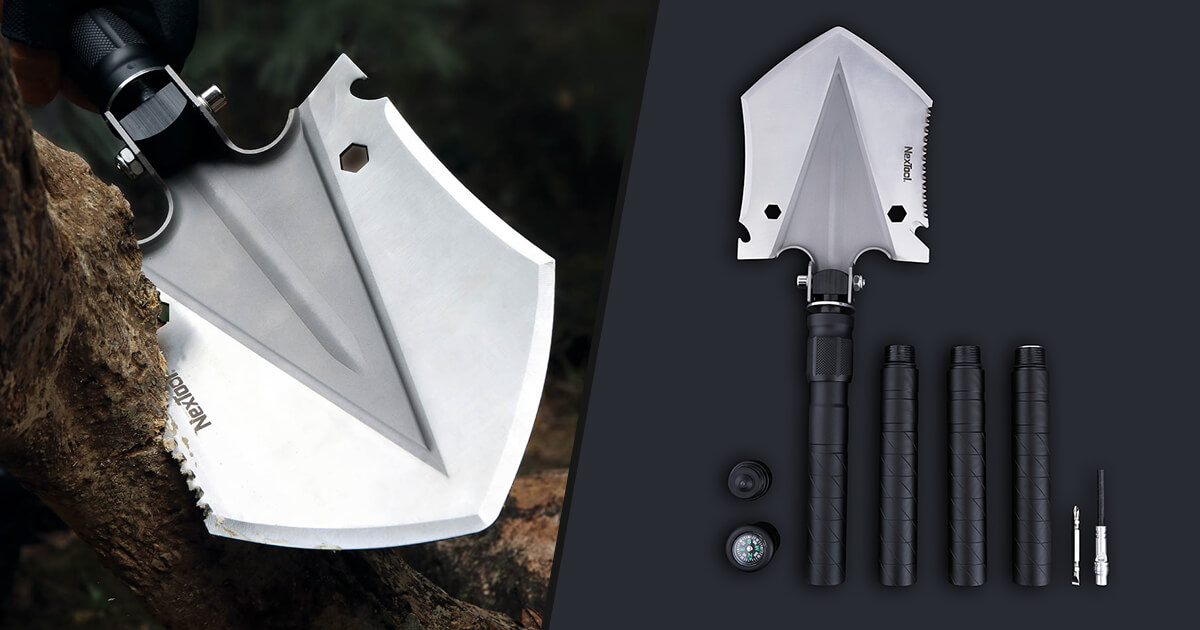
The Xiaomi NexTool multifunction shovel can transform into 14 different tools. In addition to working as a spade for digging soil, it can also serve as a saw, a screwdriver (cross and flat), and a whistle. It even includes a compass, and the manufacturer didn’t forget a bottle opener either.

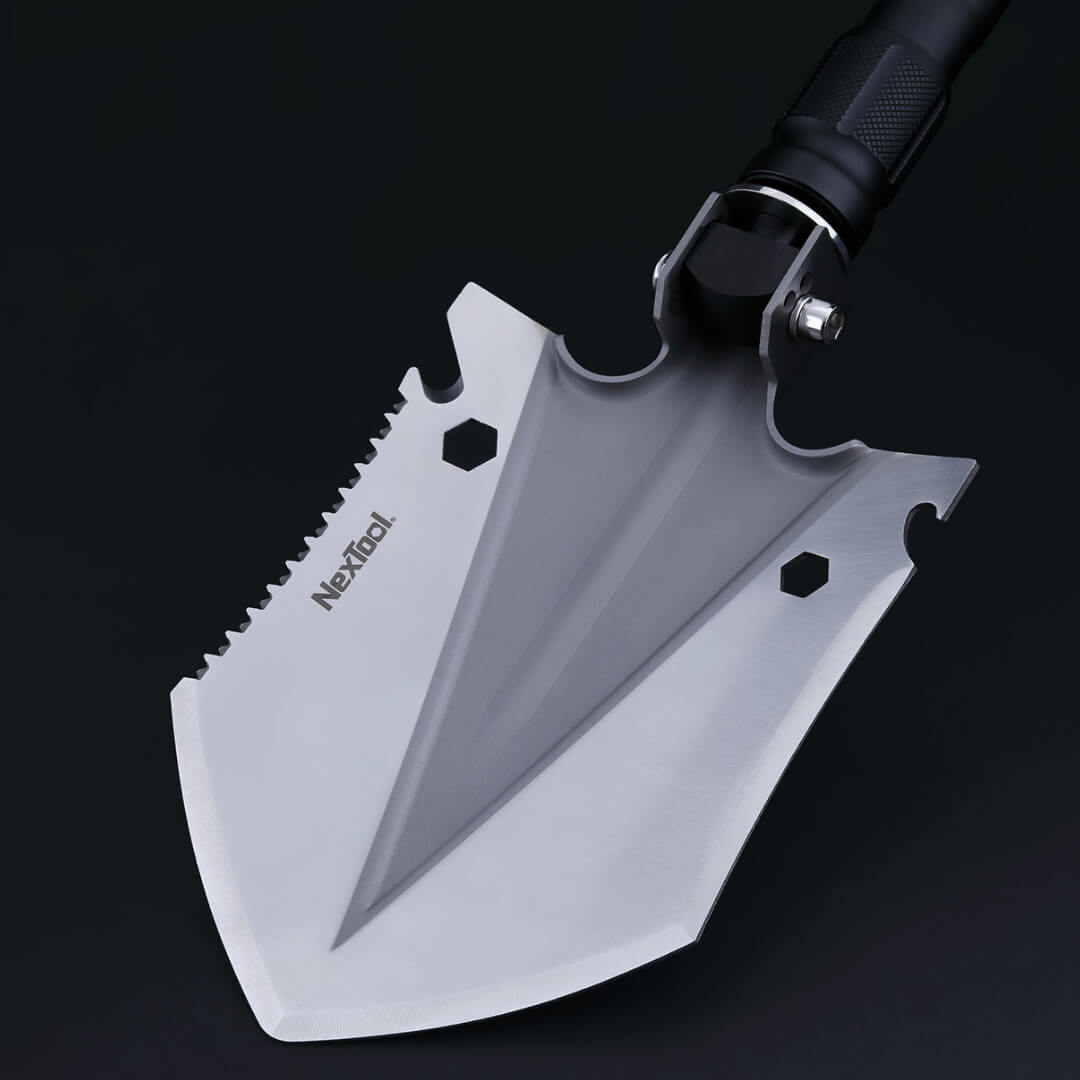
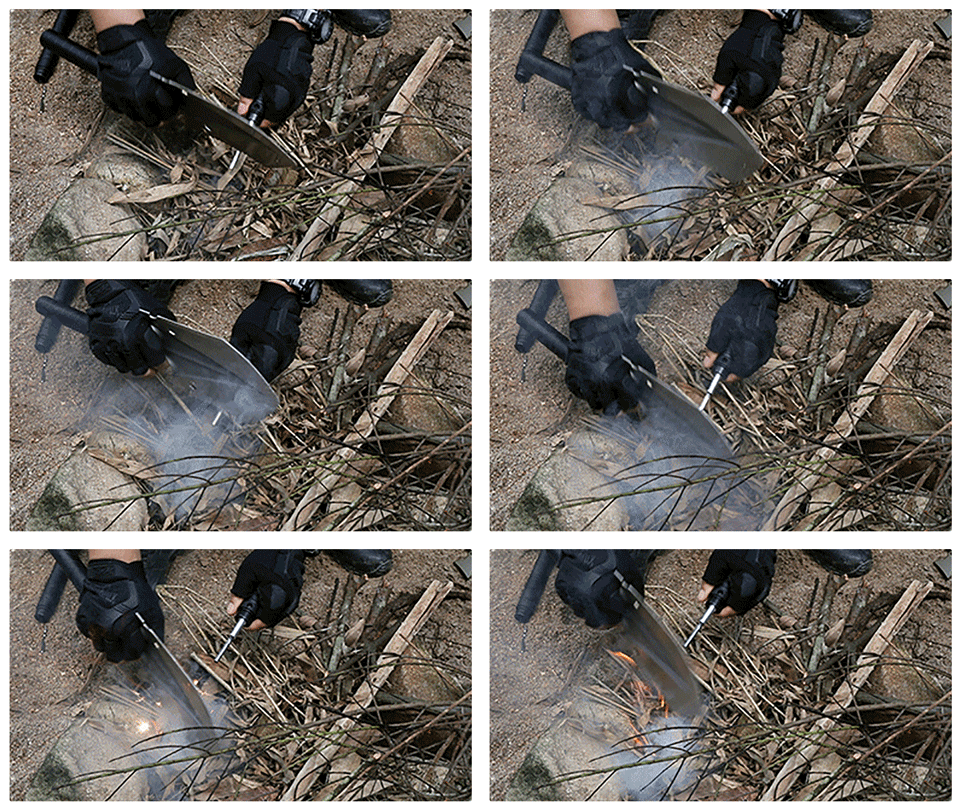
Probably the most surprising feature is the ability to use the shovel as a fire-starting flint tool. Crazy. From now on, for hiking or camping trips, you’ll only need this one handy gadget.
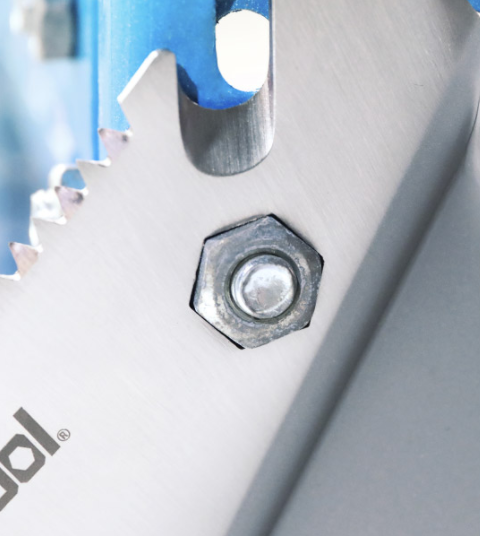
The shovel head is 200 mm long and 158 mm wide. It’s made of stainless steel (HRC45) with a thickness of 3 mm. The handle is made of 6061-T6 aluminum, and according to the manufacturer, it can withstand pressure up to 1800 kg. The handle can be split into up to 4 parts, so you can adjust the length to your needs.
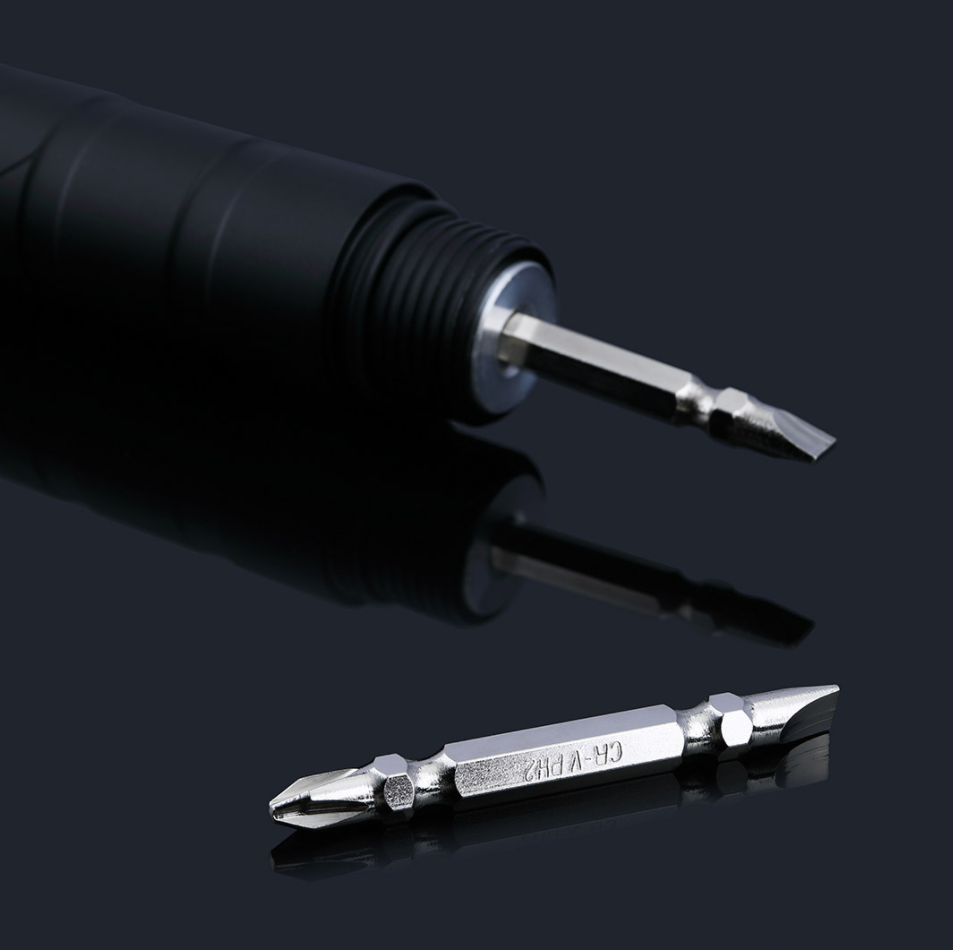
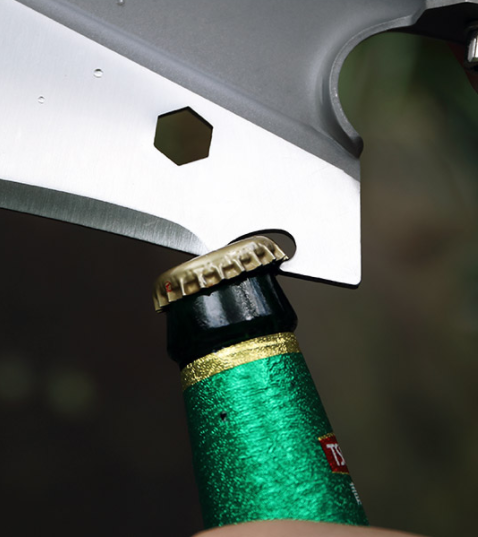
The total length including the head is 1 meters. The shovel can also work as a hoe, since the head can be tilted at an angle of 85 degrees. For easier storage, however, the head can be folded back up by 180°, i.e. to a full flat position.

The shovel’s total length reaches 100 cm, but if needed, you can shorten it in half—down to 50 cm. This is possible thanks to the handle, which is divided into multiple parts using threaded sections. A practical carrying case is included along with the shovel.

On the Xiaomi Planet portal, we keep you updated on everything happening in the Xiaomi world. Don’t miss any new release and subscribe to our emails. Join also our Facebook group where you’ll find behind-the-scenes info from our editorial team and much more.

Add us as your preferred source on Google

Don’t miss the best coupons 📩

Subscribe and we’ll email you new coupons before they expire. We only send it once a month — no spam.

Ad Engerio