


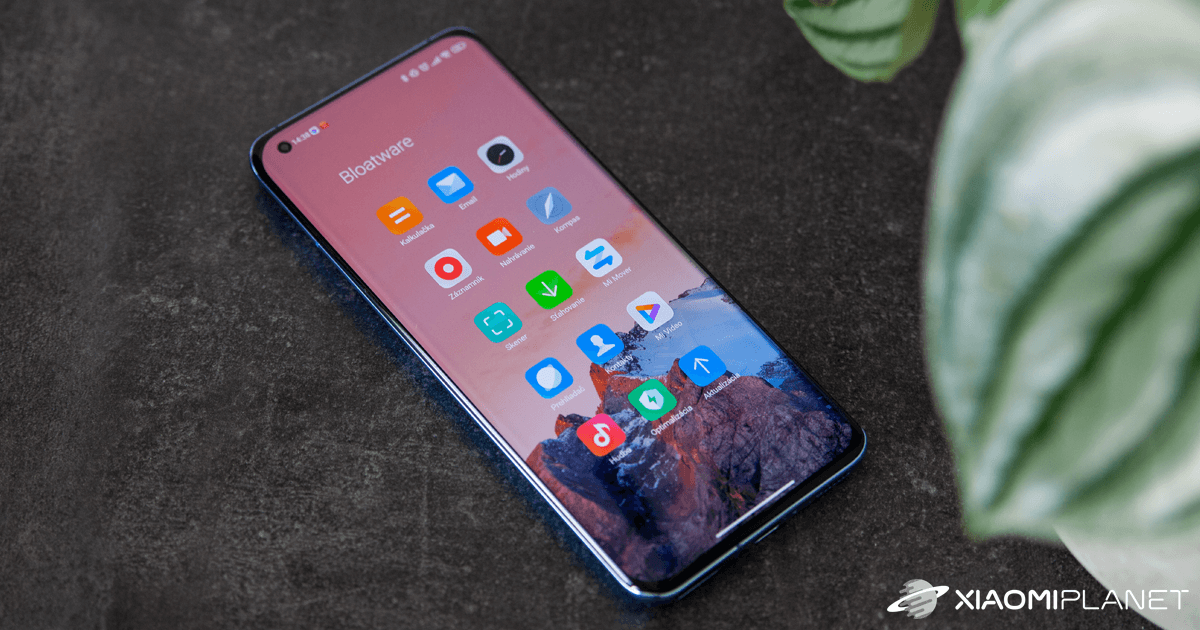
Do you like Xiaomi, Redmi, or POCO smartphones, but you don’t want a bunch of pre-installed apps on your new phone? We’ve got a solution. The Spanish community miuies.com has published a portal with a tool that lets you get rid of exactly those “bloatware” titles.
How to uninstall “bloatware” from a Xiaomi smartphone?
The MIUI interface offers a lot of pre-installed apps, and you probably don’t use many of them. These apps, known as “bloatware,” can now be removed—without any third-party app.

The original idea comes from the Ya-WebADB project developed in China by yume-chan. It has now been translated and adapted by the MIUIes community. Uninstalling pre-installed apps is therefore easier than ever before.
The new tool is based on the WebUSB API, so you only need the Chrome browser to control it. Just go to adb.miuies.com and connect your Xiaomi, Redmi, or POCO smartphone to your computer.
Just a few simple steps
Before we uninstall unwanted apps, you need to do a few steps on your smartphone too. First, you need to enable Developer mode. If you don’t have it enabled yet, just tap the MIUI Version item in Settings a few times.
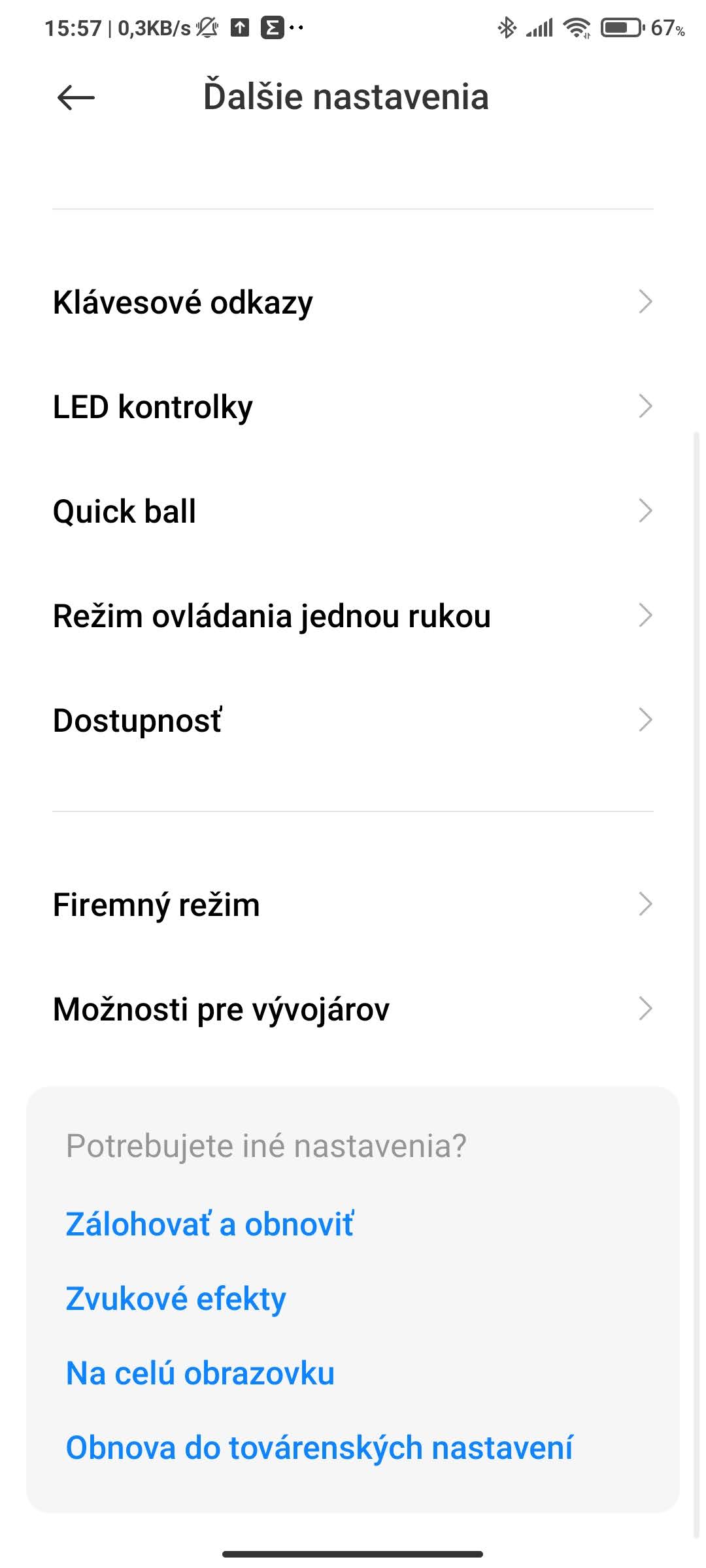
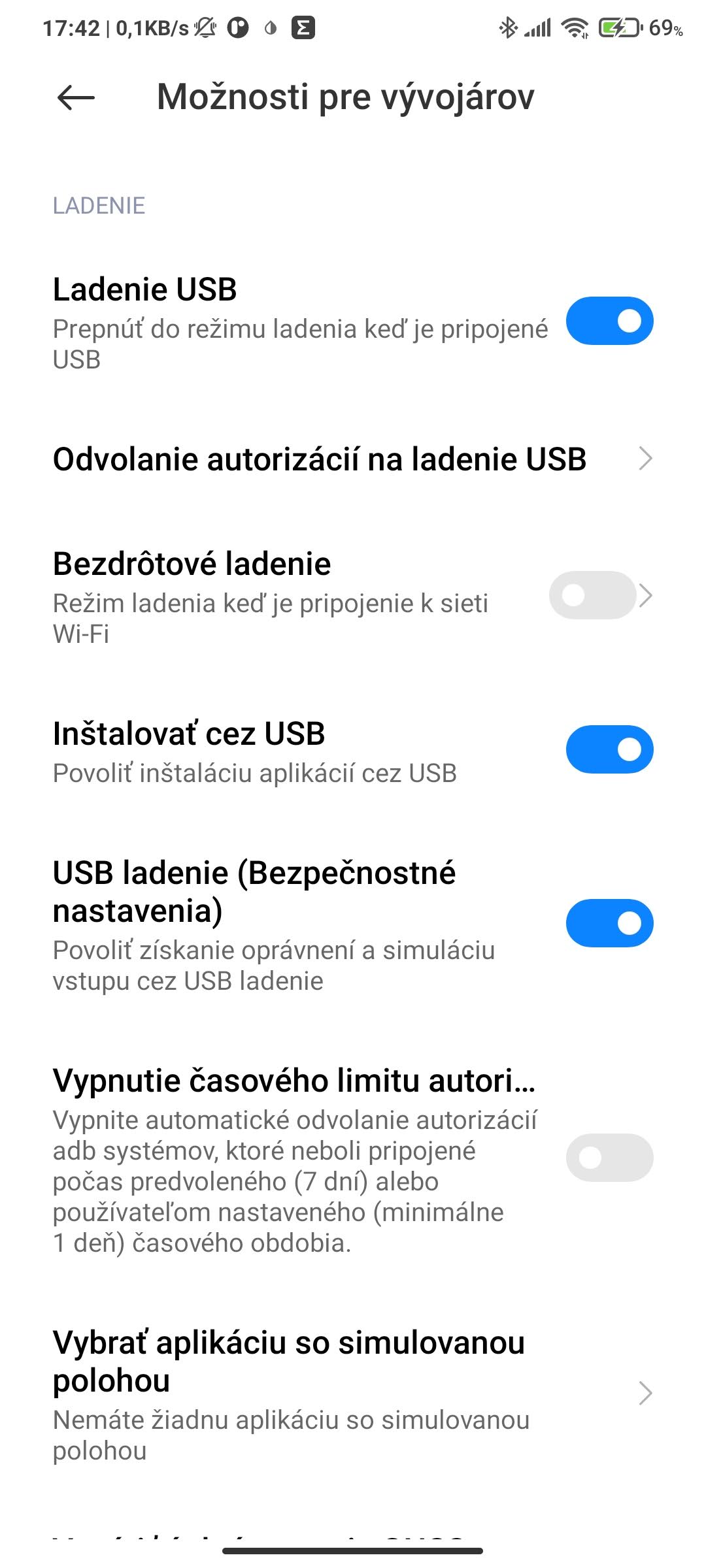
Next, go to Settings – Additional settings – Developer options. In this menu, you also need to enable USB debugging, Install via USB, and USB debugging (Security settings).
After completing these steps, you can go to the Chrome browser (or an alternative based on the Chromium project) to the page adb.miuies.com. There you’ll enter the following steps.

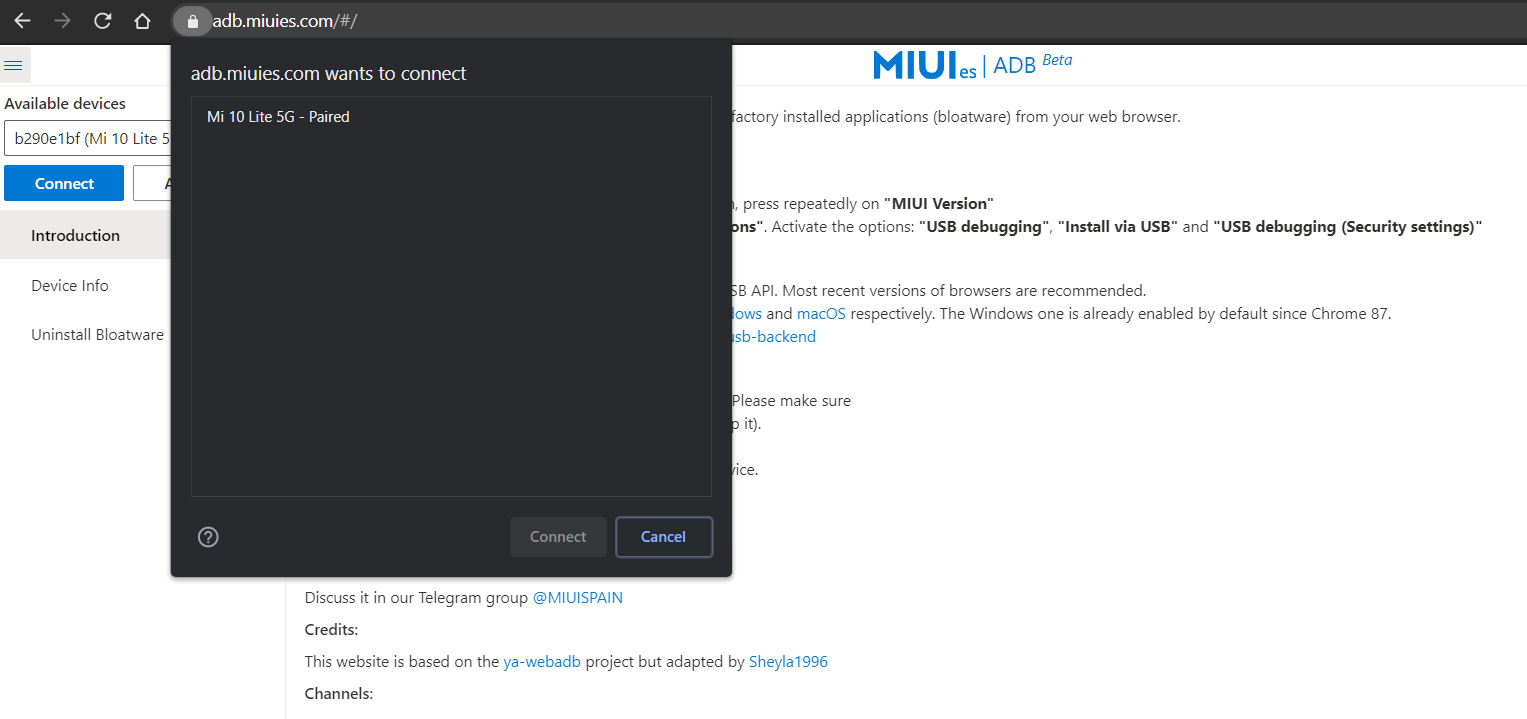
Just click “Add device” and select your smartphone from the list that appears. If you did the previous steps correctly, your device should show up. Select it and click “Connect.”
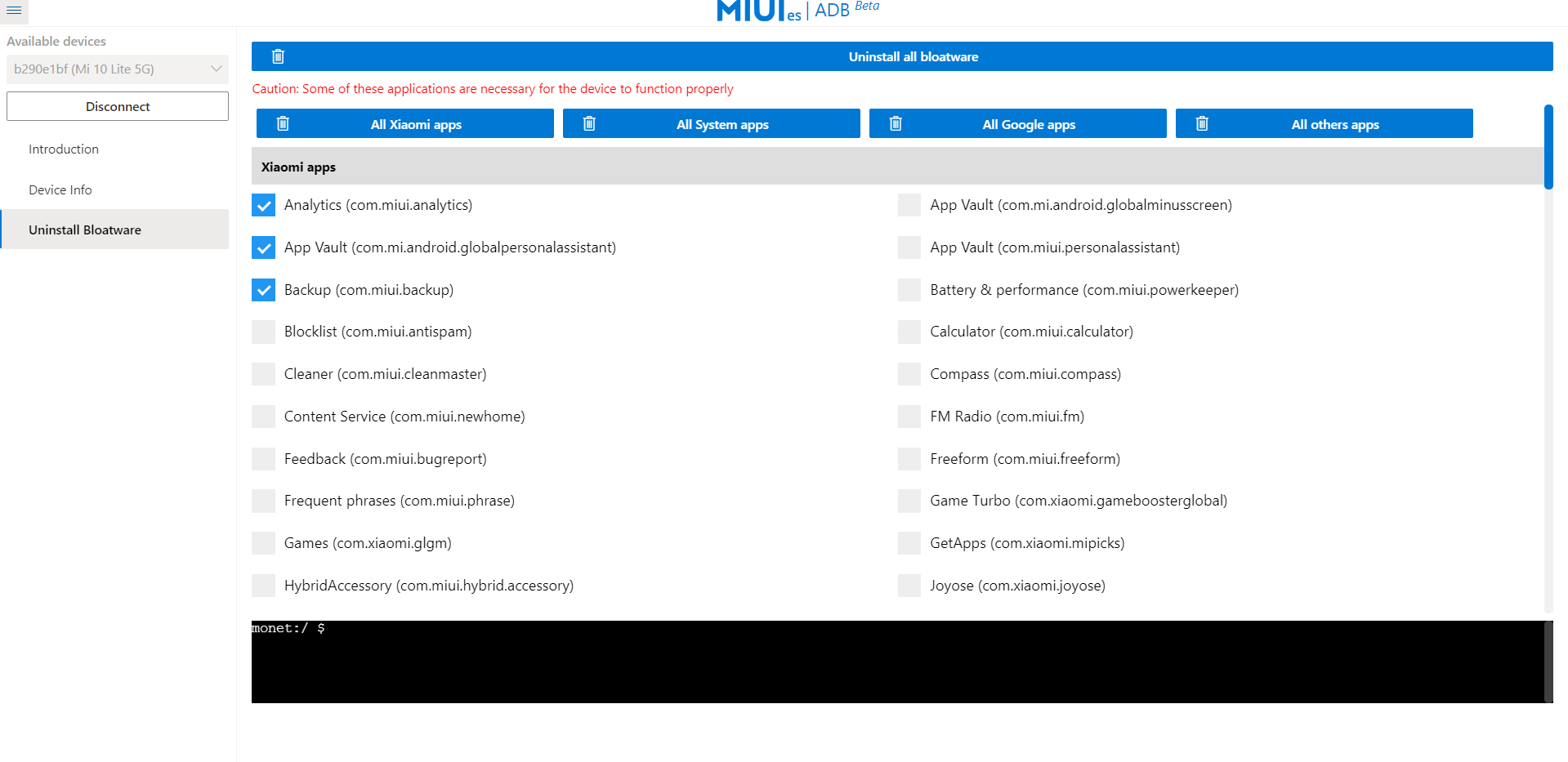
Once your device is connected properly, you can go to the left menu and choose “Uninstall Bloatware.” Then you can choose between “Uninstall all system apps,” “Uninstall all Xiaomi apps,” or remove individual apps from your smartphone. The choice is up to you.
Do you like our guides? Would you like more articles like this? Feel free to share your thoughts and opinions below in the discussion under the article. Follow our new Facebook group: Xiaomi Planet – A place for real Xiaomi fans, and also visit the Xiaomi Planet portal to learn more.
Don’t miss the best coupons 📩
Subscribe and we’ll email you new coupons before they expire. We only send it once a month — no spam.
