
The MIUI customization layer that comes with Xiaomi, Redmi, and POCO smartphones is packed with tons of various extras. Dozens of features make everyday smartphone use much more enjoyable, and today’s article is no exception.
In this article, we’ll show you a quick guide thanks to which you can enable a very interesting feature on your smartphone. This feature can improve the range of your Wi-Fi so that using it is as efficient as possible.
Turn your smartphone into a Wi-Fi extender
If you’re even a little familiar with technology—specifically Wi-Fi—you’ve probably come across the term “Wi-Fi extender” or “Wi-Fi signal extender”. In short, these are devices designed to extend the Wi-Fi signal.

With Android as your operating system, you can turn your smartphone into this kind of signal extender. First, though, you need to unlock the hidden developer settings. You can do that by tapping the “MIUI Version” button in your phone’s settings several times.
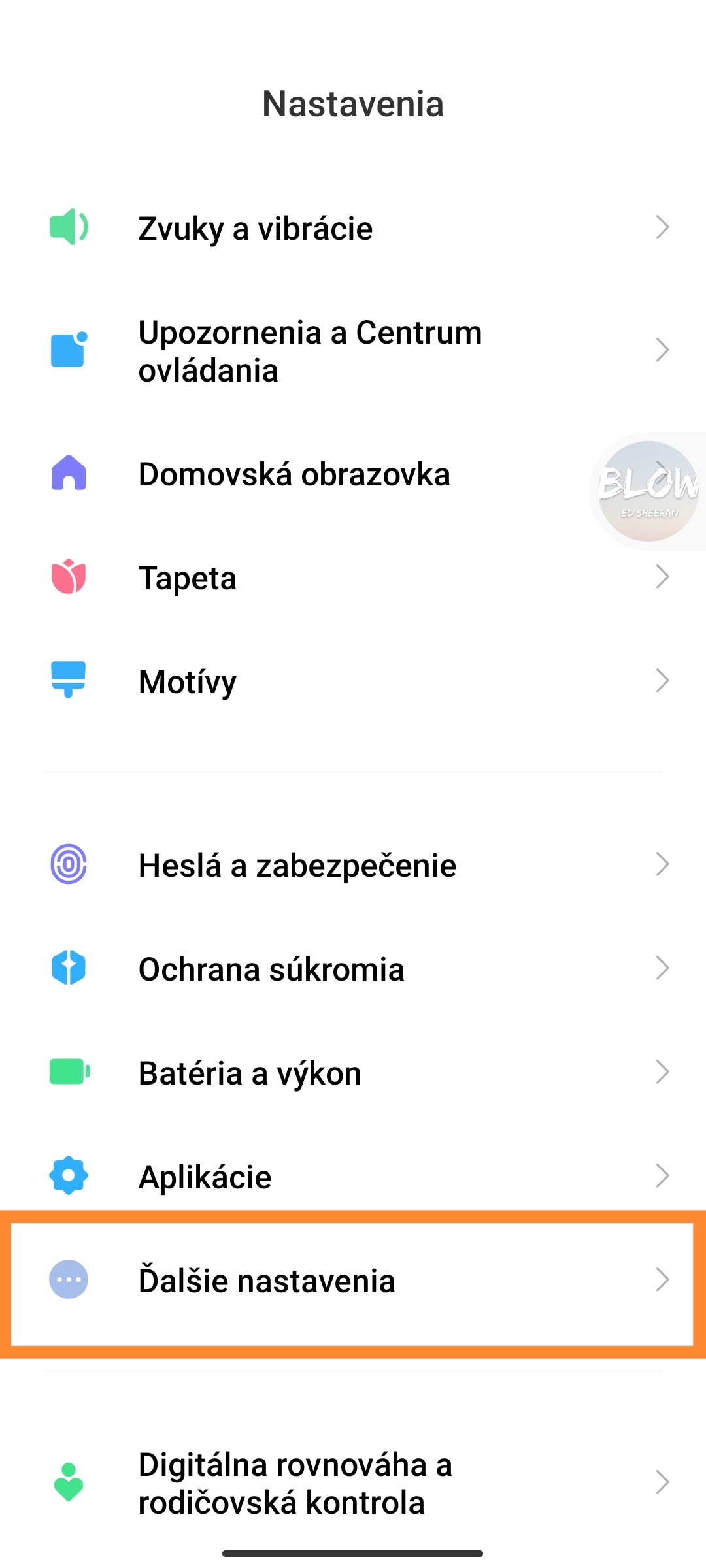
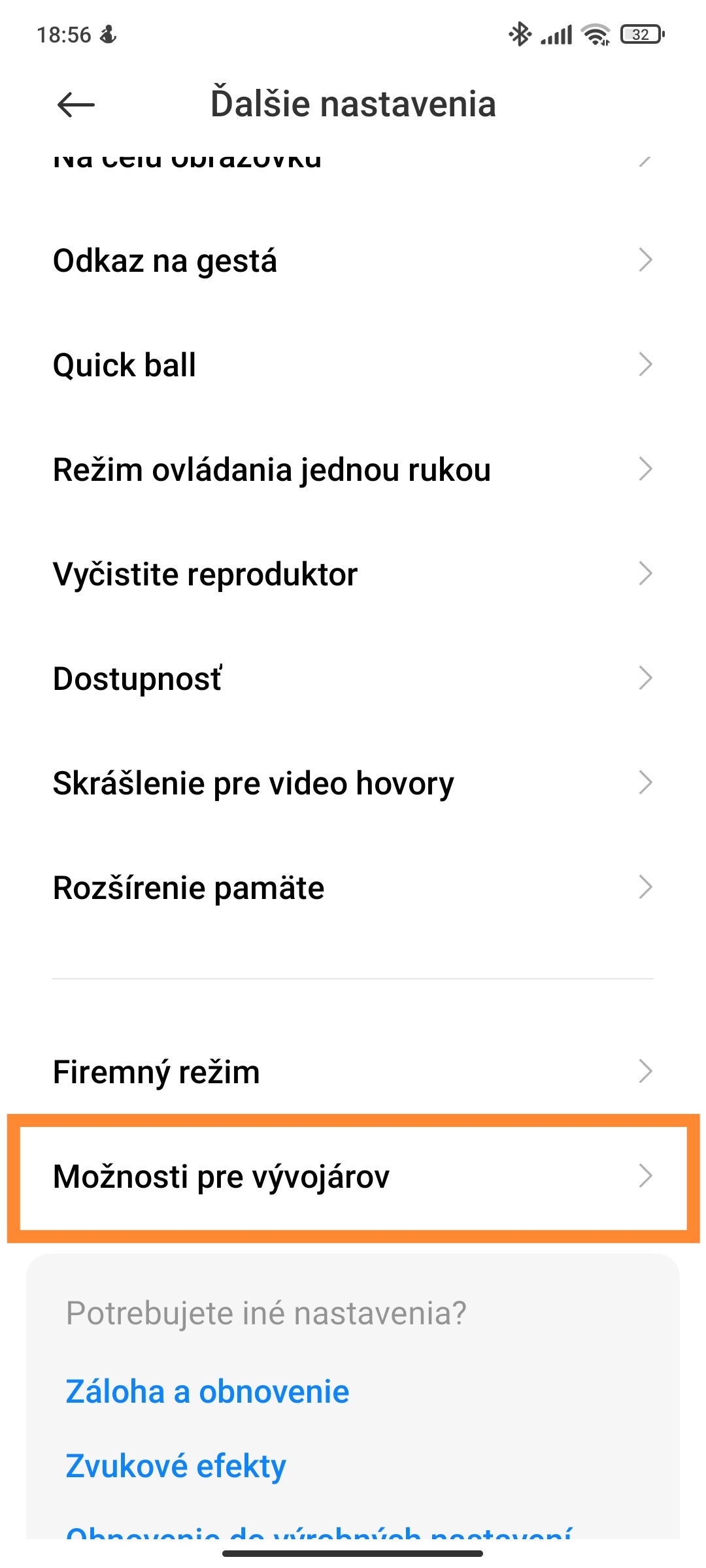
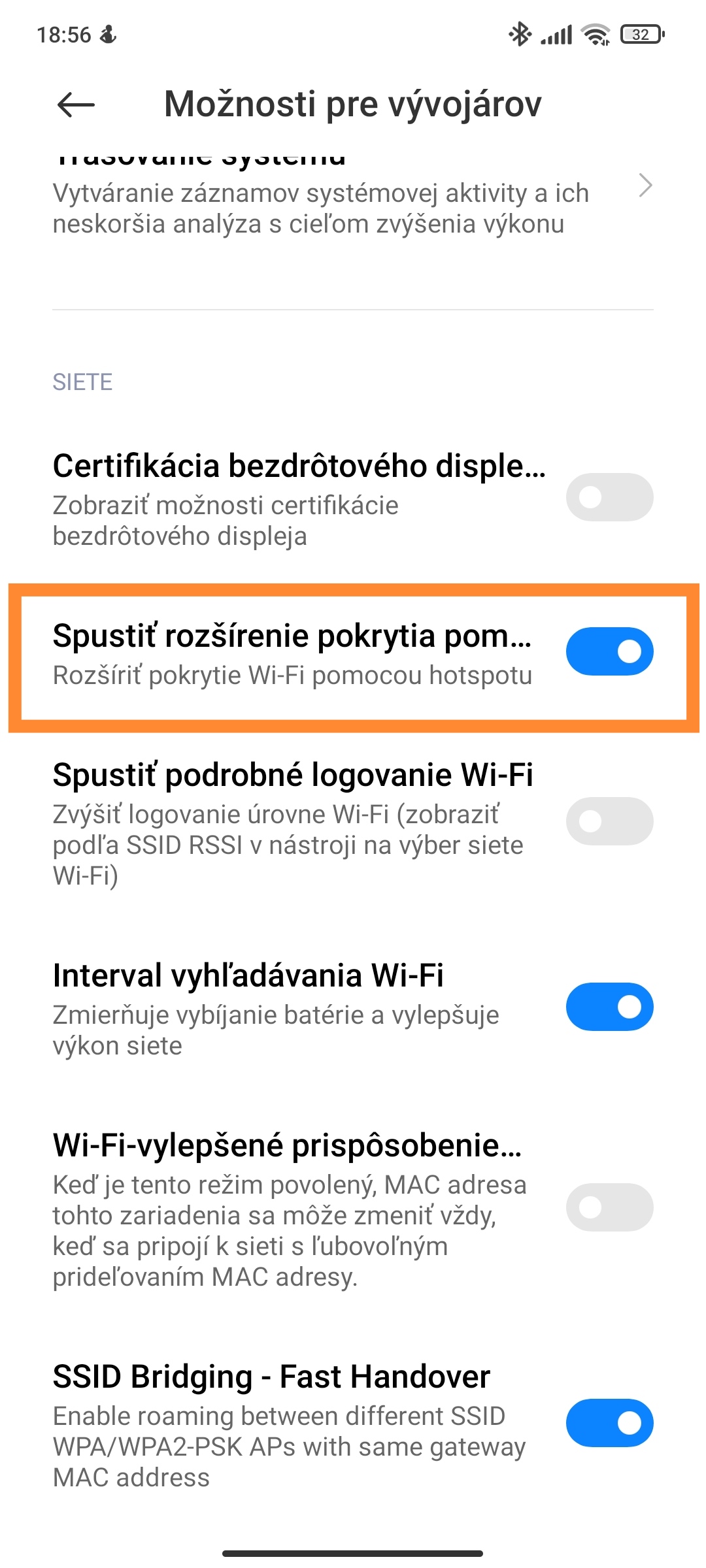
After that, all you have to do is go to the “Additional settings” section, click “Developer options” at the bottom, and in the list, under the “Networks” section, enable “Start Wi-Fi coverage extension using a hotspot“.
To a certain extent, this feature is similar to a classic mobile hotspot. After turning on the function mentioned above, you can still use the well-known Wi-Fi hotspot—but its quality may be a bit better.
We hope this guide interested you and also helped you. For more interesting tips and tricks, regularly check out our Xiaomi Planet tech portal. If you don’t want to miss anything important, regularly follow our website, join our new Facebook group, and subscribe to have articles delivered directly to your email inbox.
Don’t miss the best coupons 📩
Subscribe and we’ll email you new coupons before they expire. We only send it once a month — no spam.