

The gallery on Xiaomi smartphones has long stopped serving only for basic photo viewing. It offers more options than you might imagine. Along with zooming in or out and advanced sorting features, there’s also a handy editor.
Simple and quick photo editing directly in the gallery
In it, you can edit photos depending on what you need. Simply adjust brightness, contrast, and other important settings. There are plenty of different filters too—you can crop photos, add effects, and more.
The Xiaomi gallery can, for example, change the sky in any photo and even blur faces, license plates on vehicles, text, and more. The part of the photo that needs to be hidden from the public will remain hidden. You won’t need any special apps—just the Gallery on your Xiaomi mobile.

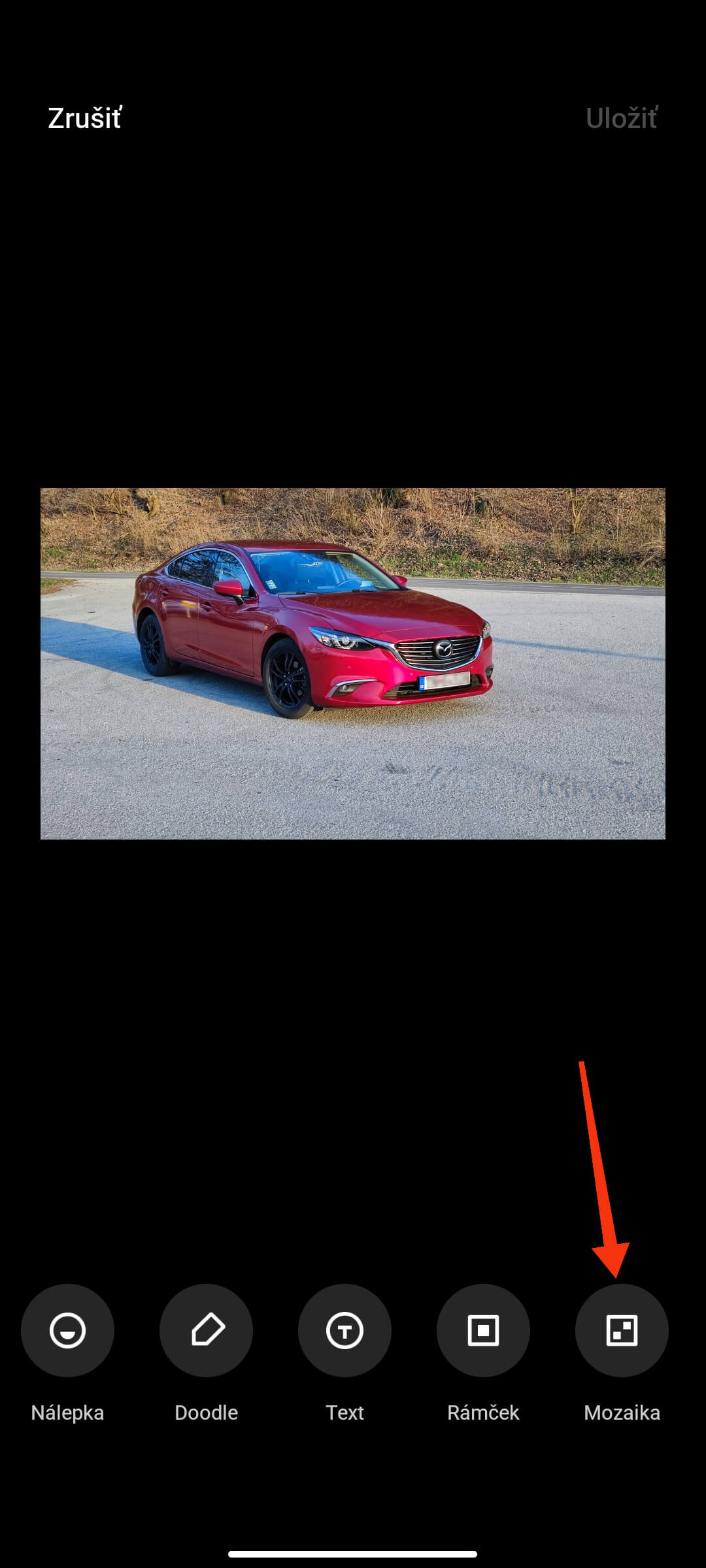
Let’s take a closer look at this feature. The Gallery includes a special tool called Mosaic, which you can use to do it. Using this tool is quite flexible and offers several options.
How to hide part of a photo using a Xiaomi phone
If you need to “pixelate” part of a photo, such as a face or LICENSE PLATE, just follow these steps:
- Go to the gallery, and select the photo you want to edit
- Tap the photo editing button and choose the Mosaic tool (it should be at the very end)
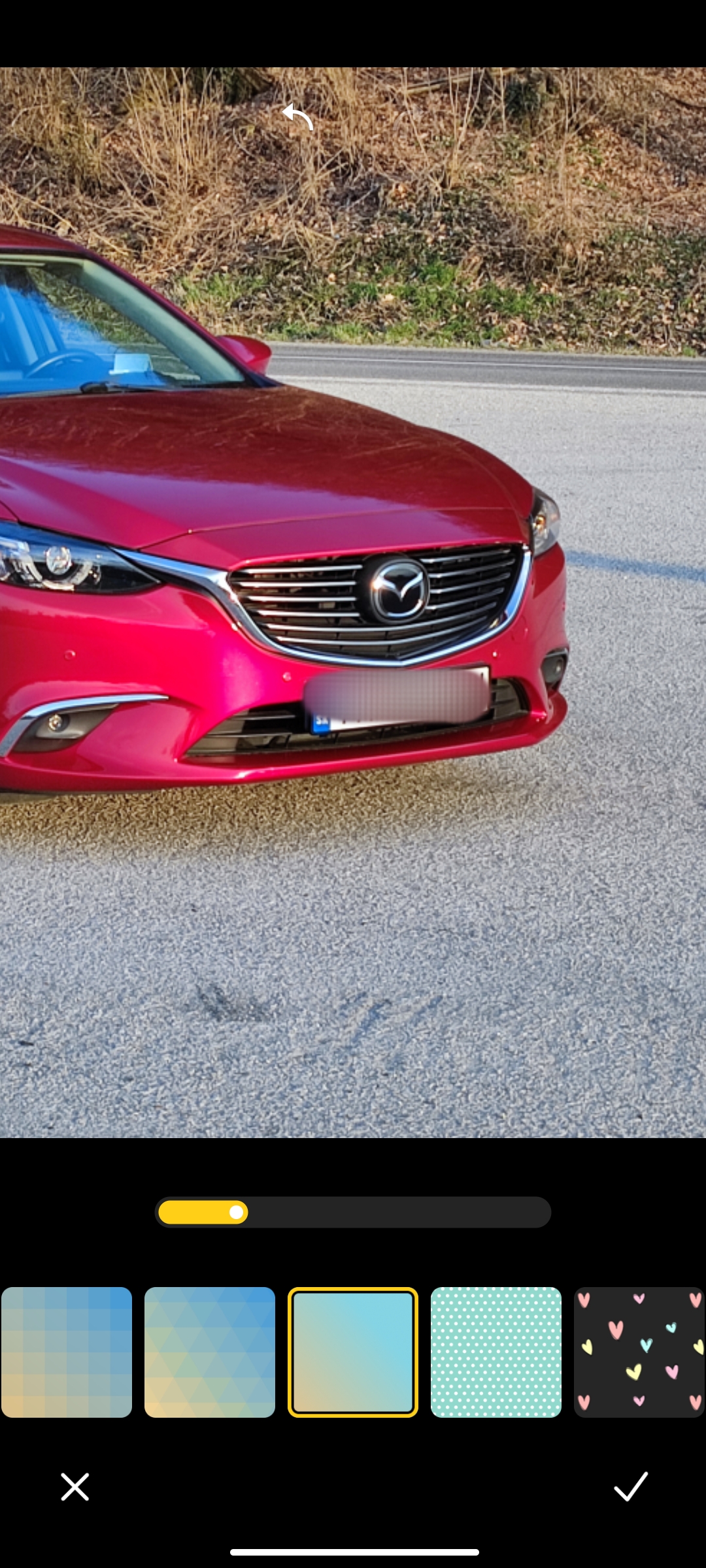
- Now choose from a range of styles that will blur the part of the photo you selected
- The final step is to swipe your finger over the parts of the photo that should be blurred
- Done
That’s how you can easily blur the parts of a photo that need to be hidden from the public. You don’t need to install any special app—your Xiaomi smartphone and its preinstalled gallery are enough.
Don’t forget to keep following us so you don’t miss any more similar useful guides, the latest news, or great discounts from some of our store partners. Besides our website, you can also find us on Facebook and Instagram, so don’t forget to hit follow.
Don’t miss the best coupons 📩
Subscribe and we’ll email you new coupons before they expire. We only send it once a month — no spam.