Christmas AliExpress coupon with a price of 173 € in the EU warehouse: The global POCO Pad comes with 8+256 GB memory, a 12.1″ 120 Hz display, Snapdragon 7s Gen 2, and a battery up to 10 000 mAh
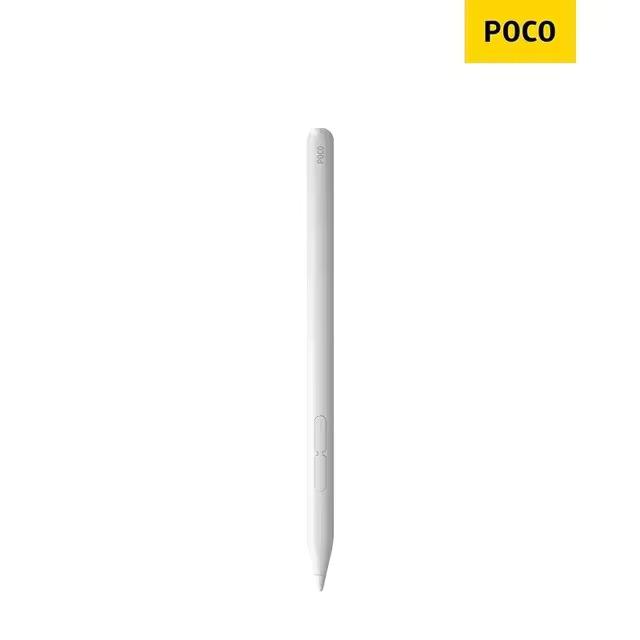
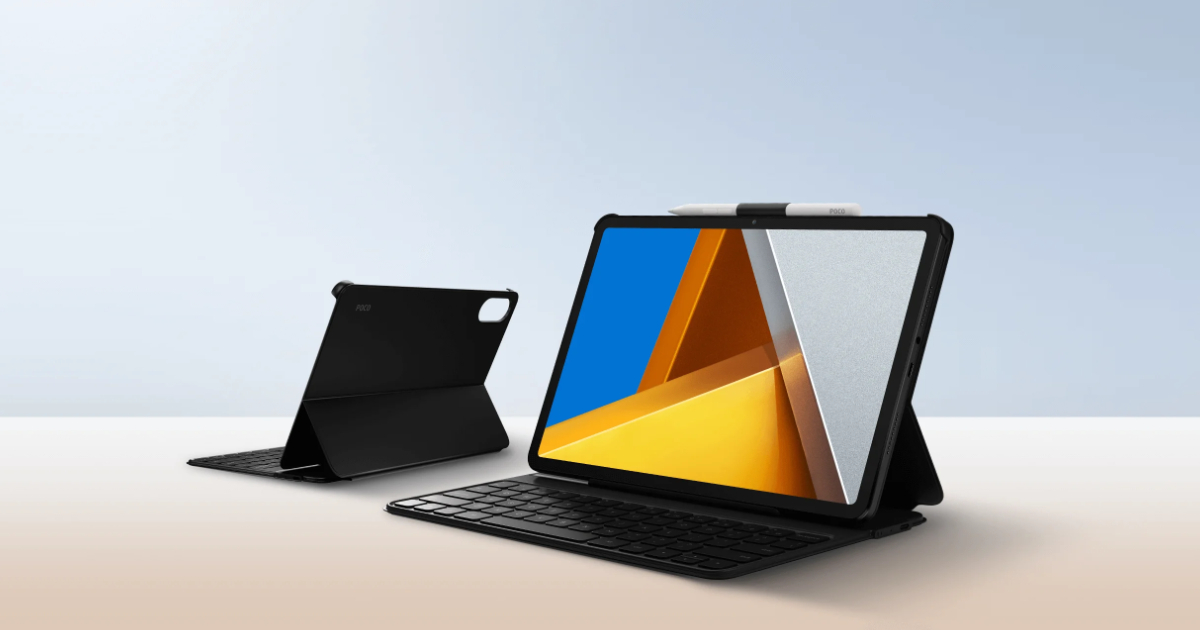
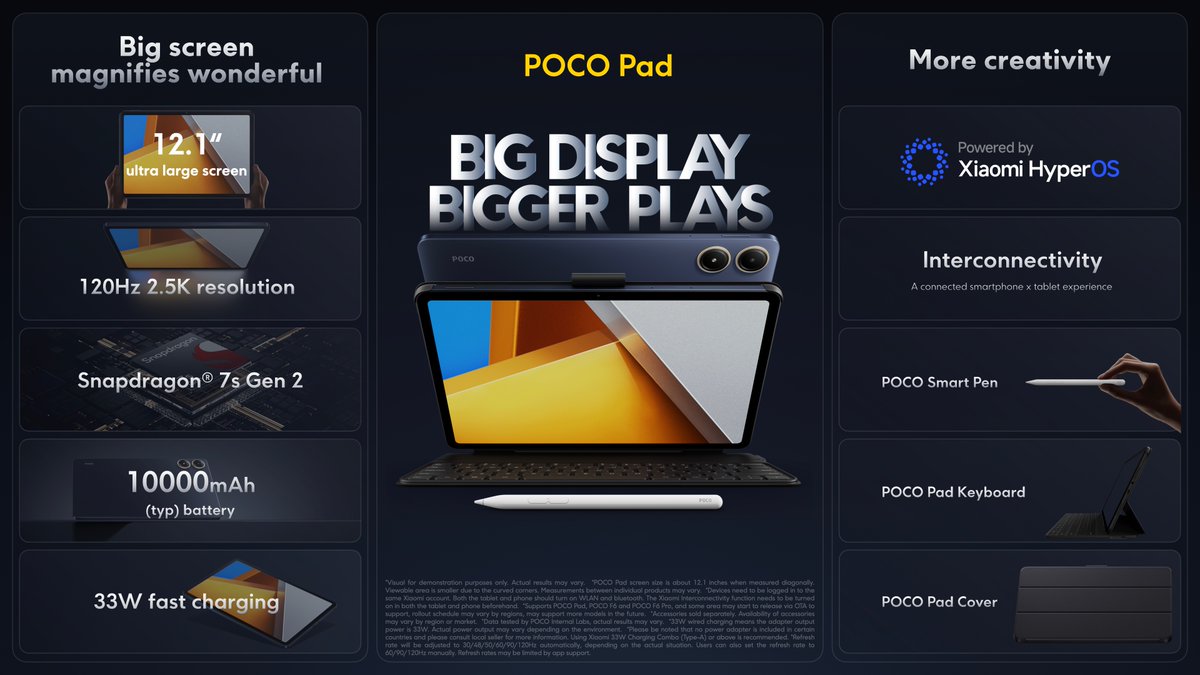
POCO, as Xiaomi’s sub-brand Xiaomi, besides the two smartphones POCO F6 and POCO F6 Pro also brought a powerful tablet POCO Pad, for the first time last year—along with accessories such as similarly foldable cases, a keyboard, or the active stylus POCO Smart Pen.
Best coupons in the EU warehouse
The powerful POCO Pad tablet is available from our Chinese partners, and, of course, there are discount coupons with great prices. Right now you can find it with sellers on AliExpress directly in the EU warehouse, from where it will be delivered to you within 7 business days, and additionally completely free of charge.
TIPExpress delivery from a Polish warehouse without customs duty and VAT.
This product will be delivered to you express from a local Polish warehouse. Shipping from Poland usually takes 7-10 days and is handled by a courier. On delivery, you won’t pay any extra fees—no customs duty and no VAT.
TIPExpress delivery from the German warehouse with no customs duty and no VAT.
This product will be delivered to you express from a local German warehouse. Delivery from Germany usually takes 7-10 days, and it’s brought by courier. When it arrives, you don’t pay any extra fees—no customs duty or VAT.
POCO Pad: Massive 12.1″ 120 Hz display and Qualcomm Snapdragon 7s Gen 2
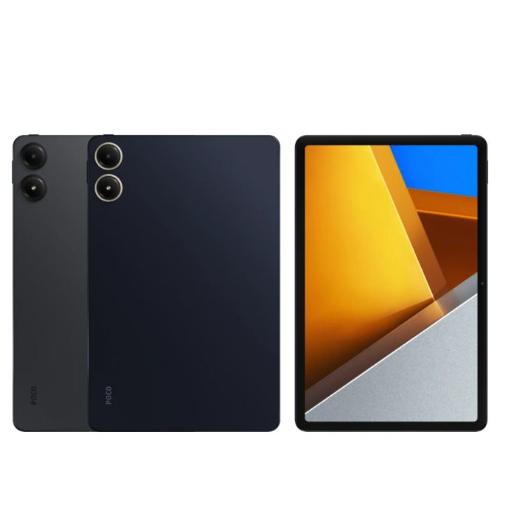
At the press conference, we finally got the very first tablet under the POCO brand. The new POCO Pad offers rounded edges and overall dimensions of 280 x 181.85 x 7.52 mm. The device weight is 571 grams (just the tablet, without accessories).
The front is home to a large, up to 12.1″ IPS LCD display that offers a 16:10 aspect ratio and a resolution of 2560 x 1600 pixels. This results in a sharpness of 249 ppi. It also features a high, adaptive refresh rate up to 120 Hz (AdaptiveSync, 30/48/50/60/90/120Hz), brightness of 500 nits (peak up to 600 nits).
The tablet has a sampling rate of up to 240 Hz (when using the POCO Smart Pen), narrow bezels around the display (display-to-front-wall ratio of 83.6%), as well as support for Dolby Vision, DC dimming, 12-bit colors, and an adaptive reading mode. There’s also TÜV Rheinland certification for eye protection, and protective glass Corning Gorilla Glass 3.
Ad
HyperOS from Xiaomi, 10 000 mAh battery and fast 33 W charging
Power is handled by the integrated processor Qualcomm Snapdragon 7s Gen 2. It has eight cores with a clock speed up to 2.4 GHz, and it’s built on a 4 nm manufacturing process. The processor is paired with a Qualcomm Adreno graphics chip, 8 GB RAM, and up to 256 GB of internal storage. The operating system is the new HyperOS from Xiaomi, built on Android 14.
Other features include a 8 MPx rear camera (1.12 μm, video up to 1080p / 30 fps) with an LED flash. The front camera is also 8 MPx. It also includes Wi‑Fi 6 (2.4 / 5 GHz, 2×2 MIMO) and Bluetooth 5.2 connectivity. It also has an accelerometer, gyroscope, Miracast support, and codec support for AAC /LDAC/SBC/aptX/aptX-HD/aptx-adaptive.
The built-in battery has a high capacity of up to 10 000 mAh. Such a large battery also requires fast charging, which is also included. It supports 33 W, and the fast charger is included in the box. Inside you’ll also find a USB-C cable, a user manual, a warranty card, and a pin to eject the microSD card tray.
Optional accessories, such as the POCO Smart Pen, POCO Pad Keyboard, and also POCO Pad Cover, are sold separately and are not included in the package.
Ad
What do you think of the new POCO tablet? Follow the Xiaomi Planet site, subscribe to push notifications, and make sure to check out our Facebook page, the Everything from EU warehouses group, and follow our Telegram, where we add the best offers and coupons from China every single day.