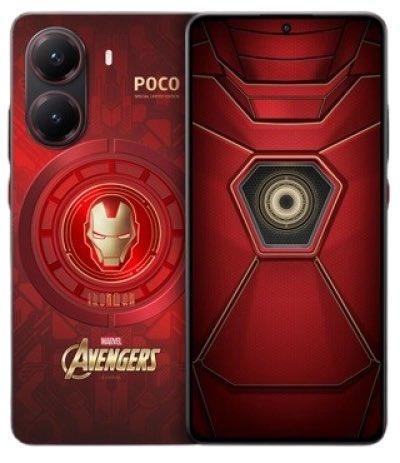
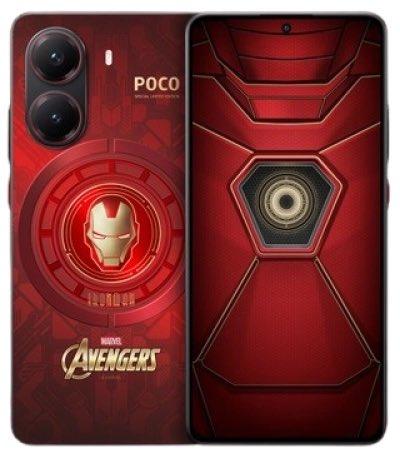
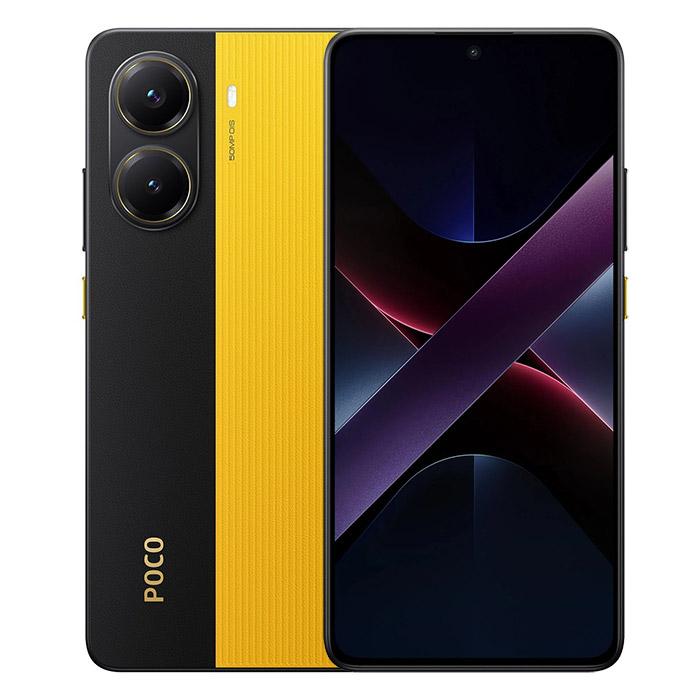
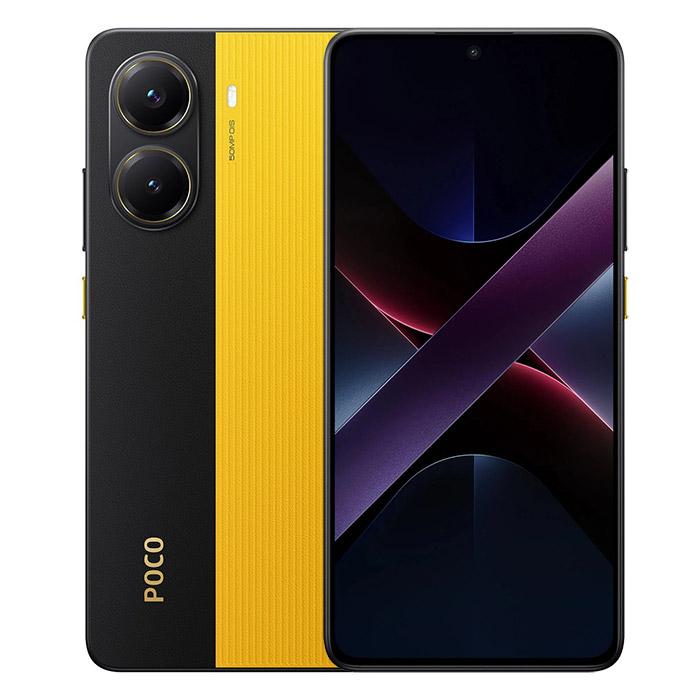
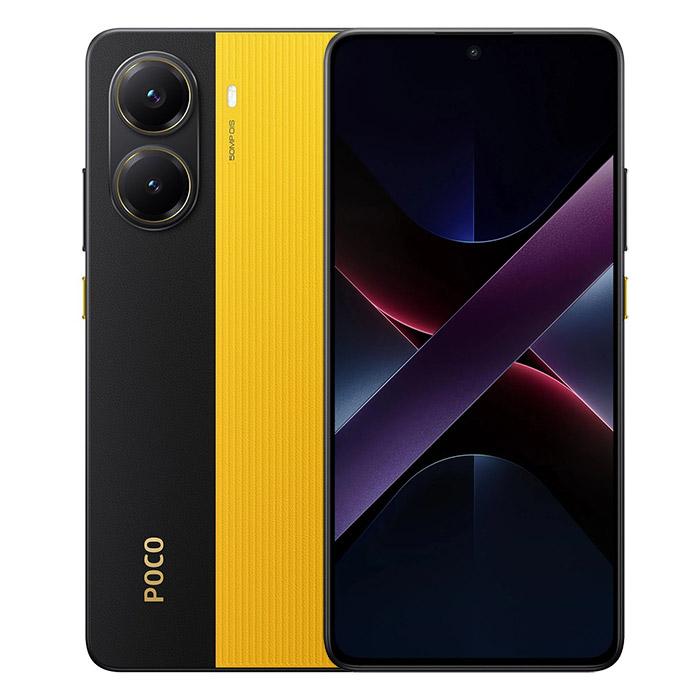
POCO’s sub-brand POCO doesn’t want to let its X7 series pass without notice. In addition to unveiling two standard models, they also introduced an ultimate collaboration with Marvel. And this is what the limited POCO X7 Pro Iron Man Edition! looks like.
The eagerly awaited special version POCO X7 Pro Iron Man Edition is now going on sale with an international seller on the AliExpress online marketplace directly in the EU warehouse. Delivery is free, and you can expect it at home within 3-10 business days after dispatch.
You can also buy it through our trusted partner Gshopper, which comes with a discount coupon! The price we list already includes shipping, as well as customs fees and VAT. That means delivery will happen with no extra charges—everything is handled for you by the seller.
Of course, it’s an official global version of the smartphone with support for all networks, languages including SK and CZ, Google apps, and all the necessary certifications for the global market.
Xiaomi Planet shopping tip: GShopper has now launched direct bank transfer payments, so you can save another 4.5 % off the product price! Compared to card / Google Pay payment, you can get this product much cheaper. We described the full bank transfer payment process in our article.
TIPFast delivery from the Spanish warehouse with no customs duty and VAT.
This product will be delivered to you quickly from a local Spanish warehouse. Shipping from Spain usually takes 7-10 days and is handled by a courier. When it arrives, you don’t pay any extra fees—no customs duty, no VAT.
Is it your first time shopping on GShopper?See the guide!
Updated 17. 3. 2025 on 06:31
TIPWith Standard Shipping via GShopper, you pay no extra fees—everything is already included!
With the GShopper seller, we recommend choosing Standard Shipping, where you won’t pay anything extra. Customs fees and any VAT are handled by the seller. You can select the shipping method in the cart only, after entering your delivery address. Delivery with this option usually takes about 15 business days from dispatch from the warehouse, but it may take longer.
Our extra service with VIP support — we’ll handle the order on Gshopper for you and ship it straight to your address.
If you don’t have experience buying on Gshopper, payments don’t go through, or coupon use doesn’t work for you, we offer an order handling service directly to your address for our readers and customers. You transfer the money to our account and we place the order directly to your address. This way, you won’t have to worry about a failed payment or applying the coupon, and you can be sure the entire order will go through correctly 100 %. In addition, you automatically get our VIP support — if any issues arise with the shipment, we handle them for you and assist with filing a claim. The fee for this service is €15 extra of the product price. You can contact us by email at info(@)xiaomiplanet.sk or on Messenger, where we’re constantly active.
We’ve even got the first unboxing videos:
POCO X7 Pro Iron Man Edition: Here’s what’s inside the box
The POCO X7 Pro Iron Man Edition smartphone is identical to its model in terms of technical specifications. It offers the same 1.5K display, as well as a 50 MP OIS camera, a MediaTek Dimensity 8400-Ultra processor, and a 6000 mAh battery.
However, the design of the smartphone itself is different—it’s distinctly red, featuring the popular hero from the Marvel series. The Iron Man mask is gold-plated and complemented by the Marvel Avengers logo. Any true fan will recognize it right away.
Ad
HyperOS themes and accessories in the Marvel Avengers style
But it doesn’t stop there. Additional accessories are built right into the HyperOS software. The limited edition includes a customized icon set for the Marvelseries, and you can also choose a special Iron Man wallpaper.
But Xiaomi has gone even further this time. Since this is the first limited edition available on the global market as well, we also got design elements included in the limited package.
The box itself features Iron Man-style elements, and the included documentation matches as well. The matte black protective case offers the shape of the Iron Man mask. The USB-C charging cable is also color-matched in red.
And even more—there’s a completely new SIM tray ejector pin redesigned as a reactor that powered Iron Man during his strikes. Xiaomi truly put a lot of effort into making this limited collaboration feel trustworthy.
Platba cez DHgate: The platform has finally launched safe and reliable Google Pay payments! So now you don’t need to use Revolut / Wise cards for payment, and you can pay directly in EUR. We’d also like to remind you that orders from DHgate come with our VIP support, which you get after downloading our extension for the Chrome browser on desktop only (when shopping on a smartphone, you can use the DHgate app).
Are you shopping on DHGate for the first time?See the guide!
Updated 15. 7. 2026 on 06:24
TIPFast delivery from the Spanish warehouse with no customs duty and VAT.
This product will be delivered to you quickly from a local Spanish warehouse. Shipping from Spain usually takes 7-10 days and is handled by a courier. When it arrives, you don’t pay any extra fees—no customs duty, no VAT.
Are you shopping on DHGate for the first time?See the guide!
Updated 15. 7. 2026 on 06:24
TIPFast delivery from the Spanish warehouse with no customs duty and VAT.
This product will be delivered to you quickly from a local Spanish warehouse. Shipping from Spain usually takes 7-10 days and is handled by a courier. When it arrives, you don’t pay any extra fees—no customs duty, no VAT.
Are you shopping on DHGate for the first time?See the guide!
Updated 15. 7. 2026 on 06:24
TIPFast delivery from the Spanish warehouse with no customs duty and VAT.
This product will be delivered to you quickly from a local Spanish warehouse. Shipping from Spain usually takes 7-10 days and is handled by a courier. When it arrives, you don’t pay any extra fees—no customs duty, no VAT.
Our extra service with VIP support — we’ll handle the order on DHgate for you and ship it straight to your address.
If you don’t have experience buying on DHgate, your payment won’t go through, or the coupon doesn’t work, we offer our readers and customers an order-handling service delivered directly to your address. You send us the money by bank transfer and we order the product straight to you. That way, you don’t have to worry about a failed payment or applying the coupon, and you can be sure the whole order goes through 100 % correctly. On top of that, you automatically get our VIP support — we handle any shipping issues for you and assist with warranty claims. The fee for this service is 15 € for the product price. You can contact us by email at info(@)xiaomiplanet.sk or on Messenger, where we’re active all the time.
To get more updates from the world of Xiaomi, keep following our Xiaomi Planet website. Join our Facebook group, where we build an active community and help each other out. Subscribe to our Telegram as well, where we add the best deals and coupons from China every day.