

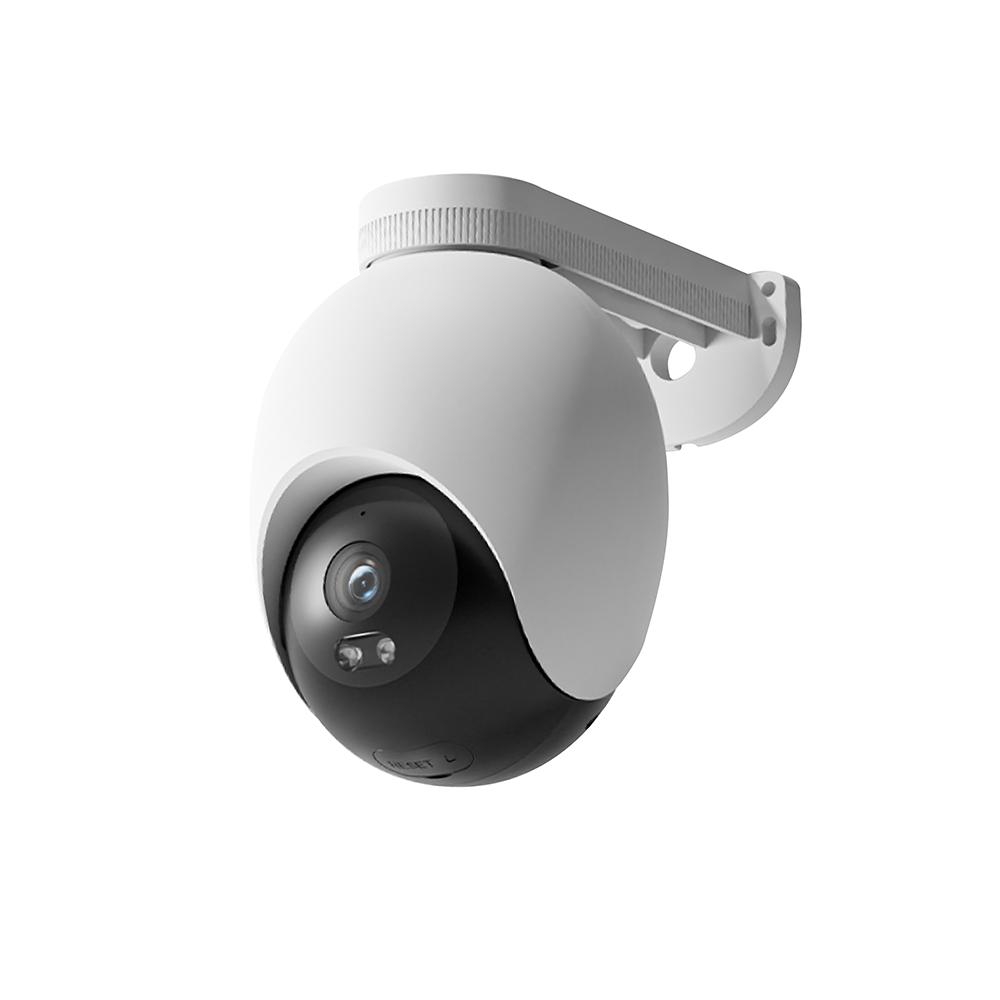
Verdict: IMILAB EC6
Our editorial rating based on product testing.
- 3K resolution with good image quality
- wall or ceiling mounting option
- pan in both horizontal and vertical directions
- multiple alarm variants with the option to upload your own message
- WiFi 6 support
- cheap-looking plastics
- no option to connect via LAN cable
- several false motion alerts
IMILAB EC6 is a new model from the popular series of smart outdoor cameras. In this case, the Chinese brand is not sticking to the usual numbering, so after the EC2 and EC4 models, the latest addition EC6 doesn’t indicate a battery wireless camera anymore. It’s more of a successor to the EC5 model.
In our detailed review, we’ll walk you through mounting the camera, pairing it with the app, and we’ll also try out all the features it offers. There will also be a test of motion detection as well as the reaction speed to recorded events.
Where to buy IMILAB EC6?
IMILAB EC6 is currently available from the seller Banggood in the China warehouse, and with Banggood Priority Shipping it may arrive to you within 20 business days. The price also includes VAT and customs fees.
IMILAB EC6
 PL warehouse
TIPExpress delivery from a Polish warehouse without customs duty and VAT.
This product will be delivered to you express from a local Polish warehouse. Shipping from Poland usually takes 7-10 days and is handled by a courier. On delivery, you won’t pay any extra fees—no customs duty and no VAT.
Technical specifications
| Model | IMILAB EC6 (CMSXJ65A) |
|---|---|
| Dimensions | 161 x 105 x 150 mm |
| Power | 12 V / 1 A |
| Resolution | 5 MPx (2960 x 1666 px) |
| Aperture | f/2 |
| Rotation | 360° horizontal and 100° vertical |
| Zoom | 6-x |
| Video Compression | H.265 |
| IR light | 2*850 nm |
| Max IR range | 30 m |
| Suitable for temperatures | -30 up to 60 °C |
| IP rating | IP66 |
| WiFi | version 6 / 2.4 GHz |
| Memory Card | yes (max 256 GB) |
| Cable length | 3m |
Standard package with the necessary accessories
The IMILAB EC6 camera was delivered to us by Packeta courier in a compact box measuring 17 x 11.5 x 16 cm. The box was placed in a standard plastic envelope.

Inside, we found the camera wrapped in bubble wrap with a protective sticker on the lens itself. In a separate small box there are the accessories. These include a power cable with an adapter, screws and wall plugs for mounting the camera, drilling templates, and a brief manual.

The package includes everything you need to connect and mount the camera, but its quality could be better. The camera arrived undamaged, but the way it was packed—just bubble wrap sealed with adhesive tape—doesn’t make the best impression. The brand’s top model definitely deserves more premium packaging.

IMILAB EC6: Design and build quality
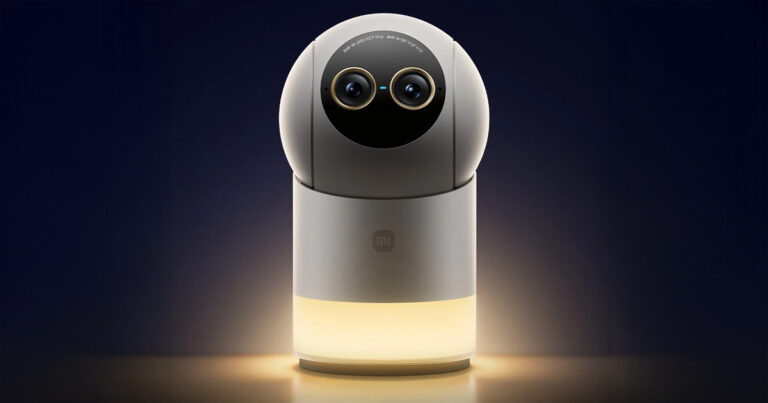
The IMILAB EC6 outdoor camera is fairly large, but lightweight. Its shape resembles an egg, and we have to admit it probably won’t win any design awards. At first glance, it doesn’t feel premium at all, even though it’s the brand’s top model.

Its design is very simple, and the build quality isn’t at the highest level. The entire camera is plastic and gives a rather cheap impression.
In terms of construction, it’s a pan-and-tilt camera in both directions: horizontal and vertical. Horizontally it covers thanks to rotating around its own axis by 360°, and vertically by 100°. In the vertical direction, the internal black part of the camera moves, where you’ll also find the lens, an LED light, a PIR sensor, and an infrared light for night vision.

The camera supports microSD cards, with the slot on the bottom side behind a rubber cover. Since it also supports two-way audio, there’s a microphone in the front and a speaker at the back.
Installation and setup
IMILAB EC6 outdoor camera doesn’t require any base station to work, but it connects directly to your home WiFi network. Unlike older models, it has only WiFi, even though it currently supports the WiFi 6 version (only), with no alternative option for a wired connection via a LAN cable.


Since the camera doesn’t have a battery, you plug it into the power outlet using a cable. As for installation, we can mount the new camera using its built-in bracket to the wall or ceiling. For both mounting options, drilling templates are also available for wall plugs or screws into wood.

We chose to mount it onto the wooden structure of our garden gazebo, using the pair of included screws. The new model in our garden replaced the older one, EC5. IMILAB EC6 has a slightly different stand, so we couldn’t use the existing holes.


Pairing IMILAB EC6 with a smartphone app
The new model works with the Xiaomi Home app, just like the older model. Pairing is simple and fast. The app recognized the camera immediately near our smartphone, so we didn’t have to search for it in the device list.


During pairing, the app asks you to enter the password for your WiFi network and to scan the QR code from the camera, but we couldn’t find it anywhere. So we chose an alternative— a numeric code prompted by the camera—which we entered into the app for verification.
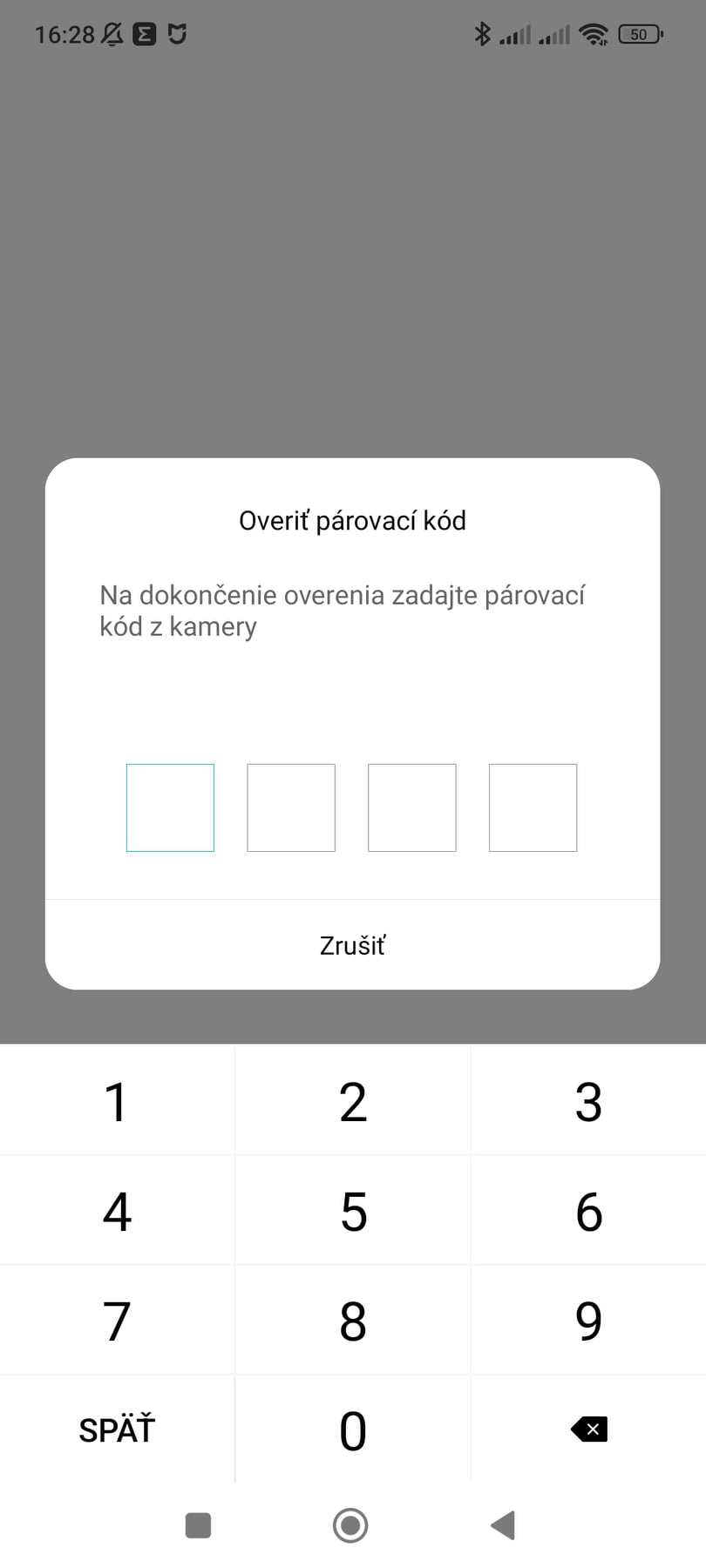


After that, pairing happens automatically, and the app only asks you to select the room where the camera will be added, along with its name.
The app environment didn’t change
Personally, we’ve been using the Xiaomi Home app for a long time for various cameras and thermometers. The interface for this specific camera is identical to what we’re used to from other cameras.


The home screen is dominated by the camera live preview, with 5 buttons. Specifically, you can switch to sleep mode, which also stops recording, set the resolution, turn the lights, sound on or off, and switch to full-screen mode.

Under the video preview there are another 5 buttons. These are for enabling the alarm, two-way audio, taking a photo or video, and showing the buttons for controlling the pan/tilt.
In the lower half of the screen, you’ll find four main menu options: space monitoring records, playback of recorded footage, storage management, and AI features, which we’ll talk about later.
High image quality and night mode
IMILAB EC6 offers up to 3K resolution (2960 x 1666 px) thanks to the 5 MPx camera lens. The image is sharp, clean, and with fairly rich, high-contrast color rendering. The camera supports automatic resolution selection based on the quality of your internet connection, or you can manually set 480p or 3K.

There’s also up to 6-times zoom, but it’s no longer lossless. In real use, 3-times zoom is still quite acceptable, but higher zoom levels start noticeably reducing image quality and sharpness. However, if you don’t need to recognize all the tiny details, 6-times zoom is a good alternative for getting a closer view.


A night mode is also available, where you can choose between a traditional black-and-white look or a color one. The camera achieves this using LED diodes that serve as illumination. In this case, though, image quality drops more noticeably, so we personally prefer the traditional black-and-white image.

In the following chapters, you’ll find video samples from both versions of night mode—black-and-white and color—shown side by side via –.
Video recording options
Since it’s a wired camera, you get the benefit of continuous video recording. There’s one condition, though: a microSD card. Without it, every new user gets free cloud storage only for recording short video clips from space monitoring, with limited validity for 3 months.


If you wanted to subscribe to cloud storage instead of using a microSD card, it costs 4.99 EUR per month. Personally, we used a microSD card instead—specifically 64 GB—which is enough for just 5 days of continuous video recording for this camera.
IMILAB EC6: Space monitoring and motion alerts
After not the best experience with the EC5 model, we were curious to see how the motion alerts in the camera’s field of view would work with the new model. Monitoring needs to be enabled first in the settings, where you’ll find several custom options for this feature.

The first option is 24-hour monitoring, or daily, night, or custom. Daytime runs from 8 in the morning to 8 in the evening, and nighttime is the rest of the time. Ideally, though, set your own interval or use continuous monitoring. It’s a shame we can’t schedule monitoring for individual days separately—at least not separately for weekdays and weekends.


You also get intensity settings (low and high), the interval between alarms, and the type of individual notifications. This includes notifications when a vehicle is detected, a non-motor vehicle, people, changes in the image overall, or in a smart scene where the camera is used.
The last-mentioned options are actually AI features that we mentioned earlier as well. In a separate AI functions menu, you’ll also find monitoring for a selected region. It still doesn’t work ideally, and it also monitors areas outside the selected region.


As for the other alerts, they mostly work correctly. The camera can detect whether it’s a person or other motion with no noticeable delay—almost instantly. However, with high sensitivity and all motion types enabled, the camera sends way too many alerts for every little movement. Just a light breeze, rain, or a fly passing in front of the camera—and you’ll get an alert right away.
After a few days, we left only person alerts with low sensitivity enabled. Even so, there are still some minor glitches—for example, in the video we might not see any person at all, but the camera marks the event as person motion.
Person motion tracking
In the settings, you’ll also find the Human Tracking feature, which means tracking the movement of the person the camera recognizes. Since it’s a pan-and-tilt camera, when it detects a moving person, it will turn to follow them.
However, this feature doesn’t work perfectly on most cameras we tested, and it’s no different here. The camera can’t keep up with turning fast enough to follow a moving person, and it gets confused. Especially with quicker movements, the person can easily slip out of the camera’s frame. With slower movements, it’s not that bad.
Alarm and two-way audio
Of course, there’s also an alarm feature that you can turn on manually for 30 seconds or automatically based on detected motion. But here the app also offers more advanced options—besides the standard alarm sound, you can choose a different sound, a message, or even record your own sound or spoken phrase. As for volume, it could definitely be louder. The alarm isn’t as loud as we’d expect.

The light alarm uses LED diodes. They can shine steadily or blink quickly or slowly.
Two-way audio is also a standard feature on these types of cameras, so you can basically talk to the person who’s near the camera. The sound quality is very good with a strong WiFi signal. Spoken words and all sounds are clear and audible in both directions—either in the app or on the camera itself. As for volume, we’d like the option to increase the maximum level.
IMILAB EC6: Final assessment
We had high expectations from the outdoor IMILAB EC6 camera, especially after our experience with the previous EC5 model, which didn’t work quite ideally—particularly when it came to motion alerts. The new camera offers a clear image with 3K resolution, the ability to pan horizontally and vertically, WiFi 6 connectivity, and continuous video recording to a memory card.

Overall, we’re satisfied with the camera, even though it has a few drawbacks. We couldn’t avoid unnecessary false alerts where there’s no motion at all, or inaccurate region monitoring and the so-called Human Tracking feature, which isn’t perfect.
Don’t miss the best coupons 📩
Subscribe and we’ll email you new coupons before they expire. We only send it once a month — no spam.