Our Xiaomi Planet website isn’t just about the latest news from this Chinese giant. Every day, we bring you the best discount coupons from our (mostly Chinese) partners with whom we have close cooperation.
BEST XIAOMI COUPONS IN OUR FB GROUP
Through the coupons, we want to help you save money—and we also offer additional customer VIP support .
Awesome March coupons in EU warehouses 🔥
We compiled a complete list of Xiaomi, Redmi and POCO smartphones that you can buy in the current sale events at the lowest prices of this year.
🎟️ Even more coupons: C oupons for Xiaomi smartphones and thousands of other products are in our coupon portal !
Some selected models, for example from sellers “mi688” and “mi_fans_store” on the DHgate marketplace, come with a guaranteed 2-year warranty . For other models, for example from sellers on AliExpress, this can’t be guaranteed.
14 Benefits of buying products from China via Xiaomi Planet Show Specifically, we work directly with the sellers on the DHgate shopping platform as the only website in Slovakia. With sellers “mi688” and “mi_fans_store,” you can count on customs-duty-free delivery straight from European warehouses that are based in Germany and Spain (usually 2–5 working days), 100% original products exclusively in global versions, fast communication if any issues need to be resolved, and also a 2-year warranty .
The 2-year warranty period with that seller currently applies to Xiaomi smartphones and tablets, which is always stated directly in the product on the photo. The warranty can be claimed at Xiaomi’s official service center, which in Slovakia and the Czech Republic is handled by the company VSP Data.
You can find the full list of smartphones and tablets below.
How do you apply a coupon correctly on the DHgate website?
1. On the DHgate page, register an account or log in. You can also log in via your Google account or Facebook.
2. In the price box for the product on our website, click our orange button Use the discount.
3. The discount coupon will be automatically copied to your clipboard, and you’ll be redirected to the DHgate product. There, click on “Buy Now “.
4. In the cart, first fill in the shipping address WITHOUT DIACRITICS.
5. Enter the discount coupon in this field:
6. If the coupon doesn’t apply on the first try, activate it a bit lower in the section where you see the selected item in your order.
Gadgets on sale:
Platba cez DHgate: The platform has finally launched safe and reliable Google Pay payments VIP support , which you get after downloading our extension for the Chrome browser on desktop only (when shopping on a smartphone, you can use the DHgate app).
Xiaomi Portable Electric Air Compressor 2 AliExpress, EU warehouse version 2D 33,63 € EU warehouse DHgate, German warehouse 33,68 € DE warehouse 44,14 € You save 10,51 €
33,63 €
Price history 4,59 € cheaper than the average price Cheapest 28,35 € Most expensive 44,14 €
3 mo. 6 mo. 1 year Max
Updated 13. 10. 2026 on 14:42 TIP Fast delivery from the Spanish warehouse with no customs duty and VAT.This product will be delivered to you quickly from a local Spanish warehouse. Shipping from Spain usually takes 7-10 days and is handled by a courier. When it arrives, you don’t pay any extra fees—no customs duty, no VAT.
Track this product’s price As soon as we post a new coupon, we’ll send you an email. You can unsubscribe from tracking anytime.
Buying on AliExpress for the first time?
This process is done through the AliExpress mobile app, where most people shop. Two things matter: don’t use Buy now and enter the coupon only in the order summary in the Promo code field. After you click Pay now , you can’t add it anymore.
Copy the code and click GET THE DISCOUNT In our article, copy the coupon and click the button GET THE DISCOUNT . The link will take you directly to the product in the AliExpress app. Use Add to cart, not Buy now On the product card, scroll down and click Add to cart . Don’t use the Buy now button—this skips the cart, so later you won’t have a place to enter the coupon. Before that, make sure the variant is correct: color, version, and whether it ships from an EU warehouse. Continue to Checkout via the cart A pop-up will appear: Added to cart! —tap Check it out . If it disappeared, open the cart using the icon in the bottom-right corner. In the cart, check the product and quantity, then tap the red Checkout button. Only the items marked with the red circle are included. Fill in your address and card, then look for Promo code In the order summary, first enter the delivery address and payment card at the top. Below that, there’s a line Promo code — expand it with the arrow on the right.
Look for this line under the address and payment method. Paste the code and confirm Apply In the field Promo code paste the copied code and click the black Apply . The code is case-sensitive and must not contain spaces.
Paste the code into the field and confirm by clicking the Apply button. Check your savings and pay In the section Summary expand the line Saved — you’ll see the applied coupon there as AliExpress coupons/codes . Only when Total is really lower, click Pay now .
The applied coupon will show up in the Saved line and reduce the Total.
Apply the discount again in the order summary. After you click Pay now, you can’t add a coupon anymore. If Apply shows an error, the code has either expired, doesn’t apply to your item, or your order doesn’t meet the minimum amount.
Store Coupon also belongs in the same field. — a coupon from the seller itself, which isn’t always available and changes day to day. It can’t be combined with an AliExpress coupon, so try both and go with the one that gives you more. Coins are added automatically.
Price history 5,80 € cheaper than the average price Cheapest 24,64 € Most expensive 33,80 €
3 mo. 6 mo. 1 year Max
Updated 13. 10. 2026 on 14:42 TIP Express delivery from the German warehouse with no customs duty and no VAT.This product will be delivered to you express from a local German warehouse. Delivery from Germany usually takes 7-10 days, and it’s brought by courier. When it arrives, you don’t pay any extra fees—no customs duty or VAT.
Track this product’s price As soon as we post a new coupon, we’ll send you an email. You can unsubscribe from tracking anytime.
Are you shopping on DHGate for the first time?
The process is in the DHgate mobile app. The Buy Now button takes you straight from the product page to checkout, and the coupon box is all the way at the very end of the page—which is why most people miss it and pay the full price.
Sign in and click Get the Discount On DHgate, create an account or log in—it also works via Google or Facebook. Then copy the coupon from our article and click the GET THE DISCOUNT button—it will open the exact product the code applies to. On the product page, click Buy Now DHgate redirects you from the product straight to checkout Place Order , and the cart is skipped. So before you click, check the variant—color, memory, and version. Fill in the address without diacritics and choose payment At the top of checkout, enter the delivery address—write your name, street, and city without accents and diacritics, otherwise the shipment may get stuck with the carrier. Then tap Select Payment Method . Also note the Ship from info—items shipped from the EU warehouse usually take days, and they don’t go through customs clearance. Scroll all the way down to the Coupon code line The coupon box is at the very end of the page, below the offer Buy It Together . Look for the line Coupon code with the text Enter code here and tap it.
You’ll find the Coupon code line only below the summary, above Order Total. Paste the code and confirm Apply A window will open Use Promo Code . Paste the copied code into it and tap the yellow Apply . Enter the code exactly, including uppercase letters and without spaces.
Paste the code into the Use Promo Code window and confirm with the Apply button. Check the discount and pay You’ll see the applied coupon in the Saved line — when you open it, it will show as DH Coupon . Only when Order Total really lower, tap Confirm to pay .
After opening the Saved line, you can see the applied coupon as DH Coupon.
You only have about half an hour to pay. There’s a countdown on the Confirm to pay button — when it runs out, the order is canceled and you have to create it again. So enter the coupon before you start paying.
DHgate sometimes adds a discount automatically. The Saved line may already be filled in before you enter any code. After pressing Apply, compare the Order Total — if it didn’t go down, the code either wasn’t applied or it’s weaker than the discount DHgate gave you automatically.
German warehouse, 2 years warranty 38,47 € DE warehouse French warehouse, Aliexpress 44,81 € FR warehouse SK warehouse, 2 years warranty 41,40 € SK warehouse 49,90 € You save 11,43 €
38,47 €
Coupon DHGATDEALMAR8Copied!
Price history 1,94 € cheaper than the average price Cheapest 36,17 € Most expensive 49,90 €
3 mo. 6 mo. 1 year Max
Updated 5. 11. 2025 on 14:21 TIP Express delivery from the German warehouse with no customs duty and no VAT.This product will be delivered to you express from a local German warehouse. Delivery from Germany usually takes 7-10 days, and it’s brought by courier. When it arrives, you don’t pay any extra fees—no customs duty or VAT.
Track this product’s price As soon as we post a new coupon, we’ll send you an email. You can unsubscribe from tracking anytime.
Are you shopping on DHGate for the first time?
The process is in the DHgate mobile app. The Buy Now button takes you straight from the product page to checkout, and the coupon box is all the way at the very end of the page—which is why most people miss it and pay the full price.
Sign in and click Get the Discount On DHgate, create an account or log in—it also works via Google or Facebook. Then copy the coupon from our article and click the GET THE DISCOUNT button—it will open the exact product the code applies to. On the product page, click Buy Now DHgate redirects you from the product straight to checkout Place Order , and the cart is skipped. So before you click, check the variant—color, memory, and version. Fill in the address without diacritics and choose payment At the top of checkout, enter the delivery address—write your name, street, and city without accents and diacritics, otherwise the shipment may get stuck with the carrier. Then tap Select Payment Method . Also note the Ship from info—items shipped from the EU warehouse usually take days, and they don’t go through customs clearance. Scroll all the way down to the Coupon code line The coupon box is at the very end of the page, below the offer Buy It Together . Look for the line Coupon code with the text Enter code here and tap it.
You’ll find the Coupon code line only below the summary, above Order Total. Paste the code and confirm Apply A window will open Use Promo Code . Paste the copied code into it and tap the yellow Apply . Enter the code exactly, including uppercase letters and without spaces.
Paste the code into the Use Promo Code window and confirm with the Apply button. Check the discount and pay You’ll see the applied coupon in the Saved line — when you open it, it will show as DH Coupon . Only when Order Total really lower, tap Confirm to pay .
After opening the Saved line, you can see the applied coupon as DH Coupon.
You only have about half an hour to pay. There’s a countdown on the Confirm to pay button — when it runs out, the order is canceled and you have to create it again. So enter the coupon before you start paying.
DHgate sometimes adds a discount automatically. The Saved line may already be filled in before you enter any code. After pressing Apply, compare the Order Total — if it didn’t go down, the code either wasn’t applied or it’s weaker than the discount DHgate gave you automatically.
49,90 € You save 5,09 €
44,81 €
Price history 3,19 € more expensive than the average price Cheapest 33,68 € Most expensive 49,15 €
3 mo. 6 mo. 1 year Max
Updated 5. 11. 2025 on 14:21 TIP Fast delivery from the French warehouse with no customs duty or VAT.This product will be delivered to you quickly from a local Spanish warehouse. Shipping from Spain usually takes 7-10 days and is handled by a courier. When it arrives, you don’t pay any extra fees—no customs duty, no VAT.
Track this product’s price As soon as we post a new coupon, we’ll send you an email. You can unsubscribe from tracking anytime.
Buying on AliExpress for the first time?
This process is done through the AliExpress mobile app, where most people shop. Two things matter: don’t use Buy now and enter the coupon only in the order summary in the Promo code field. After you click Pay now , you can’t add it anymore.
Copy the code and click GET THE DISCOUNT In our article, copy the coupon and click the button GET THE DISCOUNT . The link will take you directly to the product in the AliExpress app. Use Add to cart, not Buy now On the product card, scroll down and click Add to cart . Don’t use the Buy now button—this skips the cart, so later you won’t have a place to enter the coupon. Before that, make sure the variant is correct: color, version, and whether it ships from an EU warehouse. Continue to Checkout via the cart A pop-up will appear: Added to cart! —tap Check it out . If it disappeared, open the cart using the icon in the bottom-right corner. In the cart, check the product and quantity, then tap the red Checkout button. Only the items marked with the red circle are included. Fill in your address and card, then look for Promo code In the order summary, first enter the delivery address and payment card at the top. Below that, there’s a line Promo code — expand it with the arrow on the right.
Look for this line under the address and payment method. Paste the code and confirm Apply In the field Promo code paste the copied code and click the black Apply . The code is case-sensitive and must not contain spaces.
Paste the code into the field and confirm by clicking the Apply button. Check your savings and pay In the section Summary expand the line Saved — you’ll see the applied coupon there as AliExpress coupons/codes . Only when Total is really lower, click Pay now .
The applied coupon will show up in the Saved line and reduce the Total.
Apply the discount again in the order summary. After you click Pay now, you can’t add a coupon anymore. If Apply shows an error, the code has either expired, doesn’t apply to your item, or your order doesn’t meet the minimum amount.
Store Coupon also belongs in the same field. — a coupon from the seller itself, which isn’t always available and changes day to day. It can’t be combined with an AliExpress coupon, so try both and go with the one that gives you more. Coins are added automatically.
54,99 € You save 13,59 €
41,40 €
Price history 1,39 € cheaper than the average price Cheapest 40,23 € Most expensive 48,40 €
3 mo. 6 mo. 1 year Max
Updated 5. 11. 2025 on 14:21 TIP Express delivery from a Slovak warehouse within 1 to 3 business days.This product will be delivered to you express from a local Slovak warehouse. Delivery usually takes 1-3 business days and is handled by a courier. The price is final.
Track this product’s price As soon as we post a new coupon, we’ll send you an email. You can unsubscribe from tracking anytime.
Is it your first time shopping on Heureka? We’ll add a complete guide soon.
Xiaomi Planet shopping tip: GShopper has now launched direct bank transfer payments , so you can save another 4.5 % off the product price! Compared to card / Google Pay payment, you can get this product much cheaper. We described the full bank transfer payment process in our article
Xiaomi Mi TV Box S 2.th Gen DHgate, German warehouse, 2 years warranty 41,95 € DE warehouse Heureka, SK warehouse 52,39 € SK warehouse China warehouse, duty-free delivery, Gshopper 51,48 € Standard Shipping GShopper 72,80 € You save 30,85 €
41,95 €
Coupon DHGATDEALMAR8Copied!
Price history 5,96 € cheaper than the average price Cheapest 41,75 € Most expensive 72,80 €
3 mo. 6 mo. 1 year Max
Updated 5. 11. 2025 on 14:25 TIP Express delivery from the German warehouse with no customs duty and no VAT.This product will be delivered to you express from a local German warehouse. Delivery from Germany usually takes 7-10 days, and it’s brought by courier. When it arrives, you don’t pay any extra fees—no customs duty or VAT.
Track this product’s price As soon as we post a new coupon, we’ll send you an email. You can unsubscribe from tracking anytime.
Are you shopping on DHGate for the first time?
The process is in the DHgate mobile app. The Buy Now button takes you straight from the product page to checkout, and the coupon box is all the way at the very end of the page—which is why most people miss it and pay the full price.
Sign in and click Get the Discount On DHgate, create an account or log in—it also works via Google or Facebook. Then copy the coupon from our article and click the GET THE DISCOUNT button—it will open the exact product the code applies to. On the product page, click Buy Now DHgate redirects you from the product straight to checkout Place Order , and the cart is skipped. So before you click, check the variant—color, memory, and version. Fill in the address without diacritics and choose payment At the top of checkout, enter the delivery address—write your name, street, and city without accents and diacritics, otherwise the shipment may get stuck with the carrier. Then tap Select Payment Method . Also note the Ship from info—items shipped from the EU warehouse usually take days, and they don’t go through customs clearance. Scroll all the way down to the Coupon code line The coupon box is at the very end of the page, below the offer Buy It Together . Look for the line Coupon code with the text Enter code here and tap it.
You’ll find the Coupon code line only below the summary, above Order Total. Paste the code and confirm Apply A window will open Use Promo Code . Paste the copied code into it and tap the yellow Apply . Enter the code exactly, including uppercase letters and without spaces.
Paste the code into the Use Promo Code window and confirm with the Apply button. Check the discount and pay You’ll see the applied coupon in the Saved line — when you open it, it will show as DH Coupon . Only when Order Total really lower, tap Confirm to pay .
After opening the Saved line, you can see the applied coupon as DH Coupon.
You only have about half an hour to pay. There’s a countdown on the Confirm to pay button — when it runs out, the order is canceled and you have to create it again. So enter the coupon before you start paying.
DHgate sometimes adds a discount automatically. The Saved line may already be filled in before you enter any code. After pressing Apply, compare the Order Total — if it didn’t go down, the code either wasn’t applied or it’s weaker than the discount DHgate gave you automatically.
78,98 € You save 26,59 €
52,39 €
Price history 2,17 € cheaper than the average price Cheapest 49,20 € Most expensive 58,83 €
3 mo. 6 mo. 1 year Max
Updated 5. 11. 2025 on 14:25 TIP Express delivery from a Slovak warehouse within 1 to 3 business days.This product will be delivered to you express from a local Slovak warehouse. Delivery usually takes 1-3 business days and is handled by a courier. The price is final.
Track this product’s price As soon as we post a new coupon, we’ll send you an email. You can unsubscribe from tracking anytime.
Is it your first time shopping on Heureka? We’ll add a complete guide soon.
58,82 € You save 7,34 €
51,48 €
Coupon gshoppertvboxCopied!
Price history 3,07 € more expensive than the average price Cheapest 43,93 € Most expensive 58,82 €
3 mo. 6 mo. 1 year Max
Updated 5. 11. 2025 on 14:25 TIP With Standard Shipping via GShopper, you pay no extra fees—everything is already included!With the GShopper seller, we recommend choosing Standard Shipping, where you won’t pay anything extra. Customs fees and any VAT are handled by the seller. You can select the shipping method in the cart only, after entering your delivery address. Delivery with this option usually takes about 15 business days from dispatch from the warehouse, but it may take longer.
Track this product’s price As soon as we post a new coupon, we’ll send you an email. You can unsubscribe from tracking anytime.
Is it your first time shopping on GShopper?
GShopper is an international online store with warehouses not only in China, but also directly in the EU. You can complete your order in just a few minutes. Enter your address without diacritics, choose bank transfer as the payment method—it works out cheaper than a card—and enter the discount coupon before you submit your order.
Register or log in On GShopper, you create an account , or you can log in via Google or Facebook. You can also shop without registering, but with an account you’ll see your order status and it’s easier to handle any possible claim. Get to the product using our button In our article, click the GET THE DISCOUNT button—this will open exactly the product and the version the coupon applies to. Then on the product page, click Buy Now or Add to Cart . Fill in the address WITHOUT diacritics Write your name, street and city without accents — so Zilina , not Žilina . Foreign carrier systems can’t handle diacritics and the package may get stuck. Check your ZIP code and phone number, including the country code. Choose shipping and check the warehouse Most products come with free shipping—if Free Shipping is available, choose it. Items shipped from an EU warehouse arrive in 2 to 7 business days and don’t go through customs clearance; dispatch from China or Hong Kong takes 7 to 45 days depending on the shipping method you choose. Continue with the Next button. For payment, choose bank transfer and save In checkout, you pick from the available options Bank Transfer , Credit Card and PayPal . Choose bank transfer—GShopper gives you an additional discount that, depending on the product, is 3 to 4,5 % compared to card payment. In the order summary, you’ll see it as a separate line. GShopper will then show you the bank account number and the amount in the line Amount to Transfer and a reference that you need to include in the note for the recipient. You make the transfer in your bank; the account is held in EUR within the EU—so it’s a standard SEPA transfer.
The discount for bank transfer will appear as a separate line in the order summary. Enter the coupon and submit your order Put the coupon into the field Discount Code and confirm with the button Apply . Only one coupon can be applied at a time. The price in the summary must be recalculated right away—if it didn’t change, the coupon wasn’t applied. Then submit your order by clicking Place Order . After payment, you’ll receive a confirmation email and you can also find your order in your account under the section My Orders .
You’ll find the coupon box at checkout under the payment method selection.
Enter the coupon before you click on Place Order. A discount won’t be added automatically to the completed order. If you forget the promo code, you’ll have to write via [email protected] — they may not have to comply.You can change or cancel your order within 12 hours e-mail to [email protected] . Warranty varies by category: Xiaomi phones, Redmi and POCO have 24 months, tablets and e-scooters 12 months, earbuds, smartwatches and other Xiaomi products 6 months.
Standard version, EU warehouse, Global 75,98 € EU warehouse Standard version, SK warehouse, Heureka 61,71 € SK warehouse Standard version, CN warehouse 63,71 € Standard Shipping GShopper Gaming edition, CN warehouse 85,62 € Standard Shipping GShopper 79,68 € You save 3,70 €
75,98 €
Price history 16,90 € more expensive than the average price Cheapest 50,46 € Most expensive 75,98 €
3 mo. 6 mo. 1 year Max
Updated 22. 10. 2026 on 09:28 TIP Fast delivery from the Spanish warehouse with no customs duty and VAT.This product will be delivered to you quickly from a local Spanish warehouse. Shipping from Spain usually takes 7-10 days and is handled by a courier. When it arrives, you don’t pay any extra fees—no customs duty, no VAT.
Track this product’s price As soon as we post a new coupon, we’ll send you an email. You can unsubscribe from tracking anytime.
Buying on AliExpress for the first time?
This process is done through the AliExpress mobile app, where most people shop. Two things matter: don’t use Buy now and enter the coupon only in the order summary in the Promo code field. After you click Pay now , you can’t add it anymore.
Copy the code and click GET THE DISCOUNT In our article, copy the coupon and click the button GET THE DISCOUNT . The link will take you directly to the product in the AliExpress app. Use Add to cart, not Buy now On the product card, scroll down and click Add to cart . Don’t use the Buy now button—this skips the cart, so later you won’t have a place to enter the coupon. Before that, make sure the variant is correct: color, version, and whether it ships from an EU warehouse. Continue to Checkout via the cart A pop-up will appear: Added to cart! —tap Check it out . If it disappeared, open the cart using the icon in the bottom-right corner. In the cart, check the product and quantity, then tap the red Checkout button. Only the items marked with the red circle are included. Fill in your address and card, then look for Promo code In the order summary, first enter the delivery address and payment card at the top. Below that, there’s a line Promo code — expand it with the arrow on the right.
Look for this line under the address and payment method. Paste the code and confirm Apply In the field Promo code paste the copied code and click the black Apply . The code is case-sensitive and must not contain spaces.
Paste the code into the field and confirm by clicking the Apply button. Check your savings and pay In the section Summary expand the line Saved — you’ll see the applied coupon there as AliExpress coupons/codes . Only when Total is really lower, click Pay now .
The applied coupon will show up in the Saved line and reduce the Total.
Apply the discount again in the order summary. After you click Pay now, you can’t add a coupon anymore. If Apply shows an error, the code has either expired, doesn’t apply to your item, or your order doesn’t meet the minimum amount.
Store Coupon also belongs in the same field. — a coupon from the seller itself, which isn’t always available and changes day to day. It can’t be combined with an AliExpress coupon, so try both and go with the one that gives you more. Coins are added automatically.
85,90 € You save 24,19 €
61,71 €
Price history 0,01 € more expensive than the average price Cheapest 61,10 € Most expensive 62,30 €
3 mo. 6 mo. 1 year Max
Updated 22. 10. 2026 on 09:28 TIP Express delivery from a Slovak warehouse within 1 to 3 business days.This product will be delivered to you express from a local Slovak warehouse. Delivery usually takes 1-3 business days and is handled by a courier. The price is final.
Track this product’s price As soon as we post a new coupon, we’ll send you an email. You can unsubscribe from tracking anytime.
Is it your first time shopping on Heureka? We’ll add a complete guide soon.
78,86 € You save 15,15 €
63,71 €Card price 66,58 € (+4,5 %)
Price history 6,88 € cheaper than the average price Cheapest 63,71 € Most expensive 78,86 €
3 mo. 6 mo. 1 year Max
Updated 22. 10. 2026 on 09:28 TIP With Standard Shipping via GShopper, you pay no extra fees—everything is already included!With the GShopper seller, we recommend choosing Standard Shipping, where you won’t pay anything extra. Customs fees and any VAT are handled by the seller. You can select the shipping method in the cart only, after entering your delivery address. Delivery with this option usually takes about 15 business days from dispatch from the warehouse, but it may take longer.
Track this product’s price As soon as we post a new coupon, we’ll send you an email. You can unsubscribe from tracking anytime.
Is it your first time shopping on GShopper?
GShopper is an international online store with warehouses not only in China, but also directly in the EU. You can complete your order in just a few minutes. Enter your address without diacritics, choose bank transfer as the payment method—it works out cheaper than a card—and enter the discount coupon before you submit your order.
Register or log in On GShopper, you create an account , or you can log in via Google or Facebook. You can also shop without registering, but with an account you’ll see your order status and it’s easier to handle any possible claim. Get to the product using our button In our article, click the GET THE DISCOUNT button—this will open exactly the product and the version the coupon applies to. Then on the product page, click Buy Now or Add to Cart . Fill in the address WITHOUT diacritics Write your name, street and city without accents — so Zilina , not Žilina . Foreign carrier systems can’t handle diacritics and the package may get stuck. Check your ZIP code and phone number, including the country code. Choose shipping and check the warehouse Most products come with free shipping—if Free Shipping is available, choose it. Items shipped from an EU warehouse arrive in 2 to 7 business days and don’t go through customs clearance; dispatch from China or Hong Kong takes 7 to 45 days depending on the shipping method you choose. Continue with the Next button. For payment, choose bank transfer and save In checkout, you pick from the available options Bank Transfer , Credit Card and PayPal . Choose bank transfer—GShopper gives you an additional discount that, depending on the product, is 3 to 4,5 % compared to card payment. In the order summary, you’ll see it as a separate line. GShopper will then show you the bank account number and the amount in the line Amount to Transfer and a reference that you need to include in the note for the recipient. You make the transfer in your bank; the account is held in EUR within the EU—so it’s a standard SEPA transfer.
The discount for bank transfer will appear as a separate line in the order summary. Enter the coupon and submit your order Put the coupon into the field Discount Code and confirm with the button Apply . Only one coupon can be applied at a time. The price in the summary must be recalculated right away—if it didn’t change, the coupon wasn’t applied. Then submit your order by clicking Place Order . After payment, you’ll receive a confirmation email and you can also find your order in your account under the section My Orders .
You’ll find the coupon box at checkout under the payment method selection.
Enter the coupon before you click on Place Order. A discount won’t be added automatically to the completed order. If you forget the promo code, you’ll have to write via [email protected] — they may not have to comply.You can change or cancel your order within 12 hours e-mail to [email protected] . Warranty varies by category: Xiaomi phones, Redmi and POCO have 24 months, tablets and e-scooters 12 months, earbuds, smartwatches and other Xiaomi products 6 months.
Price history 2,46 € cheaper than the average price Cheapest 85,52 € Most expensive 95,02 €
3 mo. 6 mo. 1 year Max
Updated 22. 10. 2026 on 09:28 TIP With Standard Shipping via GShopper, you pay no extra fees—everything is already included!With the GShopper seller, we recommend choosing Standard Shipping, where you won’t pay anything extra. Customs fees and any VAT are handled by the seller. You can select the shipping method in the cart only, after entering your delivery address. Delivery with this option usually takes about 15 business days from dispatch from the warehouse, but it may take longer.
Track this product’s price As soon as we post a new coupon, we’ll send you an email. You can unsubscribe from tracking anytime.
Is it your first time shopping on GShopper?
GShopper is an international online store with warehouses not only in China, but also directly in the EU. You can complete your order in just a few minutes. Enter your address without diacritics, choose bank transfer as the payment method—it works out cheaper than a card—and enter the discount coupon before you submit your order.
Register or log in On GShopper, you create an account , or you can log in via Google or Facebook. You can also shop without registering, but with an account you’ll see your order status and it’s easier to handle any possible claim. Get to the product using our button In our article, click the GET THE DISCOUNT button—this will open exactly the product and the version the coupon applies to. Then on the product page, click Buy Now or Add to Cart . Fill in the address WITHOUT diacritics Write your name, street and city without accents — so Zilina , not Žilina . Foreign carrier systems can’t handle diacritics and the package may get stuck. Check your ZIP code and phone number, including the country code. Choose shipping and check the warehouse Most products come with free shipping—if Free Shipping is available, choose it. Items shipped from an EU warehouse arrive in 2 to 7 business days and don’t go through customs clearance; dispatch from China or Hong Kong takes 7 to 45 days depending on the shipping method you choose. Continue with the Next button. For payment, choose bank transfer and save In checkout, you pick from the available options Bank Transfer , Credit Card and PayPal . Choose bank transfer—GShopper gives you an additional discount that, depending on the product, is 3 to 4,5 % compared to card payment. In the order summary, you’ll see it as a separate line. GShopper will then show you the bank account number and the amount in the line Amount to Transfer and a reference that you need to include in the note for the recipient. You make the transfer in your bank; the account is held in EUR within the EU—so it’s a standard SEPA transfer.
The discount for bank transfer will appear as a separate line in the order summary. Enter the coupon and submit your order Put the coupon into the field Discount Code and confirm with the button Apply . Only one coupon can be applied at a time. The price in the summary must be recalculated right away—if it didn’t change, the coupon wasn’t applied. Then submit your order by clicking Place Order . After payment, you’ll receive a confirmation email and you can also find your order in your account under the section My Orders .
You’ll find the coupon box at checkout under the payment method selection.
Enter the coupon before you click on Place Order. A discount won’t be added automatically to the completed order. If you forget the promo code, you’ll have to write via [email protected] — they may not have to comply.You can change or cancel your order within 12 hours e-mail to [email protected] . Warranty varies by category: Xiaomi phones, Redmi and POCO have 24 months, tablets and e-scooters 12 months, earbuds, smartwatches and other Xiaomi products 6 months.
German warehouse, 2 years warranty 43,96 € DE warehouse Slovak market 55,80 € SK warehouse 67,58 € You save 23,62 €
43,96 €
Coupon DHGATDEALMAR10Copied!
Price history 12,19 € cheaper than the average price Cheapest 43,96 € Most expensive 67,58 €
3 mo. 6 mo. 1 year Max
Updated 25. 11. 2025 on 17:24 TIP Express delivery from the German warehouse with no customs duty and no VAT.This product will be delivered to you express from a local German warehouse. Delivery from Germany usually takes 7-10 days, and it’s brought by courier. When it arrives, you don’t pay any extra fees—no customs duty or VAT.
Track this product’s price As soon as we post a new coupon, we’ll send you an email. You can unsubscribe from tracking anytime.
Are you shopping on DHGate for the first time?
The process is in the DHgate mobile app. The Buy Now button takes you straight from the product page to checkout, and the coupon box is all the way at the very end of the page—which is why most people miss it and pay the full price.
Sign in and click Get the Discount On DHgate, create an account or log in—it also works via Google or Facebook. Then copy the coupon from our article and click the GET THE DISCOUNT button—it will open the exact product the code applies to. On the product page, click Buy Now DHgate redirects you from the product straight to checkout Place Order , and the cart is skipped. So before you click, check the variant—color, memory, and version. Fill in the address without diacritics and choose payment At the top of checkout, enter the delivery address—write your name, street, and city without accents and diacritics, otherwise the shipment may get stuck with the carrier. Then tap Select Payment Method . Also note the Ship from info—items shipped from the EU warehouse usually take days, and they don’t go through customs clearance. Scroll all the way down to the Coupon code line The coupon box is at the very end of the page, below the offer Buy It Together . Look for the line Coupon code with the text Enter code here and tap it.
You’ll find the Coupon code line only below the summary, above Order Total. Paste the code and confirm Apply A window will open Use Promo Code . Paste the copied code into it and tap the yellow Apply . Enter the code exactly, including uppercase letters and without spaces.
Paste the code into the Use Promo Code window and confirm with the Apply button. Check the discount and pay You’ll see the applied coupon in the Saved line — when you open it, it will show as DH Coupon . Only when Order Total really lower, tap Confirm to pay .
After opening the Saved line, you can see the applied coupon as DH Coupon.
You only have about half an hour to pay. There’s a countdown on the Confirm to pay button — when it runs out, the order is canceled and you have to create it again. So enter the coupon before you start paying.
DHgate sometimes adds a discount automatically. The Saved line may already be filled in before you enter any code. After pressing Apply, compare the Order Total — if it didn’t go down, the code either wasn’t applied or it’s weaker than the discount DHgate gave you automatically.
69,90 € You save 14,10 €
55,80 €
Price history 3,28 € cheaper than the average price Cheapest 60,60 € Most expensive 69,90 €
3 mo. 6 mo. 1 year Max
More coupons
89,53 € 69,90 €
Without a coupon Use Updated 25. 11. 2025 on 17:24 TIP Express delivery from a Slovak warehouse within 1 to 3 business days.This product will be delivered to you express from a local Slovak warehouse. Delivery usually takes 1-3 business days and is handled by a courier. The price is final.
Track this product’s price As soon as we post a new coupon, we’ll send you an email. You can unsubscribe from tracking anytime.
Is it your first time shopping on Heureka? We’ll add a complete guide soon.
Redmi Watch 5 Global version German warehouse, Aliexpress 75,02 € DE warehouse SK warehouse, Obsidian Black 81,99 € SK warehouse SK warehouse, Lavender Purple 80,99 € SK warehouse SK warehouse, Silver Gray 80,99 € SK warehouse 82,99 € You save 7,97 €
75,02 €
Price history 0,44 € more expensive than the average price Cheapest 67,60 € Most expensive 96,08 €
3 mo. 6 mo. 1 year Max
Updated 7. 1. 2026 on 07:59 TIP Express delivery from the German warehouse with no customs duty and no VAT.This product will be delivered to you express from a local German warehouse. Delivery from Germany usually takes 7-10 days, and it’s brought by courier. When it arrives, you don’t pay any extra fees—no customs duty or VAT.
Track this product’s price As soon as we post a new coupon, we’ll send you an email. You can unsubscribe from tracking anytime.
Buying on AliExpress for the first time?
This process is done through the AliExpress mobile app, where most people shop. Two things matter: don’t use Buy now and enter the coupon only in the order summary in the Promo code field. After you click Pay now , you can’t add it anymore.
Copy the code and click GET THE DISCOUNT In our article, copy the coupon and click the button GET THE DISCOUNT . The link will take you directly to the product in the AliExpress app. Use Add to cart, not Buy now On the product card, scroll down and click Add to cart . Don’t use the Buy now button—this skips the cart, so later you won’t have a place to enter the coupon. Before that, make sure the variant is correct: color, version, and whether it ships from an EU warehouse. Continue to Checkout via the cart A pop-up will appear: Added to cart! —tap Check it out . If it disappeared, open the cart using the icon in the bottom-right corner. In the cart, check the product and quantity, then tap the red Checkout button. Only the items marked with the red circle are included. Fill in your address and card, then look for Promo code In the order summary, first enter the delivery address and payment card at the top. Below that, there’s a line Promo code — expand it with the arrow on the right.
Look for this line under the address and payment method. Paste the code and confirm Apply In the field Promo code paste the copied code and click the black Apply . The code is case-sensitive and must not contain spaces.
Paste the code into the field and confirm by clicking the Apply button. Check your savings and pay In the section Summary expand the line Saved — you’ll see the applied coupon there as AliExpress coupons/codes . Only when Total is really lower, click Pay now .
The applied coupon will show up in the Saved line and reduce the Total.
Apply the discount again in the order summary. After you click Pay now, you can’t add a coupon anymore. If Apply shows an error, the code has either expired, doesn’t apply to your item, or your order doesn’t meet the minimum amount.
Store Coupon also belongs in the same field. — a coupon from the seller itself, which isn’t always available and changes day to day. It can’t be combined with an AliExpress coupon, so try both and go with the one that gives you more. Coins are added automatically.
103,90 € You save 21,91 €
81,99 €
Price history 16,05 € cheaper than the average price Cheapest 80,99 € Most expensive 111,90 €
3 mo. 6 mo. 1 year Max
More coupons
111,90 €
Without a coupon Use Updated 7. 1. 2026 on 07:59 TIP Express delivery from a Slovak warehouse within 1 to 3 business days.This product will be delivered to you express from a local Slovak warehouse. Delivery usually takes 1-3 business days and is handled by a courier. The price is final.
Track this product’s price As soon as we post a new coupon, we’ll send you an email. You can unsubscribe from tracking anytime.
Are you buying on Smarty.sk for the first time? 103,90 € You save 22,91 €
80,99 €
Price history 18,08 € cheaper than the average price Cheapest 80,99 € Most expensive 111,90 €
3 mo. 6 mo. 1 year Max
More coupons
111,90 €
Without a coupon Use Updated 7. 1. 2026 on 07:59 TIP Express delivery from a Slovak warehouse within 1 to 3 business days.This product will be delivered to you express from a local Slovak warehouse. Delivery usually takes 1-3 business days and is handled by a courier. The price is final.
Track this product’s price As soon as we post a new coupon, we’ll send you an email. You can unsubscribe from tracking anytime.
Are you buying on Smarty.sk for the first time? 103,90 € You save 22,91 €
80,99 €
Price history 20,06 € cheaper than the average price Cheapest 80,99 € Most expensive 111,90 €
3 mo. 6 mo. 1 year Max
More coupons
111,90 €
Without a coupon Use Updated 7. 1. 2026 on 07:59 TIP Express delivery from a Slovak warehouse within 1 to 3 business days.This product will be delivered to you express from a local Slovak warehouse. Delivery usually takes 1-3 business days and is handled by a courier. The price is final.
Track this product’s price As soon as we post a new coupon, we’ll send you an email. You can unsubscribe from tracking anytime.
Are you buying on Smarty.sk for the first time?
Smartphones on sale:
Redmi Note 14 Pro+ 5G Global Version EU warehouse, 8 + 256 GB 245,55 € FR warehouse Slovak warehouse, 12 + 512 GB, 2 years warranty 300,00 € SK warehouse 275,55 € You save 30,00 €
245,55 €
Price history 38,88 € cheaper than the average price Cheapest 222,75 € Most expensive 479,00 €
3 mo. 6 mo. 1 year Max
Updated 21. 2. 2026 on 16:14 TIP Fast delivery from the French warehouse with no customs duty or VAT.This product will be delivered to you quickly from a local Spanish warehouse. Shipping from Spain usually takes 7-10 days and is handled by a courier. When it arrives, you don’t pay any extra fees—no customs duty, no VAT.
Track this product’s price As soon as we post a new coupon, we’ll send you an email. You can unsubscribe from tracking anytime.
Buying on AliExpress for the first time?
This process is done through the AliExpress mobile app, where most people shop. Two things matter: don’t use Buy now and enter the coupon only in the order summary in the Promo code field. After you click Pay now , you can’t add it anymore.
Copy the code and click GET THE DISCOUNT In our article, copy the coupon and click the button GET THE DISCOUNT . The link will take you directly to the product in the AliExpress app. Use Add to cart, not Buy now On the product card, scroll down and click Add to cart . Don’t use the Buy now button—this skips the cart, so later you won’t have a place to enter the coupon. Before that, make sure the variant is correct: color, version, and whether it ships from an EU warehouse. Continue to Checkout via the cart A pop-up will appear: Added to cart! —tap Check it out . If it disappeared, open the cart using the icon in the bottom-right corner. In the cart, check the product and quantity, then tap the red Checkout button. Only the items marked with the red circle are included. Fill in your address and card, then look for Promo code In the order summary, first enter the delivery address and payment card at the top. Below that, there’s a line Promo code — expand it with the arrow on the right.
Look for this line under the address and payment method. Paste the code and confirm Apply In the field Promo code paste the copied code and click the black Apply . The code is case-sensitive and must not contain spaces.
Paste the code into the field and confirm by clicking the Apply button. Check your savings and pay In the section Summary expand the line Saved — you’ll see the applied coupon there as AliExpress coupons/codes . Only when Total is really lower, click Pay now .
The applied coupon will show up in the Saved line and reduce the Total.
Apply the discount again in the order summary. After you click Pay now, you can’t add a coupon anymore. If Apply shows an error, the code has either expired, doesn’t apply to your item, or your order doesn’t meet the minimum amount.
Store Coupon also belongs in the same field. — a coupon from the seller itself, which isn’t always available and changes day to day. It can’t be combined with an AliExpress coupon, so try both and go with the one that gives you more. Coins are added automatically.
499,00 € You save 199,00 €
300,00 €
Price history 81,51 € cheaper than the average price Cheapest 289,90 € Most expensive 499,00 €
3 mo. 6 mo. 1 year Max
Updated 21. 2. 2026 on 16:14 TIP Express delivery from a Slovak warehouse within 1 to 3 business days.This product will be delivered to you express from a local Slovak warehouse. Delivery usually takes 1-3 business days and is handled by a courier. The price is final.
Track this product’s price As soon as we post a new coupon, we’ll send you an email. You can unsubscribe from tracking anytime.
Is it your first time shopping on Heureka? We’ll add a complete guide soon.
Redmi Note 14 Pro 5G Global Version ES warehouse, 8 + 256 GB, 2 years warranty 207,92 € EU warehouse ES warehouse, 12 + 256 GB, 2 years warranty 231,52 € EU warehouse ES warehouse, 12 + 512 GB, 2 years warranty 240,60 € EU warehouse 255,02 € You save 47,10 €
207,92 €
Price history 29,40 € cheaper than the average price Cheapest 200,35 € Most expensive 399,00 €
3 mo. 6 mo. 1 year Max
Updated 16. 10. 2026 on 06:59 TIP Fast delivery from the Spanish warehouse with no customs duty and VAT.This product will be delivered to you quickly from a local Spanish warehouse. Shipping from Spain usually takes 7-10 days and is handled by a courier. When it arrives, you don’t pay any extra fees—no customs duty, no VAT.
Track this product’s price As soon as we post a new coupon, we’ll send you an email. You can unsubscribe from tracking anytime.
Are you shopping on DHGate for the first time?
The process is in the DHgate mobile app. The Buy Now button takes you straight from the product page to checkout, and the coupon box is all the way at the very end of the page—which is why most people miss it and pay the full price.
Sign in and click Get the Discount On DHgate, create an account or log in—it also works via Google or Facebook. Then copy the coupon from our article and click the GET THE DISCOUNT button—it will open the exact product the code applies to. On the product page, click Buy Now DHgate redirects you from the product straight to checkout Place Order , and the cart is skipped. So before you click, check the variant—color, memory, and version. Fill in the address without diacritics and choose payment At the top of checkout, enter the delivery address—write your name, street, and city without accents and diacritics, otherwise the shipment may get stuck with the carrier. Then tap Select Payment Method . Also note the Ship from info—items shipped from the EU warehouse usually take days, and they don’t go through customs clearance. Scroll all the way down to the Coupon code line The coupon box is at the very end of the page, below the offer Buy It Together . Look for the line Coupon code with the text Enter code here and tap it.
You’ll find the Coupon code line only below the summary, above Order Total. Paste the code and confirm Apply A window will open Use Promo Code . Paste the copied code into it and tap the yellow Apply . Enter the code exactly, including uppercase letters and without spaces.
Paste the code into the Use Promo Code window and confirm with the Apply button. Check the discount and pay You’ll see the applied coupon in the Saved line — when you open it, it will show as DH Coupon . Only when Order Total really lower, tap Confirm to pay .
After opening the Saved line, you can see the applied coupon as DH Coupon.
You only have about half an hour to pay. There’s a countdown on the Confirm to pay button — when it runs out, the order is canceled and you have to create it again. So enter the coupon before you start paying.
DHgate sometimes adds a discount automatically. The Saved line may already be filled in before you enter any code. After pressing Apply, compare the Order Total — if it didn’t go down, the code either wasn’t applied or it’s weaker than the discount DHgate gave you automatically.
259,05 € You save 27,53 €
231,52 €
Price history 7,86 € cheaper than the average price Cheapest 223,11 € Most expensive 291,72 €
3 mo. 6 mo. 1 year Max
Updated 16. 10. 2026 on 06:59 TIP Fast delivery from the Spanish warehouse with no customs duty and VAT.This product will be delivered to you quickly from a local Spanish warehouse. Shipping from Spain usually takes 7-10 days and is handled by a courier. When it arrives, you don’t pay any extra fees—no customs duty, no VAT.
Track this product’s price As soon as we post a new coupon, we’ll send you an email. You can unsubscribe from tracking anytime.
Are you shopping on DHGate for the first time?
The process is in the DHgate mobile app. The Buy Now button takes you straight from the product page to checkout, and the coupon box is all the way at the very end of the page—which is why most people miss it and pay the full price.
Sign in and click Get the Discount On DHgate, create an account or log in—it also works via Google or Facebook. Then copy the coupon from our article and click the GET THE DISCOUNT button—it will open the exact product the code applies to. On the product page, click Buy Now DHgate redirects you from the product straight to checkout Place Order , and the cart is skipped. So before you click, check the variant—color, memory, and version. Fill in the address without diacritics and choose payment At the top of checkout, enter the delivery address—write your name, street, and city without accents and diacritics, otherwise the shipment may get stuck with the carrier. Then tap Select Payment Method . Also note the Ship from info—items shipped from the EU warehouse usually take days, and they don’t go through customs clearance. Scroll all the way down to the Coupon code line The coupon box is at the very end of the page, below the offer Buy It Together . Look for the line Coupon code with the text Enter code here and tap it.
You’ll find the Coupon code line only below the summary, above Order Total. Paste the code and confirm Apply A window will open Use Promo Code . Paste the copied code into it and tap the yellow Apply . Enter the code exactly, including uppercase letters and without spaces.
Paste the code into the Use Promo Code window and confirm with the Apply button. Check the discount and pay You’ll see the applied coupon in the Saved line — when you open it, it will show as DH Coupon . Only when Order Total really lower, tap Confirm to pay .
After opening the Saved line, you can see the applied coupon as DH Coupon.
You only have about half an hour to pay. There’s a countdown on the Confirm to pay button — when it runs out, the order is canceled and you have to create it again. So enter the coupon before you start paying.
DHgate sometimes adds a discount automatically. The Saved line may already be filled in before you enter any code. After pressing Apply, compare the Order Total — if it didn’t go down, the code either wasn’t applied or it’s weaker than the discount DHgate gave you automatically.
267,69 € You save 27,09 €
240,60 €
Price history 0,88 € cheaper than the average price Cheapest 233,15 € Most expensive 274,50 €
3 mo. 6 mo. 1 year Max
Updated 16. 10. 2026 on 06:59 TIP Fast delivery from the Spanish warehouse with no customs duty and VAT.This product will be delivered to you quickly from a local Spanish warehouse. Shipping from Spain usually takes 7-10 days and is handled by a courier. When it arrives, you don’t pay any extra fees—no customs duty, no VAT.
Track this product’s price As soon as we post a new coupon, we’ll send you an email. You can unsubscribe from tracking anytime.
Are you shopping on DHGate for the first time?
The process is in the DHgate mobile app. The Buy Now button takes you straight from the product page to checkout, and the coupon box is all the way at the very end of the page—which is why most people miss it and pay the full price.
Sign in and click Get the Discount On DHgate, create an account or log in—it also works via Google or Facebook. Then copy the coupon from our article and click the GET THE DISCOUNT button—it will open the exact product the code applies to. On the product page, click Buy Now DHgate redirects you from the product straight to checkout Place Order , and the cart is skipped. So before you click, check the variant—color, memory, and version. Fill in the address without diacritics and choose payment At the top of checkout, enter the delivery address—write your name, street, and city without accents and diacritics, otherwise the shipment may get stuck with the carrier. Then tap Select Payment Method . Also note the Ship from info—items shipped from the EU warehouse usually take days, and they don’t go through customs clearance. Scroll all the way down to the Coupon code line The coupon box is at the very end of the page, below the offer Buy It Together . Look for the line Coupon code with the text Enter code here and tap it.
You’ll find the Coupon code line only below the summary, above Order Total. Paste the code and confirm Apply A window will open Use Promo Code . Paste the copied code into it and tap the yellow Apply . Enter the code exactly, including uppercase letters and without spaces.
Paste the code into the Use Promo Code window and confirm with the Apply button. Check the discount and pay You’ll see the applied coupon in the Saved line — when you open it, it will show as DH Coupon . Only when Order Total really lower, tap Confirm to pay .
After opening the Saved line, you can see the applied coupon as DH Coupon.
You only have about half an hour to pay. There’s a countdown on the Confirm to pay button — when it runs out, the order is canceled and you have to create it again. So enter the coupon before you start paying.
DHgate sometimes adds a discount automatically. The Saved line may already be filled in before you enter any code. After pressing Apply, compare the Order Total — if it didn’t go down, the code either wasn’t applied or it’s weaker than the discount DHgate gave you automatically.
Redmi Note 14 Pro 4G Global Version ES warehouse, 8 + 256 GB, 45 W charger, 2y warranty 166,07 € EU warehouse ES warehouse, 12 + 512 GB, 45 W charger, 2y warranty 219,06 € EU warehouse ES warehouse, 12 + 256 GB, 45 W charger, 2y warranty 178,38 € EU warehouse German warehouse, 8 + 256 GB, 2 years warranty 170,72 € DE warehouse Slovak warehouse, 8 + 256 GB, 2 years warranty 199,00 € SK warehouse
Price history 29,61 € cheaper than the average price Cheapest 165,20 € Most expensive 349,00 €
3 mo. 6 mo. 1 year Max
Updated 3. 12. 2025 on 15:51 TIP Fast delivery from the Spanish warehouse with no customs duty and VAT.This product will be delivered to you quickly from a local Spanish warehouse. Shipping from Spain usually takes 7-10 days and is handled by a courier. When it arrives, you don’t pay any extra fees—no customs duty, no VAT.
Track this product’s price As soon as we post a new coupon, we’ll send you an email. You can unsubscribe from tracking anytime.
Are you shopping on DHGate for the first time?
The process is in the DHgate mobile app. The Buy Now button takes you straight from the product page to checkout, and the coupon box is all the way at the very end of the page—which is why most people miss it and pay the full price.
Sign in and click Get the Discount On DHgate, create an account or log in—it also works via Google or Facebook. Then copy the coupon from our article and click the GET THE DISCOUNT button—it will open the exact product the code applies to. On the product page, click Buy Now DHgate redirects you from the product straight to checkout Place Order , and the cart is skipped. So before you click, check the variant—color, memory, and version. Fill in the address without diacritics and choose payment At the top of checkout, enter the delivery address—write your name, street, and city without accents and diacritics, otherwise the shipment may get stuck with the carrier. Then tap Select Payment Method . Also note the Ship from info—items shipped from the EU warehouse usually take days, and they don’t go through customs clearance. Scroll all the way down to the Coupon code line The coupon box is at the very end of the page, below the offer Buy It Together . Look for the line Coupon code with the text Enter code here and tap it.
You’ll find the Coupon code line only below the summary, above Order Total. Paste the code and confirm Apply A window will open Use Promo Code . Paste the copied code into it and tap the yellow Apply . Enter the code exactly, including uppercase letters and without spaces.
Paste the code into the Use Promo Code window and confirm with the Apply button. Check the discount and pay You’ll see the applied coupon in the Saved line — when you open it, it will show as DH Coupon . Only when Order Total really lower, tap Confirm to pay .
After opening the Saved line, you can see the applied coupon as DH Coupon.
You only have about half an hour to pay. There’s a countdown on the Confirm to pay button — when it runs out, the order is canceled and you have to create it again. So enter the coupon before you start paying.
DHgate sometimes adds a discount automatically. The Saved line may already be filled in before you enter any code. After pressing Apply, compare the Order Total — if it didn’t go down, the code either wasn’t applied or it’s weaker than the discount DHgate gave you automatically.
Price history 23,70 € cheaper than the average price Cheapest 214,55 € Most expensive 294,10 €
3 mo. 6 mo. 1 year Max
Updated 3. 12. 2025 on 15:51 TIP Fast delivery from the Spanish warehouse with no customs duty and VAT.This product will be delivered to you quickly from a local Spanish warehouse. Shipping from Spain usually takes 7-10 days and is handled by a courier. When it arrives, you don’t pay any extra fees—no customs duty, no VAT.
Track this product’s price As soon as we post a new coupon, we’ll send you an email. You can unsubscribe from tracking anytime.
Are you shopping on DHGate for the first time?
The process is in the DHgate mobile app. The Buy Now button takes you straight from the product page to checkout, and the coupon box is all the way at the very end of the page—which is why most people miss it and pay the full price.
Sign in and click Get the Discount On DHgate, create an account or log in—it also works via Google or Facebook. Then copy the coupon from our article and click the GET THE DISCOUNT button—it will open the exact product the code applies to. On the product page, click Buy Now DHgate redirects you from the product straight to checkout Place Order , and the cart is skipped. So before you click, check the variant—color, memory, and version. Fill in the address without diacritics and choose payment At the top of checkout, enter the delivery address—write your name, street, and city without accents and diacritics, otherwise the shipment may get stuck with the carrier. Then tap Select Payment Method . Also note the Ship from info—items shipped from the EU warehouse usually take days, and they don’t go through customs clearance. Scroll all the way down to the Coupon code line The coupon box is at the very end of the page, below the offer Buy It Together . Look for the line Coupon code with the text Enter code here and tap it.
You’ll find the Coupon code line only below the summary, above Order Total. Paste the code and confirm Apply A window will open Use Promo Code . Paste the copied code into it and tap the yellow Apply . Enter the code exactly, including uppercase letters and without spaces.
Paste the code into the Use Promo Code window and confirm with the Apply button. Check the discount and pay You’ll see the applied coupon in the Saved line — when you open it, it will show as DH Coupon . Only when Order Total really lower, tap Confirm to pay .
After opening the Saved line, you can see the applied coupon as DH Coupon.
You only have about half an hour to pay. There’s a countdown on the Confirm to pay button — when it runs out, the order is canceled and you have to create it again. So enter the coupon before you start paying.
DHgate sometimes adds a discount automatically. The Saved line may already be filled in before you enter any code. After pressing Apply, compare the Order Total — if it didn’t go down, the code either wasn’t applied or it’s weaker than the discount DHgate gave you automatically.
Price history 19,65 € cheaper than the average price Cheapest 178,38 € Most expensive 215,12 €
3 mo. 6 mo. 1 year Max
Updated 3. 12. 2025 on 15:51 TIP Fast delivery from the Spanish warehouse with no customs duty and VAT.This product will be delivered to you quickly from a local Spanish warehouse. Shipping from Spain usually takes 7-10 days and is handled by a courier. When it arrives, you don’t pay any extra fees—no customs duty, no VAT.
Track this product’s price As soon as we post a new coupon, we’ll send you an email. You can unsubscribe from tracking anytime.
Are you shopping on DHGate for the first time?
The process is in the DHgate mobile app. The Buy Now button takes you straight from the product page to checkout, and the coupon box is all the way at the very end of the page—which is why most people miss it and pay the full price.
Sign in and click Get the Discount On DHgate, create an account or log in—it also works via Google or Facebook. Then copy the coupon from our article and click the GET THE DISCOUNT button—it will open the exact product the code applies to. On the product page, click Buy Now DHgate redirects you from the product straight to checkout Place Order , and the cart is skipped. So before you click, check the variant—color, memory, and version. Fill in the address without diacritics and choose payment At the top of checkout, enter the delivery address—write your name, street, and city without accents and diacritics, otherwise the shipment may get stuck with the carrier. Then tap Select Payment Method . Also note the Ship from info—items shipped from the EU warehouse usually take days, and they don’t go through customs clearance. Scroll all the way down to the Coupon code line The coupon box is at the very end of the page, below the offer Buy It Together . Look for the line Coupon code with the text Enter code here and tap it.
You’ll find the Coupon code line only below the summary, above Order Total. Paste the code and confirm Apply A window will open Use Promo Code . Paste the copied code into it and tap the yellow Apply . Enter the code exactly, including uppercase letters and without spaces.
Paste the code into the Use Promo Code window and confirm with the Apply button. Check the discount and pay You’ll see the applied coupon in the Saved line — when you open it, it will show as DH Coupon . Only when Order Total really lower, tap Confirm to pay .
After opening the Saved line, you can see the applied coupon as DH Coupon.
You only have about half an hour to pay. There’s a countdown on the Confirm to pay button — when it runs out, the order is canceled and you have to create it again. So enter the coupon before you start paying.
DHgate sometimes adds a discount automatically. The Saved line may already be filled in before you enter any code. After pressing Apply, compare the Order Total — if it didn’t go down, the code either wasn’t applied or it’s weaker than the discount DHgate gave you automatically.
356,57 € You save 185,85 €
170,72 €
Price history 41,50 € cheaper than the average price Cheapest 168,62 € Most expensive 333,37 €
3 mo. 6 mo. 1 year Max
Updated 3. 12. 2025 on 15:51 TIP Express delivery from the German warehouse with no customs duty and no VAT.This product will be delivered to you express from a local German warehouse. Delivery from Germany usually takes 7-10 days, and it’s brought by courier. When it arrives, you don’t pay any extra fees—no customs duty or VAT.
Track this product’s price As soon as we post a new coupon, we’ll send you an email. You can unsubscribe from tracking anytime.
Are you shopping on DHGate for the first time?
The process is in the DHgate mobile app. The Buy Now button takes you straight from the product page to checkout, and the coupon box is all the way at the very end of the page—which is why most people miss it and pay the full price.
Sign in and click Get the Discount On DHgate, create an account or log in—it also works via Google or Facebook. Then copy the coupon from our article and click the GET THE DISCOUNT button—it will open the exact product the code applies to. On the product page, click Buy Now DHgate redirects you from the product straight to checkout Place Order , and the cart is skipped. So before you click, check the variant—color, memory, and version. Fill in the address without diacritics and choose payment At the top of checkout, enter the delivery address—write your name, street, and city without accents and diacritics, otherwise the shipment may get stuck with the carrier. Then tap Select Payment Method . Also note the Ship from info—items shipped from the EU warehouse usually take days, and they don’t go through customs clearance. Scroll all the way down to the Coupon code line The coupon box is at the very end of the page, below the offer Buy It Together . Look for the line Coupon code with the text Enter code here and tap it.
You’ll find the Coupon code line only below the summary, above Order Total. Paste the code and confirm Apply A window will open Use Promo Code . Paste the copied code into it and tap the yellow Apply . Enter the code exactly, including uppercase letters and without spaces.
Paste the code into the Use Promo Code window and confirm with the Apply button. Check the discount and pay You’ll see the applied coupon in the Saved line — when you open it, it will show as DH Coupon . Only when Order Total really lower, tap Confirm to pay .
After opening the Saved line, you can see the applied coupon as DH Coupon.
You only have about half an hour to pay. There’s a countdown on the Confirm to pay button — when it runs out, the order is canceled and you have to create it again. So enter the coupon before you start paying.
DHgate sometimes adds a discount automatically. The Saved line may already be filled in before you enter any code. After pressing Apply, compare the Order Total — if it didn’t go down, the code either wasn’t applied or it’s weaker than the discount DHgate gave you automatically.
279,00 € You save 80,00 €
199,00 €
Price history 42,99 € cheaper than the average price Cheapest 199,00 € Most expensive 279,00 €
3 mo. 6 mo. 1 year Max
More coupons
284,90 € 202,90 €
Without a coupon Use Updated 3. 12. 2025 on 15:51 TIP Express delivery from a Slovak warehouse within 1 to 3 business days.This product will be delivered to you express from a local Slovak warehouse. Delivery usually takes 1-3 business days and is handled by a courier. The price is final.
Track this product’s price As soon as we post a new coupon, we’ll send you an email. You can unsubscribe from tracking anytime.
Are you buying on Alza for the first time? Soon we’ll add a guide to the full purchase process.
Redmi Note 14 5G Global version EU warehouse, 8 + 256 GB, no charger 164,79 € EU warehouse EU warehouse, 8 + 256 GB, 45 W charger included 156,98 € EU warehouse SK warehouse, 8 + 256 GB 239,00 € SK warehouse 182,43 € You save 17,64 €
164,79 €
Coupon DHGATDEALMAR20Copied!
Price history 25,37 € cheaper than the average price Cheapest 152,11 € Most expensive 277,79 €
3 mo. 6 mo. 1 year Max
Updated 13. 10. 2026 on 14:43 TIP Fast delivery from the Spanish warehouse with no customs duty and VAT.This product will be delivered to you quickly from a local Spanish warehouse. Shipping from Spain usually takes 7-10 days and is handled by a courier. When it arrives, you don’t pay any extra fees—no customs duty, no VAT.
Track this product’s price As soon as we post a new coupon, we’ll send you an email. You can unsubscribe from tracking anytime.
Are you shopping on DHGate for the first time?
The process is in the DHgate mobile app. The Buy Now button takes you straight from the product page to checkout, and the coupon box is all the way at the very end of the page—which is why most people miss it and pay the full price.
Sign in and click Get the Discount On DHgate, create an account or log in—it also works via Google or Facebook. Then copy the coupon from our article and click the GET THE DISCOUNT button—it will open the exact product the code applies to. On the product page, click Buy Now DHgate redirects you from the product straight to checkout Place Order , and the cart is skipped. So before you click, check the variant—color, memory, and version. Fill in the address without diacritics and choose payment At the top of checkout, enter the delivery address—write your name, street, and city without accents and diacritics, otherwise the shipment may get stuck with the carrier. Then tap Select Payment Method . Also note the Ship from info—items shipped from the EU warehouse usually take days, and they don’t go through customs clearance. Scroll all the way down to the Coupon code line The coupon box is at the very end of the page, below the offer Buy It Together . Look for the line Coupon code with the text Enter code here and tap it.
You’ll find the Coupon code line only below the summary, above Order Total. Paste the code and confirm Apply A window will open Use Promo Code . Paste the copied code into it and tap the yellow Apply . Enter the code exactly, including uppercase letters and without spaces.
Paste the code into the Use Promo Code window and confirm with the Apply button. Check the discount and pay You’ll see the applied coupon in the Saved line — when you open it, it will show as DH Coupon . Only when Order Total really lower, tap Confirm to pay .
After opening the Saved line, you can see the applied coupon as DH Coupon.
You only have about half an hour to pay. There’s a countdown on the Confirm to pay button — when it runs out, the order is canceled and you have to create it again. So enter the coupon before you start paying.
DHgate sometimes adds a discount automatically. The Saved line may already be filled in before you enter any code. After pressing Apply, compare the Order Total — if it didn’t go down, the code either wasn’t applied or it’s weaker than the discount DHgate gave you automatically.
Price history 7,93 € cheaper than the average price Cheapest 156,98 € Most expensive 170,74 €
3 mo. 6 mo. 1 year Max
Updated 13. 10. 2026 on 14:43 TIP Fast delivery from the Spanish warehouse with no customs duty and VAT.This product will be delivered to you quickly from a local Spanish warehouse. Shipping from Spain usually takes 7-10 days and is handled by a courier. When it arrives, you don’t pay any extra fees—no customs duty, no VAT.
Track this product’s price As soon as we post a new coupon, we’ll send you an email. You can unsubscribe from tracking anytime.
Are you shopping on DHGate for the first time?
The process is in the DHgate mobile app. The Buy Now button takes you straight from the product page to checkout, and the coupon box is all the way at the very end of the page—which is why most people miss it and pay the full price.
Sign in and click Get the Discount On DHgate, create an account or log in—it also works via Google or Facebook. Then copy the coupon from our article and click the GET THE DISCOUNT button—it will open the exact product the code applies to. On the product page, click Buy Now DHgate redirects you from the product straight to checkout Place Order , and the cart is skipped. So before you click, check the variant—color, memory, and version. Fill in the address without diacritics and choose payment At the top of checkout, enter the delivery address—write your name, street, and city without accents and diacritics, otherwise the shipment may get stuck with the carrier. Then tap Select Payment Method . Also note the Ship from info—items shipped from the EU warehouse usually take days, and they don’t go through customs clearance. Scroll all the way down to the Coupon code line The coupon box is at the very end of the page, below the offer Buy It Together . Look for the line Coupon code with the text Enter code here and tap it.
You’ll find the Coupon code line only below the summary, above Order Total. Paste the code and confirm Apply A window will open Use Promo Code . Paste the copied code into it and tap the yellow Apply . Enter the code exactly, including uppercase letters and without spaces.
Paste the code into the Use Promo Code window and confirm with the Apply button. Check the discount and pay You’ll see the applied coupon in the Saved line — when you open it, it will show as DH Coupon . Only when Order Total really lower, tap Confirm to pay .
After opening the Saved line, you can see the applied coupon as DH Coupon.
You only have about half an hour to pay. There’s a countdown on the Confirm to pay button — when it runs out, the order is canceled and you have to create it again. So enter the coupon before you start paying.
DHgate sometimes adds a discount automatically. The Saved line may already be filled in before you enter any code. After pressing Apply, compare the Order Total — if it didn’t go down, the code either wasn’t applied or it’s weaker than the discount DHgate gave you automatically.
269,00 € You save 30,00 €
239,00 €
Price history 5,67 € more expensive than the average price Cheapest 199,00 € Most expensive 269,00 €
3 mo. 6 mo. 1 year Max
More coupons
284,90 € 243,90 €
Without a coupon Use Updated 13. 10. 2026 on 14:43 TIP Express delivery from a Slovak warehouse within 1 to 3 business days.This product will be delivered to you express from a local Slovak warehouse. Delivery usually takes 1-3 business days and is handled by a courier. The price is final.
Track this product’s price As soon as we post a new coupon, we’ll send you an email. You can unsubscribe from tracking anytime.
Are you buying on Alza for the first time? Soon we’ll add a guide to the full purchase process.
Redmi Note 14 4G Global version EU warehouses, 8 + 256 GB 131,70 € EU warehouse SK warehouse, 8 + 256 GB 189,00 € SK warehouse 192,72 € You save 61,02 €
131,70 €
Price history 13,22 € cheaper than the average price Cheapest 116,13 € Most expensive 199,90 €
3 mo. 6 mo. 1 year Max
Updated 15. 7. 2026 on 06:31 TIP Fast delivery from the Spanish warehouse with no customs duty and VAT.This product will be delivered to you quickly from a local Spanish warehouse. Shipping from Spain usually takes 7-10 days and is handled by a courier. When it arrives, you don’t pay any extra fees—no customs duty, no VAT.
Track this product’s price As soon as we post a new coupon, we’ll send you an email. You can unsubscribe from tracking anytime.
Are you shopping on DHGate for the first time?
The process is in the DHgate mobile app. The Buy Now button takes you straight from the product page to checkout, and the coupon box is all the way at the very end of the page—which is why most people miss it and pay the full price.
Sign in and click Get the Discount On DHgate, create an account or log in—it also works via Google or Facebook. Then copy the coupon from our article and click the GET THE DISCOUNT button—it will open the exact product the code applies to. On the product page, click Buy Now DHgate redirects you from the product straight to checkout Place Order , and the cart is skipped. So before you click, check the variant—color, memory, and version. Fill in the address without diacritics and choose payment At the top of checkout, enter the delivery address—write your name, street, and city without accents and diacritics, otherwise the shipment may get stuck with the carrier. Then tap Select Payment Method . Also note the Ship from info—items shipped from the EU warehouse usually take days, and they don’t go through customs clearance. Scroll all the way down to the Coupon code line The coupon box is at the very end of the page, below the offer Buy It Together . Look for the line Coupon code with the text Enter code here and tap it.
You’ll find the Coupon code line only below the summary, above Order Total. Paste the code and confirm Apply A window will open Use Promo Code . Paste the copied code into it and tap the yellow Apply . Enter the code exactly, including uppercase letters and without spaces.
Paste the code into the Use Promo Code window and confirm with the Apply button. Check the discount and pay You’ll see the applied coupon in the Saved line — when you open it, it will show as DH Coupon . Only when Order Total really lower, tap Confirm to pay .
After opening the Saved line, you can see the applied coupon as DH Coupon.
You only have about half an hour to pay. There’s a countdown on the Confirm to pay button — when it runs out, the order is canceled and you have to create it again. So enter the coupon before you start paying.
DHgate sometimes adds a discount automatically. The Saved line may already be filled in before you enter any code. After pressing Apply, compare the Order Total — if it didn’t go down, the code either wasn’t applied or it’s weaker than the discount DHgate gave you automatically.
Price history 3,05 € more expensive than the average price Cheapest 161,90 € Most expensive 229,00 €
3 mo. 6 mo. 1 year Max
Updated 15. 7. 2026 on 06:31 TIP Express delivery from a Slovak warehouse within 1 to 3 business days.This product will be delivered to you express from a local Slovak warehouse. Delivery usually takes 1-3 business days and is handled by a courier. The price is final.
Track this product’s price As soon as we post a new coupon, we’ll send you an email. You can unsubscribe from tracking anytime.
Are you buying on Alza for the first time? Soon we’ll add a guide to the full purchase process.
POCO X7 Pro 5G Global Version EU warehouse, 12 + 512 GB, 2r warranty 268,36 € EU warehouse EU warehouse, 8 + 256 GB, 2r warranty 225,84 € EU warehouse EU warehouse, 12 + 256 GB, 2r warranty 232,62 € EU warehouse 315,87 € You save 47,51 €
268,36 €
Price history 13,53 € cheaper than the average price Cheapest 238,09 € Most expensive 337,28 €
3 mo. 6 mo. 1 year Max
Updated 15. 7. 2026 on 06:24 TIP Fast delivery from the Spanish warehouse with no customs duty and VAT.This product will be delivered to you quickly from a local Spanish warehouse. Shipping from Spain usually takes 7-10 days and is handled by a courier. When it arrives, you don’t pay any extra fees—no customs duty, no VAT.
Track this product’s price As soon as we post a new coupon, we’ll send you an email. You can unsubscribe from tracking anytime.
Are you shopping on DHGate for the first time?
The process is in the DHgate mobile app. The Buy Now button takes you straight from the product page to checkout, and the coupon box is all the way at the very end of the page—which is why most people miss it and pay the full price.
Sign in and click Get the Discount On DHgate, create an account or log in—it also works via Google or Facebook. Then copy the coupon from our article and click the GET THE DISCOUNT button—it will open the exact product the code applies to. On the product page, click Buy Now DHgate redirects you from the product straight to checkout Place Order , and the cart is skipped. So before you click, check the variant—color, memory, and version. Fill in the address without diacritics and choose payment At the top of checkout, enter the delivery address—write your name, street, and city without accents and diacritics, otherwise the shipment may get stuck with the carrier. Then tap Select Payment Method . Also note the Ship from info—items shipped from the EU warehouse usually take days, and they don’t go through customs clearance. Scroll all the way down to the Coupon code line The coupon box is at the very end of the page, below the offer Buy It Together . Look for the line Coupon code with the text Enter code here and tap it.
You’ll find the Coupon code line only below the summary, above Order Total. Paste the code and confirm Apply A window will open Use Promo Code . Paste the copied code into it and tap the yellow Apply . Enter the code exactly, including uppercase letters and without spaces.
Paste the code into the Use Promo Code window and confirm with the Apply button. Check the discount and pay You’ll see the applied coupon in the Saved line — when you open it, it will show as DH Coupon . Only when Order Total really lower, tap Confirm to pay .
After opening the Saved line, you can see the applied coupon as DH Coupon.
You only have about half an hour to pay. There’s a countdown on the Confirm to pay button — when it runs out, the order is canceled and you have to create it again. So enter the coupon before you start paying.
DHgate sometimes adds a discount automatically. The Saved line may already be filled in before you enter any code. After pressing Apply, compare the Order Total — if it didn’t go down, the code either wasn’t applied or it’s weaker than the discount DHgate gave you automatically.
Price history 14,29 € cheaper than the average price Cheapest 195,31 € Most expensive 284,44 €
3 mo. 6 mo. 1 year Max
Updated 15. 7. 2026 on 06:24 TIP Fast delivery from the Spanish warehouse with no customs duty and VAT.This product will be delivered to you quickly from a local Spanish warehouse. Shipping from Spain usually takes 7-10 days and is handled by a courier. When it arrives, you don’t pay any extra fees—no customs duty, no VAT.
Track this product’s price As soon as we post a new coupon, we’ll send you an email. You can unsubscribe from tracking anytime.
Are you shopping on DHGate for the first time?
The process is in the DHgate mobile app. The Buy Now button takes you straight from the product page to checkout, and the coupon box is all the way at the very end of the page—which is why most people miss it and pay the full price.
Sign in and click Get the Discount On DHgate, create an account or log in—it also works via Google or Facebook. Then copy the coupon from our article and click the GET THE DISCOUNT button—it will open the exact product the code applies to. On the product page, click Buy Now DHgate redirects you from the product straight to checkout Place Order , and the cart is skipped. So before you click, check the variant—color, memory, and version. Fill in the address without diacritics and choose payment At the top of checkout, enter the delivery address—write your name, street, and city without accents and diacritics, otherwise the shipment may get stuck with the carrier. Then tap Select Payment Method . Also note the Ship from info—items shipped from the EU warehouse usually take days, and they don’t go through customs clearance. Scroll all the way down to the Coupon code line The coupon box is at the very end of the page, below the offer Buy It Together . Look for the line Coupon code with the text Enter code here and tap it.
You’ll find the Coupon code line only below the summary, above Order Total. Paste the code and confirm Apply A window will open Use Promo Code . Paste the copied code into it and tap the yellow Apply . Enter the code exactly, including uppercase letters and without spaces.
Paste the code into the Use Promo Code window and confirm with the Apply button. Check the discount and pay You’ll see the applied coupon in the Saved line — when you open it, it will show as DH Coupon . Only when Order Total really lower, tap Confirm to pay .
After opening the Saved line, you can see the applied coupon as DH Coupon.
You only have about half an hour to pay. There’s a countdown on the Confirm to pay button — when it runs out, the order is canceled and you have to create it again. So enter the coupon before you start paying.
DHgate sometimes adds a discount automatically. The Saved line may already be filled in before you enter any code. After pressing Apply, compare the Order Total — if it didn’t go down, the code either wasn’t applied or it’s weaker than the discount DHgate gave you automatically.
Price history 29,20 € cheaper than the average price Cheapest 212,52 € Most expensive 313,86 €
3 mo. 6 mo. 1 year Max
Updated 15. 7. 2026 on 06:24 TIP Fast delivery from the Spanish warehouse with no customs duty and VAT.This product will be delivered to you quickly from a local Spanish warehouse. Shipping from Spain usually takes 7-10 days and is handled by a courier. When it arrives, you don’t pay any extra fees—no customs duty, no VAT.
Track this product’s price As soon as we post a new coupon, we’ll send you an email. You can unsubscribe from tracking anytime.
Are you shopping on DHGate for the first time?
The process is in the DHgate mobile app. The Buy Now button takes you straight from the product page to checkout, and the coupon box is all the way at the very end of the page—which is why most people miss it and pay the full price.
Sign in and click Get the Discount On DHgate, create an account or log in—it also works via Google or Facebook. Then copy the coupon from our article and click the GET THE DISCOUNT button—it will open the exact product the code applies to. On the product page, click Buy Now DHgate redirects you from the product straight to checkout Place Order , and the cart is skipped. So before you click, check the variant—color, memory, and version. Fill in the address without diacritics and choose payment At the top of checkout, enter the delivery address—write your name, street, and city without accents and diacritics, otherwise the shipment may get stuck with the carrier. Then tap Select Payment Method . Also note the Ship from info—items shipped from the EU warehouse usually take days, and they don’t go through customs clearance. Scroll all the way down to the Coupon code line The coupon box is at the very end of the page, below the offer Buy It Together . Look for the line Coupon code with the text Enter code here and tap it.
You’ll find the Coupon code line only below the summary, above Order Total. Paste the code and confirm Apply A window will open Use Promo Code . Paste the copied code into it and tap the yellow Apply . Enter the code exactly, including uppercase letters and without spaces.
Paste the code into the Use Promo Code window and confirm with the Apply button. Check the discount and pay You’ll see the applied coupon in the Saved line — when you open it, it will show as DH Coupon . Only when Order Total really lower, tap Confirm to pay .
After opening the Saved line, you can see the applied coupon as DH Coupon.
You only have about half an hour to pay. There’s a countdown on the Confirm to pay button — when it runs out, the order is canceled and you have to create it again. So enter the coupon before you start paying.
DHgate sometimes adds a discount automatically. The Saved line may already be filled in before you enter any code. After pressing Apply, compare the Order Total — if it didn’t go down, the code either wasn’t applied or it’s weaker than the discount DHgate gave you automatically.
POCO X7 5G Global Version EU warehouse, 12 + 512 GB, 45W charger, 2r warranty 201,19 € EU warehouse EU warehouse, 8 + 256 GB, 45W charger, 2r warranty 175,10 € EU warehouse
Price history 19,84 € cheaper than the average price Cheapest 197,60 € Most expensive 269,72 €
3 mo. 6 mo. 1 year Max
Updated 20. 7. 2026 on 06:57 TIP Fast delivery from the Spanish warehouse with no customs duty and VAT.This product will be delivered to you quickly from a local Spanish warehouse. Shipping from Spain usually takes 7-10 days and is handled by a courier. When it arrives, you don’t pay any extra fees—no customs duty, no VAT.
Track this product’s price As soon as we post a new coupon, we’ll send you an email. You can unsubscribe from tracking anytime.
Are you shopping on DHGate for the first time?
The process is in the DHgate mobile app. The Buy Now button takes you straight from the product page to checkout, and the coupon box is all the way at the very end of the page—which is why most people miss it and pay the full price.
Sign in and click Get the Discount On DHgate, create an account or log in—it also works via Google or Facebook. Then copy the coupon from our article and click the GET THE DISCOUNT button—it will open the exact product the code applies to. On the product page, click Buy Now DHgate redirects you from the product straight to checkout Place Order , and the cart is skipped. So before you click, check the variant—color, memory, and version. Fill in the address without diacritics and choose payment At the top of checkout, enter the delivery address—write your name, street, and city without accents and diacritics, otherwise the shipment may get stuck with the carrier. Then tap Select Payment Method . Also note the Ship from info—items shipped from the EU warehouse usually take days, and they don’t go through customs clearance. Scroll all the way down to the Coupon code line The coupon box is at the very end of the page, below the offer Buy It Together . Look for the line Coupon code with the text Enter code here and tap it.
You’ll find the Coupon code line only below the summary, above Order Total. Paste the code and confirm Apply A window will open Use Promo Code . Paste the copied code into it and tap the yellow Apply . Enter the code exactly, including uppercase letters and without spaces.
Paste the code into the Use Promo Code window and confirm with the Apply button. Check the discount and pay You’ll see the applied coupon in the Saved line — when you open it, it will show as DH Coupon . Only when Order Total really lower, tap Confirm to pay .
After opening the Saved line, you can see the applied coupon as DH Coupon.
You only have about half an hour to pay. There’s a countdown on the Confirm to pay button — when it runs out, the order is canceled and you have to create it again. So enter the coupon before you start paying.
DHgate sometimes adds a discount automatically. The Saved line may already be filled in before you enter any code. After pressing Apply, compare the Order Total — if it didn’t go down, the code either wasn’t applied or it’s weaker than the discount DHgate gave you automatically.
Price history 21,54 € cheaper than the average price Cheapest 166,65 € Most expensive 230,49 €
3 mo. 6 mo. 1 year Max
Updated 20. 7. 2026 on 06:57 TIP Fast delivery from the Spanish warehouse with no customs duty and VAT.This product will be delivered to you quickly from a local Spanish warehouse. Shipping from Spain usually takes 7-10 days and is handled by a courier. When it arrives, you don’t pay any extra fees—no customs duty, no VAT.
Track this product’s price As soon as we post a new coupon, we’ll send you an email. You can unsubscribe from tracking anytime.
Are you shopping on DHGate for the first time?
The process is in the DHgate mobile app. The Buy Now button takes you straight from the product page to checkout, and the coupon box is all the way at the very end of the page—which is why most people miss it and pay the full price.
Sign in and click Get the Discount On DHgate, create an account or log in—it also works via Google or Facebook. Then copy the coupon from our article and click the GET THE DISCOUNT button—it will open the exact product the code applies to. On the product page, click Buy Now DHgate redirects you from the product straight to checkout Place Order , and the cart is skipped. So before you click, check the variant—color, memory, and version. Fill in the address without diacritics and choose payment At the top of checkout, enter the delivery address—write your name, street, and city without accents and diacritics, otherwise the shipment may get stuck with the carrier. Then tap Select Payment Method . Also note the Ship from info—items shipped from the EU warehouse usually take days, and they don’t go through customs clearance. Scroll all the way down to the Coupon code line The coupon box is at the very end of the page, below the offer Buy It Together . Look for the line Coupon code with the text Enter code here and tap it.
You’ll find the Coupon code line only below the summary, above Order Total. Paste the code and confirm Apply A window will open Use Promo Code . Paste the copied code into it and tap the yellow Apply . Enter the code exactly, including uppercase letters and without spaces.
Paste the code into the Use Promo Code window and confirm with the Apply button. Check the discount and pay You’ll see the applied coupon in the Saved line — when you open it, it will show as DH Coupon . Only when Order Total really lower, tap Confirm to pay .
After opening the Saved line, you can see the applied coupon as DH Coupon.
You only have about half an hour to pay. There’s a countdown on the Confirm to pay button — when it runs out, the order is canceled and you have to create it again. So enter the coupon before you start paying.
DHgate sometimes adds a discount automatically. The Saved line may already be filled in before you enter any code. After pressing Apply, compare the Order Total — if it didn’t go down, the code either wasn’t applied or it’s weaker than the discount DHgate gave you automatically.
POCO F6 Pro Global Version Spanish warehouse, 12 + 512 GB, 2 years warranty 331,93 € EU warehouse Customs duty-free delivery, 12 + 512 GB 372,99 € Standard Shipping GShopper 475,08 € You save 143,15 €
331,93 €
Coupon DHDEALOCTNEW45Copied!
Price history 68,76 € cheaper than the average price Cheapest 331,70 € Most expensive 475,08 €
3 mo. 6 mo. 1 year Max
Updated 30. 9. 2025 on 13:25 TIP Fast delivery from the Spanish warehouse with no customs duty and VAT.This product will be delivered to you quickly from a local Spanish warehouse. Shipping from Spain usually takes 7-10 days and is handled by a courier. When it arrives, you don’t pay any extra fees—no customs duty, no VAT.
Track this product’s price As soon as we post a new coupon, we’ll send you an email. You can unsubscribe from tracking anytime.
Are you shopping on DHGate for the first time?
The process is in the DHgate mobile app. The Buy Now button takes you straight from the product page to checkout, and the coupon box is all the way at the very end of the page—which is why most people miss it and pay the full price.
Sign in and click Get the Discount On DHgate, create an account or log in—it also works via Google or Facebook. Then copy the coupon from our article and click the GET THE DISCOUNT button—it will open the exact product the code applies to. On the product page, click Buy Now DHgate redirects you from the product straight to checkout Place Order , and the cart is skipped. So before you click, check the variant—color, memory, and version. Fill in the address without diacritics and choose payment At the top of checkout, enter the delivery address—write your name, street, and city without accents and diacritics, otherwise the shipment may get stuck with the carrier. Then tap Select Payment Method . Also note the Ship from info—items shipped from the EU warehouse usually take days, and they don’t go through customs clearance. Scroll all the way down to the Coupon code line The coupon box is at the very end of the page, below the offer Buy It Together . Look for the line Coupon code with the text Enter code here and tap it.
You’ll find the Coupon code line only below the summary, above Order Total. Paste the code and confirm Apply A window will open Use Promo Code . Paste the copied code into it and tap the yellow Apply . Enter the code exactly, including uppercase letters and without spaces.
Paste the code into the Use Promo Code window and confirm with the Apply button. Check the discount and pay You’ll see the applied coupon in the Saved line — when you open it, it will show as DH Coupon . Only when Order Total really lower, tap Confirm to pay .
After opening the Saved line, you can see the applied coupon as DH Coupon.
You only have about half an hour to pay. There’s a countdown on the Confirm to pay button — when it runs out, the order is canceled and you have to create it again. So enter the coupon before you start paying.
DHgate sometimes adds a discount automatically. The Saved line may already be filled in before you enter any code. After pressing Apply, compare the Order Total — if it didn’t go down, the code either wasn’t applied or it’s weaker than the discount DHgate gave you automatically.
486,80 € You save 113,81 €
372,99 €
Coupon gshopperpocof6Copied!
Price history 61,90 € cheaper than the average price Cheapest 372,99 € Most expensive 478,26 €
3 mo. 6 mo. 1 year Max
Updated 30. 9. 2025 on 13:25 TIP With Standard Shipping via GShopper, you pay no extra fees—everything is already included!With the GShopper seller, we recommend choosing Standard Shipping, where you won’t pay anything extra. Customs fees and any VAT are handled by the seller. You can select the shipping method in the cart only, after entering your delivery address. Delivery with this option usually takes about 15 business days from dispatch from the warehouse, but it may take longer.
Track this product’s price As soon as we post a new coupon, we’ll send you an email. You can unsubscribe from tracking anytime.
Is it your first time shopping on GShopper?
GShopper is an international online store with warehouses not only in China, but also directly in the EU. You can complete your order in just a few minutes. Enter your address without diacritics, choose bank transfer as the payment method—it works out cheaper than a card—and enter the discount coupon before you submit your order.
Register or log in On GShopper, you create an account , or you can log in via Google or Facebook. You can also shop without registering, but with an account you’ll see your order status and it’s easier to handle any possible claim. Get to the product using our button In our article, click the GET THE DISCOUNT button—this will open exactly the product and the version the coupon applies to. Then on the product page, click Buy Now or Add to Cart . Fill in the address WITHOUT diacritics Write your name, street and city without accents — so Zilina , not Žilina . Foreign carrier systems can’t handle diacritics and the package may get stuck. Check your ZIP code and phone number, including the country code. Choose shipping and check the warehouse Most products come with free shipping—if Free Shipping is available, choose it. Items shipped from an EU warehouse arrive in 2 to 7 business days and don’t go through customs clearance; dispatch from China or Hong Kong takes 7 to 45 days depending on the shipping method you choose. Continue with the Next button. For payment, choose bank transfer and save In checkout, you pick from the available options Bank Transfer , Credit Card and PayPal . Choose bank transfer—GShopper gives you an additional discount that, depending on the product, is 3 to 4,5 % compared to card payment. In the order summary, you’ll see it as a separate line. GShopper will then show you the bank account number and the amount in the line Amount to Transfer and a reference that you need to include in the note for the recipient. You make the transfer in your bank; the account is held in EUR within the EU—so it’s a standard SEPA transfer.
The discount for bank transfer will appear as a separate line in the order summary. Enter the coupon and submit your order Put the coupon into the field Discount Code and confirm with the button Apply . Only one coupon can be applied at a time. The price in the summary must be recalculated right away—if it didn’t change, the coupon wasn’t applied. Then submit your order by clicking Place Order . After payment, you’ll receive a confirmation email and you can also find your order in your account under the section My Orders .
You’ll find the coupon box at checkout under the payment method selection.
Enter the coupon before you click on Place Order. A discount won’t be added automatically to the completed order. If you forget the promo code, you’ll have to write via [email protected] — they may not have to comply.You can change or cancel your order within 12 hours e-mail to [email protected] . Warranty varies by category: Xiaomi phones, Redmi and POCO have 24 months, tablets and e-scooters 12 months, earbuds, smartwatches and other Xiaomi products 6 months.
Spanish warehouse, 12 + 512 GB, 2-year warranty 262,23 € EU warehouse Gshopper, duty-free delivery, 8 + 256 GB 252,99 € Standard Shipping GShopper Gshopper, duty-free delivery, 12 + 512 GB 276,14 € Standard Shipping GShopper
Price history 50,22 € cheaper than the average price Cheapest 260,84 € Most expensive 368,23 €
3 mo. 6 mo. 1 year Max
Updated 10. 10. 2026 on 16:54 TIP Fast delivery from the Spanish warehouse with no customs duty and VAT.This product will be delivered to you quickly from a local Spanish warehouse. Shipping from Spain usually takes 7-10 days and is handled by a courier. When it arrives, you don’t pay any extra fees—no customs duty, no VAT.
Track this product’s price As soon as we post a new coupon, we’ll send you an email. You can unsubscribe from tracking anytime.
Are you shopping on DHGate for the first time?
The process is in the DHgate mobile app. The Buy Now button takes you straight from the product page to checkout, and the coupon box is all the way at the very end of the page—which is why most people miss it and pay the full price.
Sign in and click Get the Discount On DHgate, create an account or log in—it also works via Google or Facebook. Then copy the coupon from our article and click the GET THE DISCOUNT button—it will open the exact product the code applies to. On the product page, click Buy Now DHgate redirects you from the product straight to checkout Place Order , and the cart is skipped. So before you click, check the variant—color, memory, and version. Fill in the address without diacritics and choose payment At the top of checkout, enter the delivery address—write your name, street, and city without accents and diacritics, otherwise the shipment may get stuck with the carrier. Then tap Select Payment Method . Also note the Ship from info—items shipped from the EU warehouse usually take days, and they don’t go through customs clearance. Scroll all the way down to the Coupon code line The coupon box is at the very end of the page, below the offer Buy It Together . Look for the line Coupon code with the text Enter code here and tap it.
You’ll find the Coupon code line only below the summary, above Order Total. Paste the code and confirm Apply A window will open Use Promo Code . Paste the copied code into it and tap the yellow Apply . Enter the code exactly, including uppercase letters and without spaces.
Paste the code into the Use Promo Code window and confirm with the Apply button. Check the discount and pay You’ll see the applied coupon in the Saved line — when you open it, it will show as DH Coupon . Only when Order Total really lower, tap Confirm to pay .
After opening the Saved line, you can see the applied coupon as DH Coupon.
You only have about half an hour to pay. There’s a countdown on the Confirm to pay button — when it runs out, the order is canceled and you have to create it again. So enter the coupon before you start paying.
DHgate sometimes adds a discount automatically. The Saved line may already be filled in before you enter any code. After pressing Apply, compare the Order Total — if it didn’t go down, the code either wasn’t applied or it’s weaker than the discount DHgate gave you automatically.
Price history 54,94 € cheaper than the average price Cheapest 252,99 € Most expensive 352,11 €
3 mo. 6 mo. 1 year Max
Updated 10. 10. 2026 on 16:54 TIP With Standard Shipping via GShopper, you pay no extra fees—everything is already included!With the GShopper seller, we recommend choosing Standard Shipping, where you won’t pay anything extra. Customs fees and any VAT are handled by the seller. You can select the shipping method in the cart only, after entering your delivery address. Delivery with this option usually takes about 15 business days from dispatch from the warehouse, but it may take longer.
Track this product’s price As soon as we post a new coupon, we’ll send you an email. You can unsubscribe from tracking anytime.
Is it your first time shopping on GShopper?
GShopper is an international online store with warehouses not only in China, but also directly in the EU. You can complete your order in just a few minutes. Enter your address without diacritics, choose bank transfer as the payment method—it works out cheaper than a card—and enter the discount coupon before you submit your order.
Register or log in On GShopper, you create an account , or you can log in via Google or Facebook. You can also shop without registering, but with an account you’ll see your order status and it’s easier to handle any possible claim. Get to the product using our button In our article, click the GET THE DISCOUNT button—this will open exactly the product and the version the coupon applies to. Then on the product page, click Buy Now or Add to Cart . Fill in the address WITHOUT diacritics Write your name, street and city without accents — so Zilina , not Žilina . Foreign carrier systems can’t handle diacritics and the package may get stuck. Check your ZIP code and phone number, including the country code. Choose shipping and check the warehouse Most products come with free shipping—if Free Shipping is available, choose it. Items shipped from an EU warehouse arrive in 2 to 7 business days and don’t go through customs clearance; dispatch from China or Hong Kong takes 7 to 45 days depending on the shipping method you choose. Continue with the Next button. For payment, choose bank transfer and save In checkout, you pick from the available options Bank Transfer , Credit Card and PayPal . Choose bank transfer—GShopper gives you an additional discount that, depending on the product, is 3 to 4,5 % compared to card payment. In the order summary, you’ll see it as a separate line. GShopper will then show you the bank account number and the amount in the line Amount to Transfer and a reference that you need to include in the note for the recipient. You make the transfer in your bank; the account is held in EUR within the EU—so it’s a standard SEPA transfer.
The discount for bank transfer will appear as a separate line in the order summary. Enter the coupon and submit your order Put the coupon into the field Discount Code and confirm with the button Apply . Only one coupon can be applied at a time. The price in the summary must be recalculated right away—if it didn’t change, the coupon wasn’t applied. Then submit your order by clicking Place Order . After payment, you’ll receive a confirmation email and you can also find your order in your account under the section My Orders .
You’ll find the coupon box at checkout under the payment method selection.
Enter the coupon before you click on Place Order. A discount won’t be added automatically to the completed order. If you forget the promo code, you’ll have to write via [email protected] — they may not have to comply.You can change or cancel your order within 12 hours e-mail to [email protected] . Warranty varies by category: Xiaomi phones, Redmi and POCO have 24 months, tablets and e-scooters 12 months, earbuds, smartwatches and other Xiaomi products 6 months.
Price history 60,44 € cheaper than the average price Cheapest 276,14 € Most expensive 395,24 €
3 mo. 6 mo. 1 year Max
Updated 10. 10. 2026 on 16:54 TIP With Standard Shipping via GShopper, you pay no extra fees—everything is already included!With the GShopper seller, we recommend choosing Standard Shipping, where you won’t pay anything extra. Customs fees and any VAT are handled by the seller. You can select the shipping method in the cart only, after entering your delivery address. Delivery with this option usually takes about 15 business days from dispatch from the warehouse, but it may take longer.
Track this product’s price As soon as we post a new coupon, we’ll send you an email. You can unsubscribe from tracking anytime.
Is it your first time shopping on GShopper?
GShopper is an international online store with warehouses not only in China, but also directly in the EU. You can complete your order in just a few minutes. Enter your address without diacritics, choose bank transfer as the payment method—it works out cheaper than a card—and enter the discount coupon before you submit your order.
Register or log in On GShopper, you create an account , or you can log in via Google or Facebook. You can also shop without registering, but with an account you’ll see your order status and it’s easier to handle any possible claim. Get to the product using our button In our article, click the GET THE DISCOUNT button—this will open exactly the product and the version the coupon applies to. Then on the product page, click Buy Now or Add to Cart . Fill in the address WITHOUT diacritics Write your name, street and city without accents — so Zilina , not Žilina . Foreign carrier systems can’t handle diacritics and the package may get stuck. Check your ZIP code and phone number, including the country code. Choose shipping and check the warehouse Most products come with free shipping—if Free Shipping is available, choose it. Items shipped from an EU warehouse arrive in 2 to 7 business days and don’t go through customs clearance; dispatch from China or Hong Kong takes 7 to 45 days depending on the shipping method you choose. Continue with the Next button. For payment, choose bank transfer and save In checkout, you pick from the available options Bank Transfer , Credit Card and PayPal . Choose bank transfer—GShopper gives you an additional discount that, depending on the product, is 3 to 4,5 % compared to card payment. In the order summary, you’ll see it as a separate line. GShopper will then show you the bank account number and the amount in the line Amount to Transfer and a reference that you need to include in the note for the recipient. You make the transfer in your bank; the account is held in EUR within the EU—so it’s a standard SEPA transfer.
The discount for bank transfer will appear as a separate line in the order summary. Enter the coupon and submit your order Put the coupon into the field Discount Code and confirm with the button Apply . Only one coupon can be applied at a time. The price in the summary must be recalculated right away—if it didn’t change, the coupon wasn’t applied. Then submit your order by clicking Place Order . After payment, you’ll receive a confirmation email and you can also find your order in your account under the section My Orders .
You’ll find the coupon box at checkout under the payment method selection.
Enter the coupon before you click on Place Order. A discount won’t be added automatically to the completed order. If you forget the promo code, you’ll have to write via [email protected] — they may not have to comply.You can change or cancel your order within 12 hours e-mail to [email protected] . Warranty varies by category: Xiaomi phones, Redmi and POCO have 24 months, tablets and e-scooters 12 months, earbuds, smartwatches and other Xiaomi products 6 months.
Xiaomi 14T Pro Global Version EU warehouse, 12 + 512 GB 452,70 € PL warehouse Gshopper, 12 + 512 GB 473,25 € Standard Shipping GShopper EU warehouse, 12 + 256 GB 429,61 € PL warehouse Gshopper, 12 GB + 1 TB 523,75 € Standard Shipping GShopper Smarty, 12 + 512 GB, 2 years warranty 521,90 € SK warehouse Alza, 12 + 512 GB, 2 years warranty 549,00 € SK warehouse Alza, 12 GB + 1 TB, 2 years warranty 549,00 € SK warehouse Smarty, 12 GB + 1 TB, 2 years warranty 672,90 € SK warehouse 557,18 € You save 104,48 €
452,70 €
Price history 80,11 € cheaper than the average price Cheapest 452,70 € Most expensive 601,30 €
3 mo. 6 mo. 1 year Max
Updated 3. 10. 2025 on 15:05 TIP Express delivery from a Polish warehouse without customs duty and VAT.This product will be delivered to you express from a local Polish warehouse. Shipping from Poland usually takes 7-10 days and is handled by a courier. On delivery, you won’t pay any extra fees—no customs duty and no VAT.
Track this product’s price As soon as we post a new coupon, we’ll send you an email. You can unsubscribe from tracking anytime.
Buying on AliExpress for the first time?
This process is done through the AliExpress mobile app, where most people shop. Two things matter: don’t use Buy now and enter the coupon only in the order summary in the Promo code field. After you click Pay now , you can’t add it anymore.
Copy the code and click GET THE DISCOUNT In our article, copy the coupon and click the button GET THE DISCOUNT . The link will take you directly to the product in the AliExpress app. Use Add to cart, not Buy now On the product card, scroll down and click Add to cart . Don’t use the Buy now button—this skips the cart, so later you won’t have a place to enter the coupon. Before that, make sure the variant is correct: color, version, and whether it ships from an EU warehouse. Continue to Checkout via the cart A pop-up will appear: Added to cart! —tap Check it out . If it disappeared, open the cart using the icon in the bottom-right corner. In the cart, check the product and quantity, then tap the red Checkout button. Only the items marked with the red circle are included. Fill in your address and card, then look for Promo code In the order summary, first enter the delivery address and payment card at the top. Below that, there’s a line Promo code — expand it with the arrow on the right.
Look for this line under the address and payment method. Paste the code and confirm Apply In the field Promo code paste the copied code and click the black Apply . The code is case-sensitive and must not contain spaces.
Paste the code into the field and confirm by clicking the Apply button. Check your savings and pay In the section Summary expand the line Saved — you’ll see the applied coupon there as AliExpress coupons/codes . Only when Total is really lower, click Pay now .
The applied coupon will show up in the Saved line and reduce the Total.
Apply the discount again in the order summary. After you click Pay now, you can’t add a coupon anymore. If Apply shows an error, the code has either expired, doesn’t apply to your item, or your order doesn’t meet the minimum amount.
Store Coupon also belongs in the same field. — a coupon from the seller itself, which isn’t always available and changes day to day. It can’t be combined with an AliExpress coupon, so try both and go with the one that gives you more. Coins are added automatically.
570,98 € You save 97,73 €
473,25 €
Coupon gshopperxiaomi14Copied!
Price history 5,24 € cheaper than the average price Cheapest 473,25 € Most expensive 485,12 €
3 mo. 6 mo. 1 year Max
Updated 3. 10. 2025 on 15:05 TIP With Standard Shipping via GShopper, you pay no extra fees—everything is already included!With the GShopper seller, we recommend choosing Standard Shipping, where you won’t pay anything extra. Customs fees and any VAT are handled by the seller. You can select the shipping method in the cart only, after entering your delivery address. Delivery with this option usually takes about 15 business days from dispatch from the warehouse, but it may take longer.
Track this product’s price As soon as we post a new coupon, we’ll send you an email. You can unsubscribe from tracking anytime.
Is it your first time shopping on GShopper?
GShopper is an international online store with warehouses not only in China, but also directly in the EU. You can complete your order in just a few minutes. Enter your address without diacritics, choose bank transfer as the payment method—it works out cheaper than a card—and enter the discount coupon before you submit your order.
Register or log in On GShopper, you create an account , or you can log in via Google or Facebook. You can also shop without registering, but with an account you’ll see your order status and it’s easier to handle any possible claim. Get to the product using our button In our article, click the GET THE DISCOUNT button—this will open exactly the product and the version the coupon applies to. Then on the product page, click Buy Now or Add to Cart . Fill in the address WITHOUT diacritics Write your name, street and city without accents — so Zilina , not Žilina . Foreign carrier systems can’t handle diacritics and the package may get stuck. Check your ZIP code and phone number, including the country code. Choose shipping and check the warehouse Most products come with free shipping—if Free Shipping is available, choose it. Items shipped from an EU warehouse arrive in 2 to 7 business days and don’t go through customs clearance; dispatch from China or Hong Kong takes 7 to 45 days depending on the shipping method you choose. Continue with the Next button. For payment, choose bank transfer and save In checkout, you pick from the available options Bank Transfer , Credit Card and PayPal . Choose bank transfer—GShopper gives you an additional discount that, depending on the product, is 3 to 4,5 % compared to card payment. In the order summary, you’ll see it as a separate line. GShopper will then show you the bank account number and the amount in the line Amount to Transfer and a reference that you need to include in the note for the recipient. You make the transfer in your bank; the account is held in EUR within the EU—so it’s a standard SEPA transfer.
The discount for bank transfer will appear as a separate line in the order summary. Enter the coupon and submit your order Put the coupon into the field Discount Code and confirm with the button Apply . Only one coupon can be applied at a time. The price in the summary must be recalculated right away—if it didn’t change, the coupon wasn’t applied. Then submit your order by clicking Place Order . After payment, you’ll receive a confirmation email and you can also find your order in your account under the section My Orders .
You’ll find the coupon box at checkout under the payment method selection.
Enter the coupon before you click on Place Order. A discount won’t be added automatically to the completed order. If you forget the promo code, you’ll have to write via [email protected] — they may not have to comply.You can change or cancel your order within 12 hours e-mail to [email protected] . Warranty varies by category: Xiaomi phones, Redmi and POCO have 24 months, tablets and e-scooters 12 months, earbuds, smartwatches and other Xiaomi products 6 months.
Price history 82,24 € cheaper than the average price Cheapest 429,61 € Most expensive 570,35 €
3 mo. 6 mo. 1 year Max
Updated 3. 10. 2025 on 15:05 TIP Express delivery from a Polish warehouse without customs duty and VAT.This product will be delivered to you express from a local Polish warehouse. Shipping from Poland usually takes 7-10 days and is handled by a courier. On delivery, you won’t pay any extra fees—no customs duty and no VAT.
Track this product’s price As soon as we post a new coupon, we’ll send you an email. You can unsubscribe from tracking anytime.
Buying on AliExpress for the first time?
This process is done through the AliExpress mobile app, where most people shop. Two things matter: don’t use Buy now and enter the coupon only in the order summary in the Promo code field. After you click Pay now , you can’t add it anymore.
Copy the code and click GET THE DISCOUNT In our article, copy the coupon and click the button GET THE DISCOUNT . The link will take you directly to the product in the AliExpress app. Use Add to cart, not Buy now On the product card, scroll down and click Add to cart . Don’t use the Buy now button—this skips the cart, so later you won’t have a place to enter the coupon. Before that, make sure the variant is correct: color, version, and whether it ships from an EU warehouse. Continue to Checkout via the cart A pop-up will appear: Added to cart! —tap Check it out . If it disappeared, open the cart using the icon in the bottom-right corner. In the cart, check the product and quantity, then tap the red Checkout button. Only the items marked with the red circle are included. Fill in your address and card, then look for Promo code In the order summary, first enter the delivery address and payment card at the top. Below that, there’s a line Promo code — expand it with the arrow on the right.
Look for this line under the address and payment method. Paste the code and confirm Apply In the field Promo code paste the copied code and click the black Apply . The code is case-sensitive and must not contain spaces.
Paste the code into the field and confirm by clicking the Apply button. Check your savings and pay In the section Summary expand the line Saved — you’ll see the applied coupon there as AliExpress coupons/codes . Only when Total is really lower, click Pay now .
The applied coupon will show up in the Saved line and reduce the Total.
Apply the discount again in the order summary. After you click Pay now, you can’t add a coupon anymore. If Apply shows an error, the code has either expired, doesn’t apply to your item, or your order doesn’t meet the minimum amount.
Store Coupon also belongs in the same field. — a coupon from the seller itself, which isn’t always available and changes day to day. It can’t be combined with an AliExpress coupon, so try both and go with the one that gives you more. Coins are added automatically.
Price history 109,70 € cheaper than the average price Cheapest 523,75 € Most expensive 721,19 €
3 mo. 6 mo. 1 year Max
Updated 3. 10. 2025 on 15:05 TIP With Standard Shipping via GShopper, you pay no extra fees—everything is already included!With the GShopper seller, we recommend choosing Standard Shipping, where you won’t pay anything extra. Customs fees and any VAT are handled by the seller. You can select the shipping method in the cart only, after entering your delivery address. Delivery with this option usually takes about 15 business days from dispatch from the warehouse, but it may take longer.
Track this product’s price As soon as we post a new coupon, we’ll send you an email. You can unsubscribe from tracking anytime.
Is it your first time shopping on GShopper?
GShopper is an international online store with warehouses not only in China, but also directly in the EU. You can complete your order in just a few minutes. Enter your address without diacritics, choose bank transfer as the payment method—it works out cheaper than a card—and enter the discount coupon before you submit your order.
Register or log in On GShopper, you create an account , or you can log in via Google or Facebook. You can also shop without registering, but with an account you’ll see your order status and it’s easier to handle any possible claim. Get to the product using our button In our article, click the GET THE DISCOUNT button—this will open exactly the product and the version the coupon applies to. Then on the product page, click Buy Now or Add to Cart . Fill in the address WITHOUT diacritics Write your name, street and city without accents — so Zilina , not Žilina . Foreign carrier systems can’t handle diacritics and the package may get stuck. Check your ZIP code and phone number, including the country code. Choose shipping and check the warehouse Most products come with free shipping—if Free Shipping is available, choose it. Items shipped from an EU warehouse arrive in 2 to 7 business days and don’t go through customs clearance; dispatch from China or Hong Kong takes 7 to 45 days depending on the shipping method you choose. Continue with the Next button. For payment, choose bank transfer and save In checkout, you pick from the available options Bank Transfer , Credit Card and PayPal . Choose bank transfer—GShopper gives you an additional discount that, depending on the product, is 3 to 4,5 % compared to card payment. In the order summary, you’ll see it as a separate line. GShopper will then show you the bank account number and the amount in the line Amount to Transfer and a reference that you need to include in the note for the recipient. You make the transfer in your bank; the account is held in EUR within the EU—so it’s a standard SEPA transfer.
The discount for bank transfer will appear as a separate line in the order summary. Enter the coupon and submit your order Put the coupon into the field Discount Code and confirm with the button Apply . Only one coupon can be applied at a time. The price in the summary must be recalculated right away—if it didn’t change, the coupon wasn’t applied. Then submit your order by clicking Place Order . After payment, you’ll receive a confirmation email and you can also find your order in your account under the section My Orders .
You’ll find the coupon box at checkout under the payment method selection.
Enter the coupon before you click on Place Order. A discount won’t be added automatically to the completed order. If you forget the promo code, you’ll have to write via [email protected] — they may not have to comply.You can change or cancel your order within 12 hours e-mail to [email protected] . Warranty varies by category: Xiaomi phones, Redmi and POCO have 24 months, tablets and e-scooters 12 months, earbuds, smartwatches and other Xiaomi products 6 months. 899,00 € You save 377,10 €
521,90 €
Updated 3. 10. 2025 on 15:05 TIP Express delivery from a Slovak warehouse within 1 to 3 business days.This product will be delivered to you express from a local Slovak warehouse. Delivery usually takes 1-3 business days and is handled by a courier. The price is final.
Track this product’s price As soon as we post a new coupon, we’ll send you an email. You can unsubscribe from tracking anytime.
Are you buying on Smarty.sk for the first time? 899,00 € You save 350,00 €
549,00 €
Price history 198,97 € cheaper than the average price Cheapest 549,00 € Most expensive 899,00 €
3 mo. 6 mo. 1 year Max
Updated 3. 10. 2025 on 15:05 TIP Express delivery from a Slovak warehouse within 1 to 3 business days.This product will be delivered to you express from a local Slovak warehouse. Delivery usually takes 1-3 business days and is handled by a courier. The price is final.
Track this product’s price As soon as we post a new coupon, we’ll send you an email. You can unsubscribe from tracking anytime.
Are you buying on Alza for the first time? Soon we’ll add a guide to the full purchase process.
999,00 € You save 450,00 €
549,00 €
Price history 186,92 € more expensive than the average price Cheapest 611,10 € Most expensive 999,00 €
3 mo. 6 mo. 1 year Max
Updated 3. 10. 2025 on 15:05 TIP Express delivery from a Slovak warehouse within 1 to 3 business days.This product will be delivered to you express from a local Slovak warehouse. Delivery usually takes 1-3 business days and is handled by a courier. The price is final.
Track this product’s price As soon as we post a new coupon, we’ll send you an email. You can unsubscribe from tracking anytime.
Are you buying on Alza for the first time? Soon we’ll add a guide to the full purchase process.
999,00 € You save 326,10 €
672,90 €
More coupons
16 490,- 14 990,-
Without a coupon Use Updated 3. 10. 2025 on 15:05 TIP Express delivery from a Slovak warehouse within 1 to 3 business days.This product will be delivered to you express from a local Slovak warehouse. Delivery usually takes 1-3 business days and is handled by a courier. The price is final.
Track this product’s price As soon as we post a new coupon, we’ll send you an email. You can unsubscribe from tracking anytime.
Are you buying on Smarty.sk for the first time?
Xiaomi 14T Global Version EU warehouse, 12 + 256 GB, 2 years warranty 332,57 € PL warehouse EU warehouse, 12 + 512 GB, 2 years warranty 374,35 € FR warehouse SK warehouse, 12 + 256 GB, 2 years warranty 366,90 € SK warehouse SK warehouse, 12 + 512 GB, 2 years warranty 447,56 € SK warehouse 386,55 € You save 53,98 €
332,57 €
Price history 9,59 € cheaper than the average price Cheapest 302,87 € Most expensive 400,65 €
3 mo. 6 mo. 1 year Max
Updated 3. 9. 2025 on 10:38 TIP Express delivery from a Polish warehouse without customs duty and VAT.This product will be delivered to you express from a local Polish warehouse. Shipping from Poland usually takes 7-10 days and is handled by a courier. On delivery, you won’t pay any extra fees—no customs duty and no VAT.
Track this product’s price As soon as we post a new coupon, we’ll send you an email. You can unsubscribe from tracking anytime.
Buying on AliExpress for the first time?
This process is done through the AliExpress mobile app, where most people shop. Two things matter: don’t use Buy now and enter the coupon only in the order summary in the Promo code field. After you click Pay now , you can’t add it anymore.
Copy the code and click GET THE DISCOUNT In our article, copy the coupon and click the button GET THE DISCOUNT . The link will take you directly to the product in the AliExpress app. Use Add to cart, not Buy now On the product card, scroll down and click Add to cart . Don’t use the Buy now button—this skips the cart, so later you won’t have a place to enter the coupon. Before that, make sure the variant is correct: color, version, and whether it ships from an EU warehouse. Continue to Checkout via the cart A pop-up will appear: Added to cart! —tap Check it out . If it disappeared, open the cart using the icon in the bottom-right corner. In the cart, check the product and quantity, then tap the red Checkout button. Only the items marked with the red circle are included. Fill in your address and card, then look for Promo code In the order summary, first enter the delivery address and payment card at the top. Below that, there’s a line Promo code — expand it with the arrow on the right.
Look for this line under the address and payment method. Paste the code and confirm Apply In the field Promo code paste the copied code and click the black Apply . The code is case-sensitive and must not contain spaces.
Paste the code into the field and confirm by clicking the Apply button. Check your savings and pay In the section Summary expand the line Saved — you’ll see the applied coupon there as AliExpress coupons/codes . Only when Total is really lower, click Pay now .
The applied coupon will show up in the Saved line and reduce the Total.
Apply the discount again in the order summary. After you click Pay now, you can’t add a coupon anymore. If Apply shows an error, the code has either expired, doesn’t apply to your item, or your order doesn’t meet the minimum amount.
Store Coupon also belongs in the same field. — a coupon from the seller itself, which isn’t always available and changes day to day. It can’t be combined with an AliExpress coupon, so try both and go with the one that gives you more. Coins are added automatically.
443,78 € You save 69,43 €
374,35 €
Price history 43,09 € cheaper than the average price Cheapest 374,35 € Most expensive 443,78 €
3 mo. 6 mo. 1 year Max
Updated 3. 9. 2025 on 10:38 TIP Fast delivery from the French warehouse with no customs duty or VAT.This product will be delivered to you quickly from a local Spanish warehouse. Shipping from Spain usually takes 7-10 days and is handled by a courier. When it arrives, you don’t pay any extra fees—no customs duty, no VAT.
Track this product’s price As soon as we post a new coupon, we’ll send you an email. You can unsubscribe from tracking anytime.
Buying on AliExpress for the first time?
This process is done through the AliExpress mobile app, where most people shop. Two things matter: don’t use Buy now and enter the coupon only in the order summary in the Promo code field. After you click Pay now , you can’t add it anymore.
Copy the code and click GET THE DISCOUNT In our article, copy the coupon and click the button GET THE DISCOUNT . The link will take you directly to the product in the AliExpress app. Use Add to cart, not Buy now On the product card, scroll down and click Add to cart . Don’t use the Buy now button—this skips the cart, so later you won’t have a place to enter the coupon. Before that, make sure the variant is correct: color, version, and whether it ships from an EU warehouse. Continue to Checkout via the cart A pop-up will appear: Added to cart! —tap Check it out . If it disappeared, open the cart using the icon in the bottom-right corner. In the cart, check the product and quantity, then tap the red Checkout button. Only the items marked with the red circle are included. Fill in your address and card, then look for Promo code In the order summary, first enter the delivery address and payment card at the top. Below that, there’s a line Promo code — expand it with the arrow on the right.
Look for this line under the address and payment method. Paste the code and confirm Apply In the field Promo code paste the copied code and click the black Apply . The code is case-sensitive and must not contain spaces.
Paste the code into the field and confirm by clicking the Apply button. Check your savings and pay In the section Summary expand the line Saved — you’ll see the applied coupon there as AliExpress coupons/codes . Only when Total is really lower, click Pay now .
The applied coupon will show up in the Saved line and reduce the Total.
Apply the discount again in the order summary. After you click Pay now, you can’t add a coupon anymore. If Apply shows an error, the code has either expired, doesn’t apply to your item, or your order doesn’t meet the minimum amount.
Store Coupon also belongs in the same field. — a coupon from the seller itself, which isn’t always available and changes day to day. It can’t be combined with an AliExpress coupon, so try both and go with the one that gives you more. Coins are added automatically.
649,00 € You save 282,10 €
366,90 €
Price history 92,56 € cheaper than the average price Cheapest 360,00 € Most expensive 649,00 €
3 mo. 6 mo. 1 year Max
Updated 3. 9. 2025 on 10:38 TIP Express delivery from a Slovak warehouse within 1 to 3 business days.This product will be delivered to you express from a local Slovak warehouse. Delivery usually takes 1-3 business days and is handled by a courier. The price is final.
Track this product’s price As soon as we post a new coupon, we’ll send you an email. You can unsubscribe from tracking anytime.
Are you buying on Smarty.sk for the first time? 699,00 € You save 251,44 €
447,56 €
Price history 48,14 € cheaper than the average price Cheapest 409,00 € Most expensive 699,00 €
3 mo. 6 mo. 1 year Max
Updated 3. 9. 2025 on 10:38 TIP Express delivery from a Slovak warehouse within 1 to 3 business days.This product will be delivered to you express from a local Slovak warehouse. Delivery usually takes 1-3 business days and is handled by a courier. The price is final.
Track this product’s price As soon as we post a new coupon, we’ll send you an email. You can unsubscribe from tracking anytime.
Is it your first time shopping on Heureka? We’ll add a complete guide soon.
POCO X6 Pro 5G Global Version Slovak warehouse, 12 + 512 GB, 2 years warranty 369,90 € SK warehouse Spanish warehouse, 12 + 512 GB, 2 years warranty 207,35 € EU warehouse 406,90 € You save 37,00 €
369,90 €
Price history 43,85 € more expensive than the average price Cheapest 266,31 € Most expensive 399,00 €
3 mo. 6 mo. 1 year Max
Updated 27. 6. 2025 on 05:32 TIP Express delivery from a Slovak warehouse within 1 to 3 business days.This product will be delivered to you express from a local Slovak warehouse. Delivery usually takes 1-3 business days and is handled by a courier. The price is final.
Track this product’s price As soon as we post a new coupon, we’ll send you an email. You can unsubscribe from tracking anytime.
Are you buying on Smarty.sk for the first time?
Price history 68,59 € cheaper than the average price Cheapest 207,35 € Most expensive 402,09 €
3 mo. 6 mo. 1 year Max
Updated 27. 6. 2025 on 05:32 TIP Fast delivery from the Spanish warehouse with no customs duty and VAT.This product will be delivered to you quickly from a local Spanish warehouse. Shipping from Spain usually takes 7-10 days and is handled by a courier. When it arrives, you don’t pay any extra fees—no customs duty, no VAT.
Track this product’s price As soon as we post a new coupon, we’ll send you an email. You can unsubscribe from tracking anytime.
Are you shopping on DHGate for the first time?
The process is in the DHgate mobile app. The Buy Now button takes you straight from the product page to checkout, and the coupon box is all the way at the very end of the page—which is why most people miss it and pay the full price.
Sign in and click Get the Discount On DHgate, create an account or log in—it also works via Google or Facebook. Then copy the coupon from our article and click the GET THE DISCOUNT button—it will open the exact product the code applies to. On the product page, click Buy Now DHgate redirects you from the product straight to checkout Place Order , and the cart is skipped. So before you click, check the variant—color, memory, and version. Fill in the address without diacritics and choose payment At the top of checkout, enter the delivery address—write your name, street, and city without accents and diacritics, otherwise the shipment may get stuck with the carrier. Then tap Select Payment Method . Also note the Ship from info—items shipped from the EU warehouse usually take days, and they don’t go through customs clearance. Scroll all the way down to the Coupon code line The coupon box is at the very end of the page, below the offer Buy It Together . Look for the line Coupon code with the text Enter code here and tap it.
You’ll find the Coupon code line only below the summary, above Order Total. Paste the code and confirm Apply A window will open Use Promo Code . Paste the copied code into it and tap the yellow Apply . Enter the code exactly, including uppercase letters and without spaces.
Paste the code into the Use Promo Code window and confirm with the Apply button. Check the discount and pay You’ll see the applied coupon in the Saved line — when you open it, it will show as DH Coupon . Only when Order Total really lower, tap Confirm to pay .
After opening the Saved line, you can see the applied coupon as DH Coupon.
You only have about half an hour to pay. There’s a countdown on the Confirm to pay button — when it runs out, the order is canceled and you have to create it again. So enter the coupon before you start paying.
DHgate sometimes adds a discount automatically. The Saved line may already be filled in before you enter any code. After pressing Apply, compare the Order Total — if it didn’t go down, the code either wasn’t applied or it’s weaker than the discount DHgate gave you automatically.
POCO X6 5G Global Version Spanish warehouse, 12 + 256 GB, 2 years warranty 186,93 € EU warehouse Spanish warehouse, 8 + 256 GB, 2 years warranty 175,54 € DE warehouse
Price history 26,48 € cheaper than the average price Cheapest 182,35 € Most expensive 250,71 €
3 mo. 6 mo. 1 year Max
Updated 14. 8. 2025 on 08:08 TIP Fast delivery from the Spanish warehouse with no customs duty and VAT.This product will be delivered to you quickly from a local Spanish warehouse. Shipping from Spain usually takes 7-10 days and is handled by a courier. When it arrives, you don’t pay any extra fees—no customs duty, no VAT.
Track this product’s price As soon as we post a new coupon, we’ll send you an email. You can unsubscribe from tracking anytime.
Are you shopping on DHGate for the first time?
The process is in the DHgate mobile app. The Buy Now button takes you straight from the product page to checkout, and the coupon box is all the way at the very end of the page—which is why most people miss it and pay the full price.
Sign in and click Get the Discount On DHgate, create an account or log in—it also works via Google or Facebook. Then copy the coupon from our article and click the GET THE DISCOUNT button—it will open the exact product the code applies to. On the product page, click Buy Now DHgate redirects you from the product straight to checkout Place Order , and the cart is skipped. So before you click, check the variant—color, memory, and version. Fill in the address without diacritics and choose payment At the top of checkout, enter the delivery address—write your name, street, and city without accents and diacritics, otherwise the shipment may get stuck with the carrier. Then tap Select Payment Method . Also note the Ship from info—items shipped from the EU warehouse usually take days, and they don’t go through customs clearance. Scroll all the way down to the Coupon code line The coupon box is at the very end of the page, below the offer Buy It Together . Look for the line Coupon code with the text Enter code here and tap it.
You’ll find the Coupon code line only below the summary, above Order Total. Paste the code and confirm Apply A window will open Use Promo Code . Paste the copied code into it and tap the yellow Apply . Enter the code exactly, including uppercase letters and without spaces.
Paste the code into the Use Promo Code window and confirm with the Apply button. Check the discount and pay You’ll see the applied coupon in the Saved line — when you open it, it will show as DH Coupon . Only when Order Total really lower, tap Confirm to pay .
After opening the Saved line, you can see the applied coupon as DH Coupon.
You only have about half an hour to pay. There’s a countdown on the Confirm to pay button — when it runs out, the order is canceled and you have to create it again. So enter the coupon before you start paying.
DHgate sometimes adds a discount automatically. The Saved line may already be filled in before you enter any code. After pressing Apply, compare the Order Total — if it didn’t go down, the code either wasn’t applied or it’s weaker than the discount DHgate gave you automatically.
Price history 29,25 € cheaper than the average price Cheapest 168,04 € Most expensive 348,14 €
3 mo. 6 mo. 1 year Max
Updated 14. 8. 2025 on 08:08 TIP Express delivery from the German warehouse with no customs duty and no VAT.This product will be delivered to you express from a local German warehouse. Delivery from Germany usually takes 7-10 days, and it’s brought by courier. When it arrives, you don’t pay any extra fees—no customs duty or VAT.
Track this product’s price As soon as we post a new coupon, we’ll send you an email. You can unsubscribe from tracking anytime.
Are you shopping on DHGate for the first time?
The process is in the DHgate mobile app. The Buy Now button takes you straight from the product page to checkout, and the coupon box is all the way at the very end of the page—which is why most people miss it and pay the full price.
Sign in and click Get the Discount On DHgate, create an account or log in—it also works via Google or Facebook. Then copy the coupon from our article and click the GET THE DISCOUNT button—it will open the exact product the code applies to. On the product page, click Buy Now DHgate redirects you from the product straight to checkout Place Order , and the cart is skipped. So before you click, check the variant—color, memory, and version. Fill in the address without diacritics and choose payment At the top of checkout, enter the delivery address—write your name, street, and city without accents and diacritics, otherwise the shipment may get stuck with the carrier. Then tap Select Payment Method . Also note the Ship from info—items shipped from the EU warehouse usually take days, and they don’t go through customs clearance. Scroll all the way down to the Coupon code line The coupon box is at the very end of the page, below the offer Buy It Together . Look for the line Coupon code with the text Enter code here and tap it.
You’ll find the Coupon code line only below the summary, above Order Total. Paste the code and confirm Apply A window will open Use Promo Code . Paste the copied code into it and tap the yellow Apply . Enter the code exactly, including uppercase letters and without spaces.
Paste the code into the Use Promo Code window and confirm with the Apply button. Check the discount and pay You’ll see the applied coupon in the Saved line — when you open it, it will show as DH Coupon . Only when Order Total really lower, tap Confirm to pay .
After opening the Saved line, you can see the applied coupon as DH Coupon.
You only have about half an hour to pay. There’s a countdown on the Confirm to pay button — when it runs out, the order is canceled and you have to create it again. So enter the coupon before you start paying.
DHgate sometimes adds a discount automatically. The Saved line may already be filled in before you enter any code. After pressing Apply, compare the Order Total — if it didn’t go down, the code either wasn’t applied or it’s weaker than the discount DHgate gave you automatically.
Redmi Note 13 Pro+ 5G Global Version EU stock, 8 + 256 GB
FR warehouse 304,99 € You save 81,00 €
223,99 €
Coupon XMPLANE40OFFCopied!
Price history 46,28 € cheaper than the average price Cheapest 189,35 € Most expensive 304,99 €
3 mo. 6 mo. 1 year Max
Updated 24. 2. 2026 on 09:43 TIP Fast delivery from the French warehouse with no customs duty or VAT.This product will be delivered to you quickly from a local Spanish warehouse. Shipping from Spain usually takes 7-10 days and is handled by a courier. When it arrives, you don’t pay any extra fees—no customs duty, no VAT.
Track this product’s price As soon as we post a new coupon, we’ll send you an email. You can unsubscribe from tracking anytime.
Are you shopping on DHGate for the first time?
The process is in the DHgate mobile app. The Buy Now button takes you straight from the product page to checkout, and the coupon box is all the way at the very end of the page—which is why most people miss it and pay the full price.
Sign in and click Get the Discount On DHgate, create an account or log in—it also works via Google or Facebook. Then copy the coupon from our article and click the GET THE DISCOUNT button—it will open the exact product the code applies to. On the product page, click Buy Now DHgate redirects you from the product straight to checkout Place Order , and the cart is skipped. So before you click, check the variant—color, memory, and version. Fill in the address without diacritics and choose payment At the top of checkout, enter the delivery address—write your name, street, and city without accents and diacritics, otherwise the shipment may get stuck with the carrier. Then tap Select Payment Method . Also note the Ship from info—items shipped from the EU warehouse usually take days, and they don’t go through customs clearance. Scroll all the way down to the Coupon code line The coupon box is at the very end of the page, below the offer Buy It Together . Look for the line Coupon code with the text Enter code here and tap it.
You’ll find the Coupon code line only below the summary, above Order Total. Paste the code and confirm Apply A window will open Use Promo Code . Paste the copied code into it and tap the yellow Apply . Enter the code exactly, including uppercase letters and without spaces.
Paste the code into the Use Promo Code window and confirm with the Apply button. Check the discount and pay You’ll see the applied coupon in the Saved line — when you open it, it will show as DH Coupon . Only when Order Total really lower, tap Confirm to pay .
After opening the Saved line, you can see the applied coupon as DH Coupon.
You only have about half an hour to pay. There’s a countdown on the Confirm to pay button — when it runs out, the order is canceled and you have to create it again. So enter the coupon before you start paying.
DHgate sometimes adds a discount automatically. The Saved line may already be filled in before you enter any code. After pressing Apply, compare the Order Total — if it didn’t go down, the code either wasn’t applied or it’s weaker than the discount DHgate gave you automatically.
Redmi Note 13 Pro 5G Global Version French warehouse, 8 + 256 GB, 2 years warranty 204,25 € FR warehouse German warehouse, 12 + 512 GB, 2 years warranty 292,33 € DE warehouse Slovak warehouse, 8 + 256 GB, 2 years warranty 325,90 € SK warehouse 378,14 € You save 173,89 €
204,25 €
Price history 43,43 € cheaper than the average price Cheapest 200,36 € Most expensive 404,70 €
3 mo. 6 mo. 1 year Max
Updated 1. 11. 2025 on 09:18 TIP Fast delivery from the French warehouse with no customs duty or VAT.This product will be delivered to you quickly from a local Spanish warehouse. Shipping from Spain usually takes 7-10 days and is handled by a courier. When it arrives, you don’t pay any extra fees—no customs duty, no VAT.
Track this product’s price As soon as we post a new coupon, we’ll send you an email. You can unsubscribe from tracking anytime.
Buying on AliExpress for the first time?
This process is done through the AliExpress mobile app, where most people shop. Two things matter: don’t use Buy now and enter the coupon only in the order summary in the Promo code field. After you click Pay now , you can’t add it anymore.
Copy the code and click GET THE DISCOUNT In our article, copy the coupon and click the button GET THE DISCOUNT . The link will take you directly to the product in the AliExpress app. Use Add to cart, not Buy now On the product card, scroll down and click Add to cart . Don’t use the Buy now button—this skips the cart, so later you won’t have a place to enter the coupon. Before that, make sure the variant is correct: color, version, and whether it ships from an EU warehouse. Continue to Checkout via the cart A pop-up will appear: Added to cart! —tap Check it out . If it disappeared, open the cart using the icon in the bottom-right corner. In the cart, check the product and quantity, then tap the red Checkout button. Only the items marked with the red circle are included. Fill in your address and card, then look for Promo code In the order summary, first enter the delivery address and payment card at the top. Below that, there’s a line Promo code — expand it with the arrow on the right.
Look for this line under the address and payment method. Paste the code and confirm Apply In the field Promo code paste the copied code and click the black Apply . The code is case-sensitive and must not contain spaces.
Paste the code into the field and confirm by clicking the Apply button. Check your savings and pay In the section Summary expand the line Saved — you’ll see the applied coupon there as AliExpress coupons/codes . Only when Total is really lower, click Pay now .
The applied coupon will show up in the Saved line and reduce the Total.
Apply the discount again in the order summary. After you click Pay now, you can’t add a coupon anymore. If Apply shows an error, the code has either expired, doesn’t apply to your item, or your order doesn’t meet the minimum amount.
Store Coupon also belongs in the same field. — a coupon from the seller itself, which isn’t always available and changes day to day. It can’t be combined with an AliExpress coupon, so try both and go with the one that gives you more. Coins are added automatically.
Price history 15,79 € more expensive than the average price Cheapest 243,24 € Most expensive 314,13 €
3 mo. 6 mo. 1 year Max
Updated 1. 11. 2025 on 09:18 TIP Express delivery from the German warehouse with no customs duty and no VAT.This product will be delivered to you express from a local German warehouse. Delivery from Germany usually takes 7-10 days, and it’s brought by courier. When it arrives, you don’t pay any extra fees—no customs duty or VAT.
Track this product’s price As soon as we post a new coupon, we’ll send you an email. You can unsubscribe from tracking anytime.
Buying on AliExpress for the first time?
This process is done through the AliExpress mobile app, where most people shop. Two things matter: don’t use Buy now and enter the coupon only in the order summary in the Promo code field. After you click Pay now , you can’t add it anymore.
Copy the code and click GET THE DISCOUNT In our article, copy the coupon and click the button GET THE DISCOUNT . The link will take you directly to the product in the AliExpress app. Use Add to cart, not Buy now On the product card, scroll down and click Add to cart . Don’t use the Buy now button—this skips the cart, so later you won’t have a place to enter the coupon. Before that, make sure the variant is correct: color, version, and whether it ships from an EU warehouse. Continue to Checkout via the cart A pop-up will appear: Added to cart! —tap Check it out . If it disappeared, open the cart using the icon in the bottom-right corner. In the cart, check the product and quantity, then tap the red Checkout button. Only the items marked with the red circle are included. Fill in your address and card, then look for Promo code In the order summary, first enter the delivery address and payment card at the top. Below that, there’s a line Promo code — expand it with the arrow on the right.
Look for this line under the address and payment method. Paste the code and confirm Apply In the field Promo code paste the copied code and click the black Apply . The code is case-sensitive and must not contain spaces.
Paste the code into the field and confirm by clicking the Apply button. Check your savings and pay In the section Summary expand the line Saved — you’ll see the applied coupon there as AliExpress coupons/codes . Only when Total is really lower, click Pay now .
The applied coupon will show up in the Saved line and reduce the Total.
Apply the discount again in the order summary. After you click Pay now, you can’t add a coupon anymore. If Apply shows an error, the code has either expired, doesn’t apply to your item, or your order doesn’t meet the minimum amount.
Store Coupon also belongs in the same field. — a coupon from the seller itself, which isn’t always available and changes day to day. It can’t be combined with an AliExpress coupon, so try both and go with the one that gives you more. Coins are added automatically.
Price history 53,34 € more expensive than the average price Cheapest 202,90 € Most expensive 325,90 €
3 mo. 6 mo. 1 year Max
Updated 1. 11. 2025 on 09:18 TIP Express delivery from a Slovak warehouse within 1 to 3 business days.This product will be delivered to you express from a local Slovak warehouse. Delivery usually takes 1-3 business days and is handled by a courier. The price is final.
Track this product’s price As soon as we post a new coupon, we’ll send you an email. You can unsubscribe from tracking anytime.
Are you buying on Smarty.sk for the first time?
Redmi Note 13 Pro 4G Global Version German warehouse, 12 + 512 GB, 2 years warranty 208,64 € DE warehouse Slovak warehouse, 8 + 256 GB, 2 years warranty 190,99 € SK warehouse Customs duty-free delivery, 8 + 256 GB 182,85 € Standard Shipping GShopper Customs duty-free delivery, 12 + 512 GB 239,72 € Standard Shipping GShopper 330,79 € You save 122,15 €
208,64 €
Price history 33,43 € cheaper than the average price Cheapest 208,64 € Most expensive 375,24 €
3 mo. 6 mo. 1 year Max
Updated 6. 6. 2025 on 11:34 TIP Express delivery from the German warehouse with no customs duty and no VAT.This product will be delivered to you express from a local German warehouse. Delivery from Germany usually takes 7-10 days, and it’s brought by courier. When it arrives, you don’t pay any extra fees—no customs duty or VAT.
Track this product’s price As soon as we post a new coupon, we’ll send you an email. You can unsubscribe from tracking anytime.
Are you shopping on DHGate for the first time?
The process is in the DHgate mobile app. The Buy Now button takes you straight from the product page to checkout, and the coupon box is all the way at the very end of the page—which is why most people miss it and pay the full price.
Sign in and click Get the Discount On DHgate, create an account or log in—it also works via Google or Facebook. Then copy the coupon from our article and click the GET THE DISCOUNT button—it will open the exact product the code applies to. On the product page, click Buy Now DHgate redirects you from the product straight to checkout Place Order , and the cart is skipped. So before you click, check the variant—color, memory, and version. Fill in the address without diacritics and choose payment At the top of checkout, enter the delivery address—write your name, street, and city without accents and diacritics, otherwise the shipment may get stuck with the carrier. Then tap Select Payment Method . Also note the Ship from info—items shipped from the EU warehouse usually take days, and they don’t go through customs clearance. Scroll all the way down to the Coupon code line The coupon box is at the very end of the page, below the offer Buy It Together . Look for the line Coupon code with the text Enter code here and tap it.
You’ll find the Coupon code line only below the summary, above Order Total. Paste the code and confirm Apply A window will open Use Promo Code . Paste the copied code into it and tap the yellow Apply . Enter the code exactly, including uppercase letters and without spaces.
Paste the code into the Use Promo Code window and confirm with the Apply button. Check the discount and pay You’ll see the applied coupon in the Saved line — when you open it, it will show as DH Coupon . Only when Order Total really lower, tap Confirm to pay .
After opening the Saved line, you can see the applied coupon as DH Coupon.
You only have about half an hour to pay. There’s a countdown on the Confirm to pay button — when it runs out, the order is canceled and you have to create it again. So enter the coupon before you start paying.
DHgate sometimes adds a discount automatically. The Saved line may already be filled in before you enter any code. After pressing Apply, compare the Order Total — if it didn’t go down, the code either wasn’t applied or it’s weaker than the discount DHgate gave you automatically.
279,00 € You save 88,01 €
190,99 €
Price history 19,01 € cheaper than the average price Cheapest 189,00 € Most expensive 239,00 €
3 mo. 6 mo. 1 year Max
Updated 6. 6. 2025 on 11:34 TIP Express delivery from a Slovak warehouse within 1 to 3 business days.This product will be delivered to you express from a local Slovak warehouse. Delivery usually takes 1-3 business days and is handled by a courier. The price is final.
Track this product’s price As soon as we post a new coupon, we’ll send you an email. You can unsubscribe from tracking anytime.
Is it your first time shopping on Heureka? We’ll add a complete guide soon.
253,51 € You save 70,66 €
182,85 €
Coupon gshoppernote13PCopied!
Price history 31,94 € cheaper than the average price Cheapest 182,85 € Most expensive 253,51 €
3 mo. 6 mo. 1 year Max
Updated 6. 6. 2025 on 11:34 TIP With Standard Shipping via GShopper, you pay no extra fees—everything is already included!With the GShopper seller, we recommend choosing Standard Shipping, where you won’t pay anything extra. Customs fees and any VAT are handled by the seller. You can select the shipping method in the cart only, after entering your delivery address. Delivery with this option usually takes about 15 business days from dispatch from the warehouse, but it may take longer.
Track this product’s price As soon as we post a new coupon, we’ll send you an email. You can unsubscribe from tracking anytime.
Is it your first time shopping on GShopper?
GShopper is an international online store with warehouses not only in China, but also directly in the EU. You can complete your order in just a few minutes. Enter your address without diacritics, choose bank transfer as the payment method—it works out cheaper than a card—and enter the discount coupon before you submit your order.
Register or log in On GShopper, you create an account , or you can log in via Google or Facebook. You can also shop without registering, but with an account you’ll see your order status and it’s easier to handle any possible claim. Get to the product using our button In our article, click the GET THE DISCOUNT button—this will open exactly the product and the version the coupon applies to. Then on the product page, click Buy Now or Add to Cart . Fill in the address WITHOUT diacritics Write your name, street and city without accents — so Zilina , not Žilina . Foreign carrier systems can’t handle diacritics and the package may get stuck. Check your ZIP code and phone number, including the country code. Choose shipping and check the warehouse Most products come with free shipping—if Free Shipping is available, choose it. Items shipped from an EU warehouse arrive in 2 to 7 business days and don’t go through customs clearance; dispatch from China or Hong Kong takes 7 to 45 days depending on the shipping method you choose. Continue with the Next button. For payment, choose bank transfer and save In checkout, you pick from the available options Bank Transfer , Credit Card and PayPal . Choose bank transfer—GShopper gives you an additional discount that, depending on the product, is 3 to 4,5 % compared to card payment. In the order summary, you’ll see it as a separate line. GShopper will then show you the bank account number and the amount in the line Amount to Transfer and a reference that you need to include in the note for the recipient. You make the transfer in your bank; the account is held in EUR within the EU—so it’s a standard SEPA transfer.
The discount for bank transfer will appear as a separate line in the order summary. Enter the coupon and submit your order Put the coupon into the field Discount Code and confirm with the button Apply . Only one coupon can be applied at a time. The price in the summary must be recalculated right away—if it didn’t change, the coupon wasn’t applied. Then submit your order by clicking Place Order . After payment, you’ll receive a confirmation email and you can also find your order in your account under the section My Orders .
You’ll find the coupon box at checkout under the payment method selection.
Enter the coupon before you click on Place Order. A discount won’t be added automatically to the completed order. If you forget the promo code, you’ll have to write via [email protected] — they may not have to comply.You can change or cancel your order within 12 hours e-mail to [email protected] . Warranty varies by category: Xiaomi phones, Redmi and POCO have 24 months, tablets and e-scooters 12 months, earbuds, smartwatches and other Xiaomi products 6 months. 283,17 € You save 43,45 €
239,72 €
Coupon gshoppernote13PCopied!
Price history 10,40 € cheaper than the average price Cheapest 228,41 € Most expensive 283,17 €
3 mo. 6 mo. 1 year Max
Updated 6. 6. 2025 on 11:34 TIP With Standard Shipping via GShopper, you pay no extra fees—everything is already included!With the GShopper seller, we recommend choosing Standard Shipping, where you won’t pay anything extra. Customs fees and any VAT are handled by the seller. You can select the shipping method in the cart only, after entering your delivery address. Delivery with this option usually takes about 15 business days from dispatch from the warehouse, but it may take longer.
Track this product’s price As soon as we post a new coupon, we’ll send you an email. You can unsubscribe from tracking anytime.
Is it your first time shopping on GShopper?
GShopper is an international online store with warehouses not only in China, but also directly in the EU. You can complete your order in just a few minutes. Enter your address without diacritics, choose bank transfer as the payment method—it works out cheaper than a card—and enter the discount coupon before you submit your order.
Register or log in On GShopper, you create an account , or you can log in via Google or Facebook. You can also shop without registering, but with an account you’ll see your order status and it’s easier to handle any possible claim. Get to the product using our button In our article, click the GET THE DISCOUNT button—this will open exactly the product and the version the coupon applies to. Then on the product page, click Buy Now or Add to Cart . Fill in the address WITHOUT diacritics Write your name, street and city without accents — so Zilina , not Žilina . Foreign carrier systems can’t handle diacritics and the package may get stuck. Check your ZIP code and phone number, including the country code. Choose shipping and check the warehouse Most products come with free shipping—if Free Shipping is available, choose it. Items shipped from an EU warehouse arrive in 2 to 7 business days and don’t go through customs clearance; dispatch from China or Hong Kong takes 7 to 45 days depending on the shipping method you choose. Continue with the Next button. For payment, choose bank transfer and save In checkout, you pick from the available options Bank Transfer , Credit Card and PayPal . Choose bank transfer—GShopper gives you an additional discount that, depending on the product, is 3 to 4,5 % compared to card payment. In the order summary, you’ll see it as a separate line. GShopper will then show you the bank account number and the amount in the line Amount to Transfer and a reference that you need to include in the note for the recipient. You make the transfer in your bank; the account is held in EUR within the EU—so it’s a standard SEPA transfer.
The discount for bank transfer will appear as a separate line in the order summary. Enter the coupon and submit your order Put the coupon into the field Discount Code and confirm with the button Apply . Only one coupon can be applied at a time. The price in the summary must be recalculated right away—if it didn’t change, the coupon wasn’t applied. Then submit your order by clicking Place Order . After payment, you’ll receive a confirmation email and you can also find your order in your account under the section My Orders .
You’ll find the coupon box at checkout under the payment method selection.
Enter the coupon before you click on Place Order. A discount won’t be added automatically to the completed order. If you forget the promo code, you’ll have to write via [email protected] — they may not have to comply.You can change or cancel your order within 12 hours e-mail to [email protected] . Warranty varies by category: Xiaomi phones, Redmi and POCO have 24 months, tablets and e-scooters 12 months, earbuds, smartwatches and other Xiaomi products 6 months.
Spanish warehouse, 8 + 256 GB, no NFC, 2r warranty 129,88 € EU warehouse Slovak warehouse, 8 + 256 GB, with NFC, 2r warranty 160,99 € SK warehouse Slovak warehouse, 8 + 512 GB, with NFC, 2r warranty 169,00 € SK warehouse 170,04 € You save 40,16 €
129,88 €
Price history 14,60 € cheaper than the average price Cheapest 128,58 € Most expensive 170,04 €
3 mo. 6 mo. 1 year Max
Updated 6. 6. 2025 on 11:41 TIP Fast delivery from the Spanish warehouse with no customs duty and VAT.This product will be delivered to you quickly from a local Spanish warehouse. Shipping from Spain usually takes 7-10 days and is handled by a courier. When it arrives, you don’t pay any extra fees—no customs duty, no VAT.
Track this product’s price As soon as we post a new coupon, we’ll send you an email. You can unsubscribe from tracking anytime.
Are you shopping on DHGate for the first time?
The process is in the DHgate mobile app. The Buy Now button takes you straight from the product page to checkout, and the coupon box is all the way at the very end of the page—which is why most people miss it and pay the full price.
Sign in and click Get the Discount On DHgate, create an account or log in—it also works via Google or Facebook. Then copy the coupon from our article and click the GET THE DISCOUNT button—it will open the exact product the code applies to. On the product page, click Buy Now DHgate redirects you from the product straight to checkout Place Order , and the cart is skipped. So before you click, check the variant—color, memory, and version. Fill in the address without diacritics and choose payment At the top of checkout, enter the delivery address—write your name, street, and city without accents and diacritics, otherwise the shipment may get stuck with the carrier. Then tap Select Payment Method . Also note the Ship from info—items shipped from the EU warehouse usually take days, and they don’t go through customs clearance. Scroll all the way down to the Coupon code line The coupon box is at the very end of the page, below the offer Buy It Together . Look for the line Coupon code with the text Enter code here and tap it.
You’ll find the Coupon code line only below the summary, above Order Total. Paste the code and confirm Apply A window will open Use Promo Code . Paste the copied code into it and tap the yellow Apply . Enter the code exactly, including uppercase letters and without spaces.
Paste the code into the Use Promo Code window and confirm with the Apply button. Check the discount and pay You’ll see the applied coupon in the Saved line — when you open it, it will show as DH Coupon . Only when Order Total really lower, tap Confirm to pay .
After opening the Saved line, you can see the applied coupon as DH Coupon.
You only have about half an hour to pay. There’s a countdown on the Confirm to pay button — when it runs out, the order is canceled and you have to create it again. So enter the coupon before you start paying.
DHgate sometimes adds a discount automatically. The Saved line may already be filled in before you enter any code. After pressing Apply, compare the Order Total — if it didn’t go down, the code either wasn’t applied or it’s weaker than the discount DHgate gave you automatically.
174,45 € You save 13,46 €
160,99 €
Price history 6,90 € more expensive than the average price Cheapest 107,91 € Most expensive 169,00 €
3 mo. 6 mo. 1 year Max
Updated 6. 6. 2025 on 11:41 TIP Express delivery from a Slovak warehouse within 1 to 3 business days.This product will be delivered to you express from a local Slovak warehouse. Delivery usually takes 1-3 business days and is handled by a courier. The price is final.
Track this product’s price As soon as we post a new coupon, we’ll send you an email. You can unsubscribe from tracking anytime.
Is it your first time shopping on Heureka? We’ll add a complete guide soon.
199,00 € You save 30,00 €
169,00 €
Price history 11,02 € cheaper than the average price Cheapest 163,99 € Most expensive 199,00 €
3 mo. 6 mo. 1 year Max
Updated 6. 6. 2025 on 11:41 TIP Express delivery from a Slovak warehouse within 1 to 3 business days.This product will be delivered to you express from a local Slovak warehouse. Delivery usually takes 1-3 business days and is handled by a courier. The price is final.
Track this product’s price As soon as we post a new coupon, we’ll send you an email. You can unsubscribe from tracking anytime.
Is it your first time shopping on Heureka? We’ll add a complete guide soon.
Xiaomi 13T Pro Global Version Spanish warehouse, 12 + 512 GB, 2 years warranty 415,86 € EU warehouse Gshopper, 12 GB + 512 GB, duty-free delivery 440,60 € Standard Shipping GShopper
Price history 51,87 € cheaper than the average price Cheapest 411,36 € Most expensive 623,02 €
3 mo. 6 mo. 1 year Max
Updated 11. 9. 2026 on 09:37 TIP Fast delivery from the Spanish warehouse with no customs duty and VAT.This product will be delivered to you quickly from a local Spanish warehouse. Shipping from Spain usually takes 7-10 days and is handled by a courier. When it arrives, you don’t pay any extra fees—no customs duty, no VAT.
Track this product’s price As soon as we post a new coupon, we’ll send you an email. You can unsubscribe from tracking anytime.
Are you shopping on DHGate for the first time?
The process is in the DHgate mobile app. The Buy Now button takes you straight from the product page to checkout, and the coupon box is all the way at the very end of the page—which is why most people miss it and pay the full price.
Sign in and click Get the Discount On DHgate, create an account or log in—it also works via Google or Facebook. Then copy the coupon from our article and click the GET THE DISCOUNT button—it will open the exact product the code applies to. On the product page, click Buy Now DHgate redirects you from the product straight to checkout Place Order , and the cart is skipped. So before you click, check the variant—color, memory, and version. Fill in the address without diacritics and choose payment At the top of checkout, enter the delivery address—write your name, street, and city without accents and diacritics, otherwise the shipment may get stuck with the carrier. Then tap Select Payment Method . Also note the Ship from info—items shipped from the EU warehouse usually take days, and they don’t go through customs clearance. Scroll all the way down to the Coupon code line The coupon box is at the very end of the page, below the offer Buy It Together . Look for the line Coupon code with the text Enter code here and tap it.
You’ll find the Coupon code line only below the summary, above Order Total. Paste the code and confirm Apply A window will open Use Promo Code . Paste the copied code into it and tap the yellow Apply . Enter the code exactly, including uppercase letters and without spaces.
Paste the code into the Use Promo Code window and confirm with the Apply button. Check the discount and pay You’ll see the applied coupon in the Saved line — when you open it, it will show as DH Coupon . Only when Order Total really lower, tap Confirm to pay .
After opening the Saved line, you can see the applied coupon as DH Coupon.
You only have about half an hour to pay. There’s a countdown on the Confirm to pay button — when it runs out, the order is canceled and you have to create it again. So enter the coupon before you start paying.
DHgate sometimes adds a discount automatically. The Saved line may already be filled in before you enter any code. After pressing Apply, compare the Order Total — if it didn’t go down, the code either wasn’t applied or it’s weaker than the discount DHgate gave you automatically.
Price history 74,13 € cheaper than the average price Cheapest 440,60 € Most expensive 689,79 €
3 mo. 6 mo. 1 year Max
Updated 11. 9. 2026 on 09:37 TIP With Standard Shipping via GShopper, you pay no extra fees—everything is already included!With the GShopper seller, we recommend choosing Standard Shipping, where you won’t pay anything extra. Customs fees and any VAT are handled by the seller. You can select the shipping method in the cart only, after entering your delivery address. Delivery with this option usually takes about 15 business days from dispatch from the warehouse, but it may take longer.
Track this product’s price As soon as we post a new coupon, we’ll send you an email. You can unsubscribe from tracking anytime.
Is it your first time shopping on GShopper?
GShopper is an international online store with warehouses not only in China, but also directly in the EU. You can complete your order in just a few minutes. Enter your address without diacritics, choose bank transfer as the payment method—it works out cheaper than a card—and enter the discount coupon before you submit your order.
Register or log in On GShopper, you create an account , or you can log in via Google or Facebook. You can also shop without registering, but with an account you’ll see your order status and it’s easier to handle any possible claim. Get to the product using our button In our article, click the GET THE DISCOUNT button—this will open exactly the product and the version the coupon applies to. Then on the product page, click Buy Now or Add to Cart . Fill in the address WITHOUT diacritics Write your name, street and city without accents — so Zilina , not Žilina . Foreign carrier systems can’t handle diacritics and the package may get stuck. Check your ZIP code and phone number, including the country code. Choose shipping and check the warehouse Most products come with free shipping—if Free Shipping is available, choose it. Items shipped from an EU warehouse arrive in 2 to 7 business days and don’t go through customs clearance; dispatch from China or Hong Kong takes 7 to 45 days depending on the shipping method you choose. Continue with the Next button. For payment, choose bank transfer and save In checkout, you pick from the available options Bank Transfer , Credit Card and PayPal . Choose bank transfer—GShopper gives you an additional discount that, depending on the product, is 3 to 4,5 % compared to card payment. In the order summary, you’ll see it as a separate line. GShopper will then show you the bank account number and the amount in the line Amount to Transfer and a reference that you need to include in the note for the recipient. You make the transfer in your bank; the account is held in EUR within the EU—so it’s a standard SEPA transfer.
The discount for bank transfer will appear as a separate line in the order summary. Enter the coupon and submit your order Put the coupon into the field Discount Code and confirm with the button Apply . Only one coupon can be applied at a time. The price in the summary must be recalculated right away—if it didn’t change, the coupon wasn’t applied. Then submit your order by clicking Place Order . After payment, you’ll receive a confirmation email and you can also find your order in your account under the section My Orders .
You’ll find the coupon box at checkout under the payment method selection.
Enter the coupon before you click on Place Order. A discount won’t be added automatically to the completed order. If you forget the promo code, you’ll have to write via [email protected] — they may not have to comply.You can change or cancel your order within 12 hours e-mail to [email protected] . Warranty varies by category: Xiaomi phones, Redmi and POCO have 24 months, tablets and e-scooters 12 months, earbuds, smartwatches and other Xiaomi products 6 months.
Xiaomi 13T Global Version Unboxed unit in 99% condition, ES warehouse, 8 + 256 GB, Leica 210,32 € EU warehouse New unit, ES warehouse, 8 + 256 GB, with Leica, 2 years warranty 268,59 € EU warehouse Spanish warehouse, 12 + 256 GB, with Leica, 2 years warranty 298,91 € EU warehouse PL warehouse, 8 + 256 GB, with Leica 291,93 € PL warehouse
Price history 11,81 € cheaper than the average price Cheapest 210,32 € Most expensive 234,00 €
3 mo. 6 mo. 1 year Max
Updated 11. 9. 2026 on 09:36 TIP Fast delivery from the Spanish warehouse with no customs duty and VAT.This product will be delivered to you quickly from a local Spanish warehouse. Shipping from Spain usually takes 7-10 days and is handled by a courier. When it arrives, you don’t pay any extra fees—no customs duty, no VAT.
Track this product’s price As soon as we post a new coupon, we’ll send you an email. You can unsubscribe from tracking anytime.
Buying on AliExpress for the first time?
This process is done through the AliExpress mobile app, where most people shop. Two things matter: don’t use Buy now and enter the coupon only in the order summary in the Promo code field. After you click Pay now , you can’t add it anymore.
Copy the code and click GET THE DISCOUNT In our article, copy the coupon and click the button GET THE DISCOUNT . The link will take you directly to the product in the AliExpress app. Use Add to cart, not Buy now On the product card, scroll down and click Add to cart . Don’t use the Buy now button—this skips the cart, so later you won’t have a place to enter the coupon. Before that, make sure the variant is correct: color, version, and whether it ships from an EU warehouse. Continue to Checkout via the cart A pop-up will appear: Added to cart! —tap Check it out . If it disappeared, open the cart using the icon in the bottom-right corner. In the cart, check the product and quantity, then tap the red Checkout button. Only the items marked with the red circle are included. Fill in your address and card, then look for Promo code In the order summary, first enter the delivery address and payment card at the top. Below that, there’s a line Promo code — expand it with the arrow on the right.
Look for this line under the address and payment method. Paste the code and confirm Apply In the field Promo code paste the copied code and click the black Apply . The code is case-sensitive and must not contain spaces.
Paste the code into the field and confirm by clicking the Apply button. Check your savings and pay In the section Summary expand the line Saved — you’ll see the applied coupon there as AliExpress coupons/codes . Only when Total is really lower, click Pay now .
The applied coupon will show up in the Saved line and reduce the Total.
Apply the discount again in the order summary. After you click Pay now, you can’t add a coupon anymore. If Apply shows an error, the code has either expired, doesn’t apply to your item, or your order doesn’t meet the minimum amount.
Store Coupon also belongs in the same field. — a coupon from the seller itself, which isn’t always available and changes day to day. It can’t be combined with an AliExpress coupon, so try both and go with the one that gives you more. Coins are added automatically.
325,85 € You save 57,26 €
268,59 €
Price history 57,62 € cheaper than the average price Cheapest 268,59 € Most expensive 435,53 €
3 mo. 6 mo. 1 year Max
Updated 11. 9. 2026 on 09:36 TIP Fast delivery from the Spanish warehouse with no customs duty and VAT.This product will be delivered to you quickly from a local Spanish warehouse. Shipping from Spain usually takes 7-10 days and is handled by a courier. When it arrives, you don’t pay any extra fees—no customs duty, no VAT.
Track this product’s price As soon as we post a new coupon, we’ll send you an email. You can unsubscribe from tracking anytime.
Are you shopping on DHGate for the first time?
The process is in the DHgate mobile app. The Buy Now button takes you straight from the product page to checkout, and the coupon box is all the way at the very end of the page—which is why most people miss it and pay the full price.
Sign in and click Get the Discount On DHgate, create an account or log in—it also works via Google or Facebook. Then copy the coupon from our article and click the GET THE DISCOUNT button—it will open the exact product the code applies to. On the product page, click Buy Now DHgate redirects you from the product straight to checkout Place Order , and the cart is skipped. So before you click, check the variant—color, memory, and version. Fill in the address without diacritics and choose payment At the top of checkout, enter the delivery address—write your name, street, and city without accents and diacritics, otherwise the shipment may get stuck with the carrier. Then tap Select Payment Method . Also note the Ship from info—items shipped from the EU warehouse usually take days, and they don’t go through customs clearance. Scroll all the way down to the Coupon code line The coupon box is at the very end of the page, below the offer Buy It Together . Look for the line Coupon code with the text Enter code here and tap it.
You’ll find the Coupon code line only below the summary, above Order Total. Paste the code and confirm Apply A window will open Use Promo Code . Paste the copied code into it and tap the yellow Apply . Enter the code exactly, including uppercase letters and without spaces.
Paste the code into the Use Promo Code window and confirm with the Apply button. Check the discount and pay You’ll see the applied coupon in the Saved line — when you open it, it will show as DH Coupon . Only when Order Total really lower, tap Confirm to pay .
After opening the Saved line, you can see the applied coupon as DH Coupon.
You only have about half an hour to pay. There’s a countdown on the Confirm to pay button — when it runs out, the order is canceled and you have to create it again. So enter the coupon before you start paying.
DHgate sometimes adds a discount automatically. The Saved line may already be filled in before you enter any code. After pressing Apply, compare the Order Total — if it didn’t go down, the code either wasn’t applied or it’s weaker than the discount DHgate gave you automatically.
463,41 € You save 164,50 €
298,91 €
Price history 68,47 € cheaper than the average price Cheapest 298,91 € Most expensive 463,41 €
3 mo. 6 mo. 1 year Max
Updated 11. 9. 2026 on 09:36 TIP Fast delivery from the Spanish warehouse with no customs duty and VAT.This product will be delivered to you quickly from a local Spanish warehouse. Shipping from Spain usually takes 7-10 days and is handled by a courier. When it arrives, you don’t pay any extra fees—no customs duty, no VAT.
Track this product’s price As soon as we post a new coupon, we’ll send you an email. You can unsubscribe from tracking anytime.
Are you shopping on DHGate for the first time?
The process is in the DHgate mobile app. The Buy Now button takes you straight from the product page to checkout, and the coupon box is all the way at the very end of the page—which is why most people miss it and pay the full price.
Sign in and click Get the Discount On DHgate, create an account or log in—it also works via Google or Facebook. Then copy the coupon from our article and click the GET THE DISCOUNT button—it will open the exact product the code applies to. On the product page, click Buy Now DHgate redirects you from the product straight to checkout Place Order , and the cart is skipped. So before you click, check the variant—color, memory, and version. Fill in the address without diacritics and choose payment At the top of checkout, enter the delivery address—write your name, street, and city without accents and diacritics, otherwise the shipment may get stuck with the carrier. Then tap Select Payment Method . Also note the Ship from info—items shipped from the EU warehouse usually take days, and they don’t go through customs clearance. Scroll all the way down to the Coupon code line The coupon box is at the very end of the page, below the offer Buy It Together . Look for the line Coupon code with the text Enter code here and tap it.
You’ll find the Coupon code line only below the summary, above Order Total. Paste the code and confirm Apply A window will open Use Promo Code . Paste the copied code into it and tap the yellow Apply . Enter the code exactly, including uppercase letters and without spaces.
Paste the code into the Use Promo Code window and confirm with the Apply button. Check the discount and pay You’ll see the applied coupon in the Saved line — when you open it, it will show as DH Coupon . Only when Order Total really lower, tap Confirm to pay .
After opening the Saved line, you can see the applied coupon as DH Coupon.
You only have about half an hour to pay. There’s a countdown on the Confirm to pay button — when it runs out, the order is canceled and you have to create it again. So enter the coupon before you start paying.
DHgate sometimes adds a discount automatically. The Saved line may already be filled in before you enter any code. After pressing Apply, compare the Order Total — if it didn’t go down, the code either wasn’t applied or it’s weaker than the discount DHgate gave you automatically.
463,41 € You save 171,48 €
291,93 €
Price history 1,12 € cheaper than the average price Cheapest 286,10 € Most expensive 299,06 €
3 mo. 6 mo. 1 year Max
Updated 11. 9. 2026 on 09:36 TIP Express delivery from a Polish warehouse without customs duty and VAT.This product will be delivered to you express from a local Polish warehouse. Shipping from Poland usually takes 7-10 days and is handled by a courier. On delivery, you won’t pay any extra fees—no customs duty and no VAT.
Track this product’s price As soon as we post a new coupon, we’ll send you an email. You can unsubscribe from tracking anytime.
Buying on AliExpress for the first time?
This process is done through the AliExpress mobile app, where most people shop. Two things matter: don’t use Buy now and enter the coupon only in the order summary in the Promo code field. After you click Pay now , you can’t add it anymore.
Copy the code and click GET THE DISCOUNT In our article, copy the coupon and click the button GET THE DISCOUNT . The link will take you directly to the product in the AliExpress app. Use Add to cart, not Buy now On the product card, scroll down and click Add to cart . Don’t use the Buy now button—this skips the cart, so later you won’t have a place to enter the coupon. Before that, make sure the variant is correct: color, version, and whether it ships from an EU warehouse. Continue to Checkout via the cart A pop-up will appear: Added to cart! —tap Check it out . If it disappeared, open the cart using the icon in the bottom-right corner. In the cart, check the product and quantity, then tap the red Checkout button. Only the items marked with the red circle are included. Fill in your address and card, then look for Promo code In the order summary, first enter the delivery address and payment card at the top. Below that, there’s a line Promo code — expand it with the arrow on the right.
Look for this line under the address and payment method. Paste the code and confirm Apply In the field Promo code paste the copied code and click the black Apply . The code is case-sensitive and must not contain spaces.
Paste the code into the field and confirm by clicking the Apply button. Check your savings and pay In the section Summary expand the line Saved — you’ll see the applied coupon there as AliExpress coupons/codes . Only when Total is really lower, click Pay now .
The applied coupon will show up in the Saved line and reduce the Total.
Apply the discount again in the order summary. After you click Pay now, you can’t add a coupon anymore. If Apply shows an error, the code has either expired, doesn’t apply to your item, or your order doesn’t meet the minimum amount.
Store Coupon also belongs in the same field. — a coupon from the seller itself, which isn’t always available and changes day to day. It can’t be combined with an AliExpress coupon, so try both and go with the one that gives you more. Coins are added automatically.
POCO M6 Pro 4G Global Version Spanish warehouse, 12 + 512 GB, 2 years warranty 161,07 € EU warehouse Customs duty-free delivery, 8 + 256 GB 149,60 € Standard Shipping GShopper
Price history 22,43 € cheaper than the average price Cheapest 161,07 € Most expensive 207,08 €
3 mo. 6 mo. 1 year Max
Updated 14. 8. 2025 on 08:13 TIP Fast delivery from the Spanish warehouse with no customs duty and VAT.This product will be delivered to you quickly from a local Spanish warehouse. Shipping from Spain usually takes 7-10 days and is handled by a courier. When it arrives, you don’t pay any extra fees—no customs duty, no VAT.
Track this product’s price As soon as we post a new coupon, we’ll send you an email. You can unsubscribe from tracking anytime.
Are you shopping on DHGate for the first time?
The process is in the DHgate mobile app. The Buy Now button takes you straight from the product page to checkout, and the coupon box is all the way at the very end of the page—which is why most people miss it and pay the full price.
Sign in and click Get the Discount On DHgate, create an account or log in—it also works via Google or Facebook. Then copy the coupon from our article and click the GET THE DISCOUNT button—it will open the exact product the code applies to. On the product page, click Buy Now DHgate redirects you from the product straight to checkout Place Order , and the cart is skipped. So before you click, check the variant—color, memory, and version. Fill in the address without diacritics and choose payment At the top of checkout, enter the delivery address—write your name, street, and city without accents and diacritics, otherwise the shipment may get stuck with the carrier. Then tap Select Payment Method . Also note the Ship from info—items shipped from the EU warehouse usually take days, and they don’t go through customs clearance. Scroll all the way down to the Coupon code line The coupon box is at the very end of the page, below the offer Buy It Together . Look for the line Coupon code with the text Enter code here and tap it.
You’ll find the Coupon code line only below the summary, above Order Total. Paste the code and confirm Apply A window will open Use Promo Code . Paste the copied code into it and tap the yellow Apply . Enter the code exactly, including uppercase letters and without spaces.
Paste the code into the Use Promo Code window and confirm with the Apply button. Check the discount and pay You’ll see the applied coupon in the Saved line — when you open it, it will show as DH Coupon . Only when Order Total really lower, tap Confirm to pay .
After opening the Saved line, you can see the applied coupon as DH Coupon.
You only have about half an hour to pay. There’s a countdown on the Confirm to pay button — when it runs out, the order is canceled and you have to create it again. So enter the coupon before you start paying.
DHgate sometimes adds a discount automatically. The Saved line may already be filled in before you enter any code. After pressing Apply, compare the Order Total — if it didn’t go down, the code either wasn’t applied or it’s weaker than the discount DHgate gave you automatically.
Price history 15,92 € cheaper than the average price Cheapest 148,88 € Most expensive 198,44 €
3 mo. 6 mo. 1 year Max
Updated 14. 8. 2025 on 08:13 TIP With Standard Shipping via GShopper, you pay no extra fees—everything is already included!With the GShopper seller, we recommend choosing Standard Shipping, where you won’t pay anything extra. Customs fees and any VAT are handled by the seller. You can select the shipping method in the cart only, after entering your delivery address. Delivery with this option usually takes about 15 business days from dispatch from the warehouse, but it may take longer.
Track this product’s price As soon as we post a new coupon, we’ll send you an email. You can unsubscribe from tracking anytime.
Is it your first time shopping on GShopper?
GShopper is an international online store with warehouses not only in China, but also directly in the EU. You can complete your order in just a few minutes. Enter your address without diacritics, choose bank transfer as the payment method—it works out cheaper than a card—and enter the discount coupon before you submit your order.
Register or log in On GShopper, you create an account , or you can log in via Google or Facebook. You can also shop without registering, but with an account you’ll see your order status and it’s easier to handle any possible claim. Get to the product using our button In our article, click the GET THE DISCOUNT button—this will open exactly the product and the version the coupon applies to. Then on the product page, click Buy Now or Add to Cart . Fill in the address WITHOUT diacritics Write your name, street and city without accents — so Zilina , not Žilina . Foreign carrier systems can’t handle diacritics and the package may get stuck. Check your ZIP code and phone number, including the country code. Choose shipping and check the warehouse Most products come with free shipping—if Free Shipping is available, choose it. Items shipped from an EU warehouse arrive in 2 to 7 business days and don’t go through customs clearance; dispatch from China or Hong Kong takes 7 to 45 days depending on the shipping method you choose. Continue with the Next button. For payment, choose bank transfer and save In checkout, you pick from the available options Bank Transfer , Credit Card and PayPal . Choose bank transfer—GShopper gives you an additional discount that, depending on the product, is 3 to 4,5 % compared to card payment. In the order summary, you’ll see it as a separate line. GShopper will then show you the bank account number and the amount in the line Amount to Transfer and a reference that you need to include in the note for the recipient. You make the transfer in your bank; the account is held in EUR within the EU—so it’s a standard SEPA transfer.
The discount for bank transfer will appear as a separate line in the order summary. Enter the coupon and submit your order Put the coupon into the field Discount Code and confirm with the button Apply . Only one coupon can be applied at a time. The price in the summary must be recalculated right away—if it didn’t change, the coupon wasn’t applied. Then submit your order by clicking Place Order . After payment, you’ll receive a confirmation email and you can also find your order in your account under the section My Orders .
You’ll find the coupon box at checkout under the payment method selection.
Enter the coupon before you click on Place Order. A discount won’t be added automatically to the completed order. If you forget the promo code, you’ll have to write via [email protected] — they may not have to comply.You can change or cancel your order within 12 hours e-mail to [email protected] . Warranty varies by category: Xiaomi phones, Redmi and POCO have 24 months, tablets and e-scooters 12 months, earbuds, smartwatches and other Xiaomi products 6 months.
6 + 128 GB, EU warehouse, 2 years warranty 86,64 € EU warehouse 8 + 256 GB, EU warehouse, 2 years warranty 99,64 € EU warehouse 116,99 € You save 30,35 €
86,64 €
Price history 11,75 € cheaper than the average price Cheapest 86,64 € Most expensive 104,80 €
3 mo. 6 mo. 1 year Max
Updated 1. 7. 2025 on 07:48 TIP Fast delivery from the Spanish warehouse with no customs duty and VAT.This product will be delivered to you quickly from a local Spanish warehouse. Shipping from Spain usually takes 7-10 days and is handled by a courier. When it arrives, you don’t pay any extra fees—no customs duty, no VAT.
Track this product’s price As soon as we post a new coupon, we’ll send you an email. You can unsubscribe from tracking anytime.
Are you shopping on DHGate for the first time?
The process is in the DHgate mobile app. The Buy Now button takes you straight from the product page to checkout, and the coupon box is all the way at the very end of the page—which is why most people miss it and pay the full price.
Sign in and click Get the Discount On DHgate, create an account or log in—it also works via Google or Facebook. Then copy the coupon from our article and click the GET THE DISCOUNT button—it will open the exact product the code applies to. On the product page, click Buy Now DHgate redirects you from the product straight to checkout Place Order , and the cart is skipped. So before you click, check the variant—color, memory, and version. Fill in the address without diacritics and choose payment At the top of checkout, enter the delivery address—write your name, street, and city without accents and diacritics, otherwise the shipment may get stuck with the carrier. Then tap Select Payment Method . Also note the Ship from info—items shipped from the EU warehouse usually take days, and they don’t go through customs clearance. Scroll all the way down to the Coupon code line The coupon box is at the very end of the page, below the offer Buy It Together . Look for the line Coupon code with the text Enter code here and tap it.
You’ll find the Coupon code line only below the summary, above Order Total. Paste the code and confirm Apply A window will open Use Promo Code . Paste the copied code into it and tap the yellow Apply . Enter the code exactly, including uppercase letters and without spaces.
Paste the code into the Use Promo Code window and confirm with the Apply button. Check the discount and pay You’ll see the applied coupon in the Saved line — when you open it, it will show as DH Coupon . Only when Order Total really lower, tap Confirm to pay .
After opening the Saved line, you can see the applied coupon as DH Coupon.
You only have about half an hour to pay. There’s a countdown on the Confirm to pay button — when it runs out, the order is canceled and you have to create it again. So enter the coupon before you start paying.
DHgate sometimes adds a discount automatically. The Saved line may already be filled in before you enter any code. After pressing Apply, compare the Order Total — if it didn’t go down, the code either wasn’t applied or it’s weaker than the discount DHgate gave you automatically.
131,03 € You save 31,39 €
99,64 €
Price history 12,09 € cheaper than the average price Cheapest 97,46 € Most expensive 119,04 €
3 mo. 6 mo. 1 year Max
Updated 1. 7. 2025 on 07:48 TIP Fast delivery from the Spanish warehouse with no customs duty and VAT.This product will be delivered to you quickly from a local Spanish warehouse. Shipping from Spain usually takes 7-10 days and is handled by a courier. When it arrives, you don’t pay any extra fees—no customs duty, no VAT.
Track this product’s price As soon as we post a new coupon, we’ll send you an email. You can unsubscribe from tracking anytime.
Are you shopping on DHGate for the first time?
The process is in the DHgate mobile app. The Buy Now button takes you straight from the product page to checkout, and the coupon box is all the way at the very end of the page—which is why most people miss it and pay the full price.
Sign in and click Get the Discount On DHgate, create an account or log in—it also works via Google or Facebook. Then copy the coupon from our article and click the GET THE DISCOUNT button—it will open the exact product the code applies to. On the product page, click Buy Now DHgate redirects you from the product straight to checkout Place Order , and the cart is skipped. So before you click, check the variant—color, memory, and version. Fill in the address without diacritics and choose payment At the top of checkout, enter the delivery address—write your name, street, and city without accents and diacritics, otherwise the shipment may get stuck with the carrier. Then tap Select Payment Method . Also note the Ship from info—items shipped from the EU warehouse usually take days, and they don’t go through customs clearance. Scroll all the way down to the Coupon code line The coupon box is at the very end of the page, below the offer Buy It Together . Look for the line Coupon code with the text Enter code here and tap it.
You’ll find the Coupon code line only below the summary, above Order Total. Paste the code and confirm Apply A window will open Use Promo Code . Paste the copied code into it and tap the yellow Apply . Enter the code exactly, including uppercase letters and without spaces.
Paste the code into the Use Promo Code window and confirm with the Apply button. Check the discount and pay You’ll see the applied coupon in the Saved line — when you open it, it will show as DH Coupon . Only when Order Total really lower, tap Confirm to pay .
After opening the Saved line, you can see the applied coupon as DH Coupon.
You only have about half an hour to pay. There’s a countdown on the Confirm to pay button — when it runs out, the order is canceled and you have to create it again. So enter the coupon before you start paying.
DHgate sometimes adds a discount automatically. The Saved line may already be filled in before you enter any code. After pressing Apply, compare the Order Total — if it didn’t go down, the code either wasn’t applied or it’s weaker than the discount DHgate gave you automatically.
German warehouse, 8 + 256 GB, 2 years warranty 93,78 € DE warehouse SK warehouse, 4 + 128 GB 89,80 € SK warehouse SK warehouse, 8 + 256 GB 110,10 € SK warehouse 111,66 € You save 17,88 €
93,78 €
Price history 2,03 € more expensive than the average price Cheapest 88,57 € Most expensive 93,78 €
3 mo. 6 mo. 1 year Max
Updated 2. 5. 2025 on 10:31 TIP Express delivery from the German warehouse with no customs duty and no VAT.This product will be delivered to you express from a local German warehouse. Delivery from Germany usually takes 7-10 days, and it’s brought by courier. When it arrives, you don’t pay any extra fees—no customs duty or VAT.
Track this product’s price As soon as we post a new coupon, we’ll send you an email. You can unsubscribe from tracking anytime.
Are you shopping on DHGate for the first time?
The process is in the DHgate mobile app. The Buy Now button takes you straight from the product page to checkout, and the coupon box is all the way at the very end of the page—which is why most people miss it and pay the full price.
Sign in and click Get the Discount On DHgate, create an account or log in—it also works via Google or Facebook. Then copy the coupon from our article and click the GET THE DISCOUNT button—it will open the exact product the code applies to. On the product page, click Buy Now DHgate redirects you from the product straight to checkout Place Order , and the cart is skipped. So before you click, check the variant—color, memory, and version. Fill in the address without diacritics and choose payment At the top of checkout, enter the delivery address—write your name, street, and city without accents and diacritics, otherwise the shipment may get stuck with the carrier. Then tap Select Payment Method . Also note the Ship from info—items shipped from the EU warehouse usually take days, and they don’t go through customs clearance. Scroll all the way down to the Coupon code line The coupon box is at the very end of the page, below the offer Buy It Together . Look for the line Coupon code with the text Enter code here and tap it.
You’ll find the Coupon code line only below the summary, above Order Total. Paste the code and confirm Apply A window will open Use Promo Code . Paste the copied code into it and tap the yellow Apply . Enter the code exactly, including uppercase letters and without spaces.
Paste the code into the Use Promo Code window and confirm with the Apply button. Check the discount and pay You’ll see the applied coupon in the Saved line — when you open it, it will show as DH Coupon . Only when Order Total really lower, tap Confirm to pay .
After opening the Saved line, you can see the applied coupon as DH Coupon.
You only have about half an hour to pay. There’s a countdown on the Confirm to pay button — when it runs out, the order is canceled and you have to create it again. So enter the coupon before you start paying.
DHgate sometimes adds a discount automatically. The Saved line may already be filled in before you enter any code. After pressing Apply, compare the Order Total — if it didn’t go down, the code either wasn’t applied or it’s weaker than the discount DHgate gave you automatically.
92,65 € You save 2,85 €
89,80 €
Price history 14,04 € cheaper than the average price Cheapest 85,00 € Most expensive 119,48 €
3 mo. 6 mo. 1 year Max
Updated 2. 5. 2025 on 10:31 TIP Express delivery from a Slovak warehouse within 1 to 3 business days.This product will be delivered to you express from a local Slovak warehouse. Delivery usually takes 1-3 business days and is handled by a courier. The price is final.
Track this product’s price As soon as we post a new coupon, we’ll send you an email. You can unsubscribe from tracking anytime.
Is it your first time shopping on Heureka? We’ll add a complete guide soon.
124,70 € You save 14,60 €
110,10 €
Updated 2. 5. 2025 on 10:31 TIP Express delivery from a Slovak warehouse within 1 to 3 business days.This product will be delivered to you express from a local Slovak warehouse. Delivery usually takes 1-3 business days and is handled by a courier. The price is final.
Track this product’s price As soon as we post a new coupon, we’ll send you an email. You can unsubscribe from tracking anytime.
Is it your first time shopping on Heureka? We’ll add a complete guide soon.
Tablets on sale:
EU warehouses, 33W charger, 8 + 256 GB 173,88 € PL warehouse EU warehouse, original POCO stylus 37,19 € DE warehouse
Price history 32,42 € cheaper than the average price Cheapest 164,17 € Most expensive 247,35 €
3 mo. 6 mo. 1 year Max
Updated 12. 12. 2025 on 13:28 TIP Express delivery from a Polish warehouse without customs duty and VAT.This product will be delivered to you express from a local Polish warehouse. Shipping from Poland usually takes 7-10 days and is handled by a courier. On delivery, you won’t pay any extra fees—no customs duty and no VAT.
Track this product’s price As soon as we post a new coupon, we’ll send you an email. You can unsubscribe from tracking anytime.
Buying on AliExpress for the first time?
This process is done through the AliExpress mobile app, where most people shop. Two things matter: don’t use Buy now and enter the coupon only in the order summary in the Promo code field. After you click Pay now , you can’t add it anymore.
Copy the code and click GET THE DISCOUNT In our article, copy the coupon and click the button GET THE DISCOUNT . The link will take you directly to the product in the AliExpress app. Use Add to cart, not Buy now On the product card, scroll down and click Add to cart . Don’t use the Buy now button—this skips the cart, so later you won’t have a place to enter the coupon. Before that, make sure the variant is correct: color, version, and whether it ships from an EU warehouse. Continue to Checkout via the cart A pop-up will appear: Added to cart! —tap Check it out . If it disappeared, open the cart using the icon in the bottom-right corner. In the cart, check the product and quantity, then tap the red Checkout button. Only the items marked with the red circle are included. Fill in your address and card, then look for Promo code In the order summary, first enter the delivery address and payment card at the top. Below that, there’s a line Promo code — expand it with the arrow on the right.
Look for this line under the address and payment method. Paste the code and confirm Apply In the field Promo code paste the copied code and click the black Apply . The code is case-sensitive and must not contain spaces.
Paste the code into the field and confirm by clicking the Apply button. Check your savings and pay In the section Summary expand the line Saved — you’ll see the applied coupon there as AliExpress coupons/codes . Only when Total is really lower, click Pay now .
The applied coupon will show up in the Saved line and reduce the Total.
Apply the discount again in the order summary. After you click Pay now, you can’t add a coupon anymore. If Apply shows an error, the code has either expired, doesn’t apply to your item, or your order doesn’t meet the minimum amount.
Store Coupon also belongs in the same field. — a coupon from the seller itself, which isn’t always available and changes day to day. It can’t be combined with an AliExpress coupon, so try both and go with the one that gives you more. Coins are added automatically.
46,15 € You save 8,96 €
37,19 €
Price history 3,39 € cheaper than the average price Cheapest 32,83 € Most expensive 46,15 €
3 mo. 6 mo. 1 year Max
Updated 12. 12. 2025 on 13:28 TIP Express delivery from the German warehouse with no customs duty and no VAT.This product will be delivered to you express from a local German warehouse. Delivery from Germany usually takes 7-10 days, and it’s brought by courier. When it arrives, you don’t pay any extra fees—no customs duty or VAT.
Track this product’s price As soon as we post a new coupon, we’ll send you an email. You can unsubscribe from tracking anytime.
Buying on AliExpress for the first time?
This process is done through the AliExpress mobile app, where most people shop. Two things matter: don’t use Buy now and enter the coupon only in the order summary in the Promo code field. After you click Pay now , you can’t add it anymore.
Copy the code and click GET THE DISCOUNT In our article, copy the coupon and click the button GET THE DISCOUNT . The link will take you directly to the product in the AliExpress app. Use Add to cart, not Buy now On the product card, scroll down and click Add to cart . Don’t use the Buy now button—this skips the cart, so later you won’t have a place to enter the coupon. Before that, make sure the variant is correct: color, version, and whether it ships from an EU warehouse. Continue to Checkout via the cart A pop-up will appear: Added to cart! —tap Check it out . If it disappeared, open the cart using the icon in the bottom-right corner. In the cart, check the product and quantity, then tap the red Checkout button. Only the items marked with the red circle are included. Fill in your address and card, then look for Promo code In the order summary, first enter the delivery address and payment card at the top. Below that, there’s a line Promo code — expand it with the arrow on the right.
Look for this line under the address and payment method. Paste the code and confirm Apply In the field Promo code paste the copied code and click the black Apply . The code is case-sensitive and must not contain spaces.
Paste the code into the field and confirm by clicking the Apply button. Check your savings and pay In the section Summary expand the line Saved — you’ll see the applied coupon there as AliExpress coupons/codes . Only when Total is really lower, click Pay now .
The applied coupon will show up in the Saved line and reduce the Total.
Apply the discount again in the order summary. After you click Pay now, you can’t add a coupon anymore. If Apply shows an error, the code has either expired, doesn’t apply to your item, or your order doesn’t meet the minimum amount.
Store Coupon also belongs in the same field. — a coupon from the seller itself, which isn’t always available and changes day to day. It can’t be combined with an AliExpress coupon, so try both and go with the one that gives you more. Coins are added automatically.
Redmi Pad Pro Global Version EU warehouse, 6 + 128 GB, 2 year warranty 149,38 € EU warehouse EU warehouse, 8 + 256 GB, 2 year warranty 180,14 € EU warehouse SK warehouse, Green, 6 + 128 GB, 3 year warranty 219,00 € SK warehouse SK warehouse, Blue, 8 + 256 GB, 3 year warranty 259,00 € SK warehouse SK warehouse, Black, 8 + 256 GB, 2 year warranty 259,00 € SK warehouse 196,36 € You save 46,98 €
149,38 €
Price history 44,47 € cheaper than the average price Cheapest 149,38 € Most expensive 281,29 €
3 mo. 6 mo. 1 year Max
Updated 7. 11. 2025 on 17:50 TIP Fast delivery from the Spanish warehouse with no customs duty and VAT.This product will be delivered to you quickly from a local Spanish warehouse. Shipping from Spain usually takes 7-10 days and is handled by a courier. When it arrives, you don’t pay any extra fees—no customs duty, no VAT.
Track this product’s price As soon as we post a new coupon, we’ll send you an email. You can unsubscribe from tracking anytime.
Are you shopping on DHGate for the first time?
The process is in the DHgate mobile app. The Buy Now button takes you straight from the product page to checkout, and the coupon box is all the way at the very end of the page—which is why most people miss it and pay the full price.
Sign in and click Get the Discount On DHgate, create an account or log in—it also works via Google or Facebook. Then copy the coupon from our article and click the GET THE DISCOUNT button—it will open the exact product the code applies to. On the product page, click Buy Now DHgate redirects you from the product straight to checkout Place Order , and the cart is skipped. So before you click, check the variant—color, memory, and version. Fill in the address without diacritics and choose payment At the top of checkout, enter the delivery address—write your name, street, and city without accents and diacritics, otherwise the shipment may get stuck with the carrier. Then tap Select Payment Method . Also note the Ship from info—items shipped from the EU warehouse usually take days, and they don’t go through customs clearance. Scroll all the way down to the Coupon code line The coupon box is at the very end of the page, below the offer Buy It Together . Look for the line Coupon code with the text Enter code here and tap it.
You’ll find the Coupon code line only below the summary, above Order Total. Paste the code and confirm Apply A window will open Use Promo Code . Paste the copied code into it and tap the yellow Apply . Enter the code exactly, including uppercase letters and without spaces.
Paste the code into the Use Promo Code window and confirm with the Apply button. Check the discount and pay You’ll see the applied coupon in the Saved line — when you open it, it will show as DH Coupon . Only when Order Total really lower, tap Confirm to pay .
After opening the Saved line, you can see the applied coupon as DH Coupon.
You only have about half an hour to pay. There’s a countdown on the Confirm to pay button — when it runs out, the order is canceled and you have to create it again. So enter the coupon before you start paying.
DHgate sometimes adds a discount automatically. The Saved line may already be filled in before you enter any code. After pressing Apply, compare the Order Total — if it didn’t go down, the code either wasn’t applied or it’s weaker than the discount DHgate gave you automatically.
285,57 € You save 105,43 €
180,14 €
Price history 43,35 € cheaper than the average price Cheapest 177,30 € Most expensive 285,57 €
3 mo. 6 mo. 1 year Max
More coupons
285,57 € 224,44 €
Without a coupon Use Updated 7. 11. 2025 on 17:50 TIP Fast delivery from the Spanish warehouse with no customs duty and VAT.This product will be delivered to you quickly from a local Spanish warehouse. Shipping from Spain usually takes 7-10 days and is handled by a courier. When it arrives, you don’t pay any extra fees—no customs duty, no VAT.
Track this product’s price As soon as we post a new coupon, we’ll send you an email. You can unsubscribe from tracking anytime.
Are you shopping on DHGate for the first time?
The process is in the DHgate mobile app. The Buy Now button takes you straight from the product page to checkout, and the coupon box is all the way at the very end of the page—which is why most people miss it and pay the full price.
Sign in and click Get the Discount On DHgate, create an account or log in—it also works via Google or Facebook. Then copy the coupon from our article and click the GET THE DISCOUNT button—it will open the exact product the code applies to. On the product page, click Buy Now DHgate redirects you from the product straight to checkout Place Order , and the cart is skipped. So before you click, check the variant—color, memory, and version. Fill in the address without diacritics and choose payment At the top of checkout, enter the delivery address—write your name, street, and city without accents and diacritics, otherwise the shipment may get stuck with the carrier. Then tap Select Payment Method . Also note the Ship from info—items shipped from the EU warehouse usually take days, and they don’t go through customs clearance. Scroll all the way down to the Coupon code line The coupon box is at the very end of the page, below the offer Buy It Together . Look for the line Coupon code with the text Enter code here and tap it.
You’ll find the Coupon code line only below the summary, above Order Total. Paste the code and confirm Apply A window will open Use Promo Code . Paste the copied code into it and tap the yellow Apply . Enter the code exactly, including uppercase letters and without spaces.
Paste the code into the Use Promo Code window and confirm with the Apply button. Check the discount and pay You’ll see the applied coupon in the Saved line — when you open it, it will show as DH Coupon . Only when Order Total really lower, tap Confirm to pay .
After opening the Saved line, you can see the applied coupon as DH Coupon.
You only have about half an hour to pay. There’s a countdown on the Confirm to pay button — when it runs out, the order is canceled and you have to create it again. So enter the coupon before you start paying.
DHgate sometimes adds a discount automatically. The Saved line may already be filled in before you enter any code. After pressing Apply, compare the Order Total — if it didn’t go down, the code either wasn’t applied or it’s weaker than the discount DHgate gave you automatically.
319,00 € You save 100,00 €
219,00 €
Price history 9,13 € cheaper than the average price Cheapest 211,65 € Most expensive 259,00 €
3 mo. 6 mo. 1 year Max
Updated 7. 11. 2025 on 17:50 TIP Express delivery from a Slovak warehouse within 1 to 3 business days.This product will be delivered to you express from a local Slovak warehouse. Delivery usually takes 1-3 business days and is handled by a courier. The price is final.
Track this product’s price As soon as we post a new coupon, we’ll send you an email. You can unsubscribe from tracking anytime.
Are you buying on Alza for the first time? Soon we’ll add a guide to the full purchase process.
289,00 € You save 30,00 €
259,00 €
Price history 15,02 € cheaper than the average price Cheapest 245,65 € Most expensive 319,00 €
3 mo. 6 mo. 1 year Max
Updated 7. 11. 2025 on 17:50 TIP Express delivery from a Slovak warehouse within 1 to 3 business days.This product will be delivered to you express from a local Slovak warehouse. Delivery usually takes 1-3 business days and is handled by a courier. The price is final.
Track this product’s price As soon as we post a new coupon, we’ll send you an email. You can unsubscribe from tracking anytime.
Are you buying on Alza for the first time? Soon we’ll add a guide to the full purchase process.
319,00 € You save 60,00 €
259,00 €
Price history 18,56 € cheaper than the average price Cheapest 245,65 € Most expensive 319,00 €
3 mo. 6 mo. 1 year Max
Updated 7. 11. 2025 on 17:50 TIP Express delivery from a Slovak warehouse within 1 to 3 business days.This product will be delivered to you express from a local Slovak warehouse. Delivery usually takes 1-3 business days and is handled by a courier. The price is final.
Track this product’s price As soon as we post a new coupon, we’ll send you an email. You can unsubscribe from tracking anytime.
Are you buying on Alza for the first time? Soon we’ll add a guide to the full purchase process.
Redmi Pad SE Global Version German warehouse, 8 + 256 GB, 2 years warranty 129,92 € DE warehouse Slovak warehouse, 8 + 256 GB, 2 years warranty 175,00 € SK warehouse
Price history 25,32 € cheaper than the average price Cheapest 124,84 € Most expensive 206,23 €
3 mo. 6 mo. 1 year Max
Updated 8. 11. 2025 on 10:47 TIP Express delivery from the German warehouse with no customs duty and no VAT.This product will be delivered to you express from a local German warehouse. Delivery from Germany usually takes 7-10 days, and it’s brought by courier. When it arrives, you don’t pay any extra fees—no customs duty or VAT.
Track this product’s price As soon as we post a new coupon, we’ll send you an email. You can unsubscribe from tracking anytime.
Are you shopping on DHGate for the first time?
The process is in the DHgate mobile app. The Buy Now button takes you straight from the product page to checkout, and the coupon box is all the way at the very end of the page—which is why most people miss it and pay the full price.
Sign in and click Get the Discount On DHgate, create an account or log in—it also works via Google or Facebook. Then copy the coupon from our article and click the GET THE DISCOUNT button—it will open the exact product the code applies to. On the product page, click Buy Now DHgate redirects you from the product straight to checkout Place Order , and the cart is skipped. So before you click, check the variant—color, memory, and version. Fill in the address without diacritics and choose payment At the top of checkout, enter the delivery address—write your name, street, and city without accents and diacritics, otherwise the shipment may get stuck with the carrier. Then tap Select Payment Method . Also note the Ship from info—items shipped from the EU warehouse usually take days, and they don’t go through customs clearance. Scroll all the way down to the Coupon code line The coupon box is at the very end of the page, below the offer Buy It Together . Look for the line Coupon code with the text Enter code here and tap it.
You’ll find the Coupon code line only below the summary, above Order Total. Paste the code and confirm Apply A window will open Use Promo Code . Paste the copied code into it and tap the yellow Apply . Enter the code exactly, including uppercase letters and without spaces.
Paste the code into the Use Promo Code window and confirm with the Apply button. Check the discount and pay You’ll see the applied coupon in the Saved line — when you open it, it will show as DH Coupon . Only when Order Total really lower, tap Confirm to pay .
After opening the Saved line, you can see the applied coupon as DH Coupon.
You only have about half an hour to pay. There’s a countdown on the Confirm to pay button — when it runs out, the order is canceled and you have to create it again. So enter the coupon before you start paying.
DHgate sometimes adds a discount automatically. The Saved line may already be filled in before you enter any code. After pressing Apply, compare the Order Total — if it didn’t go down, the code either wasn’t applied or it’s weaker than the discount DHgate gave you automatically.
199,00 € You save 24,00 €
175,00 €
Price history 3,95 € more expensive than the average price Cheapest 131,77 € Most expensive 199,00 €
3 mo. 6 mo. 1 year Max
Updated 8. 11. 2025 on 10:47 TIP Express delivery from a Slovak warehouse within 1 to 3 business days.This product will be delivered to you express from a local Slovak warehouse. Delivery usually takes 1-3 business days and is handled by a courier. The price is final.
Track this product’s price As soon as we post a new coupon, we’ll send you an email. You can unsubscribe from tracking anytime.
Is it your first time shopping on Heureka? We’ll add a complete guide soon.
On our Xiaomi Planet website, we’re among the first to share information about the latest products from Xiaomi and its partner companies. Keep following our site—nothing from the world of Xiaomi will slip by you. We invite you to join our friendly Facebook group and the Telegram channel , where we build an active Xiaomi community and share useful advice, tips, and tricks with each other.





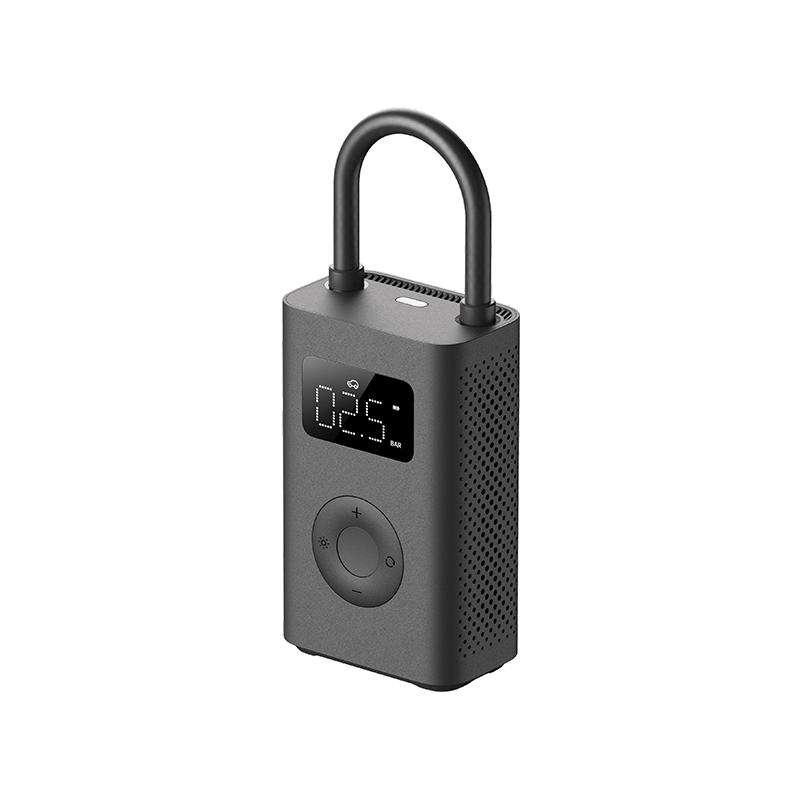

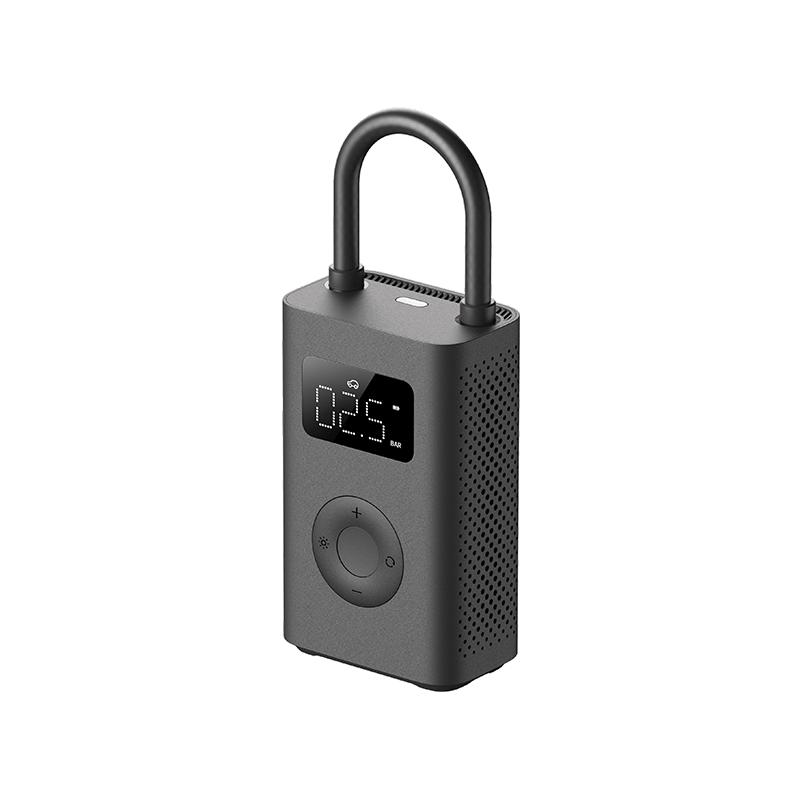













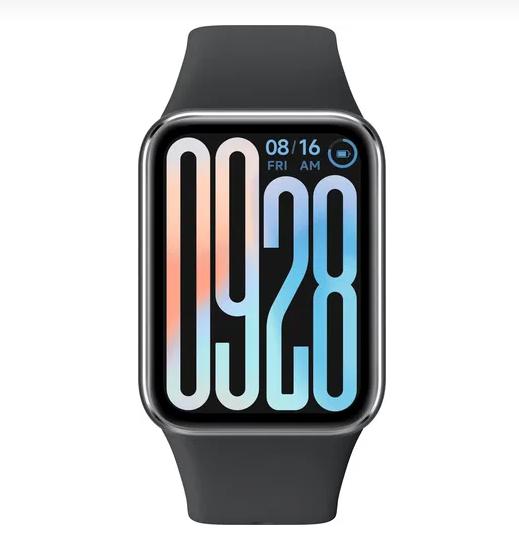

















































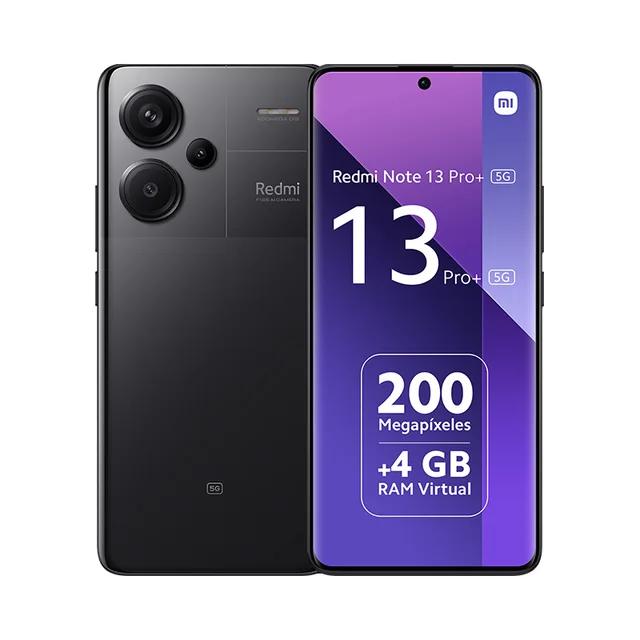
 FR warehouse