A planet full of Xiaomi news
Smart TV

Xiaomi Mi TV Stick gets its first update, fixing multiple issues

25. September 2020 2 min read 0 comments

Xiaomi Mi TV Stick gets its first update. It’s a device that can turn a regular TV into a Smart TV. Just plug it into your TV via the HDMI port and you’ll unlock brand-new ways to watch and stream multimedia content.

The update fixes issues

The latest update is rolling out via OTA. That means your device will notify you automatically, or you can simply find it in the settings. Next, you’ll enable downloading and installation. The update process itself is easy for anyone.
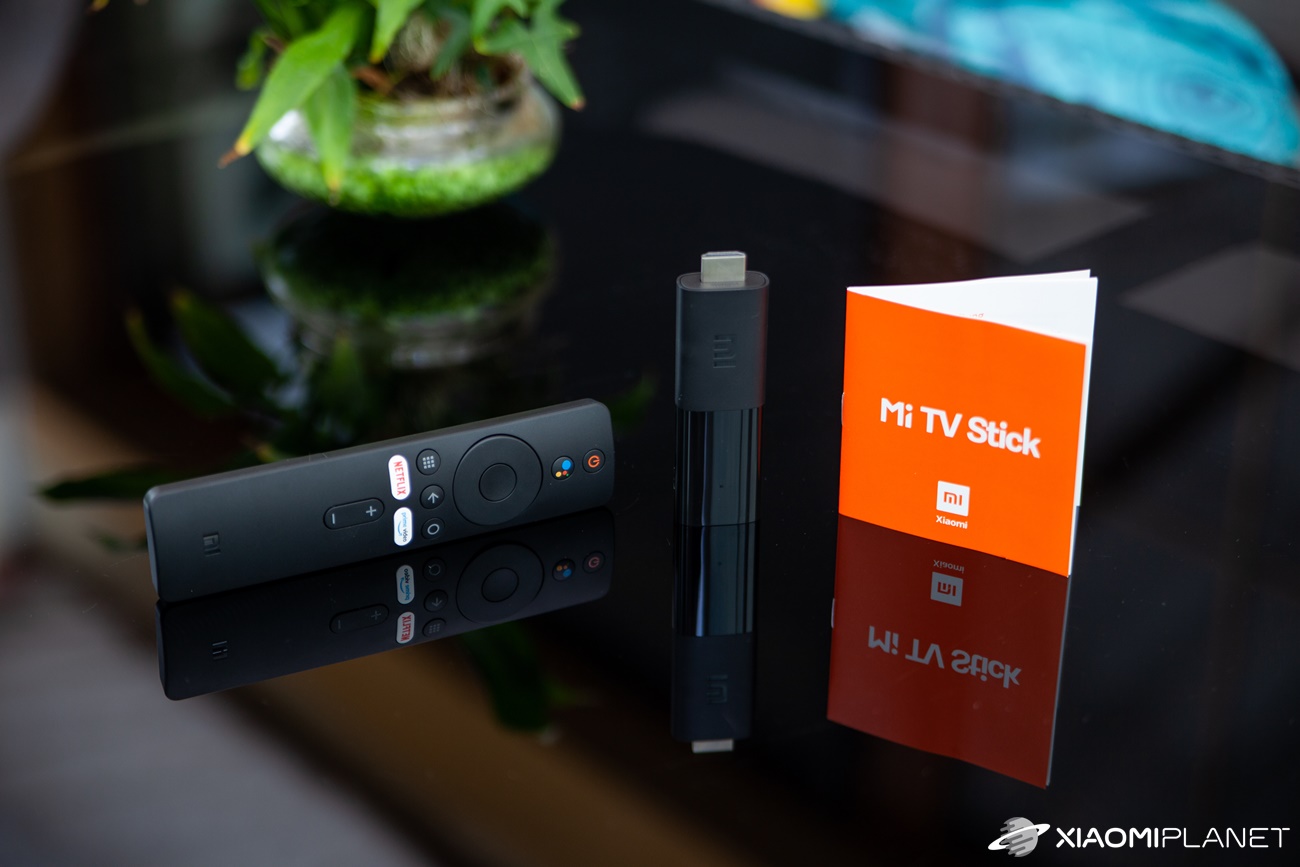
Mi TV Stick

The latest update fixes some serious bugs. Users were complaining about random disconnections of devices connected via Bluetooth, as well as audio delay. These two issues are exactly what the update should resolve.

Xiaomi Planet shopping tip: GShopper has now launched direct bank transfer payments, so you can save another 4.5 % off the product price! Compared to card / Google Pay payment, you can get this product much cheaper. We described the full bank transfer payment process in our article.
XiaomiPlanet deal

Xiaomi Mi TV Stick (1 GB RAM, 1080p)

Duty-free shipping, Chinese warehouse
Xiaomi Mi TV Stick (1 GB RAM, 1080p)
Standard Shipping GShopper
89,00 €You save 57,23 €
31,77 €
CouponAE358D7611F1

Price history

3,57 €cheaper than the average price
Cheapest 31,77 €Most expensive 38,90 €
Is it your first time shopping on GShopper? See the guide!
Updated 14. 3. 2023 on 12:31
TIPWith Standard Shipping via GShopper, you pay no extra fees—everything is already included!

With the GShopper seller, we recommend choosing Standard Shipping, where you won’t pay anything extra. Customs fees and any VAT are handled by the seller. You can select the shipping method in the cart only, after entering your delivery address. Delivery with this option usually takes about 15 business days from dispatch from the warehouse, but it may take longer.

Track this product’s price

As soon as we post a new coupon, we’ll send you an email. You can unsubscribe from tracking anytime.

Is it your first time shopping on GShopper?

GShopper is an international online store with warehouses not only in China, but also directly in the EU. You can complete your order in just a few minutes. Enter your address without diacritics, choose bank transfer as the payment method—it works out cheaper than a card—and enter the discount coupon before you submit your order.

  1. Register or log inOn GShopper, you create an account, or you can log in via Google or Facebook. You can also shop without registering, but with an account you’ll see your order status and it’s easier to handle any possible claim.
  2. Get to the product using our buttonIn our article, click the GET THE DISCOUNT button—this will open exactly the product and the version the coupon applies to. Then on the product page, click Buy Now or Add to Cart.
  3. Fill in the address WITHOUT diacriticsWrite your name, street and city without accents — so Zilina, not Žilina. Foreign carrier systems can’t handle diacritics and the package may get stuck. Check your ZIP code and phone number, including the country code.
  4. Choose shipping and check the warehouseMost products come with free shipping—if Free Shipping is available, choose it. Items shipped from an EU warehouse arrive in 2 to 7 business days and don’t go through customs clearance; dispatch from China or Hong Kong takes 7 to 45 days depending on the shipping method you choose. Continue with the Next button.
  5. For payment, choose bank transfer and saveIn checkout, you pick from the available options Bank Transfer, Credit Card and PayPal. Choose bank transfer—GShopper gives you an additional discount that, depending on the product, is 3 to 4,5 % compared to card payment. In the order summary, you’ll see it as a separate line.GShopper will then show you the bank account number and the amount in the line Amount to Transfer and a reference that you need to include in the note for the recipient. You make the transfer in your bank; the account is held in EUR within the EU—so it’s a standard SEPA transfer.
    Súhrn objednávky na Gshopperi so zľavou za bankový prevod
    The discount for bank transfer will appear as a separate line in the order summary.
  6. Enter the coupon and submit your orderPut the coupon into the field Discount Code and confirm with the button Apply. Only one coupon can be applied at a time. The price in the summary must be recalculated right away—if it didn’t change, the coupon wasn’t applied. Then submit your order by clicking Place Order.After payment, you’ll receive a confirmation email and you can also find your order in your account under the section My Orders.
    Políčko Discount Code v pokladni Gshopper s tlačidlom Apply
    You’ll find the coupon box at checkout under the payment method selection.
Enter the coupon before you click on Place Order. A discount won’t be added automatically to the completed order. If you forget the promo code, you’ll have to write via [email protected] — they may not have to comply.
You can change or cancel your order within 12 hours e-mail to [email protected]. Warranty varies by category: Xiaomi phones, Redmi and POCO have 24 months, tablets and e-scooters 12 months, earbuds, smartwatches and other Xiaomi products 6 months.
Our extra service with VIP support — we’ll handle the order on Gshopper for you and ship it straight to your address.

If you don’t have experience buying on Gshopper, payments don’t go through, or coupon use doesn’t work for you, we offer an order handling service directly to your address for our readers and customers. You transfer the money to our account and we place the order directly to your address. This way, you won’t have to worry about a failed payment or applying the coupon, and you can be sure the entire order will go through correctly 100 %. In addition, you automatically get our VIP support — if any issues arise with the shipment, we handle them for you and assist with filing a claim. The fee for this service is €15 extra of the product price. You can contact us by email at info(@)xiaomiplanet.sk or on Messenger, where we’re constantly active.

The update is already available in India and is being released gradually in waves. That means it should reach Slovakia within the next few days.
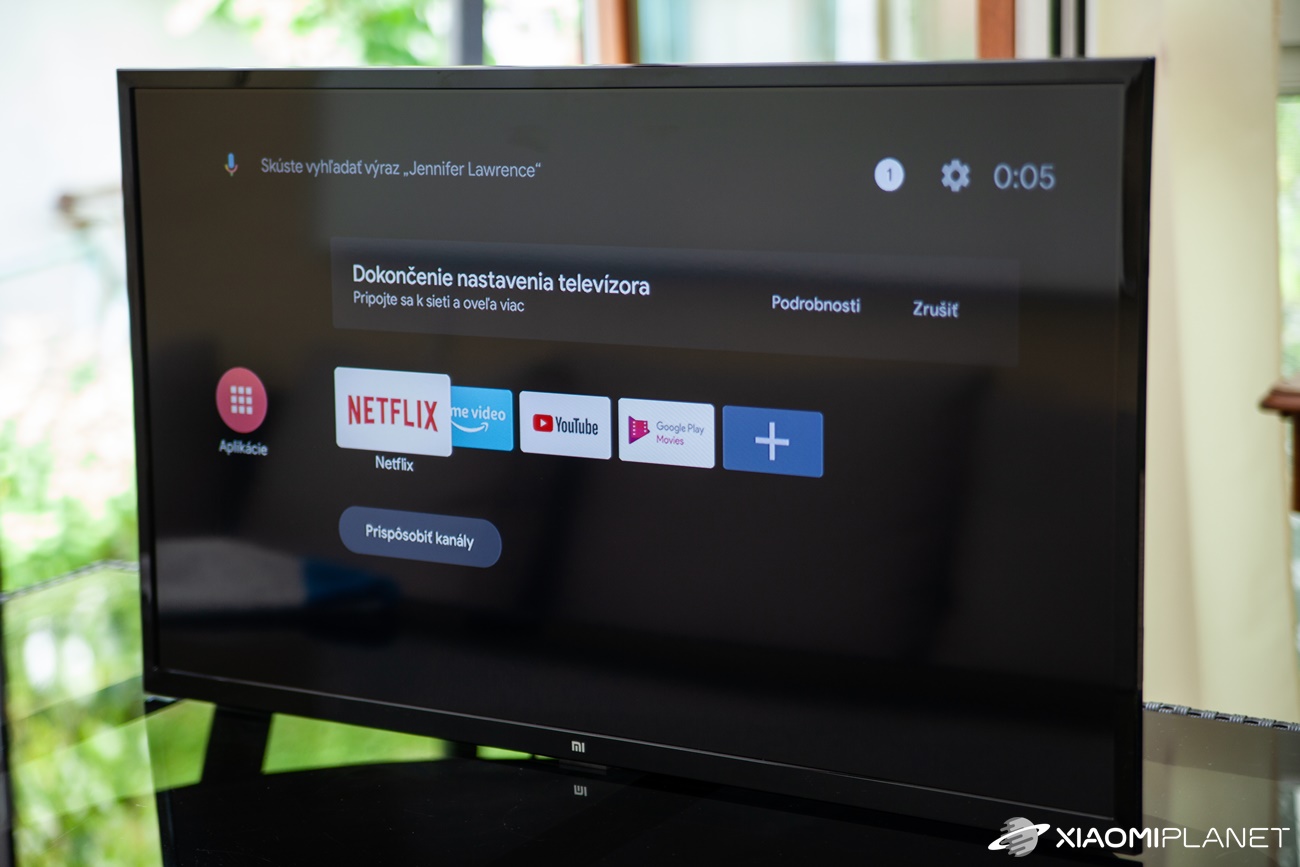
Mi TV Stick

Basic specs of the Xiaomi Mi TV Stick

  • Operating system: Android TV 9.0
  • Processor: Cortex-A 53 1,5 GHz
  • RAM: 1 GB
  • Storage capacity: 8 GB
  • Memory card slot: microSD (support up to 64 GB)
  • Wi‑Fi, Bluetooth 4.2
  • Google Assistant
  • Dolby Atmos
  • microUSB
  • Dimensions: 92,4 x 30,2 x 15,2 mm
  • Weight: 28 grams
  • Remote control included in the box

If the issues mentioned above are bothering you, chances are they’ll be fixed soon. The product manager of Mi TV India, Sudeep Sahu, confirmed the rollout of the update on his Twitter account.

Add us as your preferred source on Google

Don’t miss the best coupons 📩

Subscribe and we’ll email you new coupons before they expire. We only send it once a month — no spam.
Ad Engerio