

The latest version of the popular software skin MIUI 11 has already been officially unveiled, and the manufacturer is gradually updating all Xiaomi and Redmi smartphones. It has been almost two months since the release of the eleventh MIUI version, but some users are still waiting for the update.
You can also update manually
If you’re one of those users who still haven’t received the new MIUI version, you can download the latest software version manually and install it yourself. We’re offering you a simple guide on how to do it, but first we need to warn you: you do everything at your own discretion and at your own risk.
Xiaomi Planet is not responsible for any damage to your device. No worries, though—the guide is tested and verified. All settings and files should remain intact, but you’d better back up before the actual update.

Thanks to the simple guide, you can do it too
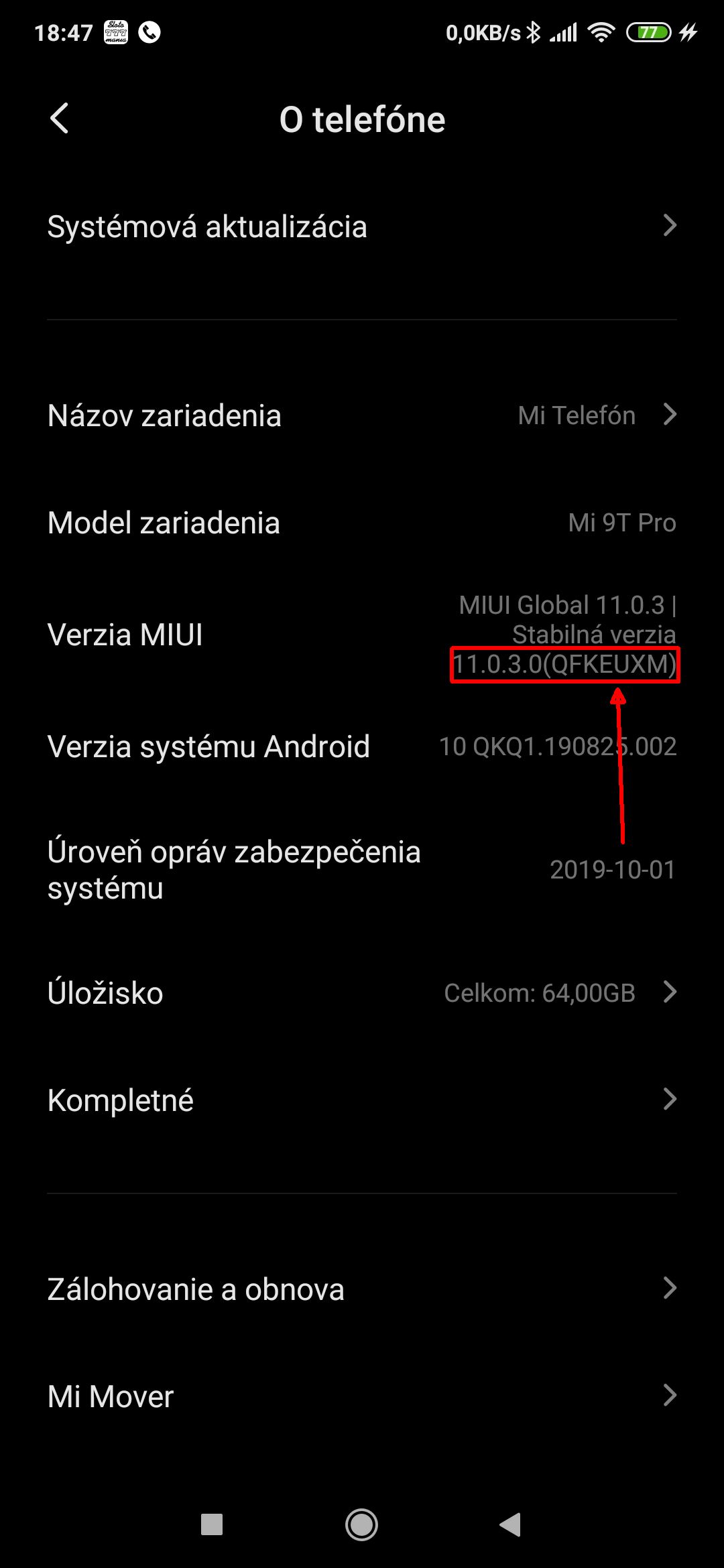
First you need to find out what MIUI version your smartphone has. In the Settings section, click About phone, and there you’ll find the MIUI Version. Take note of the 4th and 5th letters that are inside the brackets after the version number.
That tells you the version of your smartphone. If the letters are CN, it’s the Chinese version; MI indicates the global version, and EU is the European version.
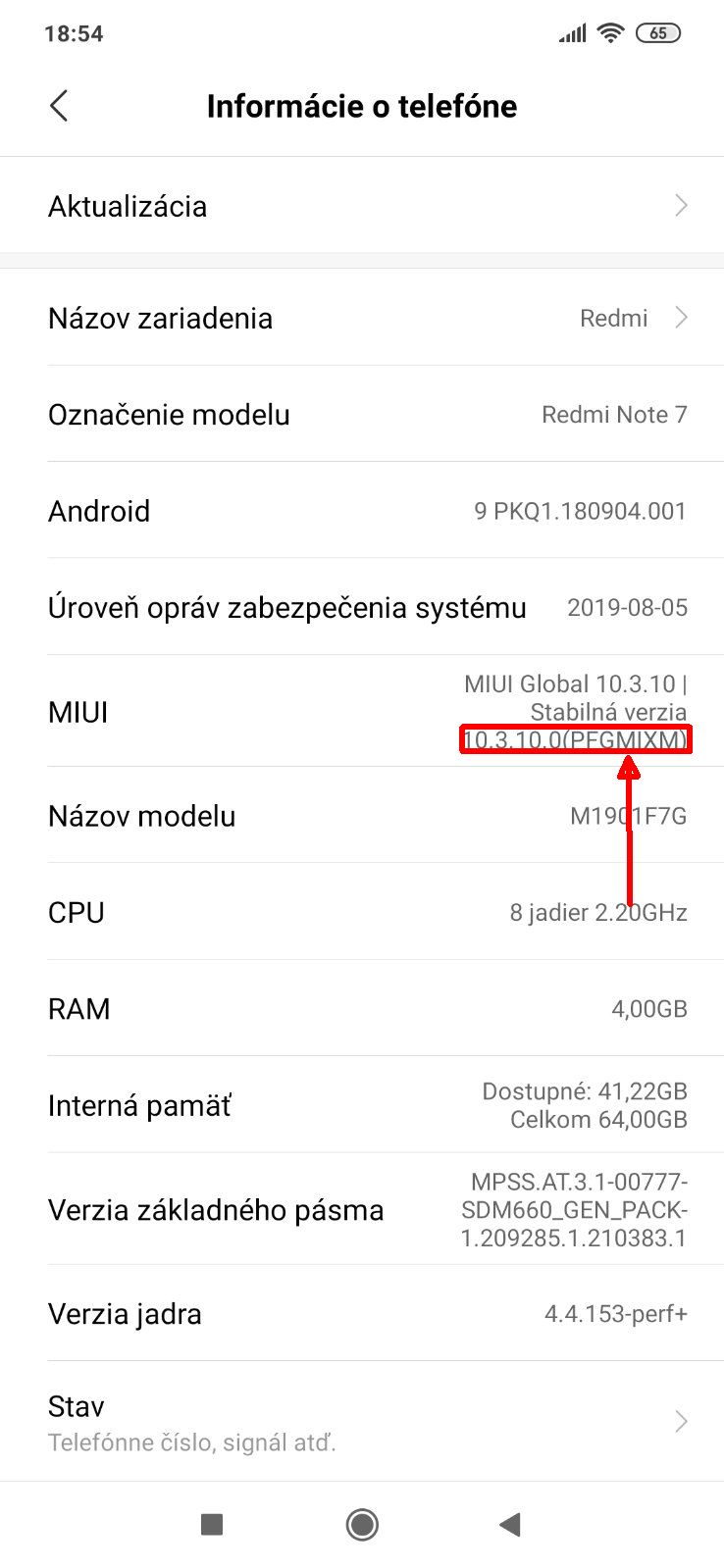
Next, we’ll need the Downmi app, which lets you download the latest MIUI version directly to your smartphone. You can find the app in the Google Play Store—download it, install it, then open it. You can also use the web page.
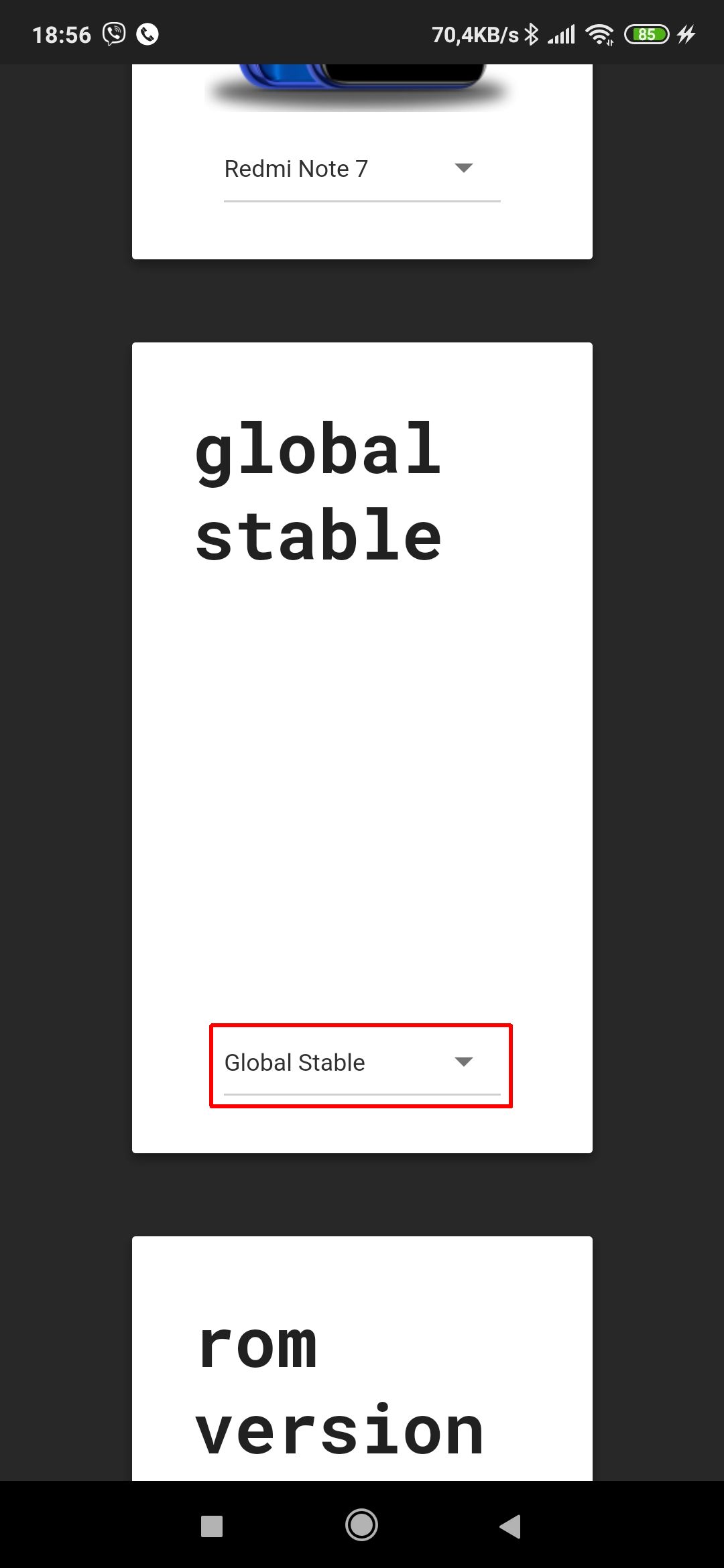
In the Downmi app menu, select your device, then the ROM type – meaning the software package. It can be Global, EU, or China.
In the last link, pick the specific software version and start the download. For Redmi Note 7, the ROM package is about 1,81 GB and it will be saved in the Download folder.

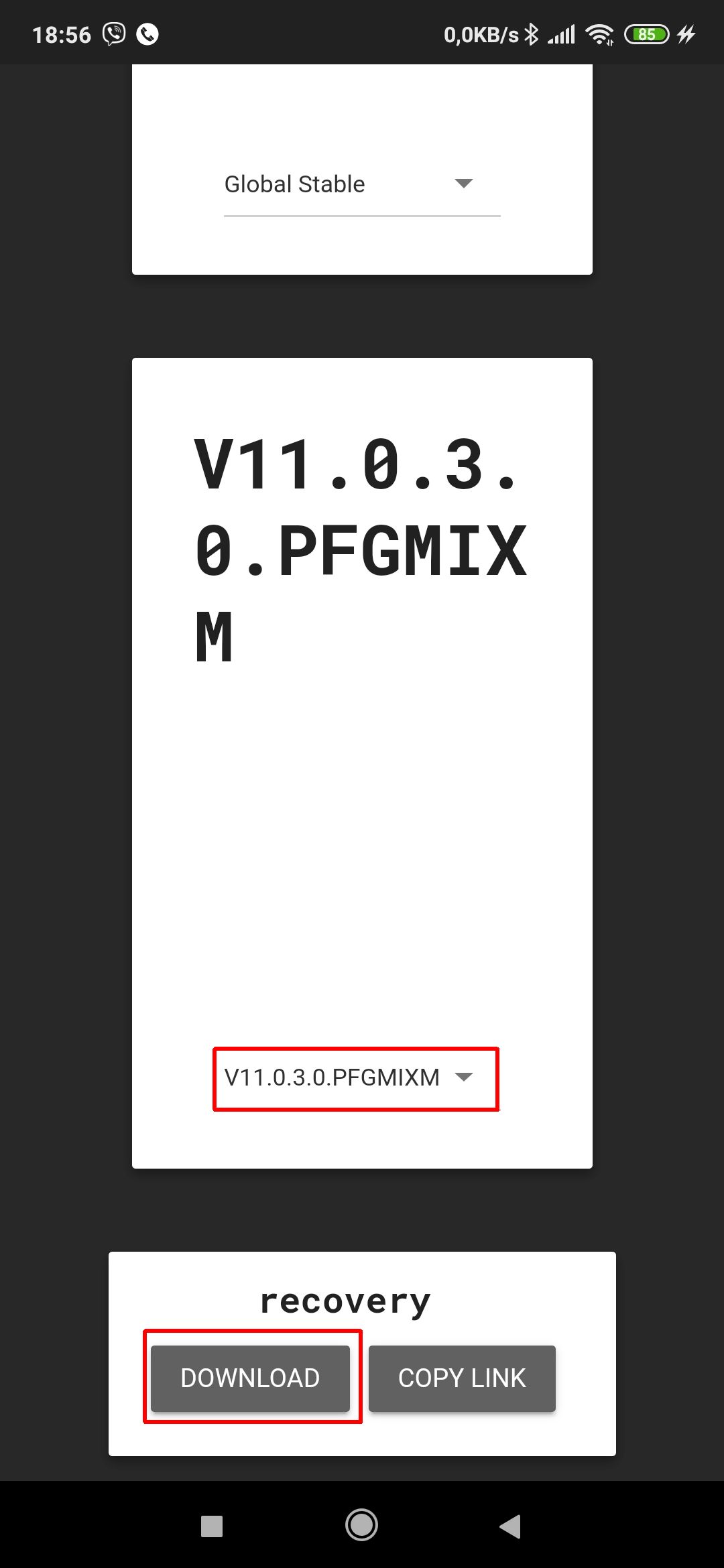
After downloading the ROM, we’ll need to start the installation. We’ll do that by going again to About phone in Settings, where you’ll select System update. In this section, you must enable the additional update options.
To enable it, tap the MIUI version number. After about six to ten taps, you’ll see a message that Additional update options are enabled.
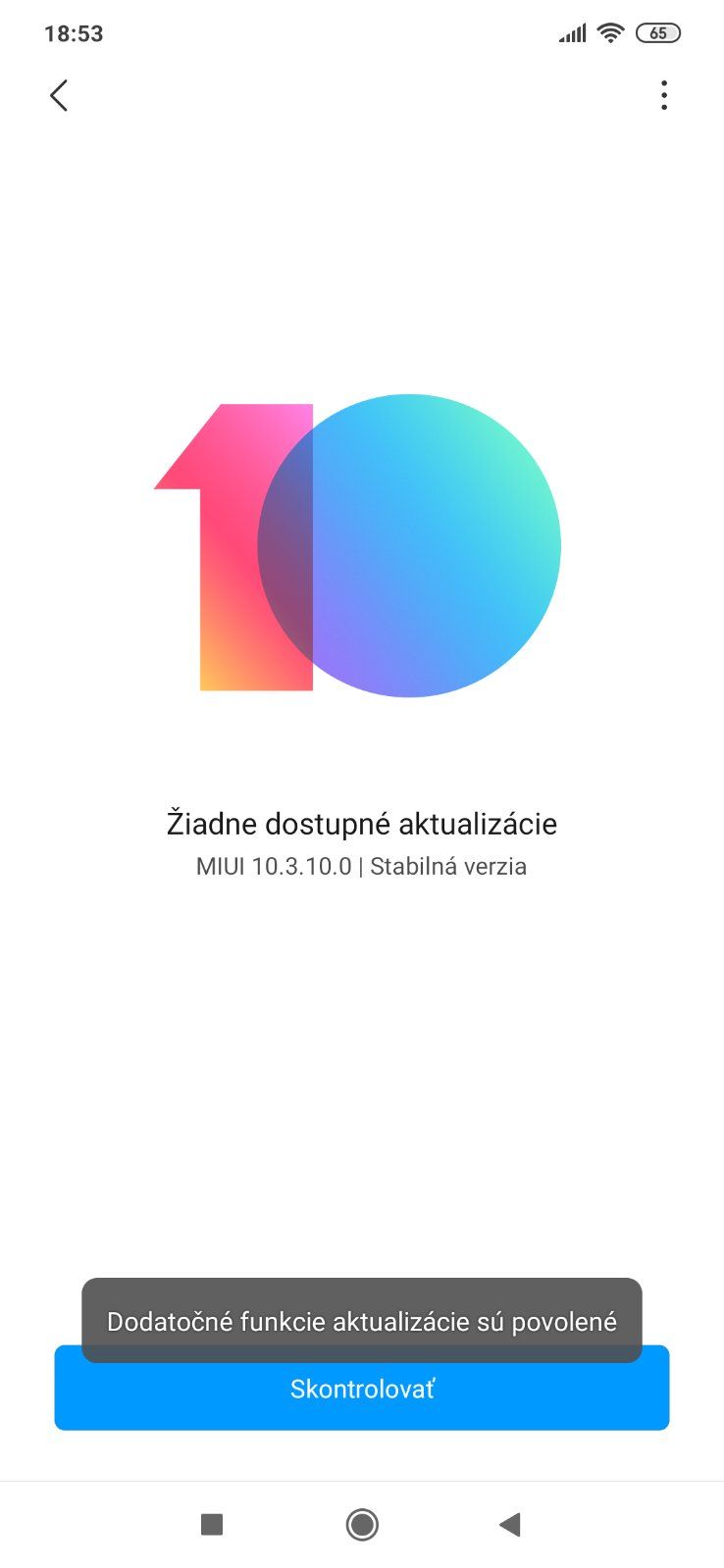
Then tap the three-dots icon in the top-right corner and choose Select ZIP from storage. On an EU phone version, this option may also be named Select update package.
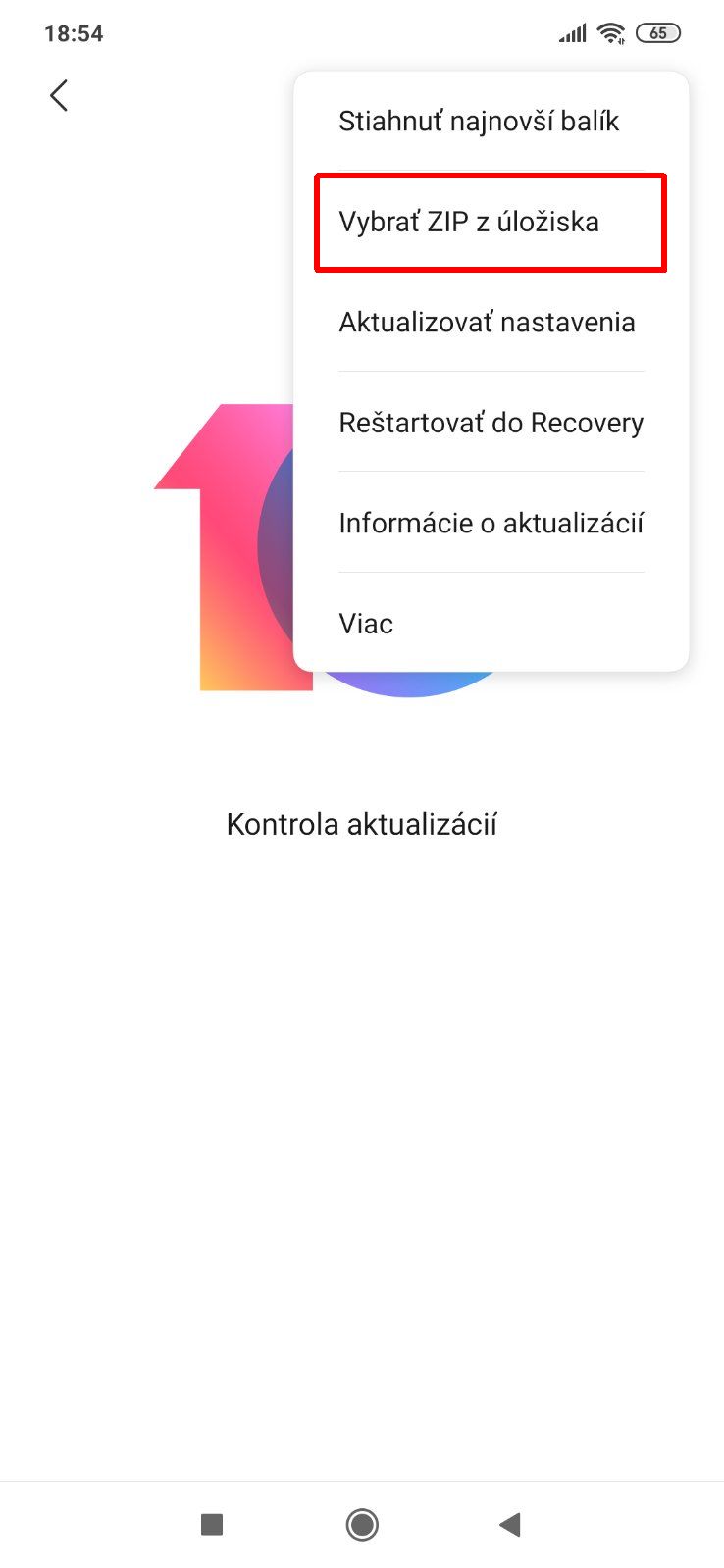
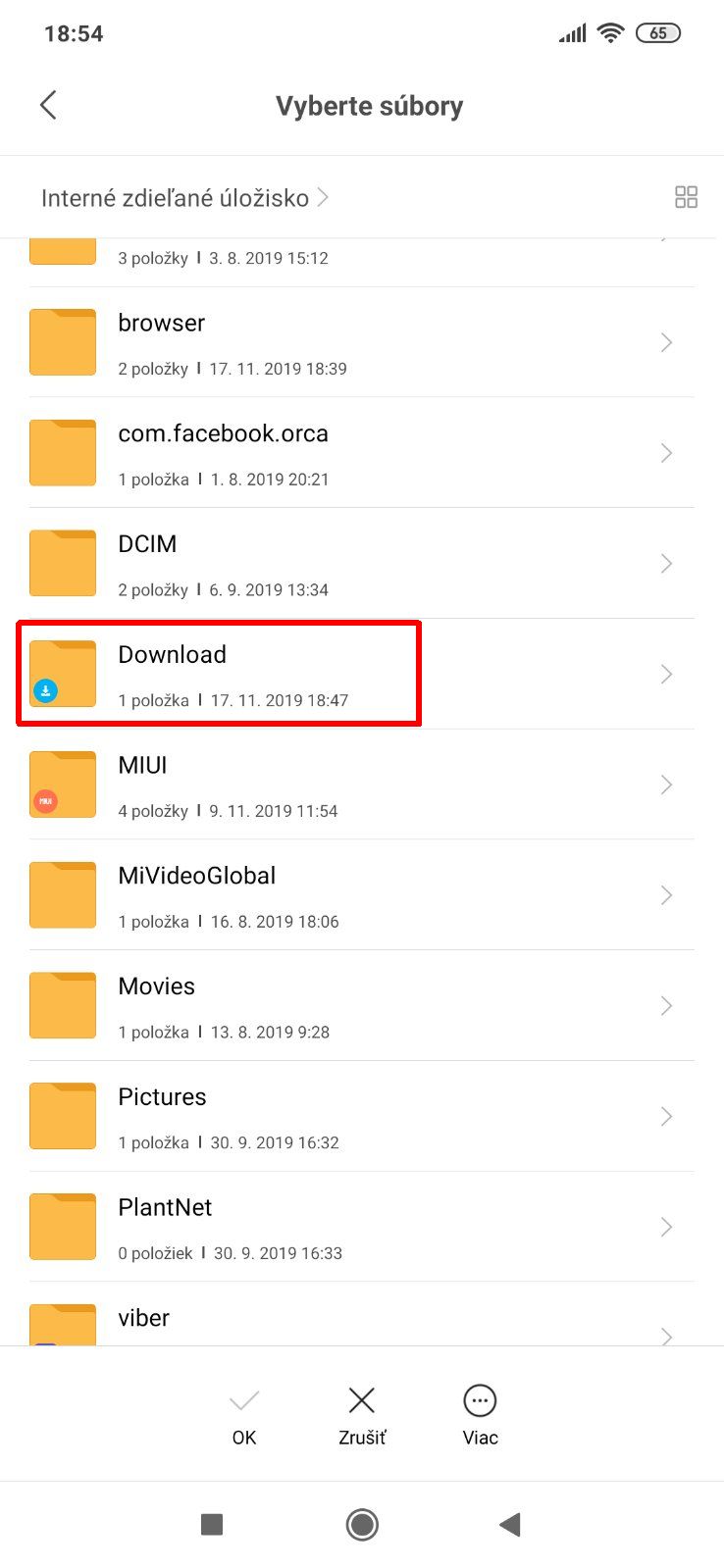
After that, you’ll be redirected to the file manager, where in the Download folder you select the downloaded package with the new ROM. Wait for the update to finish, and the phone will restart.
Done. Now you can fully enjoy the benefits of the new MIUI 11—without unnecessary waiting.
More tips and tricks for Xiaomi smartphones—sent to you by email too. ?
Don’t miss the best coupons 📩
Subscribe and we’ll email you new coupons before they expire. We only send it once a month — no spam.