
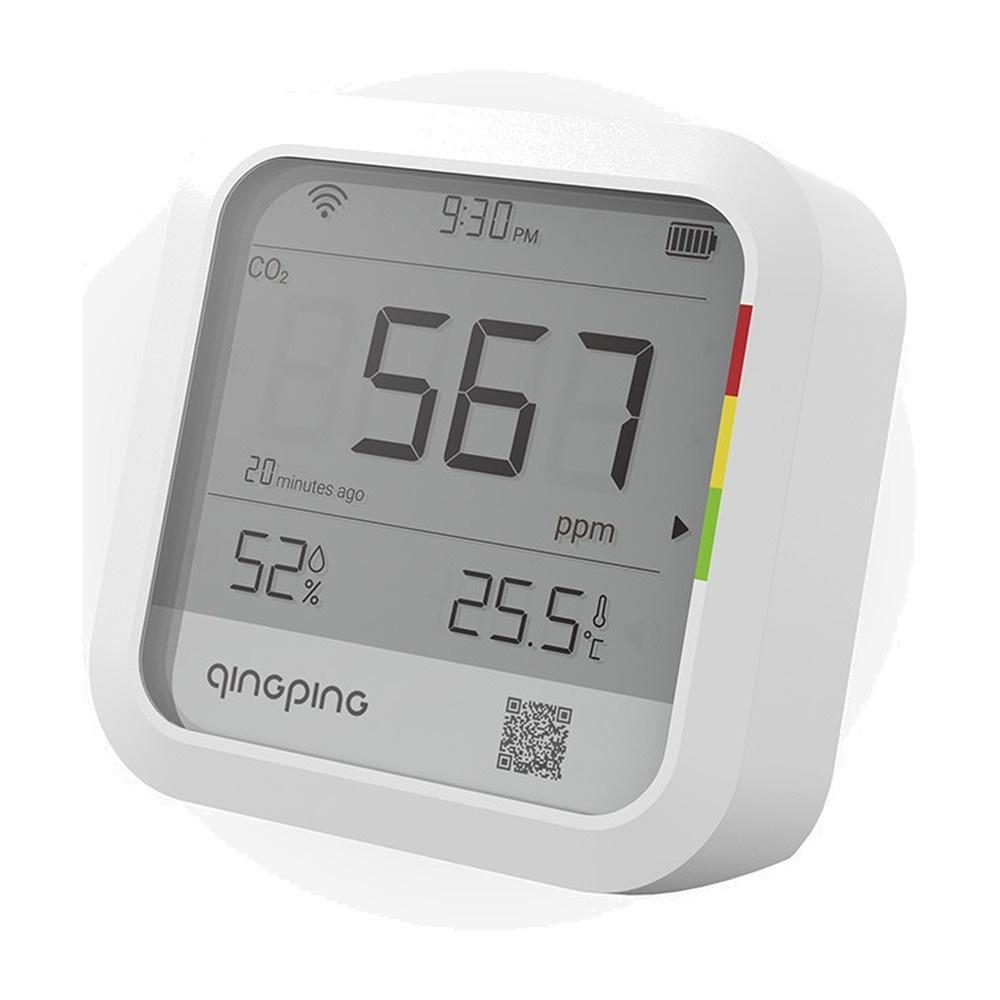
With heating, windows close and the air in the apartment gets exchanged much more slowly. When a few people are breathing in the room, CO2 concentration rises faster than you’d expect, and it shows up as drowsiness, weaker focus, or a heavy head after waking up. Qingping CO2 & Temp & RH Monitor measures carbon dioxide, temperature and humidity, and a colored strip tells you when it’s time to open a window. From the Polish warehouse on AliExpress, it’s cheaper than in Slovak shops.
Qingping is a Chinese brand that has been making thermometers and alarm clocks for years for the Xiaomi ecosystem. This model marked CGP22C is simpler than the more expensive Air Monitor, because it doesn’t measure fine particulate matter PM2.5. Still, to tell you when to ventilate, it’s enough—and it costs way less.
Aliexpress in the EU warehouse cheaper
The monitor is sold by the iSmartHome Store shop on AliExpress and shipped from the Polish warehouse. Shipping is free and AliExpress states delivery usually within 6 days. Since the item ships from the EU, VAT is already included in the price, and you don’t pay customs duty or any import fee on top.
Qingping CO2 & Temp & RH Monitor
 PL warehouse

TIPExpress delivery from a Polish warehouse without customs duty and VAT.
This product will be delivered to you express from a local Polish warehouse. Shipping from Poland usually takes 7-10 days and is handled by a courier. On delivery, you won’t pay any extra fees—no customs duty and no VAT.
There aren’t many reviews yet—seven buyers gave it an average of 4,9 stars. A customer from Poland ordered two units; both arrived quickly, are original, and connected to the app without any issues.
The Qingping CO2 monitor shows you when to ventilate with its color
You mainly buy it for the CO2, which the monitor displays as big numbers on a 61 × 49 mm screen. Next to it, a colored strip lights up, so you can tell the air status even from the other end of the room. Green means 400 to 1,000 ppm, yellow is 1,000 to 1,400 ppm, and from 1,400 ppm red turns on. Outside it’s usually around 420 ppm, so when the number is above a thousand, the room air is already properly “stale.”
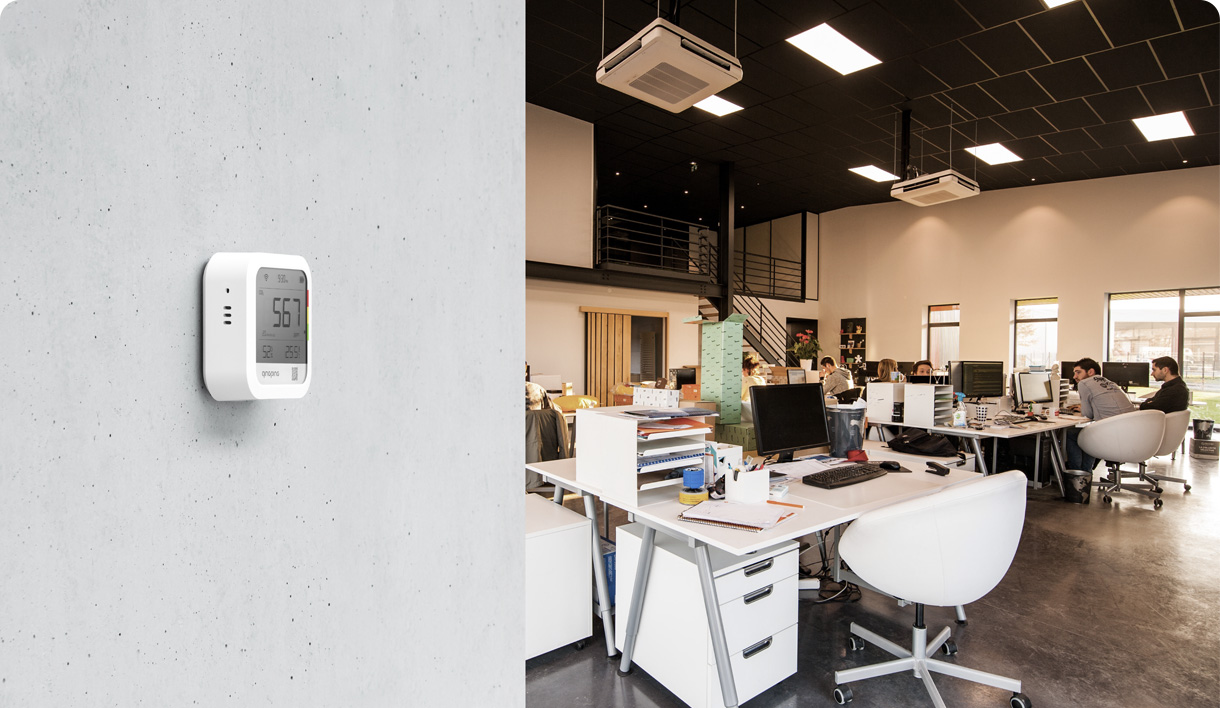
In winter you’ll especially appreciate it in the bedroom and kids’ room, where you don’t ventilate overnight—but also in your office when you sit at your computer all day. With dimensions 77 × 77 × 28 mm and a weight of 129 g, you can place the monitor on a desk or hang it on the wall using a sticky hook or through the hole on the back.
Sensirion sensor and a thermometer with accuracy to half a degree
Carbon dioxide is measured using the NDIR sensor from the Swiss company Sensirion, which determines CO2 optically—based on how much infrared light the gas absorbs. Cheap “air quality” detectors for a few euros often just estimate it from other gases. It measures in the range 400 to 9,999 ppm, and the manufacturer lists typical accuracy of ±15% of the measured value, which is more than enough for you to know when it’s time to open a window.
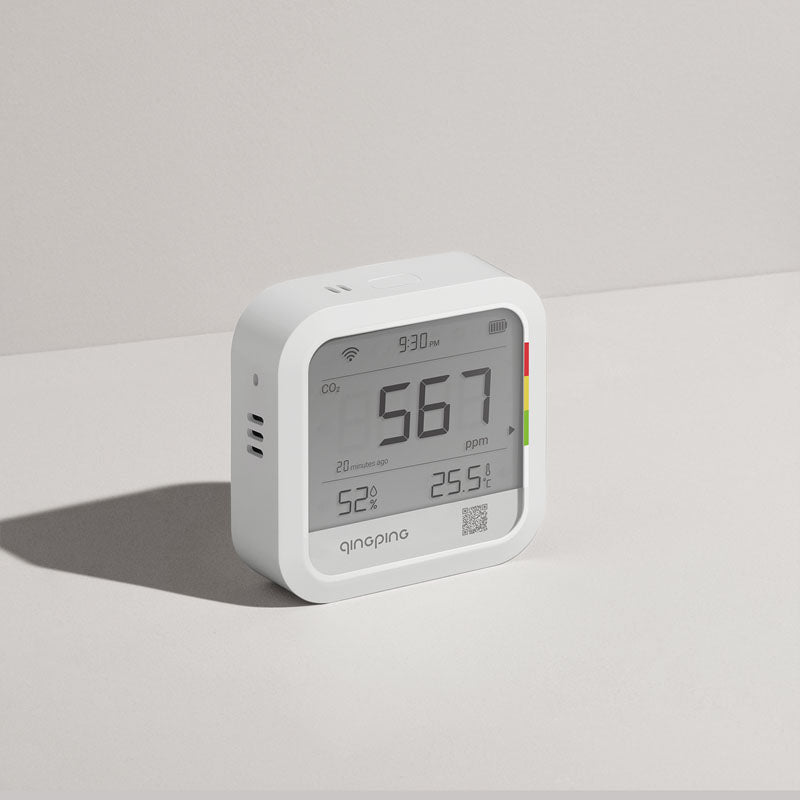

It measures temperature in the range from −20 to 50 °C with an accuracy of ±0,5 °C and humidity from 0 to 99 % with an accuracy of ±5 %. In a heated home, humidity usually drops below 40 %, which you’ll notice by dry nasal passages and static electricity. With the monitor, you can then clearly see whether the humidifier really helps.
Phone alert when CO2 goes over the limit
The monitor connects via Wi‑Fi and sends data to the Qingping IoT app for Android and iPhone—you can also view it on the web. When CO2, temperature or humidity exceeds the threshold you set, the built‑in buzzer sounds and you get a notification on your phone. According to the manufacturer, it can also send an email and SMS, and since you can turn off the buzzer in the app, it won’t wake you up at night in the bedroom.

The app shows charts for the last 24 hours and 30 days, and you can download the data as a table into Excel, so you can look back and see how the air in the room changed overnight. You set the measurement interval from 1 to 60 minutes, and the data sending interval from 10 minutes to 24 hours. If Wi‑Fi goes down, the monitor keeps up to 2 880 records in memory and sends them after the connection is restored. With measurements every 15 minutes, that lasts for 30 days.
Battery for months, but you won’t add it to Xiaomi Home
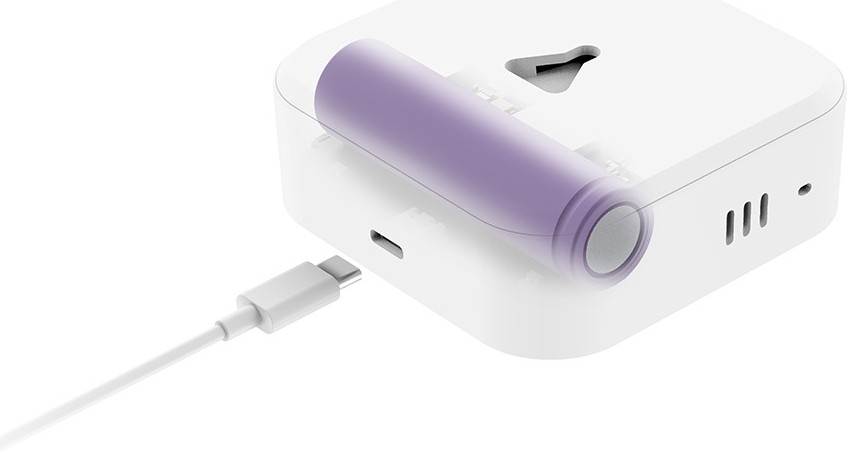
Inside there is a 2,600 mAh lithium battery that charges via USB-C. When measuring CO2 every 30 minutes and sending data once per hour, the manufacturer claims it lasts about 99 days. With more frequent measurements, runtime will be shorter, so you can leave it on your nightstand connected to the charger all night. In the package contents, the manufacturer lists only the monitor, a sticky hook, and the manual—no cable or adapter is included.
You should also keep in mind that this model doesn’t work with the Xiaomi Home app or Apple Home. Qingping IoT is a platform originally designed for businesses that monitor dozens of sensors in offices or warehouses, so it feels more rigid than typical home apps. If you want to connect the monitor to Home Assistant, Qingping provides an open API on its developer portal, but without a bit of setup, it won’t be possible.
| - | Qingping CO2 & Temp & RH Monitor |
|---|---|
| Model | CGP22C |
| CO2 sensor | Sensirion NDIR |
| CO2 range | 400 to 9 999 ppm |
| CO2 accuracy | ±15 % of the measured value |
| Temperature | −20 to 50 °C / ±0.5 °C |
| Humidity | 0 to 99 % / ±5 % |
| Display | 61 × 49 mm with a color indicator |
| Connection | Wi-Fi / Bluetooth 5.0 |
| App | Qingping IoT (Android / iOS / web) |
| Warnings | buzzer / notification / email / SMS |
| Memory | 2 880 records |
| Battery | 2 600 mAh / USB-C 5 V⎓1 A |
| Battery life | approx. 99 days (CO2 measured every 30 min) |
| Dimensions | 77 × 77 × 28 mm |
| Weight | 129 g |
To get more updates from the world of Xiaomi, keep following our Xiaomi Planet website. Join our Facebook group, where we build an active community and help each other out. Subscribe to our Telegram as well, where we add the best deals and coupons from China every day.
Don’t miss the best coupons 📩
Subscribe and we’ll email you new coupons before they expire. We only send it once a month — no spam.