
Since we started working with the TradingShenzhen.com store around February 2021, when we ordered Mi 11 for the first time, we’ve had more than a dozen orders for devices from them worth hundreds, even thousands of euros. Their service has confirmed for us that we absolutely don’t need to worry about our money—they deliver everything they promise.
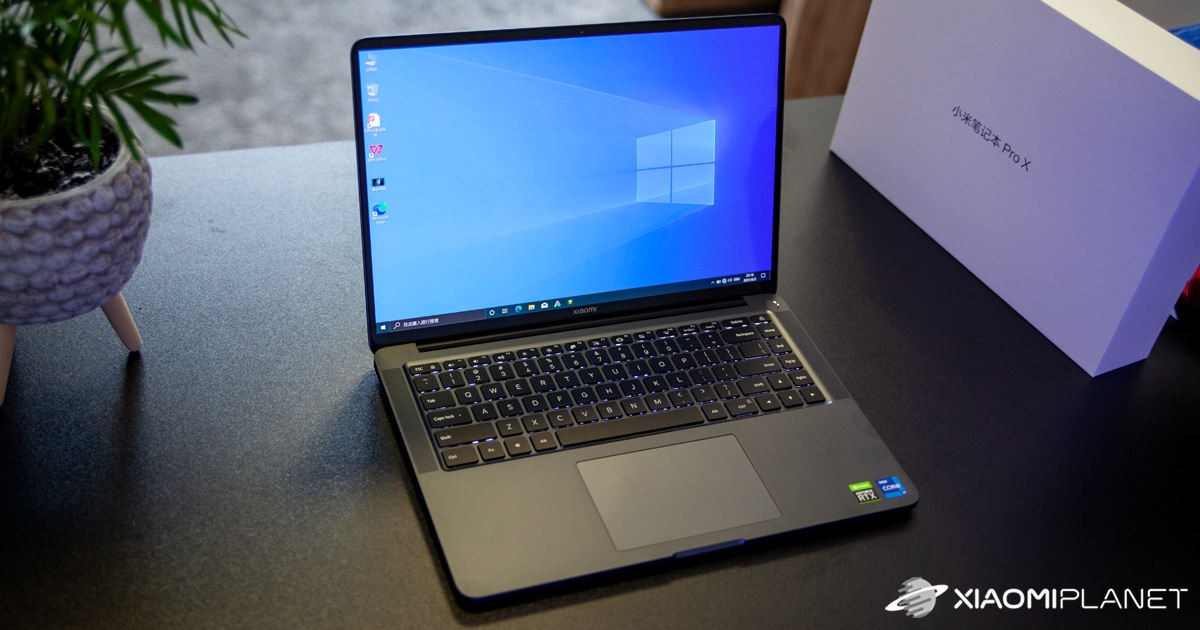
After the release of the powerful new laptop Xiaomi Mi Notebook Pro X 15, we immediately knew it would be the successor to our almost 4.5-year-old Mi Notebook Pro, which has already had enough. TradingShenzhen included it in their offer as the first international store in the world, so we didn’t hesitate and placed an order. Here’s how it all turned out.
Order a 1600 € laptop from TradingShenzhen under the new EU law
It’s important to say that we placed the laptop order on 15.7.2021, meaning it was already during the validity of the new European VAT law for shipments from China. Even though this law mainly concerns cheaper parcels, no one was sure how delivery of expensive shipments would work with duty-free shipping methods that had worked great before the new rules.

So our main test was exactly how the whole delivery would go under the new law. Even now, the seller TradingShenzhen still offers duty-free Global Priority shipping, where they promise to handle all customs charges for you. With delivery, you shouldn’t have to pay anything extra.
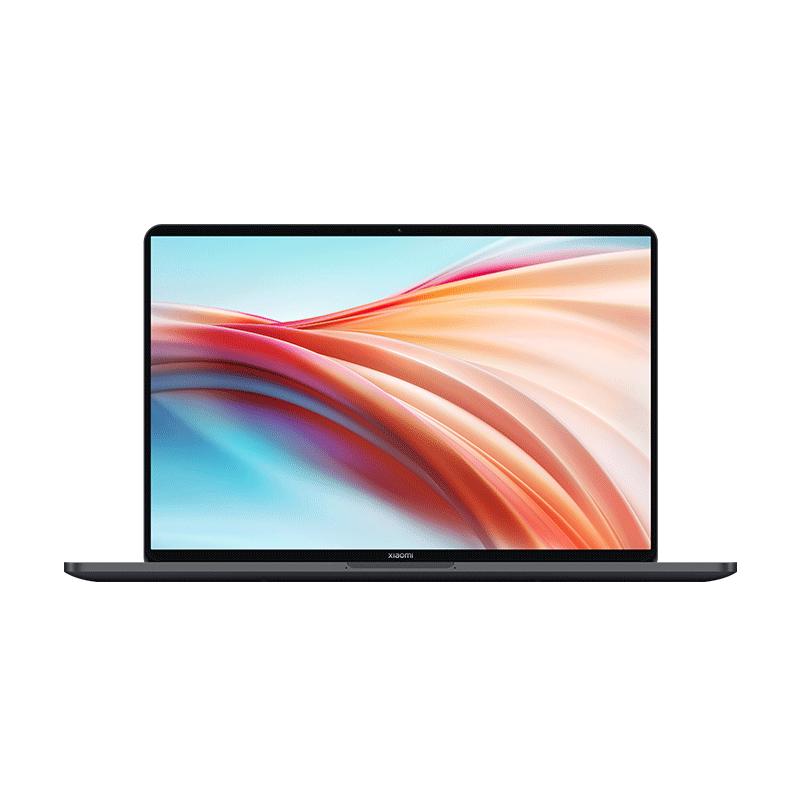
Xiaomi Mi Notebook Pro X 15

TIPWith Global Priority shipping, you don’t pay any extra fees.
We recommend choosing Global Priority shipping, where you won’t pay anything extra. Customs fees and any VAT are handled by the seller directly for you. Shipping can be selected in the cart only, after you enter the delivery address. Delivery with Global Priority usually takes about 15 days, but it may also take longer.
After applying the new EU law, our order came to roughly 1580 €, which we think is quite bold. If we had to pay 20% VAT, it would cost us another 316 € on top. Deep down, though, we hoped the seller could take care of it for us during the validity period of the new law.
TradingShenzhen didn’t disappoint again! On 15.7. we made the payment, on 18.7. the seller received it, and on 20.7. we got an email saying that our package had been shipped. The message also included a link to track the package. And the result?
12 days after the order was shipped, specifically on 2.8.2021, a DPD courier called us that the package was at our door. Yes, delivery of an expensive laptop from faraway China only took 12 days! And as the seller promised, we didn’t have to pay any additional fees—so no VAT or customs duties—and we didn’t have to deal with customs clearance either.
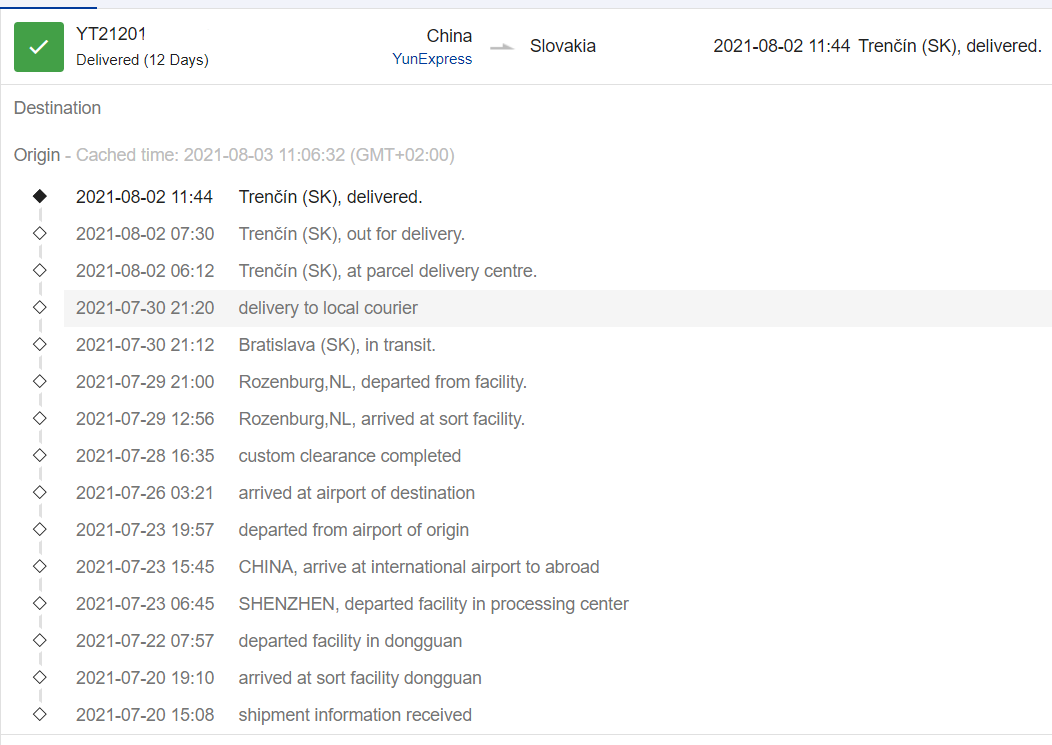
As you can see in the tracking system, the package went through customs somewhere between China and the Netherlands. This was handled directly by the seller for us—no one contacted us and we didn’t have to provide any documents.
So to recap: the Xiaomi Mi Notebook Pro X 15 version with the Intel Core i7-11370H processor, 32 GB RAM, and a 1 TB SSD drive cost us in total 1572 € including shipping, which is 30 € for this laptop.
In the cart, the seller also automatically added a 5 € coupon for a discount, and they refunded another 15 € as part of a customer loyalty program. This amount can be used in the shop as a discount on your next purchase. Every customer who creates an account is automatically enrolled in the loyalty program.
They cared about protecting the package
If someone orders a laptop from China worth 1600 € and up, they don’t want anything to get damaged during shipping. When ordering from the TradingShenzhen store, we were sure the shipment from faraway China would arrive without any harm.
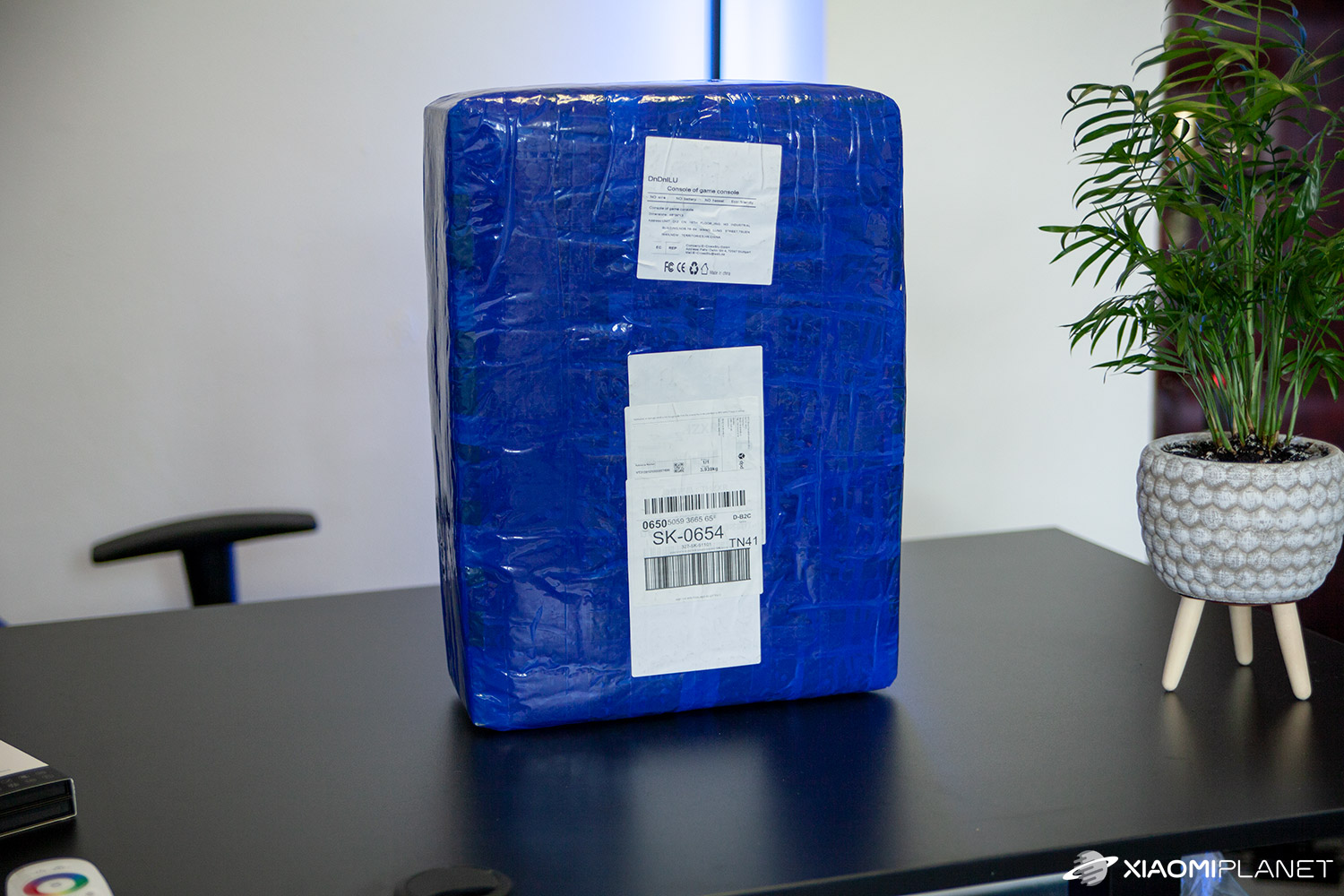

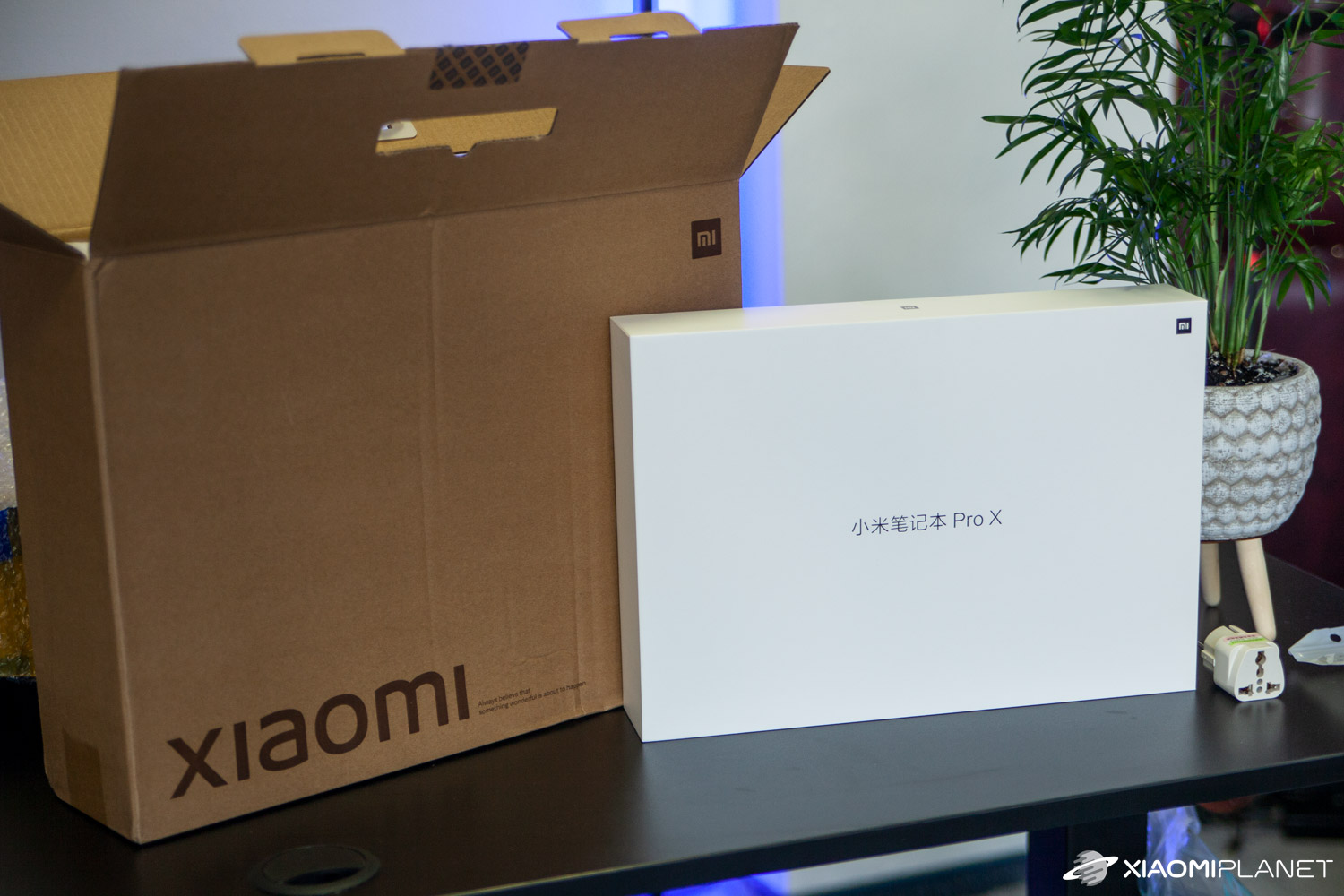
The laptop box itself arrived packed inside an additional original Xiaomi box, and the whole thing was also wrapped in about four layers of bubble wrap, followed by placement in a huge envelope. In this case, it’s almost impossible for anything inside to get damaged, even if the package is handled carelessly or thrown around.
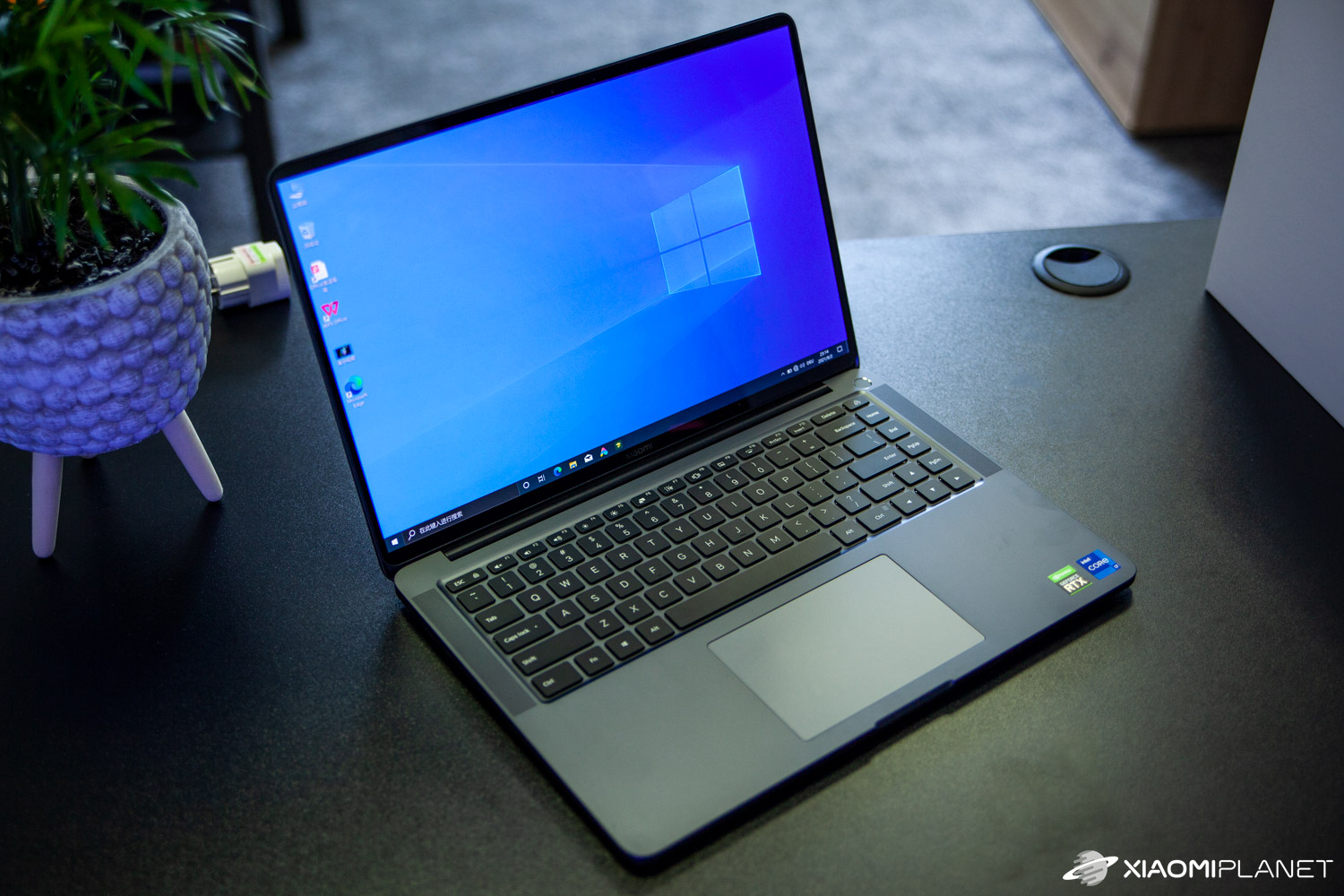
The seller also has a habit of including smaller gifts, which we got again this time. In the package, we found not only a charger adapter, but also a practical mini fan that connects to a USB port, for example on a power bank. It’s a small thing, but it will definitely make you happy.
Xiaomi laptops come with Chinese language support
Since Xiaomi is currently not producing laptops for the global market, when you order from China your laptop will arrive with the Chinese version of Windows 10 Home. However, this is absolutely no problem.
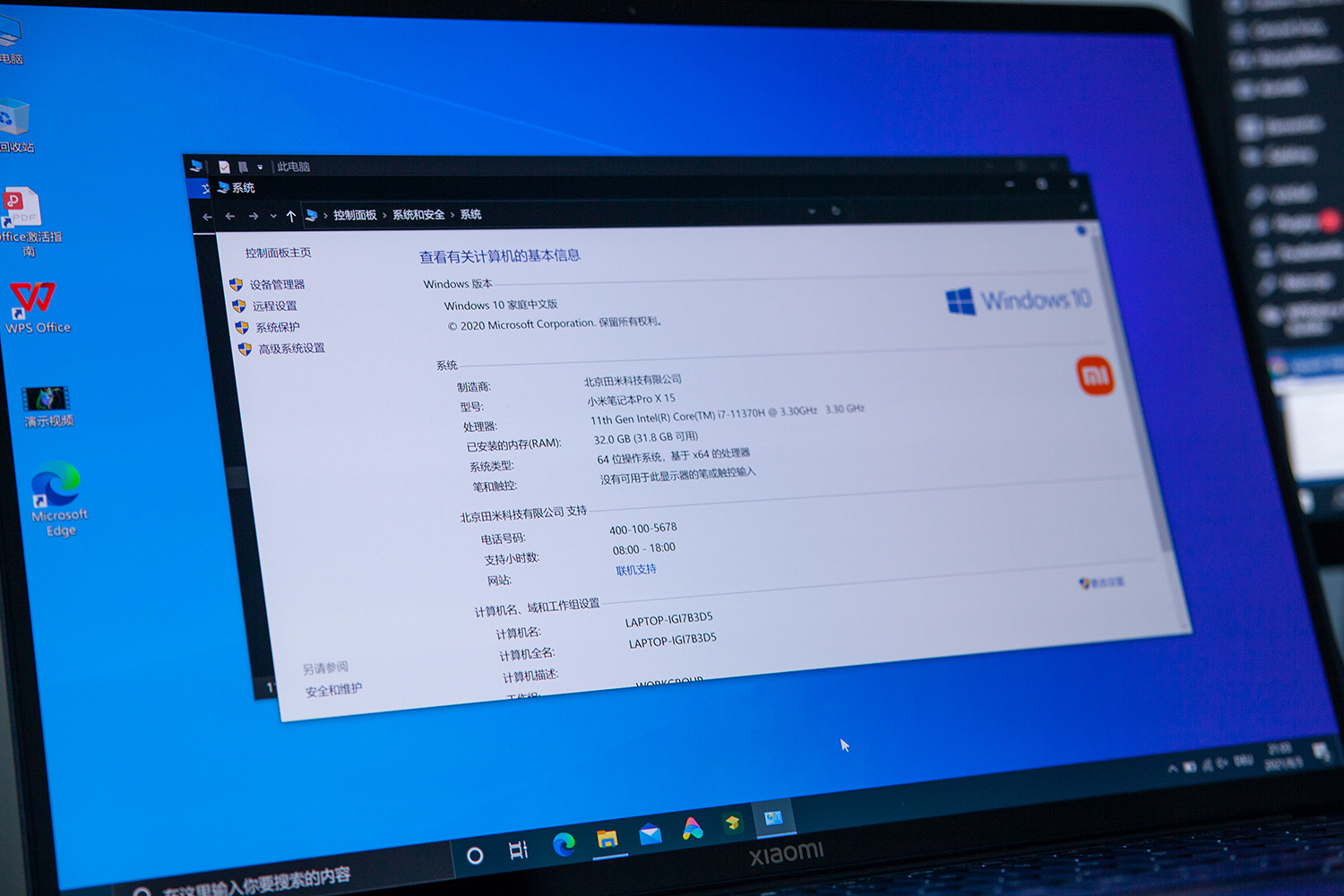
You can very easily reinstall it to the Slovak or Czech version of Windows 10 Home. Just download the system image creation tool from the official Microsoft website. The image tool will unpack onto a USB key—you just need a key with 8 GB capacity.
Reinstallation is very easy
You can safely run this tool on your current computer (or safely on a new Xiaomi laptop as well). After starting it, you’ll need to accept the terms and select the option „Create installation media for another PC“. Then you’ll see a choice with the language, the Windows 10 version, and also the architecture – here it’s important to choose the 64-bit system.
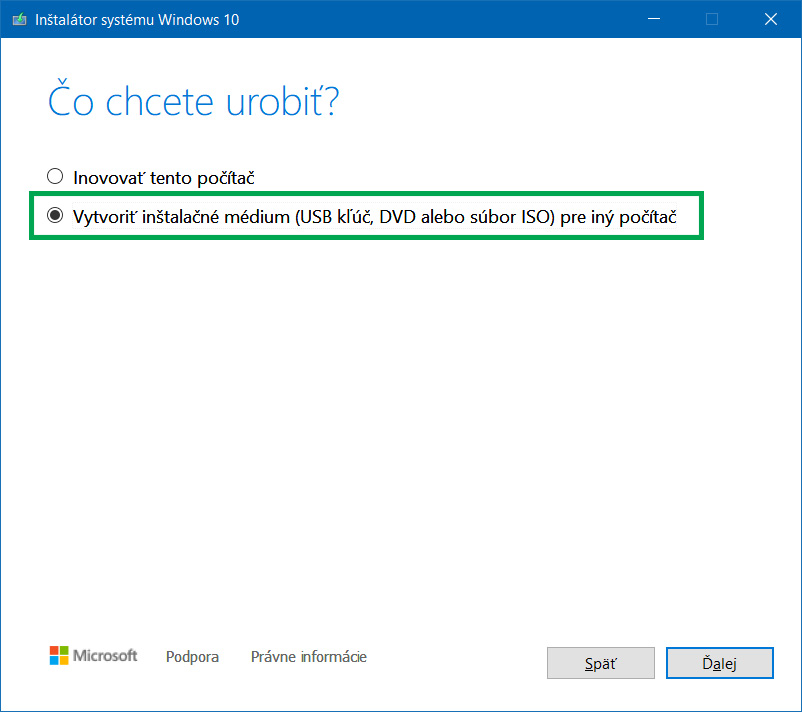
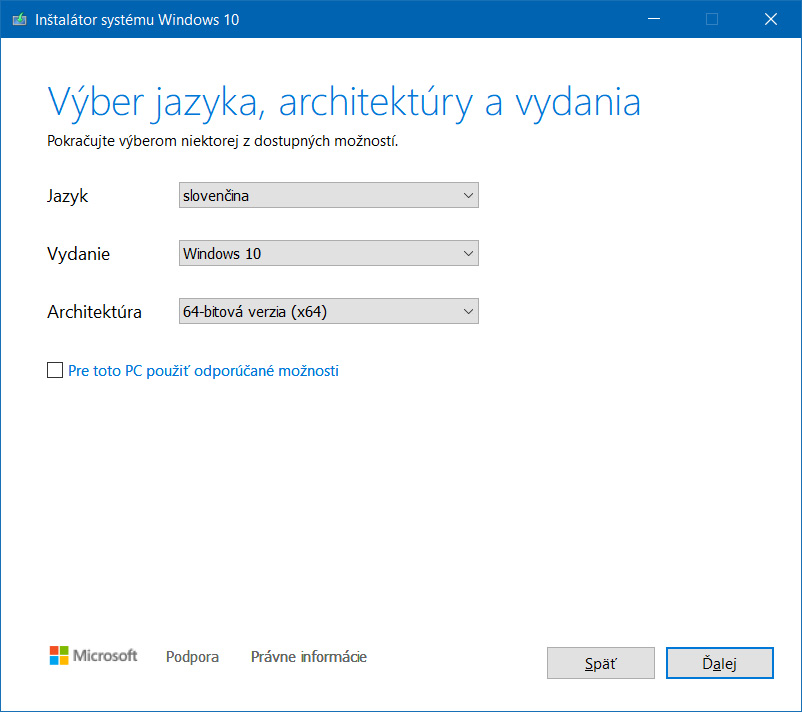
Creating the installation media takes about 30-50 minutes, depending on the speed of your internet, because the tool downloads Windows 10 from the internet and installs it onto the USB. Once that’s done, you just plug the USB into the new Xiaomi laptop and boot from it.
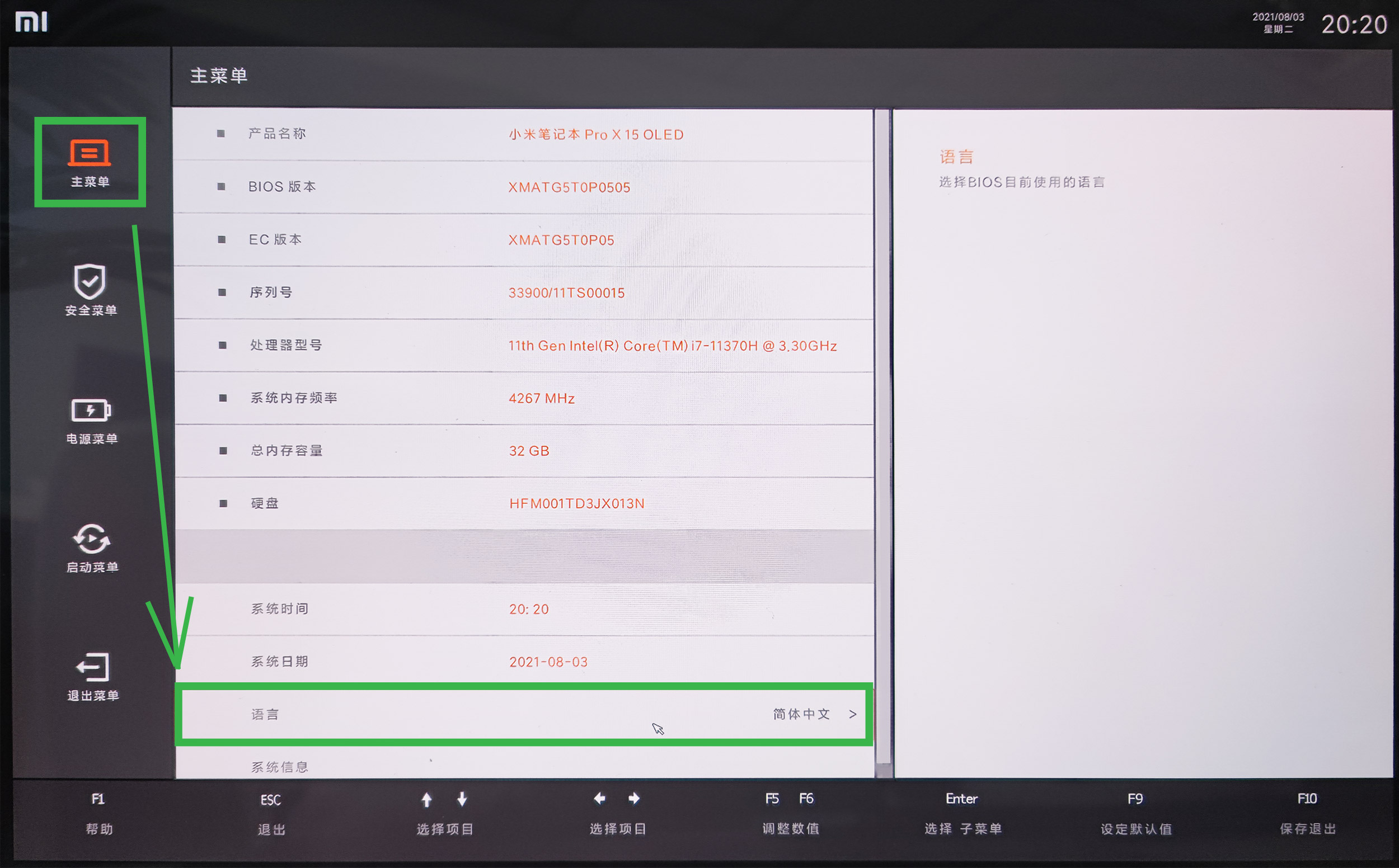
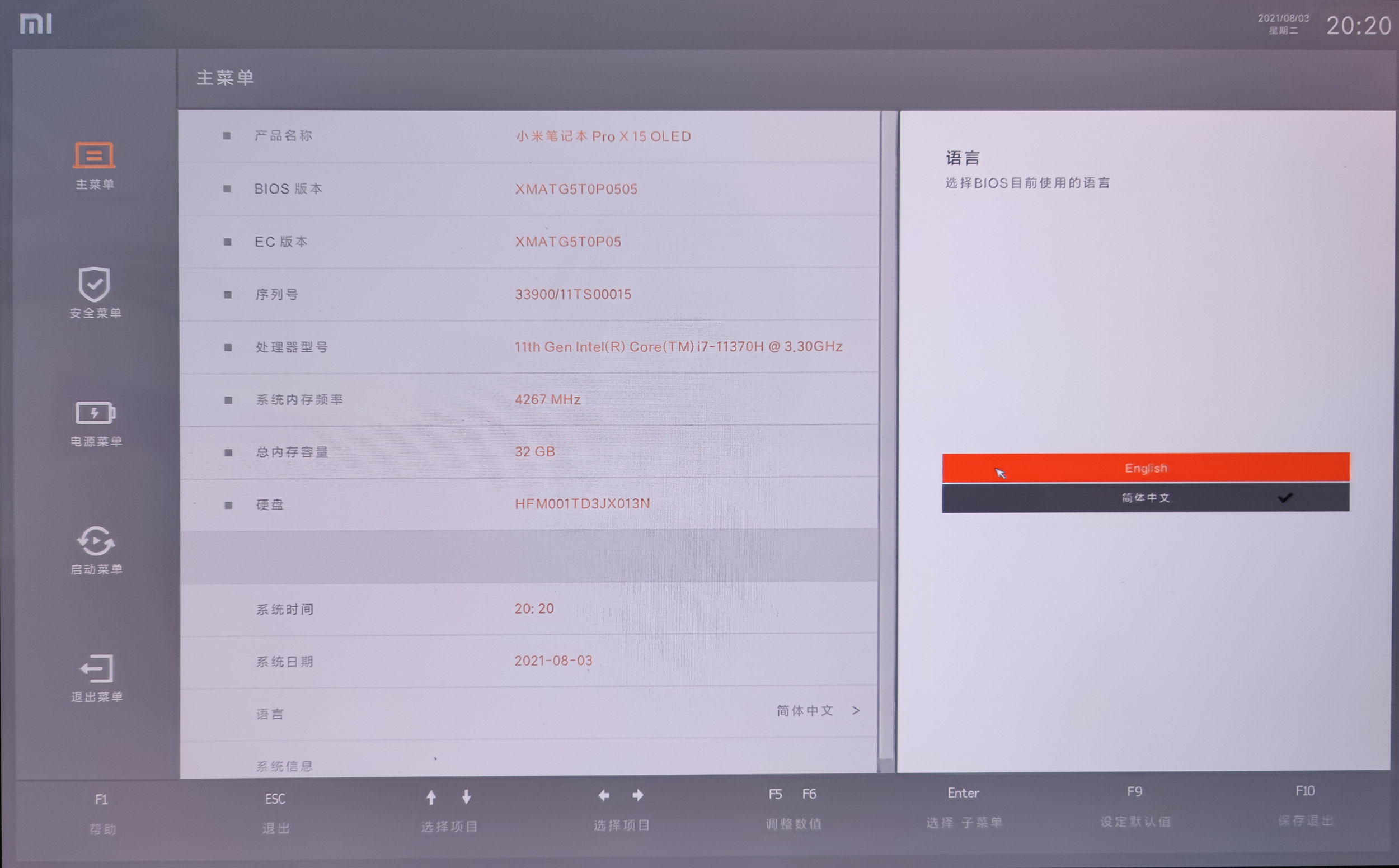
In BIOS, you first need to enable booting from USB. You’ll get into the BIOS settings by pressing the F2 key right after turning on the laptop. The settings language can be switched to English – right in the first section under the date. Then, in the BOOT section, just change USB Boot to Enable.
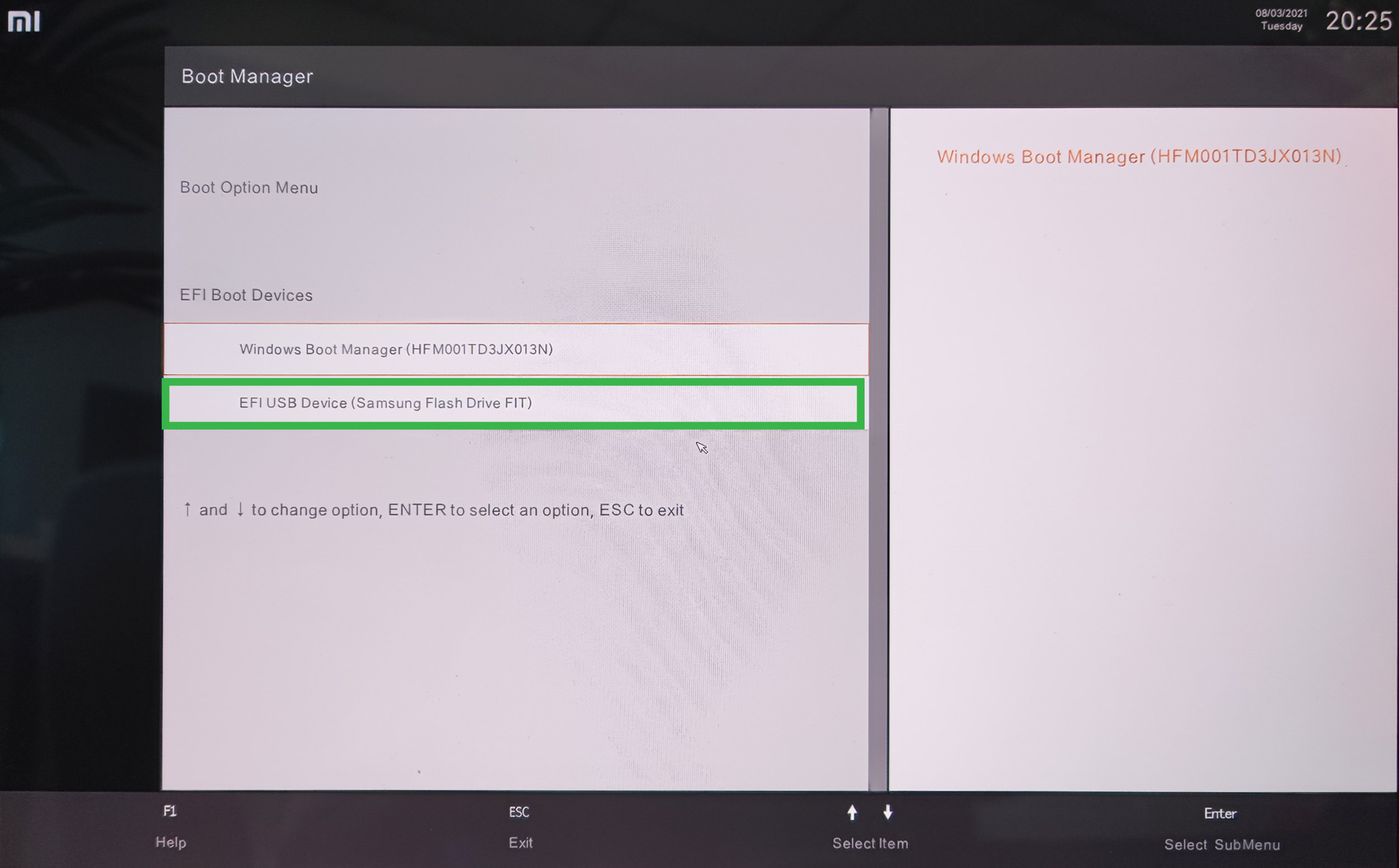
Restart the laptop and now keep pressing the F12 button, which will open the Boot Manager. There, you just select the USB drive and confirm with the Enter button. The laptop will then boot from the installation USB and you’ll continue with the setup process for the new system.

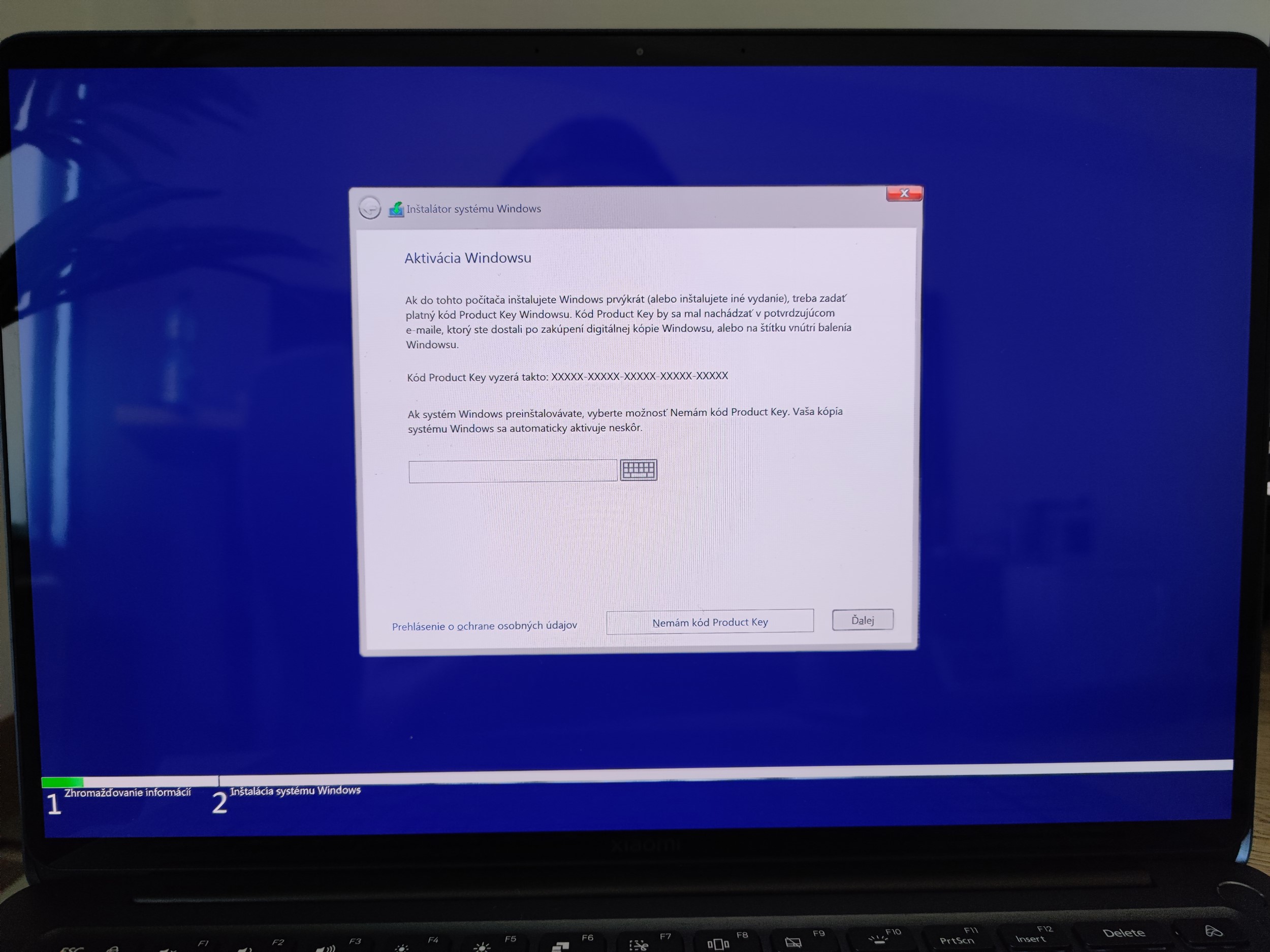
You don’t perform Windows activation; it will activate automatically after the first connection to WiFi, since the license key is stored directly in BIOS. The advantage is that you don’t have to buy a new license for the system – so you choose the option I don’t have a code Product key.
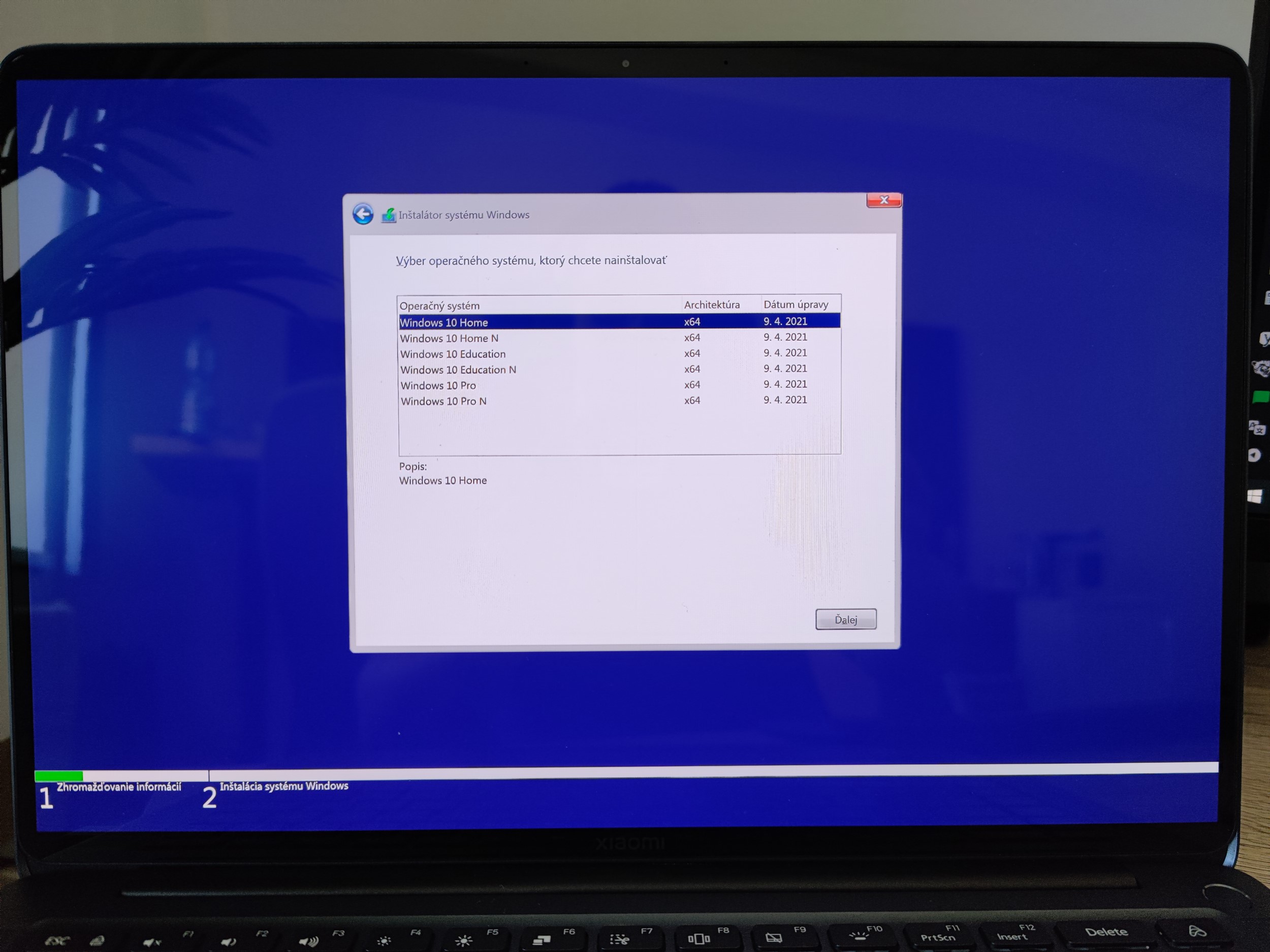
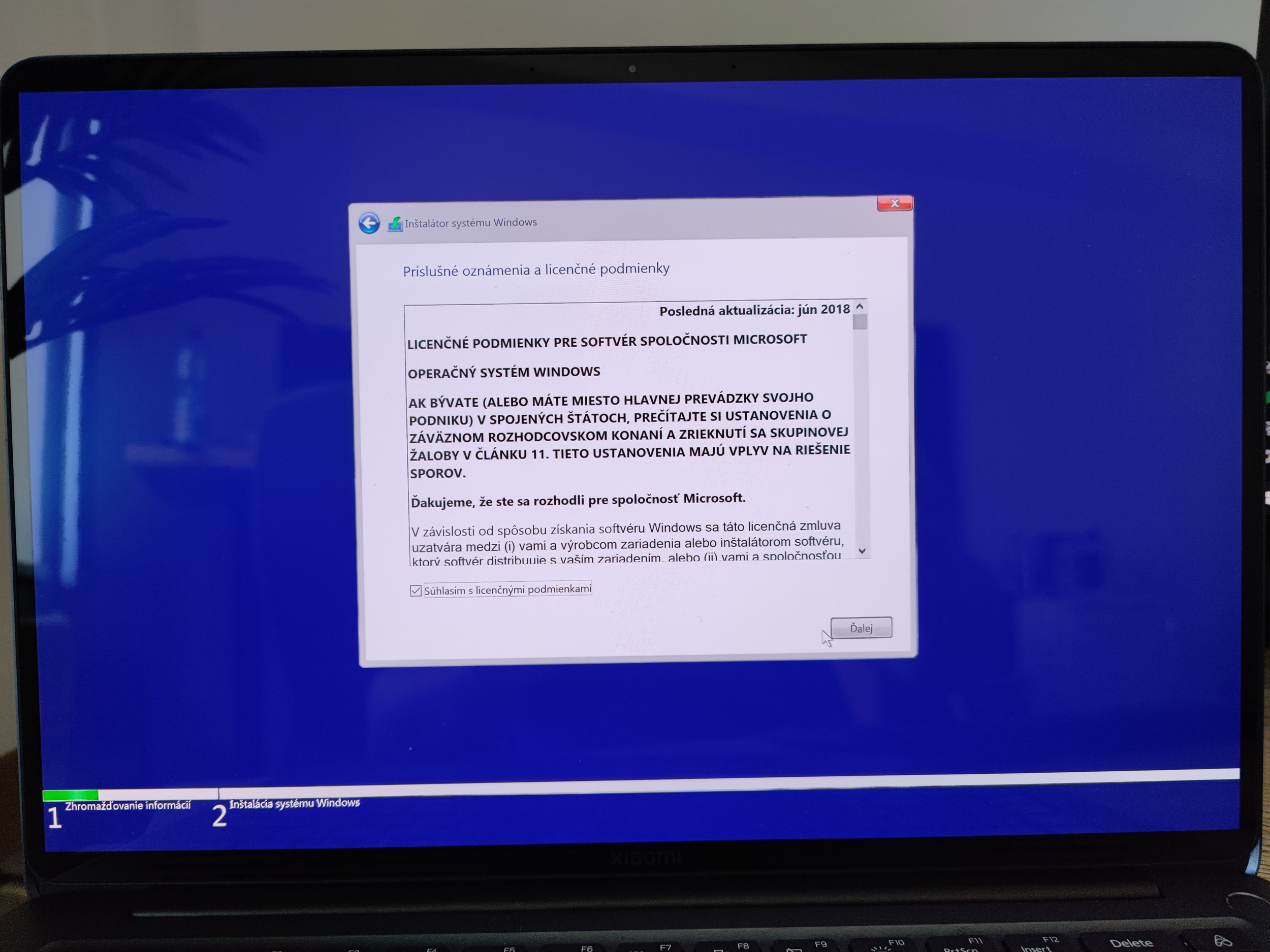
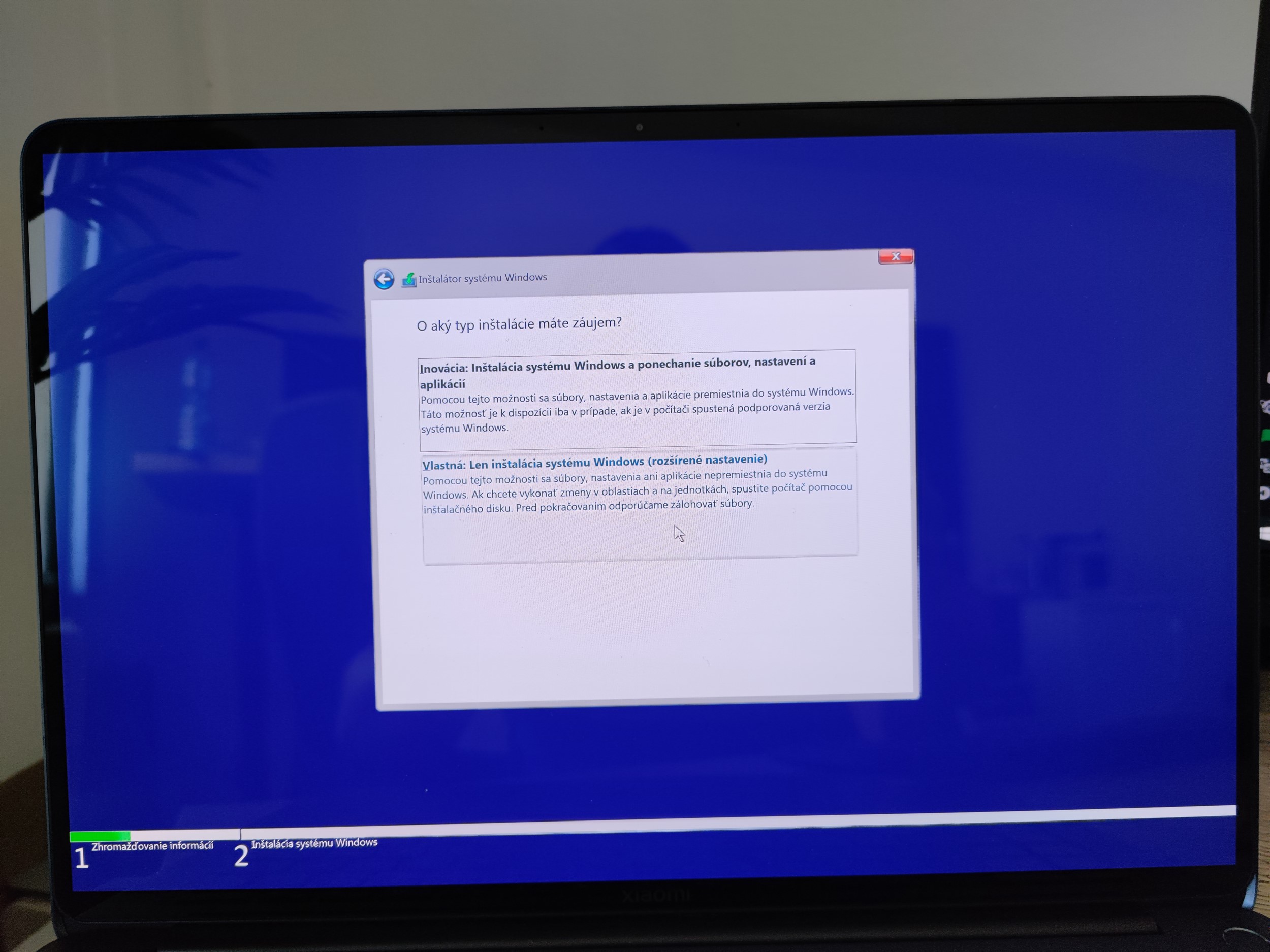
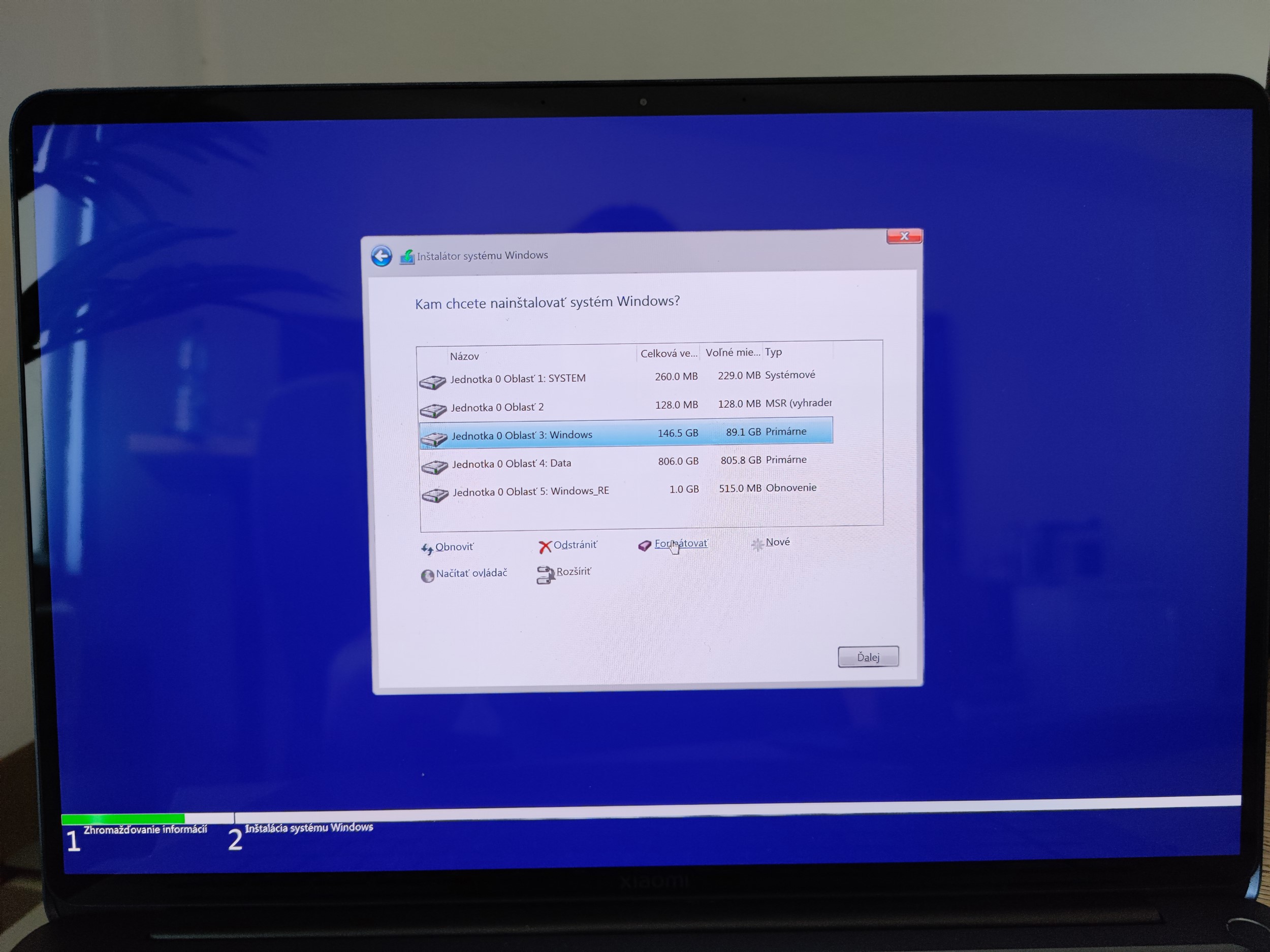
Next, you select the Windows 10 Home system version (the laptop has a license only for this version), you accept the terms, and you choose the installation type as Custom. It’s necessary to completely format the system drive – labeled as Drive 0 Partition 3: Windows.
You can safely delete or format the other partitions: Partition 1 and Partition 2. Those are where they kept the files for the old Chinese Windows. Partition 4: Data remains for your data, and with Partition 5: Windows_RE you don’t do anything.
Now you just finally confirm the installation and wait for the laptop to restart. The laptop should download the drivers automatically, but if some components don’t work properly, you can download the drivers from the official website. Soon we’ll also bring you a detailed video tutorial of the whole installation process.
We’ve already started testing, and soon you’ll find a detailed review on our website. If you have any questions about the laptop or the TradingShenzhen shop, feel free to ask in the comments.
You can also join our Xiaomi Planet group and make sure you also like our sister China Planet page, where we share more similar buying tips from China. Recently, we also launched a group dedicated primarily to purchases from European warehouses, and we’d be happy to welcome you there as well.
Don’t miss the best coupons 📩
Subscribe and we’ll email you new coupons before they expire. We only send it once a month — no spam.