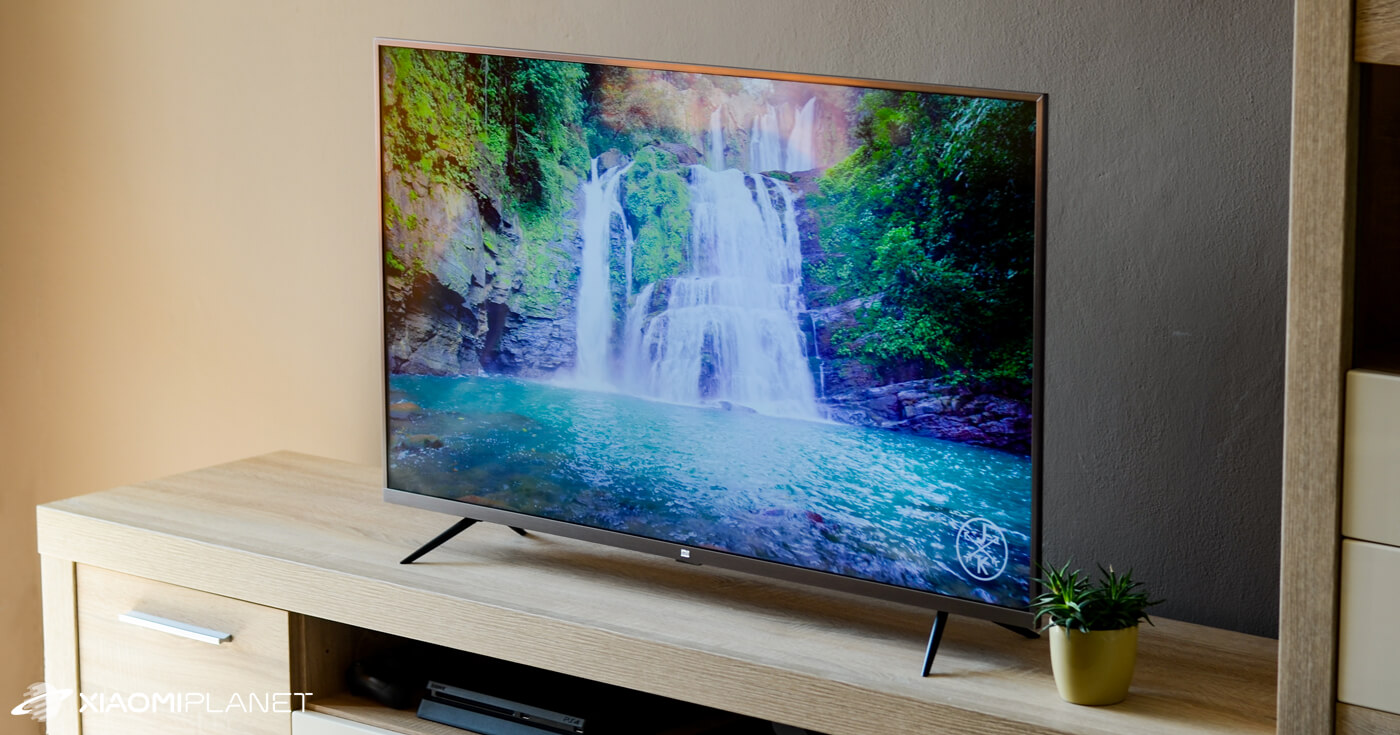
Verdict: Xiaomi Mi TV 4s 43"
Our editorial rating based on product testing.
- excellent connectivity
- beautiful picture with great color reproduction
- Android TV operating system
- design
- Chromecast
- weak speakers
- poorer build quality, cheap-looking materials
- slower boot-up
- no air mouse
When Xiaomi entered the market with its TVs, many people wondered whether it would also reach us. In the end, though, Xiaomi did impress us and started distributing TVs with 32″, 43″ and 55″ screen sizes across Europe. We picked the golden middle, so we’re bringing you a test of the 43-inch version, the Xiaomi Mi TV 4S.
Technical specifications Xiaomi Mi TV 4S:
First, let’s list a few technical specs:
- Screen size: 43″ (108 cm) IPS display
- Resolution: 3840 x 2160 px, HDR support
- Viewing angle: 178 °
- Dynamic response: 8 ms
- Refresh rate: 60 Hz
- Processor: 64-bit 4-core
- Memory: 2 GB RAM, 8 GB ROM
- GPU: Mali 470 MP3 (frequency up to 650 MHz)
- Speakers: 2 x 8W, DTS and Dolby Audio support
- Support for DVB-T2, DVB-C, DVB-S2
- Network connection: WiFi 2.4 GHz, 5 GHz, ethernet
- Bluetooth 4.2
- Operating system: Android TV (Android 9)
- Dimensions: 959.55 mm x 208.33 mm x 608.14 mm
- Power consumption: 85 W
Where to buy Xiaomi Mi TV 4S 43″
We purchased the TV from the popular online store Banggood. At the time of writing the review, it was available in the Czech warehouse, so it will be delivered to you in a few days by courier. Since it’s a fragile product, we recommend that when you receive it you check the packaging thoroughly and, in case of any damage, file a report for a damaged shipment.
We ordered the version with full Netflix support and also with a CI slot, i.e., a slot for a satellite card. Our package arrived without any damage within 4 working days. Since it ships from a European warehouse, no additional fees apply.
Xiaomi Mi TV 4S 43"
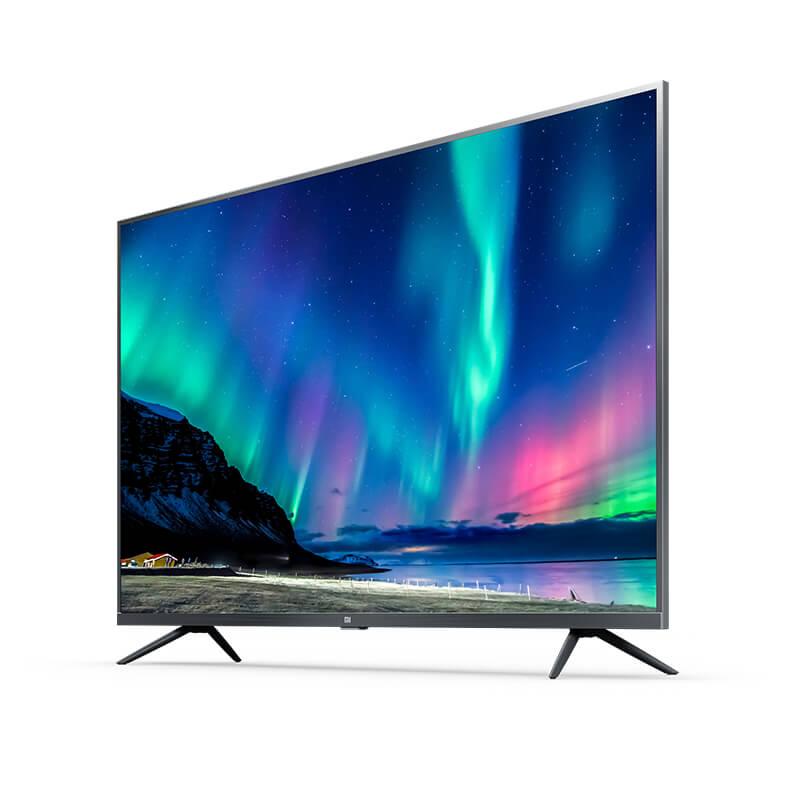
 DE warehouse
TIPExpress delivery from the German warehouse with no customs duty and no VAT.
This product will be delivered to you express from a local German warehouse. Delivery from Germany usually takes 7-10 days, and it’s brought by courier. When it arrives, you don’t pay any extra fees—no customs duty or VAT.
Our extra service with VIP support — we’ll handle the order on Gshopper for you and ship it straight to your address.
If you don’t have experience buying on Gshopper, payments don’t go through, or coupon use doesn’t work for you, we offer an order handling service directly to your address for our readers and customers. You transfer the money to our account and we place the order directly to your address. This way, you won’t have to worry about a failed payment or applying the coupon, and you can be sure the entire order will go through correctly 100 %. In addition, you automatically get our VIP support — if any issues arise with the shipment, we handle them for you and assist with filing a claim. The fee for this service is €15 extra of the product price. You can contact us by email at info(@)xiaomiplanet.sk or on Messenger, where we’re constantly active.
In the box
The packaging is fairly minimalist. You’ll find only the TV itself, a remote control, stands with screws to attach them, and a manual. A wall-mount stand would be a nice addition.
Design and build quality
Since the 43″ version is sold for around €280 (with a coupon sometimes as low as €250), we didn’t have high expectations regarding build quality. At this price, corners had to be cut—most noticeably in the materials.
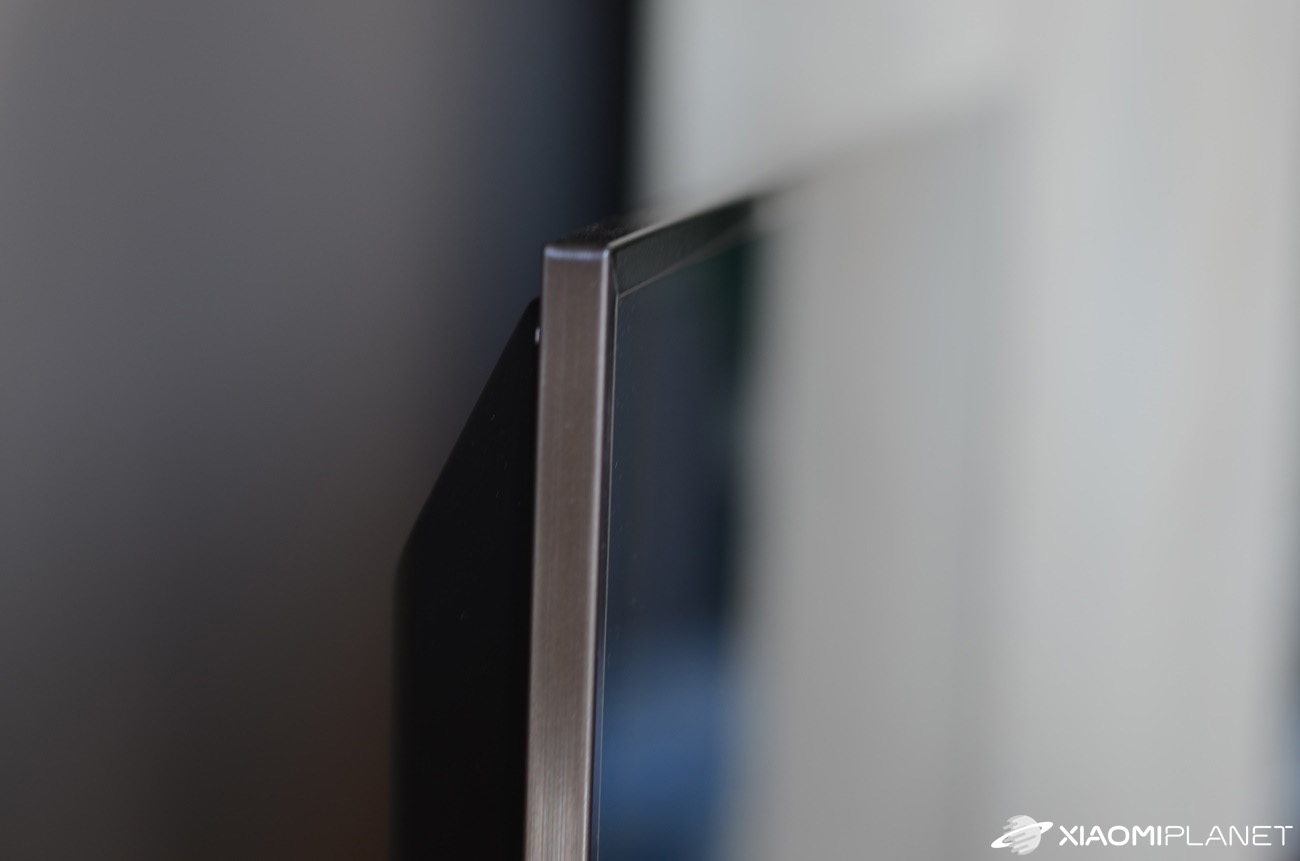
The TV is very light, weighing only 7.2 kg. Overall, the build quality doesn’t feel overly premium to the touch, but that’s the mentioned price you pay for the low cost. From a design point of view, though, it’s a very successful piece.

On the front, you’ll like the thin aluminum frame with the MI logo in the middle of the bottom edge. It’s thinnest around the borders, because the frame width is only 0.9 cm. The thickest part of the TV is almost 10 cm. Compared to other TVs (for example from Samsung), that’s quite a lot. From the side, the TV also isn’t among the thinnest.
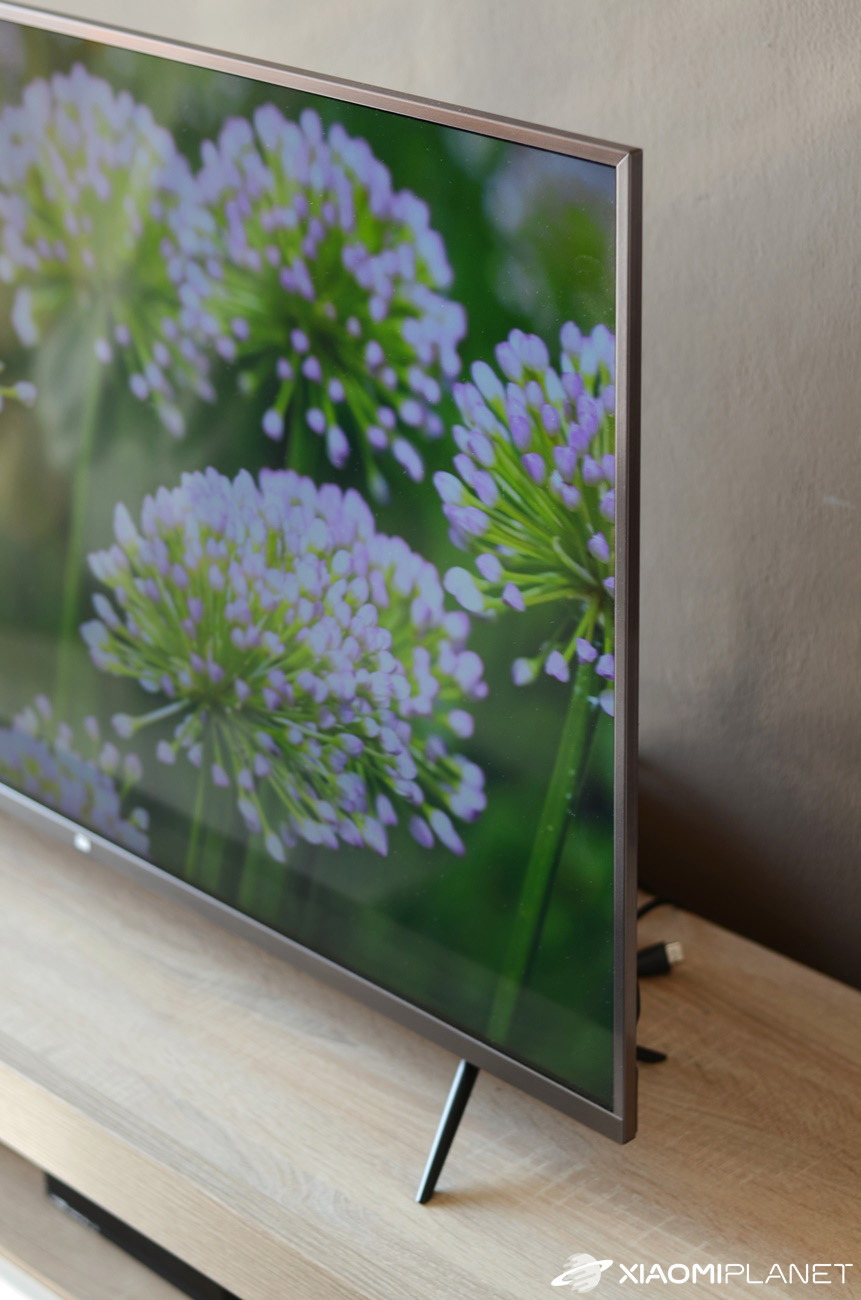

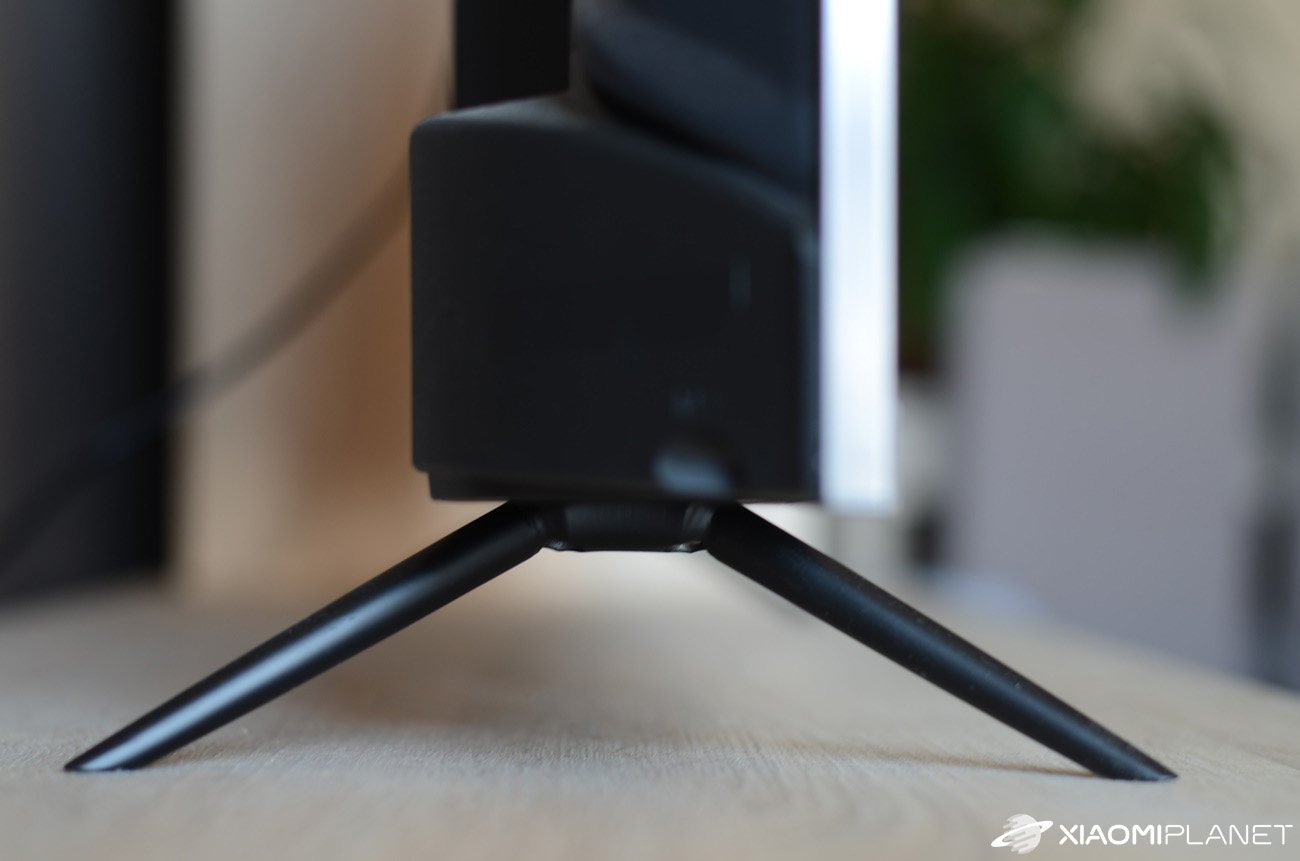
The stand feet are made of metal and are easy to install using the included screws. The TV sits on them securely. The rest is made of plastic.
Rich connectivity
When it comes to connectivity, you’ll be happy. Xiaomi Mi TV 4s has 3 HDMI ports (one with ARC support). You’ll also find 3 USB 2.0 ports, an ethernet port for connecting an internet cable, 3.5 mm audio jack, AV – in, DVB-T2, DVB-C, DVB-S2, CI+ (most often used for a decoder for a satellite card) and an optical output for connecting external speakers.

For wireless connections, there’s 2.4 GHz and 5 GHz WiFi, plus Bluetooth 4.2.
First power-on, first problems
At first glance, the TV has no physical button. Even on a second look, you won’t find any. Xiaomi has perfectly hidden the power button. It’s located at the bottom under the MI logo, but it’s very small and you won’t feel it easily on the first try.

A lot of people around us who bought this TV were scared because they thought the TV wouldn’t turn on. They couldn’t find any buttons, so they tried turning the TV on only with the remote control, which however doesn’t work without pairing. Sometimes, then, it helps to check the user manual first.
On first power-on, the guide walks you through the basic settings, where you set the language, connect to the internet, and pair the remote control. You’ll be pleased to see both Czech and Slovak, since this is the international version.
Remote control
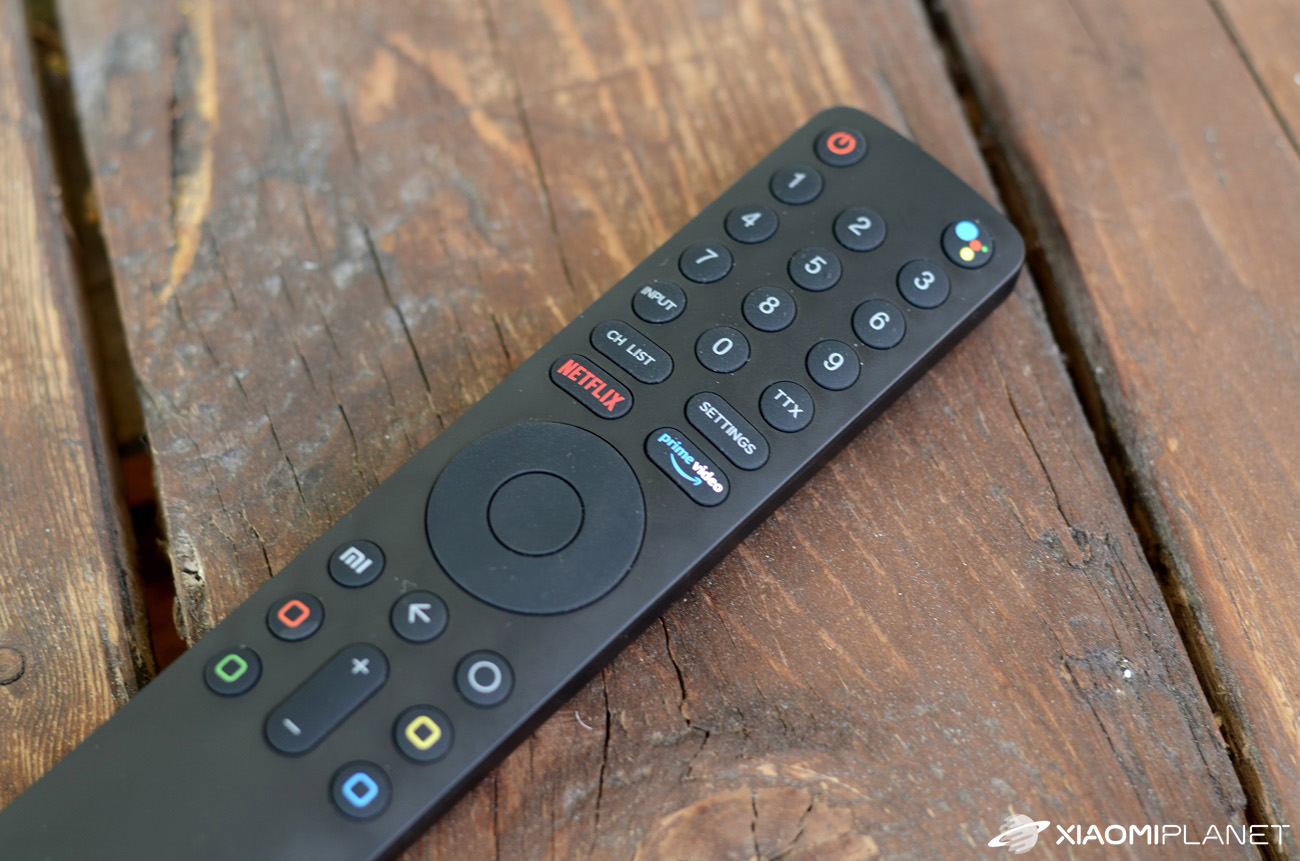
You control Xiaomi Mi TV 4s using bluetooth technology. That way, you don’t need to use the remote control that comes with the TV. But the included remote is actually quite good. It’s thin, simple, fits well in your hand, and it has almost everything important on it. It also has a dedicated button to launch Netflix, Amazon Prime Video, or the Google voice assistant.
But we missed buttons to pause or rewind the video. There’s also no button for instantly muting the sound, the so-called “mute”.
However, if you install a remote-control app on your smartphone, you’ll get even more. Just pick one from the Google Play store and pair your phone with the TV.
It’s very easy, although it happened to us that the TV couldn’t pair with some apps. One of them was the official Mi Remote app, which couldn’t even find our TV.

That’s why we use the CetusPlay app. Besides the usual navigation buttons, you’ll also find other interesting features. For example, there’s a touchpad, which comes in handy when using a web browser or a keyboard. Another very interesting feature is the ability to take screenshot images of the TV screen and save them directly to your smartphone’s memory.
PatchWall user interface
The PatchWall interface replaces the classic Android TV launcher and can be changed if you don’t like it. It provides switching between different inputs and a simple menu for quickly launching apps. This interface isn’t available in Slovak.

The main smart menu
We really like the Smart TV interface. It’s simple and clear. The design is genuinely well done and we have nothing to complain about.

There’s a quick search panel and several logically grouped categories. The first group is apps.
Here you’ll find all the apps you currently have installed. Since the TV uses the Android TV operating system (version 9 – Pie), you can easily install more apps or games from the Google Play store. Preinstalled ones include Netflix, YouTube, Amazon Prime Video, and others.

Netflix and Prime Video show what you watched last and new content right on the home screen. With series, you can easily keep watching the next episode even after a longer period of inactivity.
Android TV isn’t the same as Android on your phone
A slight disappointment came when we found out that even with the presence of the Android TV operating system, you won’t find all the apps that are available for Android on smartphones. The biggest surprise was discovering that there isn’t even Google Chrome here. Unfortunately, this browser doesn’t have a version for Android TV.

In the Google Play store you’ll find a few web browsers (e.g. Puffin, TvWeb Browser). None of them, however, really worked for us. They all seemed messy, slow, and outdated. That’s why we looked for options to install Google Chrome, or Firefox, even though they’re not officially supported. It’s more complicated than it might look at first.
On the internet you’ll find plenty of pages offering .apk app files for download. We tried it, downloaded the .apk for Google Chrome, but the installation failed every time with no error message at all.
Sideload launcher, or how to run any Android app
To solve the problem mentioned above, you need to run unsupported apps using a launcher that can launch apps made for smartphones (the most common is Sideload launcher – in the photo below).
Unofficial apps can be downloaded, for example via the app Analiti, which lets you download the file directly from a web link.

The second option is to download a .apk file via a browser such as the aforementioned Puffin. After installing from the .apk file, these apps will show up after opening the Sideload launcher. From there, you can run them easily. This is how we fixed the Google Chrome problem.
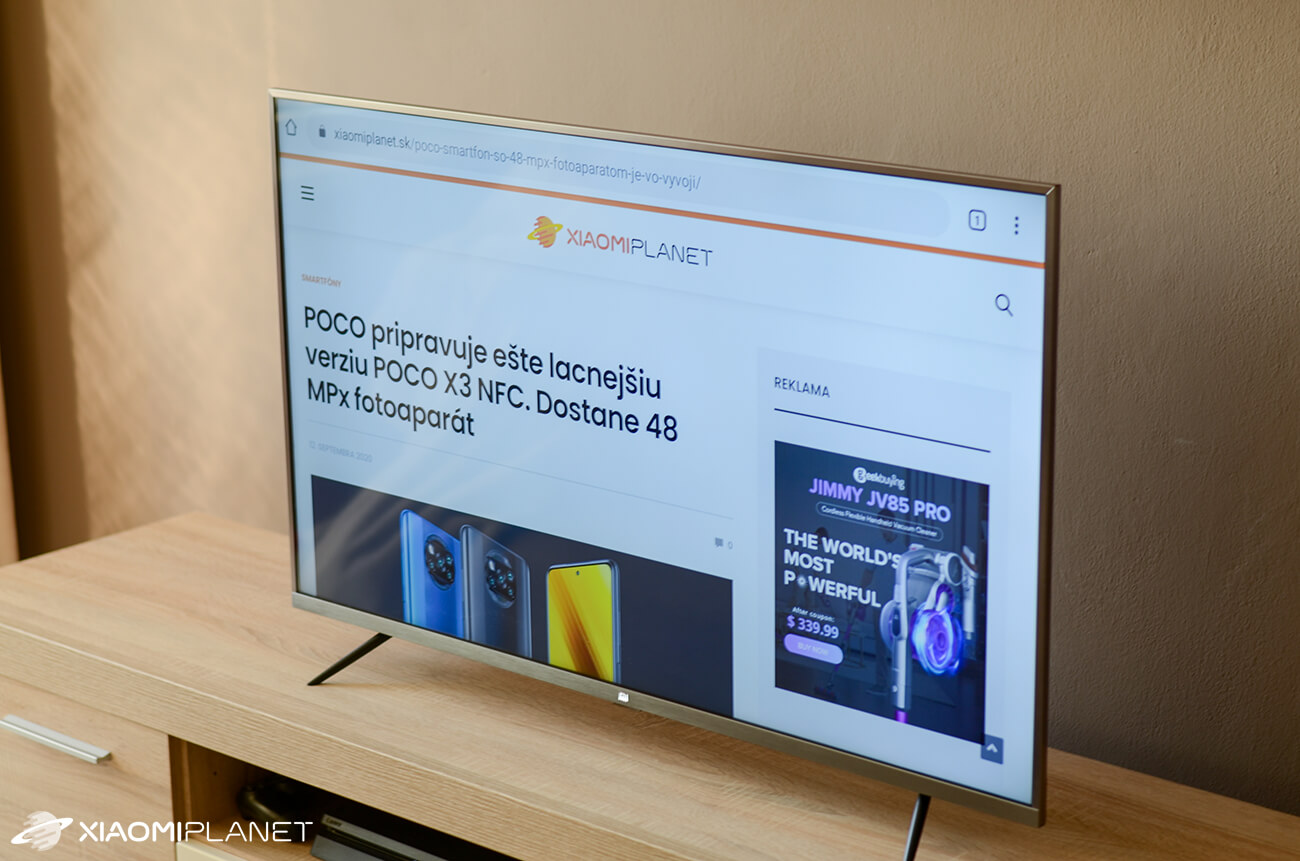
In the picture below, you can see what the Xiaomi Planet page looks like opened in Google Chrome.

As an alternative to Google Chrome, we managed to install the web browser Firefox the unofficial way as well.

However, it isn’t possible to run any app you find and install from a downloaded .apk file. The installation will go fine, but after launching an unsupported app, it might not work properly.
We tried to install a screen recording app this way so we could show you the interface in a video too. Unfortunately, we couldn’t get it to run.
Browser control can be problematic
Google Chrome, as well as Firefox, did work, but their control is the issue. With the included remote, you can’t control Google Chrome at all. You need a mouse and a keyboard. Any better phone app that has a touchpad and a remote keyboard will do the job (for example, the aforementioned CetusPlay).
All of these issues would be solved by the Air Mouse feature. If you haven’t heard of it, it’s basically cursor control using a remote. With a controller that has this feature (thanks to the built-in gyroscope), you just move it through the air, controlling the cursor on your TV.
Such remotes are provided with TVs by, for example, LG. It’s a shame that Xiaomi doesn’t offer this feature on its remote. From Banggood, though, you can buy an AirMouse-supported remote for a few bucks. We can recommend the Wechip W1 product, which is also available in the Czech warehouse.
You’ll love the system’s fast response
Thanks to the 4‑core processor, the system is very fast. It responds to commands instantly, without freezing.

Before this, we owned a Samsung smart TV (without Android TV) with the same screen size, but without 4k resolution. The speed is, however, incomparably better on the Xiaomi Mi TV 4s. Turning on the Xiaomi TV takes a little longer, but once fully loaded, the control is completely smooth and very fast. On the Samsung, responses were always slow and the system was never smooth at all.
Voice control is also missing
As we mentioned earlier, on the remote control you’ll find a button to enable the Google Voice Assistant. Unfortunately, it only works in English, but if that doesn’t bother you, you can use it. With the voice Google Assistant, you can, for example, turn the TV off, search for a video on YouTube, ask about the weather forecast, or even turn on some apps.
It works really well and we were happy with it. It recognized commands surprisingly well even when we spoke more quietly.

A wide range of settings options
The settings window appears on the right side of the screen. When watching TV, the broadcast won’t be interrupted even after opening this menu. There are really lots of options here, so you can customize the system to match your needs.

What about the speakers?
Probably nobody will be happy about this. The sound is our biggest disappointment with this TV. It’s very flat, lackluster, with almost no bass. Compared to a Samsung smart TV, you can clearly tell the difference.
We solved it by buying a soundbar with a subwoofer. There are several ways to connect external speakers. We connected the soundbar using an optical audio cable, which should be the best option for high-quality sound transmission.
Besides the optical cable, you can also connect, for example, Bluetooth speakers. Even a gradually much-maligned 3.5 mm jack is included here.
One of the top features – Chromecast
Built-in Chromecast support is a pleasant surprise. With this feature, you can easily share content from your smartphone to your TV. Just make sure your TV is connected to the same network as your smartphone.
You can share gallery photos and videos this way, or mirror your entire smartphone screen.
Chromecast works really well here. Sharing is fast, seamless, and screen mirroring runs without any slowdowns or interruptions.
Watching Slovak TV
In the Google Play store, you’ll find apps for almost all of the biggest Slovak operators, such as Antik TV, Magio GO, or Skylink Live TV. To watch Live TV, you can also use the very popular KODI app, which is likewise available on Google Play.

Conclusion: Is it worth buying Xiaomi Mi TV 4S?
In short, definitely yes. It’s a great TV for the price/quality ratio. The system is finely tuned, smooth, and the design is handled very well.
We use the TV every day for several months now, with the Antik TV app for watching regular broadcasts. It replaced a Samsung Smart TV series 5 with its own operating system, to which we had connected an Android TV box.
With the current prices of this TV, we didn’t hesitate—we swapped the Samsung Smart TV with an Android box for the reviewed Xiaomi 43″ TV, and we don’t need to connect any additional smart TV box to get real smart features.
You can also play games comfortably on it. Just buy a gamepad that you connect via Bluetooth, or use a mobile phone instead of a remote.
Despite minor drawbacks like worse speaker quality or the use of less premium materials, we recommend this Xiaomi TV to everyone. For the price under 280 €, it’s a great buy.
Xiaomi Mi TV 4S 43"
DE warehouseTIPExpress delivery from the German warehouse with no customs duty and no VAT.
This product will be delivered to you express from a local German warehouse. Delivery from Germany usually takes 7-10 days, and it’s brought by courier. When it arrives, you don’t pay any extra fees—no customs duty or VAT.
Don’t miss the best coupons 📩
Subscribe and we’ll email you new coupons before they expire. We only send it once a month — no spam.