- First review of HyperOS 4—tested by Tech Spurt on the 17 Ultra
- The biggest benefit isn’t the look, but the system speed
- Scanning 10,000 thumbnails in the gallery—90% shorter
- The catch: on budget Redmi and Poco M, nobody tried it
Until now, we’ve only been writing about HyperOS 4 using press materials, model lists, and build numbers. That changed when Xiaomi opened the global beta even for European phones. Outside, you can see the first impressions from a reviewer who actually used the new system for a few days.
The new glass looks great. And you can dim it
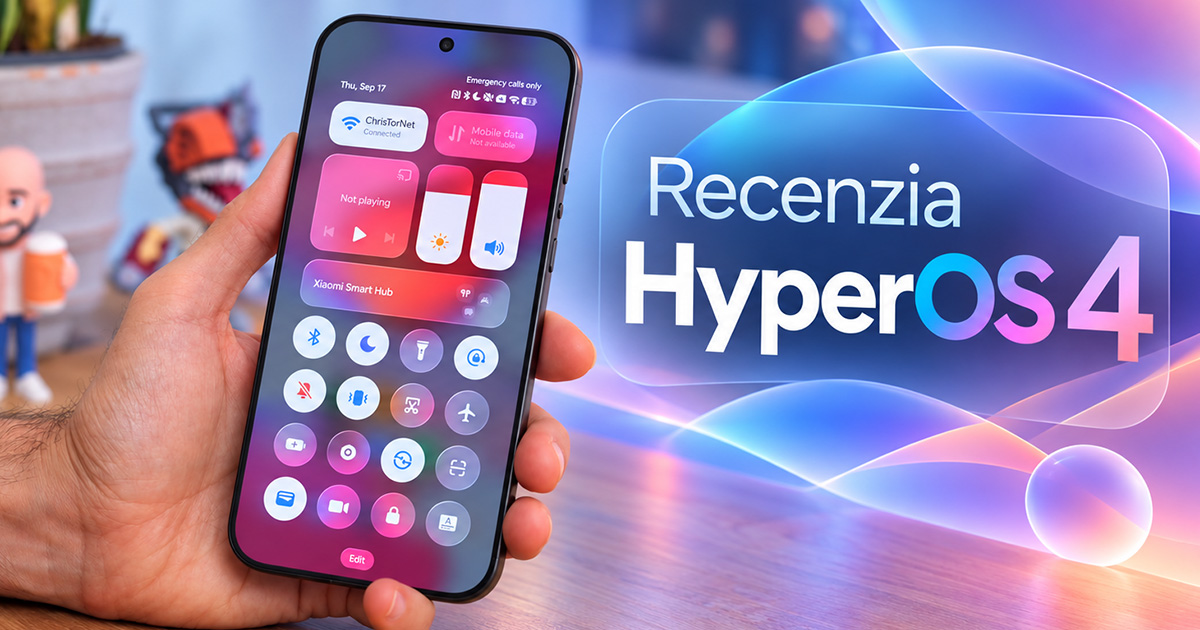
The reviewer from the Tech Spurt channel spent a few days with the HyperOS 4 beta on the Xiaomi 17 Ultra. The new interface material, Soft Light Glass, according to him, transforms the system at first glance: where HyperOS 3 used full color, now you can see a blurred outline of the wallpaper through it. You notice it most in the center control panel and on the notification shade, which no longer looks flat thanks to subtle shading.
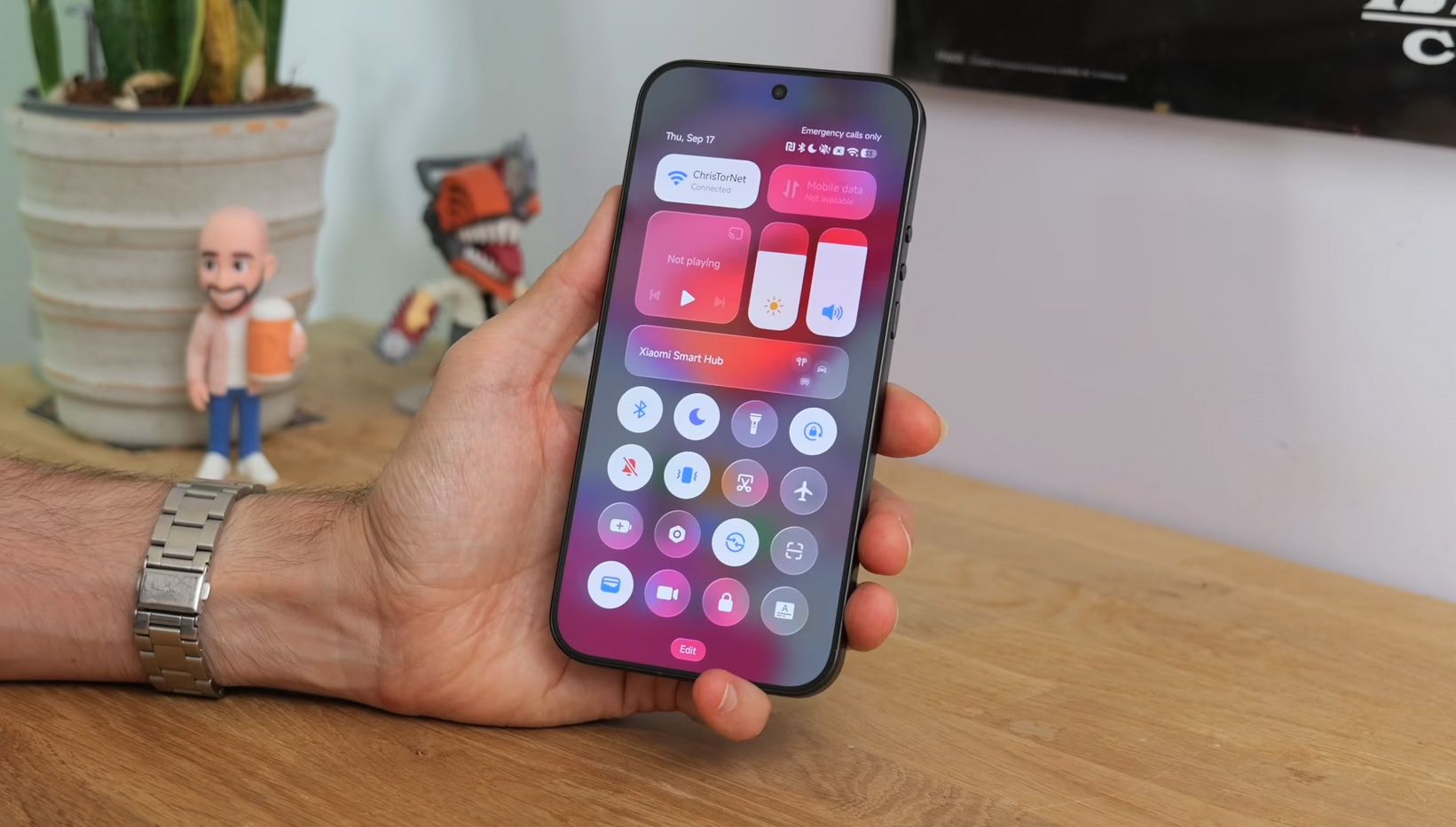
He admits himself that the transparency didn’t fully convince him. Still, the look can be switched. In the visual style section, you can choose between subtle and frosted glass (in the English interface: Soft glass and Frosted glass).
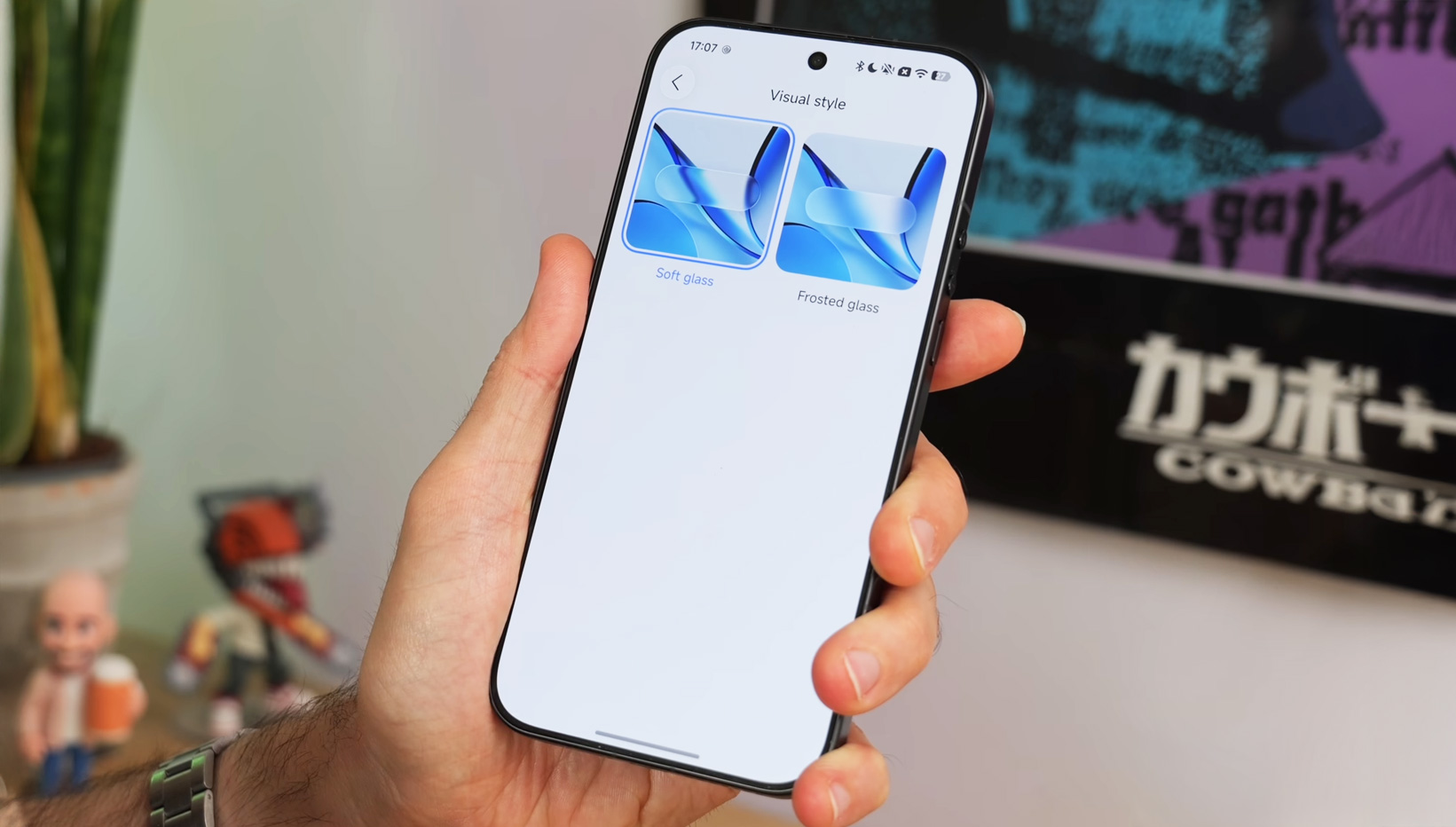
Frosted glass is much closer to the original look. The transparent version is enabled by default as well, and so is the app drawer—when you drag an icon onto the home screen, a glowing aura appears. A small detail nobody needed, but it looks good.
The biggest change can’t be captured in a photo
More important is what changed under the glass. For HyperOS 4, Xiaomi rewrote several of its own apps from scratch: the home screen, the gallery, and the weather. The same three are also listed in the manufacturer’s official documentation under the HyperOS App Runtime heading.
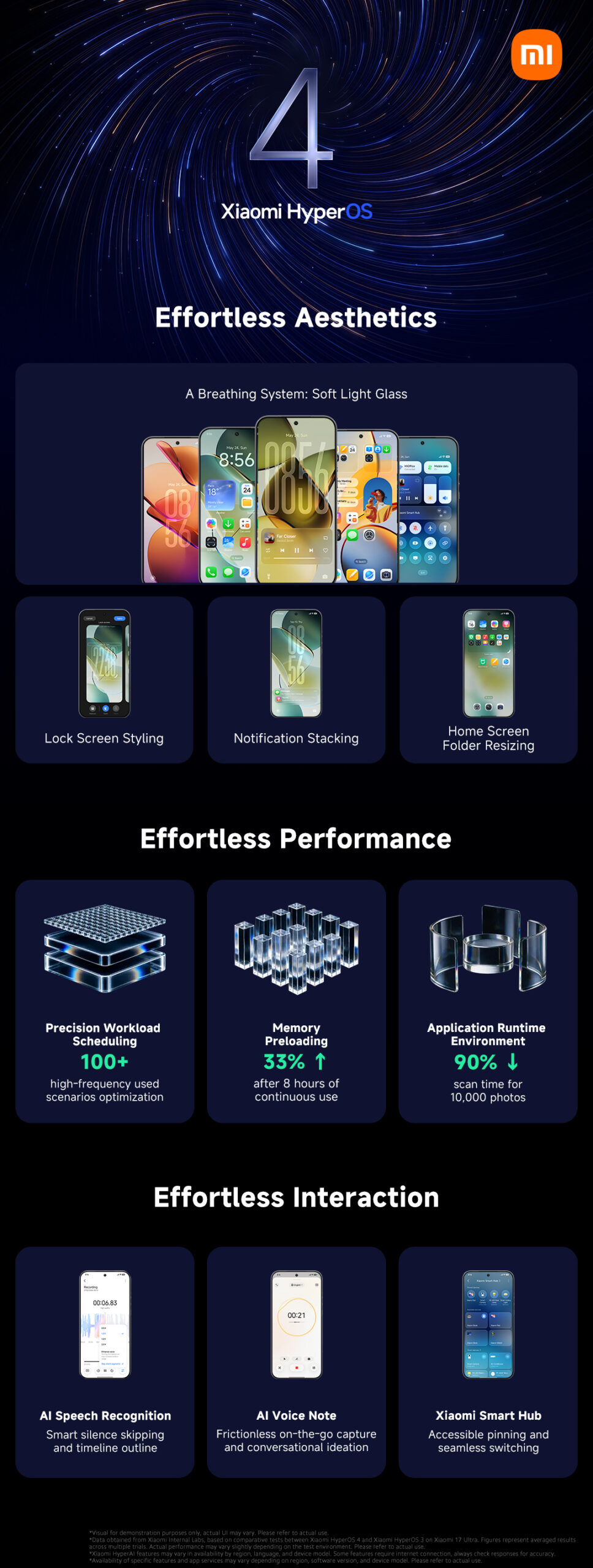
You can see it best in the gallery. When the reviewer went through years of photo archives, the previews loaded instantly. On the same task, Poco F9 Ultra with HyperOS 3 was still catching up. Xiaomi quantified it in its own measurements: with 10,000 gallery previews, the scan time drops by 90%. Apps also opened just as quickly, in his view, including third-party ones like Instagram, TikTok, Spotify, and YouTube—even after hours of heavy use.
The same reviewer has been complaining for years that HyperOS is clunky and never fully smooth—even on the most powerful phones. With the four, he claims the opposite.
A catch you need to say out loud
One reviewer admits it himself: he tested it on the Xiaomi 17 Ultra. On the most expensive phone Xiaomi sells. Just because it runs smoothly on that one doesn’t say anything about cheaper models.
The real test for HyperOS 4 will be in the budget line of Redmi and POCO. That’s where it will show whether the rewritten apps and improved memory management really deliver—or whether they’ll remain just numbers from tables. We’ll have to wait for an answer, because the beta is running only on a handful of expensive models for now.
Folders, widgets, and notifications
Working with the home screen has been simplified. By holding your finger on any folder, you’ll see corners you can drag to change its size—from a small icon to an area that takes up a large part of the screen. In a big folder, you can launch apps directly by tapping—without opening the folder.
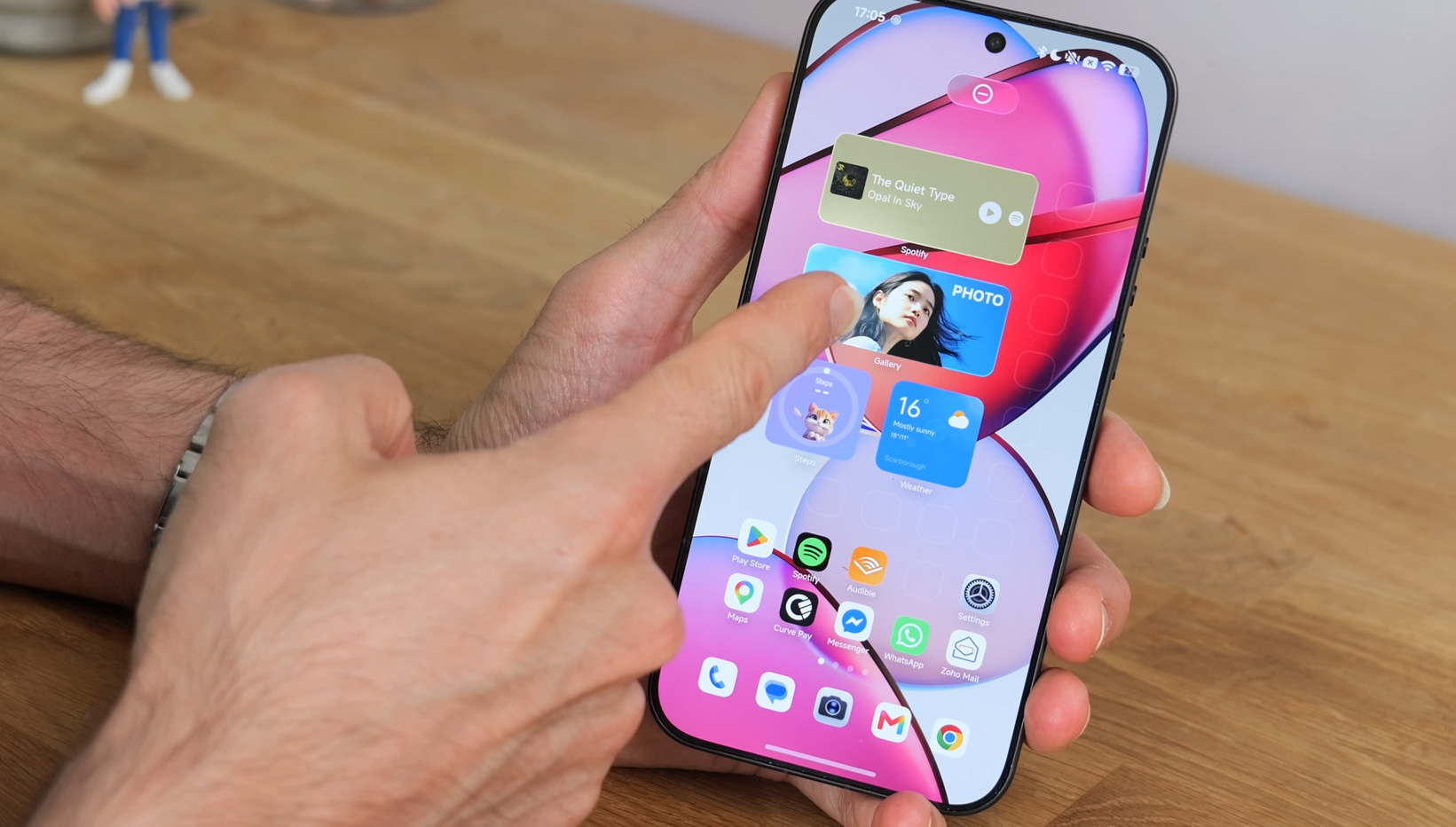
Xiaomi also promises stacking widgets of the same size on top of each other. But the reviewer couldn’t get it to work even after several tries. Whether the feature runs in the beta at all, we don’t know yet. Notifications on the lock screen, on the other hand, work reliably and now have a new option: besides the classic list, you can keep them collapsed to the bottom of the screen into a single number.
Notes and the recorder got the most AI
Notes have changed the most in their own apps. They now include voice notes with real-time speech transcription. The reviewer dictated a task list of about a minute, including hesitations and fixes in the style of “actually, do it on Monday”. The app turned it into neat bullet points and a ready-to-check task list. During recording, you can also add notes or take a photo—for example, of a board in a lecture or during a meeting.

The voice recorder has also been updated. It can skip silence in the recording and enhance the audio. While recording, you can mark an important moment or attach a photo. If there’s noise in the background, silence isn’t always recognized, and playback won’t skip it.
The locked screen finally listens
The locked screen has received new theme sets: classics, people, scenery, or an Eastern aesthetic. The reviewer ranks them among the best parts of the update. But the bigger win is freedom with the clock. You can change their size and drag them anywhere—up or down.

This applies to almost every style except for large stylized clocks. Plus, you can play around with fonts and effects, including transitions, blur, or overlays with your wallpaper. This hasn’t been possible in HyperOS yet.
Full review video
If you want to see the new interface in action, you can find the entire test—with shots taken directly from your phone—in the video below.
When will you get HyperOS 4?
We’re still talking about the beta. Xiaomi opened it in Europe first for three models, and in the second wave, four more were added, including Xiaomi 15 and 15 Ultra. The manufacturer hasn’t announced the date for the full release yet, and it will roll out gradually—just like always, starting with the expensive flagship models.
First impressions are good. But the real verdict will come from phones in the €200 to €300 range, where HyperOS 4 will only arrive after the beta.
| - | HyperOS 4 according to Xiaomi’s measurements (vs HyperOS 3) |
|---|---|
| Rewritten system apps | surface / gallery / weather |
| Loading 10 000 previews in the gallery | -90 % |
| Free memory after 8 hours of use | +27.2 % |
| Starting 30 apps one after another | -17.5 % |
| Frame drops during long use | -28.9 % |
| Total number of instructions | -14.4 % |
| Battery life in the DOU test | + 0.26 h |
| Tested on | Xiaomi 17 Ultra (beta) |
To get more updates from the world of Xiaomi, keep following our Xiaomi Planet website. Join our Facebook group, where we build an active community and help each other out. Subscribe to our Telegram as well, where we add the best deals and coupons from China every day.
Don’t miss the best coupons 📩
Subscribe and we’ll email you new coupons before they expire. We only send it once a month — no spam.