

The TechTablets YouTube channel made an interesting comparison of camera capabilities on smartphones Xiaomi 15 Ultra, Samsung Galaxy S25 Ultra, and Apple iPhone 16 Pro Max. We also recommend checking out a camera comparison of Xiaomi 15 Ultra and Vivo X200 Pro.
Show off your photos in our FB group
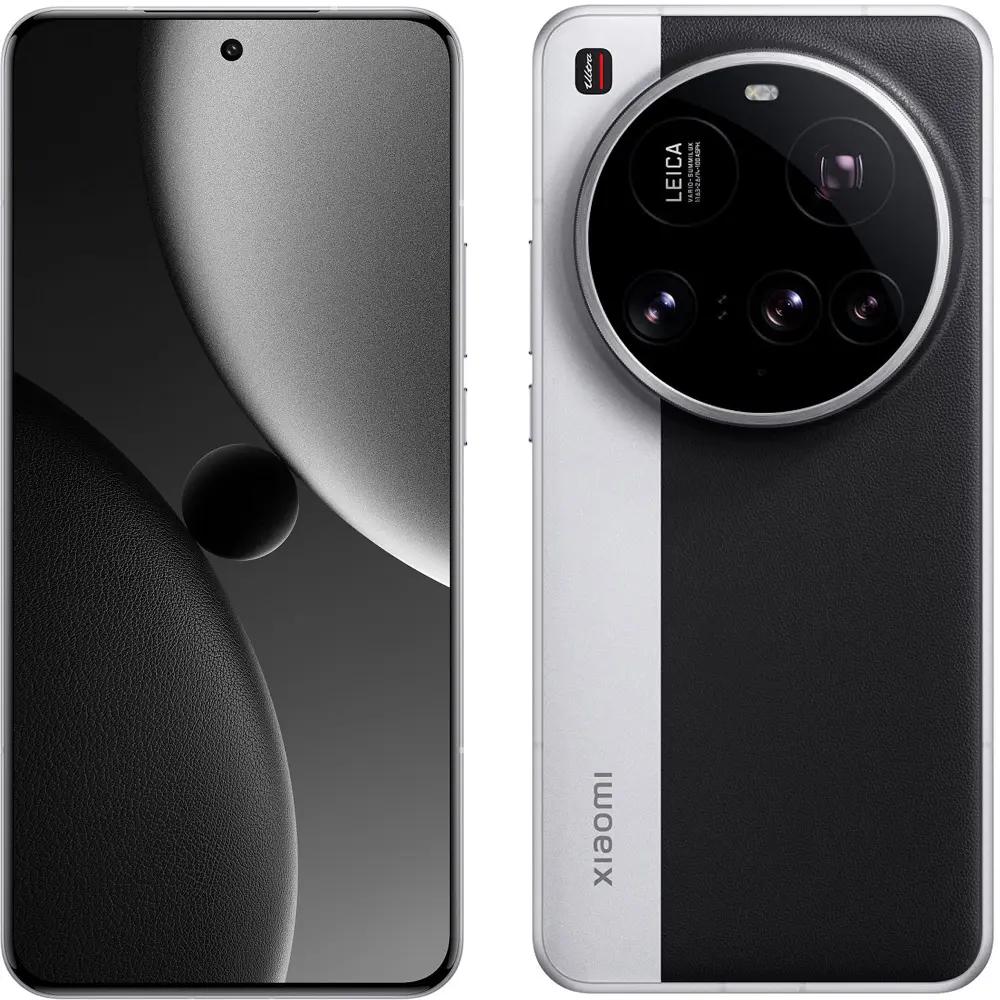
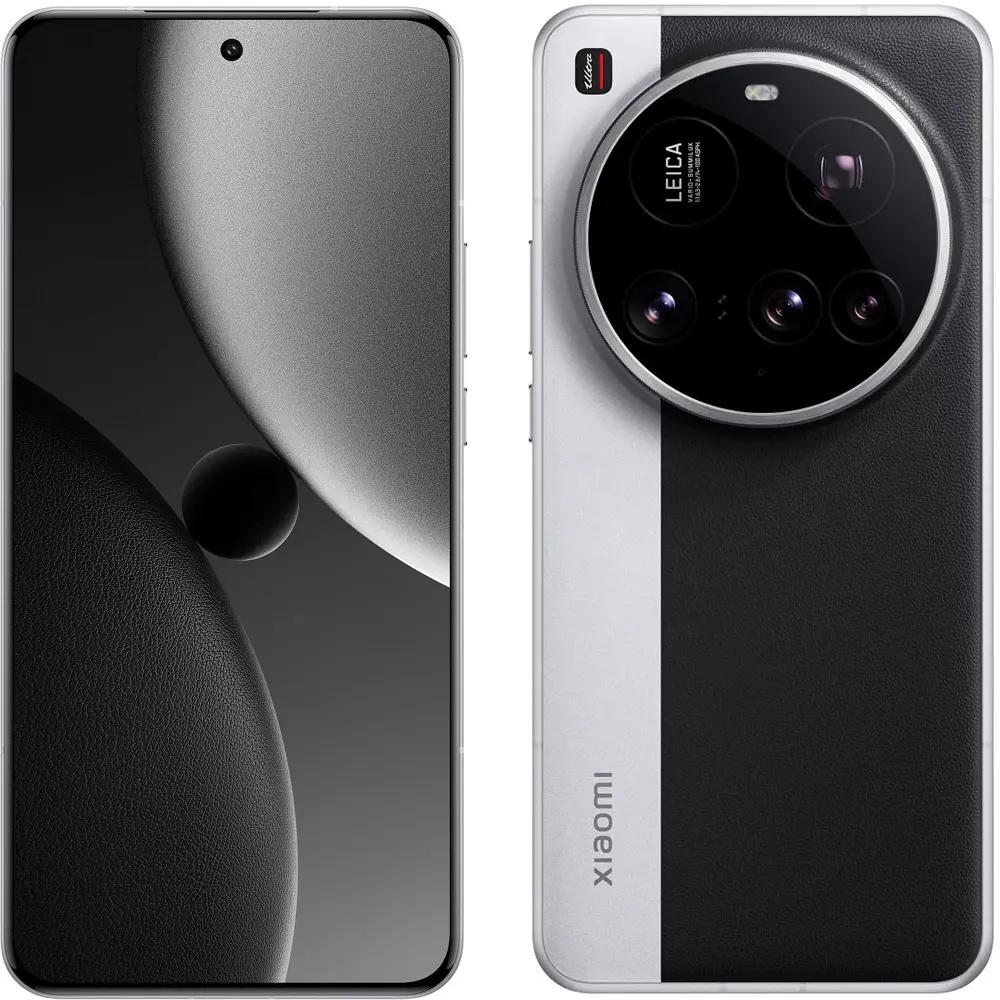
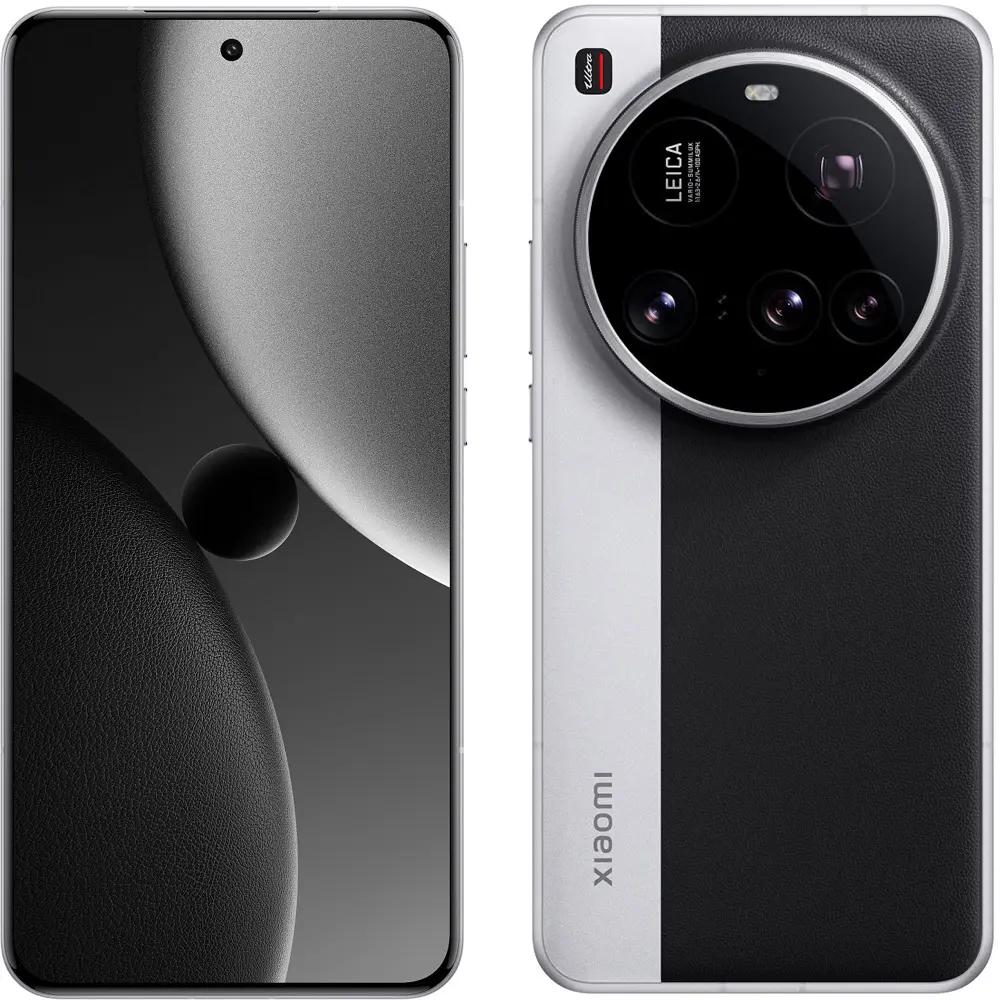
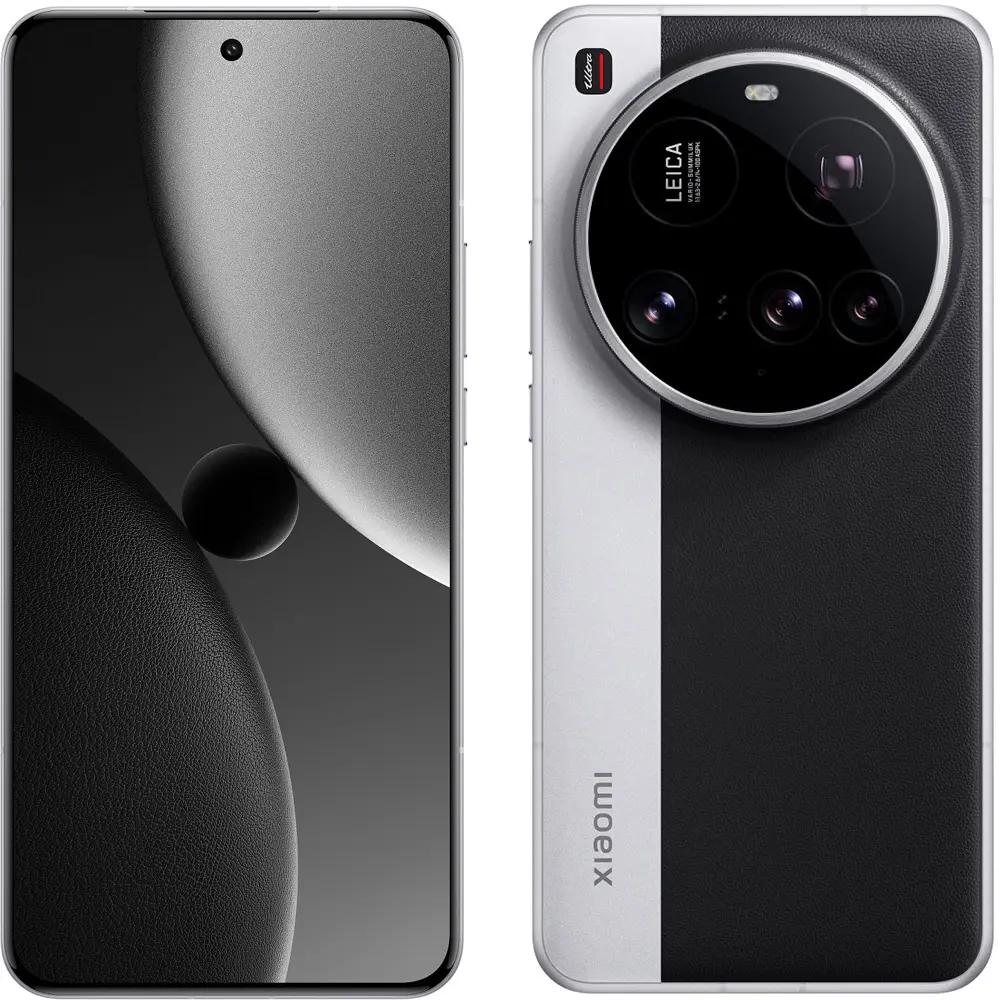
What cameras does Xiaomi 15 Ultra offer?
When you look at the camera setup of the new Xiaomi 15 Ultra, it’s clear it’s aiming pretty high. The foundation is having serious hardware. Trust that the flagship from Xiaomi will exceed your expectations. The main camera is a huge 1-inch 50 MPx sensor with an aperture of f/1.6 and optical image stabilization. Compared to the predecessor, unfortunately, it has lost the variable aperture.


Next, a 50 MPx telephoto lens with an aperture of f/1.8, optical image stabilization, and 3x optical zoom is available, but the main star is the 200 MPx periscope telephoto lens with brightness f/2.6 and 4.3x optical zoom, which also can create great macro shots.
Xiaomi, Samsung, or iPhone? Which model has better sensors?
The comparison started with a test video from the front cameras. Xiaomi 15 Ultra delivers the most accurate skin-tone color and has an excellent microphone that sounds really great in calm, wind-free conditions. In this respect, the Chinese giant has made significant progress.

Video from the ultra-wide lenses is very similar. Apple iPhone 16 Pro Max stands out with the widest field of view. In the video, you can notice slight differences in the quality of electronic vs optical image stabilization after switching to the primary cameras.
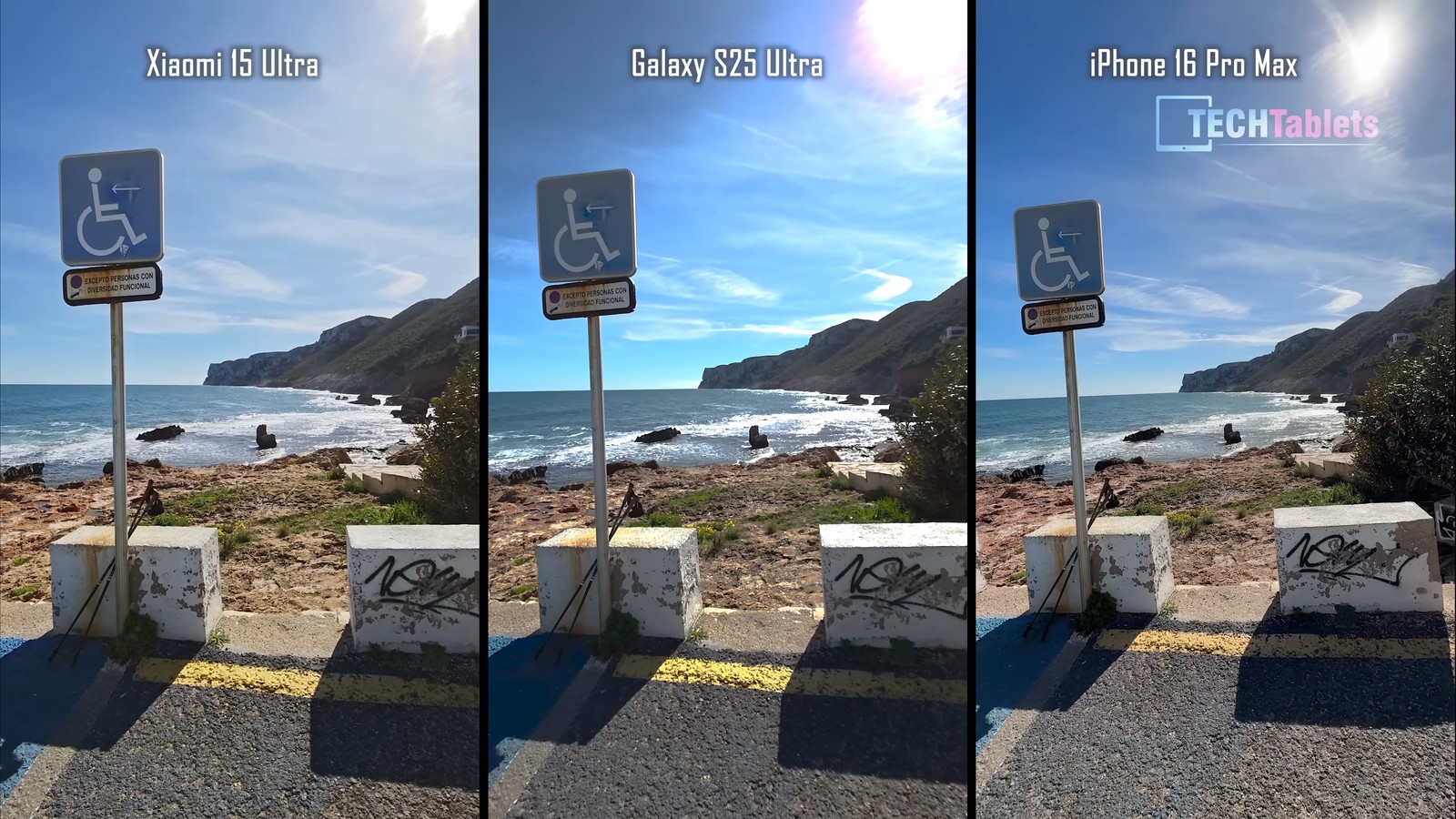
After zooming in, the shots look all kinds of ways. However, the tester subjectively rates the Xiaomi 15 Ultra as the better device for “zooming”. All three smartphones are superbly stabilized.
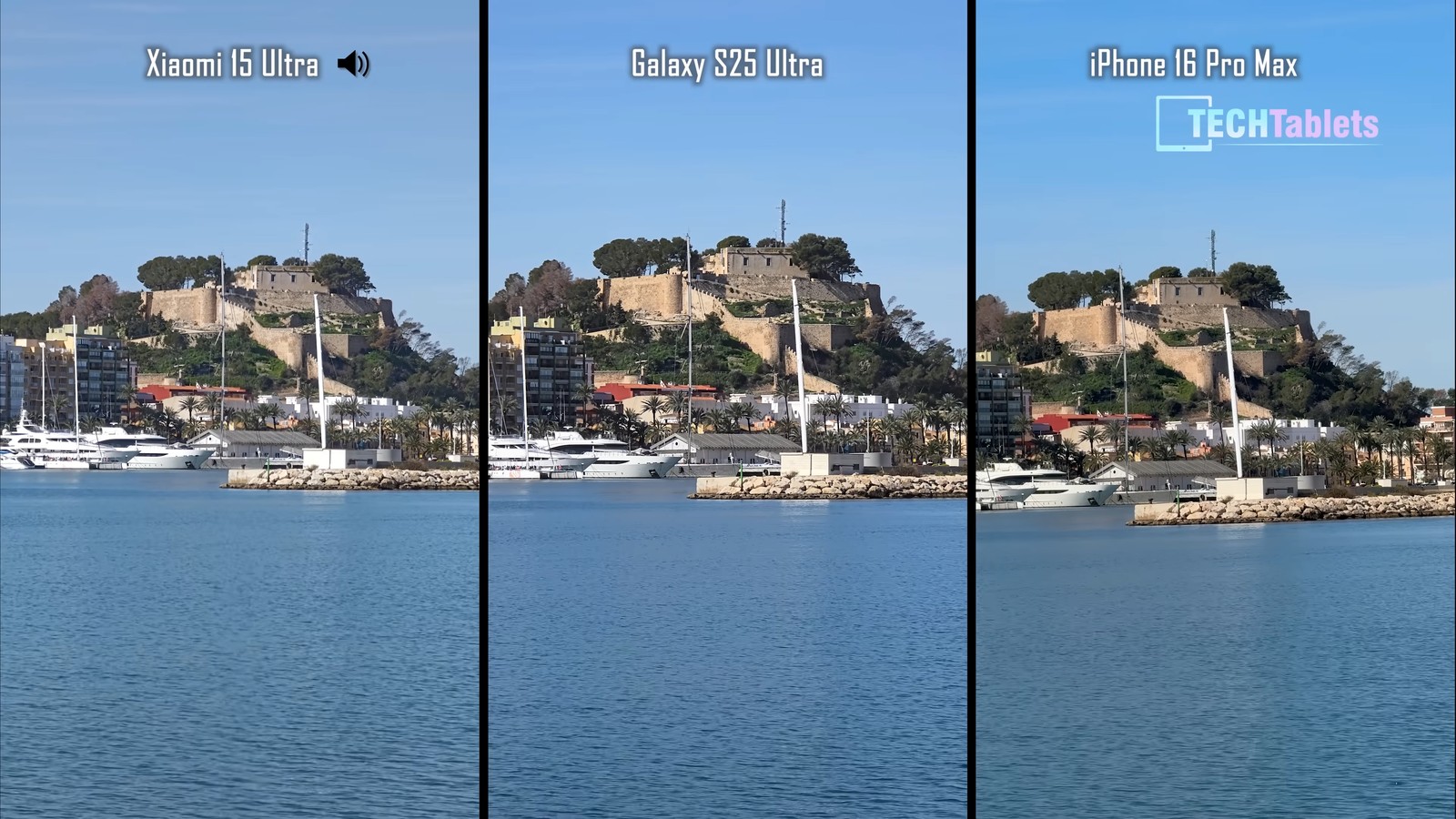
When it comes to night video, the trophy clearly goes to the iPhone. Android smartphones improve every year, but Apple phones always shine in this category. This screenshot from the video itself is also clear proof—you can see the overall image balance on iPhone and incorrect lighting with blur on the competing Android models.

A very interesting, different result in portrait photography is brought by Xiaomi with its color and contrast adjustments developed in collaboration with Leica. Even though the photo differs a bit from reality, it looks subjectively the best and unique. What do you think of this shot?
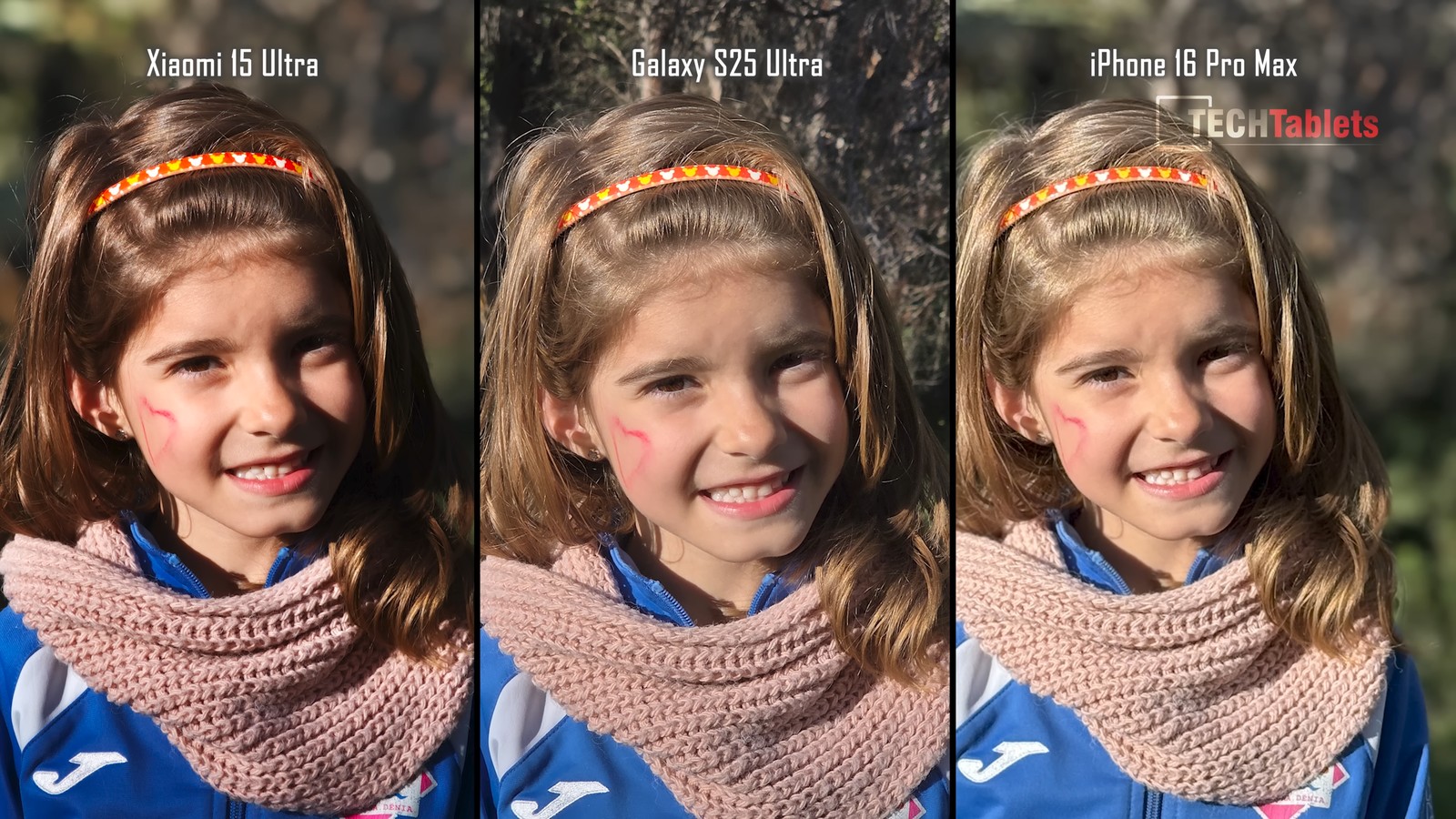
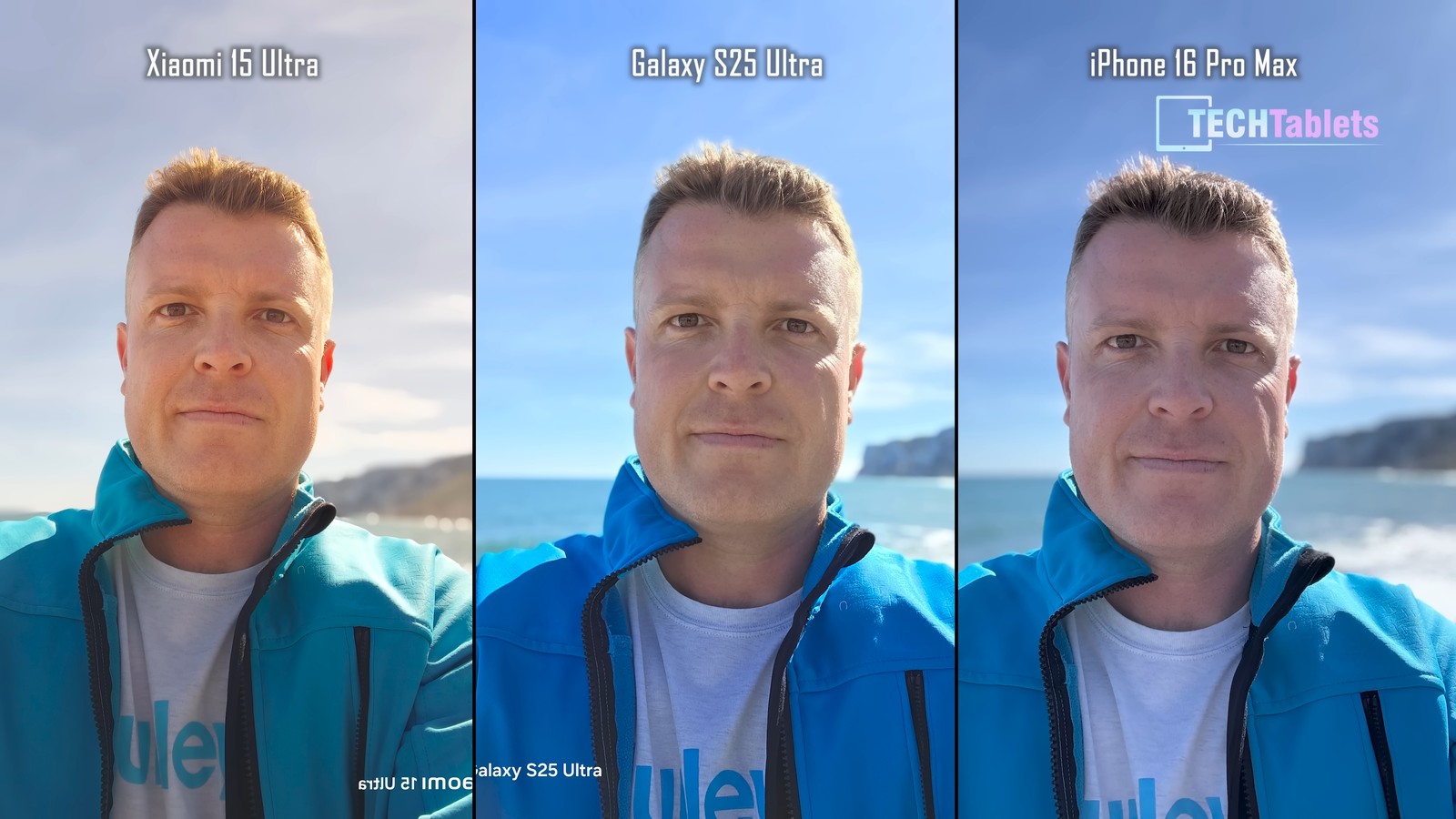
In the following photos, a test was performed for the front cameras. In this case, the Xiaomi 15 Ultra had trouble reproducing the skin tone and shifted the colors toward orange.
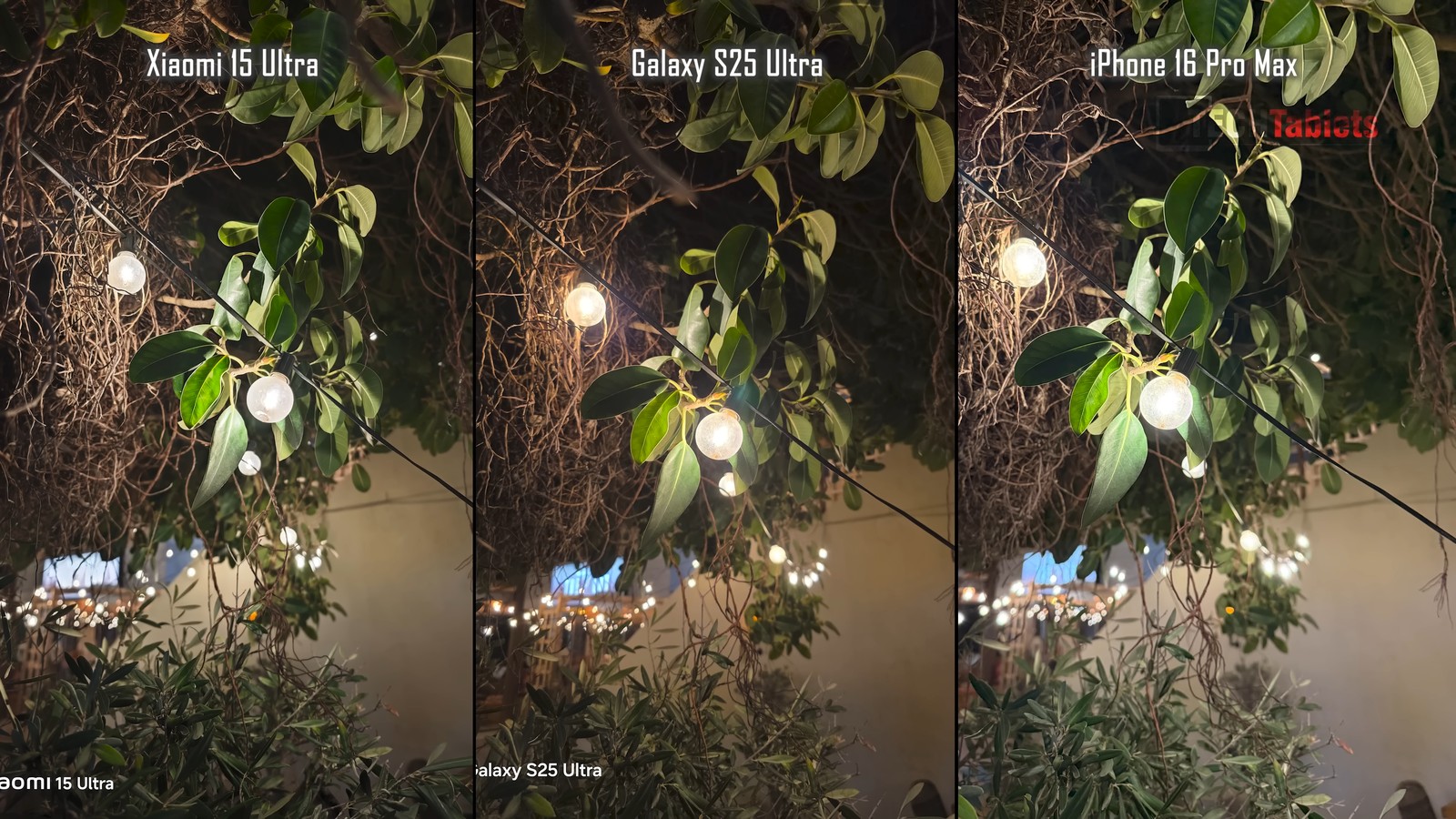
An evening shot of these bulbs looks great on any smartphone, and the details matter—plus everyone has their own preferences. Which one do you like the most? In this case, the reviewer prefers Samsung.
These telephoto results look really good. The photo from the iPhone has been artificially sharpened, Samsung delivers nice processing, but objectively the best-balanced shot was produced by Xiaomi.

This also applies to the next zoomed-in photo. You’ll probably agree with us that the shot from the telephoto lens turned out best for the Xiaomi model.
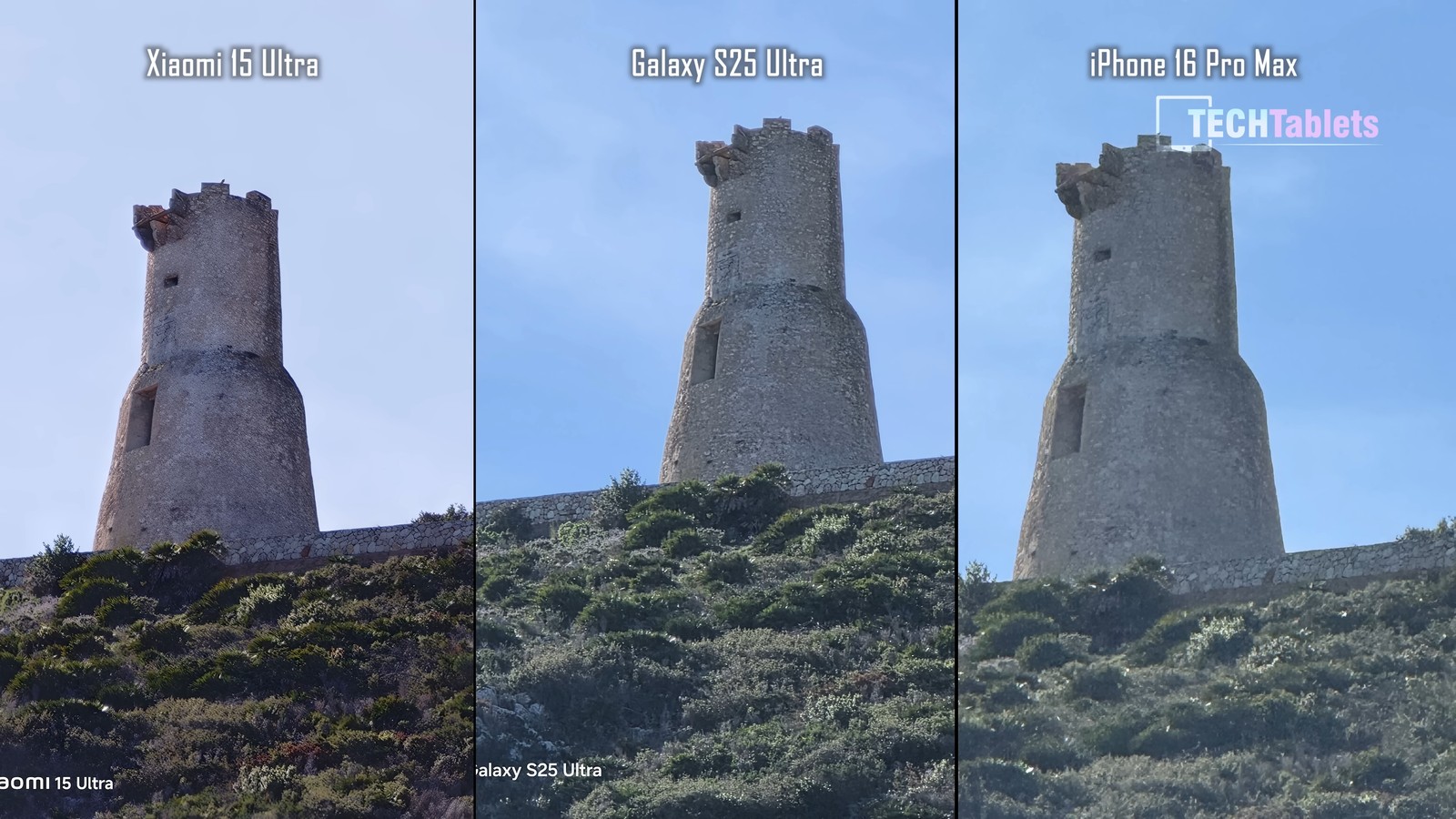
Ultra-wide lenses are very capable across the whole lineup. If we focus on details in the shadows, though, the smartphone that preserved them the best is the Xiaomi 15 Ultra. Samsung Galaxy S25 Ultra has slightly blurry edges, and the sharpest result comes from the iPhone 16 Pro Max.

Indoor photos look, at first glance, almost identical. But you need to focus on the curtains by the window – Xiaomi and iPhone produced an overexposed image here, and the best dynamic range in this case is from the flagship of the South Korean giant Samsung.

The photo from Xiaomi is a bit overexposed for the cat shot. iPhone also didn’t capture the correct white color, and the most true-to-life photo was created by Samsung.

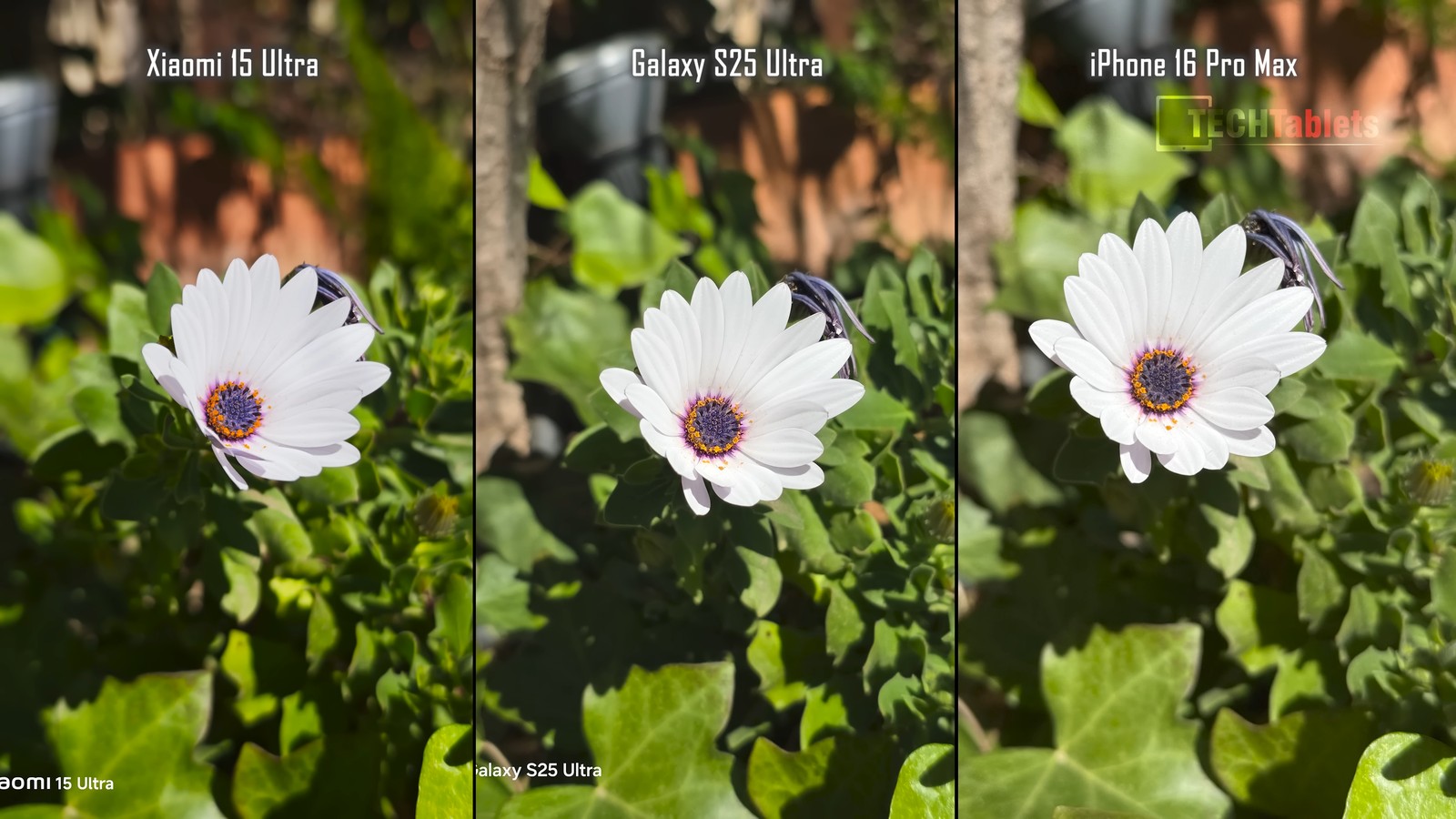
Finally, we’re adding a detailed flower image. All the photos look great—what the tester liked more were the shots from Samsung and iPhone. This is a highly subjective take.
For more details, we definitely recommend you check out the full video that TechTablets shared on YouTube.
Vote in our poll:
Which one, in your opinion, takes better photos?
Xiaomi 15 Ultra Global Version

TIPFast delivery from the Spanish warehouse with no customs duty and VAT.
This product will be delivered to you quickly from a local Spanish warehouse. Shipping from Spain usually takes 7-10 days and is handled by a courier. When it arrives, you don’t pay any extra fees—no customs duty, no VAT.

TIPExpress delivery from a Polish warehouse without customs duty and VAT.
This product will be delivered to you express from a local Polish warehouse. Shipping from Poland usually takes 7-10 days and is handled by a courier. On delivery, you won’t pay any extra fees—no customs duty and no VAT.

TIPExpress delivery from a Slovak warehouse within 1 to 3 business days.
This product will be delivered to you express from a local Slovak warehouse. Delivery usually takes 1-3 business days and is handled by a courier. The price is final.
TIPExpress delivery from a Slovak warehouse within 1 to 3 business days.
This product will be delivered to you express from a local Slovak warehouse. Delivery usually takes 1-3 business days and is handled by a courier. The price is final.
To get more updates from the world of Xiaomi, keep following our Xiaomi Planet website. Join our Facebook group, where we build an active community and help each other out. Subscribe to our Telegram as well, where we add the best deals and coupons from China every day.
Don’t miss the best coupons 📩
Subscribe and we’ll email you new coupons before they expire. We only send it once a month — no spam.