

- Selfies with the main camera and calls without turning the phone
- A custom AI app in about 5 minutes
- The global version should arrive this year
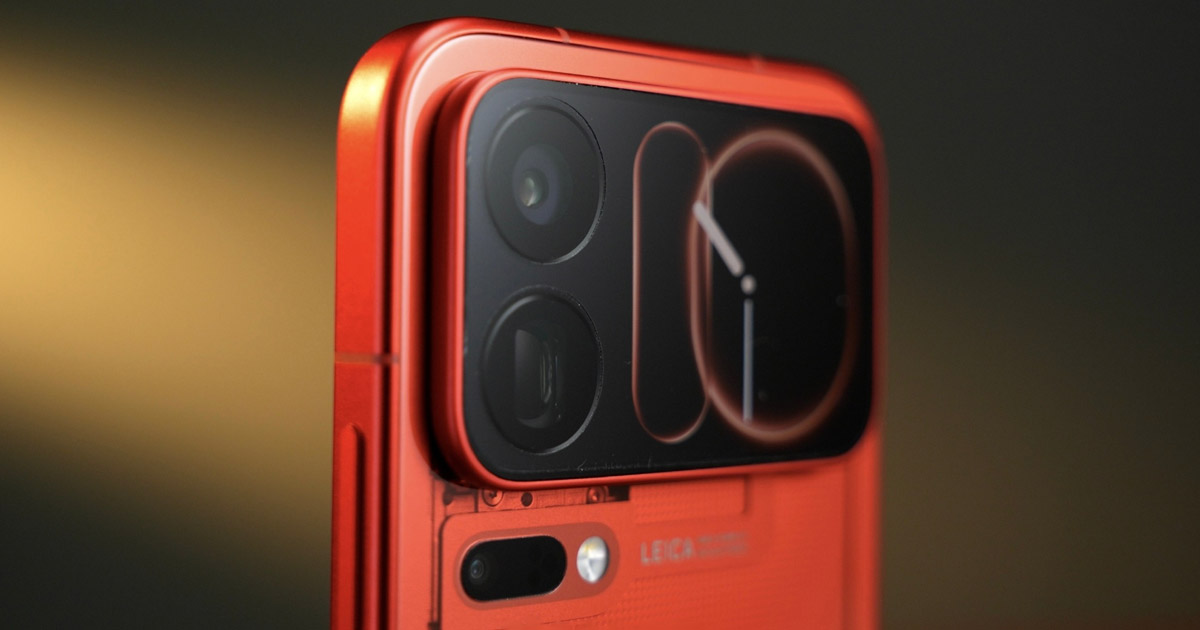
The back display was the biggest new feature at the launch of Xiaomi 18 Pro. The editors at Frandroid bought the Chinese version of the phone and picked five functions of the small screen that interested them the most. The back display measures 2.7 inches and sits right next to the cameras. The main display is 6.4 inches.
Xiaomi promises more than 100 app cards for the back display, and it already sells accessories for it too, for example the magnetic Pocket Guitar. Still, the French looked at what works for everyday use.
1. Selfies with the main camera
For the back display, many people will probably think of taking photos first. The screen shows a live preview, so you take selfies with the main 200 MP camera instead of the front camera. You start the camera on the small display by swiping your finger from the left edge toward the middle.
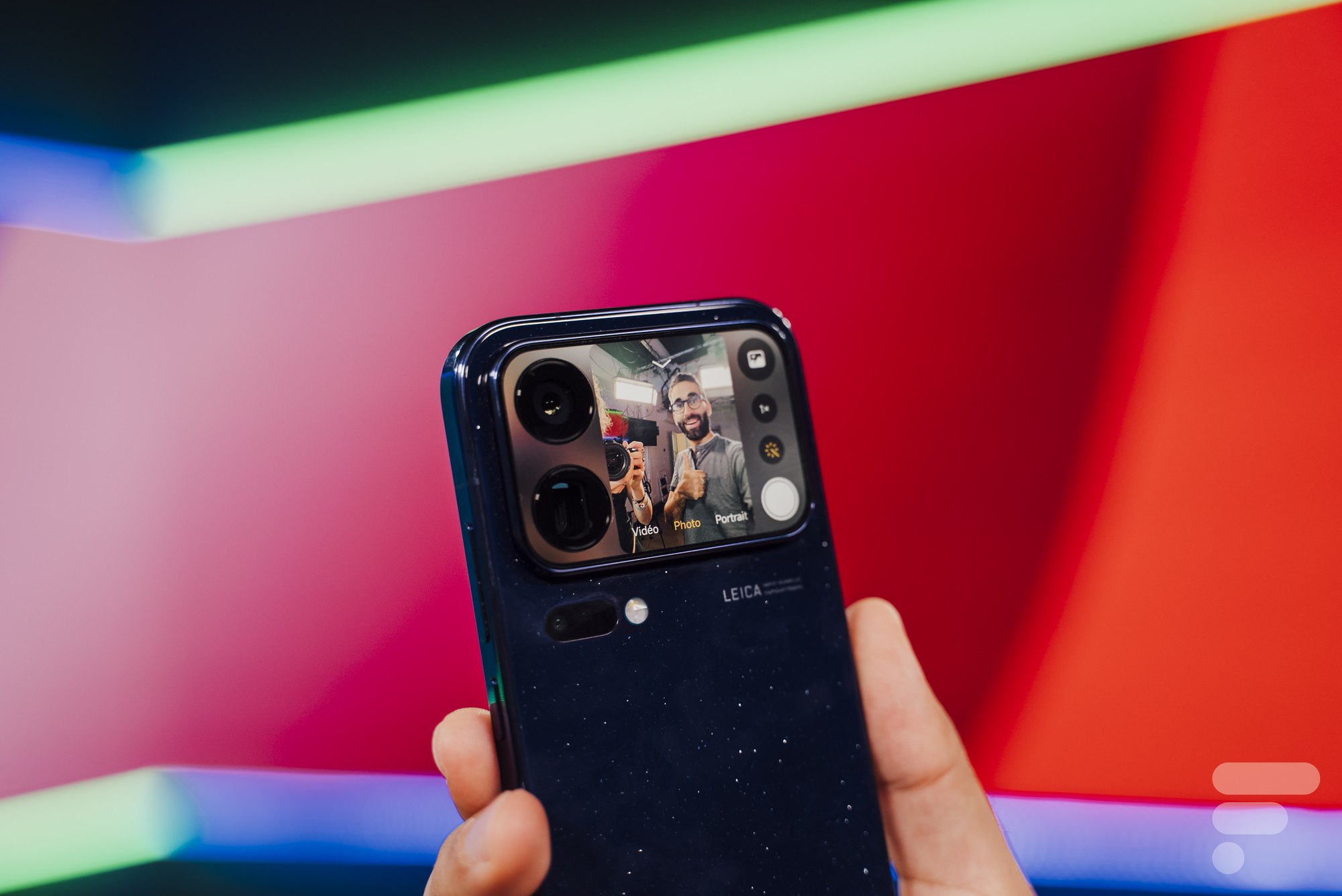
You then also get standard controls with modes and settings. But according to Frandroid, on the 2,7-inch panel the buttons are pretty cramped.
It also works the other way around. When you’re shooting with the main display, you use the button in the top-left corner of the camera app to enable a preview on the back side. The person you’re filming can immediately see how the shot looks. It works the same way on foldable phones.
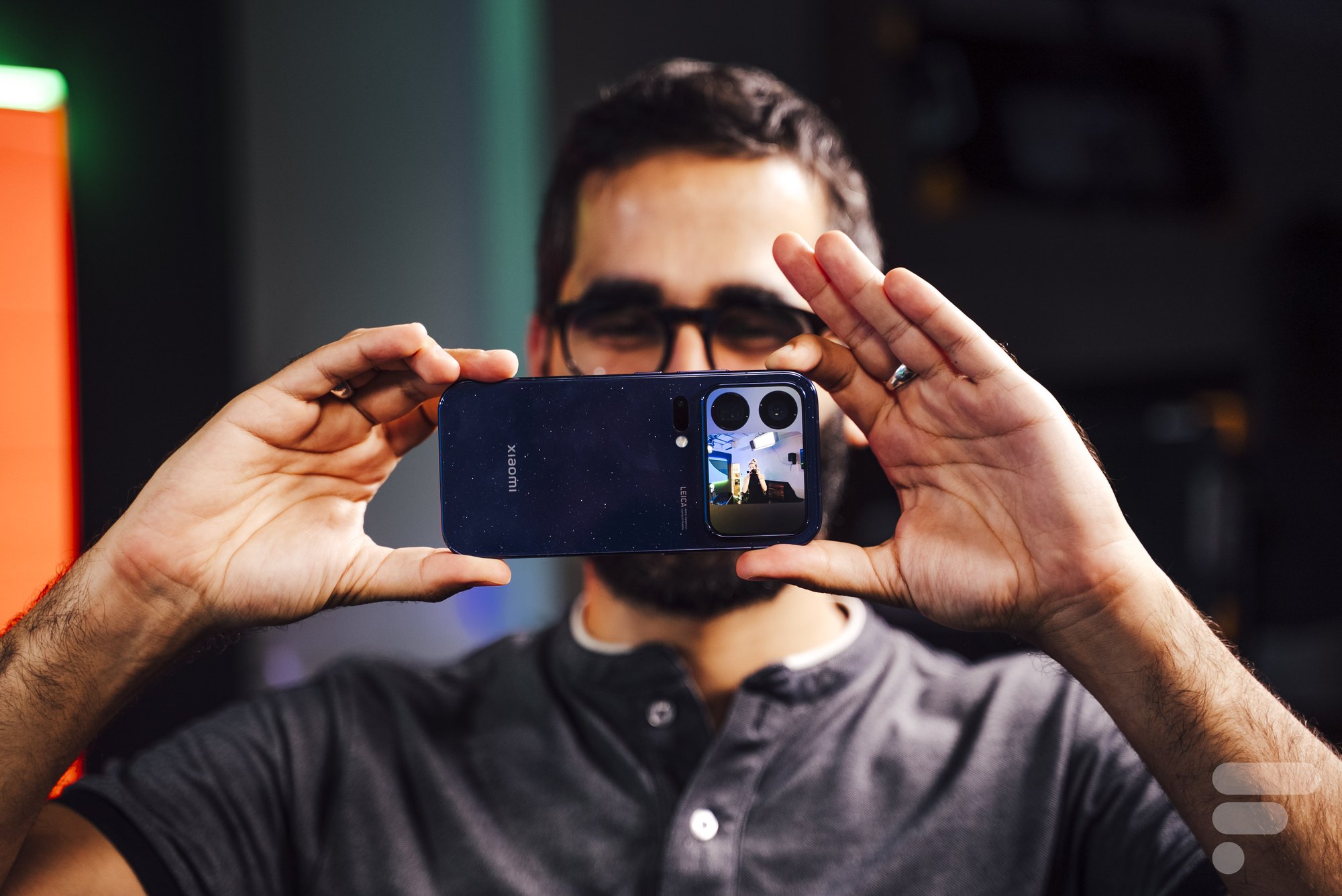
The camera also has other tricks, for example Open Gate mode. Xiaomi almost didn’t mention it at the launch.
2. You can receive a call without turning the phone
When the phone is placed screen-down, incoming calls appear on the back screen. After tapping, you’ll see the caller’s name or number, and you can accept or decline the call. The accepted call automatically switches to speaker mode.
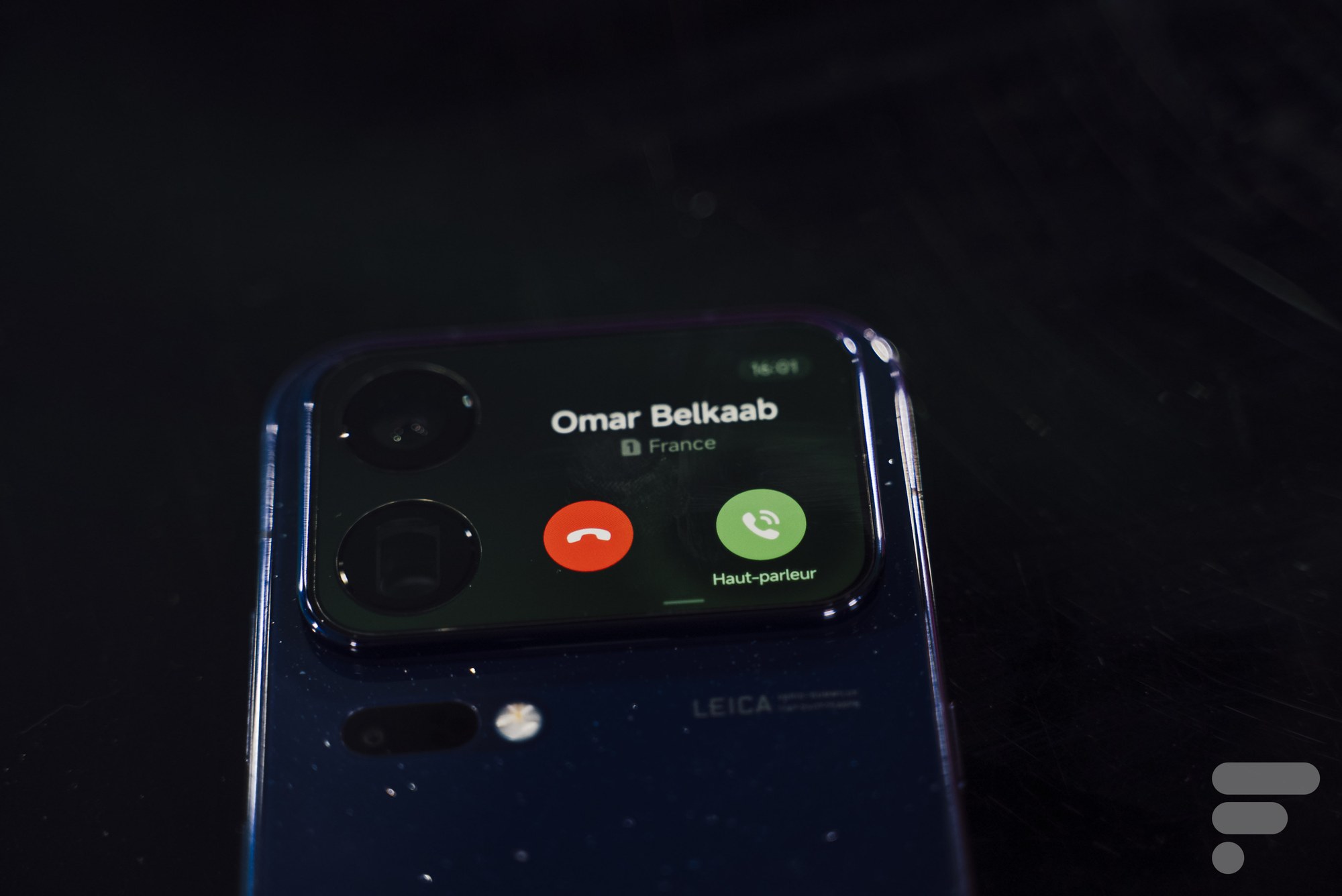
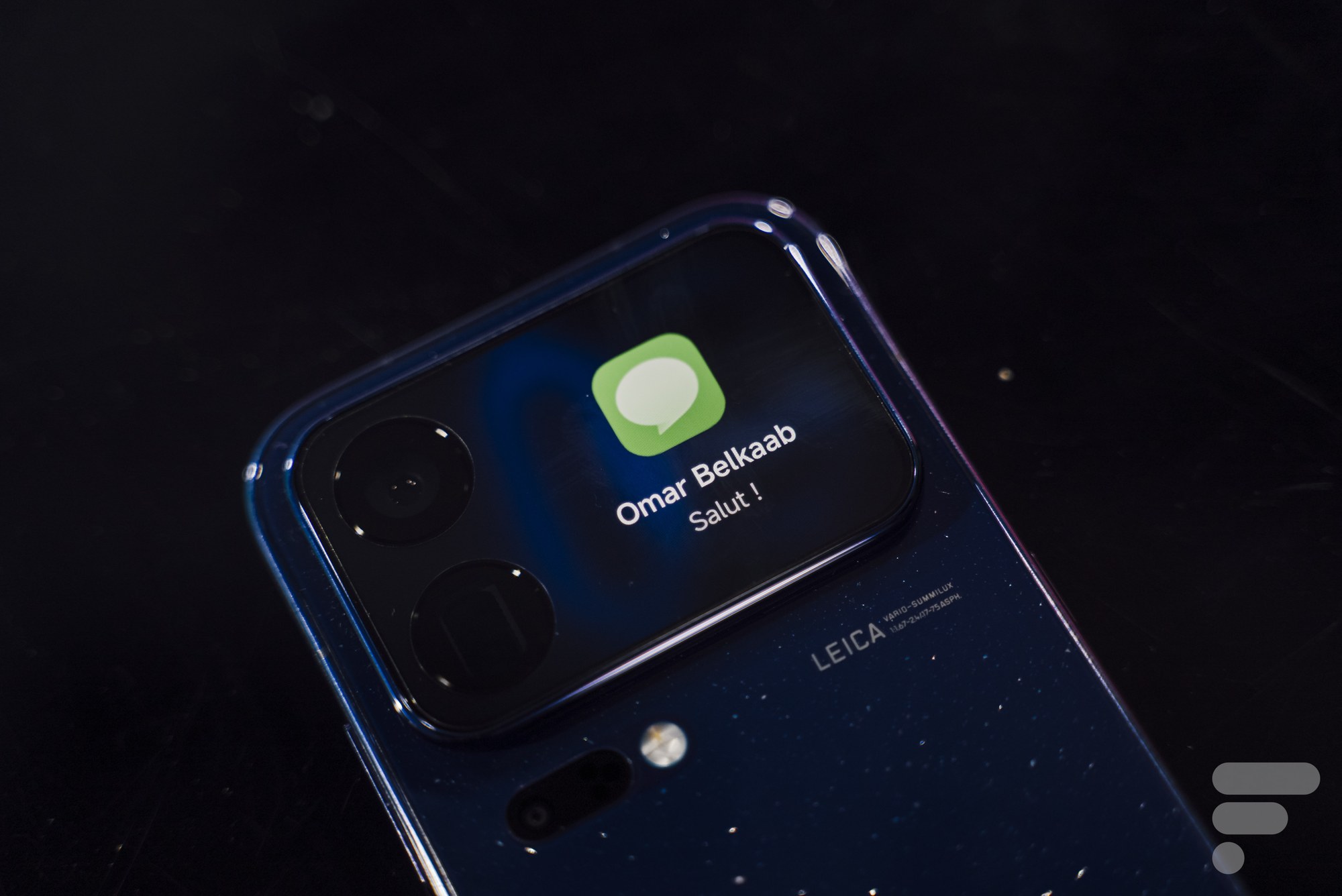
You can also send notifications to the back display. First, though, you need to allow notification alerts on the locked screen for the selected apps in settings. Otherwise, the back display won’t show anything for new messages.
3. A custom app created by AI
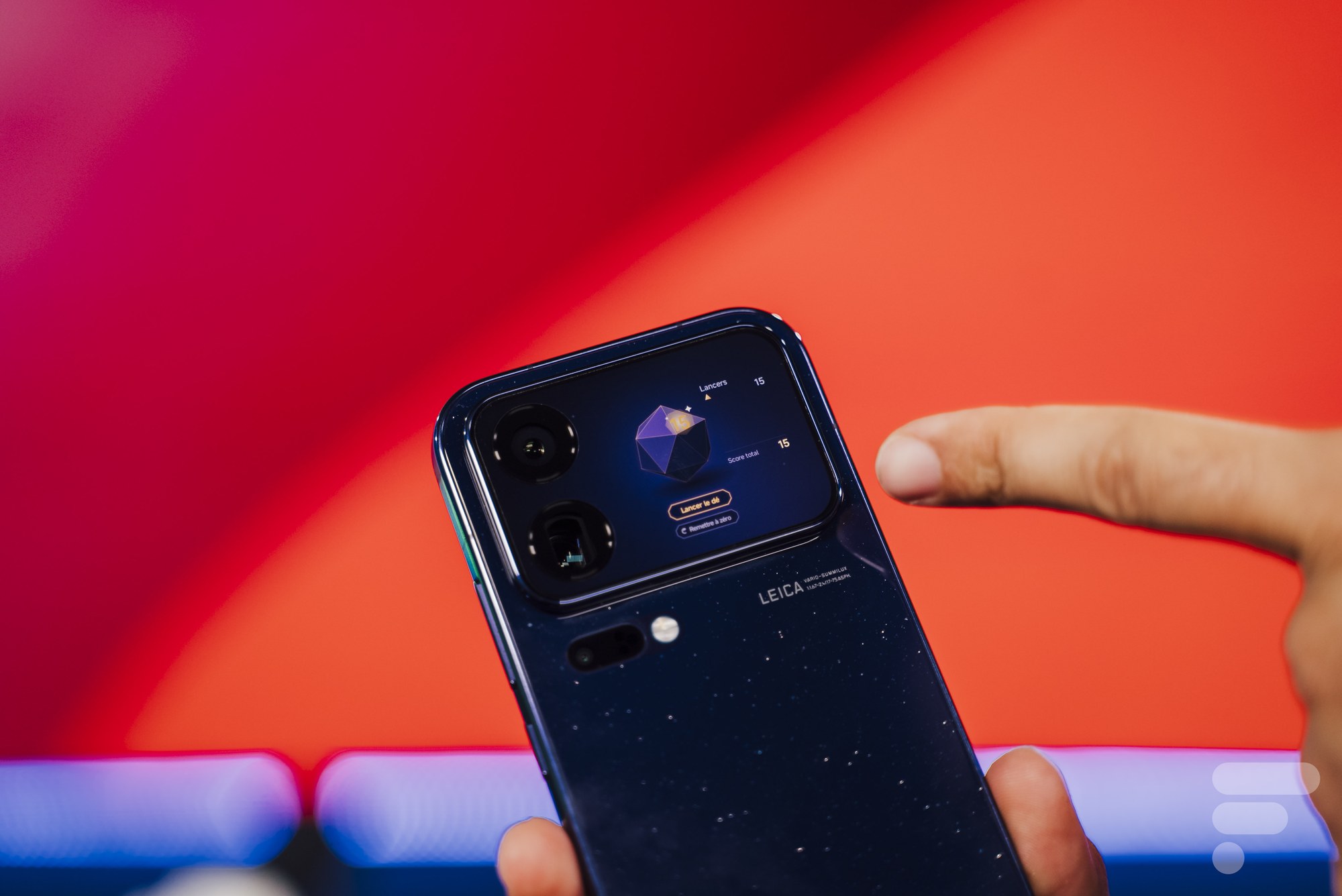
Completely new in this generation is creating apps for the back display. You describe what you want to the AI, and you’ll have the finished app in about five minutes. We already wrote about this feature before the launch, when Xiaomi showed it in a teaser.
You’ll find the feature in the back display settings, and it’s currently in beta. According to Frandroid, it still works well. Editor-in-chief Omar Belkaab used dictation to create a dice cube with 20 sides for the tabletop game Dungeons & Dragons.
4. Weather, step counter, and home controls
In the settings, you can also choose the wallpaper for the back display. You can pick simple ones, as well as wallpapers with adorable animals.
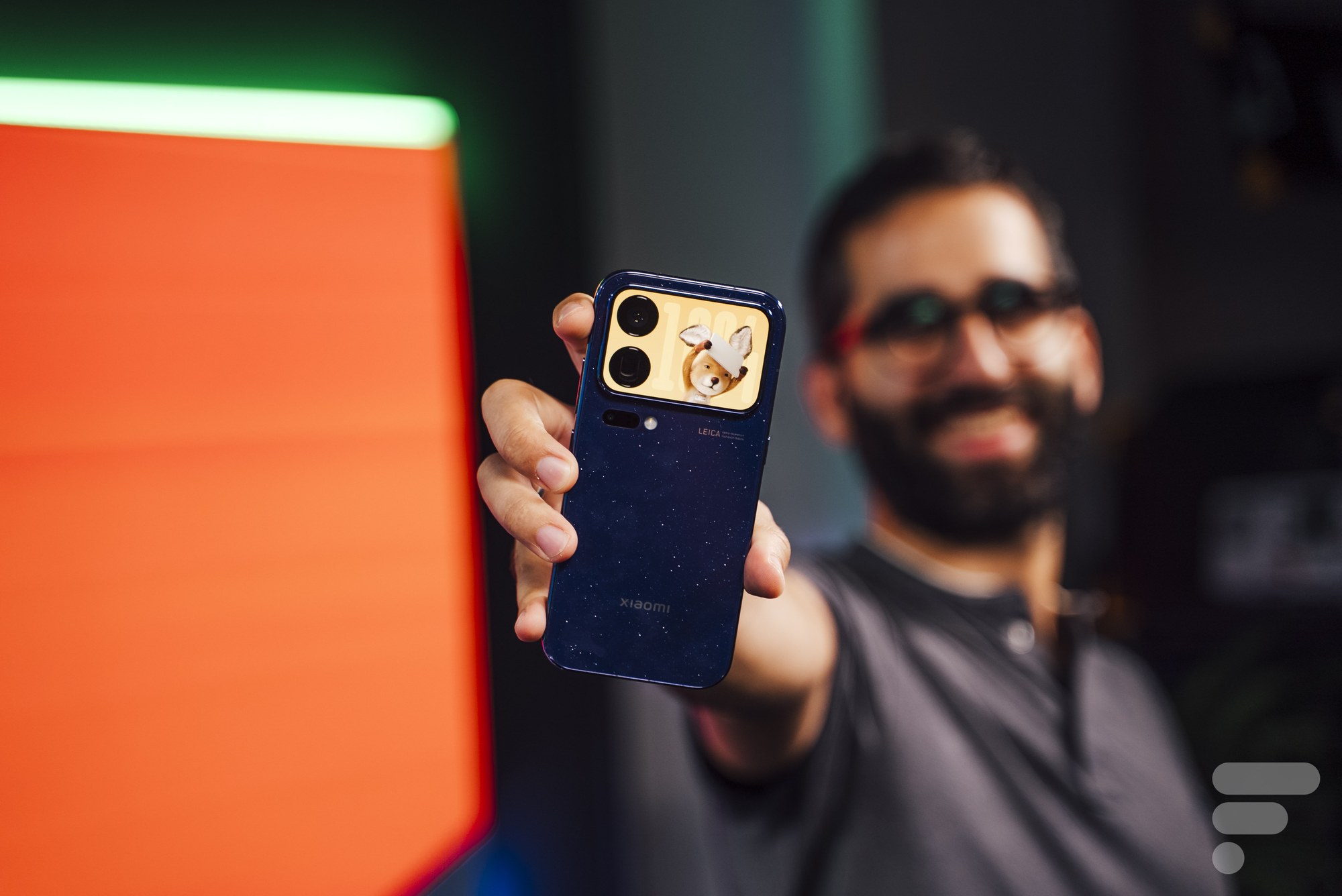
Frandroid liked the weather and the step counter wallpapers the most. Both pieces of info are handy to have on hand, and you can see them without turning your phone.
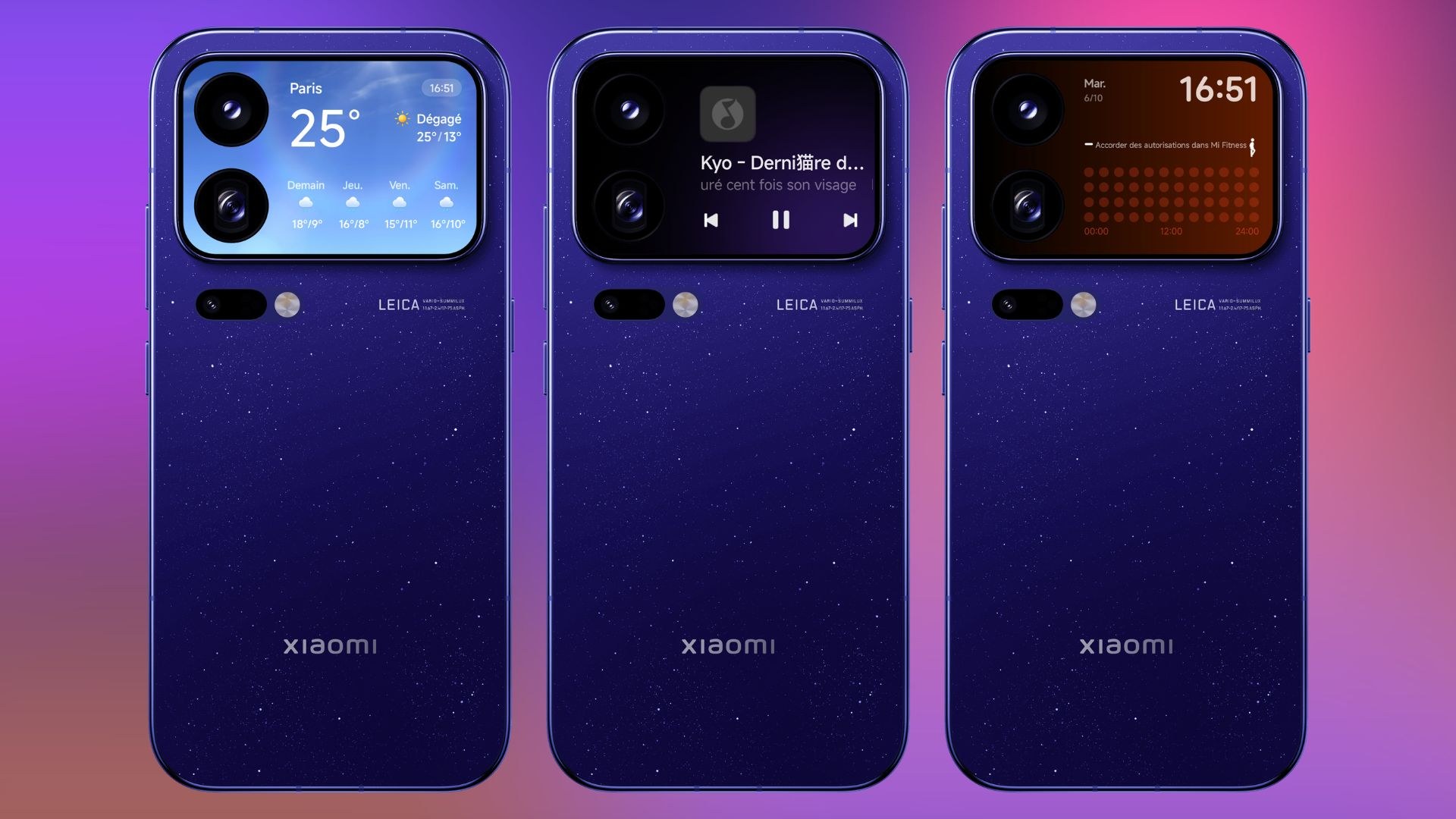
On the back display, you can also run selected apps, but only from a list prepared by Xiaomi. It includes a music player, a calendar, and device controls via Xiaomi Home. If you have a Xiaomi security camera at home, you’ll also see its live feed on the back display.
5. Minute minder countdown
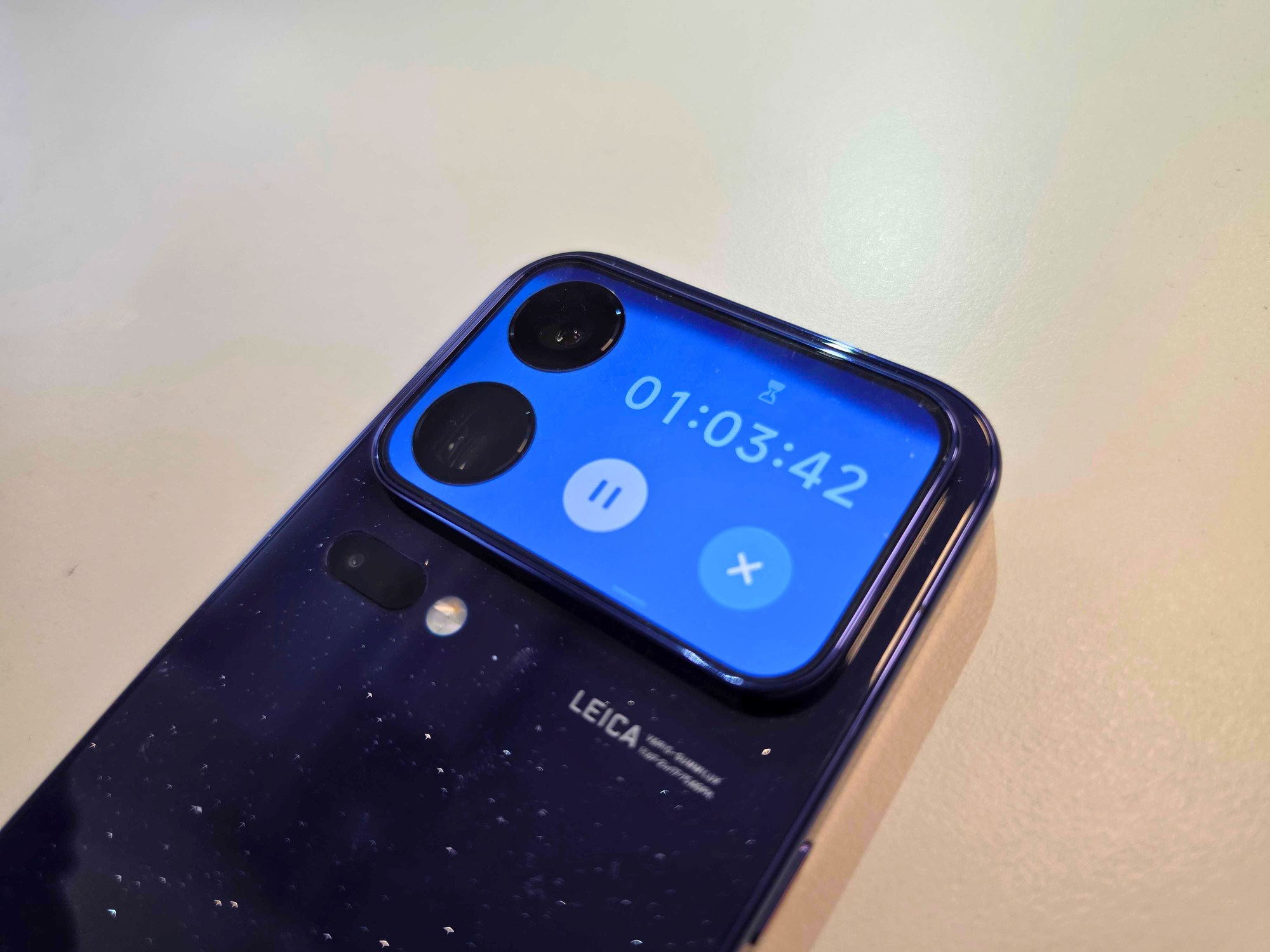
The last feature is just a small extra, but the editorial team praised it. When you start a minute minder on the Xiaomi 18 Pro, you can track the countdown on the back display too.
What’s missing for now, and what could come next
The app list for the back display also includes Chinese services DiDi and AMap, similar to Uber and Google Maps. On the display, they should show where the ordered driver is, or provide navigation instructions during the trip. In France, these services don’t work properly, so Frandroid didn’t test them. Xiaomi has them in the system based on deals with Chinese companies.

The editorial team has reservations about the settings. In their view, managing the wallpaper, apps, and other tweaks is confusing and you quickly get lost in it. They expect a better translation and more order with the European firmware.
Outside China, the Xiaomi 18 Pro is expected to start selling this year as well, Xiaomi president Lu Weibing confirmed. According to Frandroid, it will also come to Europe, but we don’t know the exact date or price yet. The Pro model last officially reached us in the form of the Xiaomi 13 Pro.
Xiaomi hasn’t said whether the global version will include all the back-display features, including AI apps. You also have to account for a smaller battery. According to the firmware, the global 18 Pro gets 6,000 mAh instead of 7,000 mAh in the Chinese version.
To get more updates from the world of Xiaomi, keep following our Xiaomi Planet website. Join our Facebook group, where we build an active community and help each other out. Subscribe to our Telegram as well, where we add the best deals and coupons from China every day.
Don’t miss the best coupons 📩
Subscribe and we’ll email you new coupons before they expire. We only send it once a month — no spam.