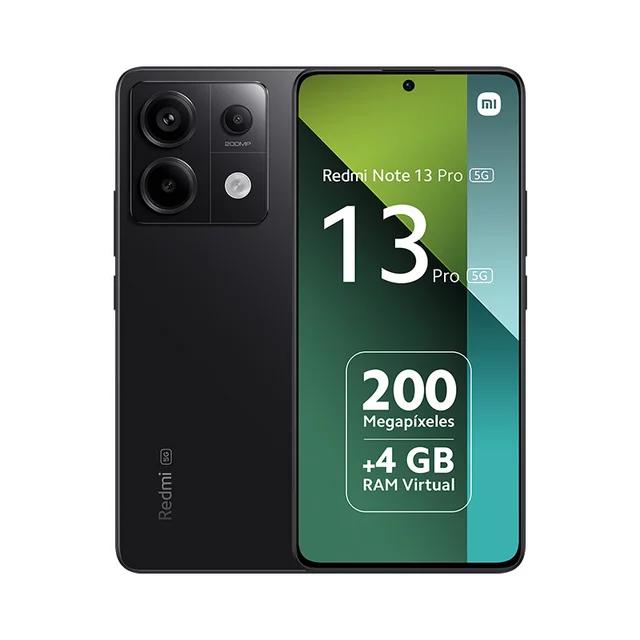
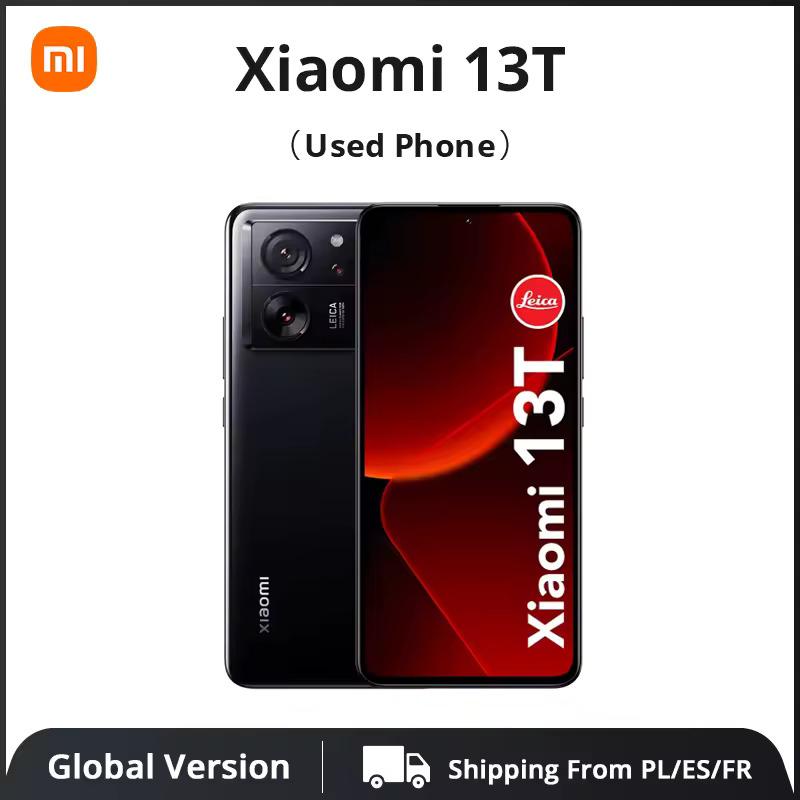
We bring you a comparison of three highly requested smartphones from the mid-range segment. Specifically, the models POCO F6, Redmi Note 13 Pro 5G, and Xiaomi 13T. The main focus is the camera comparison.
The result is very interesting, as it highlights the sensor quality of smartphones from three different brands within this Chinese tech giant. In addition, we compared the designs of these devices, their hardware specs, and their performance in popular benchmark tests.
Basic specifications
POCO F6
Redmi Note 13 Pro 5G
Xiaomi 13T
Dimensions
160.5 x 74.5 x 8 mm
161.2 x 74.2 x 8 mm
162.2 x 75.7 x 8.5 mm
Weight
179 g
187 g
193 g / 197 g
Display
AMOLED / 6.67 inches
AMOLED / 6.67 inches
AMOLED / 6.67 inches
1220 x 2712 px /446 ppi / 120 Hz / 2400 nits (peak)
1220 x 2712 px /446 ppi / 120 Hz / 1800 nits (peak)
1220 x 2712 px /446 ppi / 144 Hz / 2600 nits (peak)
Each of the models compared has a 6.67-inch display diagonal. These are AMOLED panels with resolutions of 1220 x 2712 px and a resulting density of 446 ppi. POCO F6 and Redmi Note 13 Pro 5G have the highest refresh rates at 120 Hz, while Xiaomi 13T pushes this limit up to 144 Hz.
The dimensions of all three tested devices are very similar. The batteries are 5000 mAh, or 5100 mAh for Redmi Note 13 Pro 5G. With a single charge, you can expect about 1.5 days of battery life for each model.
POCO F6 supports 90 W charging, and the remaining setup allows for a maximum charging output of 67 W. It’s great that every package includes a charging adapter, along with the included cases.
Comparison photos
Photos were taken with all the smartphones using the default settings. Xiaomi 13T uses color adjustments from Leica, and you have to choose between the “Vibrant” mode, which delivers vivid and bright photos, and the “Authentic” mode, which focuses on rich contrast and colors that are closer to reality.
Discount: POCO F6, Redmi Note 13 Pro 5G, Xiaomi 13T
In some cases, the difference was so minimal that we decided to add just one photo, without even knowing which mode was set. In other cases, where the difference was visible, we added two comparison photos for Xiaomi 13T.
Discount: POCO F6, Redmi Note 13 Pro 5G, Xiaomi 13T
Xiaomi 13T was also the smartphone we were most satisfied with in terms of photo quality. The battle between POCO F6 and Redmi Note 13 Pro 5G was a bit closer. Redmi Note 13 Pro 5G wins in night shots, while during the day it’s a more balanced fight—the models compete and trade blows.
Sometimes Redmi goes a bit too far with exposure, while POCO is more likely to underexpose. POCO has nicer colors, whereas the results from Redmi can sometimes look quite faded. Judge for yourself using your own comparison of the test photos below.
Each of the tested devices, in our opinion, delivers one of the best price-to-performance ratios in its category. The results from popular benchmarks also carry over to real life. POCO F6 is truly the fastest and smoothest in practice. Next comes Xiaomi 13T, which also provides a trouble-free day-to-day experience.
Discount: Redmi Note 13 Pro 5G, Xiaomi 13T, POCO F6
A big surprise for the price is also the Redmi Note 13 Pro 5G. Compared to POCO and Xiaomi, it’s slightly slower—for example, opening apps or multitasking happens with a minor delay, but it’s completely acceptable. We compared performance in apps AnTuTu Benchmark, Geekbench 6, and 3DMark.
Discount: Redmi Note 13 Pro 5G, Xiaomi 13T, POCO F6
In the last changed app, besides the classic Wild Life Extreme benchmark, we also ran a 20-minute stress test—which, unfortunately, the POCO F6 didn’t complete due to high temperatures. During gaming, you’ll almost certainly not run into this warning—it’s a very demanding performance test.
However, a longer test under heavy load is an indicator of the device’s heat dissipation efficiency and performance management, and the failure, of course, is something we wouldn’t want to witness. By the way, this test wasn’t completed even by the premium flagship Xiaomi 14 Ultra, on which we also tried 3DMark.
POCO F6
Redmi Note 13 Pro 5G
Xiaomi 13T
AnTuTu Benchmark
1 388 909 points
591 266 points
891 084 points
Geekbench 6 (Single-Core)
1 834 points
1 027 points
896 points
Geekbench 6 (Multi-Core)
4 587 points
2 932 points
3 003 points
Wild Life Extreme
2 846 points
795 points
1 575 points
Wild Life Extreme Stress Test (20 minutes)
Failure (overheating)
795 points
1 571 points
POCO F6
POCO F6 – AnTuTu Benchmark
POCO F6 – Geekbench 6
POCO F6 – 3DMark
POCO F6 – 3DMark
POCO F6 – 3DMark (overheating)
Redmi Note 13 Pro 5G
Redmi Note 13 Pro 5G – AnTuTu Benchmark
Redmi Note 13 Pro 5G – Geekbench 6
Redmi Note 13 Pro 5G – 3DMark
Redmi Note 13 Pro 5G – 3DMark
Redmi Note 13 Pro 5G – 3DMark
Redmi Note 13 Pro 5G – 3DMark
Xiaomi 13T
Xiaomi 13T – AnTuTu Benchmark
Xiaomi 13T – Geekbench 6
Xiaomi 13T – 3DMark
Xiaomi 13T – 3DMark
Xiaomi 13T – 3DMark
Xiaomi 13T – 3DMark
Which smartphone would you choose?
If you’re deciding between these three smartphones, you need to consider your priorities. With Redmi Note 13 Pro 5G, you’ll save the most money and get a very capable phone with acceptable performance and usable cameras. The best value for money and specs is the POCO F6.
If you buy it at our discounted price below 300 €, you’ll make one of the best possible purchases and get a smartphone with exceptionally high performance and solid cameras.
Reader poll
Which of these three smartphones would you choose?
Xiaomi 13T35 %
POCO F637 %
Redmi Note 13 Pro 5G28 %
293 votes · You haven’t voted yet
If you prefer a model with the best possible cameras, then you should consider Xiaomi 13T, or POCO F6 Pro, which we also have on the editorial desk—and we’ll publish a review very soon, where we’ll compare it even with the base POCO F6 variant.
TIPFast delivery from the French warehouse with no customs duty or VAT.
This product will be delivered to you quickly from a local Spanish warehouse. Shipping from Spain usually takes 7-10 days and is handled by a courier. When it arrives, you don’t pay any extra fees—no customs duty, no VAT.
TIPExpress delivery from the German warehouse with no customs duty and no VAT.
This product will be delivered to you express from a local German warehouse. Delivery from Germany usually takes 7-10 days, and it’s brought by courier. When it arrives, you don’t pay any extra fees—no customs duty or VAT.
Are you buying on Smarty.sk for the first time?See the guide!
Updated 1. 11. 2025 on 09:18
TIPExpress delivery from a Slovak warehouse within 1 to 3 business days.
This product will be delivered to you express from a local Slovak warehouse. Delivery usually takes 1-3 business days and is handled by a courier. The price is final.
Platba cez DHgate: The platform has finally launched safe and reliable Google Pay payments! So now you don’t need to use Revolut / Wise cards for payment, and you can pay directly in EUR. We’d also like to remind you that orders from DHgate come with our VIP support, which you get after downloading our extension for the Chrome browser on desktop only (when shopping on a smartphone, you can use the DHgate app).
Xiaomi Planet shopping tip: GShopper has now launched direct bank transfer payments, so you can save another 4.5 % off the product price! Compared to card / Google Pay payment, you can get this product much cheaper. We described the full bank transfer payment process in our article.
Are you shopping on DHGate for the first time?See the guide!
Updated 10. 10. 2026 on 16:54
TIPFast delivery from the Spanish warehouse with no customs duty and VAT.
This product will be delivered to you quickly from a local Spanish warehouse. Shipping from Spain usually takes 7-10 days and is handled by a courier. When it arrives, you don’t pay any extra fees—no customs duty, no VAT.
Is it your first time shopping on GShopper?See the guide!
Updated 10. 10. 2026 on 16:54
TIPWith Standard Shipping via GShopper, you pay no extra fees—everything is already included!
With the GShopper seller, we recommend choosing Standard Shipping, where you won’t pay anything extra. Customs fees and any VAT are handled by the seller. You can select the shipping method in the cart only, after entering your delivery address. Delivery with this option usually takes about 15 business days from dispatch from the warehouse, but it may take longer.
Is it your first time shopping on GShopper?See the guide!
Updated 10. 10. 2026 on 16:54
TIPWith Standard Shipping via GShopper, you pay no extra fees—everything is already included!
With the GShopper seller, we recommend choosing Standard Shipping, where you won’t pay anything extra. Customs fees and any VAT are handled by the seller. You can select the shipping method in the cart only, after entering your delivery address. Delivery with this option usually takes about 15 business days from dispatch from the warehouse, but it may take longer.
Our extra service with VIP support — we’ll handle the order on Gshopper for you and ship it straight to your address.
If you don’t have experience buying on Gshopper, payments don’t go through, or coupon use doesn’t work for you, we offer an order handling service directly to your address for our readers and customers. You transfer the money to our account and we place the order directly to your address. This way, you won’t have to worry about a failed payment or applying the coupon, and you can be sure the entire order will go through correctly 100 %. In addition, you automatically get our VIP support — if any issues arise with the shipment, we handle them for you and assist with filing a claim. The fee for this service is €15 extra of the product price. You can contact us by email at info(@)xiaomiplanet.sk or on Messenger, where we’re constantly active.
Our extra service with VIP support — we’ll handle the order on DHgate for you and ship it straight to your address.
If you don’t have experience buying on DHgate, your payment won’t go through, or the coupon doesn’t work, we offer our readers and customers an order-handling service delivered directly to your address. You send us the money by bank transfer and we order the product straight to you. That way, you don’t have to worry about a failed payment or applying the coupon, and you can be sure the whole order goes through 100 % correctly. On top of that, you automatically get our VIP support — we handle any shipping issues for you and assist with warranty claims. The fee for this service is 15 € for the product price. You can contact us by email at info(@)xiaomiplanet.sk or on Messenger, where we’re active all the time.
TIPFast delivery from the Spanish warehouse with no customs duty and VAT.
This product will be delivered to you quickly from a local Spanish warehouse. Shipping from Spain usually takes 7-10 days and is handled by a courier. When it arrives, you don’t pay any extra fees—no customs duty, no VAT.
Are you shopping on DHGate for the first time?See the guide!
Updated 11. 9. 2026 on 09:36
TIPFast delivery from the Spanish warehouse with no customs duty and VAT.
This product will be delivered to you quickly from a local Spanish warehouse. Shipping from Spain usually takes 7-10 days and is handled by a courier. When it arrives, you don’t pay any extra fees—no customs duty, no VAT.
Are you shopping on DHGate for the first time?See the guide!
Updated 11. 9. 2026 on 09:36
TIPFast delivery from the Spanish warehouse with no customs duty and VAT.
This product will be delivered to you quickly from a local Spanish warehouse. Shipping from Spain usually takes 7-10 days and is handled by a courier. When it arrives, you don’t pay any extra fees—no customs duty, no VAT.
TIPExpress delivery from a Polish warehouse without customs duty and VAT.
This product will be delivered to you express from a local Polish warehouse. Shipping from Poland usually takes 7-10 days and is handled by a courier. On delivery, you won’t pay any extra fees—no customs duty and no VAT.